Preferences
Privacy is important to us, so you have the option of disabling certain types of storage that may not be necessary for the basic functioning of the website. Blocking categories may impact your experience on the website. More information
Privacy is important to us, so you have the option of disabling certain types of storage that may not be necessary for the basic functioning of the website. Blocking categories may impact your experience on the website. More information

Copy a weekly GEO tracker template with mentions, citations, share of voice and visibility score. Fill it by hand, run it each week, and act on the trend.
In short
A weekly GEO tracker is a sheet that records, every week, how often AI models mention your brand, cite your site, and name you next to your competitors. Copy the template below, run the same prompt list every week, and fill the cells by hand. Compare four-week averages, not single weeks.
Want to go further? Ask
Quick quiz
How should you get mentioned by ChatGPT and other AI assistants?
Sorank matches your answers


Test it for 3 days on your own site and see where you stand on Google, ChatGPT and the other AIs.
Start 3-day free trial3 days free, then stop whenever you want. 90-day results guarantee, conditions apply.
A GEO tracker measures four indicators: mentions, citations, share of voice and visibility score. Each one answers a different question. You need all four to know whether AI models are growing your presence or just repeating a name they saw once.
GEO means generative engine optimization, the work of getting your brand named and linked inside AI answers. The term comes from a 2023 paper by Aggarwal and colleagues, who reported that their methods could boost visibility in generative engine responses by up to 40%. You can read the basic definition in our GEO glossary entry.
| Indicator | The question it answers | Unit |
|---|---|---|
| Mentions | How often does an AI model name my brand? | Count of answers |
| Citations | How often does an answer link to a page on my site? | Count of answers |
| Share of voice | What part of all brand mentions goes to my brand? | Percent |
| Visibility score | In how many runs does my brand appear at all? | Percent of runs |
Mentions and citations are counts. Share of voice and visibility score are percentages, so they compare cleanly from one week to the next, even when you run more or fewer prompts. The share of voice entry explains the basic idea. The rest of this guide gives the exact formulas and the rules for reading them.
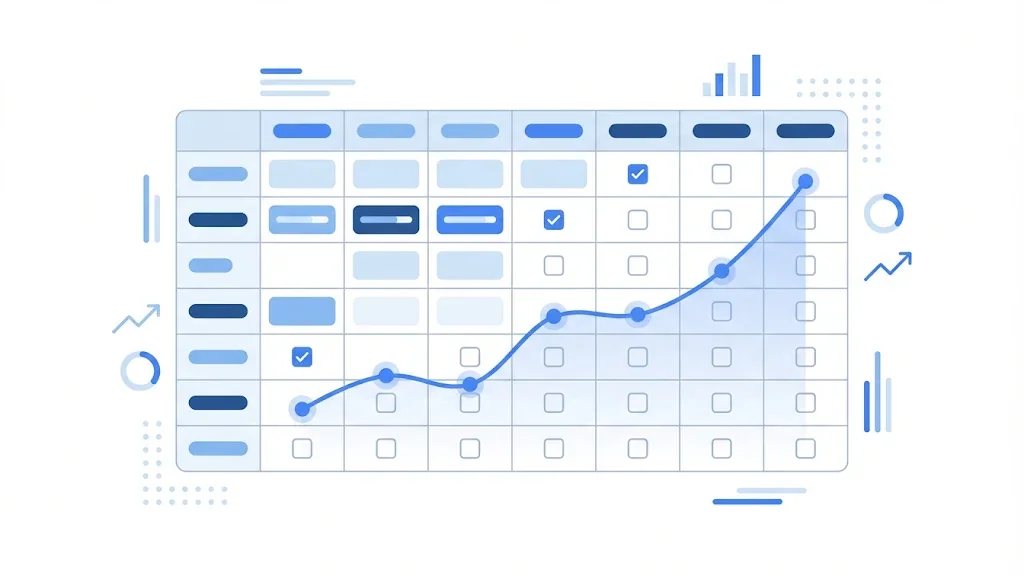
Paste the two blocks below into a spreadsheet app, such as Google Sheets, Excel or Numbers. The first block is the weekly summary, with one row per week. The second is the prompt log, with one row per answer. Leave every number empty until you have run the checks, and type each value after the check, never before.
Sheet 1, weekly summary:
Week,Date,Prompts,Runs,Mentions,Citations,Share of voice,Visibility score,Change vs last week,Next action,Owner
1,,,,,,,,,,
2,,,,,,,,,,
Sheet 2, prompt log:
Date,Prompt,Prompt group,Engine,Run,Brand named,Link to your site,Competitors named,Notes
,,,,,,,,| Column in sheet 2 | What to type |
|---|---|
| Run | 1, 2 or 3, the number of this run for this prompt and engine |
| Brand named | yes or no, from the answer text, with or without a link |
| Link to your site | yes or no, only for a link to a page on your own domain |
| Competitors named | Every other brand the answer names, separated by commas |
Use one row per run. Twenty prompts on three engines, with three runs each, gives 180 rows a week. That is a lot of typing, which is why the summary sheet exists: it turns the log into the four numbers you track.
Count a mention when the brand name appears in the answer text, with or without a link. Count a citation only when the answer links to a page on your domain. Calculate share of voice and visibility score from those counts, so every number in the summary traces back to the log.
One answer or repeated runs
A mention is any answer that names your brand. Count each answer once, even if it names you twice. A mention shows that a model knows your name. It does not show that the model trusts you enough to send readers to your site, which is why citations are tracked on their own line.
Name variants need a rule. Count a short name or a product name only when the answer clearly refers to your brand. Write the rule at the top of the sheet, and apply it the same way every week, so that a new spelling in an answer does not add a mention by accident.
A citation is an answer that links to a page on your domain. It is a stricter test than a mention. For the difference in depth, read our guide to AI citations and mentions. Check the link itself, not the name of the source. A review site that names your brand does not count as a citation of your site.
Share of voice is your mentions divided by all brand mentions in the same answers, your brand and its competitors together. It tells you how much of the conversation you hold. Count every brand the answer names, so your share falls when a competitor is named more often than you.
share of voice = your mentions / all brand mentions in the same runsFor example, if your brand is named 12 times and your competitors are named 36 times across the same answers, your share of voice is 25 percent (12 / 48). Keep the same set of competitors every week, or the share will move for reasons that have nothing to do with your content.
The visibility score is the share of runs in which your brand appears at all, across a prompt group. Calculate it per engine first, then across engines, so you can see where you are strong and where you are missing. A percentage over many runs is steadier than a single answer, as we show below.
visibility score = runs that name your brand / all runs in the groupFor example, if 45 of your 60 answers in a group name your brand, your visibility score is 75 percent. Report the group name and the number of runs next to the score, so that a reader can see how much evidence sits behind it.
Use about 20 prompts that real buyers would type, split into three groups: category questions, comparison questions and problem questions. Keep branded prompts, the ones that include your own name, in a separate group. They name your brand, so they inflate your score and hide the change you want to measure.
There are three common ways to find these prompts. Each one gives a different kind of list, so pick the one that matches the buyer you want to reach.
The principle is to write down the questions your customers ask before they buy, in their own words, from emails, chat logs and support tickets. Use this method when you already have customers and a support inbox. Its advantage is that the wording is real, so the prompts match how people actually ask AI models. Its limit is that the list may miss people who never became customers. An example is "which accounting software works for a two-person consulting firm".
The principle is to take the questions that compare your category with its leaders, such as "best" and "vs" questions. Use this method when you want to know whether AI models name you when buyers compare options. Its advantage is that these prompts sit close to the purchase decision. Its limit is that comparison answers often list only the large brands, so a smaller brand can look absent for reasons that have nothing to do with your content. An example is "best tool for [your category] for a small online store".
The principle is to take the problems your sales team hears on calls and turn each one into a question. Use this method when you sell through calls or demos. Its advantage is that the prompts match problems that already close deals. Its limit is that calls are a biased sample, so the list can miss newer buyers. An example is "how do I know if AI models recommend my brand".
| Source of prompts | Best for | Main limit |
|---|---|---|
| Customer questions | Real wording from buyers | Misses people who never bought |
| Competitor comparisons | Questions close to a purchase | Large brands dominate the answers |
| Sales calls | Problems that close deals | Biased toward current leads |
The answer depends on conditions you control. Keep them the same for every run, and write them in the Notes column of the log.
Before week one
Plan about an hour for 20 prompts once you have a routine. Run the list on the same day each week, log every answer as you go, then fill the summary row. The steps below keep the runs comparable, so that a change in the numbers comes from the content or the engine, not from how you ran the check.
The weekly routine
Note
Keep the day and the time of the run the same each week. Engines update their models without notice, so a sudden change may come from a model update rather than from your content. Write the model version in the Notes column when the engine shows it.
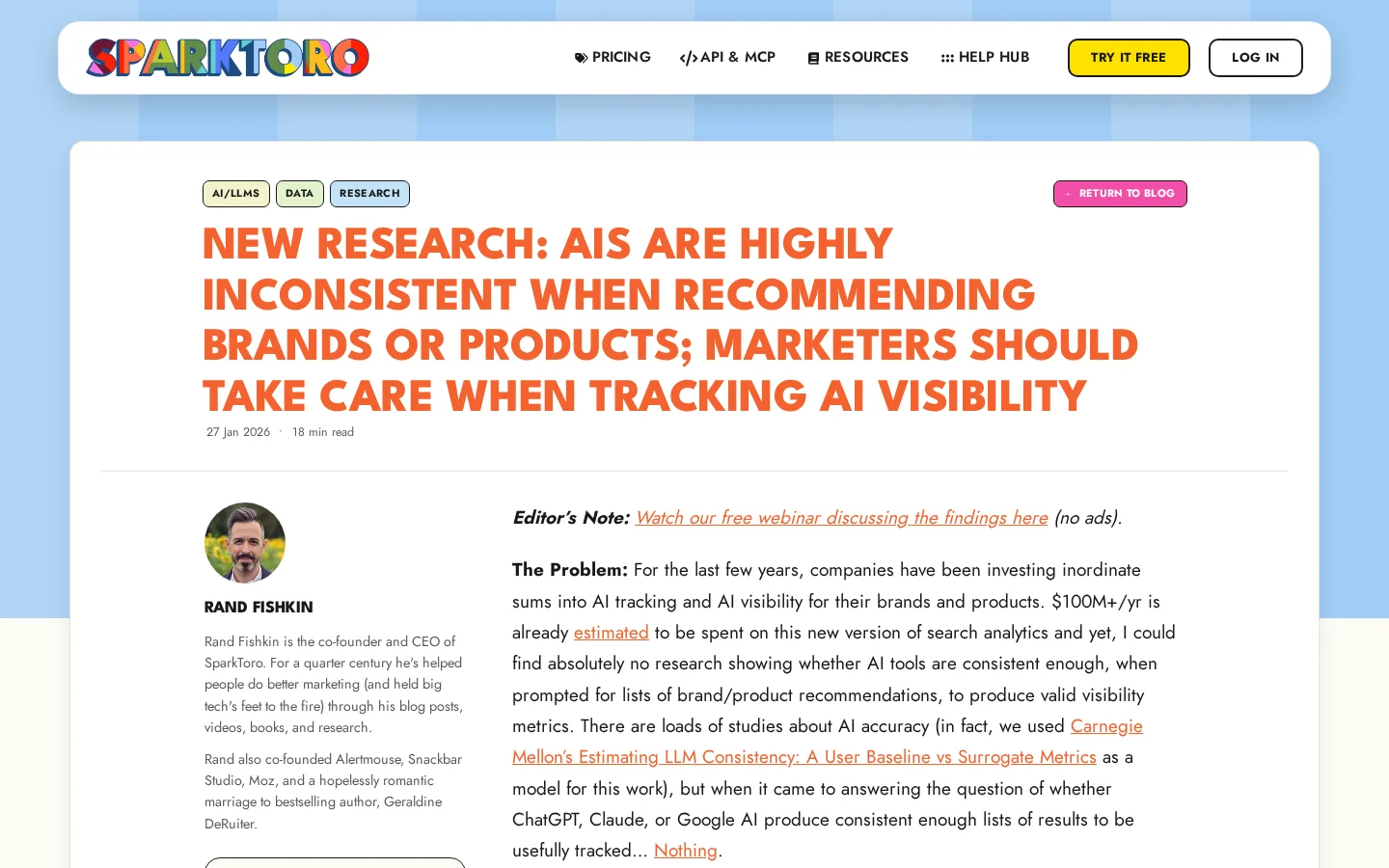
AI models rarely give the same brand list twice. In a study published on January 28, 2026, SparkToro had 600 volunteers run 12 prompts through ChatGPT, Claude and Google's AI answers, 2961 times in total. The chance that ChatGPT or Google's AI returned the same list of brands in two runs was under 1 in 100. Two lists in the same order appeared roughly once in 1000 runs.
Why repeated runs matter
Source: SparkToro, January 28, 2026
A single check can show your brand one week and miss it the next, with no change to your content. That is why the tracker uses repeated runs and percentages instead of a single answer.
The same study found that the best-known brands kept showing up at a steady rate. Its headphone example showed Bose, Sony, Sennheiser and Apple appearing in 55 to 77 percent of answers. The author recommends a visibility percentage across many prompts, run more than once, as a reasonable metric. Rank position moves too much from run to run to carry the decision on its own.
Judge a change only after it repeats. Compare four-week averages, and act on a trend rather than on one week. Four weeks is a rule of thumb, but it is enough to see whether a move holds.
four-week average = (last four visibility scores added together) / 4Compare the average with the period before it. A change of a few points in one week is hard to read. A change that holds for four weeks is worth an action. Use this table to decide what a pattern probably means:
| Pattern | What it probably means | Next action |
|---|---|---|
| Visibility up for several weeks | Your presence grows across the prompt group | Keep the list, and record what changed on your site |
| Share of voice down, visibility flat | Competitors are named more, not you named less | Read the competitor pages that the answers rely on |
| Mentions up, citations flat | AI models name you but do not send readers to your site | Work on the pages that answers can cite |
| Citations up, mentions flat | Your pages are used as sources, but the answer does not name your brand | Check that the brand name is clear on the cited page |
Each visibility score is an estimate from a limited number of answers. With 20 prompts run three times on one engine, you have 60 answers a week. If each answer were independent, a score near 50 percent would carry a margin of about 13 points either way, from chance alone. The answers are not fully independent, since prompts share topics, so treat 13 points as a minimum, not a ceiling.
margin of error = 1.96 * sqrt(p * (1 - p) / n) where p is your score and n is the number of answersThe margin shrinks with the square root of the sample. To halve it, you need four times as many answers, for example 80 prompts run three times, or 20 prompts run twelve times, on the same engine. This is the main reason to keep the run count fixed. A one-point move in one week means very little at this sample size.
Warning
Changing the prompt list resets the baseline. If you swap prompts, start a new summary series and keep the old one for reference. Comparing the two series as if they were one is the most common way to fool yourself with this tracker.
Most tracker errors come from changing the method, not from the AI models. The table below lists the five that appear most often. For each one, the fix is to lock the method first and read the numbers second.
| Error | Symptom | Fix |
|---|---|---|
| Changing prompts every week | The prompt count or wording differs between weeks | Lock the list for four weeks |
| One run per prompt | A prompt flips between yes and no | Run each prompt three times per engine |
| Branded prompts in the main group | The score is high from week one and barely moves | Put branded prompts in their own group |
| Running totals | The number only goes up | Track each week on its own |
| One blended score | The total looks steady while one engine falls | Report each engine, then the average |
What it is: you swap in new prompts when a result looks bad, or when you have a new idea. How to spot it: the number of prompts or their wording changes between weeks. How to fix it: keep the list for at least four weeks. Put new prompts in a separate group that starts its own series, so the old trend stays readable.
What it is: you run each prompt once and count that answer. How to spot it: a prompt flips between yes and no from one week to the next, and you cannot tell whether it was the content or the run. How to fix it: run each prompt at least three times per engine, and use the percentage of runs.
What it is: your own name appears in the same group as category questions. How to spot it: the visibility score is high from the first week and barely moves. How to fix it: move every prompt that includes your brand name into a separate group, and report that group on its own.
What it is: you add each week's mentions to the total from the start. How to spot it: the total only goes up, so a slowdown is hidden. How to fix it: record the number for each week, then compare it with the week before. The weekly number shows a slowdown. A running total hides it.
What it is: you average ChatGPT, Gemini and Claude into one score. How to spot it: the overall score looks steady while one engine has dropped sharply. How to fix it: report the score for each engine, then the average, so a drop on one engine stays visible.
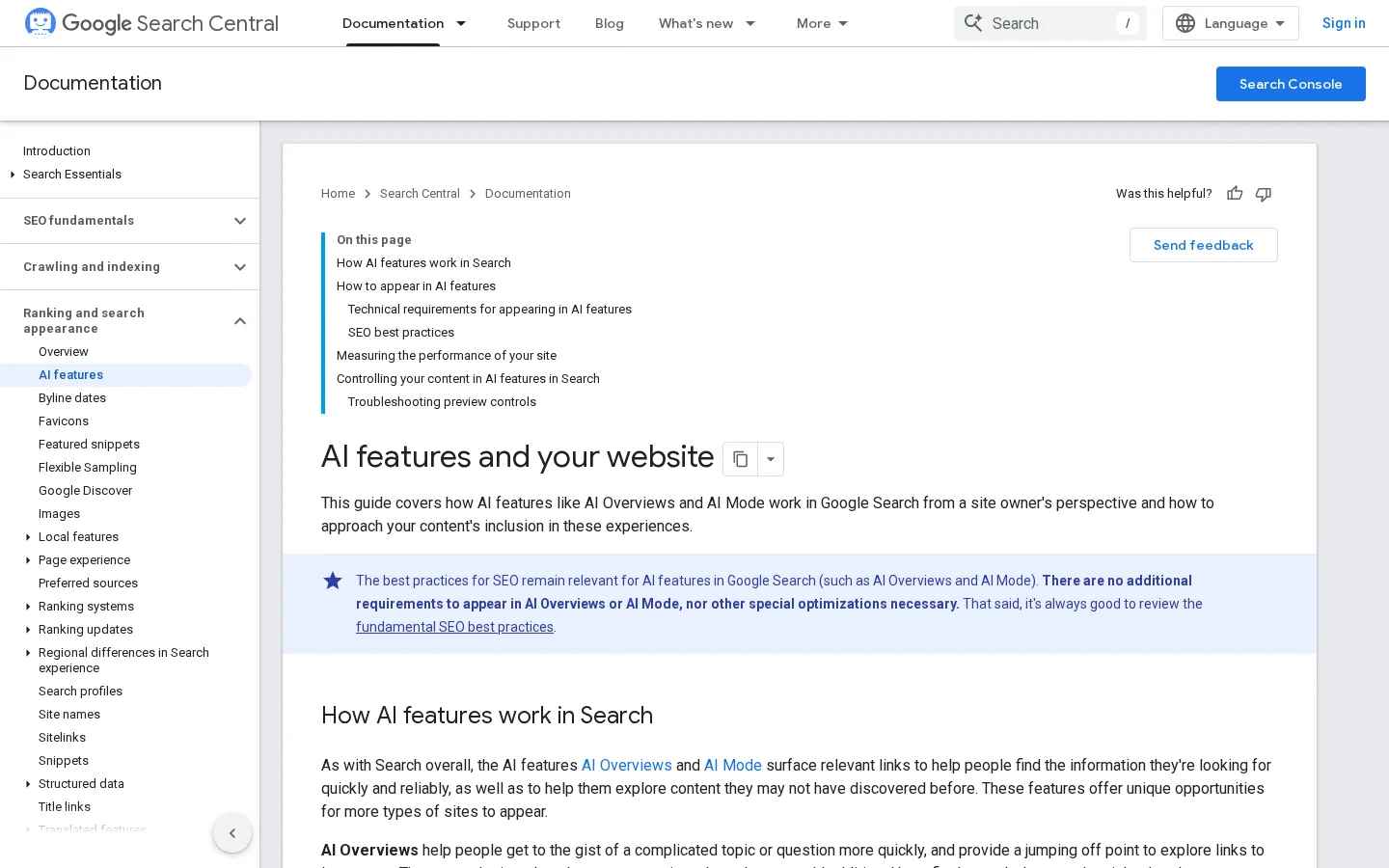
Google's guidance on AI features in Search says that sites appearing in them are included in the overall search traffic in Search Console, and are reported within the Web search type. The page does not describe a separate view for AI Overviews or AI Mode. That means clicks from AI answers sit inside the same numbers as clicks from normal results.
Search Console tells you about the visitors who came back to your site. It does not tell you about the answers where your brand was named but not linked. That gap is what the tracker fills. Use Search Console for clicks and the tracker for presence, and keep the two in separate sheets so you do not mix a click with a mention.
Start with the sheet. Move to a dashboard or an automated tool when the manual count takes longer than the decisions it supports, or when you need more prompts than you can check by hand.
| Option | Best for | Main limit |
|---|---|---|
| Manual sheet | Learning the method with a small prompt list | Needs a fixed weekly time slot |
| Dashboard on your sheet | Charts for a team, built from the same log | Still depends on your manual checks |
| Automated tracking | Many prompts, many engines, weekly runs | You must check which prompts and engines it runs |
If you want the checks done for you, Sorank's AI mention tracking page is built to show when ChatGPT cites your site. Whatever tool you pick, keep the same prompt list and run settings that you used in the sheet, so that the two series can be compared.
Tip
For a quick first read before you build the sheet, try the free AI visibility score calculator from Sorank. Use the result as a starting point, then build your own log so the numbers are yours.
A tracker shows where your brand appears. It does not show why. When visibility rises after you publish a page, the page may be the cause, or a model update may be. Keep a control group of prompts that you do not touch. If the control group moves as much as your target group, the change came from outside your content, and you should not credit the page.
In week one, do not chase results. Set up the method, run it once, and check that the sheet works. Your first real trend appears after four weeks of the same method, so the most useful thing you can do in week one is to fix the routine and the day.
First week
Once the weekly numbers hold, turn the trend into actions with our weekly GEO loop, and report it each month with the monthly AI visibility report method. The tracker is only useful if you keep it running, so pick the day now.
A GEO tracker is a simple weekly record of how often AI models name your brand, link to your site, and name you next to your competitors. You fill it by hand from a fixed list of prompts.
A mention is when an AI model names your brand in its answer. A citation is when the answer links to a page on your site. You can have many mentions and no citations.
Start with about 20 prompts that real buyers would ask, and run each one at least three times per engine. Keep the same list for at least four weeks so the trend means something.
We analyse your competitors, your website and your AI visibility to create a tailored content plan for free.
 Duplicate Content Checker
 Mobile-Friendly Test
 Website Speed Test
 Subdomain Finder
 Domain Age Checker
 CMS Detector
 Googlebot Simulator
 Nofollow Link Checker
 Meta Tag Checker
 Keyword Cannibalization Checker
 Keyword Intent Checker
 Keyword Extractor
 Google Ads Cost Calculator
 CPC Calculator
 Local Citation Finder
 Reddit Threads Finder
 Disavow File Generator
 Redirect Generator
 Canonical Tag Generator
 Passive Voice Checker
 Google Location Changer
 Google Review Calculator
 Google Review Link Generator
 Keyword Combiner
 Podcast Show Notes Generator
 AI Content Rewriter
 AI Text Humanizer
 ChatGPT Prompt Generator
 Twitter Thread Generator
 Tweet Generator
 Landing Page Copy Generator
 Google Ads Copy Generator
 Pinterest Pin Description Generator
 Anchor Text Generator
 Social Media Post Generator
 LinkedIn Post Generator
 Free AI Writer
 Review Response Generator
 LSI Keyword Generator
 YouTube Video Ideas Generator
 YouTube Tag Generator
 YouTube Description Generator
 Product Description Generator
 CTA Generator
 Blog Introduction Generator
 Conclusion Generator
 Hook Generator
 AI Content Brief Generator
 FAQ Schema Generator
 AI Blog Post Ideas Generator
 Structured Data Validator (Schema Validator)
 Alt Text Checker
 Internal Link Analyzer
 Backlink Challenge
 AI Meta Description Generator
 AI Blog Title Generator
 Google Indexability Checker
 AI Blog Outline Generator
 UTM Link Builder
 Keyword Clustering Tool
 Canonical Tag Checker
 XML Sitemap Generator
 Broken Link Checker
 AI SEO Title Generator
 Headline Analyzer
 SERP Preview Tool
 Redirect Checker
 Hreflang Tag Generator
 Heading Structure Analyzer
 HTTP Headers Checker
 Favicon Extractor
 SERP CTR Calculator
 SEO vs Paid Search Savings Calculator
 SEO Share of Voice Calculator
 SEO ROI Calculator
 SEO Traffic and Revenue Forecast Calculator
 SEO Budget Calculator
 SEO Break-Even Calculator
 SaaS SEO ROI Calculator
 ROAS Calculator
 Reading Time Calculator
 Ranking Gain Simulator
 Organic Traffic Value Calculator
 Organic Traffic Estimator and Website Traffic Checker
 LTV to CAC Ratio Calculator
 Local SEO ROI Calculator
 Link Building Cost Calculator
 Keyword Value Calculator
 Keyword Opportunity Score Calculator
 Keyword Density Calculator
 GEO ROI Calculator
 GEO Content Investment Calculator
 Ecommerce SEO ROI Calculator
 Customer Lifetime Value Calculator
 Customer Acquisition Cost Calculator
 CTR Calculator
 Cost Per Article Calculator
 Conversion Rate Calculator
 Content Marketing ROI Calculator
 ChatGPT Referral Traffic Estimator
 Bounce Rate Calculator
 Backlink ROI Calculator
 AI Visibility Score Calculator
 AI Traffic Value Calculator
 AI Share of Voice Calculator
 Cost of AI Invisibility Calculator
 AI Citation Rate Calculator
 llms.txt Validator
 AI Overview Checker and AI Overviews Rank Checker
 Robots.txt Checker
 AI SEO Audit
 LLM Readability Checker
 SearchGPT Readiness Checker
 Structured Data LLM Audit
 Website Crawlability AI Audit
 Why ChatGPT Is Not Recommending My Website
 Gemini Ranking Tool
 Perplexity Ranking Checker
 LLM Citation Checker
 Answer Engine Optimization Audit
 GEO Audit
 AI Search Visibility Test
 ChatGPT Visibility Checker
 llms.txt Generator
 URL Extractor
 Webpage to Markdown
 Sitemap Checker
 SERP Volatility Sensor
 Page Size Checker
 Word Counter
 Slug Generator
 Schema Generator
 Robots Generator
 OG Preview
 Meta Tags Generator
 Image Compressor
 Favicon Generator
 On-Page SEO Audit: SEO Checker and SEO Analyzer
 Backlink Analysis Tool
 Keyword Research Tool
 Domain Authority Checker
 “I tested Sorank on a real client site and it's insane. It does everything an agency would bill you $1500 a month for. It's going into production on that client now.”

 Guillaume Guersanguersanguillaume.com“We are an Ads agency and we wanted to get our SEO back on track once and for all. Sorank gave us a clear view of our site, helped us prioritize optimizations, and properly structure our content. The tool is easy to use, well designed for a team, and very practical for centralizing tracking without having to juggle multiple platforms. A very solid foundation to start fresh with our SEO.”
 Gaspard MadouiAds Agency
 “I just let the Sorank software do its thing, and now my DR is 25 and my page is ranking higher.”
 Lucas Flandrefoundertrace.fr“I specialized in GEO thanks to Sorank. The GEO Leaderboard allows me to show my clients their position vs competitors on ChatGPT. It’s a real commercial differentiator.”
 MélanieSEO Freelance“Great service, works well for our website and helps us understand how to improve it to rank better on Google and elsewhere. Congrats, keep going, I recommend it.”
 Hugo T.E-commerce merchant