Preferences
Privacy is important to us, so you have the option of disabling certain types of storage that may not be necessary for the basic functioning of the website. Blocking categories may impact your experience on the website. More information
Privacy is important to us, so you have the option of disabling certain types of storage that may not be necessary for the basic functioning of the website. Blocking categories may impact your experience on the website. More information

The 8 SEO challenges that slow growth, from Google updates and zero-click results to ROI and links, each with a fix you can start today and check next month.
In short
SEO challenges are the problems that slow down or block organic growth. The main ones are Google updates, competition, zero-click results, slow payoff, proving ROI, safe link building, AI content quality and team buy-in. Each one has a fix you can start this week.
Want to go further? Ask
Quick quiz
Is SEO right for you, and how should you start?
Sorank matches your answers


Test it for 3 days on your own site and see where you stand on Google, ChatGPT and the other AIs.
Start 3-day free trial3 days free, then stop whenever you want. 90-day results guarantee, conditions apply.
Eight challenges come up on almost every site. Each one has a warning sign and a first fix. SEO means search engine optimization, the work of getting your pages found in Google and other search results.
| Challenge | How you notice it | First fix |
|---|---|---|
| Google updates | Traffic drops on many pages in the same week | Wait a full week, then check Search Console |
| Competition | Your pages stay below the big sites on broad keywords | Target long-tail keywords where the top 10 leaves gaps |
| Zero-click results | Impressions rise while clicks fall | Answer the question in the first lines and be the source that AI answers cite |
| Slow payoff | Nothing moves for months | Agree on early signals and a review date |
| ROI | Rankings are up but nobody can link them to sales | Track leads and revenue page by page |
| Link building | Cheap link offers bring no visits | Earn links with assets people choose to cite |
| AI content quality | Drafts read like every other site | Add one fact or test that only you have, and check every claim |
| Team buy-in | SEO is cut when a quarter is tight | Report in revenue, not only rankings |
Work on one challenge at a time. If you change five things at once, you cannot tell which change helped.
Google changes its ranking systems several times a year. Most sites do not need to act on those changes. When your traffic drops, wait, measure, and change only the pages that really lost ground.
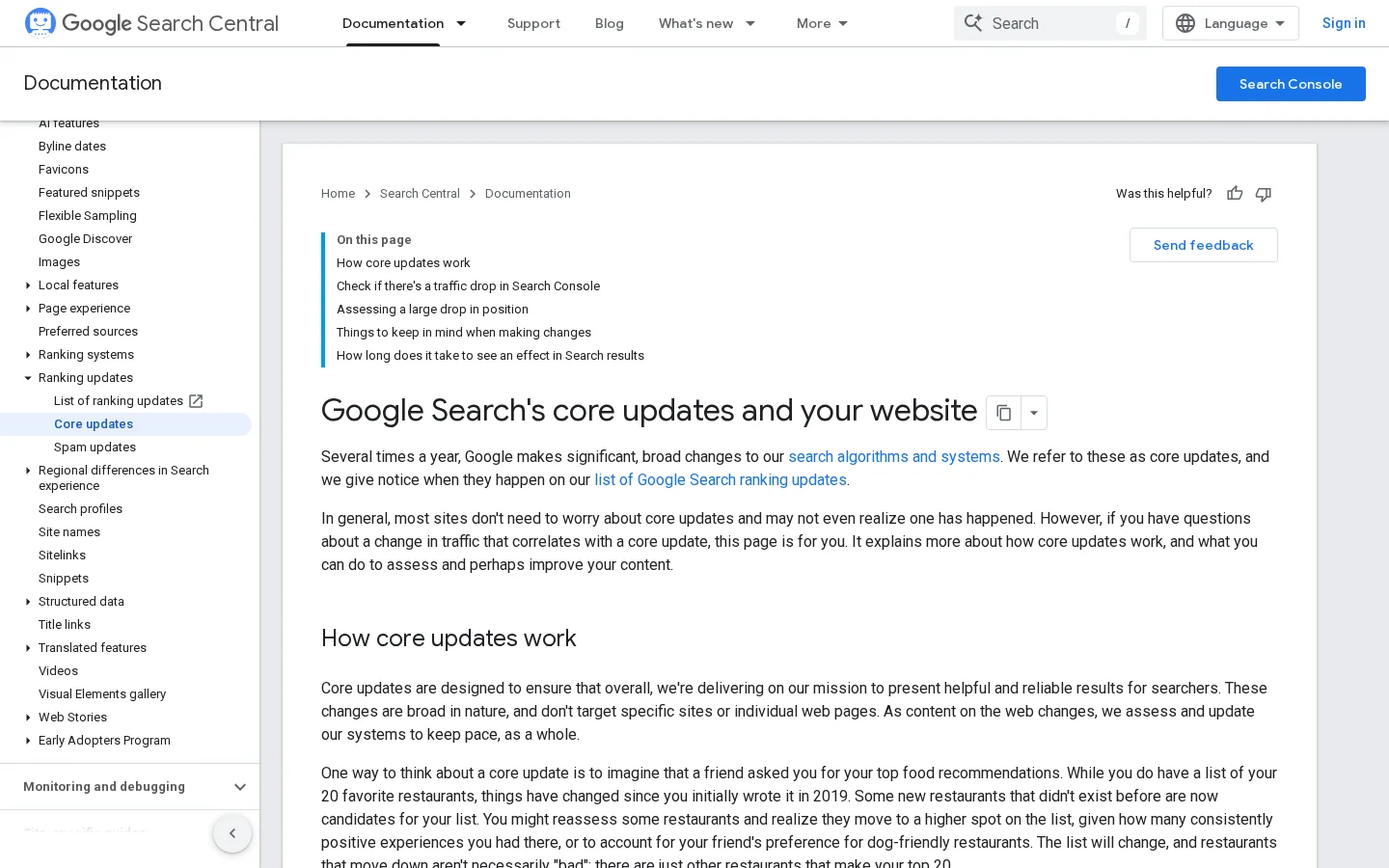
Google calls the biggest of these changes core updates. In its guide to core updates, it says they are made "several times a year" and describes them as "broad changes to our search algorithms and systems". A core update does not single out one site. It changes how the whole system weighs signals, so a drop can show up across many unrelated pages in the same week. For background, read how Google's ranking systems fit together, or check the short definition in the core update glossary entry.
Google recommends waiting at least a full week after a core update completes before you analyze your site in Search Console. The first days of a rollout are noisy. If you change pages inside that window, you cannot tell which change helped and which one hurt. Start by checking the start and end dates on Google's Search Status Dashboard, then open the performance report in Search Console.
A small dip in position is normal, and Google advises against changing content that already performs well. A large drop that lasts is different. In that case, review the whole site against Google's self-assessment questions, start with the most affected pages, and avoid quick fixes. Deleting content is a last resort.
What to do after a traffic drop
Recovery is slow too. Some changes show results within days, but confirming them can take several months. If nothing moves after a few months, the next core update is the next chance to see a change. Keep a log of every change with its date so you can match it to what happens later.
Tip
The free SERP Volatility Sensor from Sorank detects Google algorithm updates in real time. Use it to see whether your drop matches a wider shift in rankings before you start a site review.
Competition is hardest on broad keywords that big sites already own. You can still win on long-tail keywords, the longer and more specific searches with lower volume, as long as your page answers the question better than the pages above it.
Head terms such as "SEO tools" have hundreds of pages that have spent years earning links. A new page rarely beats them there. Long-tail searches have fewer competitors, and the person searching usually has a clearer goal, so a click from them is worth more to you.
Open the top 10 results for your keyword and list what each page covers. Then list what none of them covers. That gap is your angle. Look for a missing step, a missing price, an example for a small business, or a number that is out of date. A page that fills one real gap often beats a longer page that repeats the rest.
Check that the top results are the same type of page as yours. If Google shows guides, a product page will struggle, however good it is. Match the format before you fight on quality. The keyword research method shows how to read intent from the results. Automated tools such as automated keyword research can list candidates, but you still need to read the results yourself.
Before you fight for a keyword
A zero-click search ends without a click on any website. The share of these searches is rising, and AI answers are the main new cause. Your fix is to answer the question clearly, to become a source that AI answers cite, and to track the searches that still send visits.
Zero-click searches are not new, but they keep growing. In a SparkToro study published in June 2026, 68.01% of US Google searches ended without a click in the first four months of 2026. The data came from a Similarweb panel of desktop and mobile web searches. Other studies use other methods and report lower figures, so treat any single number as a range, not a fact about your site.
Searches that end without a click
Sources: SparkToro, June 2026; Ahrefs, February 2026
AI Overviews, the AI summaries that sit above many results, appear to cut clicks further. In a February 2026 study, Ahrefs compared 150000 keywords that show an AI Overview with 150000 informational keywords that do not. It compared December 2025 with December 2023. The average click-through rate at position 1 was 58.0% lower on the first group. Position 2 fell 50.8%, and position 10 fell 19.4%.
Warning
These figures are correlations, not proof that AI Overviews cause every lost click. Ahrefs also found that click-through rates fell for keywords without an AI Overview, which it links to other changes on the results page and to zero-click trends. Use the numbers to plan, not to predict your exact loss.
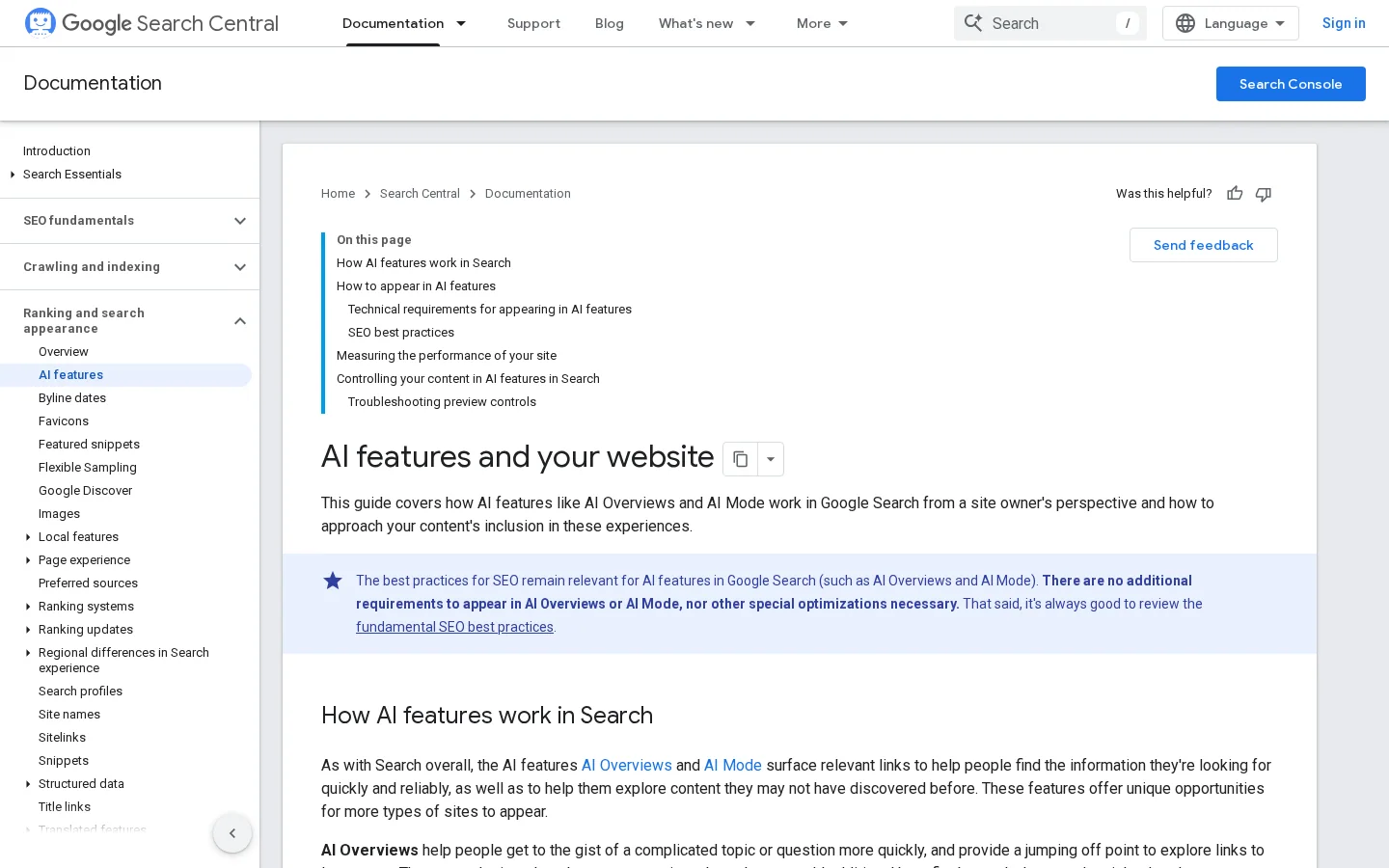
Google says there are no extra rules for appearing in AI Overviews or AI Mode. Its AI features guide states that "there are no additional requirements to appear in AI Overviews or AI Mode, nor other special optimizations necessary." Standard SEO still applies. In practice, that means a direct answer in the first two sentences of each section, headings that match the question people ask, and facts a reader can check.
Clicks still come from searches where people want to visit a site. Group your queries by topic in Search Console and watch each group separately. A drop in one group does not always mean a drop in the whole site. For a single view of Google and AI visits, the dashboard in Sorank puts both in one place. GEO (generative engine optimization) is the work of getting cited by AI answers, and the dashboard tracks it next to SEO. If you suspect an AI Overview is the cause, follow the steps in how to confirm an AI Overviews traffic drop before you change pages.
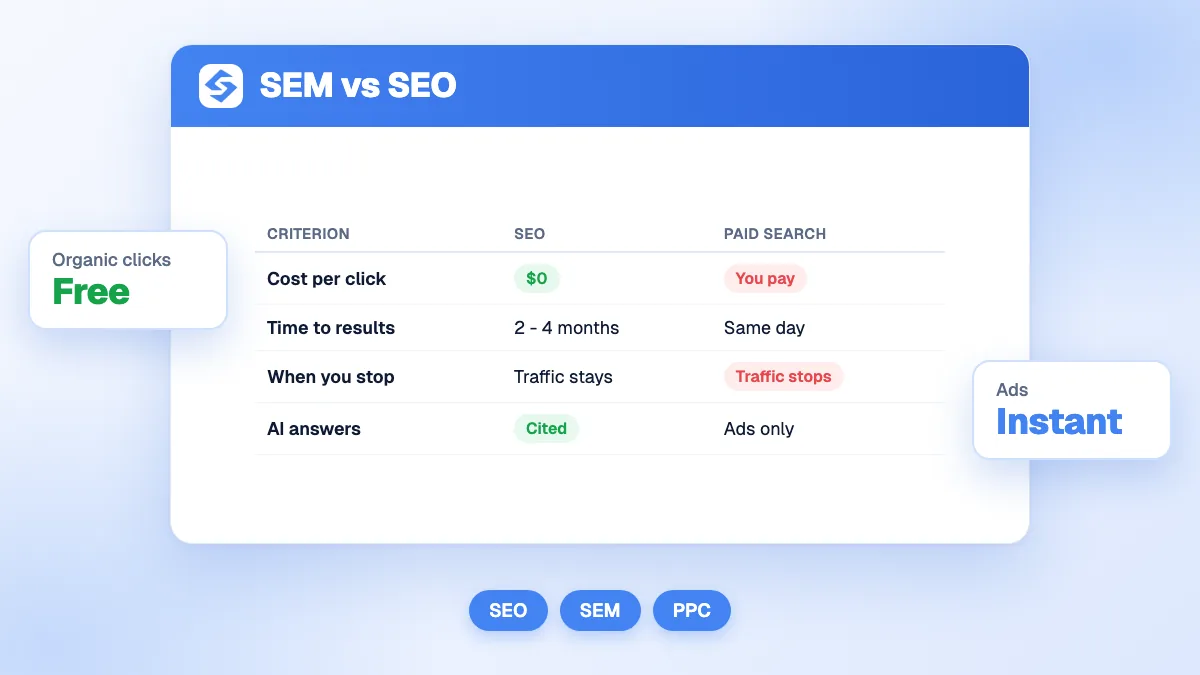
SEO takes months to show full results, while paid ads stop the moment the budget stops. You win the budget fight by agreeing on a timeline and tracking early signals, not only sales.
A paid campaign shows numbers on day one. SEO works in stages. A new page gets indexed, then it shows up for a few queries, then it climbs. Each stage has its own signal. A manager who looks only at sales sees nothing for the first months and cuts the budget. The fix is to agree on the signals before you start.
Paid ads vs SEO over time
Write down four signals and when you expect each one to move: pages indexed, impressions for your target queries, average position for those queries, and clicks. Impressions usually rise before clicks, so a rise in impressions is the first sign that the work is landing. Put the date of the next review in the plan, so the decision happens on a known day instead of in a panic.
Prove the return on SEO by tying organic visits to sales or leads, page by page, then comparing the gain with what the work cost. The formula below gives one number that a manager can check.
ROI means return on investment: the gain from a spend, compared with the spend. The marketing ROI guide covers the same formula for every channel. For SEO, the gain is the value of the sales or leads that organic visits produce.
SEO ROI (%) = (Gain from organic sales - SEO cost) / SEO cost x 100Example
These numbers are made up for illustration. Organic visits produce €3000 of sales in a quarter, and the SEO work costs €1000. The ROI is (3000 - 1000) / 1000 x 100, which gives 200%.
| Goal | What to measure | Where to read it |
|---|---|---|
| Traffic | Clicks and impressions by page and query | The Search Console performance report |
| Leads | Form fills and calls from organic visits | Your analytics tool, filtered to landing pages |
| Sales | Revenue from organic sessions | Your analytics tool, with conversions set up |
Search Console is free. It shows clicks, impressions and average position by query and by page. It does not know your sales, so connect it to your analytics to get the revenue side of the picture. If you want a fast estimate before the data is in, the SEO ROI calculator projects the return from traffic and conversion assumptions. Replace its assumptions with your own numbers as soon as you have them.
Safe link building means earning links that people choose to add because your page helps their readers. Link exchanges and bought links meant to lift rankings break Google's spam policy, and they can cost you the rankings you wanted.
Google's spam policies call links made mainly to manipulate rankings link spam. The policy names two cases. The first is excessive link exchanges, such as the "link to me and I'll link to you" offer. The second is buying or selling links for ranking purposes. Paid placements for advertising or sponsorship are allowed when the link carries a nofollow or sponsored attribute.
Four methods cover most safe link building. Each one has a job, a cost and a limit. Compare them before you pick one.
Principle: create something others want to cite, such as a dataset, a free tool, an original study or a calculator. When to use it: when you have real data or a tool idea that people in your niche would reference. Benefit: links from many sites, often for years, and mentions that AI answers can cite. Limit: it takes time and real data, and a thin asset gets no links. Example: a cost calculator for one trade, built from prices you collected yourself. The linkable asset types list shows seven formats that earn links.
Principle: contact editors and site owners who already cover your topic, and show them a resource that helps their readers. When to use it: when you have a new asset, or a page better than the one they link to today. Benefit: links from sites their own readers trust. Limit: replies are rare, so every message needs a specific reason. Example: writing to a trade association that links to an outdated guide, with your updated version attached.
Principle: pay for a placement, such as a sponsored article or a partner feature, and mark the link as sponsored or nofollow. When to use it: when you need visits in the short term and the audience matches your buyers. Benefit: fast, relevant visits, and a clean position with Google. Limit: the cost. Judge the deal by the visits it brings, not as a ranking boost.
Principle: you link to me and I link to you. When to use it: never as a ranking tactic. Benefit: none that lasts. Limit: it breaks Google's spam policy and adds weak links that do nothing for you. Example: a partner page listing ten unrelated sites that all link to each other. For the full rules, read why backlink exchanges are risky.
| Method | Effort | Risk | Link quality |
|---|---|---|---|
| Linkable assets | High | Low | High, when the asset is really useful |
| Outreach | Medium | Low | High when targeted, low when sent in bulk |
| Sponsorships | Medium, with a fee | Low when marked | Depends on the site |
| Link exchanges | Low | High | Low |
Earned links vs link exchanges
If you want help finding contextual links from sites in your niche, the natural backlink acquisition feature in Sorank works on that. It is the outreach side of this list, without the swap.
AI drafts fail when they add no fact, example or angle that the top results lack. Use AI for outlines and first passes, then add something only you know, check every claim, and edit for your voice.
AI writing tools make publishing cheap, which is also the problem. If ten sites ask the same AI model the same question, the answers look alike. Readers notice, and a page that says nothing new has little reason to rank. The AI content guide for SEO covers the detailed rules. Here is the short version of what to do.
Before an AI draft goes live
A quick test: would the page still help a reader who never uses a search engine? If the answer is no, the page exists only to rank, and it will struggle.
Teams cut SEO when they only see rankings. Report organic visits, leads and revenue in the same terms as the rest of the business, and agree on the next decision before the report is read.
A rank report feels like progress to the SEO person and like noise to a manager. A sales number is clear to everyone. The SEO cost guide explains how to put a price on the work, which makes the comparison with other channels easier to defend.
How to report SEO to a manager
Most failed SEO efforts come from three mistakes: changing pages too fast, buying shortcuts, and measuring rankings only. Each one has a clear warning sign.
| Mistake | Warning sign | Fix |
|---|---|---|
| Reacting to an update in week one | Many page edits in the days after a rollout | Freeze changes, save a copy, wait a full week |
| Buying links to recover | Sudden link offers and guaranteed link metrics | Stop buying, audit links, act only on real problems |
| Tracking rankings only | Rankings rise while sales stay flat | Tie each target page to leads or revenue |
What it is: changing titles, text and internal links while the update is still rolling out. How to spot it: your change log shows a burst of edits in the days after a rollout, and nobody can say which edit moved the traffic. How to fix it: freeze the site, save a copy of the key pages, wait at least a full week after the update completes, then compare. Write down the changes you made in that week so you can judge them later.
What it is: paying for links in the hope of a quick lift. How to spot it: a sudden set of links from unrelated sites, or an offer that guarantees a link metric or a rank rise. Treat any promise of a specific ranking as a warning. How to fix it: stop the purchases and audit your links. The toxic backlinks guide explains which links need action. Disavow links only when the audit shows a real problem, not by reflex.
What it is: a monthly report that shows rank changes and nothing about sales. How to spot it: rankings rise while revenue from search stays flat. How to fix it: tie each target page to a goal in your analytics, and report leads or revenue next to rankings. The SEO mistakes guide lists 18 common errors of this kind, with fixes.
Start with measurement, then fix the pages that lost the most, then report. Four weeks is enough to get a first real picture of where you stand.
Your first 30 days
If a core update is still rolling out, pause the Week 3 changes until it has finished and a full week has passed. Otherwise you will mix your own changes with the update's effects.
Pick the challenge that hurts most, measure it in Search Console, and fix one thing on one page. Small, measured changes teach you more than a large redesign, and they are the approach that still works in 2027.
The eight challenges are linked. Competition makes a slow payoff harder to defend, and a slow payoff makes ROI and team buy-in harder to prove. Solve the measurement problem first, because every other fix depends on knowing what changed.
The main SEO challenges are Google updates, competition for keywords, zero-click search results, slow payoff, proving ROI, safe link building, the quality of AI content and getting your team to back SEO. Each one has a specific first fix.
Google recommends waiting at least a full week after a core update completes before you analyze your site in Search Console. A small dip in position usually needs no action, while a large drop that lasts needs a review of the whole site.
Excessive link exchanges, where sites trade links only to lift rankings, count as link spam under Google's spam policy. Paid placements are allowed for advertising or sponsorship when the link carries a nofollow or sponsored attribute.
We analyse your competitors, your website and your AI visibility to create a tailored content plan for free.
 Website Value Calculator
 Website Accessibility Checker
 Google Analytics Checker
 Duplicate Content Checker
 Mobile-Friendly Test
 Website Speed Test
 Subdomain Finder
 Domain Age Checker
 CMS Detector
 Googlebot Simulator
 Nofollow Link Checker
 Meta Tag Checker
 Keyword Cannibalization Checker
 Keyword Intent Checker
 Keyword Extractor
 Google Ads Cost Calculator
 CPC Calculator
 Local Citation Finder
 Reddit Threads Finder
 Disavow File Generator
 Redirect Generator
 Canonical Tag Generator
 Passive Voice Checker
 Google Location Changer
 Google Review Calculator
 Google Review Link Generator
 Keyword Combiner
 Podcast Show Notes Generator
 AI Content Rewriter
 AI Text Humanizer
 ChatGPT Prompt Generator
 Twitter Thread Generator
 Tweet Generator
 Landing Page Copy Generator
 Google Ads Copy Generator
 Pinterest Pin Description Generator
 Anchor Text Generator
 Social Media Post Generator
 LinkedIn Post Generator
 Free AI Writer
 Review Response Generator
 LSI Keyword Generator
 YouTube Video Ideas Generator
 YouTube Tag Generator
 YouTube Description Generator
 Product Description Generator
 CTA Generator
 Blog Introduction Generator
 Conclusion Generator
 Hook Generator
 AI Content Brief Generator
 FAQ Schema Generator
 AI Blog Post Ideas Generator
 Structured Data Validator (Schema Validator)
 Alt Text Checker
 Internal Link Analyzer
 Backlink Challenge
 AI Meta Description Generator
 AI Blog Title Generator
 Google Indexability Checker
 AI Blog Outline Generator
 UTM Link Builder
 Keyword Clustering Tool
 Canonical Tag Checker
 XML Sitemap Generator
 Broken Link Checker
 AI SEO Title Generator
 Headline Analyzer
 SERP Preview Tool
 Redirect Checker
 Hreflang Tag Generator
 Heading Structure Analyzer
 HTTP Headers Checker
 Favicon Extractor
 SERP CTR Calculator
 SEO vs Paid Search Savings Calculator
 SEO Share of Voice Calculator
 SEO ROI Calculator
 SEO Traffic and Revenue Forecast Calculator
 SEO Budget Calculator
 SEO Break-Even Calculator
 SaaS SEO ROI Calculator
 ROAS Calculator
 Reading Time Calculator
 Ranking Gain Simulator
 Organic Traffic Value Calculator
 Organic Traffic Estimator and Website Traffic Checker
 LTV to CAC Ratio Calculator
 Local SEO ROI Calculator
 Link Building Cost Calculator
 Keyword Value Calculator
 Keyword Opportunity Score Calculator
 Keyword Density Calculator
 GEO ROI Calculator
 GEO Content Investment Calculator
 Ecommerce SEO ROI Calculator
 Customer Lifetime Value Calculator
 Customer Acquisition Cost Calculator
 CTR Calculator
 Cost Per Article Calculator
 Conversion Rate Calculator
 Content Marketing ROI Calculator
 ChatGPT Referral Traffic Estimator
 Bounce Rate Calculator
 Backlink ROI Calculator
 AI Visibility Score Calculator
 AI Traffic Value Calculator
 AI Share of Voice Calculator
 Cost of AI Invisibility Calculator
 AI Citation Rate Calculator
 llms.txt Validator
 AI Overview Checker and AI Overviews Rank Checker
 Robots.txt Checker
 AI SEO Audit
 LLM Readability Checker
 SearchGPT Readiness Checker
 Structured Data LLM Audit
 Website Crawlability AI Audit
 Why ChatGPT Is Not Recommending My Website
 Gemini Ranking Tool
 Perplexity Ranking Checker
 LLM Citation Checker
 Answer Engine Optimization Audit
 GEO Audit
 AI Search Visibility Test
 ChatGPT Visibility Checker
 llms.txt Generator
 URL Extractor
 Webpage to Markdown
 Sitemap Checker
 SERP Volatility Sensor
 Page Size Checker
 Word Counter
 Slug Generator
 Schema Generator
 Robots Generator
 OG Preview
 Meta Tags Generator
 Image Compressor
 Favicon Generator
 On-Page SEO Audit: SEO Checker and SEO Analyzer
 Backlink Analysis Tool
 Keyword Research Tool
 Domain Authority Checker
 “I tested Sorank on a real client site and it's insane. It does everything an agency would bill you $1500 a month for. It's going into production on that client now.”

 Guillaume Guersanguersanguillaume.com“We are an Ads agency and we wanted to get our SEO back on track once and for all. Sorank gave us a clear view of our site, helped us prioritize optimizations, and properly structure our content. The tool is easy to use, well designed for a team, and very practical for centralizing tracking without having to juggle multiple platforms. A very solid foundation to start fresh with our SEO.”
 Gaspard MadouiAds Agency
 “I just let the Sorank software do its thing, and now my DR is 25 and my page is ranking higher.”
 Lucas Flandrefoundertrace.fr“I specialized in GEO thanks to Sorank. The GEO Leaderboard allows me to show my clients their position vs competitors on ChatGPT. It’s a real commercial differentiator.”
 MélanieSEO Freelance“Great service, works well for our website and helps us understand how to improve it to rank better on Google and elsewhere. Congrats, keep going, I recommend it.”
 Hugo T.E-commerce merchant