Preferences
Privacy is important to us, so you have the option of disabling certain types of storage that may not be necessary for the basic functioning of the website. Blocking categories may impact your experience on the website. More information
Privacy is important to us, so you have the option of disabling certain types of storage that may not be necessary for the basic functioning of the website. Blocking categories may impact your experience on the website. More information

Learn how the local search ecosystem works: which data aggregators feed Google, Bing and Apple Maps, why NAP consistency matters, and how to fix yours.
In short
The local search ecosystem is a map of how business listing data moves between data aggregators, search engines, key sites and directories. Search engines use data from many sources, and the map warns that bad NAP data can hurt your rankings in Google and Bing. To rank locally, pick one exact version of your name, address and phone, then make every source you control match it, starting with the ones that feed the others.
Want to go further? Ask
Quick quiz
How should you get more local customers from Google?
Sorank matches your answers


Test it for 3 days on your own site and see where you stand on Google, ChatGPT and the other AIs.
Start 3-day free trial3 days free, then stop whenever you want. 90-day results guarantee, conditions apply.
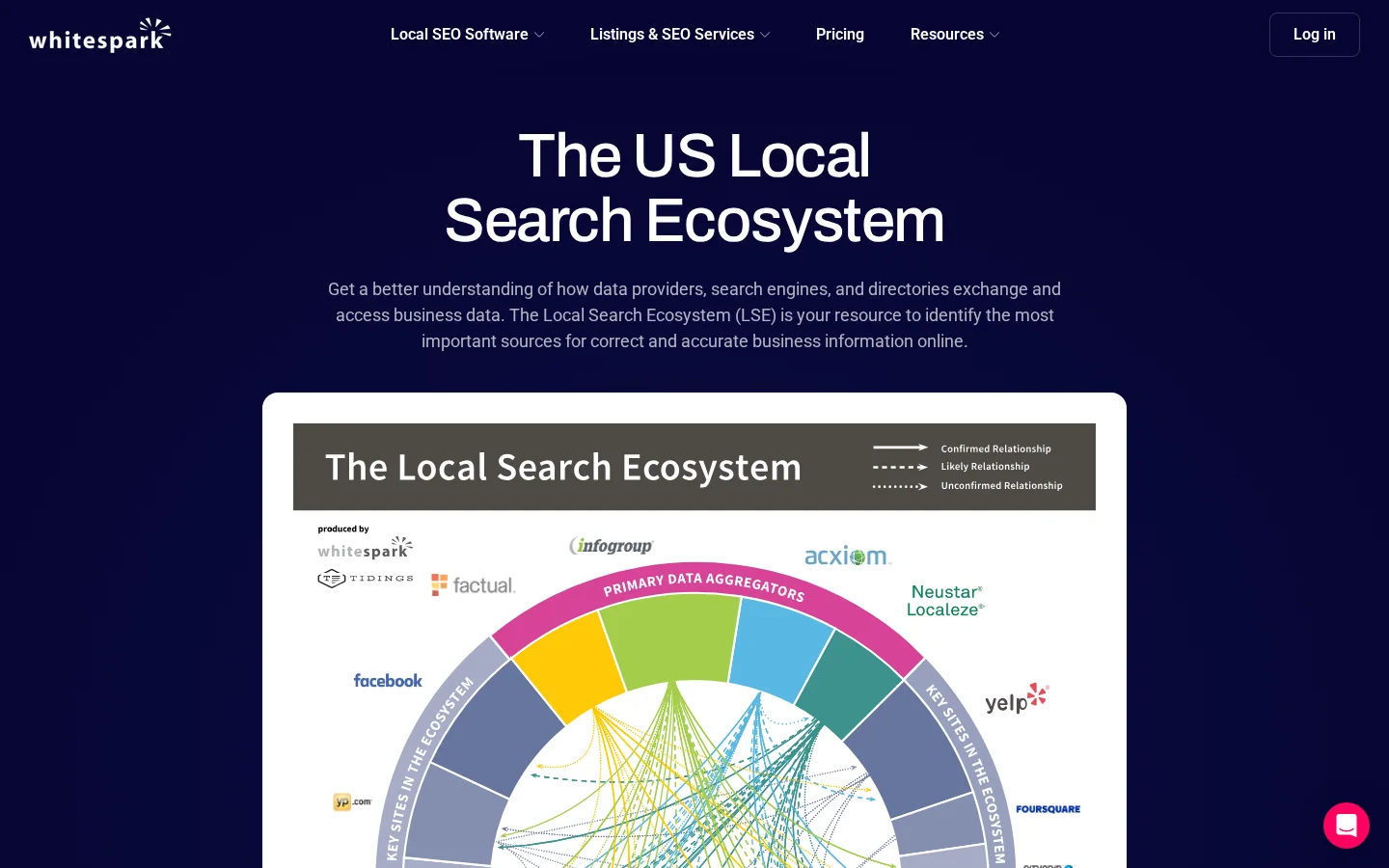
The local search ecosystem is a map of the places where business information lives online and how it travels between them. David Mihm created the first version in 2009, and updated versions followed in 2012 and 2014. In 2017, Whitespark produced the U.S. version with him, and the page you can read today is a dynamic version of that work.
The map is built on evidence, not on theory. It draws on a 2016 study of data aggregators and on citation audits covering about one year. Each link on the map carries a label that tells you how strong the evidence behind it is, and that label matters more than the map's design.
The map uses three labels. Confirmed means the link was found in an empirical study, an aggregator list or a directory response. Likely means the link was reported on an attribution page or by a directory, but was not tested. Unconfirmed means the link appears in an aggregator's distribution list but was not verified in the study.
Use the labels as a priority order. A confirmed link is a fact you can plan around. A likely link is a hypothesis you test with your own listing. An unconfirmed link is a lead, not a rule. The table on the page can be filtered by source, source type, display platform or relationship, so you can ask a precise question such as "which sites display data from this aggregator?"
Note
The map shows who feeds whom. It does not show how long a change takes to travel from one site to the next. Test each link with a real change to your own listing before you assume the data moved.
The company names on the map change faster than the logic behind it. The page notes that Acxiom's business directory closed and that Foursquare is likely to take its place. It also notes that Factual joined forces with Foursquare in early 2020, after the study was published. So when you read a map built in 2017, treat the company names as a starting list and check which providers still operate.
What you keep is the structure. A small number of upstream providers send data to search engines and directories, and some key sites pass data to each other. That structure is what you use to plan your work, whatever the current company names are.
The map, from 2009 to 2020
Source: Whitespark, The US Local Search Ecosystem
The map sorts sources into four groups. Each group does a different job, and a mistake at the top travels down. A local citation is any place where your business name, address and phone appear, and most citations are copies of data that came from somewhere above them. This section explains the groups. The sections after it explain how to check them.
| Layer | Examples on the map | What it does for you |
|---|---|---|
| Primary data aggregators | Infogroup, Acxiom, Neustar/Localeze, Factual | Distribute business data to search engines and directories |
| Core search engines | Google, Bing, Apple Maps | Show your listing in maps and local results |
| Key sites | Facebook, Yelp, Yellowpages, CityGrid, Dun & Bradstreet, Foursquare | Pass data along, display listings, or do both |
| Geo and vertical directories | Manta, MapQuest, Superpages, Yahoo! Local, HotFrog, Merchant Circle | Add listings by place or by industry |
Aggregators sit at the top of the chain. You rarely go to them to find customers, but they supply the records that many other sites copy. If an aggregator holds a wrong phone number or an old street name, that error can appear on sites you have never heard of. The map shows aggregators sending data to search engines and to directories.
Your first question is therefore not "where is my listing?" but "which aggregator feeds the listings I can see?" Answer that before you edit anything. Otherwise you fix a copy while the original keeps sending the old version, and the error comes back the next time the copy is refreshed.
Google, Bing and Apple Maps show local results to people. The map is specific about Google: it calls Google a receiver of business information rather than a provider. In practice, Google sits among the directories, not at the center of the data flow. You cannot update only Google and expect the rest of the web to follow. You also have to keep your Business Profile accurate, since that is where Google takes its owner-supplied details.
Bing and Apple Maps behave the same way in this model. They take data from upstream sources, and they can also receive corrections through their own profile tools. The map shows Yelp feeding both Bing and Apple Maps, so one upstream fix can reach them, but only if that upstream source is the one that feeds them.
Key sites are the ones that pass data along and display it: Facebook, Yelp, Yellowpages, CityGrid, Dun & Bradstreet and Foursquare. The map shows Yelp feeding Bing, Apple Maps, Yellowpages, Yahoo! Local and MapQuest. It also shows Yellowpages sending data back to Yelp. That loop is why an error sometimes seems to come back after you fixed it.
When you find a loop, fix the value at its origin, then check both sides of the loop over the following weeks. The map gives no timings, so your own checks are the only measure you have.
Two kinds of source: who sends data and who shows it
Source: Whitespark, The US Local Search Ecosystem
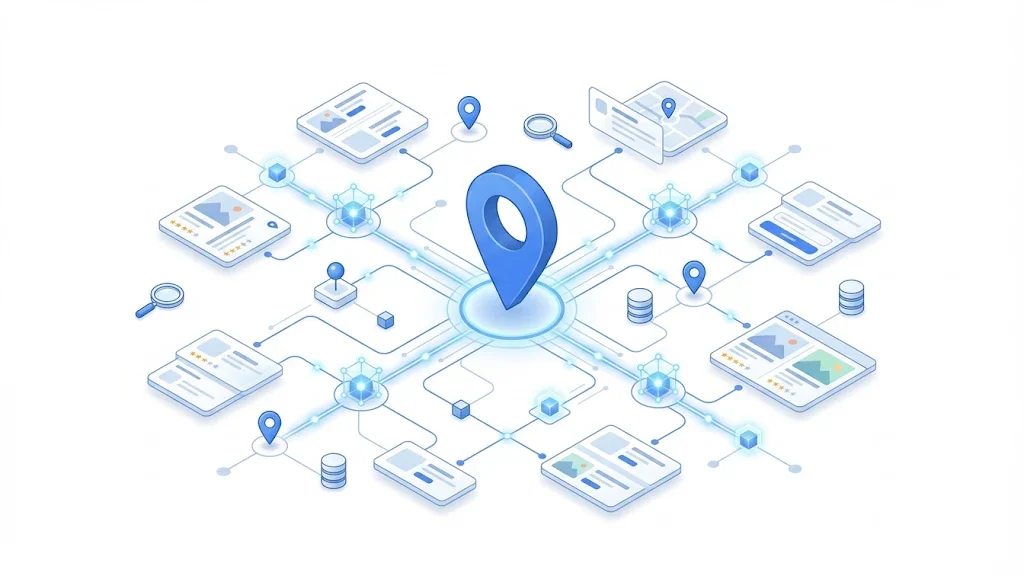
NAP stands for name, address and phone. It is the core of every listing. Search engines and directories compare these three fields to decide whether two records describe the same business. A person reads "Main St." and "Main Street" as the same place. A matching system can read them as two records, or as a record that conflicts with another.
The differences people ignore are the ones that cause trouble. Watch for:
The local listing management guide covers the routine of keeping these fields accurate. Here we look at why the ecosystem makes them matter in the first place.
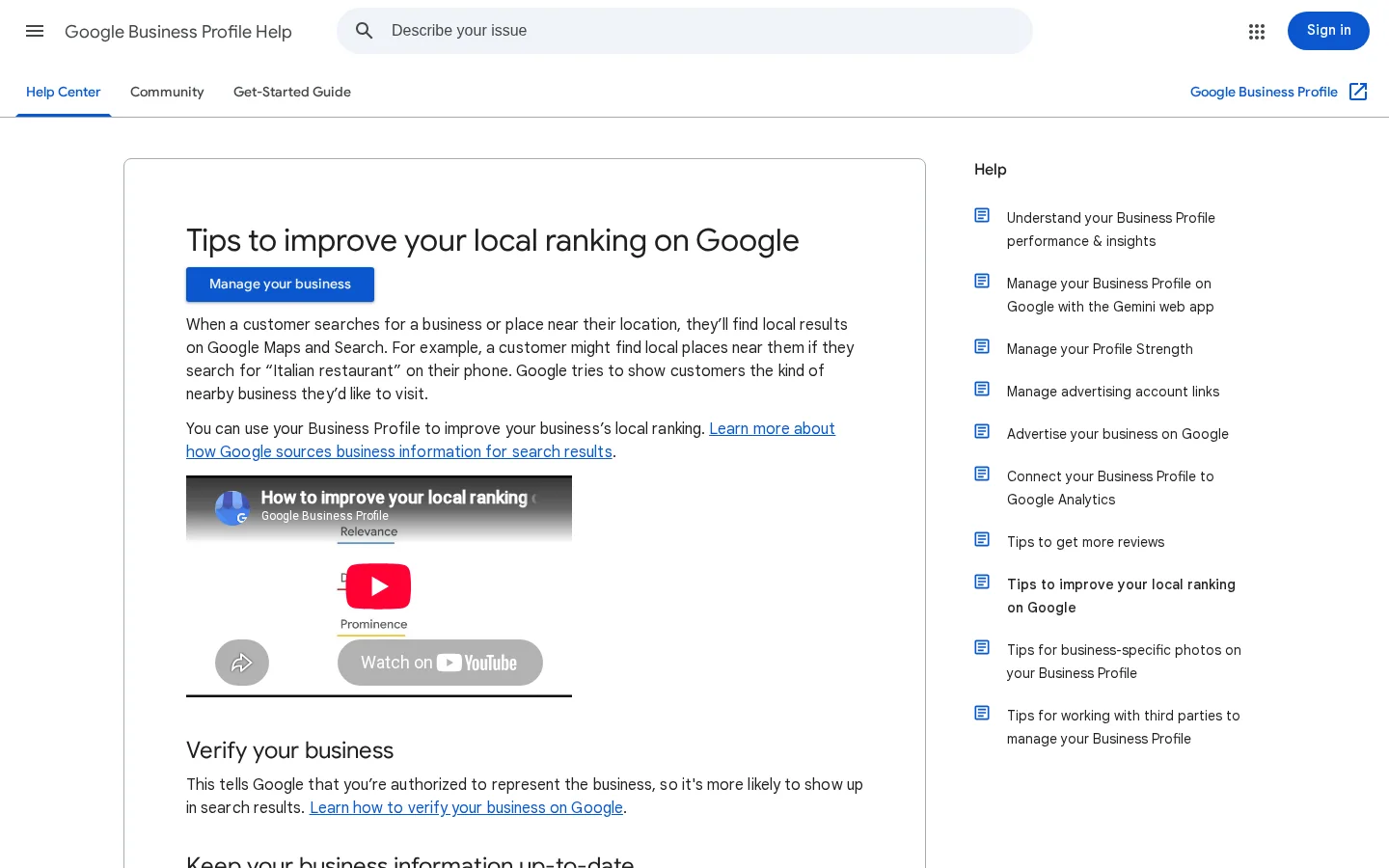
Google's help page on Business Profiles says local results are based on relevance, distance and prominence. It defines each term in one line. "Relevance is how well a Business Profile matches what someone is searching for." "Distance refers to how far each business is from the customer who's searching." "Prominence means how well-known a business is."
What that page leaves out matters as much. It has no guidance on matching NAP across other websites and none on duplicate listings. Its only related advice is that businesses with complete and accurate information are more likely to show up in local search. So NAP consistency is a practice supported by the ecosystem map and by ranking studies, not a rule that Google spells out on that page.
Darren Shaw's 2026 Local Search Ranking Factors report from Whitespark scores local factors in three contexts: the local pack and Maps, local organic results, and AI search. The table below uses the report's ranks and scores for the four factors that matter most here. The ranks are positions in the report's list. The scores are summed expert ratings, not measured percentages.
| Factor | Local pack and Maps | Local organic | AI search |
|---|---|---|---|
| HTML NAP matching the Google Business Profile NAP | #15 (score 153) | #55 (score 107) | #68 (score 86) |
| Citation consistency on primary search engines (Google Maps, Bing Maps, Apple Maps) | #28 (score 124) | #71 (score 93) | #31 (score 116) |
| Citation consistency on key sites (Yellowpages, Yelp, D&B, CityGrid) | #63 (score 101) | #79 (score 80) | #49 (score 99) |
| Citation consistency on data aggregators (Infogroup, Localeze, Foursquare/Factual) | #85 (score 91) | #90 (score 72) | #56 (score 96) |
Where NAP sits among the local pack factors
Source: Darren Shaw, Whitespark, 2026 Local Search Ranking Factors
Three things stand out. First, the match between your site and your Business Profile is the strongest of the four factors in the local pack, so it is the first place to start. Second, the aggregator factor ranks lower in the local pack (#85) than in AI search (#56), which is a signal that aggregator data reaches AI answers too. Third, Darren Shaw writes that "citations lost about half a percentage point, continuing the downward trend from previous editions." Citations matter less in the local pack than they did, but they are still part of it.
Warning
Scores change from one edition to the next. Use this table to set priorities, not to calculate exact weights, and check the current edition before you quote it.
Every fix comes down to three choices: edit the sites yourself, correct the aggregators that feed them, or add new citations where you have gaps. The methods overlap, and most businesses use two of them. The principle is simple: fix the source first, then the copies, then add what is missing.
Principle. You log in to each key site, claim or open the listing, and set the exact NAP you chose as your source of truth.
When it fits. You have few locations, and a handful of sites carry most of the traffic that matters to you. Start with the listings your customers already use, such as your Business Profile, Apple Maps and Yelp.
Advantages. You control each field, you see the result on the live page, and no third party sits between you and the change.
Limits. It takes time for each site, it needs a login you may not have, and it does nothing about the copies that aggregators already sent elsewhere. For Apple, follow the Apple Business Connect guide. For Google, start with the verification guide, because many profile fixes depend on it.
Example. A two-location dental practice sees that its Yelp hours differ from its Google hours. It edits Yelp directly, then checks Google against the same source of truth. Two sites are fixed, and the rest of the web is checked later.
Principle. You correct the upstream record and let it reach the downstream sites. One accurate record at the source can feed many copies, which is the whole reason the map exists.
When it fits. You run many locations, you are listed in many directories, or you already see the same wrong value in several places. Use the map to confirm which aggregators feed the sites that show the error.
Advantages. One change can reach many sites, and you fix the origin of the error, not each symptom.
Limits. You do not see the results directly. Many links on the map are only likely or unconfirmed, so a fix may not reach a site you expected. And the loops can carry the old value back. Plan a re-check instead of assuming the change is complete.
Example. A multi-location chain finds an old phone number at one aggregator. It corrects the record there, logs the date, and checks the downstream sites at a later date. The sites that do not change are the ones to investigate next.
Principle. You find the places where competitors are listed and you are not, then add a consistent listing in each one that makes sense for your business. The goal is a complete set of sources, not the largest possible number of them.
When it fits. Your name appears on too few sites in your market, or you are missing from geo or vertical directories that your customers use. Run a citation gap review first, then compare the results with the business directories that still matter for local SEO and AI visibility.
Advantages. You gain more places to be found and more independent proof that the business exists.
Limits. Each new listing becomes another record you must keep accurate. A new listing with wrong data adds to the problem, not to the solution, so check it against the source of truth before you publish.
| Method | Best when | Main advantage | Main limit |
|---|---|---|---|
| 1. Edit key sites yourself | Few locations and a few sites that matter most | Full control of each field | Time per site, and the copies stay as they are |
| 2. Fix the aggregators | Many locations or many copies | One change can reach many sites | Slow to confirm, and loops can bring errors back |
| 3. Add citations | Gaps in your market or in vertical directories | More places and more proof | Each new listing must be kept accurate |
The steps below take you from one source of truth to a complete check. The order matters. Fix the upstream values before you check the downstream copies, or you will check the same error twice.
The 5-step audit
Write the NAP once, in the exact format you want everywhere. Use the legal name, the full street form and one phone format. Then publish the same values as structured data on your site, so the code and the visible page agree. A minimal example looks like this:
{
  "@context": "https://schema.org",
  "@type": "LocalBusiness",
  "name": "Example Plumbing Co.",
  "telephone": "+1-555-010-2000",
  "address": {
    "@type": "PostalAddress",
    "streetAddress": "120 Main Street",
    "addressLocality": "Springfield",
    "addressRegion": "IL",
    "postalCode": "62701",
    "addressCountry": "US"
  }
}
Put the same values in your footer or contact page. The local business schema guide explains the other properties and the rules Google applies to them.
Open your contact page and your Business Profile side by side. Compare the name, the street, the suite number and the phone, one character at a time. Copy both versions into a text file and look for differences in capital letters, punctuation and abbreviations. The ranking table above ranks this match higher than any of the citation factors in the local pack, which is why it comes first.
Using the map, list the aggregators that feed your key sites. For each one, check your record directly: the provider is one of Infogroup, Localeze, Foursquare or Factual, depending on the chain. Note whether the record matches your source of truth. If an aggregator is wrong, the error sits upstream and will travel. Use the confirmed label to decide which links you trust, and test the likely ones before you rely on them.
Search for your business on Facebook, Yelp, Yellowpages, Dun & Bradstreet, CityGrid and Foursquare. Compare each listing to your source of truth and write down every difference. Then look for loops. If Yelp feeds Yellowpages and Yellowpages feeds Yelp, a wrong value can return after you fixed it. Fix the value at its origin and recheck both sides. For a broader check beyond listings, the local SEO audit guide walks through the rest of the site.
Fix the value at the source, then the copies. Keep a log with the date, the source, the old value, the new value and the date you checked it again. Re-check the downstream sites at a later date, because the map gives no timing. A log turns a vague feeling that "we fixed it" into a record you can act on.
Each mistake below follows the same pattern: what it is, how to spot it, and how to fix it. Work through the list against your audit log.
What it is. The footer shows one phone number and the Business Profile shows another, or the contact page uses a different street form.
How to spot it. Run step 2 of the audit. Any character that differs is an error, even if a human would read both as the same.
How to fix it. Choose the value from your source of truth, update the page and the profile to match it, then update the structured data so the code agrees too.
What it is. Two or more records describe the same place. They often come from an old address, a moved office or a renamed business.
How to spot it. Search your business name and category on Google Maps and on the key sites. Write down every result that shows your street, including the ones you did not create.
How to fix it. Claim and correct the record you want to keep, then ask the other sites to remove the duplicates where they allow it.
Warning
Do not merge profiles before you check them. The merge guide explains when merging is the wrong move.
What it is. You update the Business Profile and assume the rest of the web follows.
How to spot it. Other sites still show the old value after the change. Compare them with your log, and check whether they take their data from an aggregator that still holds the old record.
How to fix it. Trace the feeds with the map, fix the upstream records, and check the downstream sites again later.
What it is. You act on a link that is only likely or unconfirmed, and you spend time on a feed that does not exist.
How to spot it. The relationship label is "likely" or "unconfirmed" on the map.
How to fix it. Test the link with a real change to one listing, then check whether the change arrives. Decide what to do next from that result, not from the label alone.
What it is. You plan around a provider that has closed or merged, such as a directory that no longer runs.
How to spot it. The page itself notes that Acxiom's business directory closed and that Factual joined Foursquare. Any older copy of the map will be out of date on the same points.
How to fix it. Check the current status of each provider before you plan. Replace the names that no longer apply and keep the structure of the map.
What it is. The same business appears as "Ste 4" on one site, "Suite 4" on another and "#4" on a third.
How to spot it. Search the business for each variant of the suite number and the phone format, and note the sites where each one appears.
How to fix it. Choose one format, write it into the source of truth, and apply it to every edit, including the phone format and the legal ending of the name.
Darren Shaw writes that "3 of the top 5 AI Search visibility factors are citation factors" and that "in AI SEO, mentions (citations) are the new link." The AI column of the ranking table supports that reading. Citation consistency on primary search engines ranks #31 for AI search, and the aggregator factor ranks #56.
The report does not test whether AI assistants read the same aggregators that feed local search. So treat the next point as a working assumption, not a finding. A mismatch that confuses a search engine is likely to confuse an AI model that reads several sources and tries to decide which name belongs to which business. The local GEO guide covers the wider approach to being recommended by AI tools.
Example: one business, two spellings
After you fix the data, you need to know whether the change made a difference. AI Mention Tracking from Sorank shows when ChatGPT cites your brand, which gives you a way to check the effect of an edit instead of guessing. Keep your own log of fixes next to that record, so you can match each change to what happened afterwards.
You do not need a project plan to start. Five actions cover most of the work for a single location, and they take you through the whole chain from source to copy.
This week's checklist
Tip
Before you spend hours on listings, estimate what they are worth. The Local SEO ROI Calculator from Sorank helps you put a figure on the revenue that local search can bring, so you can decide how much time the fixes deserve.
The ecosystem will keep changing, and so will the company names on the map. The structure stays the same: a few upstream sources, many copies, and loops that carry errors back. If you keep one source of truth and a log of every change, you can keep up with the changes without starting over each time.
It is a map of how business listing data moves between data aggregators, search engines, key sites and directories. David Mihm created the first version in 2009, and Whitespark produced the 2017 U.S. edition with him. Each link on the map is labeled confirmed, likely or unconfirmed.
Search engines and directories compare these three fields to decide whether two records describe the same business. Small differences, such as Street versus St. or a different suite format, can make a matching system see two businesses or a conflict. Whitespark's 2026 Local Search Ranking Factors report ranks HTML NAP matching among the local pack factors.
No. Start with the data aggregators and the key sites that feed other sites, because their errors travel downstream. Then fix the listings your customers actually use, such as your Google Business Profile, Apple Maps and Yelp.
We analyse your competitors, your website and your AI visibility to create a tailored content plan for free.
 Website Value Calculator
 Website Accessibility Checker
 Google Analytics Checker
 Duplicate Content Checker
 Mobile-Friendly Test
 Website Speed Test
 Subdomain Finder
 Domain Age Checker
 CMS Detector
 Googlebot Simulator
 Nofollow Link Checker
 Meta Tag Checker
 Keyword Cannibalization Checker
 Keyword Intent Checker
 Keyword Extractor
 Google Ads Cost Calculator
 CPC Calculator
 Local Citation Finder
 Reddit Threads Finder
 Disavow File Generator
 Redirect Generator
 Canonical Tag Generator
 Passive Voice Checker
 Google Location Changer
 Google Review Calculator
 Google Review Link Generator
 Keyword Combiner
 Podcast Show Notes Generator
 AI Content Rewriter
 AI Text Humanizer
 ChatGPT Prompt Generator
 Twitter Thread Generator
 Tweet Generator
 Landing Page Copy Generator
 Google Ads Copy Generator
 Pinterest Pin Description Generator
 Anchor Text Generator
 Social Media Post Generator
 LinkedIn Post Generator
 Free AI Writer
 Review Response Generator
 LSI Keyword Generator
 YouTube Video Ideas Generator
 YouTube Tag Generator
 YouTube Description Generator
 Product Description Generator
 CTA Generator
 Blog Introduction Generator
 Conclusion Generator
 Hook Generator
 AI Content Brief Generator
 FAQ Schema Generator
 AI Blog Post Ideas Generator
 Structured Data Validator (Schema Validator)
 Alt Text Checker
 Internal Link Analyzer
 Backlink Challenge
 AI Meta Description Generator
 AI Blog Title Generator
 Google Indexability Checker
 AI Blog Outline Generator
 UTM Link Builder
 Keyword Clustering Tool
 Canonical Tag Checker
 XML Sitemap Generator
 Broken Link Checker
 AI SEO Title Generator
 Headline Analyzer
 SERP Preview Tool
 Redirect Checker
 Hreflang Tag Generator
 Heading Structure Analyzer
 HTTP Headers Checker
 Favicon Extractor
 SERP CTR Calculator
 SEO vs Paid Search Savings Calculator
 SEO Share of Voice Calculator
 SEO ROI Calculator
 SEO Traffic and Revenue Forecast Calculator
 SEO Budget Calculator
 SEO Break-Even Calculator
 SaaS SEO ROI Calculator
 ROAS Calculator
 Reading Time Calculator
 Ranking Gain Simulator
 Organic Traffic Value Calculator
 Organic Traffic Estimator and Website Traffic Checker
 LTV to CAC Ratio Calculator
 Local SEO ROI Calculator
 Link Building Cost Calculator
 Keyword Value Calculator
 Keyword Opportunity Score Calculator
 Keyword Density Calculator
 GEO ROI Calculator
 GEO Content Investment Calculator
 Ecommerce SEO ROI Calculator
 Customer Lifetime Value Calculator
 Customer Acquisition Cost Calculator
 CTR Calculator
 Cost Per Article Calculator
 Conversion Rate Calculator
 Content Marketing ROI Calculator
 ChatGPT Referral Traffic Estimator
 Bounce Rate Calculator
 Backlink ROI Calculator
 AI Visibility Score Calculator
 AI Traffic Value Calculator
 AI Share of Voice Calculator
 Cost of AI Invisibility Calculator
 AI Citation Rate Calculator
 llms.txt Validator
 AI Overview Checker and AI Overviews Rank Checker
 Robots.txt Checker
 AI SEO Audit
 LLM Readability Checker
 SearchGPT Readiness Checker
 Structured Data LLM Audit
 Website Crawlability AI Audit
 Why ChatGPT Is Not Recommending My Website
 Gemini Ranking Tool
 Perplexity Ranking Checker
 LLM Citation Checker
 Answer Engine Optimization Audit
 GEO Audit
 AI Search Visibility Test
 ChatGPT Visibility Checker
 llms.txt Generator
 URL Extractor
 Webpage to Markdown
 Sitemap Checker
 SERP Volatility Sensor
 Page Size Checker
 Word Counter
 Slug Generator
 Schema Generator
 Robots Generator
 OG Preview
 Meta Tags Generator
 Image Compressor
 Favicon Generator
 On-Page SEO Audit: SEO Checker and SEO Analyzer
 Backlink Analysis Tool
 Keyword Research Tool
 Domain Authority Checker
 “I tested Sorank on a real client site and it's insane. It does everything an agency would bill you $1500 a month for. It's going into production on that client now.”

 Guillaume Guersanguersanguillaume.com“We are an Ads agency and we wanted to get our SEO back on track once and for all. Sorank gave us a clear view of our site, helped us prioritize optimizations, and properly structure our content. The tool is easy to use, well designed for a team, and very practical for centralizing tracking without having to juggle multiple platforms. A very solid foundation to start fresh with our SEO.”
 Gaspard MadouiAds Agency
 “I just let the Sorank software do its thing, and now my DR is 25 and my page is ranking higher.”
 Lucas Flandrefoundertrace.fr“I specialized in GEO thanks to Sorank. The GEO Leaderboard allows me to show my clients their position vs competitors on ChatGPT. It’s a real commercial differentiator.”
 MélanieSEO Freelance“Great service, works well for our website and helps us understand how to improve it to rank better on Google and elsewhere. Congrats, keep going, I recommend it.”
 Hugo T.E-commerce merchant