Preferences
Privacy is important to us, so you have the option of disabling certain types of storage that may not be necessary for the basic functioning of the website. Blocking categories may impact your experience on the website. More information
Privacy is important to us, so you have the option of disabling certain types of storage that may not be necessary for the basic functioning of the website. Blocking categories may impact your experience on the website. More information

Run a local SEO audit in six areas: Google Business Profile, citations, website schema, reviews, links and AI answers, with a scoring method and fixes.

Tools

In short
A local SEO audit checks the signals that decide whether a nearby customer finds your business and chooses it: your Google Business Profile, your name, address and phone number (NAP) across the web, your website's local pages and markup, your reviews, your links, and how AI tools describe you. Run it once in full, keep evidence for every item, and turn each gap into a task with an owner and a due date. Most of the work is comparison: you check what you say about your business against what everyone else says.
Want to go further? Ask
Quick quiz
How should you get more local customers from Google?
Sorank matches your answers


Test it for 3 days on your own site and see where you stand on Google, ChatGPT and the other AIs.
Start 3-day free trial3 days free, then stop whenever you want. 90-day results guarantee, conditions apply.
Local results mix a map with a short list of businesses, often called the local pack. Google's help page on improving local ranking names three factors:
Read that list as a plan. You cannot move a customer closer to your address, so distance stays fixed for each location. The audit focuses on relevance and prominence. Relevance comes from what your profile, listings and pages say about you. Prominence comes from links, mentions and reviews. Every check below serves one of those two.
It is not a full technical audit of your site, and it is not a content plan. If you want the individual points in one list, our 30-point local SEO checklist covers them. This article is about running the audit: the order, the evidence to keep, the scoring, and the mistakes that waste the most time.
Customers read reviews before they call. In its 2026 Local Consumer Review Survey, BrightLocal reports that 97% of consumers read reviews for local businesses, and 41% say they always do, up from 29% the year before. The sample is 1002 adults in the United States, so treat these as US figures, but they are a good reason to put reviews near the top of your audit.
Consumers who read local business reviews (US, 2026)
Source: BrightLocal, Local Consumer Review Survey 2026 (published February 11, 2026), 1002 US adults
Create one document with the facts every listing should show: the trading name, the address in one exact written form, the phone number with the country code, the opening hours including holiday changes, the main website URL, and the services. This is your source of truth. Every later check compares something against it, so a vague master sheet makes every finding vague. Add the rules for review replies and the name of the person who approves changes, or two people will fix the same listing in two different ways.
A single shop with a simple website can finish the full audit in a few sessions. A business with several locations needs the profile, listings and reviews checked per location, because each address has its own profile and its own citations. Keep one row per location in the master sheet.
Jeff Riddall's local SEO audit checklist at Search Engine Journal, published November 7, 2025, suggests reviewing audit items every six to 12 months, depending on the size of your web presence. Use that interval for the full audit. Profile changes, new reviews and AI answers move faster, so check those in between.
| Area | What you check | Where the evidence lives | Owner |
|---|---|---|---|
| Google Business Profile | Facts, category, photos, replies | Profile dashboard, dated screenshots | Profile owner |
| Citations | NAP consistency and duplicates | Search results, listing exports | Marketing or operations |
| Website | On-page signals, schema, crawl | Crawler export, validator reports | Web or SEO lead |
| Reviews | Count, rating, replies, themes | Each review platform, dated exports | Customer service |
| Links | Referring sites and local mentions | Search Console, a backlink tool | SEO lead |
| AI answers | Which businesses and facts AI names | Logged answers with date and tool | SEO lead |

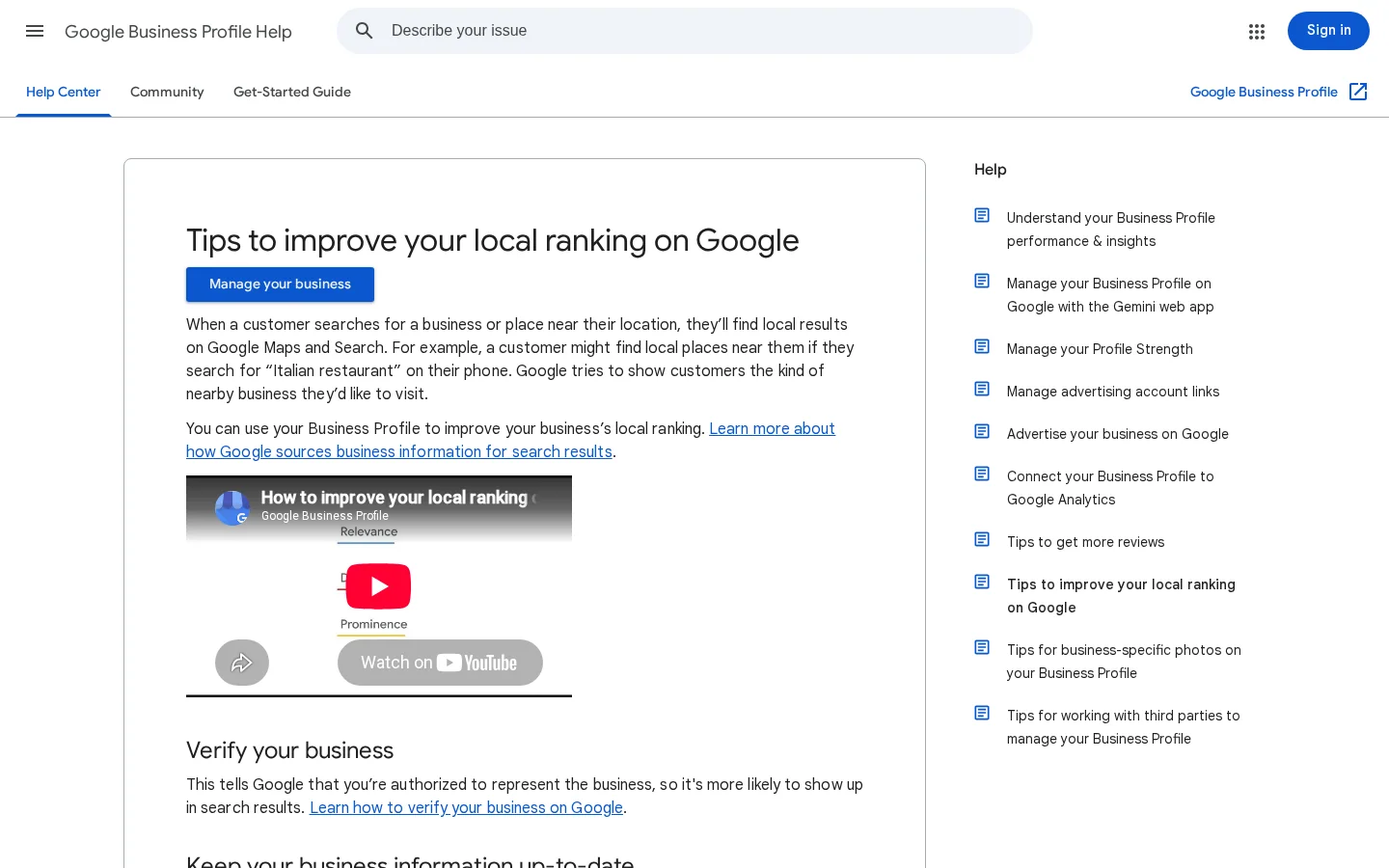
Google's own tips for improving local ranking double as an audit list. Google asks you to verify your business, keep the information up to date, respond to reviews, add photos and videos, and, for retail businesses in eligible regions, add in-store products. Run each tip as a check in every audit, not as a one-time setup task.
Compare the name, address, phone, hours and website with your master sheet, one field at a time. Small differences such as "St." and "Street" look trivial to a person. They are exactly the mismatches that split your signals, so record them as findings. Check the holiday hours too. Hours that are right in a normal week and wrong at Christmas are common, and customers notice on the day they try to visit.
Google's help page does not list categories as a ranking factor. It does list managing your business category as part of keeping your information complete. The primary category should describe your main service in the words a customer would use, and the page on your site that targets that service should match it. If the profile says "Plumber" and your site only talks about heating repairs, one of them is wrong for the work you want.
The profile must reflect how you serve customers. A business that goes to clients needs its service area set. A shop where customers walk in needs its address shown. Check the map pin as well: a pin on the wrong building sends customers to the wrong door. Compare it with the street view and your own photos.
Google says photos and videos help you "show customers what you offer and tell the story of your business." Its help page does not list photos as a ranking factor, so treat them as work that helps customers decide. Outdated photos are still a finding: a storefront that has changed, or a menu from two years ago, damages trust before the customer calls.
Google Business Profile check
A citation is any online mention of your business name, address and phone number, with or without a link. Search engines and customers both compare those mentions. One wrong digit on one directory is a small problem. Ten directories with ten versions of your address make it hard for anyone to trust any of them. The goal is one consistent set of facts across the places that matter, not a count of listings.
Search your business name and read the first three to four pages of results, as SEJ suggests. For each listing, note the site, the NAP it shows, whether you have claimed it, and whether it is correct. Our guide to business directories explains which listings still matter for local SEO and AI visibility.
Duplicates appear when a directory creates a second listing from a typo, an old address or a name variant such as "Smith Plumbing Ltd" next to "Smith Plumbing". They are the most common citation problem and the slowest to fix, because you often need the directory's own merge or closure process. Log each duplicate with its URL, the wrong field, and the process to fix it. Our page on local listing management walks through the cleanup.
SEJ advises monitoring Reddit for brand and product mentions, and engaging transparently and without promotion. Do not post as a customer or ask friends to write threads. Check whether the facts in a thread are right, and reply openly as the business when a correction helps.
Copy your address and phone number from your website footer and use that exact form in every listing, with the country code on the phone number. Google's structured data documentation asks for the same thing: "Be sure to include the country code and area code in the phone number."
Checking citations: by hand or with a tool
For one location, start by hand. For several locations, a listing tool saves hours, but its results are a starting point, not the verdict.
Your website is the one listing you fully control. It is also where search engines and AI tools check whether the facts on your profile are real. This part of the audit covers four things: page focus, visibility of key facts in the HTML, structured data, and crawlability.
SEJ recommends keeping each page focused on one topic, and using keyword variations consistently in titles, URLs, headings and body text. For local pages, that means one service in one area per page. Pages that differ only by city name, with the same paragraph repeated, look like thin copies. Our guide to local landing pages shows how to build location pages that stand on their own. Give images descriptive filenames and alt text, as the same checklist recommends.
SEJ also recommends confirming that key content appears in the raw HTML or through server-side rendering. Some LLMs do not execute JavaScript, so a phone number that appears only after a script runs may never reach them. Test it: load the contact page with JavaScript turned off, or view the page source, and check that the address, hours, phone and services are all there.
LocalBusiness markup describes your business to machines in a standard format. Google's documentation names two required properties, name and address, and recommends more. Four rules matter most in an audit. The geo coordinates need at least five decimal places for both latitude and longitude. Opening hours use the hh:mm:ss format for opens and closes, and the YYYY-MM-DD format for validFrom and validThrough on seasonal closures. The priceRange must be shorter than 100 characters. And, because Google says the more address properties you provide, the higher the result quality, fill in the full address.
{
  "@context": "https://schema.org",
  "@type": "LocalBusiness",
  "name": "Example Plumbing Co.",
  "url": "https://www.example.com/",
  "telephone": "+33 1 23 45 67 89",
  "priceRange": "€€",
  "address": {
    "@type": "PostalAddress",
    "streetAddress": "12 Example Street",
    "postalCode": "75001",
    "addressLocality": "Paris",
    "addressCountry": "FR"
  },
  "geo": {
    "@type": "GeoCoordinates",
    "latitude": 48.85661,
    "longitude": 2.35222
  },
  "openingHoursSpecification": {
    "@type": "OpeningHoursSpecification",
    "dayOfWeek": ["Monday", "Tuesday", "Wednesday", "Thursday", "Friday"],
    "opens": "08:30:00",
    "closes": "18:00:00"
  }
}
This is an example with placeholder values. Replace every value with your own, and check the coordinates against the map pin from Audit 1, so your markup and your profile agree.
This is the most common markup mistake in local audits. Google's page says the review and aggregate rating properties are "only recommended for sites that capture reviews about other local businesses." A plumber that adds a rating built from its own Google reviews to its LocalBusiness markup is outside that guidance. Remove it, and check whether a plugin added it for you. Google also warns that "The problem can be caused by either spammy content or spammy markup usage," and that "If your site violates one or more of these guidelines, then Google may issue a manual action against it."
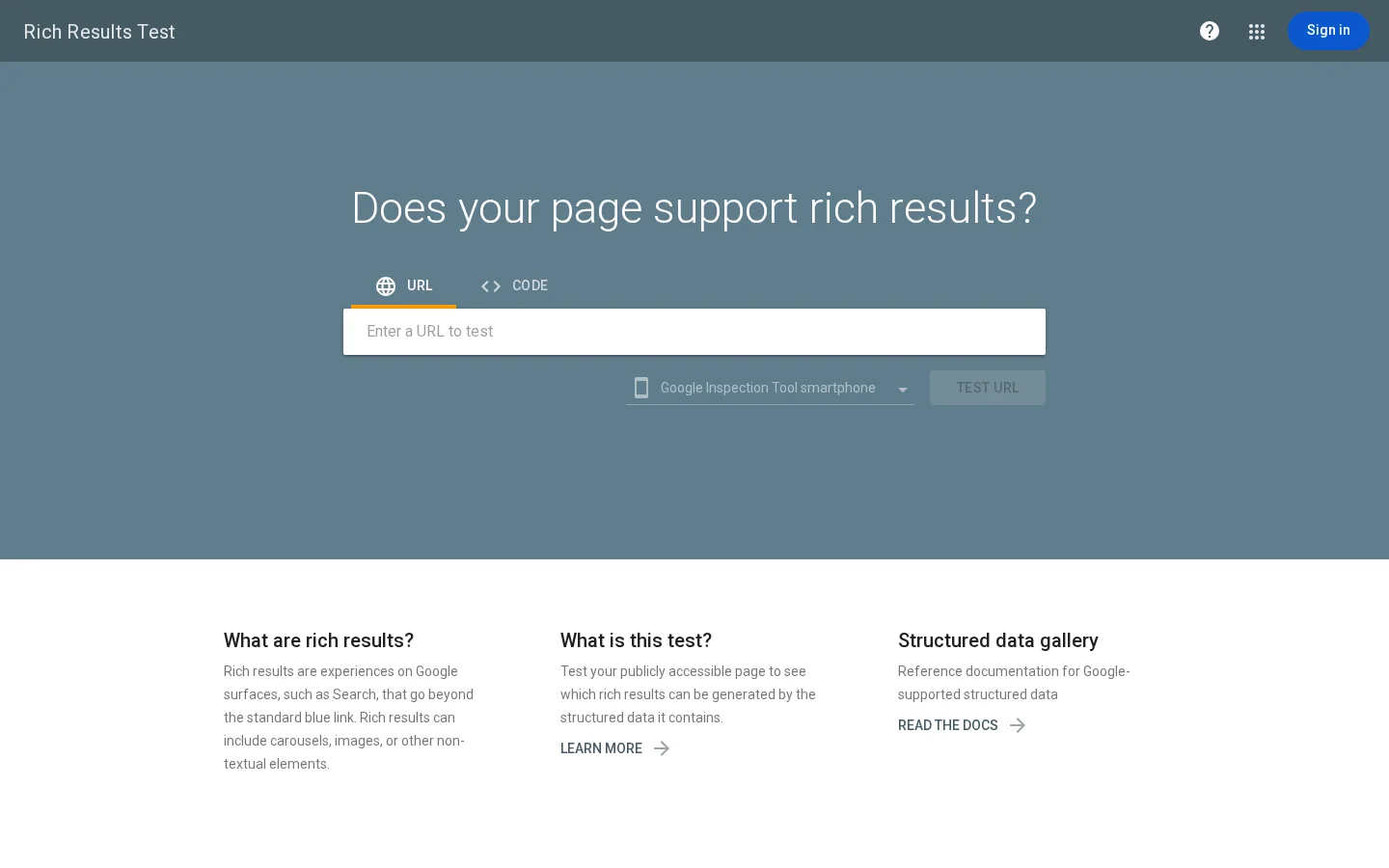
SEJ recommends validating LocalBusiness, Product, Service, Review and FAQPage markup with Google's Rich Results Test and the Schema.org validator. The Rich Results Test shows what Google can read from a public URL or code snippet. The Schema.org validator checks the structure against the vocabulary. Record the date and result for each key page, because a theme update can break markup that passed last month.
Tip
You do not need a paid crawler to start. Our free on-page SEO audit tool checks a single page, and the structured data validator tests the JSON-LD of any page or code.
SEJ asks you to find broken or misdirected internal links, and to use canonical tags correctly: canonicals on pages you did not create, and a self-referencing canonical on unique pages. For speed and stability, it points to Core Web Vitals in Search Console and to Google Lighthouse for deeper analysis. Broken links between location pages are a common finding, because those pages usually grew by copy and paste.
Website check
These audits feed prominence. Reviews and links both shape how well known your business looks to Google and to customers. Search Console shows whether Google can index and trust the pages you already have.
Google's help page says that "More reviews and positive ratings can help your business's local ranking," and that replying to reviews shows customers you value their feedback. SEJ adds three tasks: respond to all reviews, positive and negative, as soon as possible; analyze reviews for missed responses and recurring service themes; and inventory reviews on Facebook, Yelp, TripAdvisor, Houzz and similar sites. For each platform, record the count, the average rating, the share of reviews you have answered, the date of the latest review, and the three most common complaint themes.
The themes matter more than the average. A rating that slips because of one repeated complaint about booking tells you something the number cannot. Put the theme into the plan as a service fix, not only as a reply.
Review replies, before and after the audit
Some checklists advise asking for positive reviews. Do not follow that as written. Asking only satisfied customers skews your rating, and it can break the rules of the platforms you ask on. Ask every customer in the same way, at the same point in the job, and let the rating reflect the whole experience.
Google ties prominence partly to the number of websites linking to a business. For a local audit, the useful links come from your city and sector: associations, suppliers, local media, sponsors and partners who name you. SEJ suggests reviewing backlinks in Search Console's link reports, using a backlink tool to find domains that link to competitors but not to you, and checking referral sources in your analytics. Our guide to local link building covers where those links come from.
Search Console answers a question your profile cannot: is Google indexing the pages you have? SEJ asks you to check for pages that are not crawled or indexed, check for manual actions, and review rich results, mobile and desktop experience, security issues and performance data. Open the reports for your verified property and write down each error with its URL. The public overview is shown below, but the reports themselves need a signed-in account.
On content, SEJ recommends mapping each page to one of four journey stages: informational, transactional, navigational or commercial. A local page that answers a buying question needs different content from a page that explains a service. SEJ also suggests FAQ sections written for each page and warns against generic FAQs. Answer the questions a customer asks on that exact page.
AI assistants now answer local questions directly, and they draw on the same facts you audit above. SEJ calls a fully optimized Google Business Profile the foundation for AI visibility. It also suggests mapping transactional and informational intent, writing direct answers to natural-language questions, and evaluating booking or reservation integrations where they apply. The output of this audit is a log rather than a score.
| Check | What to record | Why it matters |
|---|---|---|
| Questions | The questions a buyer asks in your city, typed the way they type them | A repeatable test needs the same questions every time |
| Named businesses | Which businesses each tool names for each question | This is the competition the answer uses |
| Your presence | Whether your business or site appears, and with which link | Shows whether AI can connect your facts to you |
| Facts stated | Whether hours, services and address in the answer are correct | Wrong facts usually trace back to a source you can fix |
| Date and tool | The date, tool and model for each run | Answers change between runs, so compare like with like |
The same question asked on two days can name different businesses, and a small change in wording changes the answer. Keep the question list fixed, record the date and tool with each answer, and repeat the run at the same interval. One answer proves little. A pattern over several runs shows whether a fix worked.
When an answer gives the wrong hours or an old address, find where the tool probably read it: your profile, a directory, your site or a review. Then fix that source. You cannot edit an AI answer, but you can correct the listing, the page or the markup that feeds it.
Tip
If you want this log to run between audits instead of by hand, AI Mention Tracking from Sorank shows when AI tools cite your brand, prompt by prompt. It does not replace checking your profile and listings yourself.
You can run a local SEO audit in four main ways, and none is best in every case. Each one answers a different question, so the right choice depends on how many locations you have and what you need to know.
Principle: you open each source, read it, and compare it with your master facts. When it fits: one location, a small budget, or a first audit when you do not yet know where the problems are. Advantages: free, thorough, and close to what a customer sees. Limits: slow across many locations, and easy to skip items when you are tired. Example: you search your business name, read the first three to four pages of results, and log each listing against your sheet.
Principle: the tool searches many directories and compares each listing's name, address and phone with the facts you enter. When it fits: several locations, or once you know duplicates are a problem. Advantages: finds mismatches and duplicates in one pass, and exports a list. Limits: it can match the wrong business or miss a listing, so a person must check what it flags. Example: you export the results and fix the mismatches on the profiles you already claim before the rest.
Principle: the tool measures where your business appears in the local pack from several points around its location, so you see the map as a customer in each area sees it. When it fits: service-area businesses, or competitive areas where rank changes sharply from one neighbourhood to the next. Advantages: shows coverage across an area, not a single rank. Limits: it costs money, and one point is only a sample. Example: you track a grid around your address for your main service, then compare it with the areas where you actually take jobs. Our guide to local rank tracking explains what to measure in the map and in AI results.
Principle: one platform crawls the site, checks markup, reads the profile and reports everything with a consistent score. When it fits: agencies and teams with many sites, where the same checks must run every month. Advantages: consistent scoring and shareable reports. Limits: the score depends on the data it reads, and a high score can hide one wrong fact that matters most. Example: the platform flags a missing schema field on every location page, and you check two of them by hand before you roll out the fix.
| Method | Best for | Main advantage | Main limit |
|---|---|---|---|
| Manual checklist | One location, a first audit | Thorough and free | Slow and easy to skip |
| Listing scanner | Several locations, duplicate cleanup | Finds mismatches in one pass | False matches need a person |
| Rank grid | Service areas, competitive neighbourhoods | Shows coverage across an area | Costly, and one point is a sample |
| Full audit platform | Agencies, many sites | Consistent scoring and reports | The score can hide a critical fact |
A sensible sequence for most businesses: start with the manual checklist, add a listing scanner once duplicates exist, add rank grid tracking only when rank questions come from specific areas, and use a platform when the number of sites makes manual checks unrealistic.
Facts come first, because every later check compares against them. The website comes before reviews and links, because a site fix is quicker to make than a directory's duplicate process.
The seven-step local SEO audit
Write the facts once, in exact form, and have the owner approve them. If two people give different hours, the audit will flag the disagreement, and settling it takes longer than the audit itself.
Go through the profile field by field, using the checklist in Audit 1. Attach a dated screenshot to each finding, and mark each item correct, partly correct, or wrong.
Search your business name with your main city and service, and read the first three to four pages. Log every listing that shows your business, with the NAP it displays and whether you have claimed it.
Test the contact page and two location pages with JavaScript off. Run the key pages through the Rich Results Test and the Schema.org validator. Check the links from your service pages to your location pages, and log each broken one with its URL.
For each platform, record the count, the average rating, the share of reviews you have answered, the date of the latest review, and the top complaint themes. Keep the export with its date, so the next audit has a baseline.
Read the indexing and manual action reports for your verified property, and note any page that is not indexed without a good reason. List the sites that link to you, grouped by type, and mark those from your city and sector.
Run your fixed question list in the tools your customers use, and record the businesses and facts in each answer with the date and tool. This is the first run of a log you will repeat, so do not judge the result from one run.
An audit only helps if it ends in changes. Score every check on the same three-point scale: correct, partly correct, or wrong or missing. Then write each gap as a finding with an impact, an effort, an owner, a due date and a status. The score lets you compare this audit with the next one. It is not a grade for the business, so do not argue about it in a meeting.
| Finding | Impact | Effort | Owner | Due | Status |
|---|---|---|---|---|---|
| Wrong phone number on two directories | High | Low | Operations | Set a date | Open |
| Duplicate listing with an old address | High | Medium | Operations | Set a date | Open |
| Recent reviews without a reply | Medium | Low | Customer service | Set a date | Open |
| Own reviews marked up as an aggregate rating | Medium | Low | Web lead | Set a date | Open |
| Thin location pages with copied text | Medium | High | Content lead | Set a date | Open |
Fix now: wrong facts on the profile or in the main directories, duplicates that send customers to the wrong door, and recent reviews without a reply. These are quick, and customers see them first. Fix next: schema corrections, copy changes on location pages, link building and content refreshes. These take longer, and they pay off once the facts are right. To estimate which fixes are worth the most, the free Local SEO ROI Calculator gives a rough picture to compare them against.
Store the screenshots, exports, validator reports and prompt logs in one folder, named by date. When a finding is closed, keep the before and after evidence beside it. When someone asks why a listing changed, the answer should take a minute to find.
SEJ suggests reviewing audit items every six to 12 months, depending on the size of your web presence. Between full audits, check the profile and the review platforms on a fixed schedule, and run the AI log at the interval you chose. Those checks catch most problems before a customer does.
These mistakes come up in almost every local audit. Each one below says what it is, how to spot it, and how to fix it.
What it is: you check the Google Business Profile carefully, but never compare the facts on other directories. The profile is right, and a directory that ranks for your service still shows an old phone number.
How to spot it: search your business name and read the first three to four pages of results. Any listing with a fact that differs from your master sheet is a finding.
How to fix it: make citations a required step of every audit. Fix the wrong facts on each listing, starting with the ones that rank for your name.
What it is: an old or misspelled listing keeps running beside your real one. Customers land on the wrong page, and reviews split between the two.
How to spot it: look for a different name variant, an old address, or a phone number that no longer answers. Check your reviews for entries that seem to belong to another address.
How to fix it: log each duplicate with its URL and the directory's process. Claim the real listing, request the closure of the duplicate, and keep a note of each request, because cleanup often takes several rounds.
What it is: the LocalBusiness markup carries an aggregate rating built from your own reviews. Google's page says that property is "only recommended for sites that capture reviews about other local businesses," so this use falls outside that guidance.
How to spot it: view the page source or run the URL through the Rich Results Test, and look for an aggregate rating. Check your theme and plugins too, because some add it automatically.
How to fix it: remove the markup and retest the page. You can still show the reviews on the page as ordinary content.
What it is: the team sends review requests only to customers who seemed pleased. The rating looks good for a while, then stops reflecting the business, and it can break the rules of the platforms involved.
How to spot it: compare the number of reviews with the number of completed jobs over the same period. Long stretches of only positive reviews are a warning sign.
How to fix it: send the request to every customer, in the same way and at the same point in the job. Reply to every review, the negative ones included.
What it is: you check your rank once, from your own street, and decide the profile works or does not. Local results change by neighbourhood, device and time, so one check is one sample.
How to spot it: your notes say "ranks first" with no date, no location and no tool. Nobody can repeat the check the same way.
How to fix it: record the location, date, tool and query for every check. For service areas, check several points, or use a rank grid, before you draw a conclusion.
What it is: the address, hours or services appear only after a script runs. Some AI tools do not run JavaScript, so those facts never reach them, and their answers about your business are thin or wrong.
How to spot it: load the page with JavaScript off, or view the page source. If the facts are missing, the problem is real, even when the page looks complete in a browser.
How to fix it: render the key facts in the HTML, through server-side rendering or static content, and keep the same facts in the profile and the schema.
Before you call the audit done
Run the full audit every six to 12 months, depending on how much your business and web presence change, as SEJ suggests. Check the profile and reviews in between, because they change faster than your site. A move, a new location or a new service should trigger an audit straight away.
A checklist lists what to look at. An audit runs that list: you check each item, record the evidence, score the result, and turn each gap into a task with an owner. A checklist alone does not tell you what to fix first.
Yes. You can cover most of it by hand, with search results, your profile dashboard, your website with JavaScript off, the Rich Results Test, the Schema.org validator and Search Console. Paid tools save the most time on citation scans, rank grids and repeated AI checks across several locations. Start by hand, and add a tool where manual work becomes the bottleneck.
Keep after the audit
On the site side, Sorank helps with part of this work. Content Optimization fixes and refreshes existing pages, which is where many on-page findings end up. It does not replace checking your Google Business Profile, your listings or your reviews, which still need your own eyes and processes.

Run the full audit every six to 12 months, depending on how much your business and web presence change, as Search Engine Journal suggests. Check your profile and reviews between full audits, and start a new audit straight away after a move, a new location or a new service.
A checklist lists what to look at. An audit runs that list: it records the evidence for each item, scores the result, and turns each gap into a task with an owner.
Yes. You can cover most of the audit by hand with search results, your profile dashboard, Google's Rich Results Test and Search Console. Paid tools save the most time on citation scans, rank grids and repeated AI checks across several locations.
We analyse your competitors, your website and your AI visibility to create a tailored content plan for free.
 AI Content Brief Generator
 FAQ Schema Generator
 AI Blog Post Ideas Generator
 Structured Data Validator (Schema Validator)
 Alt Text Checker
 Internal Link Analyzer
 Backlink Challenge
 AI Meta Description Generator
 AI Blog Title Generator
 Google Indexability Checker
 AI Blog Outline Generator
 UTM Link Builder
 Keyword Clustering Tool
 Canonical Tag Checker
 XML Sitemap Generator
 Broken Link Checker
 AI SEO Title Generator
 Headline Analyzer
 SERP Preview Tool
 Redirect Checker
 Hreflang Tag Generator
 Heading Structure Analyzer
 HTTP Headers Checker
 Favicon Extractor
 SERP CTR Calculator
 SEO vs Paid Search Savings Calculator
 SEO Share of Voice Calculator
 SEO ROI Calculator
 SEO Traffic and Revenue Forecast Calculator
 SEO Budget Calculator
 SEO Break-Even Calculator
 SaaS SEO ROI Calculator
 ROAS Calculator
 Reading Time Calculator
 Ranking Gain Simulator
 Organic Traffic Value Calculator
 Organic Traffic Estimator and Website Traffic Checker
 LTV to CAC Ratio Calculator
 Local SEO ROI Calculator
 Link Building Cost Calculator
 Keyword Value Calculator
 Keyword Opportunity Score Calculator
 Keyword Density Calculator
 GEO ROI Calculator
 GEO Content Investment Calculator
 Ecommerce SEO ROI Calculator
 Customer Lifetime Value Calculator
 Customer Acquisition Cost Calculator
 CTR Calculator
 Cost Per Article Calculator
 Conversion Rate Calculator
 Content Marketing ROI Calculator
 ChatGPT Referral Traffic Estimator
 Bounce Rate Calculator
 Backlink ROI Calculator
 AI Visibility Score Calculator
 AI Traffic Value Calculator
 AI Share of Voice Calculator
 Cost of AI Invisibility Calculator
 AI Citation Rate Calculator
 llms.txt Validator
 AI Overview Checker and AI Overviews Rank Checker
 Robots.txt Checker
 AI SEO Audit
 LLM Readability Checker
 SearchGPT Readiness Checker
 Structured Data LLM Audit
 Website Crawlability AI Audit
 Why ChatGPT Is Not Recommending My Website
 Gemini Ranking Tool
 Perplexity Ranking Checker
 LLM Citation Checker
 Answer Engine Optimization Audit
 GEO Audit
 AI Search Visibility Test
 ChatGPT Visibility Checker
 llms.txt Generator
 URL Extractor
 Webpage to Markdown
 Sitemap Checker
 SERP Volatility Sensor
 Page Size Checker
 Word Counter
 Slug Generator
 Schema Generator
 Robots Generator
 OG Preview
 Meta Tags Generator
 Image Compressor
 Favicon Generator
 On-Page SEO Audit: SEO Checker and SEO Analyzer
 Backlink Analysis Tool
 Keyword Research Tool
 Domain Authority Checker
THEY TRIED SORANK BEFORE YOU
5/5 from 5 reviews
 “I tested Sorank on a real client site and it's insane. It does everything an agency would bill you $1500 a month for. It's going into production on that client now.”

 Guillaume Guersanguersanguillaume.com“We are an Ads agency and we wanted to get our SEO back on track once and for all. Sorank gave us a clear view of our site, helped us prioritize optimizations, and properly structure our content. The tool is easy to use, well designed for a team, and very practical for centralizing tracking without having to juggle multiple platforms. A very solid foundation to start fresh with our SEO.”
 Gaspard MadouiAds Agency
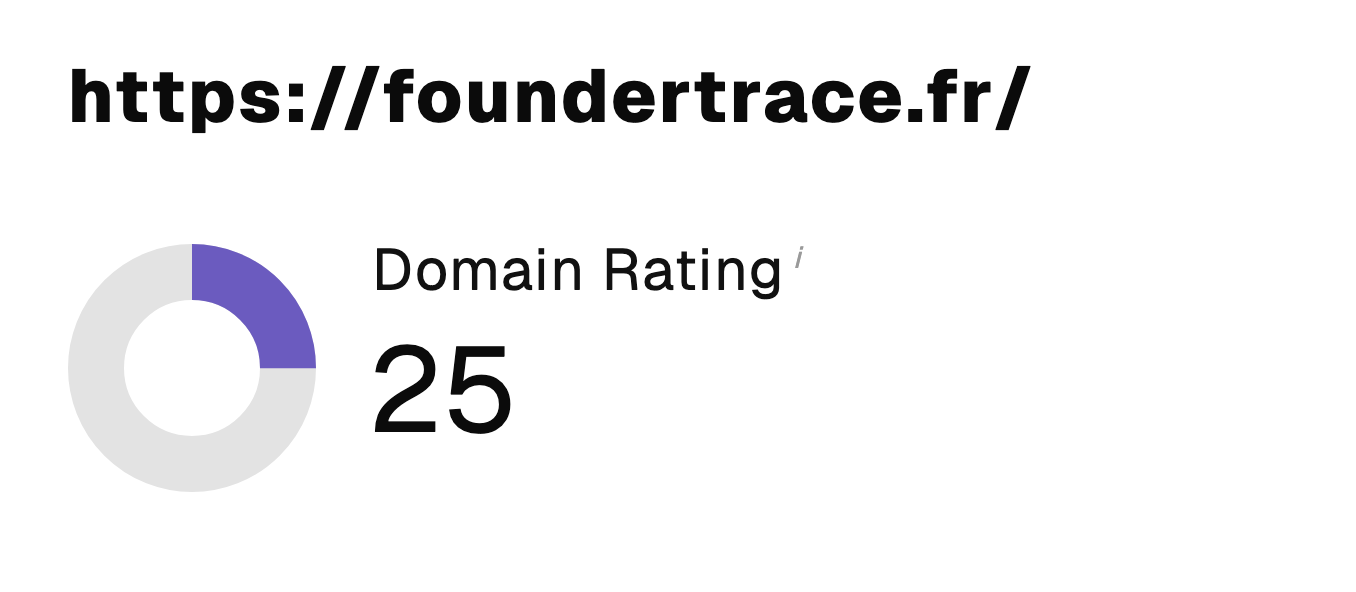 “I just let the Sorank software do its thing, and now my DR is 25 and my page is ranking higher.”
 Lucas Flandrefoundertrace.fr“I specialized in GEO thanks to Sorank. The GEO Leaderboard allows me to show my clients their position vs competitors on ChatGPT. It’s a real commercial differentiator.”
 MélanieSEO Freelance“Great service, works well for our website and helps us understand how to improve it to rank better on Google and elsewhere. Congrats, keep going, I recommend it.”
 Hugo T.E-commerce merchant