Preferences
Privacy is important to us, so you have the option of disabling certain types of storage that may not be necessary for the basic functioning of the website. Blocking categories may impact your experience on the website. More information
Privacy is important to us, so you have the option of disabling certain types of storage that may not be necessary for the basic functioning of the website. Blocking categories may impact your experience on the website. More information

Seven local SEO trends for 2026, with what changed, what Google documents and the steps to act on each one this month, from listings to AI answers.

In short
Local SEO in 2026 is less about one ranking on Google Maps and more about being described the same way everywhere a customer might look: Google, AI assistants, directories and your own website. The trends that change the work are AI-led discovery, consistent listing data, steady reviews with replies, location and service pages, and structured data. Google still ranks local results on relevance, distance and prominence, and distance depends on where the searcher stands, so your effort goes into relevance and prominence.
Want to go further? Ask
Quick quiz
How should you get more local customers from Google?
Sorank matches your answers


Test it for 3 days on your own site and see where you stand on Google, ChatGPT and the other AIs.
Start 3-day free trial3 days free, then stop whenever you want. 90-day results guarantee, conditions apply.
A trend is only useful if it changes what you do this month. So this article separates the shifts that change the work from the ones that just sound new.
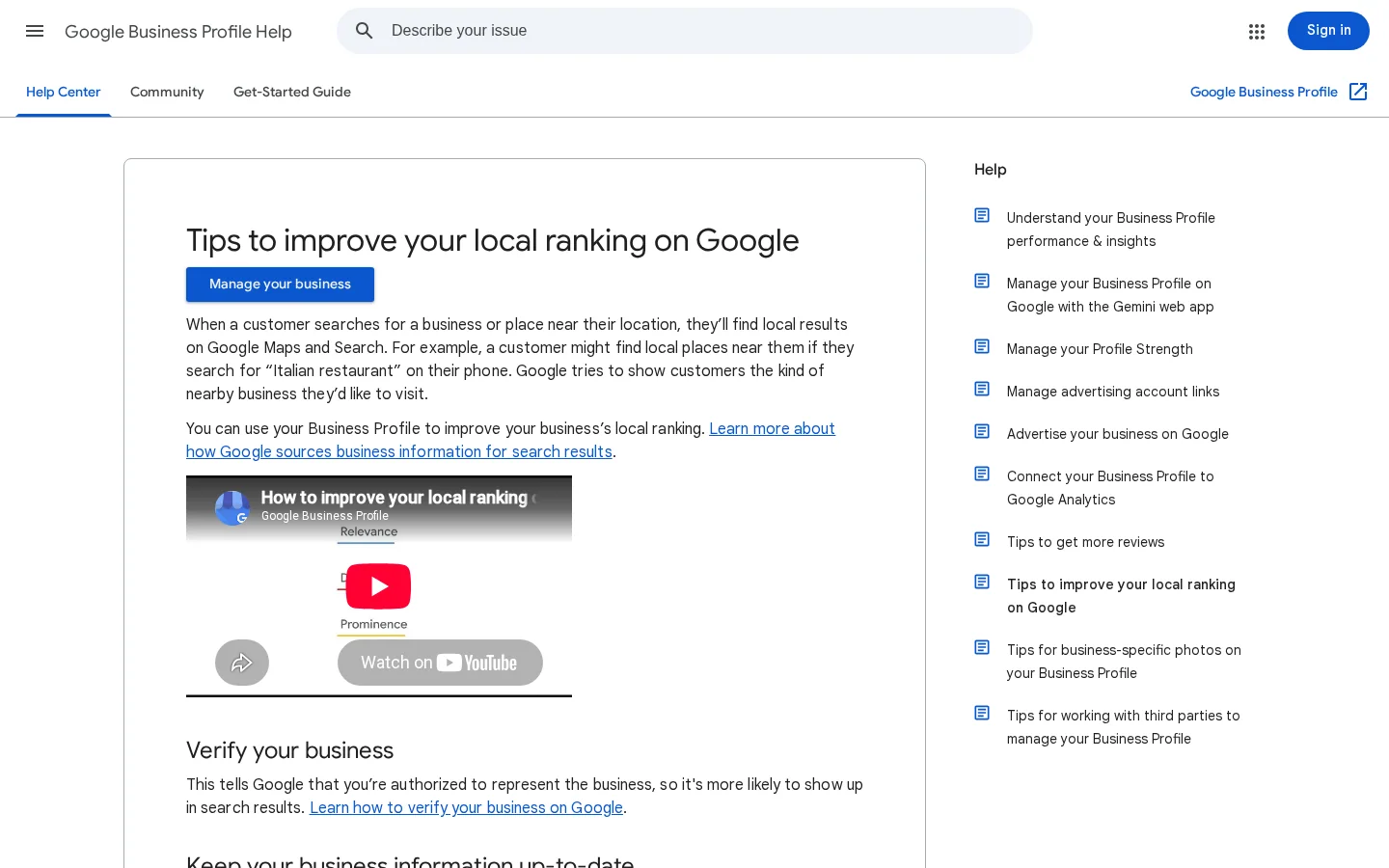
Start with the document that defines the game. Google's Business Profile help page on local ranking names three factors. Relevance is "how well a Business Profile matches what someone is searching for". Distance is "how far each business is from the customer who's searching". Prominence is "how well-known a business is" (Google Business Profile Help, local ranking).
Distance is set by where the searcher stands, so no copy you write will change it. That leaves relevance and prominence, and almost every trend below is a way to improve one of them. The full weighting of these factors is in local SEO ranking factors. The wider shifts in search, outside local, are in SEO trends. This article stays on local.
How the three factors map to the work
Read the trends below with that frame. Each one answers a simple question: does it help a customer find you, does it make you better known, or does it fix the data that Google and other sources read first?
People ask ChatGPT, Gemini, Claude or Perplexity for a plumber, a dentist or a good restaurant near them. They read the shortlist before they open a map, and sometimes they never open one. The shortlist is built from sources the assistant can reach: your website, your listings, your reviews and third-party pages that name you. This is the fastest-changing part of local SEO, and it is covered in depth in local GEO.
You can check this yourself in ten minutes. Write the question a customer would ask in your town, the way people speak, for example "emergency plumber in Springfield open on Sunday". Ask it in three assistants. Write down who is named, which sources they cite, and which facts they get wrong. You will often see the same three or four businesses in all of them, which shows you which sources the assistants trust.
An assistant does not see your Google Business Profile dashboard. It sees what is public: your site text, your structured data, your directory listings and the text of your reviews. If one source says you are open on Sundays and another says you are closed, the assistant has to pick one or leave you out. Consistency is the cheapest gain in this trend, and it is the subject of Trend 2.
Pick five questions a buyer asks before calling you. Run each one in four assistants, and record three things: named or not, the sources cited, and the facts that were wrong. Answers change between runs, so one test proves nothing. Three runs over a month show a pattern you can act on.
When an assistant names a competitor and not you, look at the source it cites. Most of the time it is a directory page, a comparison article or a review site, not your own site. That tells you where to fix the facts or where to get listed. The same logic applies to your own site: if your service pages do not state the town, the price range and the opening hours in plain text, an assistant has less to quote.
Local discovery, before and now
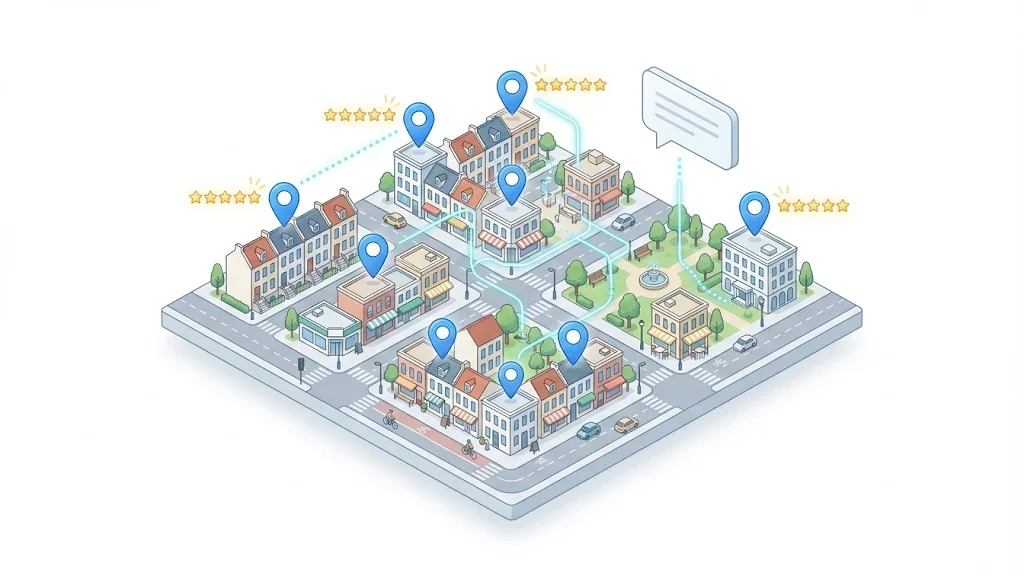
Your Google Business Profile is the most important listing for Google's local results, but it is no longer the only place where your details get copied. Directories, data aggregators and review sites repeat what they find, and they often do it months after you changed something. A wrong phone number in one of them can come back in the answers of other sources.
The rule is consistency. Your business name, address and phone number, usually written as NAP, should match everywhere, character for character. "Suite 4" in one listing and "Unit 4" in another is a mismatch to a machine, even when a person reads both as the same place.
Most mismatches are not deliberate. They come from an old listing created by a former employee, a second profile for the same office, a rebrand that updated your site but not the directories, or a tracking phone number that leaked into a citation. Each one has a source, and you cannot fix the output until you find it.
Search your business name plus your city, then the name plus your main phone number. Open every result and write down the name, street address, phone and hours in a spreadsheet, one row per source. Mark each field as matching or not. The first pass usually finds more duplicates than you expected, which is why the next step matters.
Fix the official profile first, then the sources that copy from it. Before you merge or close a duplicate, check whether it holds reviews or links you want to keep. The steps and the cases where merging is the wrong answer are in how to merge Google Business Profiles (and when not to). If your profile is not verified yet, do that first, using how to verify your Google Business Profile.
| Source | What it feeds | What to check |
|---|---|---|
| Google Business Profile | Google Maps and Google Search local results | Name, hours, category, duplicates, verification |
| Data aggregators | Many directories at once from one feed | Whether an old phone number was pushed to them |
| Industry and local directories | Local trust signals and links | Spelling of the name, website URL, address format |
| Your own website | Every crawler, including AI crawlers | Footer NAP matches the listing, and structured data matches the page |
Reviews matter for two reasons. They help a customer choose you, and their text adds your service and your area to the public record that search engines and assistants read. Google's guidance on local ranking includes responding to reviews among the actions that help a profile, and the same guidance lists verification, accurate information and photos as the basics.
The trend is not more reviews at any cost. It is a steady flow. A burst of reviews in one week looks unusual to a customer, and a request process that runs once a year produces very little. Ask after each completed job, while the experience is fresh. Google's review policy says businesses can ask customers to visit a Google link or scan a QR code, so put that link on the invoice, in the confirmation message and on a card in the van or at the desk.
Google's policy is strict on one point. Offering incentives in exchange for a review, including free or discounted goods and services, is treated as fake or misleading content and is strictly prohibited. The same applies to incentives for changing a review or removing a negative one. Do not run a discount for reviews, even a small one, and do not ask only happy customers to leave one.
Review routine after each completed job
A reply shows that the owner reads reviews, and it is public. Keep it specific and short. For a complaint, acknowledge the problem in one sentence, move the conversation offline with a named contact and a phone number, and leave the detail for that private conversation. Never argue in public, and never reply with a template that ignores what the customer wrote. Templates and the mistakes to avoid are in how to respond to Google reviews. To ask more often without breaking the rules, read how to get more Google reviews.
If a competitor posts a review that looks fake, do not answer it with a counter-review or a discount. Google's policy says businesses that believe a review violates its content policies can flag it. Flagging takes a few minutes and leaves no public trace, while a public fight looks bad to every reader.
One home page that says "we serve Springfield and nearby towns" gives a search engine or an assistant almost nothing to match. A business that serves several towns or several services needs a page for each combination a customer actually searches for. A good page answers one question with local facts: the service, the area, the team, the travel time, the price range and the reviews from that area.
A bad version is dozens of near-identical pages that only swap the town name. Search engines can treat these as thin content, and a reader spots them within one sentence. Use a simple test: if you remove the town name from a page, does it still contain a fact that only applies to that area? If not, do not publish it. Merge it into a stronger page instead.
| Page type | Use it for | Main risk |
|---|---|---|
| Service page | One service in your main town | Too generic if it has no local detail |
| Location page | Each town you truly serve | Copied text that differs only by town name |
| Service in location page | A service in a town with real demand | Many pages to keep up to date |
| Neighborhood page | Districts that customers name directly | Too little demand in small areas |
The build method, with the page template and the internal links between these pages, is in how to build local landing pages that rank and convert.
Local events, a job you finished in the town, or a supplier you use nearby can make a page specific. Use them only when they are true and you can name them. A generic "local guide" that copies the town's encyclopedia entry adds no value for a reader and gives a search engine nothing new. The neighborhood layer is covered in hyperlocal SEO.
Structured data is a block of JSON-LD that states facts in a format machines read without guessing. For a local business, use the LocalBusiness type or one of its subtypes, such as Plumber or Dentist. Google's LocalBusiness guidelines say the required properties are name and address. It recommends telephone, url, geo and openingHoursSpecification, and it says that the more properties you provide, the higher the quality of the result.
Here is a minimal example with fictional values. Replace each value with your own, and keep the name, address and phone identical to your listing:
<script type="application/ld+json">
{
  "@context": "https://schema.org",
  "@type": "Plumber",
  "name": "Example Plumbing",
  "url": "https://www.example.com/",
  "telephone": "+1-555-0100",
  "address": {
    "@type": "PostalAddress",
    "streetAddress": "12 Example Street",
    "addressLocality": "Springfield",
    "postalCode": "12345",
    "addressCountry": "US"
  },
  "geo": {
    "@type": "GeoCoordinates",
    "latitude": 39.78,
    "longitude": -89.65
  },
  "openingHoursSpecification": {
    "@type": "OpeningHoursSpecification",
    "dayOfWeek": ["Monday", "Tuesday", "Wednesday", "Thursday", "Friday"],
    "opens": "08:00",
    "closes": "18:00"
  }
}
</script>
Three rules matter more than the syntax. First, mark up only facts your page shows. Google warns that spammy content or spammy markup can cause problems, so an opening time that your page does not display is a risk. Second, leave out aggregateRating and review on your own business markup. Google recommends those two properties only for sites that capture reviews about other local businesses. Third, test before you publish with the structured data validator. For the complete property list and the common errors, read local business schema.
The contact page, before and after the fix
Paid placements now sit above and beside organic local results for many service categories. Google Local Services Ads (LSA) are the main example for home services and similar businesses. You pay per lead or per booked job, and the ads appear in the local results with a Google badge. Several agency trackers report that LSA share is growing in the queries they follow. Check your own queries before you trust any national figure, because the share varies by category and town.
Organic and paid work are different budgets with different timing. Organic visibility builds over months. LSA can bring leads within days, but you pay for each lead, including the ones that do not become customers, so you need to qualify them. Read how Google Local Services Ads work and what you pay before you decide.
Decide whether LSA fits your business
Some agencies argue that calls, direction requests and photo views on your profile are linked to how often you appear in the map pack. Google's local ranking page does not document that link, so treat it as a hypothesis to test rather than a rule. What you can do is record those actions each month and see whether they move with your rank.
Local rank tracking is different from national tracking. Your rank depends on where the searcher stands, so one number from one point tells you little. A grid of points across your service area shows where you rank well and where you are invisible. The setup and the tools are in local rank tracking.
AI visibility needs its own measurement, because an assistant can name you without any change in the map pack. Track the questions from the monthly test above and log how often you are named. Sorank does not edit or verify your Google Business Profile and does not manage your reviews. It works on your website, writing articles for your services and towns and tracking whether ChatGPT, Claude, Gemini and Perplexity mention you. The mention tracking is described in AI mention tracking.
Tip
Before you judge a local campaign by revenue, estimate what local search is worth to you. The local SEO ROI calculator gives a rough range from your leads, close rate and average job value.
Not every trend deserves the same hours. The table compares the seven trends for a small business with one to three locations. Effort and timing are rough guides, not benchmarks, and your numbers will differ.
| Trend | Effort | Time before results | Risk if done badly |
|---|---|---|---|
| Listing consistency (Trend 2) | Low | Weeks | Low |
| Steady reviews and replies (Trend 3) | Medium, ongoing | Months | High if you offer incentives |
| Location and service pages (Trend 4) | High | Months | High if the pages are thin copies |
| Structured data (Trend 5) | Low | Weeks, once search engines recrawl the page | Medium if the markup has no visible match |
| Paid local ads (Trend 6) | Medium | Days | Medium, because you pay for each lead |
| AI assistant tracking (Trend 1 and 7) | Low | Ongoing | Low |
For most businesses, start with listing consistency and reviews. They cost little and address the two inputs that Google documents most clearly. Add location pages once the basics are stable, because they multiply whatever is already right or wrong in your data.
Each mistake below has the same three parts: what it is, how to spot it and how to fix it. Work through them in order, because several of them hide the others.
What it is: Adding words such as "Plumber Springfield 24/7" to the name on your profile, so that it matches more searches.
How to spot it: Compare the name on your profile with the name on your sign, your invoices and your website. If they differ by keywords, you have the problem.
How to fix it: Restore the name customers know you by. Move the keywords into the category, the services list and your page copy. A name with keywords can get a profile suspended, and a suspension costs far more than the small gain.
What it is: A large batch of reviews in a short period, usually after a campaign, followed by months of silence.
How to spot it: Open the reviews and sort them by date. Spikes and long gaps are visible at a glance, and a steady line is what you want.
How to fix it: Set the review routine from Trend 3 so that every completed job triggers a request. Do not try to fill the gap with a batch. Let the line rebuild over the coming months.
What it is: Reviews given in return for a discount or gift, or reviews written by people who did not use the service.
How to spot it: Look for a discount offered in the review request, for reviews with the same wording, or for reviews from accounts that have only ever posted about you. Your own team may have done it without thinking it through.
How to fix it: Stop the offer today. Keep the request neutral. Remove the incentive from every template and script. If the fake reviews belong to a competitor, flag them as described in Trend 3. Do not reply to them with a counter-review.
What it is: Two or more profiles for the same address, often created by a former employee, a franchise template or an old registration.
How to spot it: Search your name and city, then your street address. Duplicates appear as separate results with slightly different names or phones.
How to fix it: Follow the audit in Trend 2. Check the reviews on each profile before you merge or close one, because reviews do not always move with the profile.
What it is: A set of pages with the same paragraphs and only the town name changed.
How to spot it: Put two pages side by side and read them aloud. If the only difference is the town, the reader and the search engine both see a template.
How to fix it: Apply the removal test from Trend 4. Keep the pages that have real local facts, and merge the others into one stronger page for the wider area.
What it is: JSON-LD that states an opening time, a price or a phone number that the page does not show, or that was copied from an old template.
How to spot it: Run the page through the structured data validator, then compare each value with the visible text. Old templates often keep a previous phone number.
How to fix it: Remove any value the page does not show, correct the rest and test again. Fewer, accurate properties are better than many doubtful ones.
What it is: Checking your position once, from your office, and deciding the local strategy from that one result.
How to spot it: Your rank looks excellent when you check it from the shop, and a customer across town never sees you. That gap is the sign.
How to fix it: Measure with a grid across your service area, as described in Trend 7, and compare the grid with where your customers actually live.
| Mistake | How to spot it | Fix |
|---|---|---|
| Keywords in the name | Name differs from the sign and invoices | Restore the real name, move keywords to services |
| Reviews in bursts | Spikes and gaps in the review dates | Trigger a request after each job |
| Incentivized reviews | A discount in the request, or identical wording | Stop the offer, keep requests neutral |
| Duplicate listings | Two profiles for one address | Audit, then merge or close after checking reviews |
| Town-only location pages | Same text with the town changed | Apply the removal test, merge thin pages |
| Mismatched markup | Validator warnings or values not on the page | Remove unseen values, test again |
Use this order. Each week is small, and the early steps make the later ones cheaper.
Four weeks, one area at a time
When the four weeks are done, use the local SEO checklist to find the points you have not covered yet. The trends change where customers find you, but the work stays the same: be accurate, be known and be specific about what you do and where. Start this week with one listing and one review routine.
The main shifts are AI assistants starting many local searches, listing data being read in more places, steady reviews with replies, location and service pages, structured data and paid local ads. Google still ranks local results on relevance, distance and prominence.
Yes. Reviews help customers choose you and add public text about your services and your area. Google prohibits incentives for reviews, so a steady, neutral request process is the safe way to build them.
Yes, when the assistant finds consistent facts about the business in its sources, such as the website, directories and reviews. Test it by asking the same local question in several assistants each month and recording who is named.
We analyse your competitors, your website and your AI visibility to create a tailored content plan for free.
 AI Content Brief Generator
 FAQ Schema Generator
 AI Blog Post Ideas Generator
 Structured Data Validator (Schema Validator)
 Alt Text Checker
 Internal Link Analyzer
 Backlink Challenge
 AI Meta Description Generator
 AI Blog Title Generator
 Google Indexability Checker
 AI Blog Outline Generator
 UTM Link Builder
 Keyword Clustering Tool
 Canonical Tag Checker
 XML Sitemap Generator
 Broken Link Checker
 AI SEO Title Generator
 Headline Analyzer
 SERP Preview Tool
 Redirect Checker
 Hreflang Tag Generator
 Heading Structure Analyzer
 HTTP Headers Checker
 Favicon Extractor
 SERP CTR Calculator
 SEO vs Paid Search Savings Calculator
 SEO Share of Voice Calculator
 SEO ROI Calculator
 SEO Traffic and Revenue Forecast Calculator
 SEO Budget Calculator
 SEO Break-Even Calculator
 SaaS SEO ROI Calculator
 ROAS Calculator
 Reading Time Calculator
 Ranking Gain Simulator
 Organic Traffic Value Calculator
 Organic Traffic Estimator and Website Traffic Checker
 LTV to CAC Ratio Calculator
 Local SEO ROI Calculator
 Link Building Cost Calculator
 Keyword Value Calculator
 Keyword Opportunity Score Calculator
 Keyword Density Calculator
 GEO ROI Calculator
 GEO Content Investment Calculator
 Ecommerce SEO ROI Calculator
 Customer Lifetime Value Calculator
 Customer Acquisition Cost Calculator
 CTR Calculator
 Cost Per Article Calculator
 Conversion Rate Calculator
 Content Marketing ROI Calculator
 ChatGPT Referral Traffic Estimator
 Bounce Rate Calculator
 Backlink ROI Calculator
 AI Visibility Score Calculator
 AI Traffic Value Calculator
 AI Share of Voice Calculator
 Cost of AI Invisibility Calculator
 AI Citation Rate Calculator
 llms.txt Validator
 AI Overview Checker and AI Overviews Rank Checker
 Robots.txt Checker
 AI SEO Audit
 LLM Readability Checker
 SearchGPT Readiness Checker
 Structured Data LLM Audit
 Website Crawlability AI Audit
 Why ChatGPT Is Not Recommending My Website
 Gemini Ranking Tool
 Perplexity Ranking Checker
 LLM Citation Checker
 Answer Engine Optimization Audit
 GEO Audit
 AI Search Visibility Test
 ChatGPT Visibility Checker
 llms.txt Generator
 URL Extractor
 Webpage to Markdown
 Sitemap Checker
 SERP Volatility Sensor
 Page Size Checker
 Word Counter
 Slug Generator
 Schema Generator
 Robots Generator
 OG Preview
 Meta Tags Generator
 Image Compressor
 Favicon Generator
 On-Page SEO Audit: SEO Checker and SEO Analyzer
 Backlink Analysis Tool
 Keyword Research Tool
 Domain Authority Checker
 “I tested Sorank on a real client site and it's insane. It does everything an agency would bill you $1500 a month for. It's going into production on that client now.”

 Guillaume Guersanguersanguillaume.com“We are an Ads agency and we wanted to get our SEO back on track once and for all. Sorank gave us a clear view of our site, helped us prioritize optimizations, and properly structure our content. The tool is easy to use, well designed for a team, and very practical for centralizing tracking without having to juggle multiple platforms. A very solid foundation to start fresh with our SEO.”
 Gaspard MadouiAds Agency
 “I just let the Sorank software do its thing, and now my DR is 25 and my page is ranking higher.”
 Lucas Flandrefoundertrace.fr“I specialized in GEO thanks to Sorank. The GEO Leaderboard allows me to show my clients their position vs competitors on ChatGPT. It’s a real commercial differentiator.”
 MélanieSEO Freelance“Great service, works well for our website and helps us understand how to improve it to rank better on Google and elsewhere. Congrats, keep going, I recommend it.”
 Hugo T.E-commerce merchant