Preferences
Privacy is important to us, so you have the option of disabling certain types of storage that may not be necessary for the basic functioning of the website. Blocking categories may impact your experience on the website. More information
Privacy is important to us, so you have the option of disabling certain types of storage that may not be necessary for the basic functioning of the website. Blocking categories may impact your experience on the website. More information

Stop scrapers, prove you wrote it first, find copies and remove them: server rules, AI bots, canonical tags and a DMCA template you can use today.
In short
To protect website content from being copied, you combine four layers: slow copiers down (server rules, bot blocking), prove you are the original (copyright notice, dates, canonical tags), detect copies early (alerts, exact-phrase searches, reverse image search) and remove them (owner, host, then a DMCA notice to Google). No method makes copying impossible.
Want to go further? Ask
Quick quiz
Which content should you focus on first?
Sorank matches your answers


Test it for 3 days on your own site and see where you stand on Google, ChatGPT and the other AIs.
Start 3-day free trial3 days free, then stop whenever you want. 90-day results guarantee, conditions apply.
No. Anything a browser can display, someone can copy. The text is in the HTML, the images are files the browser downloads, and a screenshot bypasses every script. What you can do is make copying slower and riskier, make your ownership easy to prove, and make removal fast when it happens.
That changes the goal. You are not building a wall. You are building a system: friction for the lazy copier, blocking for the automated scraper, evidence for the dispute, and a routine to find and remove copies before they cost you traffic.
The scale of the problem is mostly automated. In its 2025 Bad Bot Report, published on April 15, 2025, Imperva reports that malicious bots made up 37% of all internet traffic in 2024, and that automated traffic (51%) overtook human traffic for the first time in a decade. Data scraping is one of the main tasks those bots perform.
Why copy protection is now a bot problem
Sources: Imperva Bad Bot Report, 2025; Cloudflare, July 2024
In most countries, copyright exists as soon as you create an original work and fix it in a tangible form. Under the Berne Convention, the international copyright treaty, you do not need to register anything for your articles, photos or code to be protected. Registration matters later, for enforcement. In the United States, for example, 17 U.S.C. 412 says you cannot claim statutory damages or attorney's fees for an infringement that began before registration, unless you register within three months of first publication.
Copyright protects the expression, not the idea. Someone who reads your guide and writes their own version with different words and structure is usually not infringing. Someone who copies your paragraphs, translates them word for word or spins them with synonyms usually is. Keep that line in mind: it decides which copies you can remove and which you can only outrank.
Copiers fall into six groups, and each one needs a different defense. A right-click blocker might slow down a student, but it does nothing against a scraper that downloads raw HTML.
| Who copies | How they do it | What actually slows them down | What removes the copy |
|---|---|---|---|
| Manual copier (competitor, student, freelance writer) | Selects text, saves images, takes screenshots | Visible copyright line, attribution in copied text, watermarks | Email to the owner, then DMCA notice |
| Scraper bot | Downloads your HTML or RSS feed on a schedule and republishes it automatically | Rate limiting, bot management, truncated RSS feed, absolute internal links | Host abuse report, DMCA notice to Google and Bing |
| AI rewriter or spinner | Feeds your article to a tool that rewrites every sentence | Unique data, screenshots and examples that cannot be rewritten without being obvious | DMCA if the structure and substance are copied; otherwise outrank it |
| AI crawler | Collects pages to train models or to answer questions in real time | robots.txt rules per user agent, bot management at the CDN | Not a removal case: you control access, not past training |
| Image hotlinker | Embeds your image files directly from your server | Hotlink protection by referer | Blocking the referer is enough |
| Site cloner or proxy mirror | Copies or proxies your entire site under another domain | Self-referencing canonical tags, absolute URLs, blocking the proxy's IP ranges | Host and registrar abuse reports, DMCA notices |
The scraper bot and the AI crawler are the two you cannot handle by hand, because they work at scale. Read our definition of web scraping and how scrapers collect pages if you want the technical side of how these bots work.

There are five strategies, and a solid setup uses at least four of them. Each one covers a weakness of the others: technical blocking fails against humans, legal action fails without evidence, and detection is useless without a removal process.
Principle: scripts and CSS that disable text selection, right-click or the copy shortcut. When to use it: almost never on a content site; sometimes on a paid course or a members area. Advantages: stops the least motivated copier. Limits: it breaks accessibility and user experience, and any bot or anyone who opens the page source ignores it. Example: a recipe site that blocks selection loses readers who want to paste an ingredient list into their notes.
Principle: decide who gets your HTML in the first place, with robots.txt, rate limits, a web application firewall and bot management. When to use it: always, as soon as your site has content worth scraping. Advantages: the only layer that works against bots at scale. Limits: robots.txt is a request, not a lock, and aggressive rules can block Googlebot or your own customers. Example: limiting each IP to a few requests per second stops a scraper downloading 5000 pages in an hour without affecting a human reader.
Principle: leave timestamps and authorship signals everywhere: copyright notice, terms of use, structured data, canonical tags, archived snapshots, image metadata, and registration where it pays. When to use it: on every page, before any dispute. Advantages: cheap, permanent, and it makes every takedown faster. Limits: it does not prevent anything on its own. Example: an archived snapshot dated three weeks before the copy ends most "we wrote it first" arguments.
Principle: search for your own sentences and images on a schedule. When to use it: monthly for most sites, weekly for high-value pages. Advantages: you find copies before they outrank you. Limits: rewritten copies are hard to catch with exact-match searches. Example: a Google Alert on one unique sentence of your best guide emails you the day a scraper republishes it.
Principle: ask the owner, then the host, then the search engines, under copyright law. When to use it: when a copy is live and you own the original. Advantages: the copy disappears from the web or at least from search results. Limits: slow with offshore hosts, and a false claim exposes you to liability. Example: a DMCA notice to Google removes the copied URL from Google Search even when the host never answers.
| Strategy | Stops humans | Stops bots | Helps removal | SEO risk | Cost |
|---|---|---|---|---|---|
| On-page deterrents | A little | No | No | Low, but hurts user experience | Free |
| Server-side and network controls | No | Yes | No | High if misconfigured | Free to moderate |
| Proof of ownership | Deters | No | Yes | None | Free, registration has a fee |
| Monitoring | No | No | Yes | None | Free to low |
| Legal removal | Yes, after the fact | Yes, after the fact | It is the removal | None if your claim is valid | Your time, or a lawyer |
Disabling right-click or text selection stops only the most casual copier, and it costs you more than it protects. The text is still in the HTML, so view-source, reader mode, a browser extension, a screenshot or a simple scraper gets everything in seconds. Search engines and AI crawlers read the HTML too, so these tricks have no effect on bots at all.
Client-side tricks vs server-side controls
This CSS disables selection. It also stops readers from copying a phone number, an address or a quote they want to share with a link back to you, which is free promotion you lose.
/* Not recommended on public content */
.article-body {
  user-select: none;
  -webkit-user-select: none;
}
A softer option keeps copying possible but adds attribution. This script appends the source URL to whatever the reader copies. Honest readers keep the credit, and lazy copiers paste a link to you into their own page.
document.addEventListener('copy', function (e) {
  var text = window.getSelection().toString();
  if (text.length < 200) return; // leave short quotes alone
  var credit = '\n\nSource: ' + document.title + ' ' + location.href;
  e.clipboardData.setData('text/plain', text + credit);
  e.preventDefault();
});
Warning
Never hide text with CSS or serve different content to Googlebot to "protect" it. Showing search engines something other than what users see is cloaking, a spam practice in Google's policies, and it can cost you far more than a copied article.
If the content is the product (a paid course, a premium report, a template library), put it behind a login. That is real protection, because the HTML never reaches anonymous visitors or bots. The trade-off is that search engines cannot rank what they cannot read. Our guide on when to gate content and when to keep it open explains how to keep a public summary that ranks while the full version stays locked.
The server is where real protection happens, because it decides who receives your HTML. You have four tools: robots.txt for polite bots, rate limiting for greedy ones, bot management for disguised ones, and feed and hotlink settings for the side doors.
robots.txt tells well-behaved crawlers what they may fetch. Google, Bing, OpenAI, Anthropic and Common Crawl respect it. Scrapers that republish your content usually do not even read it. Use it to control legitimate bots, especially AI crawlers, and rely on other layers for the rest.
This example blocks bots that collect content for model training while keeping the bots that make you visible in search and in AI answers:
# Keep search engines and AI search
User-agent: Googlebot
Allow: /

User-agent: OAI-SearchBot
Allow: /

# Block training crawlers
User-agent: GPTBot
Disallow: /

User-agent: Google-Extended
Disallow: /

User-agent: CCBot
Disallow: /

User-agent: Bytespider
Disallow: /

Sitemap: https://www.example.com/sitemap.xml
Before you copy this, decide what you want from AI. Blocking GPTBot keeps your pages out of OpenAI's training data but not out of ChatGPT search, which uses OAI-SearchBot. Blocking OAI-SearchBot removes you from ChatGPT's search answers. Our full guide to robots.txt rules for AI crawlers lists every user agent and what each one does.
Tip
Test your file before and after any change with the free robots.txt checker for syntax and AI crawler access. One wrong "Disallow: /" under the wrong user agent can remove your site from Google.
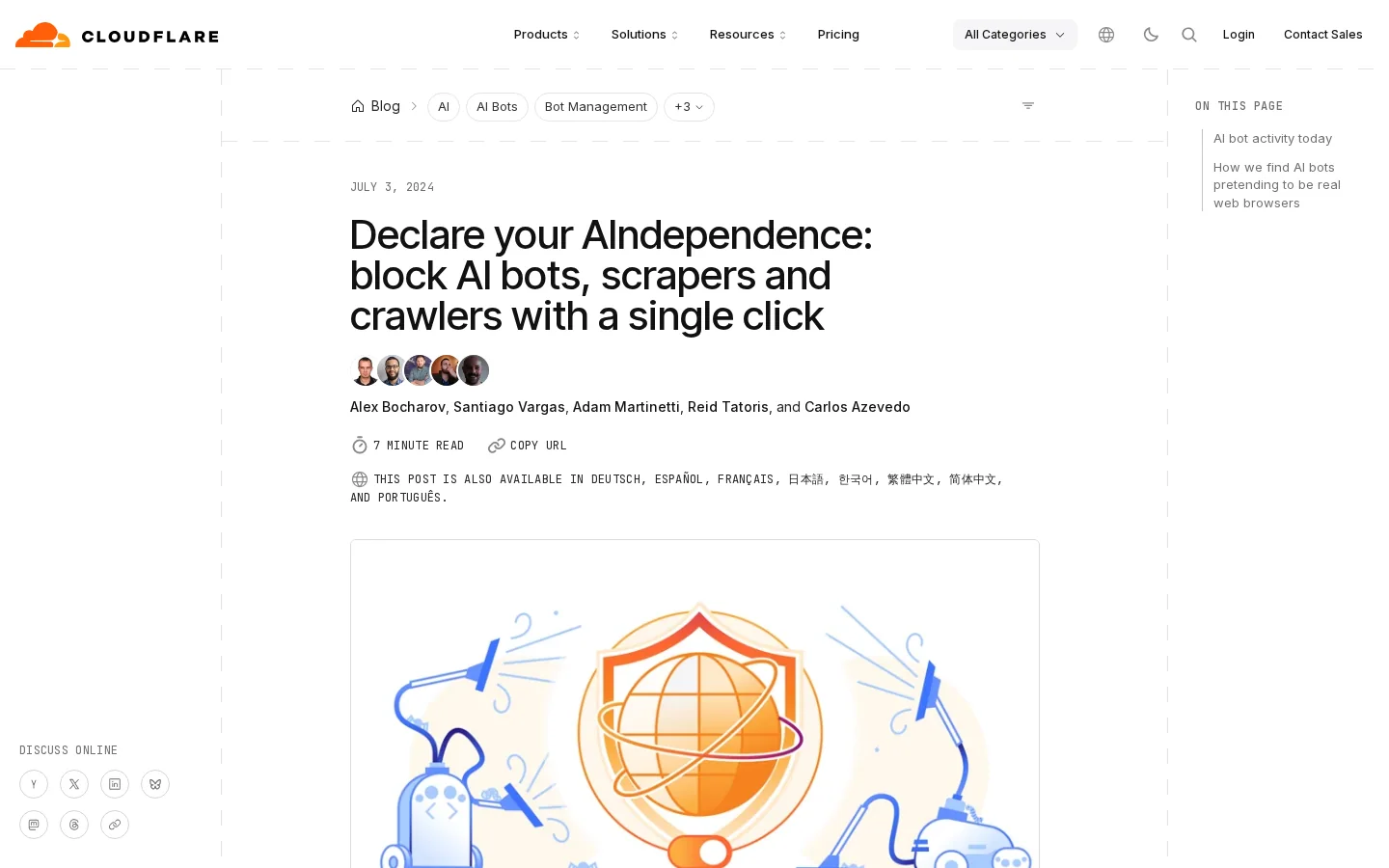
Cloudflare measured which AI bots reached the most sites on its network in June 2024. In its July 3, 2024 post, Cloudflare reports that Bytespider (ByteDance) and GPTBot (OpenAI) each reached more than a third of the sites it protects.
The same post notes that some bot operators spoof their user agent to look like a normal browser. That is the limit of robots.txt and of any rule based on the user agent alone: a bot that lies about its name walks straight through. Detecting it takes behavior analysis, which is what CDN bot management does.
A human reads a few pages per minute. A scraper requests dozens per second. Rate limiting by IP is the cheapest way to tell them apart. On Nginx:
http {
  limit_req_zone $binary_remote_addr zone=perip:10m rate=5r/s;

  server {
    location / {
      limit_req zone=perip burst=20 nodelay;
      limit_req_status 429;
    }
  }
}
Five requests per second with a burst of 20 lets a real visitor load a page with all its assets while a crawler pulling hundreds of URLs gets HTTP 429 errors. Exclude verified search engine bots (Google publishes its crawler IP ranges) so you do not slow down your own indexing.
Modern scrapers rotate residential IPs and imitate browsers, so a static rule eventually fails. A CDN with bot management (Cloudflare, Akamai, Fastly, Imperva and others) scores every request on behavior and fingerprint, then challenges or blocks the suspicious ones. Cloudflare offers a one-click setting to block AI scrapers and crawlers, available on its free plan. Check what it blocks: some settings cover AI search bots too, which can reduce your visibility in AI answers.
Your RSS feed is the easiest thing to scrape: clean, structured and updated automatically. Publish a summary instead of the full text, and add a footer line with a link to the original post. Most auto-blogs republish the feed as is, so the footer gives you a backlink and a clear proof of origin.
Hotlinking is when another site displays your images directly from your server, using your bandwidth. On Apache, this .htaccess rule blocks image requests from other domains while allowing empty referers and search engines:
RewriteEngine On
RewriteCond %{HTTP_REFERER} !^$
RewriteCond %{HTTP_REFERER} !^https?://(www\.)?example\.com [NC]
RewriteCond %{HTTP_REFERER} !(google|bing)\. [NC]
RewriteRule \.(jpe?g|png|gif|webp|avif)$ - [F,NC,L]Two old tricks still work well. A honeypot is a link hidden from humans and disallowed in robots.txt: any client that follows it ignores your rules, so you can block its IP. A canary phrase is a unique, harmless sentence (a made-up product code, an odd turn of phrase) placed in an article: search for it in quotes and every hit is a copy.
Proof is what turns a takedown request from "please" into "you must". Set it up before any copy appears, because you cannot create a dated record after the fact.
A footer line is not required for protection, but it removes the "I did not know" excuse and gives a clear contact point.
<p>© 2027 Example Ltd. All rights reserved. Reproduction of this content
without written permission is prohibited. Licensing: [email protected]</p>
Your terms of use can go further: forbid automated scraping, set the conditions for quoting (a short excerpt with a link), and state which licence applies if you want some reuse, such as a Creative Commons licence that requires attribution.
A self-referencing canonical tag on every page tells search engines which URL is the original. Many scrapers copy the full HTML, head included, so the copy often keeps your canonical and points Google back to you. Use absolute URLs (https://www.example.com/page) rather than relative ones in the canonical and in your internal links: a scraper that copies your body then links to your site from its own pages. Check any page with the free canonical tag checker, and read our definition of the canonical tag for the rules.
<link rel="canonical" href="https://www.example.com/blog/original-guide" />Article structured data records who wrote the page and when. It does not prove ownership in court, but it gives search engines and AI models a consistent authorship signal, and it supports the experience and trust signals that Google calls E-E-A-T.
<script type="application/ld+json">
{
  "@context": "https://schema.org",
  "@type": "Article",
  "headline": "Original guide title",
  "author": { "@type": "Person", "name": "Jane Doe", "url": "https://www.example.com/about/jane-doe" },
  "publisher": { "@type": "Organization", "name": "Example Ltd" },
  "datePublished": "2027-01-15",
  "dateModified": "2027-02-02",
  "copyrightHolder": { "@type": "Organization", "name": "Example Ltd" },
  "copyrightYear": 2027
}
</script>Your own dates can be edited, so add evidence from third parties. Save each important page in the Internet Archive's Wayback Machine on the day you publish. Keep your CMS revision history and server logs. Submit new URLs in Google Search Console so Google indexes your version first. For high-value works in the United States, registration with the Copyright Office within three months of publication keeps statutory damages available: under 17 U.S.C. 504(c), from 750 to 30000 dollars per work, and up to 150000 dollars when the infringement is wilful.
A visible watermark (small, semi-transparent, near the subject so it cannot be cropped easily) deters reuse and identifies the source. Fill the IPTC fields "Creator", "Copyright Notice" and "Web Statement of Rights" before upload; Google Images can display licence information from that metadata. Many sites strip metadata on upload, so check that your CMS or image optimizer keeps it.
Proof of ownership checklist
You find copies by searching for your own words and images on a schedule. Start with free methods; they catch most verbatim copies.
Pick a distinctive sentence of 10 to 20 words (not a common phrase) and search it in quotes, excluding your own site:
"a distinctive sentence copied from the middle of your article" -site:example.comUse sentences from the middle of the article: scrapers sometimes rewrite the introduction but keep the body. Run the same search in Bing, which indexes some scraper sites that Google ignores.
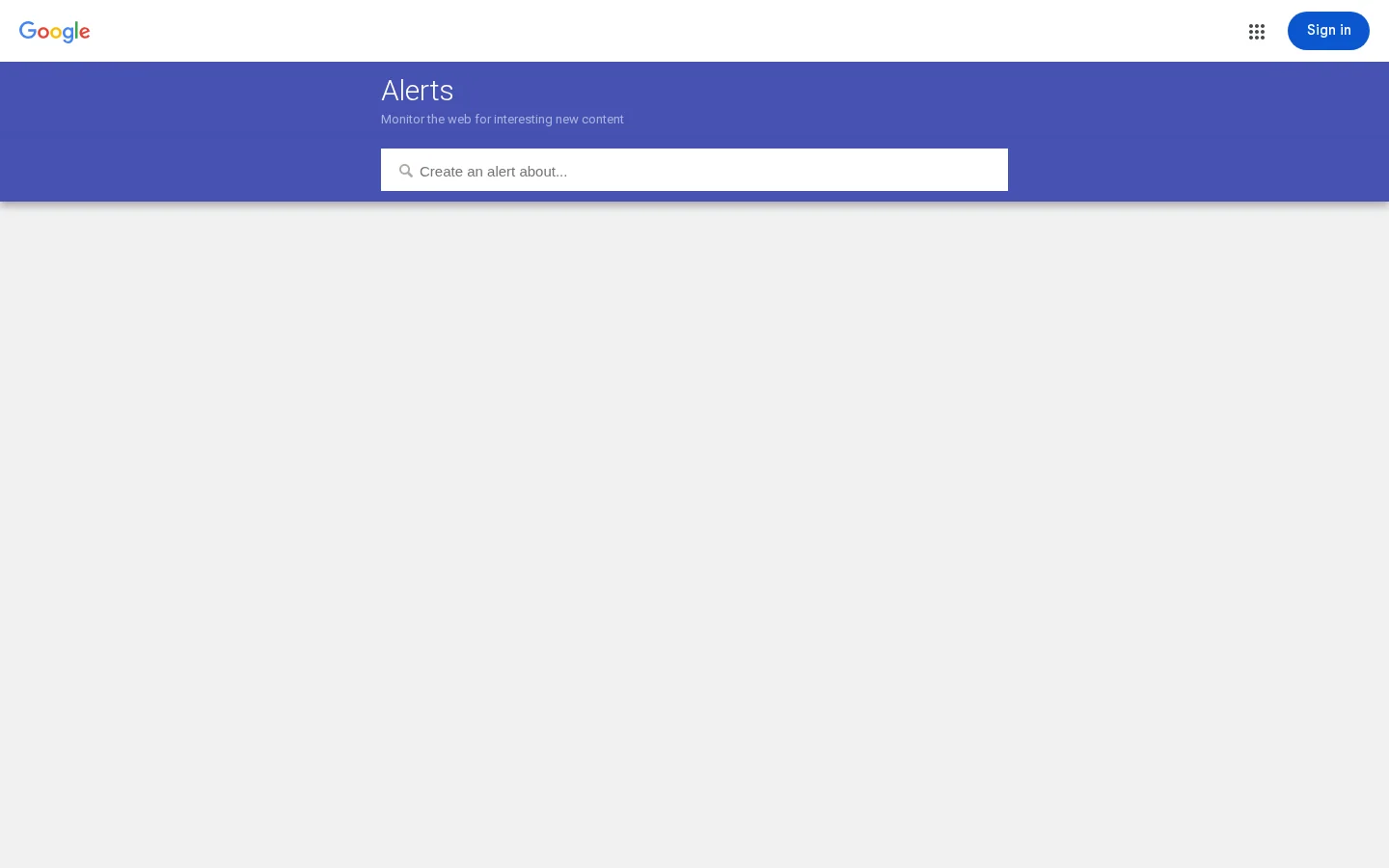
Create an alert for each canary phrase or distinctive sentence of your key pages. Set it to "All results" and "As-it-happens" for your most valuable content. Google Alerts is free and needs only a Google account.
Plagiarism checkers such as Copyscape compare a URL or a block of text with the web and catch partial and lightly edited copies. For images, Google Lens and TinEye find exact and modified copies; TinEye can sort results by oldest first, which helps prove who published first.
Copies often reveal themselves in your tools. Search Console's Links report can list unknown domains linking to you: scrapers that keep your absolute internal links show up there. Your server logs show who downloads hundreds of pages in a short time. A drop in traffic on one page while a strange URL ranks for its main query is the clearest signal of all.
| Method | Finds | Misses | Cost | How often |
|---|---|---|---|---|
| Exact-phrase search | Verbatim copies | Rewritten copies, pages not indexed | Free | Monthly on top pages |
| Google Alerts | New copies of a phrase, as Google indexes them | Anything before the alert, rewritten copies | Free | Automatic |
| Plagiarism checker | Partial and lightly edited copies | Heavily spun or translated copies | Pay per search or subscription | On each new key article |
| Reverse image search | Copied and cropped images | Heavily edited images | Free | Quarterly on original images |
| Search Console Links report | Scrapers that kept your links | Scrapers that strip links | Free | Monthly |
| Server logs | Bulk downloaders, as they scrape | Manual copiers | Free to moderate | Weekly or with alerts |
Go from the softest step to the hardest: document, contact the owner, contact the host, then ask search engines to remove the copy. Most cases end at step 2 or 3.
The 6-step takedown method
Not every reuse is infringement. Check four things before you send anything. Did you or a partner license or syndicate the content? Is it a short quotation with credit, which many laws allow? Is it a different text on the same topic (ideas are not protected)? Do you actually own the rights (content written by a freelancer may need an assignment in the contract)? A false claim has a cost: in the United States, 17 U.S.C. 512(f) makes anyone who knowingly misrepresents infringement liable for damages and legal fees.
Look for a contact page or email first. If there is none, find the host:
whois copiedsite.com
dig +short copiedsite.com
whois 203.0.113.10   # the IP returned by dig shows the hosting company
If the IP belongs to a CDN such as Cloudflare, the CDN is not the host, but its abuse form forwards copyright complaints to the real host and can reveal the host to you. Keep every exchange: it becomes evidence if you escalate.
A valid notice under 17 U.S.C. 512(c)(3) has six elements: your signature (physical or electronic), the identification of your copyrighted work, the identification of the infringing material with enough detail to locate it, your contact details, a statement of good faith belief that the use is not authorized, and a statement that the information is accurate and, under penalty of perjury, that you are authorized to act for the owner. This template covers all six:
Subject: DMCA takedown notice

1. Original work: "Original guide title", published 15 January 2027 at
   https://www.example.com/blog/original-guide (archived copy: [Wayback URL]).
2. Infringing material: the page https://copiedsite.com/stolen-guide reproduces
   paragraphs 2 to 14 of my article word for word.
3. Contact: Jane Doe, Example Ltd, [postal address], [phone], [email protected]
4. I have a good faith belief that use of the material in the manner complained
   of is not authorized by the copyright owner, its agent, or the law.
5. The information in this notice is accurate, and under penalty of perjury,
   I am authorized to act on behalf of the owner of the exclusive right
   that is allegedly infringed.
6. Signature: Jane Doe, 3 February 2027
Send it to the host's abuse address, then use Google's copyright removal form and Bing's equivalent for the search results. Google asks for the exact URL of each copy, not the home page of the site, and sends a confirmation email with a reference number.
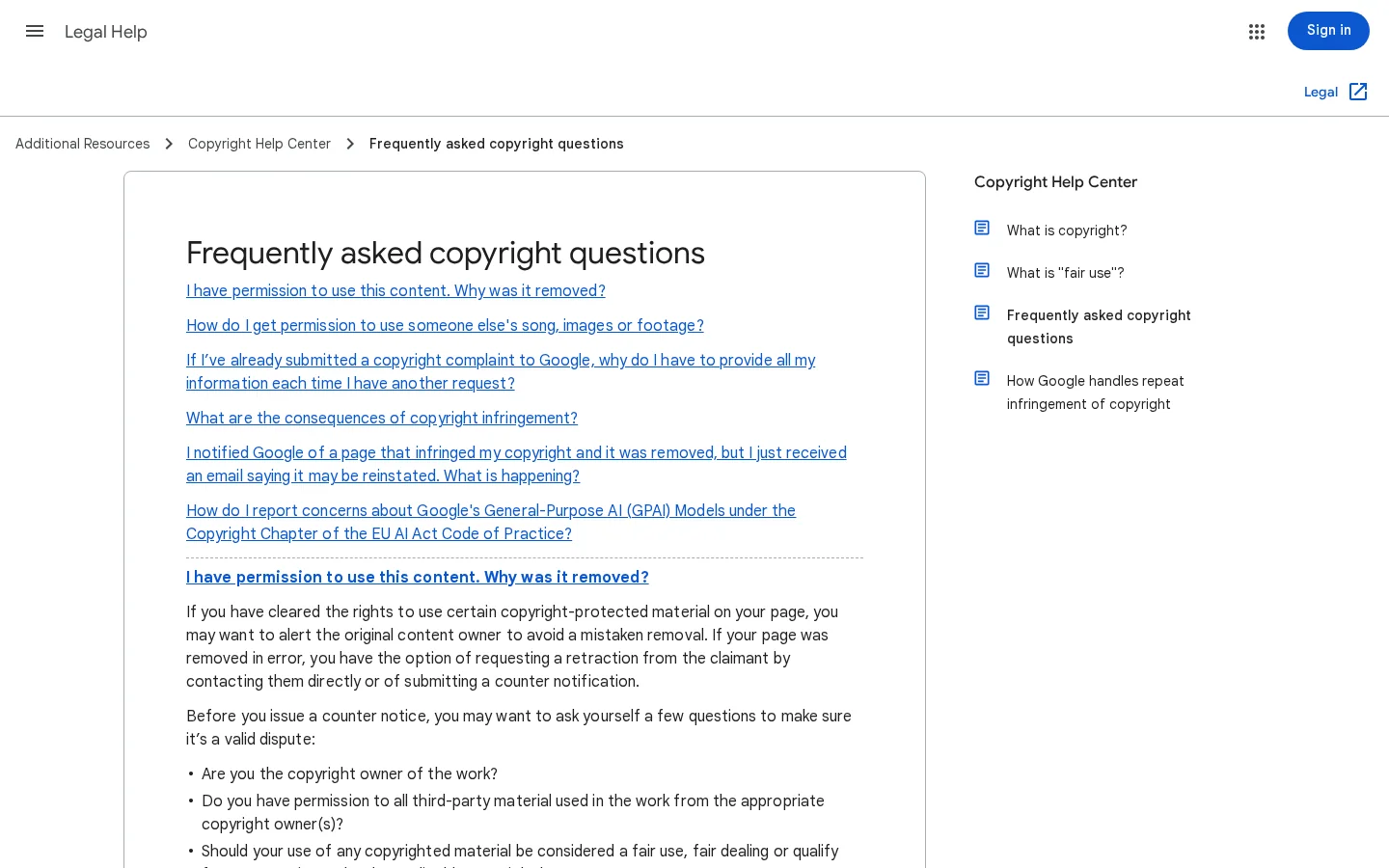
The other side can answer with a counter notice. The law sets the timing, and it is worth knowing before you start.
The DMCA timeline after your notice
The DMCA is a US law, but Google and Bing accept copyright notices from rights holders anywhere, and most hosts handle them the same way. In the European Union, the Digital Services Act requires hosting services to offer a notice and action mechanism for illegal content, which includes copyright infringement. National courts remain the last resort; for a site that copies you repeatedly for profit, a lawyer's letter often ends the problem faster than a court case.
Usually not, because Google identifies the original in most cases. Sometimes yes: when the copy is indexed before your page, or when the copying site has more authority than yours.
Google treats copying as spam. Its spam policies describe scraping as taking content from other sites, often by automated means, and Google explains in the same policies that when it receives a significant volume of valid copyright removal requests about a site, it can use that signal to demote other content from that site. Your DMCA notices do more than remove one URL: they help push down the whole copying domain.
The risk is real but rare. Google's canonicalization troubleshooting guide says that in rare situations its algorithm may select a URL from an external site that hosts your content as the canonical one. The same guide warns that hacked sites can receive a cross-domain canonical or a redirect pointing to a spam URL. In both cases, the original page loses its place in results.
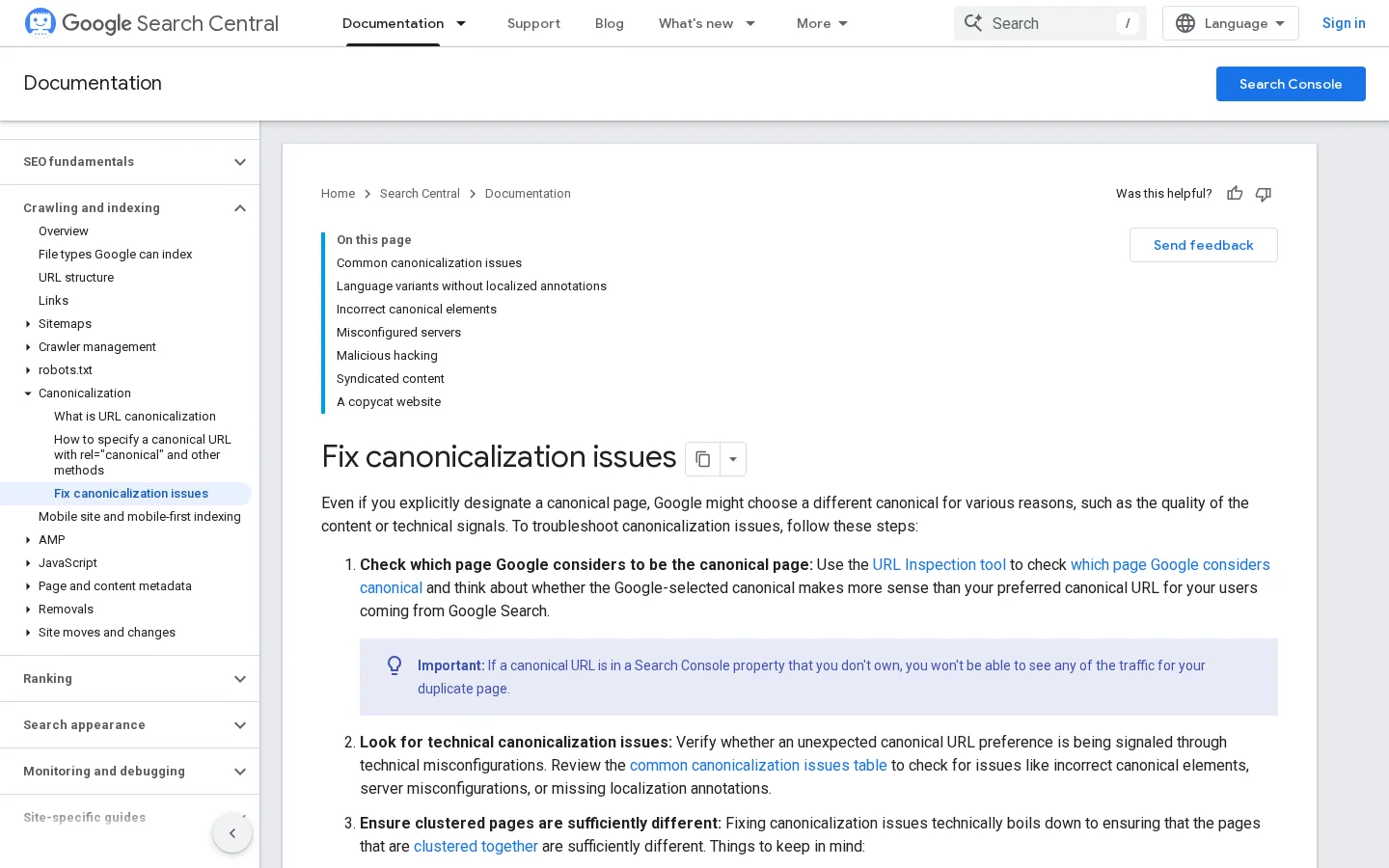
Inspect your URL in Search Console. If the "Google-selected canonical" is a URL on another domain, Google considers the copy to be the original. Our explanation of duplicate content and how to fix it for SEO and GEO covers the related statuses you may see.
Get indexed first: submit the URL in Search Console and keep your sitemap current, as described in our guide to checking and fixing Google indexing. Keep the self-referencing canonical and the absolute internal links. Build authority, because between two identical pages Google tends to favor the site it trusts more. Sorank's natural backlink acquisition with contextual links from your niche is one way to build that authority without buying links. Then file DMCA notices against copies that still rank.
If you let partners republish your articles, protect yourself in the agreement. Google's same troubleshooting guide says the canonical link element is not recommended for avoiding duplication with syndication partners, because the pages are often very different, and that the most effective solution is for partners to block indexing of your content. In practice, ask partners to add a noindex robots meta tag to the republished copy, plus a link to your original.
AI models use your content in two ways, and you can control each one separately. Training crawlers collect pages to build future models. Search and retrieval bots fetch pages in real time to answer a user, and they usually cite the source.
Blocking training crawlers stops future collection, not past training: content already collected stays in existing datasets. Blocking retrieval bots removes you from AI answers, which also removes the citations and the visits that come with them. For most businesses, the right balance is to keep search and retrieval bots open and decide case by case on training bots.
| Company | Training crawler | Search or user bot | Effect of blocking the search bot |
|---|---|---|---|
| OpenAI | GPTBot | OAI-SearchBot, ChatGPT-User | Your pages no longer appear in ChatGPT search answers |
| Anthropic | ClaudeBot | Claude-SearchBot, Claude-User | Claude cannot fetch or cite your pages in real time |
| Google-Extended (a control token, not a separate crawler) | Googlebot | Blocking Googlebot removes you from Google Search and AI Overviews | |
| Common Crawl | CCBot | None | Not applicable |
| ByteDance | Bytespider | None documented | Not applicable |
For the full list of OpenAI agents and what each one does, read our page on GPTBot, OAI-SearchBot and ChatGPT-User. To see how other sites decide, our study on how many websites block AI crawlers gives the numbers by site type.
A new risk: an AI model answers with your information but cites the scraper's page. You will not see that in Search Console. Sorank's AI mention tracking lists the sources ChatGPT, Claude and Gemini rely on when they mention your brand, so you can spot a copied page among them and send a takedown for it.
Most mistakes come from one of two extremes: over-protecting in ways that hurt your own site, or doing nothing until a copy outranks you.
What it is: a broad robots.txt rule, a firewall rule or a CDN setting that also blocks Googlebot or AI search bots. How to spot it: the Crawl stats report in Search Console drops, pages fall out of the index, or your robots.txt has "Disallow: /" under "User-agent: *". How to fix it: allow verified search bots explicitly, test with a robots.txt checker, and review CDN bot settings bot by bot.
What it is: a plugin that disables selection and right-click, treated as "protection". How to spot it: open view-source or reader mode: everything is there. How to fix it: remove it on public content, or replace it with the attribution script shown above, and invest the time in server-side controls and monitoring.
What it is: a feed that gives scrapers your clean article minutes after publication. How to spot it: open yoursite.com/feed and look for complete articles. How to fix it: switch the feed to summaries and add a footer link to the original.
What it is: a link written as a short path (<a href="/blog/my-post">) instead of the full URL, so a copied page points to itself. How to spot it: view the source of a post and look at the canonical and body links. How to fix it: switch your templates to absolute URLs.
What it is: a threatening email with no URLs, or a DMCA notice missing one of the six elements. How to spot it: the host or Google asks for more information, or nothing happens. How to fix it: use the template above, list exact URLs, and stay factual.
What it is: a takedown for an image from a stock site, a text written by a freelancer without a rights assignment, or a quote that was legal. How to spot it: you cannot show a licence or contract. How to fix it: check your rights before acting; a knowingly false notice exposes you to damages.
What it is: no monitoring at all. How to spot it: you learn about the copy from a traffic drop. How to fix it: set Google Alerts on your 10 most valuable pages today and add a monthly exact-phrase check.
What it is: serving search engines a different or truncated page than users see. How to spot it: compare the rendered HTML in Search Console's URL inspection with what visitors see. How to fix it: show the same content to everyone; if it must stay private, put it behind a login and accept it will not rank.
You can set up the essentials in one afternoon and run the routine in 30 minutes a month. Start with what costs nothing and protects the most.
Content protection plan
Accept that some copying will happen. Your real advantage is what a copier cannot take: being first, being trusted, and publishing new content faster than anyone can copy it. A site that publishes regularly, earns links and is cited by AI models stays the original in the eyes of Google and of the AIs, whatever the scrapers do.
Not completely: anything a browser displays can be copied with view-source, a screenshot or a scraper. You can slow copiers down with server-side controls, prove your ownership with dates and canonical tags, and remove copies with a takedown notice when they appear.
Very little. It stops only casual visitors, while bots, search engines and anyone opening the page source still get the full HTML. It also hurts accessibility, so rate limiting, bot management and monitoring are better uses of your time.
Save evidence of the copy and proof that your version is older, then ask the site owner to remove it. If they do not answer, send a copyright notice to their host and file a DMCA removal request with Google and Bing so the copy disappears from search results.
We analyse your competitors, your website and your AI visibility to create a tailored content plan for free.
 Website Value Calculator
 Website Accessibility Checker
 Google Analytics Checker
 Duplicate Content Checker
 Mobile-Friendly Test
 Website Speed Test
 Subdomain Finder
 Domain Age Checker
 CMS Detector
 Googlebot Simulator
 Nofollow Link Checker
 Meta Tag Checker
 Keyword Cannibalization Checker
 Keyword Intent Checker
 Keyword Extractor
 Google Ads Cost Calculator
 CPC Calculator
 Local Citation Finder
 Reddit Threads Finder
 Disavow File Generator
 Redirect Generator
 Canonical Tag Generator
 Passive Voice Checker
 Google Location Changer
 Google Review Calculator
 Google Review Link Generator
 Keyword Combiner
 Podcast Show Notes Generator
 AI Content Rewriter
 AI Text Humanizer
 ChatGPT Prompt Generator
 Twitter Thread Generator
 Tweet Generator
 Landing Page Copy Generator
 Google Ads Copy Generator
 Pinterest Pin Description Generator
 Anchor Text Generator
 Social Media Post Generator
 LinkedIn Post Generator
 Free AI Writer
 Review Response Generator
 LSI Keyword Generator
 YouTube Video Ideas Generator
 YouTube Tag Generator
 YouTube Description Generator
 Product Description Generator
 CTA Generator
 Blog Introduction Generator
 Conclusion Generator
 Hook Generator
 AI Content Brief Generator
 FAQ Schema Generator
 AI Blog Post Ideas Generator
 Structured Data Validator (Schema Validator)
 Alt Text Checker
 Internal Link Analyzer
 Backlink Challenge
 AI Meta Description Generator
 AI Blog Title Generator
 Google Indexability Checker
 AI Blog Outline Generator
 UTM Link Builder
 Keyword Clustering Tool
 Canonical Tag Checker
 XML Sitemap Generator
 Broken Link Checker
 AI SEO Title Generator
 Headline Analyzer
 SERP Preview Tool
 Redirect Checker
 Hreflang Tag Generator
 Heading Structure Analyzer
 HTTP Headers Checker
 Favicon Extractor
 SERP CTR Calculator
 SEO vs Paid Search Savings Calculator
 SEO Share of Voice Calculator
 SEO ROI Calculator
 SEO Traffic and Revenue Forecast Calculator
 SEO Budget Calculator
 SEO Break-Even Calculator
 SaaS SEO ROI Calculator
 ROAS Calculator
 Reading Time Calculator
 Ranking Gain Simulator
 Organic Traffic Value Calculator
 Organic Traffic Estimator and Website Traffic Checker
 LTV to CAC Ratio Calculator
 Local SEO ROI Calculator
 Link Building Cost Calculator
 Keyword Value Calculator
 Keyword Opportunity Score Calculator
 Keyword Density Calculator
 GEO ROI Calculator
 GEO Content Investment Calculator
 Ecommerce SEO ROI Calculator
 Customer Lifetime Value Calculator
 Customer Acquisition Cost Calculator
 CTR Calculator
 Cost Per Article Calculator
 Conversion Rate Calculator
 Content Marketing ROI Calculator
 ChatGPT Referral Traffic Estimator
 Bounce Rate Calculator
 Backlink ROI Calculator
 AI Visibility Score Calculator
 AI Traffic Value Calculator
 AI Share of Voice Calculator
 Cost of AI Invisibility Calculator
 AI Citation Rate Calculator
 llms.txt Validator
 AI Overview Checker and AI Overviews Rank Checker
 Robots.txt Checker
 AI SEO Audit
 LLM Readability Checker
 SearchGPT Readiness Checker
 Structured Data LLM Audit
 Website Crawlability AI Audit
 Why ChatGPT Is Not Recommending My Website
 Gemini Ranking Tool
 Perplexity Ranking Checker
 LLM Citation Checker
 Answer Engine Optimization Audit
 GEO Audit
 AI Search Visibility Test
 ChatGPT Visibility Checker
 llms.txt Generator
 URL Extractor
 Webpage to Markdown
 Sitemap Checker
 SERP Volatility Sensor
 Page Size Checker
 Word Counter
 Slug Generator
 Schema Generator
 Robots Generator
 OG Preview
 Meta Tags Generator
 Image Compressor
 Favicon Generator
 On-Page SEO Audit: SEO Checker and SEO Analyzer
 Backlink Analysis Tool
 Keyword Research Tool
 Domain Authority Checker
 “I tested Sorank on a real client site and it's insane. It does everything an agency would bill you $1500 a month for. It's going into production on that client now.”

 Guillaume Guersanguersanguillaume.com“We are an Ads agency and we wanted to get our SEO back on track once and for all. Sorank gave us a clear view of our site, helped us prioritize optimizations, and properly structure our content. The tool is easy to use, well designed for a team, and very practical for centralizing tracking without having to juggle multiple platforms. A very solid foundation to start fresh with our SEO.”
 Gaspard MadouiAds Agency
 “I just let the Sorank software do its thing, and now my DR is 25 and my page is ranking higher.”
 Lucas Flandrefoundertrace.fr“I specialized in GEO thanks to Sorank. The GEO Leaderboard allows me to show my clients their position vs competitors on ChatGPT. It’s a real commercial differentiator.”
 MélanieSEO Freelance“Great service, works well for our website and helps us understand how to improve it to rank better on Google and elsewhere. Congrats, keep going, I recommend it.”
 Hugo T.E-commerce merchant