Preferences
Privacy is important to us, so you have the option of disabling certain types of storage that may not be necessary for the basic functioning of the website. Blocking categories may impact your experience on the website. More information
Privacy is important to us, so you have the option of disabling certain types of storage that may not be necessary for the basic functioning of the website. Blocking categories may impact your experience on the website. More information

Run AI for SEO and content marketing as one workflow: research, briefs, drafts, human review, internal links and the metrics that prove results.
In short
AI helps SEO and content marketing most when both run on one loop: research the questions people ask, turn them into a brief, draft with AI, review each draft as an editor, link it on purpose, then measure clicks and AI citations. Used only to produce more drafts, AI adds pages that rarely rank. Used across the whole loop, it lets a small team publish fewer pages that do more work.
Want to go further? Ask
Quick quiz
Which kind of SEO tool is right for you?
Sorank matches your answers


Test it for 3 days on your own site and see where you stand on Google, ChatGPT and the other AIs.
Start 3-day free trial3 days free, then stop whenever you want. 90-day results guarantee, conditions apply.
In most teams, the SEO person picks keywords from a spreadsheet, the writer receives a title and a word count, and nobody checks the page once it is live. The gap sits between those three moments. A keyword list says what to target but not what the reader needs to decide. A word count says how long the page should be but not what it must prove. And after publication, nobody knows whether the page earned a click, a link or a mention in an AI answer.
AI makes that gap cheaper to fill and cheaper to widen. A model can write a 2000 word article from one keyword in less than a minute. If nobody defined what the article must prove, you get a clean, generic page that repeats what the top results already say.
AI is strong at repetitive work: clustering a long keyword export, summarizing thirty competitor pages into a list of sub-topics, drafting a first version of a section, or turning a Search Console export into a short list of pages to fix. It is weak wherever the page has to be right or original. It cannot know which claim is true for your product, which example you actually ran, or which edge case your customers hit every week.
The question for a team is therefore not whether to use AI. It is which steps you hand over, and which steps keep a named person responsible for the result.
Who does what, before and after AI
Start with questions, not with a keyword export. Search still brings most of the questions, but AI assistants often split one question into several sub-queries before they answer. A phrase such as "ai for seo" hides several intents: a beginner who wants a definition, a team lead who wants a workflow, and a specialist who wants prompts, settings and failure cases. A keyword list shows volume. It does not show which of those readers the page is for.
Use three sources and keep them in one sheet. First, the question boxes and autocomplete suggestions that appear for your head term. Second, the Search Console queries that already contain question words, because real visitors reach your site with them. Third, the questions your sales and support teams hear in calls and tickets. Those last questions are often the most specific, and no keyword tool will show them to you.
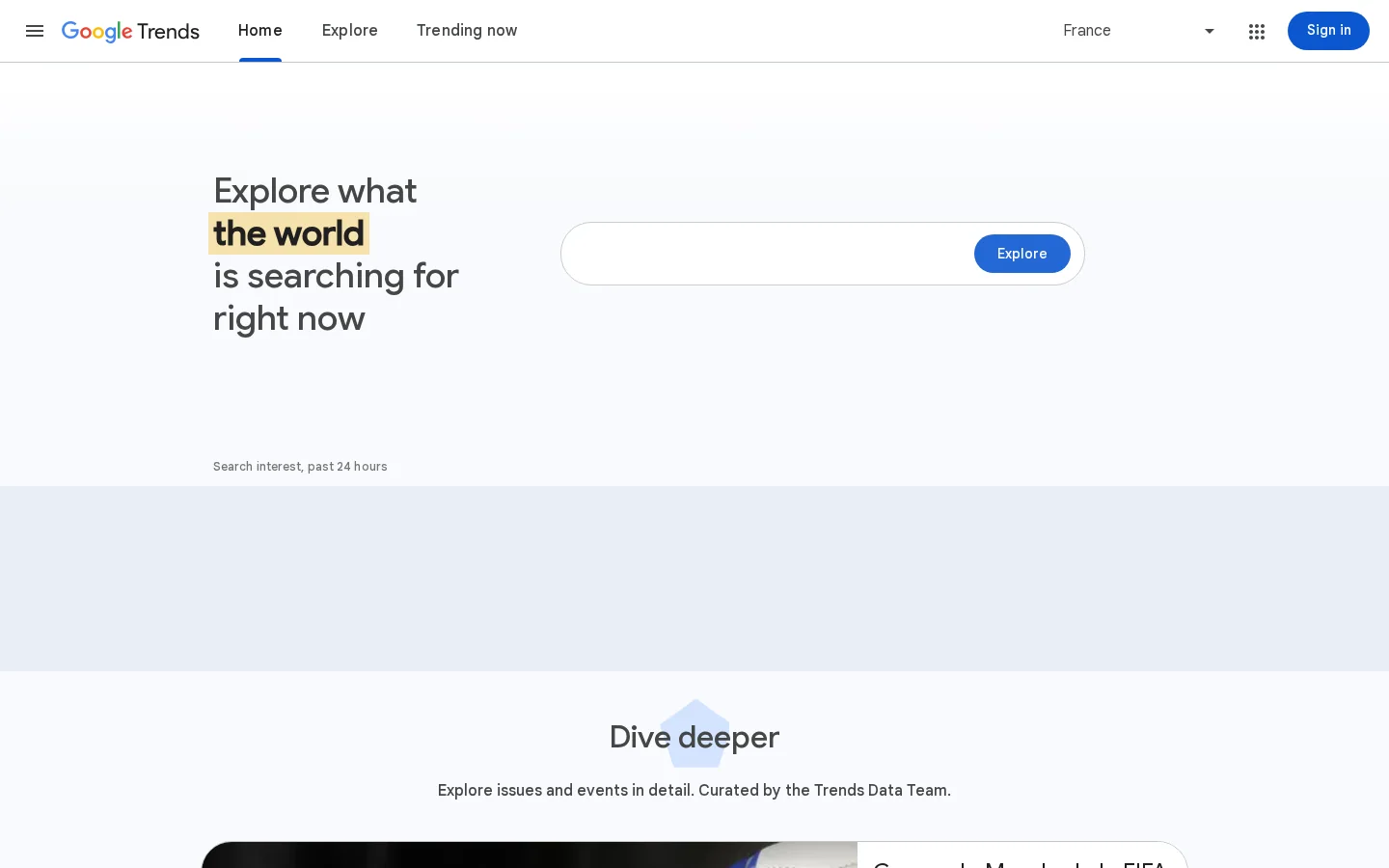
Before you commit a month to a topic, check whether interest is rising or fading. Google Trends shows search interest over time and lets you compare several terms on the same chart.
Each cluster should map to one page that answers one main intent. If two keywords need different answers, they need two pages. A cluster built only from shared words, such as every phrase that contains "AI", produces pages that compete with each other. Grouping by intent avoids that. "ai for seo tools" and "how to use ai for keyword research" share words, but the reader wants a shortlist in one case and a method in the other.
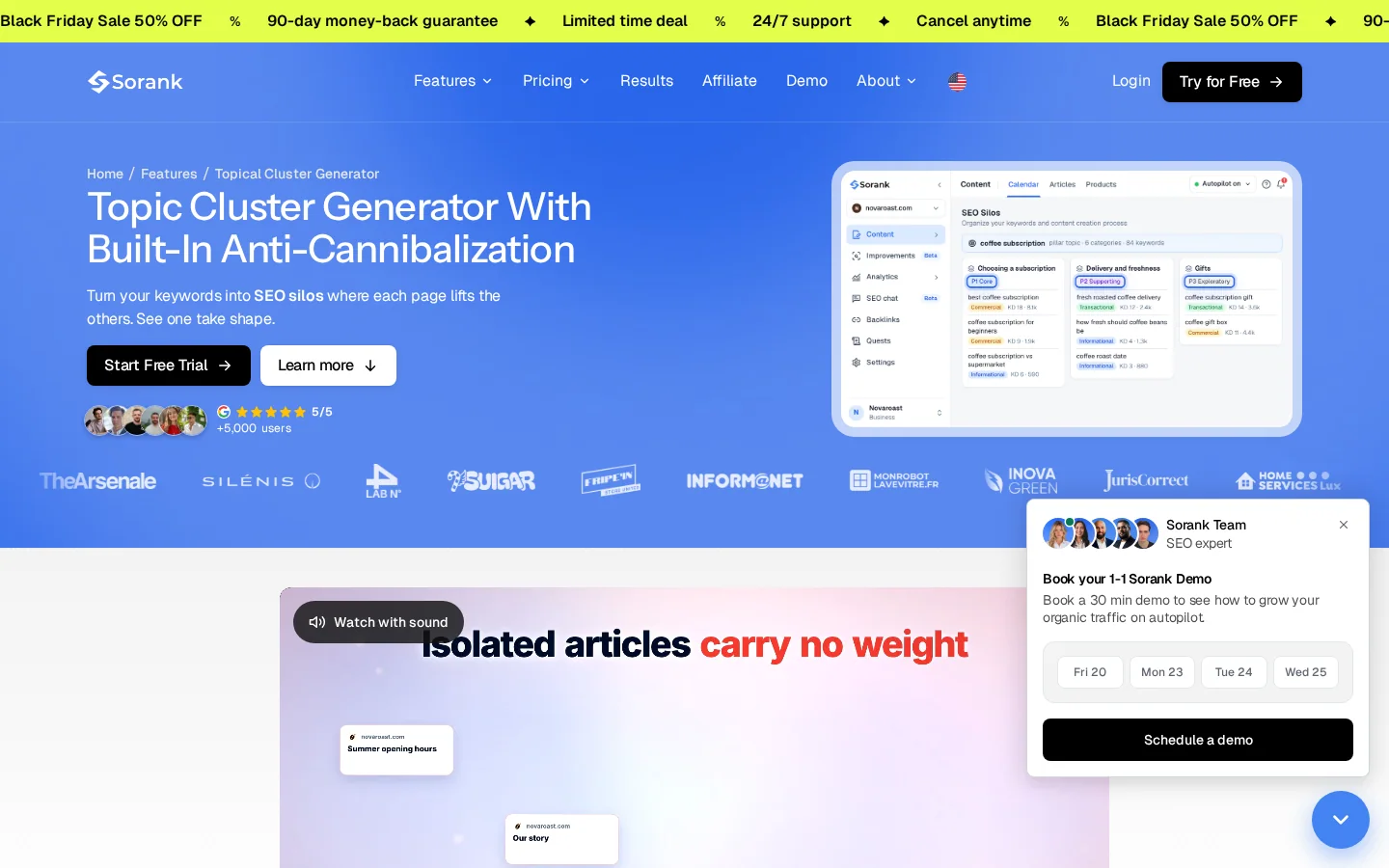
Topic clusters make this structure visible: one pillar page, several supporting pages, and links that follow the subject. The glossary entry on topic clusters and pillar pages explains the pattern in detail. Sorank's topical cluster generator groups keywords into themed silos around a pillar topic, and it runs an anti-cannibalization check while it builds the clusters, so two pages do not compete for the same intent.
Tip
Paste a list of keywords into the free keyword clustering tool to group them into candidate pages, then check each group against the intent test above before you write anything.

The brief decides the quality of a draft more than the model does. A vague brief produces a generic article in any tool. A brief with a reader, a claim and some proof produces a draft you can edit in twenty minutes instead of rewriting for two hours.
Brief checklist
Imagine a team that sells a project tool and wants a page on AI for SEO and content marketing. Its reader is a marketing manager with a small team who already uses an AI chatbot but has no review step. The claim is that AI saves time only where a named person owns the decisions. The first-hand material is the team's own before and after timings for one blog section, which the writer must confirm before publication. The brief also points to the AI for SEO guide, which already covers the human role in general terms, so the new article has to take a different angle: the workflow from research to measurement.
Tip
The free AI content brief generator produces a first outline from a topic. Use it as raw material, then add the claim and the proof yourself, because the generator cannot know what your team has actually tested.
A content gap is a question your readers ask, or a subtopic that the results and the press already cover, that your site does not answer yet. To find one, compare the questions your site answers with the questions the top results and recent coverage answer. Pursue only the gaps you can answer with proof: a product you sell, a test you ran, or data you hold.
Search your head term and open the top five results. For each one, list the H2 headings and the questions it answers. Mark each question that appears in at least three of the five and that your site does not cover. These are your SEO gaps, because they show which subtopics the results treat as part of the topic. Add the question boxes and “People also ask” items to the same list. The SERP analysis guide shows how to read the results page before you start.
Then check each gap against your own data. If Search Console shows impressions for a question that a page does not answer, extend that page before you create a new one.
A PR gap is a publication that covers your topic, quotes a competitor or cites a study, and never mentions you. List the articles, podcasts and directories that wrote about the topic in the last twelve months. Note who they quoted and whether they would cover a source with new data. The digital PR guide explains how to pitch a finding. A gap becomes a story when you can offer what they lack: a dataset, a test, or a survey of your own customers.
| Gap type | Where to find it | What you need to answer it | Action |
|---|---|---|---|
| Missing question | Top five results and question boxes | An answer you can verify | Add a section to an existing page |
| Missing subtopic | Your cluster map | One intent that needs its own page | Write a new page from a brief |
| Unanswered query | Search Console, by page | The query list and the page it lands on | Extend the page |
| Press gap | Recent articles and directories | A finding worth quoting | Pitch the finding |
Note
Check each gap for proof before you write. A gap with no proof behind it is a research task, not a page, so put it on the list for the brief step.
Drafting is the step most teams already do with AI, so it is where quality problems hide. A model writes fluent sentences whether or not the facts behind them are right. Phrases such as "studies show" or "most teams report" come out with no study and no team behind them. Keep the draft in a shared document and review it against the brief, not against your taste in style.
Four failure patterns come back again and again. The draft states figures without a source. It gives examples generic enough to fit any company. It repeats the top results in a slightly different order. And it sounds certain at exactly the points where a specialist would qualify the claim. Each pattern has a simple test. Ask for the source of every number. Ask which real case each example comes from. Compare the outline with the top five results and remove every section that only repeats them. Read the strongest sentence out loud and ask whether you would defend it to a customer.
The first pattern deserves the most attention, because it is the cheapest to fix and the most damaging when it goes live. A number with no source makes the whole article look unreliable, including the parts that are correct.
| Task | AI does it well | A named human must check |
|---|---|---|
| Outline | Lists sub-topics from the brief | Removes sections that repeat the top results |
| First draft | Writes readable sections quickly | Rewrites each claim in the reader's words |
| Facts | Suggests where a claim could come from | Opens each source and confirms the exact statement |
| Examples | Produces plausible examples | Replaces them with cases the team has seen or run |
| Links | Proposes relevant internal pages | Checks that each path exists and fits the intent |
Warning
Google asks for accuracy, quality and relevance, whatever tool wrote the page. Before your first AI-assisted post goes live, read the guide on fact-checking AI content and run every statistic through it.
Internal links decide where authority flows across your site, and AI tools now propose links at a scale no editor can check by hand. Before you automate anything, compare the three methods most teams use, then choose one per part of the site. They are not mutually exclusive. Many sites combine a hub for the whole domain with silos for product areas.
The principle: one central hub page links to many articles, and each article links back to the hub and to a few closely related articles. The structure reads like an encyclopedia, where every topic has a parent and a neighbor. Use it when your site covers many loosely related subjects and readers need to move between them. Its advantages are that it is simple to explain, it strengthens the hub, and it leaves few orphan articles. Its limits are that links look arbitrary when the hub is weak, and that the hub becomes a bottleneck which must be updated every time you publish. Example: a marketing blog with a content marketing hub that links to pages on briefs, distribution and metrics, and each of those pages links back.
The principle: a pillar page sits inside a tight ring of supporting pages, each answering one sub-question. Every supporting page links to the pillar and to its siblings, the pillar links to all of them, and the ring stays closed. Links leave it only towards a few authoritative pages outside the topic. Use it when you want to own one subject fully, such as a set of articles on AI for SEO. Its advantages are a strong topical signal and clear reading paths. Its limits are that a closed ring can hide the cluster from the rest of the site, and that it invites over-linking inside the ring. Example: a pillar on AI for SEO with eight supporting pages on research, briefs, drafting, links and measurement, all cross-linked, with only two links leaving the ring towards tools.
The principle: the folder structure is the topic structure. Pages under one folder link to each other, and links across folders are rare and deliberate. Use it when the site is organized by product, country or category, and the URL already tells the reader where they are. Its advantages are that it is easy to maintain, easy for crawlers to read, and aligned with how teams are organized. Its limits are that a silo built only on folders splits a topic that spans two categories, and that it forces you to pick the folder before you know the full topic. Example: an online store with /guides/ and /products/, where guides link to products, product pages link inside their own category, and cross-links between the two are reviewed by hand.
| Method | Best for | Main risk | Maintenance |
|---|---|---|---|
| Hub linking | Broad sites with loosely related topics | A weak hub drags the whole network down | Update the hub each time you publish |
| Semantic cocoon | Owning one topic in depth | A closed ring hides the cluster from the rest of the site | Recheck the ring when a sub-topic changes |
| URL silo | Sites organized by category or country | A topic spanning two folders gets split | Review cross-folder links every quarter |
Note
Write anchor text that names the target page, such as "keyword clustering for AI workflows", not "click here". Generic anchors waste the signal a link could carry, and they are one of the first things a link audit flags.
If you automate the links, write the rules first. The automated internal linking guide lists the rules that keep automation safe, and the internal linking strategy explains how to decide which pages come first.
Tip
The free internal link analyzer lists the internal links of any page, so you can check the paths in your cocoon or silo before you publish.
To write with AI, give the model your brief and ask for one section at a time. Review each section before you ask for the next. A full article generated from one prompt is hard to check, and it tends to repeat the same point under different headings.
The brief says what the page must prove. The model also needs the material behind that claim: your notes, your data, a quote from a customer call, and two or three paragraphs you wrote yourself. Without them, the model fills the gaps with generic phrasing. Mark which parts are yours to quote and which are background only.
Write the section “[heading]” for the article described in the brief.
Reader: [who they are and the decision they make this week]
Claim this section supports: [one sentence]
Material you may quote: [notes, data, quotes]
Rules: every factual sentence must come from the material above. If a sentence needs a fact I did not give you, write [SOURCE NEEDED] instead of guessing. Do not restate the heading in the first sentence. 150 to 250 words.
Brief: [paste]
The [SOURCE NEEDED] marker does most of the work. It turns an unsourced figure into a visible tag you can search for before you publish.
Cut filler on sight. Phrases such as “in today’s fast-paced world”, “it is important to note” and “unlock the power of” add length and no information. If a paragraph loses nothing when you delete a sentence, delete the sentence.
Tip
The prompt library for SEO and GEO has ready-to-copy prompts for this work. The blog post writing guide covers the full article from draft to publication.
Publishing is where many AI-assisted articles lose their structure. A page can read well and still be hard for search engines and AI systems to parse: headings skipped, a table pasted as an image, a claim buried in a paragraph of twelve lines. Check the structure in the publishing template, not in the draft, because the template is what goes live.
Google's guidance on AI features says that you do not need new machine-readable files, AI text files or special markup to appear in AI Overviews or AI Mode. Standard Article markup still helps a page describe itself. Google's Article documentation lists no required properties, and it recommends headline, image, datePublished, dateModified and author. Google's guidance also recommends that structured data match the visible text on the page, so the markup should never claim something the reader cannot see.
A minimal Article block for a template looks like this. Wrap it in a script tag of type application/ld+json.
{"@context": "https://schema.org", "@type": "Article", "headline": "AI for SEO and Content Marketing: An Expert Workflow", "image": "https://example.com/cover.png", "datePublished": "2026-11-19", "dateModified": "2026-11-19", "author": {"@type": "Person", "name": "Author Name", "url": "https://example.com/about"}}Add the block once per article template, then test a sample of pages with a rich results testing tool before you roll it out across the site.
Google's crawling documentation sets limits on how much of a file Googlebot reads for Search. The two numbers below are the ones that matter for article pages. Most articles stay far below them, but templates that inline large scripts, base64 images or long generated tables can get close. Once the cut-off is reached, Googlebot stops the download and indexes only the part it has already received, so the content at the bottom of a heavy page may never count.
Two limits from Google's crawling documentation
Source: Google Search Central, Googlebot file size limits
Measure the weight of your template before you publish a long page with embedded tools, and move heavy assets into separate files that load on their own.
Accepted content and content at risk
Google's spam policies define scaled content abuse as "when many pages are generated for the primary purpose of manipulating search rankings", and the examples name generative AI tools directly. The definition does not depend on how the content is made. Unoriginal, low-value pages produced at scale break the rule whether a person or a model wrote them. Google's spam policies are the reference for that point, and its guidance on generative AI content asks for accuracy, quality and relevance. It also notes that generative models predict likely sequences of words rather than retrieve facts, which is the reason a person has to check them.
Google explained the scaled content abuse policy in a Search Central post dated March 5, 2024. The AI features guide adds that "There are no additional requirements to appear in AI Overviews or AI Mode, nor other special optimizations necessary." The work stays the same: a page must be indexed and eligible to show a snippet, and it must be useful to the person who lands on it.
Treat Google's rules as a checklist for the review step. Every page should state one claim, support it with a source or a first-hand detail, and sit in a cluster with a clear purpose. Pages created only to fill a gap in a spreadsheet should not be published at all, whether a person or a model drafted them. For the longer discussion of AI content and rankings, read the guide on whether Google penalizes AI content.
A workflow that cannot show results gets cut at the first budget review. Measure at two levels. The first is the page: clicks, impressions, average position and the queries each page earns. The second is the loop: how many briefs became pages, how many pages were updated, and which step took the longest. Both levels need a fixed rhythm, not a dashboard that someone opens when they remember.
In the Search Console performance report, filter queries by question words to see which pages answer questions and which only match head terms. A regex filter does the job in one line. This pattern keeps the queries that start with a question word:
^(how|what|why|which|when|is|can|does)\bThen compare the result with the brief. If a page written to define a term earns clicks only on workflow queries, the page is answering a different question from the one you wrote for. That mismatch is one of the most common reasons a well-written page does not rank.
AI assistants send traffic and name brands without always sending a click. Track them separately: which questions cite your domain, which competitors appear in your place, and whether the pages they cite match the brief. The AI visibility audit guide walks through the check in ChatGPT, Gemini and Perplexity. The GEO optimization page describes how Sorank tracks that visibility over time.
Run the loop once a month
Most AI-assisted articles fail for a small number of reasons. Each mistake below shows what it is, how to spot it, and how to fix it.
What it is: a page written from a keyword and nothing else. How to spot it: the introduction restates the title, and the article could sit on any competitor's site without a single change. How to fix it: stop, write the brief in the form described above, and rewrite the first section against it. Keep the old draft as notes, not as the article.
What it is: one article repeated for twenty cities or product variants, with only the names swapped. How to spot it: the pages share most of their sentences, and their traffic stays flat. How to fix it: merge the pages that share one intent, keep one page for each distinct question, and give each remaining page its own data, examples or sources. This is the pattern the scaled content abuse policy describes.
What it is: an automated module that adds the same five links to every article. How to spot it: identical anchor text appears across unrelated pages, and the links lead to pages no reader would expect next. How to fix it: link only where the target answers the next question, write anchors that name the target, and cap the number of automated links per page.
What it is: a review pass that improves rhythm and removes clichés but never opens a source. How to spot it: the article contains figures with no link, and the review took under ten minutes. How to fix it: add a fact-check step with a short checklist. Every number has a source, every source is opened, and every claim matches the source's wording.
What it is: a dashboard that counts visits but cannot say which brief to change. How to spot it: nobody can name a page rewritten because of its data. How to fix it: attach one decision to each metric. A page with impressions and no clicks gets a new title and a rewritten opening. A page with clicks and no conversions gets a clearer next step.
| Mistake | How to spot it | How to fix it |
|---|---|---|
| Draft without a brief | The intro restates the title and fits any competitor | Write the brief first, then rewrite the first section |
| Near-identical pages | Shared sentences and flat traffic across the set | Merge by intent and add unique data to each page |
| Every page linked to every page | Identical anchors on unrelated pages | Link only to the next question and name the target |
| Facts skipped in review | Figures with no link and a review under ten minutes | Run a source checklist on every number |
| Traffic without decisions | No page changed because of its data | Pair each metric with one decision |
Note
Rewriting a page that already ranks is usually faster than writing a new one. The content optimization feature covers rewrites of existing pages.
Start small. The plan below fits a team of one to three people and uses one cluster rather than the whole site.
Thirty days, four phases
If you also want the calendar and the publishing run handled for you, the AI content calendar plans the posts and publishes them on a schedule, so your team keeps the review step rather than the production step.
The tools will keep changing. The brief, the review and the measurement will not. Build those three habits first, and the choice of tool becomes a much smaller decision.
Google judges the page, not the tool that wrote it. Its spam policy on scaled content abuse targets many low-value pages made to manipulate search rankings, whether a person or a model produced them. Accurate, useful and checked content is what Google's guidance asks for, whoever wrote it.
No. Google says there are no additional requirements to appear in AI Overviews or AI Mode, and no special markup or AI text files are needed. The page must be indexed and eligible to show a snippet, and it must help the person who lands on it.
Start with hub linking if your posts cover several related topics, and with a semantic cocoon if you want to own one topic. Either way, link only where the target answers the reader's next question, and name the target in the anchor text.
We analyse your competitors, your website and your AI visibility to create a tailored content plan for free.
 AI Content Brief Generator
 FAQ Schema Generator
 AI Blog Post Ideas Generator
 Structured Data Validator (Schema Validator)
 Alt Text Checker
 Internal Link Analyzer
 Backlink Challenge
 AI Meta Description Generator
 AI Blog Title Generator
 Google Indexability Checker
 AI Blog Outline Generator
 UTM Link Builder
 Keyword Clustering Tool
 Canonical Tag Checker
 XML Sitemap Generator
 Broken Link Checker
 AI SEO Title Generator
 Headline Analyzer
 SERP Preview Tool
 Redirect Checker
 Hreflang Tag Generator
 Heading Structure Analyzer
 HTTP Headers Checker
 Favicon Extractor
 SERP CTR Calculator
 SEO vs Paid Search Savings Calculator
 SEO Share of Voice Calculator
 SEO ROI Calculator
 SEO Traffic and Revenue Forecast Calculator
 SEO Budget Calculator
 SEO Break-Even Calculator
 SaaS SEO ROI Calculator
 ROAS Calculator
 Reading Time Calculator
 Ranking Gain Simulator
 Organic Traffic Value Calculator
 Organic Traffic Estimator and Website Traffic Checker
 LTV to CAC Ratio Calculator
 Local SEO ROI Calculator
 Link Building Cost Calculator
 Keyword Value Calculator
 Keyword Opportunity Score Calculator
 Keyword Density Calculator
 GEO ROI Calculator
 GEO Content Investment Calculator
 Ecommerce SEO ROI Calculator
 Customer Lifetime Value Calculator
 Customer Acquisition Cost Calculator
 CTR Calculator
 Cost Per Article Calculator
 Conversion Rate Calculator
 Content Marketing ROI Calculator
 ChatGPT Referral Traffic Estimator
 Bounce Rate Calculator
 Backlink ROI Calculator
 AI Visibility Score Calculator
 AI Traffic Value Calculator
 AI Share of Voice Calculator
 Cost of AI Invisibility Calculator
 AI Citation Rate Calculator
 llms.txt Validator
 AI Overview Checker and AI Overviews Rank Checker
 Robots.txt Checker
 AI SEO Audit
 LLM Readability Checker
 SearchGPT Readiness Checker
 Structured Data LLM Audit
 Website Crawlability AI Audit
 Why ChatGPT Is Not Recommending My Website
 Gemini Ranking Tool
 Perplexity Ranking Checker
 LLM Citation Checker
 Answer Engine Optimization Audit
 GEO Audit
 AI Search Visibility Test
 ChatGPT Visibility Checker
 llms.txt Generator
 URL Extractor
 Webpage to Markdown
 Sitemap Checker
 SERP Volatility Sensor
 Page Size Checker
 Word Counter
 Slug Generator
 Schema Generator
 Robots Generator
 OG Preview
 Meta Tags Generator
 Image Compressor
 Favicon Generator
 On-Page SEO Audit: SEO Checker and SEO Analyzer
 Backlink Analysis Tool
 Keyword Research Tool
 Domain Authority Checker
 “I tested Sorank on a real client site and it's insane. It does everything an agency would bill you $1500 a month for. It's going into production on that client now.”

 Guillaume Guersanguersanguillaume.com“We are an Ads agency and we wanted to get our SEO back on track once and for all. Sorank gave us a clear view of our site, helped us prioritize optimizations, and properly structure our content. The tool is easy to use, well designed for a team, and very practical for centralizing tracking without having to juggle multiple platforms. A very solid foundation to start fresh with our SEO.”
 Gaspard MadouiAds Agency
 “I just let the Sorank software do its thing, and now my DR is 25 and my page is ranking higher.”
 Lucas Flandrefoundertrace.fr“I specialized in GEO thanks to Sorank. The GEO Leaderboard allows me to show my clients their position vs competitors on ChatGPT. It’s a real commercial differentiator.”
 MélanieSEO Freelance“Great service, works well for our website and helps us understand how to improve it to rank better on Google and elsewhere. Congrats, keep going, I recommend it.”
 Hugo T.E-commerce merchant