Preferences
Privacy is important to us, so you have the option of disabling certain types of storage that may not be necessary for the basic functioning of the website. Blocking categories may impact your experience on the website. More information
Privacy is important to us, so you have the option of disabling certain types of storage that may not be necessary for the basic functioning of the website. Blocking categories may impact your experience on the website. More information

Web scraping is automated data extraction from web pages. Learn how scrapers work, which tools to use and how to stay within the rules.







Founder Sorank, 7+ years in SEO.
Summary
Web scraping is the automated extraction of data from web pages. A scraper, which is a program, downloads a page's HTML, reads the parts you need, such as prices or product names, and saves them as structured data like a CSV or JSON file, so you can analyze them without copying by hand.
Want to go further? Ask
Web scraping is a technique for collecting information from many web pages at once. Instead of opening each page and copying the text by hand, you write or configure a program that does the work. The program requests a URL, receives the HTML, selects the elements you care about, and stores them. Teams use it for price monitoring, lead lists, market research, and competitor analysis.
Web scraping turns a web page into data you can sort, count, and compare. A page is built for people to read. A scraper reads the same page as code and pulls out only the fields you name, such as a title, a date, or a price. The output is usually a table, a CSV file, or JSON.
Every scraper follows the same loop. It sends an HTTP request to a URL, the same kind of request a browser sends. It receives the HTML, parses it into a tree of elements, selects the elements you need with CSS selectors or XPath, and writes the values to a file or a database. Most real projects repeat this for a long list of URLs, and the hard part is managing that list, handling errors, and not overloading the server.
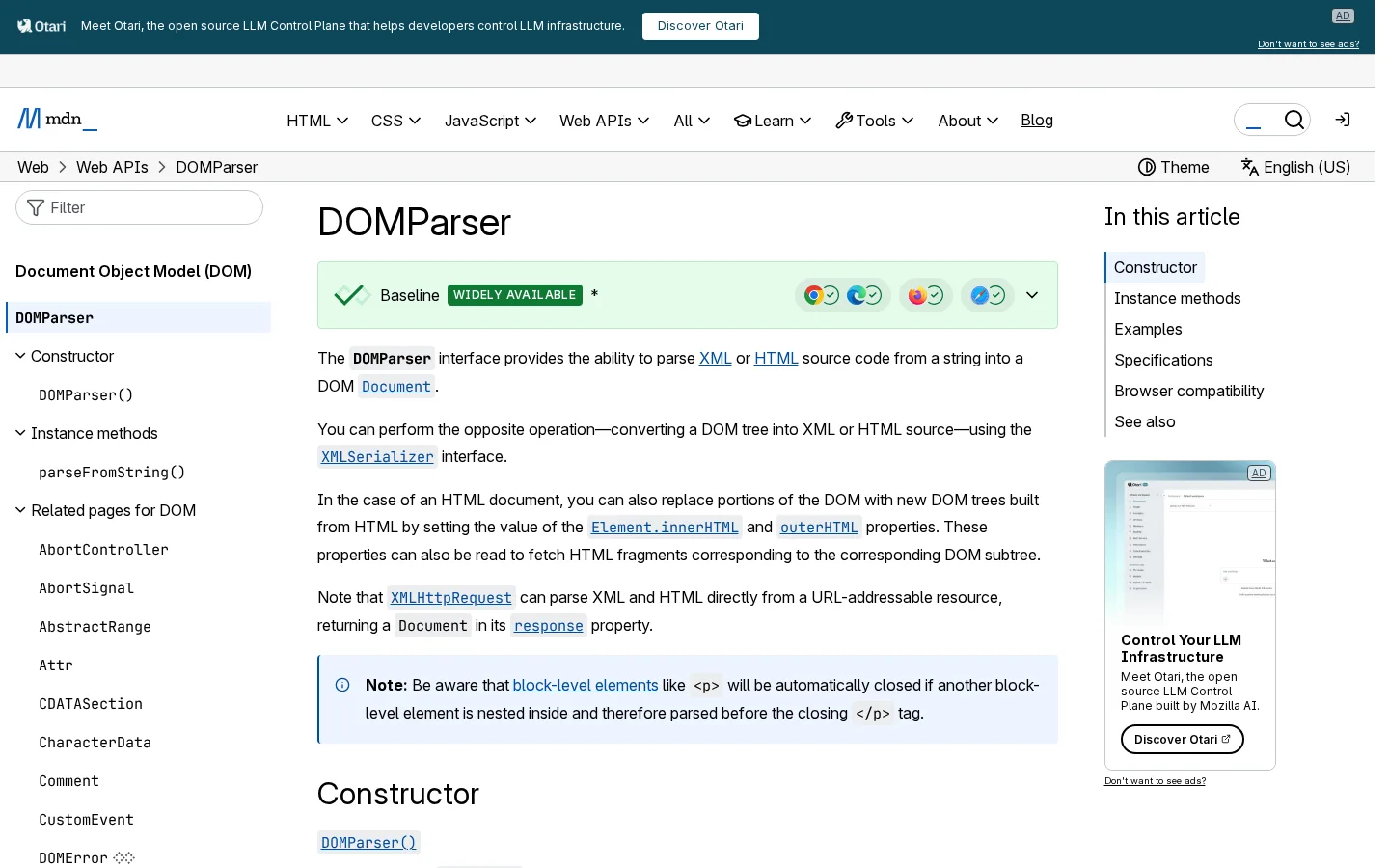
The parsing step is where the HTML becomes something a program can query. The browser's built-in DOMParser does this for you. According to the MDN reference for DOMParser, the interface "provides the ability to parse XML or HTML source code from a string into a DOM Document." The two lines below read every h2 heading from a page you have already downloaded into the variable html.
const doc = new DOMParser().parseFromString(html, "text/html");const titles = [...doc.querySelectorAll("h2")].map(h => h.textContent);Crawling finds pages by following links from one page to the next. Scraping extracts data from pages you already have. A crawler bot mainly discovers and indexes URLs, while a scraper usually knows the pages it wants and the fields it needs. Many projects combine both: a crawl builds the list of URLs, then a scrape collects the data from each one. To see how search engines do the discovery step, read our entry on crawling.
Most projects use one of three approaches:
Pick the simplest option that works. A static page with clean HTML rarely needs more than a basic request and a parser. A page that builds its content with JavaScript needs a headless browser, which loads the page the way a visitor's browser does. If your target is search results rather than general pages, our review of the best Google scraping tools compares the options side by side.
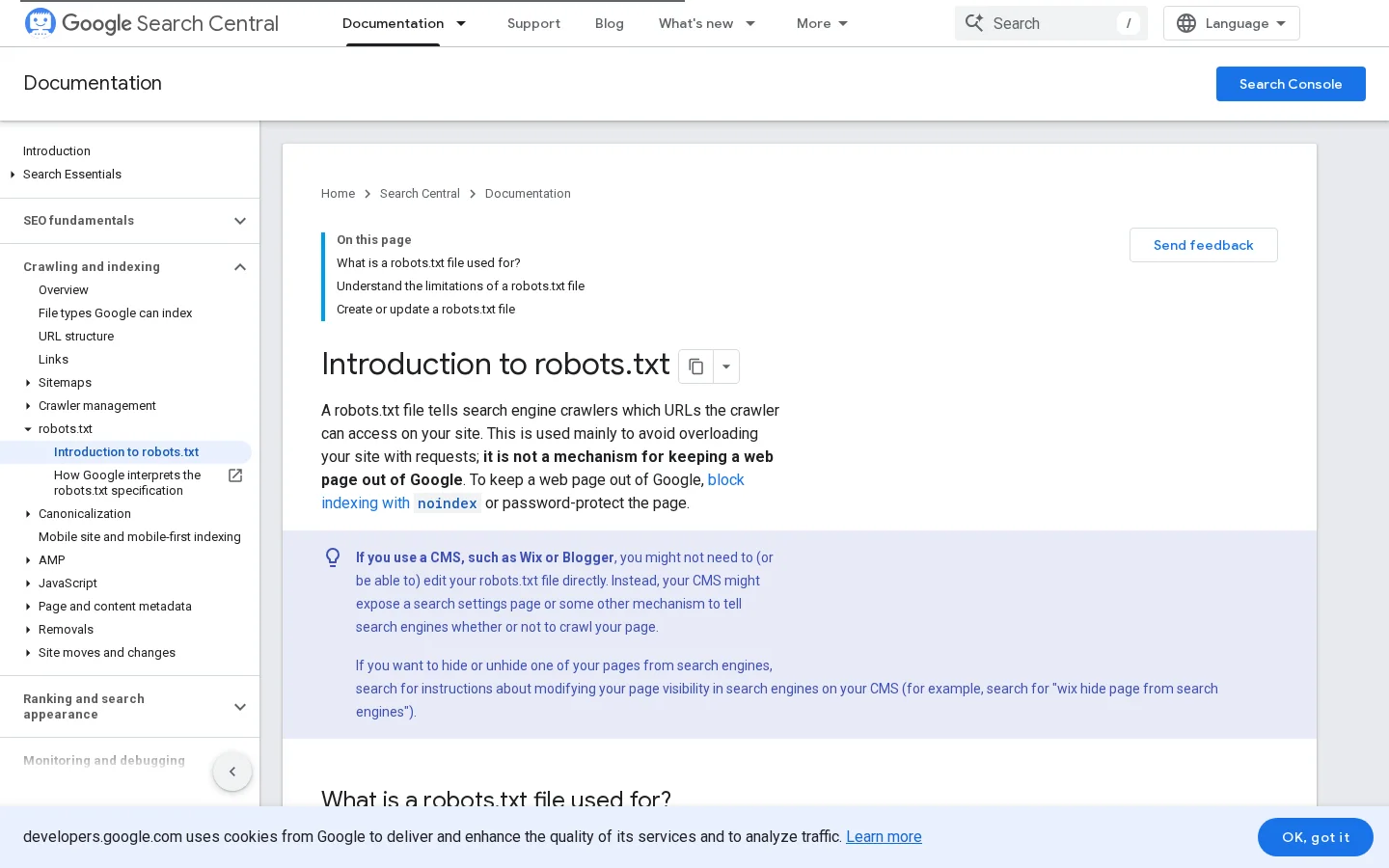
robots.txt is a plain text file at the root of a site that tells crawlers which paths they should avoid. The IETF standard RFC 9309 is explicit about its limits: "These rules are not a form of access authorization." An allowed path does not give you permission to reuse its content, and a blocked path tells you to stay out. The standard also says that a crawler which downloads the file "MUST follow the parseable rules." For the basics of the file itself, see our robots.txt entry.
Google Search Central adds two points. The file is used mainly to avoid overloading your site with requests, and it cannot enforce behavior: "The instructions in robots.txt files cannot enforce crawler behavior to your site." To keep a page out of search results, use noindex or password protection instead.
Before you scrape a site, check its file yourself with our free Robots.txt Checker, which validates the syntax and shows whether AI crawlers can access the site.
It depends on what you collect, where you operate, and what the site's terms say. Public facts are treated differently from personal data or copyrighted text, and the rules change from one country to another. Before you start, read the site's terms of use, follow its robots.txt rules, collect only the fields you need, and avoid personal data unless you have a clear legal basis for it. For a commercial project, ask a lawyer. This section is general information, not legal advice.
For SEO, scraping is mostly about structure. You can pull the title tag, meta description, H1, canonical tag, and internal links from a list of your pages, then spot the gaps quickly instead of checking each page by hand. Export one row per URL, then sort by missing titles or duplicate H1s. For a single page, our free URL Extractor lists every link on the page, which is a fast way to audit internal linking before you write a script. Our Webpage to Markdown converter does a similar job for one page, turning its readable content into clean Markdown.
Most failed scrapers make the same few errors. Check for each one before you run a large job.
This happens when a script fires hundreds of requests per second at one server. It can slow the site for real visitors, and it often gets your IP address blocked. You spot it when responses start to fail with HTTP 429 (Too Many Requests) or time out. Fix it by adding a pause between requests, caching pages you have already fetched, and running large jobs at off-peak hours.
A selector that picks the seventh span inside a div breaks as soon as the site adds one banner above it. You spot it when the output suddenly holds empty fields or the wrong values. Fix it by selecting on stable attributes, such as ids, data attributes, or the label text next to the value, and by checking a sample of rows after each run.
If the HTML you receive has an empty container where the data should be, the page builds its content with JavaScript after it loads. You spot it by comparing the raw HTML with what you see in a browser. Fix it with a headless browser, or find the JSON request the page makes in the background, which is often a cleaner source.
Duplicate rows, missing fields, and stray spaces quietly ruin a dataset. You spot them by counting rows and reading a random sample by hand. Fix them with a check on each field, deduplication by URL, and a collection date on every row, so you know how old the data is.
Web scraping turns public pages into data you can act on: which headings competitors use, how their pages link to each other, and which of your own pages lack a clear structure. The same skill helps with GEO. AI crawlers also fetch and read the HTML of your pages, so the structure you publish decides what an AI can extract. Our AI crawlers entry explains which bots read your site and how they behave.
Web scraping is the automated extraction of data from web pages. Start with a clear list of pages and fields, check robots.txt and the site's terms, keep your request rate low, and validate the output on every run. Done this way, scraping replaces hours of copying with a dataset you can trust.
Sources
It depends on the data, the country and the site's terms of use. Public data is treated differently from personal data, so check the rules before you collect anything.
Crawling follows links to discover pages, while scraping extracts specific fields from pages you already have. Most projects use a crawl to build the list of URLs and a scrape to collect the data.
Not by itself. robots.txt is a set of rules for well-behaved crawlers, and the standard says it is not a form of access authorization. To protect private data, use a login or other server-side blocking.
 “I tested Sorank on a real client site and it's insane. It does everything an agency would bill you $1500 a month for. It's going into production on that client now.”

 Guillaume Guersanguersanguillaume.com“We are an Ads agency and we wanted to get our SEO back on track once and for all. Sorank gave us a clear view of our site, helped us prioritize optimizations, and properly structure our content. The tool is easy to use, well designed for a team, and very practical for centralizing tracking without having to juggle multiple platforms. A very solid foundation to start fresh with our SEO.”
 Gaspard MadouiAds Agency
 “I just let the Sorank software do its thing, and now my DR is 25 and my page is ranking higher.”
 Lucas Flandrefoundertrace.fr“I specialized in GEO thanks to Sorank. The GEO Leaderboard allows me to show my clients their position vs competitors on ChatGPT. It’s a real commercial differentiator.”
 MélanieSEO Freelance“Great service, works well for our website and helps us understand how to improve it to rank better on Google and elsewhere. Congrats, keep going, I recommend it.”
 Hugo T.E-commerce merchant