
Preferences
Privacy is important to us, so you have the option of disabling certain types of storage that may not be necessary for the basic functioning of the website. Blocking categories may impact your experience on the website. More information
Privacy is important to us, so you have the option of disabling certain types of storage that may not be necessary for the basic functioning of the website. Blocking categories may impact your experience on the website. More information

Crawling is how search bots and AI crawlers find and fetch your pages. How Googlebot works, what crawl budget means and how to stay crawlable in 2026.







Founder Sorank, 7+ years in SEO.
Summary
Crawling is the process by which search engine bots, such as Googlebot, discover and fetch web pages by following links and sitemaps, so that their content can later be analyzed, indexed and shown in results. It is the first step of search, before indexing and ranking, and AI crawlers from OpenAI now fetch pages in the same way.
Want to go further? Ask
Crawling is the first stage of how search works. Automated bots, also called spiders or crawlers, follow links from page to page and fetch the content they find, so that the search engine can decide whether to store it and rank it. If a bot cannot reach a page, that page cannot appear in Google, and it cannot be cited by AI assistants either.
Crawling is the discovery and retrieval step. A crawler requests a URL, reads the HTML and the links it contains, and adds any new URLs it finds to its queue. The crawler that Google uses for Search is Googlebot. Crawling is separate from indexing and ranking: a page can be crawled and never indexed, and an indexed page can still fail to rank for any query. Crawling is necessary, but it never guarantees a place in results.
Crawlers find URLs in three main ways. They revisit pages they already know, they follow the links on those pages, and they read the sitemaps that site owners submit. This is why an XML sitemap helps a new site get found faster, and why a page with no internal link pointing to it can stay unknown for a long time. Each visit is run by a crawler bot, the agent that does the fetching.
For a broader view of the whole chain from discovery to results, read how search engines work. The short version is that nothing downstream happens for a page that was never fetched.
Google describes the amount of crawling a site receives as its crawl budget, and it is built from two elements. The crawl capacity limit is how much Google can fetch without overloading your server, and it goes up or down with server health. Crawl demand reflects how popular a URL is on the web and how stale Google's copy of it has become. Pages with more links and more frequent updates are recrawled more often.
Google's guide for large sites recommends consolidating duplicate content and blocking low-value URLs so that crawling focuses on pages that matter. It also advises keeping sitemaps up to date and answering unchanged content with 304 (Not Modified) responses, so that fetching a page costs less. Read the full guide in Google's documentation on managing crawl budget for large sites.
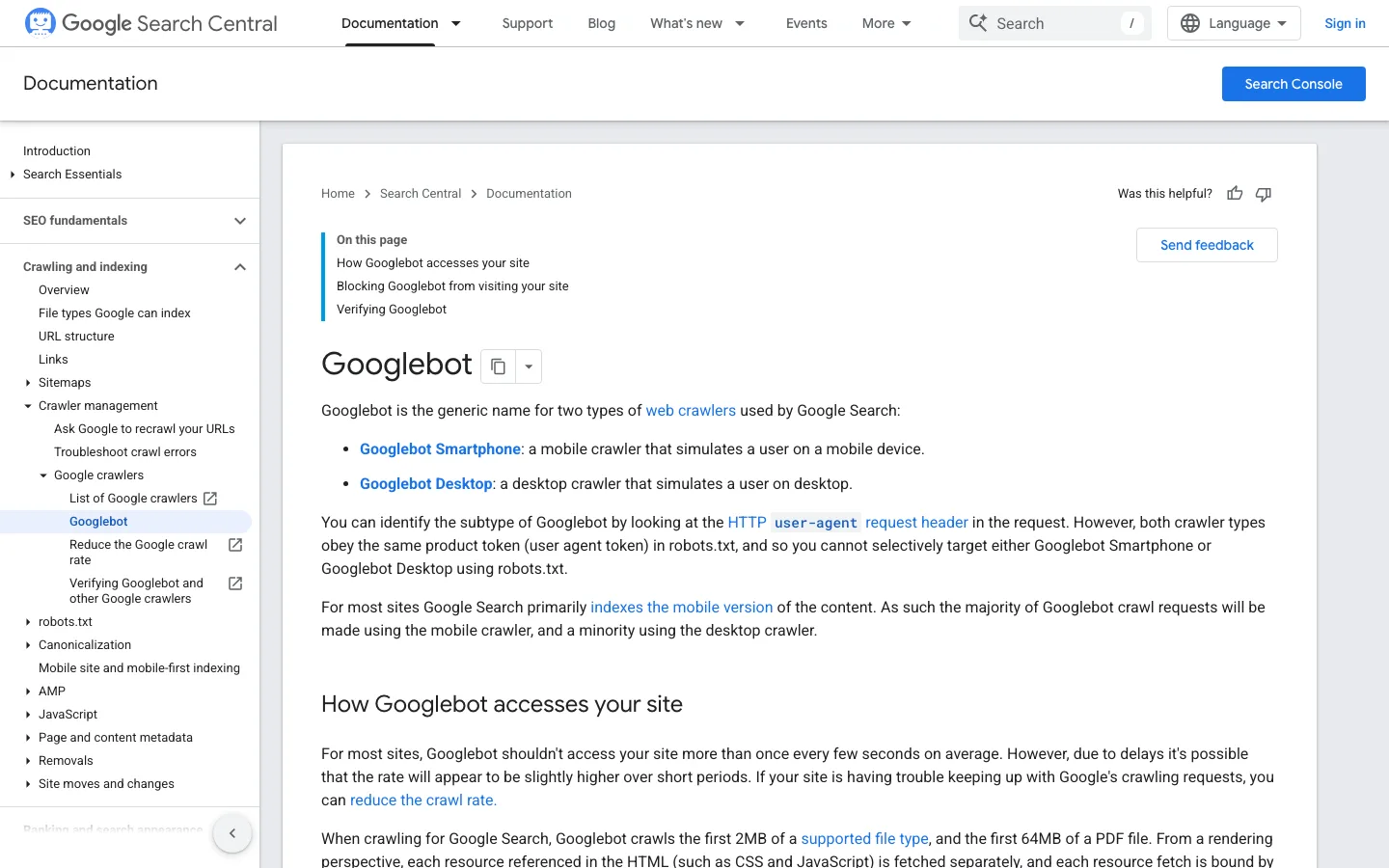
Several bots now fetch the web for different purposes. Googlebot is the generic name for two crawlers, Googlebot Smartphone and Googlebot Desktop. Both obey the same product token in robots.txt, so you cannot target one of them alone. Google also notes that most sites are indexed through their mobile version, which means most Googlebot requests come from the mobile crawler, as described in Google's Googlebot documentation.
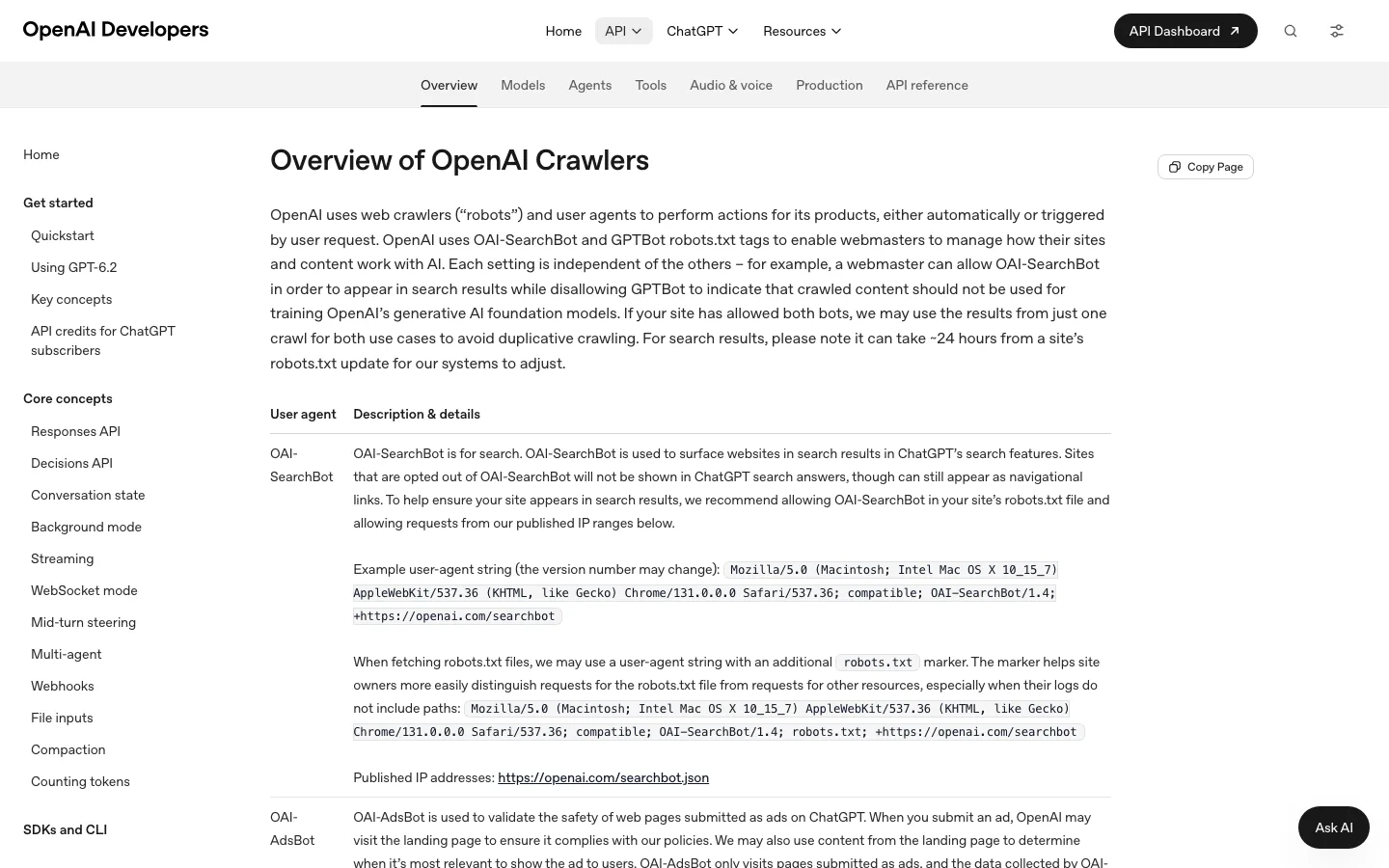
AI crawlers work differently and are managed one by one. OpenAI, for example, publishes separate user agents for separate jobs, according to its overview of OpenAI crawlers:
Several things stop a crawl before it starts or cut it short. Robots.txt tells crawlers which paths they should not fetch, and it is publicly readable, so it should never be the only protection for private content. Login walls, server errors and slow responses also prevent a successful fetch. Googlebot has a size limit too: it fetches the first 2MB of a supported file type, and the first 64MB of a PDF. Each resource a page references, such as a CSS or JavaScript file, is fetched separately under the same limit, so a heavy page can be cut off before its content is complete.
Robots.txt rules also apply to every visit, so a rule written years ago for one purpose can quietly block another bot. Checking the file after each change to the site is a cheap habit that prevents expensive surprises.
Make discovery easy first. Keep a clean internal linking structure so that every important page is linked from at least one other page, submit an accurate sitemap, and avoid orphaned pages that nothing points to. Remove redirect chains, which Google's guide says have a negative effect on crawling, and keep server response times fast so that Google can read more of your content in each visit.
Then guide the crawlers on purpose. Use robots.txt for low-value sections such as internal search results or filtered listings, handle URL parameters and faceted navigation cleanly, and check crawl activity in Search Console and your server logs. For AI crawlers, decide bot by bot which ones you allow, because OpenAI's settings are independent of each other. Weak pages also need fixing before they deserve a visit, and Sorank's content optimization rewrites them at the same URL so the crawled version is the improved one.
The most frequent mistake is blocking a crawl when you only meant to keep a page out of results, or the reverse. Another is leaving important pages without any internal link, so crawlers never reach them. Sites also waste crawling on filtered URLs, session IDs and duplicate pages, and they let server errors pile up, which makes successful fetches less likely. Finally, many teams forget AI crawlers entirely. A robots.txt rule written for Googlebot can still block OAI-SearchBot, and then the site is missing from ChatGPT search answers without anyone noticing.
For SEO, crawling is the gateway to everything else. A page that is not crawled cannot be indexed, so it cannot rank, and crawl efficiency limits how much of a large site can compete. For generative engine optimization, the logic is the same with a wider audience: pages must be reachable by the bots that feed AI answers as well as by Googlebot.
Sorank's public case study on LV3D reports organic traffic multiplied by four in five months. You can read the figures on the LV3D case study page, which is a useful reference when you want to see what a measured result looks like.
Crawling is how search engines and AI systems discover and fetch your pages, by following links and sitemaps before any indexing or ranking can happen. Google manages it through crawl capacity and crawl demand, and OpenAI lets you control each of its bots separately. Keep your pages easy to find, manage your directives carefully, and continue with crawling and indexing for the next stage, then read about the bots behind generative search in AI crawlers.
Sources
Crawling is the discovery step: a bot finds and fetches a page by following links and sitemaps. Indexing is the next step, where the page is analyzed and stored in the search engine's database. A page can be crawled without being indexed, so crawling is necessary but does not guarantee a place in search results.
Google sets crawl budget from two elements: the crawl capacity limit, which adjusts to your server's health, and crawl demand, which reflects how popular and how stale a URL is. Slow servers and errors reduce what Google can fetch, while a fast, well-linked site with a clean sitemap gets crawled more efficiently.
Yes. OpenAI runs several crawlers, including OAI-SearchBot for ChatGPT search and GPTBot for training, and it fetches pages on demand when a user asks a question. If these bots cannot reach your pages, your content cannot be cited in AI answers, so crawl accessibility matters for both search and generative engine optimization.
 “I tested Sorank on a real client site and it's insane. It does everything an agency would bill you $1500 a month for. It's going into production on that client now.”

 Guillaume Guersanguersanguillaume.com“We are an Ads agency and we wanted to get our SEO back on track once and for all. Sorank gave us a clear view of our site, helped us prioritize optimizations, and properly structure our content. The tool is easy to use, well designed for a team, and very practical for centralizing tracking without having to juggle multiple platforms. A very solid foundation to start fresh with our SEO.”
 Gaspard MadouiAds Agency
 “I just let the Sorank software do its thing, and now my DR is 25 and my page is ranking higher.”
 Lucas Flandrefoundertrace.fr“I specialized in GEO thanks to Sorank. The GEO Leaderboard allows me to show my clients their position vs competitors on ChatGPT. It’s a real commercial differentiator.”
 MélanieSEO Freelance“Great service, works well for our website and helps us understand how to improve it to rank better on Google and elsewhere. Congrats, keep going, I recommend it.”
 Hugo T.E-commerce merchant



















