Preferences
Privacy is important to us, so you have the option of disabling certain types of storage that may not be necessary for the basic functioning of the website. Blocking categories may impact your experience on the website. More information
Privacy is important to us, so you have the option of disabling certain types of storage that may not be necessary for the basic functioning of the website. Blocking categories may impact your experience on the website. More information

Learn what banner ads are, the standard sizes to design, how CPM, CPC and CPA pricing works, and a 7-step method to launch and measure your first campaign.
In short
A banner ad is a rectangular image or HTML5 ad shown in a fixed slot on a website or app, which sends people to your site when they click. You buy it by the thousand impressions (CPM), by the click (CPC) or by the conversion (CPA), in standard sizes such as 300 x 250, 728 x 90 and 320 x 50.
Want to go further? Ask
Quick quiz
Ads, SEO or both: what is right for you now?
Sorank matches your answers


Test it for 3 days on your own site and see where you stand on Google, ChatGPT and the other AIs.
Start 3-day free trial3 days free, then stop whenever you want. 90-day results guarantee, conditions apply.
A banner ad is a paid visual ad that sits in a reserved space on a page: above the article, in the sidebar, between paragraphs or pinned to the bottom of a phone screen. It is the oldest format of online display advertising. HotWired, the online arm of Wired magazine, sold its first banners in October 1994, and the idea has not changed since: rent a rectangle on a page your audience already reads, and pay to put your message in front of them.
The word "banner" comes from the first shape, a wide horizontal strip at the top of the page. Today the term covers every fixed-size display ad: squares, rectangles, tall "skyscrapers" in the sidebar and thin strips on mobile. In ad platforms you will see them called display ads, image ads or uploaded ads. They are all banners.
Almost every banner that works has the same five parts. Remove one and the click rate drops.
Behind the image there is also a destination URL, a click tracker and often an impression pixel. Those invisible parts decide whether you can measure anything at all, so treat them as part of the ad.
A banner is pushed to people who did not ask for it. A search ad answers a query someone typed. That single difference explains why banners have far lower click rates than search ads, and why they are mainly used to build awareness, retarget visitors and reach people before they start searching. If you are new to paid media, our guide on how digital advertising works across channels places banners next to search, social and video.
Banner ads vs search ads
Banner advertising works through an ad server: when a page loads, the publisher's ad slot asks for an ad, a platform picks the one that wins (by auction or by a fixed deal), the banner is shown, and every impression, view and click is counted. The whole chain runs in the time it takes the page to load.
Here is what happens when someone opens a news site that sells its ad space through an exchange, the most common setup today:
What happens in the second a banner loads
This automated buying is called programmatic. It is how most banners are bought now, and it has its own vocabulary (DSP, SSP, open auction, private marketplace). Our guide to programmatic advertising and its key players goes through each one.
The slot is fixed. Who sees your ad in it is what you control. The main options:
In Europe and in several US states, audience targeting and retargeting depend on the visitor's consent to cookies. Without consent, platforms fall back on contextual signals and modeled data, so expect smaller retargeting lists than your raw traffic suggests.
A served impression is not a seen impression. A banner at the bottom of a page that the visitor never scrolls to is still counted as served. That is why the industry uses the viewability standard of the Media Rating Council: a display ad is viewable when at least 50 percent of its pixels are in view for at least one continuous second, as the IAB reported when the MRC lifted its advisory on 31 March 2014. Buy on that basis when you can.
From served impression to customer
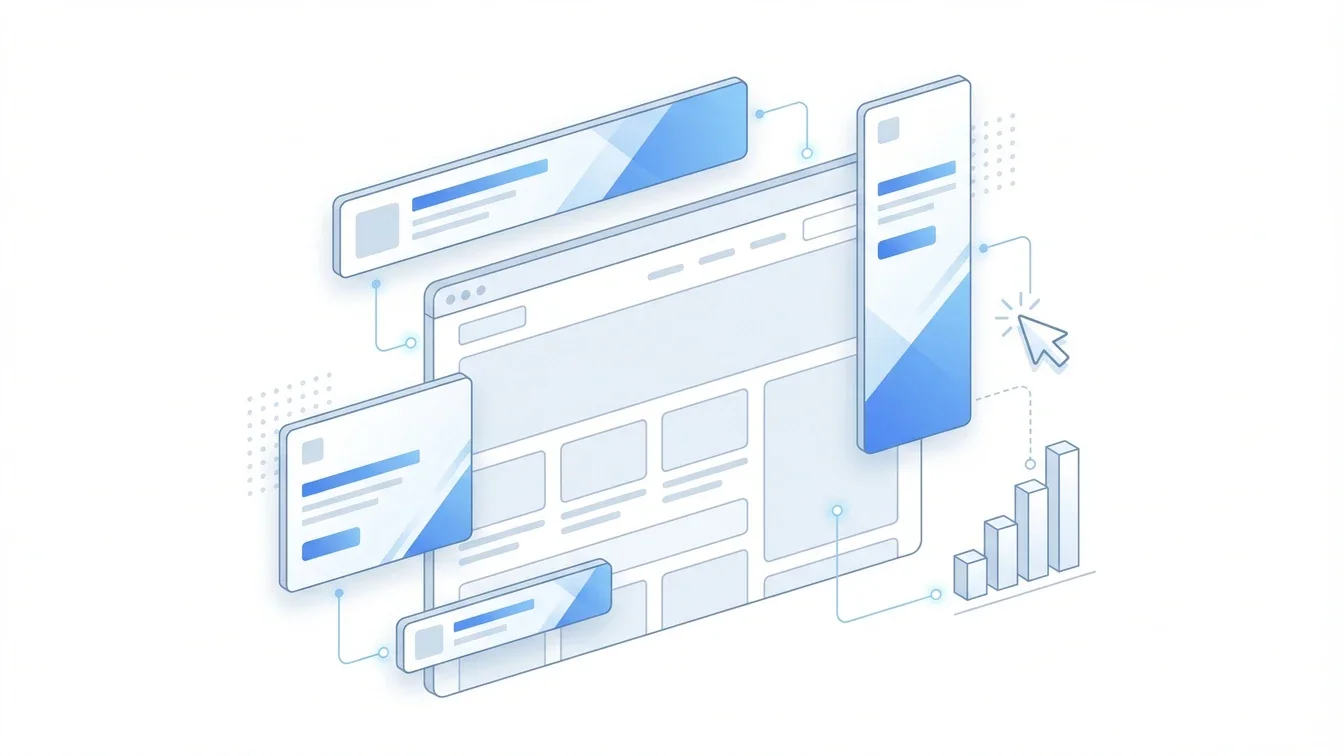
The banner ad sizes that matter are the ones most publishers sell: 300 x 250 (medium rectangle), 728 x 90 (leaderboard), 300 x 600 (half page), 160 x 600 (wide skyscraper) and 320 x 50 (mobile leaderboard). Create those five and you can run on almost every site. Google's own list is longer.
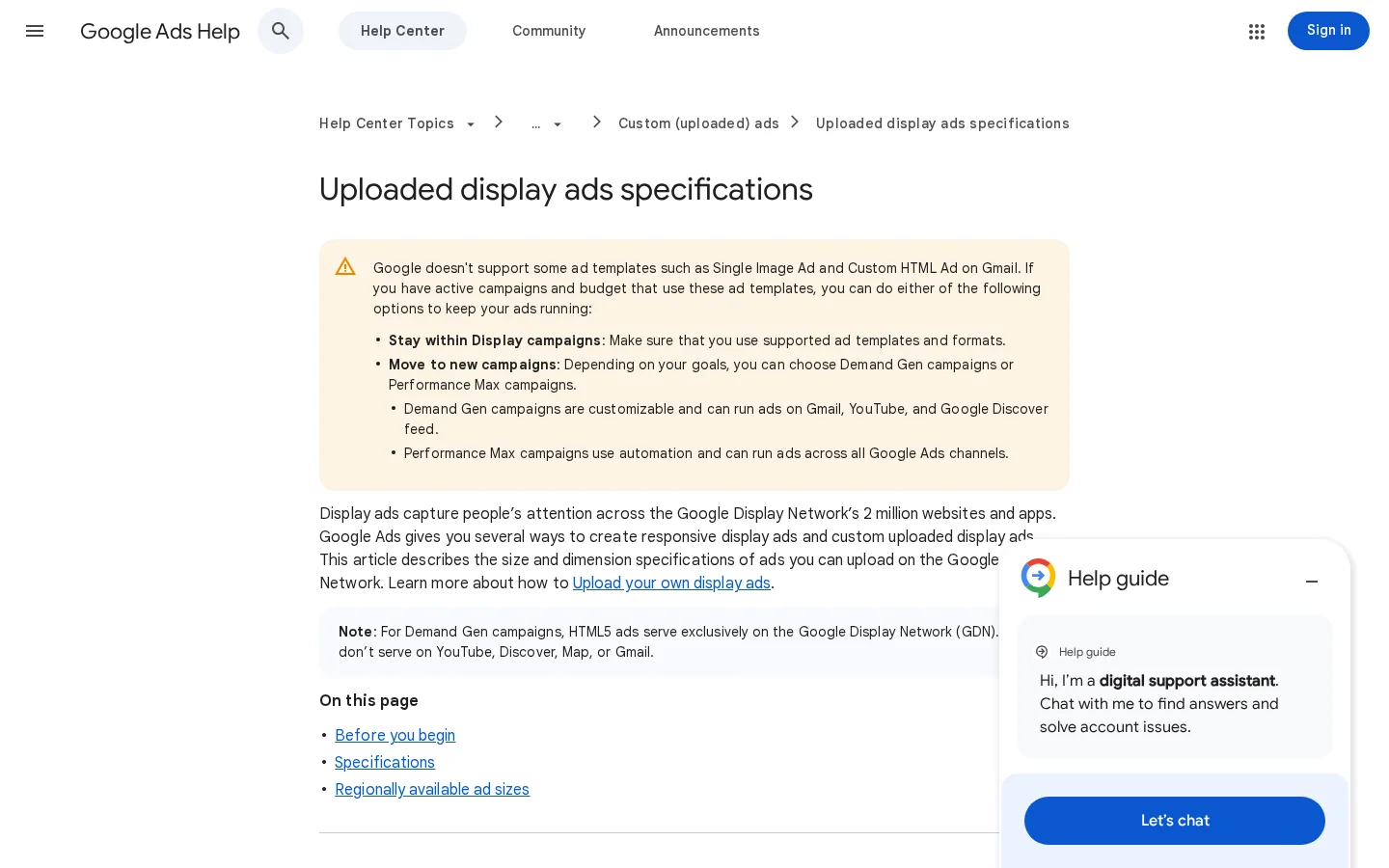
Google's uploaded display ads specifications accept these sizes on the Google Display Network, with a 150KB limit for GIF, JPG and PNG files and a 600KB limit for HTML5 ZIP files:
| Family | Size (pixels) | Common name | Where it shows | Priority |
|---|---|---|---|---|
| Rectangle | 300 x 250 | Medium rectangle | Sidebar, inside articles, mobile and desktop | Must have |
| Rectangle | 336 x 280 | Large rectangle | Inside articles on desktop | Nice to have |
| Square | 250 x 250, 200 x 200 | Square, small square | Sidebars, small slots | Optional |
| Vertical | 300 x 600 | Half page | Desktop sidebar | Must have |
| Vertical | 160 x 600, 120 x 600 | Wide skyscraper, skyscraper | Desktop sidebar | Must have (160 x 600) |
| Vertical | 300 x 1050 | Portrait | Premium desktop sidebar | Optional |
| Horizontal | 728 x 90 | Leaderboard | Top of page on desktop and tablet | Must have |
| Horizontal | 970 x 90, 970 x 250 | Large leaderboard, billboard | Top of page, premium | Nice to have |
| Horizontal | 468 x 60 | Banner (the original) | Older templates | Optional |
| Mobile | 320 x 50, 300 x 50 | Mobile leaderboard | Top or bottom of mobile pages and apps | Must have |
| Mobile | 320 x 100 | Large mobile banner | Mobile pages and apps | Nice to have |
Most traffic is now on phones, and phones have room for only three formats in practice: 320 x 50, 320 x 100 and 300 x 250. The 300 x 250 is the only size that works well on both screens, which is why it is the one to design first. The 728 x 90 and 300 x 600 only make sense if your audience still reads on desktop, which is often true in B2B.
The IAB, the trade body that set the original sizes, now recommends thinking in proportions rather than fixed pixels: a 1:1 unit that stretches from 300 x 300 to 450 x 450, an 8:1 unit that replaces the leaderboard, and so on. In practice, publishers still sell fixed slots and platforms still ask for fixed files. Keep the fixed sizes for uploaded ads, and use responsive formats (next section) to cover everything else.
A 300 x 250 image looks blurry on a high-density phone screen. The fix is to export at twice the size (600 x 500) and let the ad server scale it, but only if the platform accepts it and the file stays under the limit. On Google, the limit is the hard part: 150KB for an image ad. Three rules keep you under it:
There are six types of banner ads, from the simple static image to the interactive rich media unit. Each one has a different cost to produce, a different weight and a different job. Choose by goal and budget, not by what looks impressive.
Principle: one JPG or PNG, one message. When to use it: retargeting, offers, any test where you need many variants fast. Pros: cheap, light, accepted everywhere, easy to A/B test. Limits: one message only, easy to ignore. Example: a shoe on a white background, "Free returns for 60 days", "Shop now".
Principle: 2 to 4 frames that tell a small story (problem, solution, offer, button). When to use it: when one frame cannot hold the message. Pros: catches the eye, still simple to build. Limits: on Google, the animation must stop after 30 seconds and run slower than 5 frames per second; colors are limited to 256 per frame. Example: frame 1 "Still doing invoices by hand?", frame 2 the product screen, frame 3 "Try it free".
Principle: a small web page (HTML, CSS, JavaScript) packed in a ZIP. When to use it: smooth animation, sharp text on every screen, light interaction. Pros: crisp at any density, smaller than a long GIF. Limits: needs a designer or a tool such as Google Web Designer, and Google only opens HTML5 uploads to accounts older than 90 days with more than 9000 USD of spend and a clean policy record. Example: a price that counts down as the visitor watches.
Every HTML5 banner for Google must declare its size in the head of the file. Most ad servers also read the click destination from a variable called clickTag, so the advertiser can change the landing page without rebuilding the ad. A minimal file looks like this:
<!DOCTYPE html>
<html>
<head>
  <meta charset="UTF-8">
  <meta name="ad.size" content="width=300,height=250">
  <script>var clickTag = "https://www.example.com/offer";</script>
</head>
<body>
  <a href="javascript:window.open(window.clickTag)">
    <img src="background.jpg" width="300" height="250" alt="Spring offer">
  </a>
</body>
</html>
Check the exit method each platform expects before you build: Google Ads, Campaign Manager 360 and other ad servers do not all handle clicks the same way.
Principle: you upload pieces (images, logos, headlines, descriptions) and the platform assembles a banner for each slot. When to use it: almost always on Google, as a base layer next to your uploaded banners. Pros: one ad fills thousands of slot sizes, including native slots, and the platform tests combinations for you. Limits: you lose control of the layout; some combinations look generic.
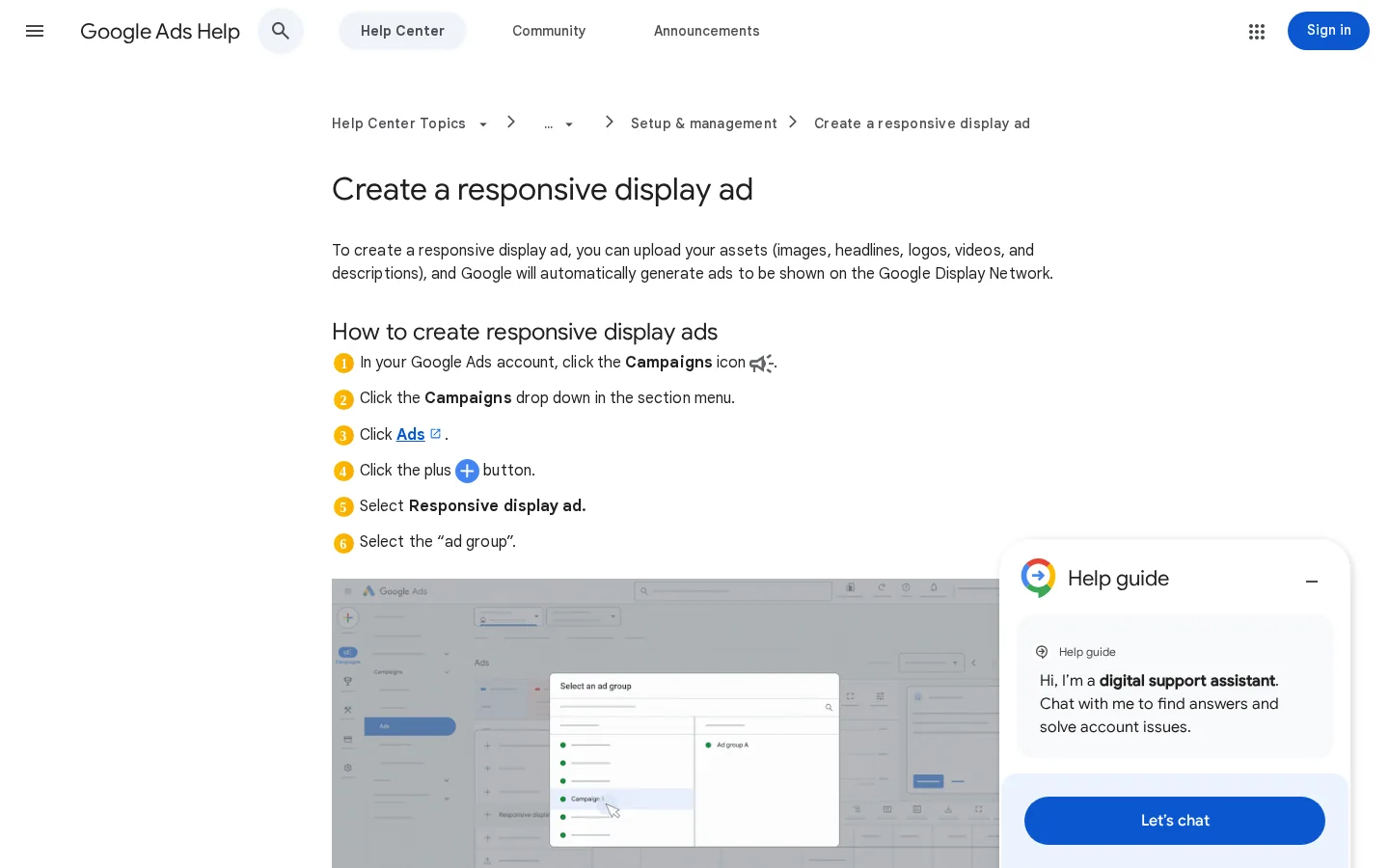
Google's form to create a responsive display ad asks for landscape images (1.91:1, 1200 x 628 recommended, 600 x 314 minimum), square images (1200 x 1200 recommended, 300 x 300 minimum), logos in 4:1 and 1:1, up to 5 short headlines of 30 characters, one long headline of 90 characters and up to 5 descriptions. Fill every slot: more assets give the system more combinations to test.
Principle: banners with video, carousels, forms, or a panel that expands on tap. When to use it: brand launches with a real production budget, bought directly from large publishers. Pros: long interaction time, strong recall. Limits: heavy, expensive to make, not supported everywhere (Google's uploaded HTML5 ads do not allow expandable units). Example: a car banner that opens into a 360 degree view of the interior.
Principle: a strip that stays on screen while the visitor scrolls, or a full-screen ad between two pages. When to use it: mostly a publisher choice; you get these slots through the exchange. Pros: very high viewability. Limits: annoying when too big, and capped by the Better Ads Standards (see the mistakes section). Example: a 320 x 50 anchor at the bottom of a mobile news page.
| Type | Build effort | Max weight on Google | Best for | Main limit |
|---|---|---|---|---|
| Static image | Low | 150KB | Retargeting, offers, fast tests | One message |
| Animated GIF | Low to medium | 150KB | Short stories in 3 frames | 30 seconds, under 5 fps |
| HTML5 | Medium to high | 600KB (ZIP) | Sharp animation on all screens | Account eligibility, coding |
| Responsive display | Low | 5120KB per image asset | Reach across every slot size | Less control of layout |
| Rich media | High | Set by the publisher | Brand launches | Cost and support |
| Sticky or interstitial | Low (same files) | As image or HTML5 | High viewability | Intrusive if oversized |
Banner ads are priced in five ways: per thousand impressions (CPM), per thousand viewable impressions (vCPM), per click (CPC), per conversion (CPA) or at a flat rate for a fixed period. The model you pick decides who carries the risk: with CPM you pay whether people click or not, with CPA the platform or publisher takes that risk and charges for it.
| Model | You pay for | Who carries the risk | Use it when |
|---|---|---|---|
| CPM | 1000 impressions served | You | Awareness campaigns, cheap reach |
| vCPM | 1000 viewable impressions | Shared | Awareness, when you want to stop paying for unseen ads |
| CPC | Each click | Shared | Traffic to a page that converts well |
| CPA | Each conversion | Platform or publisher | Once tracking is solid and you have conversion history |
| Flat rate | A slot for a day, week or month | You | Direct deals on a niche site your buyers read |
On the Google Display Network, the same choice shows up as a bidding strategy: viewable CPM, manual CPC, Maximize clicks, Target CPA, Maximize conversions or Target ROAS. Our explainer on how cost per click works covers the click side in detail.
Prices quoted in different models cannot be compared directly. Convert everything to an effective cost per result with these formulas:
CPM  = cost / impressions x 1000
vCPM = cost / viewable impressions x 1000
CPC  = cost / clicks
CPA  = cost / conversions
eCPC from a CPM deal = CPM / (CTR x 1000)
eCPA from a CPM deal = CPM / (CTR x conversion rate x 1000)
Worked example with round numbers: a publisher offers 5 USD CPM. If your banner gets a 0.1% click rate and 2% of visitors buy, then one sale costs 5 / (0.001 x 0.02 x 1000) = 250 USD. If your margin per sale is 80 USD, the deal loses money even though the CPM looked cheap. Run the math before you sign, not after.
Plan for a click rate well below 1%. Choozle's click-through rate benchmarks, built on its own platform data for the first half of 2026, put the average display CTR at 0.09%, with large gaps by device. Search ads get far more clicks per impression because the person asked for an answer.
A low CTR does not mean a banner failed. A retargeting banner seen by a past visitor can push them to come back through Google a day later, without a click on the ad. That is why view-through conversions and lift tests (see the measurement section) matter more for banners than for search.
You can buy banner ads in four places: the Google Display Network (now also through Demand Gen campaigns), a programmatic platform (DSP), directly from a publisher, or an ad network specialized in a niche. Small budgets should start with Google; larger or niche budgets add direct deals.
| Route | How you buy | Minimum effort | Strengths | Watch out for |
|---|---|---|---|---|
| Google Display Network | Display or Demand Gen campaign in Google Ads | Low | Huge reach, retargeting with your Google tags, self-serve | Default settings include apps and low-quality sites |
| Programmatic DSP | Bids across many exchanges | Medium to high | Private marketplaces, data partners, frequency control across sites | Fees, minimum spends, needs an expert |
| Direct with a publisher | Insertion order, flat rate or CPM | Medium | Exact placement, brand context, sponsorships | Manual reporting, less flexible |
| Niche ad network | Self-serve or managed | Low to medium | Reach a vertical (developers, gaming, local news) | Inventory quality varies a lot |
| Retail media | Banners on a retailer's site (Amazon and others) | Medium | Shoppers close to purchase | Only for products sold there |
Google is moving image ads and its feed placements into Demand Gen, which reaches YouTube, Discover and Gmail on top of the Display Network. Our article on what replaced Discovery ads and how Demand Gen works shows where those formats now live. For a wider view of the channel mix, see our guide to choosing online advertising channels.
To create a banner ad campaign, set one goal, write one message, design the five core sizes, connect tracking, target narrowly, launch with a test plan and cut what does not work after enough impressions. Here is the full method we would follow for a first campaign.
The 7-step method for a first banner campaign
Write the message before you open a design tool. One line of benefit, one proof, one button. A good test: can someone read the whole banner in the time it takes to scroll past, about a second? If not, cut words. Our guide to writing ad copy that converts has formulas for that one line.
Design the 300 x 250 first, then adapt. Do not just resize: a 728 x 90 needs a left to right layout (logo, message, button), a 300 x 600 needs a top to bottom layout, and a 320 x 50 has room for a logo, five words and a button, nothing more. Keep fonts at 12 pixels or more on the smallest sizes.
Each banner URL should carry UTM parameters so your analytics shows which size and which message brought the visit:
https://www.example.com/offer?utm_source=gdn&utm_medium=display&utm_campaign=spring-retargeting&utm_content=300x250-price-v2Tip
Build these links without typos with our free UTM link builder for campaign URLs, and keep the same utm_content naming (size, angle, version) on every banner so reports stay readable.
Then install the conversion tag and check that it fires on a real test purchase or form. Our conversion tracking setup guide for GA4, Google Ads and Meta covers the full setup, including consent.
On Google, three settings save the most money in display campaigns: exclude mobile app categories if your goal is site traffic, add a list of sites you do not want (content exclusions and placement exclusions), and exclude people who already converted from prospecting campaigns. Set a frequency cap too: seeing the same banner 20 times a day hurts the brand more than it helps.
Do not judge a banner on 500 impressions. With click rates around 0.1%, you need tens of thousands of impressions per variant before click data means anything. Judge early on viewability and cost, later on conversions. Every week, open the placement report, sort by cost and exclude sites that spend without converting.
A good banner is readable in one second, shows one offer, has a visible button and looks like your landing page. Most design advice comes down to removing things until only those remain.
A typical first banner, before and after review
Three patterns you can copy:
Pre-launch checklist for every banner
Measure banner ads on four levels: delivery (impressions, viewability, frequency), engagement (clicks, CTR), business results (conversions, cost per acquisition, return on ad spend) and lift (what would have happened without the ads). Clicks alone undervalue banners and conversions alone can overvalue retargeting.
Three numbers to keep in mind
Sources: MRC via IAB, 2014; Choozle, 2026; Google Ads Help
| Metric | Formula | What it tells you | Warning sign |
|---|---|---|---|
| Viewability rate | Viewable impressions / measured impressions | If your ads are really seen | Low rate on a placement: exclude it |
| Frequency | Impressions / unique users | How often one person sees the ad | Rising frequency, falling CTR: fatigue |
| CTR | Clicks / impressions | If the creative gets attention | Very high CTR on an app: accidental clicks |
| Conversion rate | Conversions / clicks | If the landing page delivers | Good CTR, no conversions: message mismatch |
| CPA | Cost / conversions | What one customer costs | Above your margin per sale |
| ROAS | Revenue / ad cost | Revenue per unit spent | Below your break-even ROAS |
For the definitions of each metric in paid media, our list of PPC metrics and their formulas goes further, and our glossary entry on impressions and how to read them explains why an impression is not a view.
Tip
Before you scale a banner campaign, compute your break-even point with the free ROAS calculator with break-even ROAS. If your margin is 25%, you need a ROAS of 4 just to stop losing money.
A view-through conversion is a sale by someone who saw your banner, did not click, and bought later. Platforms count them inside a window (often one day for display). They are real but inflated: many of those people would have bought anyway, especially in retargeting, which shows ads to people already close to buying.
The honest way to measure banners is a lift test: split your audience, show ads to one half and nothing (or a neutral ad) to the other, and compare conversions. Google Ads offers conversion lift studies when you meet its spend thresholds. Without that, a simple geo test works: run banners in some regions, not in others, and compare the trend of sales and branded searches.
The most expensive banner mistakes are not about design: they are about where the ads run, how often they show and what you count as a result. Each one below comes with a way to spot it and a fix.
What it is: buying on served CPM with no viewability control, so part of your budget goes to banners below the fold or in hidden slots. How to spot it: a viewability rate far below the rest of your placements in the report, or no viewability column at all. Fix: bid on viewable CPM when the platform allows it, and exclude placements with poor viewability every week.
What it is: default display settings show banners in mobile games and on sites built only to sell ad space. How to spot it: the placement report shows hundreds of apps and unknown domains with high CTR and no conversions. Fix: exclude app categories when your goal is web traffic, exclude bad domains, and test an allow-list of quality sites.
What it is: the same person sees your banner dozens of times. How to spot it: frequency climbs while CTR falls week after week. Fix: cap impressions per user per day or week, and rotate new creatives every few weeks.
What it is: the banner promises an offer, the click lands on a generic page. How to spot it: high bounce rate and very short sessions from display traffic in analytics. Fix: one landing page per offer, with the same headline and visual as the banner.
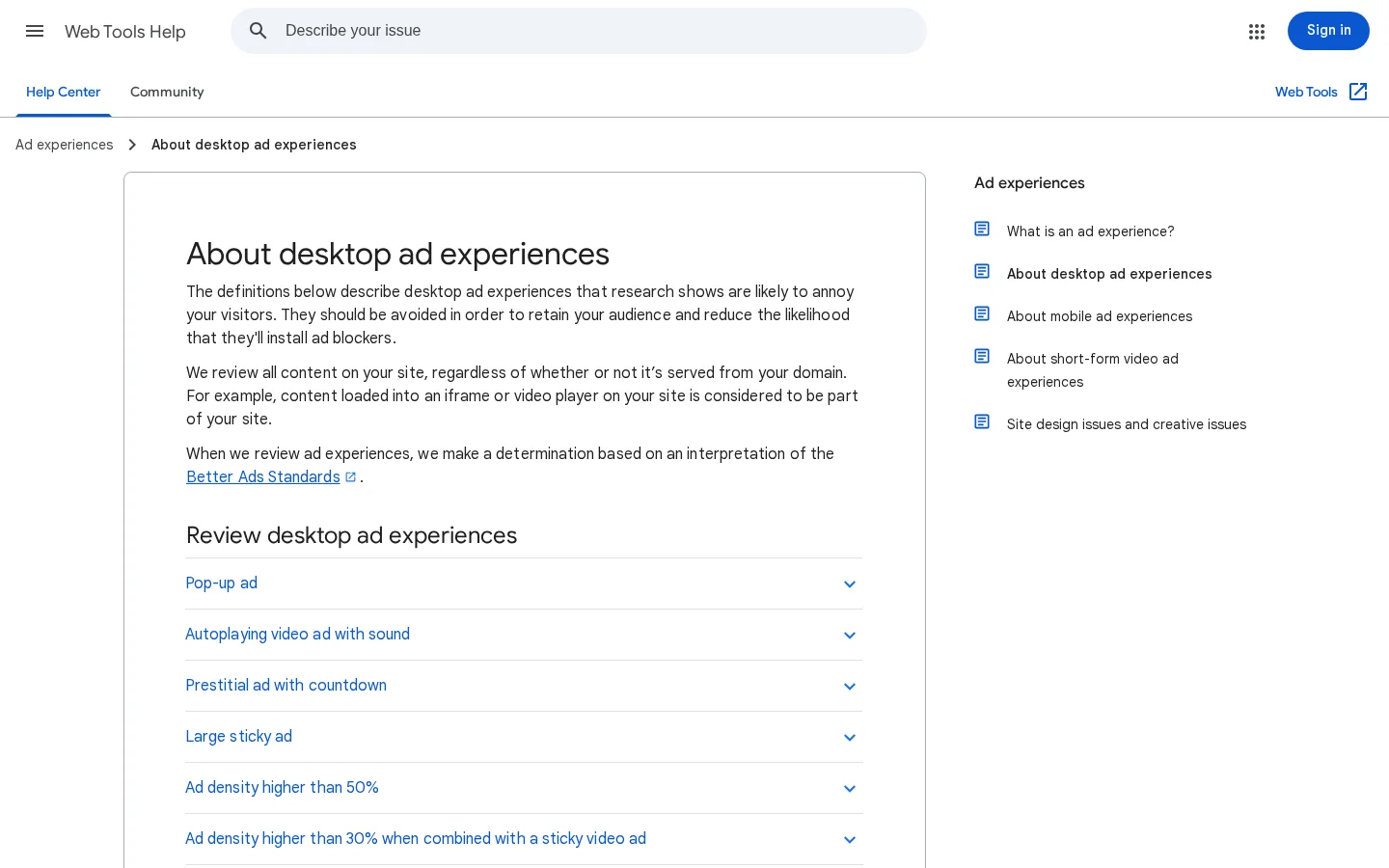
What it is: large sticky ads, pop-ups or countdown screens that break the Better Ads Standards. On sites you control, Chrome can filter ads when a site keeps failing those standards. How to spot it: the Ad Experience Report in Google's webmaster tools flags the site. Fix: stay within the limits Google lists for desktop ad experiences: no sticky ad over 30% of the screen, no ad density above 50% of the main content's height, no pop-up over the content and no prestitial with a countdown.
What it is: analytics with last-click attribution gives almost no credit to prospecting banners, so you cut them, and branded searches drop a month later. How to spot it: branded search volume moves with your display spend. Fix: compare models in your analytics tool, track branded search and direct traffic, and run a lift test before cutting.
What it is: the opposite error. Retargeting banners claim conversions from people who were coming back anyway. How to spot it: view-through conversions far above click conversions, mostly from past visitors. Fix: shorten the view-through window, exclude recent converters, and use a holdout group.
What it is: wrong size, file too heavy, animation too long, WebP format. How to spot it: the ad shows as "disapproved" or the upload fails. Fix: export to the exact pixel size, compress under 150KB for images, keep animation under 30 seconds and slower than 5 frames per second, and use GIF, JPG or PNG.
Weekly banner hygiene
Banner blindness is the habit people have of ignoring anything that looks like an ad. It is the reason display CTR sits so low, and it means banners work best as a support channel (retargeting, awareness around a launch) rather than as the main way to find new customers.
Every banner stops working the day you stop paying. Content that ranks on Google and gets cited by AI models such as ChatGPT, Claude and Gemini keeps bringing visitors who are actively looking for a solution. Most businesses get the best result by combining both: organic content for the demand that already exists, banners to retarget those visitors and to create demand around launches. Our guide to combining organic and paid search shows how to split the work.
Banner ads vs organic and AI visibility
If you want that organic side to run without hiring a team, Sorank researches keywords, writes and publishes articles and tracks your visibility in AI answers on autopilot. You can follow Google and AI traffic next to your paid results in the GEO and SEO dashboard, and estimate what your organic traffic would cost in ads with the SEO vs paid savings calculator.
Banner ads are simple to buy and easy to waste. Start small and measurable: one retargeting campaign on Google, five sizes plus one responsive display ad, UTM tags on every URL, a frequency cap and a weekly placement review. Judge it on cost per acquisition and on a lift test, not on clicks alone. Then decide whether prospecting banners deserve more budget, or whether that money builds more for you as paid traffic balanced by content that ranks on its own.
Banner ads are usually sold per thousand impressions (CPM), per click (CPC), per conversion (CPA) or at a flat rate for a period. The price depends on the audience, the placement, the country, the season and the buying route. Convert every offer to a cost per sale with your click and conversion rates before you buy.
The 300 x 250 medium rectangle is the most widely sold size, because it fits both desktop and mobile pages. Next come the 728 x 90 leaderboard, the 300 x 600 half page, the 160 x 600 skyscraper and the 320 x 50 mobile banner. Those five sizes cover almost every publisher.
Yes, but mainly for retargeting past visitors and building awareness, not as the main way to win new customers. Average display click rates are well below 1%, so judge banners on cost per acquisition and lift tests rather than clicks alone. Pair them with SEO and AI visibility for demand that already exists.
We analyse your competitors, your website and your AI visibility to create a tailored content plan for free.
 AI Content Brief Generator
 FAQ Schema Generator
 AI Blog Post Ideas Generator
 Structured Data Validator (Schema Validator)
 Alt Text Checker
 Internal Link Analyzer
 Backlink Challenge
 AI Meta Description Generator
 AI Blog Title Generator
 Google Indexability Checker
 AI Blog Outline Generator
 UTM Link Builder
 Keyword Clustering Tool
 Canonical Tag Checker
 XML Sitemap Generator
 Broken Link Checker
 AI SEO Title Generator
 Headline Analyzer
 SERP Preview Tool
 Redirect Checker
 Hreflang Tag Generator
 Heading Structure Analyzer
 HTTP Headers Checker
 Favicon Extractor
 SERP CTR Calculator
 SEO vs Paid Search Savings Calculator
 SEO Share of Voice Calculator
 SEO ROI Calculator
 SEO Traffic and Revenue Forecast Calculator
 SEO Budget Calculator
 SEO Break-Even Calculator
 SaaS SEO ROI Calculator
 ROAS Calculator
 Reading Time Calculator
 Ranking Gain Simulator
 Organic Traffic Value Calculator
 Organic Traffic Estimator and Website Traffic Checker
 LTV to CAC Ratio Calculator
 Local SEO ROI Calculator
 Link Building Cost Calculator
 Keyword Value Calculator
 Keyword Opportunity Score Calculator
 Keyword Density Calculator
 GEO ROI Calculator
 GEO Content Investment Calculator
 Ecommerce SEO ROI Calculator
 Customer Lifetime Value Calculator
 Customer Acquisition Cost Calculator
 CTR Calculator
 Cost Per Article Calculator
 Conversion Rate Calculator
 Content Marketing ROI Calculator
 ChatGPT Referral Traffic Estimator
 Bounce Rate Calculator
 Backlink ROI Calculator
 AI Visibility Score Calculator
 AI Traffic Value Calculator
 AI Share of Voice Calculator
 Cost of AI Invisibility Calculator
 AI Citation Rate Calculator
 llms.txt Validator
 AI Overview Checker and AI Overviews Rank Checker
 Robots.txt Checker
 AI SEO Audit
 LLM Readability Checker
 SearchGPT Readiness Checker
 Structured Data LLM Audit
 Website Crawlability AI Audit
 Why ChatGPT Is Not Recommending My Website
 Gemini Ranking Tool
 Perplexity Ranking Checker
 LLM Citation Checker
 Answer Engine Optimization Audit
 GEO Audit
 AI Search Visibility Test
 ChatGPT Visibility Checker
 llms.txt Generator
 URL Extractor
 Webpage to Markdown
 Sitemap Checker
 SERP Volatility Sensor
 Page Size Checker
 Word Counter
 Slug Generator
 Schema Generator
 Robots Generator
 OG Preview
 Meta Tags Generator
 Image Compressor
 Favicon Generator
 On-Page SEO Audit: SEO Checker and SEO Analyzer
 Backlink Analysis Tool
 Keyword Research Tool
 Domain Authority Checker
 “I tested Sorank on a real client site and it's insane. It does everything an agency would bill you $1500 a month for. It's going into production on that client now.”

 Guillaume Guersanguersanguillaume.com“We are an Ads agency and we wanted to get our SEO back on track once and for all. Sorank gave us a clear view of our site, helped us prioritize optimizations, and properly structure our content. The tool is easy to use, well designed for a team, and very practical for centralizing tracking without having to juggle multiple platforms. A very solid foundation to start fresh with our SEO.”
 Gaspard MadouiAds Agency
 “I just let the Sorank software do its thing, and now my DR is 25 and my page is ranking higher.”
 Lucas Flandrefoundertrace.fr“I specialized in GEO thanks to Sorank. The GEO Leaderboard allows me to show my clients their position vs competitors on ChatGPT. It’s a real commercial differentiator.”
 MélanieSEO Freelance“Great service, works well for our website and helps us understand how to improve it to rank better on Google and elsewhere. Congrats, keep going, I recommend it.”
 Hugo T.E-commerce merchant