Preferences
Privacy is important to us, so you have the option of disabling certain types of storage that may not be necessary for the basic functioning of the website. Blocking categories may impact your experience on the website. More information
Privacy is important to us, so you have the option of disabling certain types of storage that may not be necessary for the basic functioning of the website. Blocking categories may impact your experience on the website. More information

Learn how geofencing marketing works, which fence strategy fits your business, how to set it up in Google Ads or Meta, measure store visit lift and stay legal.
In short
Geofencing marketing is a location-based tactic that draws a virtual boundary around a real place (your store, a competitor, an event) and shows an ad or sends a notification to the phones that enter it. It works through ad platforms or your own app, and it pays off when the fence, the offer and the measurement are planned together.
Want to go further? Ask
Quick quiz
How should you get mentioned by ChatGPT and other AI assistants?
Sorank matches your answers


Test it for 3 days on your own site and see where you stand on Google, ChatGPT and the other AIs.
Start 3-day free trial3 days free, then stop whenever you want. 90-day results guarantee, conditions apply.
Geofencing marketing is the use of a virtual perimeter around a physical location to trigger a marketing action when a mobile device enters, leaves or stays inside it. The action can be an ad on a website or in an app, a push notification from your own app, or adding the device to an audience that you target later.
Think of it as a tripwire on a map. You give a latitude, a longitude and a radius (or draw a polygon). A system watches the location of opted-in devices. When a device crosses the line, a rule fires: "show the 10% coupon", "add to the competitor visitors audience", "send the order-ahead reminder".
The idea is simple. The hard part is the detail: where the location signal comes from, how precise it is, how fast the trigger fires, and what the law allows. Most guides skip this. This one does not.
These four words are often mixed up, and agencies sometimes sell one under the name of another. Here is what each really means.
| Term | What it does | Typical size | Example |
|---|---|---|---|
| Geotargeting | Shows ads to people in a broad area (country, region, city, postcode, radius) | A few km to a whole country | A plumber targets a 15 km radius around the office |
| Geofencing | Triggers an action when a device enters, exits or stays in a precise perimeter | About 100 m to a few km | A coffee shop pushes an offer when an app user is close |
| Geoconquesting | Geofencing placed around a competitor's location | The competitor's building and parking lot | A gym targets people who visit a rival gym |
| Beacon (proximity) marketing | Detects a phone inside a store with small Bluetooth transmitters | A few meters | A department store greets app users in the shoe aisle |
In practice, what most ad platforms call "radius targeting" is geotargeting with a small circle. True geofencing, with a tight fence and a real-time trigger, needs either your own app or a programmatic partner that buys on precise location data. If you want the bigger picture of buying ads through automated exchanges, our guide to how programmatic advertising works explains the players involved.
Geofencing works by comparing the device's estimated position with the fence you defined, then firing an event when the position crosses the border. The quality of your campaign depends on three things: the location signal, the trigger type and the delay.
Google's Android geofencing documentation is very clear on accuracy: with Wi-Fi, location is usually accurate to 20 to 50 meters, and on most devices the geofence service uses network location rather than GPS. Its advice is to set a minimum radius of 100 to 150 meters. Without Wi-Fi, in rural areas for example, the error can reach several hundred meters or kilometers.
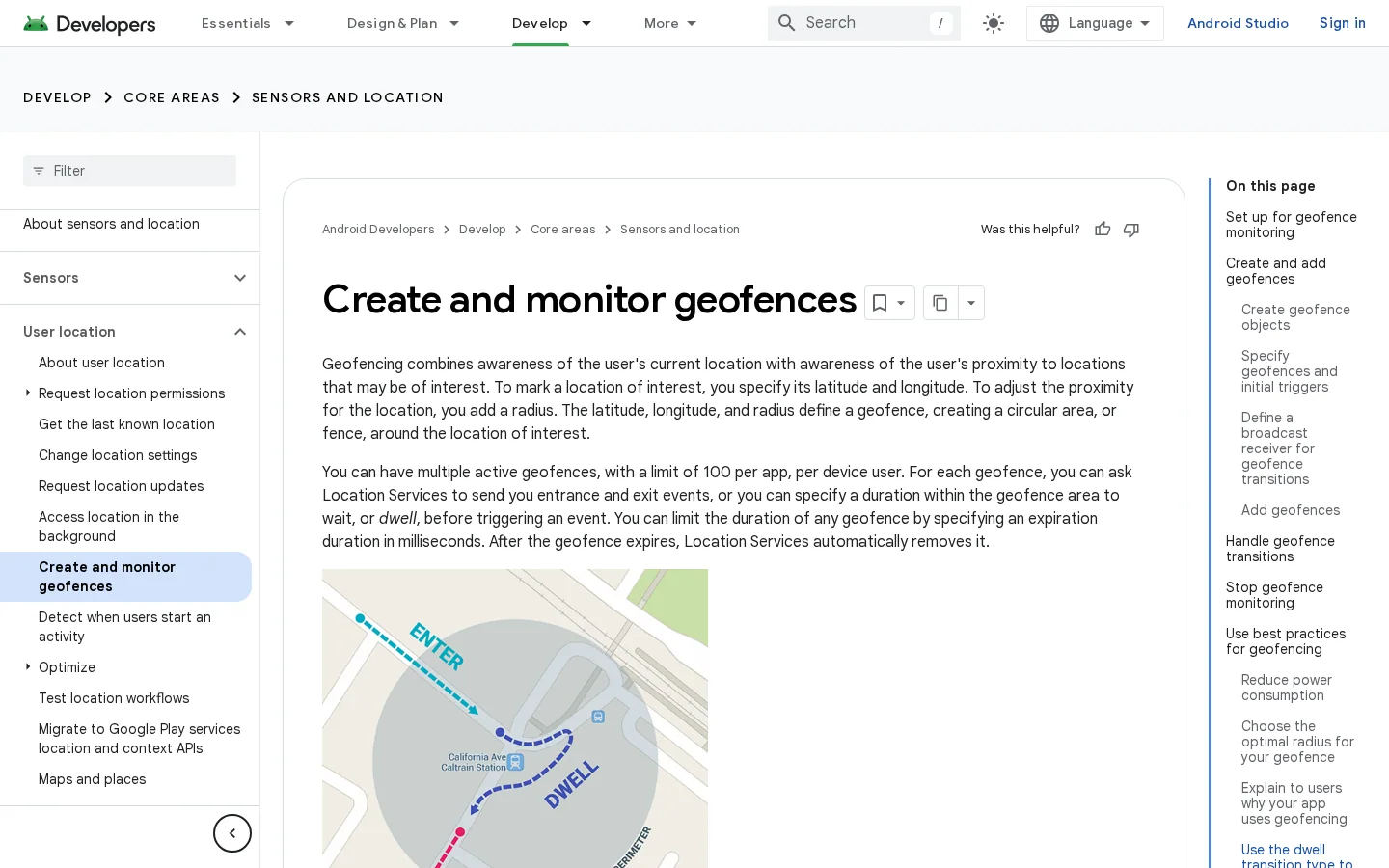
A fence can fire on three events. Enter fires when the device crosses into the area. Exit fires when it leaves. Dwell fires only after the device has stayed inside for a set time (the "loitering delay").
For marketing, dwell is usually the best choice. Enter fires for every car driving past your store, which creates spam and wastes budget. Dwell filters out passers-by and keeps people who actually stopped. Exit is useful for follow-up: a "thanks for visiting, leave a review" message, or adding the visitor to a retargeting audience.
Here is what an app-based fence with a 5-minute dwell looks like on Android (Kotlin). The radius of 150 meters follows Google's recommendation.
val storeFence = Geofence.Builder()
    .setRequestId("store-paris-11")
    .setCircularRegion(48.8589, 2.3780, 150f)   // lat, lng, radius in meters
    .setExpirationDuration(30L * 24 * 60 * 60 * 1000) // 30 days
    .setTransitionTypes(Geofence.GEOFENCE_TRANSITION_DWELL or Geofence.GEOFENCE_TRANSITION_EXIT)
    .setLoiteringDelay(5 * 60 * 1000)            // 5 minutes inside before DWELL fires
    .setNotificationResponsiveness(2 * 60 * 1000) // save battery, accept some delay
    .build()

val request = GeofencingRequest.Builder()
    .setInitialTrigger(GeofencingRequest.INITIAL_TRIGGER_DWELL)
    .addGeofences(listOf(storeFence))
.build()Geofencing is not instant. Google says alerts usually arrive in less than 2 minutes, about 2 to 3 minutes on average when background location limits apply, and up to 6 minutes if the phone has been still for a long time. Apple's Core Location documentation for region monitoring says an app can register up to 20 regions at a time and should expect an entry or exit notification within 3 to 5 minutes on average, with network connectivity required.
The technical limits of app-based geofencing
Sources: Android Developers, geofencing guide; Apple Developer, Core Location documentation
What this means for you: a 20-meter fence around a shop door will not work. A fence of 150 to 300 meters with a dwell of a few minutes will. And if your retail chain has 300 stores, your app must only register the 20 nearest stores on iOS and refresh the list as the user moves. Both platforms also require background location permission ("Always" on iOS, ACCESS_BACKGROUND_LOCATION on Android 10 and later), which many users refuse. Your reachable audience is the share of your app users who said yes.
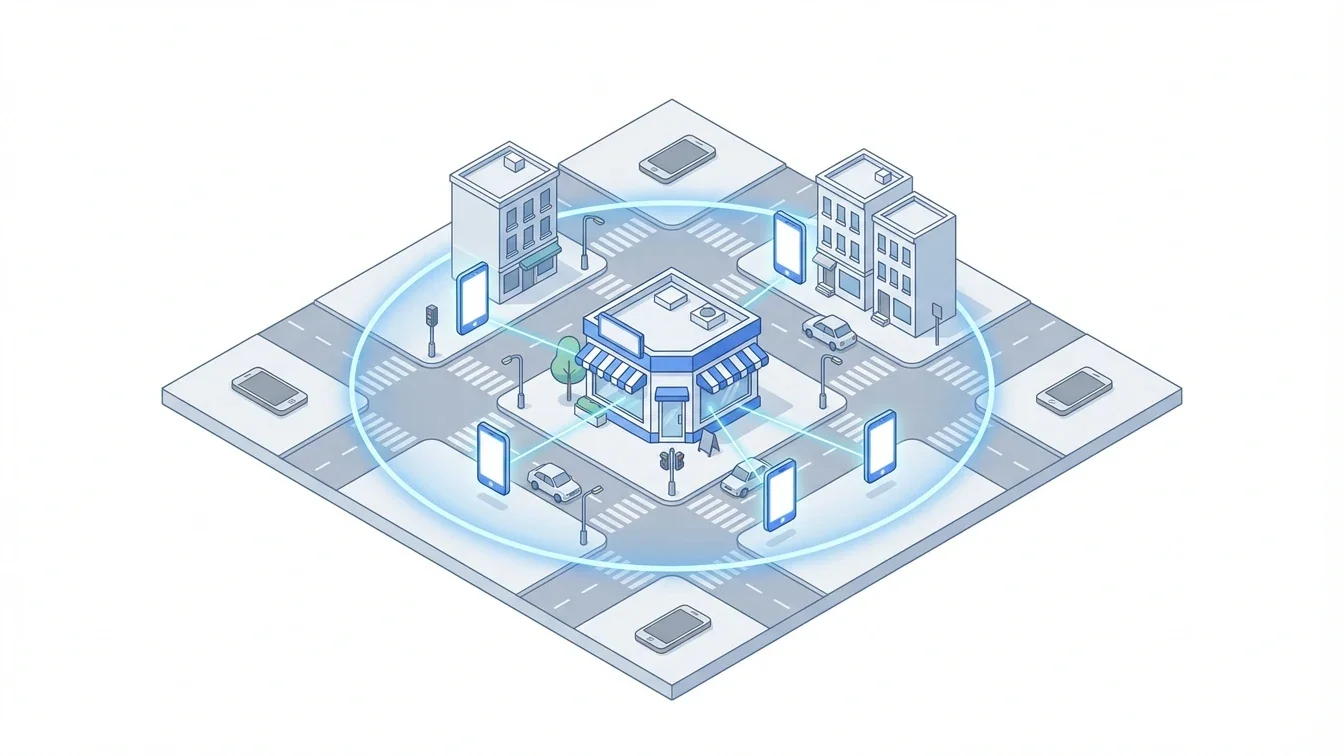
The main benefit of geofencing marketing is relevance at the moment of decision: the message reaches people who are physically close to where they can buy. The main limit is scale: the audience is small, the signal is imperfect and privacy rules shrink it further.
Geofencing vs broad local targeting
Geofencing is a lever, not a strategy. It works best inside a wider plan to bring nearby customers in. Our guide to local marketing levers that drive foot traffic shows where it fits next to listings, reviews, events and local search.
There are six main ways to use geofencing in marketing, and each fits a different goal. Pick one per campaign: mixing them in one ad set makes the results impossible to read.
Principle: a fence around your own location reaches people nearby with an offer or a reminder. When to use it: food, coffee, retail, services with walk-in demand. Advantages: highest relevance, simplest message. Limits: you also reach people who would have come anyway, so measure the lift. Example: a bakery targets a 500 m radius from 7 am to 10 am with "Fresh croissants until 10, two for the price of one with this ad".
Principle: fences around rival locations reach people who are shopping your category right now. When to use it: high-ticket and comparison purchases: cars, mattresses, gyms, opticians, furniture. Advantages: strong intent, a clear "switch" message. Limits: no ad network lets you name the competitor in a misleading way, and a fence that is too wide catches the shops next door. Example: a car dealer fences two rival dealerships and shows "Compare before you sign: free trade-in estimate today".
Principle: a fence around a trade show, a stadium, a festival or a conference, active only during the event dates. When to use it: B2B (trade fairs), sponsors, local services linked to the event (hotels, restaurants, transport). Advantages: a dense, qualified crowd for a short time. Limits: very short window, creative must be ready in advance. Example: a software vendor fences the exhibition hall of its industry show and invites visitors to stand 42.
Principle: instead of a live trigger, the platform builds an audience from devices seen in a place in the past (for example, the last 30 days) and targets them later, anywhere. When to use it: retargeting event visitors, reaching people who visited a type of place (golf courses, hospitals' job fairs, universities). Advantages: larger audience over time, works with display, video and connected TV in programmatic platforms. Limits: depends on the quality of the data provider, and is the most exposed to privacy rules. Example: a wedding planner targets people seen at a bridal fair during the following 60 days.
Principle: your own app watches fences and sends a notification on enter, exit or dwell. When to use it: brands with an app that customers actually open: chains, loyalty programs, ordering apps. Advantages: free once built, real-time, linked to the customer's history. Limits: needs background location permission and a good reason for it, and is capped at 20 regions on iOS. Example: a coffee chain sends "Your usual oat latte is 3 minutes away, order ahead?" after a 2-minute dwell near a store.
Principle: Bluetooth beacons inside the store detect app users at the aisle level. When to use it: large stores, malls, museums, stadiums. Advantages: meter-level precision, works indoors. Limits: hardware to install and maintain, still needs the app and Bluetooth on. Example: a DIY store sends the paint guide when the user stops in the paint aisle.
| Strategy | Best goal | What you need | Precision | Main risk |
|---|---|---|---|---|
| Store fence | Walk-ins, daily sales | Google Ads, Meta or a DSP | Radius from 1 km in ad platforms | Paying for visits that would happen anyway |
| Geoconquesting | Win competitor customers | A DSP with polygon fences | Building level with SDK data | Fence spills onto neighbors |
| Event fencing | Leads at a show or event | A DSP, dates and venue map | Venue level | Too short to optimize |
| Look-back audience | Retarget past visitors | A DSP with location data partner | Depends on data provider | Privacy and data quality |
| App push | Repeat visits, orders | Your own app and its users' consent | 100 to 150 m in practice | Users turn off location or notifications |
| Beacons | In-store engagement | App, beacons, Bluetooth on | A few meters | Hardware cost, low opt-in |
You can run geofencing through three kinds of tools: self-serve ad platforms (Google Ads, Meta), programmatic platforms (DSPs) with location data, and your own app. Each has hard limits that decide what fence you can draw.
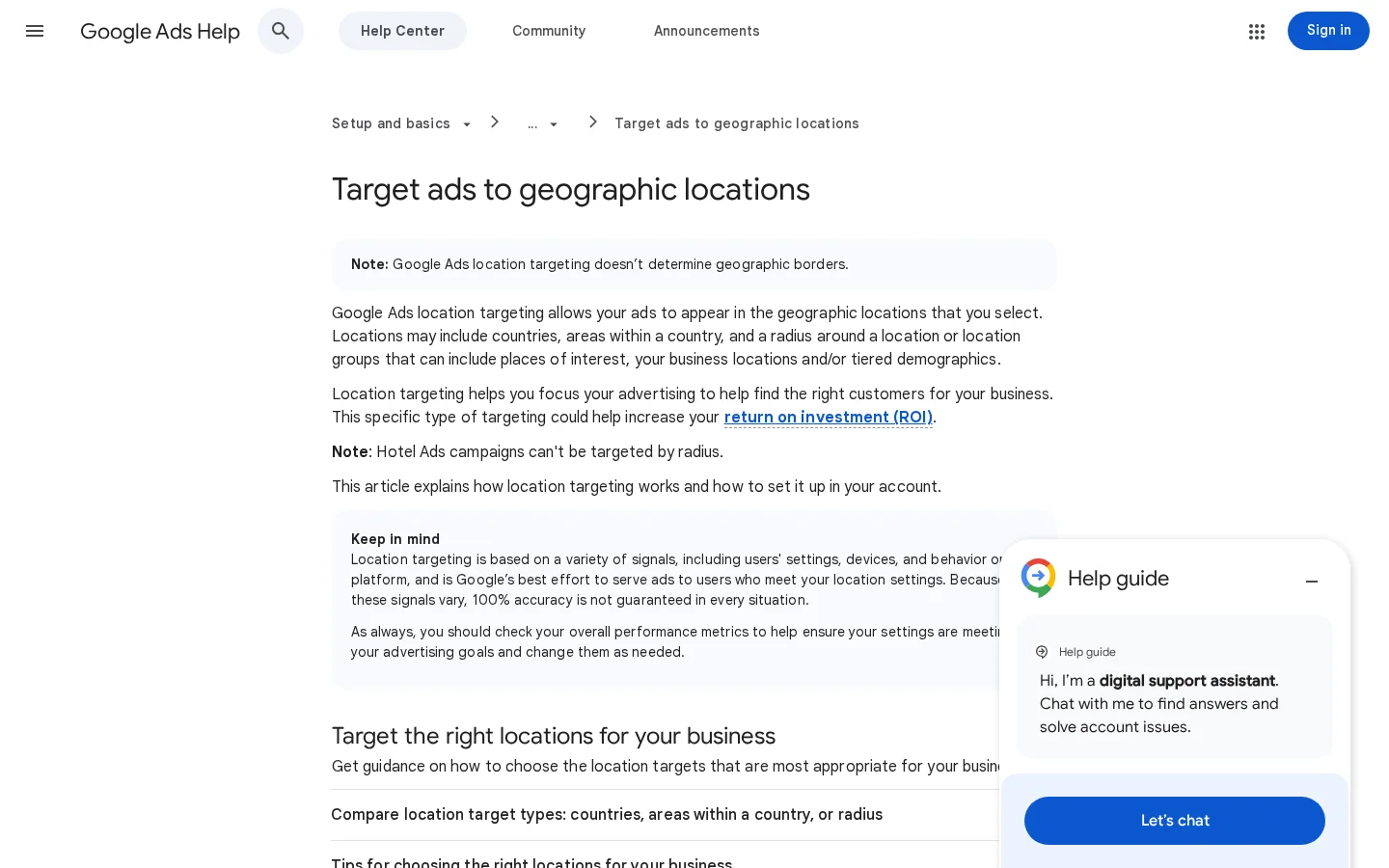
Google Ads lets you target a radius around an address, a set of your business locations (linked to your Google Business Profile) or places of interest. Its help page on geographic targeting states that radius targeting requires a radius of at least 1 km, that locations must meet minimum privacy thresholds (minimum area and minimum user counts), and that small targets may make ads show intermittently or not at all. You can add a bulk list of up to 1000 location targets at a time.
One setting matters more than the radius: in "Location options", choose Presence: people in or regularly in your targeted locations. The default, "Presence or interest", also shows your ads to people elsewhere who search about your area, which ruins a local campaign. For the basics of the auction and campaign types, see our guide to Google Ads campaign types and costs.
In Meta Ads Manager you drop a pin on the map and set a radius. Meta's Marketing API reference for basic targeting gives a radius from 0.63 to 50 miles (1 to 80 km) and up to 200 custom locations per ad set. The only location condition it accepts is ['home', 'recent']: people who live in the area or were recently there. You cannot isolate passers-by, so the time of day and the offer do the filtering. Our step-by-step guide to Meta Ads campaigns covers the rest of the setup.
Demand-side platforms buy ad space across thousands of apps and sites. Many offer polygon fences (you trace the exact outline of a building or parking lot), look-back windows and store visit reports, using location data from apps whose users gave consent. This is where tight conquesting and event fencing really happen. Minimum budgets and data quality vary a lot between vendors: ask how the data is collected and what consent covers it before you sign.
With your own app you set the fence, the trigger and the message yourself, at no media cost. The reach is limited to users who installed the app and granted background location. For most small businesses, an app is not worth building for geofencing alone.
| Tool | Fence shape | Minimum size | Live trigger | Best for |
|---|---|---|---|---|
| Google Ads | Radius, business locations, places | 1 km | No (audience by location) | Store fence on Search, Maps, Display, YouTube |
| Meta Ads | Pin and radius | 1 km (0.63 mile) | No | Store fence, local events |
| DSP with location data | Polygon, radius, look-back | Building level, vendor dependent | Near real time for some vendors | Conquesting, events, retargeting visitors |
| Own app (Android, iOS) | Circle | 100 to 150 m recommended | Yes (enter, exit, dwell) | Loyalty, order ahead, repeat visits |
To launch a geofencing campaign, set one measurable goal, draw fences that match how people move, write an offer tied to the place, set a schedule and a holdout group, then read the store visit lift after two to four weeks. Here is the method in detail.
The 7-step geofencing launch method
Write your goal as a number you can check: "120 coupon redemptions in 4 weeks", "40 demo bookings at the trade show", "plus 10% store visits versus the control group". A goal like "brand awareness in the area" cannot tell you whether the fence was well drawn.
Use the comparison table above. A café starts with a store fence. A car dealer starts with conquesting. A B2B company starts with event fencing. Only add a second strategy once the first one has results.
This is where most campaigns win or lose. Open a satellite map and look at where your buyers physically are: the parking lot, the mall entrance, the station exit, the office tower across the street. Then:
Many DSPs accept fences as GeoJSON. A polygon is a closed list of longitude and latitude pairs (the first point repeats at the end):
{
  "type": "Feature",
  "properties": { "name": "Rival showroom and parking" },
  "geometry": {
    "type": "Polygon",
    "coordinates": [[
      [2.29410, 48.87340],
      [2.29620, 48.87355],
      [2.29640, 48.87230],
      [2.29425, 48.87215],
      [2.29410, 48.87340]
    ]]
  }
}The ad must show that you know where the person is, without being creepy. Good messages give the distance, a reason to come now and a simple action: "3 minutes from you: free eye test today, walk in". Avoid "We saw you at [competitor]": it is unsettling and, depending on the platform, against its policies on personal attributes. Send people to a page made for that place, not your home page. Our guide on building location pages that convert explains what that page needs: address, hours, map, local proof, one clear call to action.
Run ads when the place is open and when people decide: 11:00 to 13:30 for lunch, Saturday for furniture, event dates only for a trade show. Cap frequency (3 to 5 views per person per week is a common starting point that you then adjust). Small fences spend slowly: start with a budget you can afford to test for a month.
Tag every link so your analytics can separate geofenced traffic from everything else. A clean naming pattern:
https://www.example.com/stores/paris-11/?utm_source=meta&utm_medium=paid_social&utm_campaign=geofence_store_paris11&utm_content=lunch_offer_v1Tip
Build these tagged links in seconds with our free UTM link builder for campaign tracking, and keep the same naming for every fence so you can compare them.
Add a unique coupon code per fence ("CAFE-STATION", "CAFE-MALL") and set aside a control group (a similar fence with no ads, or a holdout share of the audience). Without a control, you cannot know if visits came from the ads.
Give the campaign two to four weeks. Then rank fences by cost per visit or per redemption, cut the bottom third, move budget to the best ones and test a new offer on them. Repeat each month.
Geofencing works best where a physical visit or a local decision is the conversion. Here are concrete setups for common businesses, with the fence, the trigger and the message.
Fence: 1 km around the shop in Meta, or 150 m with dwell in your own app. Schedule: breakfast and lunch peaks. Message: a daily special with a time limit. Bonus fence: the nearest office park, Monday to Friday only.
Fence: your store, plus the mall or shopping street it sits in. Message: stock availability ("in stock today at the Rivoli store") rather than a generic discount. For the full retail playbook beyond ads, read our guide to retail marketing for physical stores.
Fence: competitor showrooms (polygon in a DSP), look-back of 30 days. Message: comparison and trade-in offers. These are long purchases, so the ad works for weeks after the visit, not in the parking lot.
Fence: rival gyms, office districts, residential blocks within 10 minutes. Message: a free trial or a free first visit. Warning: for anything linked to health, check the law first (see the privacy section below).
Fence: the exhibition hall, the main hotels and the station, during the event dates only. Message: booth number, a demo slot, a meeting link. Look-back: retarget the same devices for 30 to 60 days with case studies.
Fence: one per location, generated from your store list, with the same naming rules. Message: the local address and hours in each ad. The real challenge is consistency at scale, the same one you face in local search; our guide to ranking every location of a multi-location business covers that side.
A badly drawn fence vs a well drawn fence (furniture store)
You measure a geofencing campaign by its incremental effect on visits or sales, not by clicks. Clicks are a side effect: the goal is that someone walks in or buys, and that they would not have done so without the ad.
| Metric | What it tells you | Where to get it |
|---|---|---|
| Store visit rate (exposed vs control) | Whether the ads caused visits | Google Ads store visits (if eligible), DSP visit reports |
| Coupon or code redemptions | Hard proof of sales per fence | Your till or online checkout |
| Cost per incremental visit | What one extra visit really cost | Spend divided by extra visits |
| ROAS | Revenue per euro or dollar spent | Redemption revenue divided by spend |
| Click-through rate | Whether the creative gets attention | The ad platform (secondary metric) |
Visit lift (%)         = (visit rate exposed - visit rate control) / visit rate control x 100
Incremental visits     = (visit rate exposed - visit rate control) x people exposed
Cost per incremental visit = campaign spend / incremental visits
ROAS                   = revenue from redemptions / campaign spend
Example: 4% of exposed devices visited, versus 3% in the control group. The lift is 33%. If 20000 devices were exposed, that is 200 extra visits. With a 1000 spend, each extra visit cost 5. Compare that to your average basket and margin.
Tip
Once you know the revenue from coupon redemptions, check your break-even point with our free return on ad spend calculator.
Store visit reports are estimates based on sampled, consented location data, and each platform counts its own way. Cross-check them with something you control: coupon codes, till data, or a simple "how did you hear about us?" at the counter. For the wider question of how to credit each channel, read our guide to marketing attribution models and their limits.
Geofencing is legal when the location data was collected with valid consent and when you stay away from sensitive places. The rules are getting stricter, and the risk is on the advertiser as much as on the data vendor.
Under the GDPR and the ePrivacy rules, precise location from a phone is personal data, and using it for advertising requires prior, specific, informed consent. Consent to "use location to show nearby stores" in an app does not cover sharing that location with third parties for ads. If you buy location audiences from a DSP, ask the vendor to show the consent text users saw. On your own site, make sure your cookie banner and tags respect choices; our guide to setting up Google Consent Mode v2 covers the Google side.
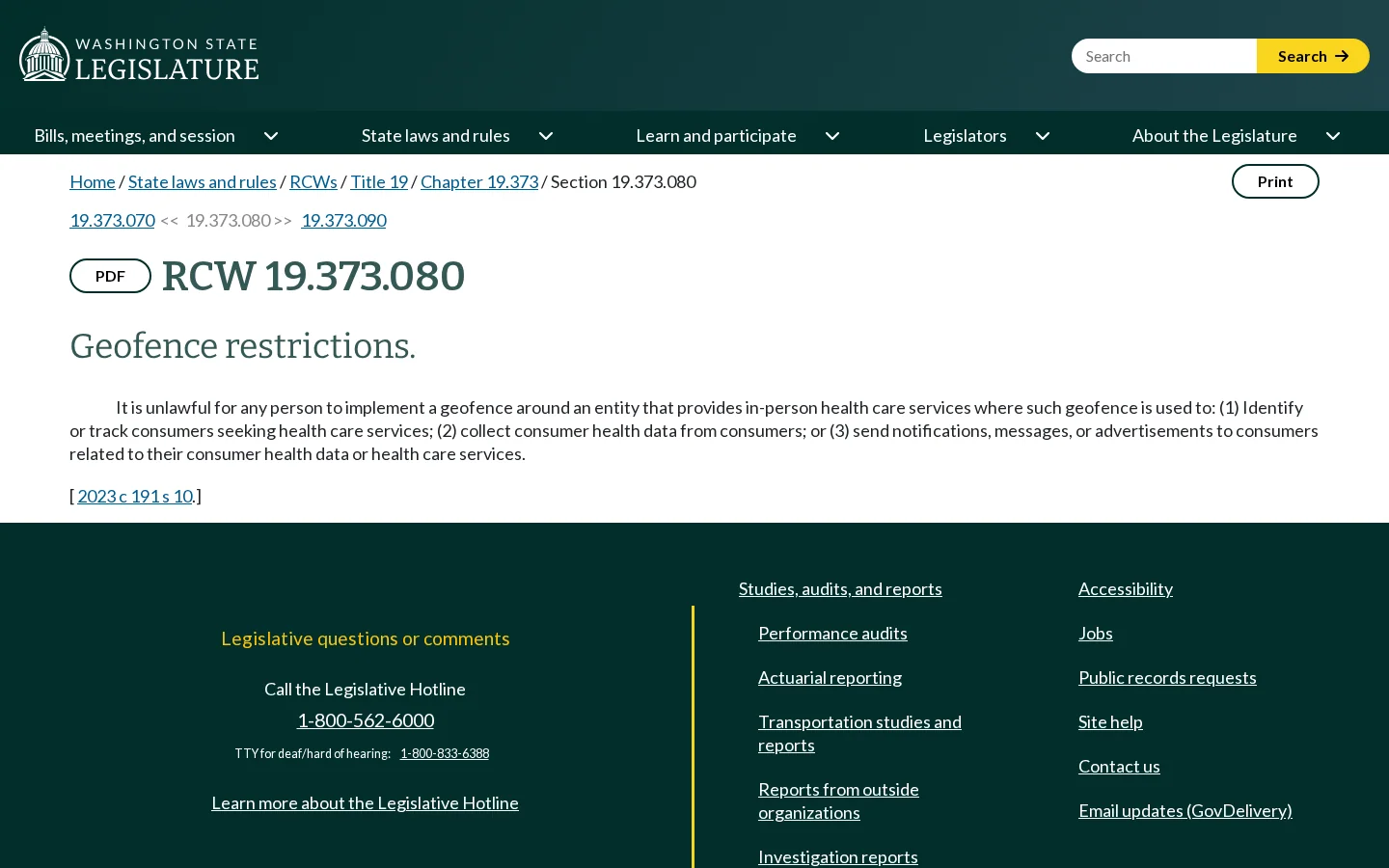
Several states regulate location data, and some target geofencing directly. Washington's My Health My Data Act, RCW 19.373.080 (adopted in 2023), makes it unlawful to place a geofence around a place that provides in-person health care when it is used to identify or track people seeking care, collect their health data, or send them ads or messages about it. The law defines a geofence as a virtual boundary of 2000 feet or less from the perimeter of the place.
Warning
Never fence hospitals, clinics, pharmacies, places of worship, schools, shelters or political events for advertising, even if a vendor allows it. Beyond the legal risk, the brand damage of being caught targeting people at a clinic is far larger than any sale.
Google and Meta both forbid ads that imply knowledge of personal attributes such as health, religion or financial status. "Just left the fertility clinic?" breaks the rules even if the fence itself was legal. Keep the message about your offer and the place, not about the person. And because third-party cookies are fading in many browsers, location audiences are under the same pressure as other tracking: our guide to what still works after third-party cookies explains the shift to first-party data.
Most failed geofencing campaigns fail for the same eight reasons. For each one: what it is, how to spot it, how to fix it.
What it is: a radius or polygon so tight that the platform cannot find enough devices. How to spot it: almost no impressions, "limited by audience size" warnings, budget not spent. How to fix it: widen to the platform minimum (1 km in Google Ads and Meta), add neighboring fences, or move to look-back audiences.
What it is: a fence crossed by a highway, a railway or a busy road. How to spot it: high reach, very low visit rate, visits concentrated at rush hour. How to fix it: redraw as a polygon around the building and parking only, and use dwell triggers in apps.
What it is: the Google Ads default that also targets people outside the area. How to spot it: in the locations report, "Where your users were" shows cities far from your store. How to fix it: switch to "Presence" in the campaign location options.
What it is: a brand ad served to people who are a few minutes away. How to spot it: decent click-through, no redemptions. How to fix it: add a time limit, a local detail and an easy action ("walk in today").
What it is: the ad promises a local offer, the page shows the national site. How to spot it: high bounce rate on geofenced UTM traffic. How to fix it: link to the location page with map, hours and the offer repeated.
What it is: measuring every visit as a win. How to spot it: great reported results, flat sales. How to fix it: hold out 10 to 20% of the audience or a similar fence, and report lift only.
What it is: app pushes on every entry. How to spot it: rising notification opt-outs and app uninstalls. How to fix it: use dwell, cap at one geofence push per user per day, and stop pushes inside the store if the user just bought.
What it is: fences near health, religious or school sites, or data bought without proof of consent. How to spot it: check your fence list against a map; ask vendors for their consent records. How to fix it: remove those fences now and change vendor if they cannot show consent.
Pre-launch geofencing checklist
Geofencing reaches people who did not search for you. The people who do search, on Google Maps or by asking an AI model "best bakery near me", come through local search. Both meet in the same place: your store page and your listings.
Someone who sees your geofenced ad will often check you before walking in: your reviews, your hours, your Google Business Profile, or what ChatGPT or Gemini say about you. If that check fails, the ad was wasted. Before spending on fences, make sure your Google Business Profile is complete and your basics of local SEO for Maps and local results are in place. Then work on the neighborhood level, which our guide to hyperlocal SEO and "near me" searches details.
AI answers are the newest step of that check. When someone asks Claude or ChatGPT which shop to visit nearby, the answer is built from sources the model trusts. Our guide to getting a local business recommended by AI models explains how to appear there, and Sorank's GEO optimization software tracks whether ChatGPT, Claude and Gemini recommend your brand and publishes the content that helps them do it, on autopilot.
Geofencing marketing works when it is precise in three ways: where the fence is, what the offer says, and how you measure the lift. Start small, with one strategy and one location.
There is no fixed price: in Google Ads and Meta you pay the usual cost per click or per thousand impressions, with a radius of at least 1 km. Programmatic vendors that offer polygon fences and store visit reports usually ask for a monthly minimum budget. Start with a one-month test on one location and judge it on cost per incremental visit.
Yes, when the location data was collected with valid consent and you avoid sensitive places. In Europe, the GDPR requires prior and specific consent for location-based advertising. In the United States, some states restrict it, for example Washington bans geofences around in-person health care providers used to track or advertise to their visitors.
Geotargeting shows ads to people in a broad area such as a city, a postcode or a large radius. Geofencing draws a tight virtual perimeter around a precise place and triggers an action when a device enters, leaves or stays inside it. Most ad platforms offer radius targeting, while true geofencing needs your own app or a programmatic partner with precise location data.
We analyse your competitors, your website and your AI visibility to create a tailored content plan for free.
 Website Value Calculator
 Website Accessibility Checker
 Google Analytics Checker
 Duplicate Content Checker
 Mobile-Friendly Test
 Website Speed Test
 Subdomain Finder
 Domain Age Checker
 CMS Detector
 Googlebot Simulator
 Nofollow Link Checker
 Meta Tag Checker
 Keyword Cannibalization Checker
 Keyword Intent Checker
 Keyword Extractor
 Google Ads Cost Calculator
 CPC Calculator
 Local Citation Finder
 Reddit Threads Finder
 Disavow File Generator
 Redirect Generator
 Canonical Tag Generator
 Passive Voice Checker
 Google Location Changer
 Google Review Calculator
 Google Review Link Generator
 Keyword Combiner
 Podcast Show Notes Generator
 AI Content Rewriter
 AI Text Humanizer
 ChatGPT Prompt Generator
 Twitter Thread Generator
 Tweet Generator
 Landing Page Copy Generator
 Google Ads Copy Generator
 Pinterest Pin Description Generator
 Anchor Text Generator
 Social Media Post Generator
 LinkedIn Post Generator
 Free AI Writer
 Review Response Generator
 LSI Keyword Generator
 YouTube Video Ideas Generator
 YouTube Tag Generator
 YouTube Description Generator
 Product Description Generator
 CTA Generator
 Blog Introduction Generator
 Conclusion Generator
 Hook Generator
 AI Content Brief Generator
 FAQ Schema Generator
 AI Blog Post Ideas Generator
 Structured Data Validator (Schema Validator)
 Alt Text Checker
 Internal Link Analyzer
 Backlink Challenge
 AI Meta Description Generator
 AI Blog Title Generator
 Google Indexability Checker
 AI Blog Outline Generator
 UTM Link Builder
 Keyword Clustering Tool
 Canonical Tag Checker
 XML Sitemap Generator
 Broken Link Checker
 AI SEO Title Generator
 Headline Analyzer
 SERP Preview Tool
 Redirect Checker
 Hreflang Tag Generator
 Heading Structure Analyzer
 HTTP Headers Checker
 Favicon Extractor
 SERP CTR Calculator
 SEO vs Paid Search Savings Calculator
 SEO Share of Voice Calculator
 SEO ROI Calculator
 SEO Traffic and Revenue Forecast Calculator
 SEO Budget Calculator
 SEO Break-Even Calculator
 SaaS SEO ROI Calculator
 ROAS Calculator
 Reading Time Calculator
 Ranking Gain Simulator
 Organic Traffic Value Calculator
 Organic Traffic Estimator and Website Traffic Checker
 LTV to CAC Ratio Calculator
 Local SEO ROI Calculator
 Link Building Cost Calculator
 Keyword Value Calculator
 Keyword Opportunity Score Calculator
 Keyword Density Calculator
 GEO ROI Calculator
 GEO Content Investment Calculator
 Ecommerce SEO ROI Calculator
 Customer Lifetime Value Calculator
 Customer Acquisition Cost Calculator
 CTR Calculator
 Cost Per Article Calculator
 Conversion Rate Calculator
 Content Marketing ROI Calculator
 ChatGPT Referral Traffic Estimator
 Bounce Rate Calculator
 Backlink ROI Calculator
 AI Visibility Score Calculator
 AI Traffic Value Calculator
 AI Share of Voice Calculator
 Cost of AI Invisibility Calculator
 AI Citation Rate Calculator
 llms.txt Validator
 AI Overview Checker and AI Overviews Rank Checker
 Robots.txt Checker
 AI SEO Audit
 LLM Readability Checker
 SearchGPT Readiness Checker
 Structured Data LLM Audit
 Website Crawlability AI Audit
 Why ChatGPT Is Not Recommending My Website
 Gemini Ranking Tool
 Perplexity Ranking Checker
 LLM Citation Checker
 Answer Engine Optimization Audit
 GEO Audit
 AI Search Visibility Test
 ChatGPT Visibility Checker
 llms.txt Generator
 URL Extractor
 Webpage to Markdown
 Sitemap Checker
 SERP Volatility Sensor
 Page Size Checker
 Word Counter
 Slug Generator
 Schema Generator
 Robots Generator
 OG Preview
 Meta Tags Generator
 Image Compressor
 Favicon Generator
 On-Page SEO Audit: SEO Checker and SEO Analyzer
 Backlink Analysis Tool
 Keyword Research Tool
 Domain Authority Checker
 “I tested Sorank on a real client site and it's insane. It does everything an agency would bill you $1500 a month for. It's going into production on that client now.”

 Guillaume Guersanguersanguillaume.com“We are an Ads agency and we wanted to get our SEO back on track once and for all. Sorank gave us a clear view of our site, helped us prioritize optimizations, and properly structure our content. The tool is easy to use, well designed for a team, and very practical for centralizing tracking without having to juggle multiple platforms. A very solid foundation to start fresh with our SEO.”
 Gaspard MadouiAds Agency
 “I just let the Sorank software do its thing, and now my DR is 25 and my page is ranking higher.”
 Lucas Flandrefoundertrace.fr“I specialized in GEO thanks to Sorank. The GEO Leaderboard allows me to show my clients their position vs competitors on ChatGPT. It’s a real commercial differentiator.”
 MélanieSEO Freelance“Great service, works well for our website and helps us understand how to improve it to rank better on Google and elsewhere. Congrats, keep going, I recommend it.”
 Hugo T.E-commerce merchant