Preferences
Privacy is important to us, so you have the option of disabling certain types of storage that may not be necessary for the basic functioning of the website. Blocking categories may impact your experience on the website. More information
Privacy is important to us, so you have the option of disabling certain types of storage that may not be necessary for the basic functioning of the website. Blocking categories may impact your experience on the website. More information

Set up Meta Ads well: pick the right optimization event, send server and browser signals, fix double-counted sales and scale without resetting learning.

In short
Meta Ads work because you give the platform a goal, such as a purchase or a qualified lead, and its system finds the people most likely to reach it. You no longer pick most of the audience yourself. Your job is to send accurate conversion signals from the browser and from your server, give the system enough different creative to learn from, and keep the account structure simple enough that every ad set collects data. Start with one event you trust, two or three campaigns, and a weekly routine that cuts losers and scales winners slowly.
Want to go further? Ask
Quick quiz
Ads, SEO or both: what is right for you now?
Sorank matches your answers


Test it for 3 days on your own site and see where you stand on Google, ChatGPT and the other AIs.
Start 3-day free trial3 days free, then stop whenever you want. 90-day results guarantee, conditions apply.
Meta Ads run across Facebook, Instagram, Messenger and Audience Network from one buying system. You choose an objective, set a budget, and tell the platform what a good result looks like. Everything after that is a question of signals and creative.
That is the main difference with search ads. On Google, a person types a query and you bid on the words they used. On Meta, nobody types anything. The system decides who sees your ad from their behavior, their profile data, and what similar people did before. If you come from search, our paid search guide explains the auction you already know. Meta's auction also weighs bids against estimated value, but the targeting logic is different: you buy attention first, and intent is inferred later.
Four levers move results, roughly in this order: the optimization event, the creative, the budget and bid setup, and the structure of campaigns and ad sets. Targeting is real, but in most accounts it is the lever you should touch last.
| You control | Meta controls |
|---|---|
| Optimization event: what counts as a result | Who sees the ad, based on behavior and signals |
| Creative: hook, format, copy, offer | Which placement wins each impression |
| Budget and bid setup | Delivery pace across the day |
| Structure: campaigns and ad sets | Auction price for each impression |
| Exclusions and, optionally, audiences | Who responds inside a broad audience |
Each time your ad could be shown, Meta estimates how likely that person is to take the action you chose, combines that estimate with your bid or budget, and picks the ad with the best total value. Ad quality affects the price too. An ad that people ignore has to keep paying to reach the next person who might click, so weak creative raises your cost per result before any setting is wrong.
The practical consequence is simple: fix the creative and the signal first. Audiences and bids come after.
If you also run organic Facebook pages, read our Facebook marketing guide first. Paid traffic sent to an empty page converts poorly, and the same post can be both organic and paid.
Your optimization event is the most important setting in the account. It tells the system what a good result is. Optimize for a cheap event and you get many cheap events, even when they never become sales. Optimize for a rare event and the system has too little data to learn from.

Pick your optimization event in four steps
For an online store, the purchase is the default because it is the closest event to money. For a service business, a lead is common, but poor leads fill the funnel with noise. A useful test: if your sales team qualifies only a small share of leads, consider optimizing for a later event such as a qualified lead, sent from your CRM. That needs the server connection described later in this article.
Each ad set goes through a learning period while the system works out who responds. Meta's Marketing API reference for ad campaigns and ad sets exposes this state in a field called learning_stage_info, and it warns that delivery can be unstable while the ad set is still learning. Read that as a warning. A new ad set that looks expensive on day one is often just early. Decide on a target and a time frame before you launch, then judge the numbers at the end of that frame.
The Meta Pixel is a snippet of JavaScript that loads on your site and reports what visitors do. Its base code starts the pixel with your ID and fires a PageView each time a page loads, as Meta's pixel documentation describes. Everything else is either a standard event, such as Purchase or Lead, or a custom event you define for a step that matters to your business.
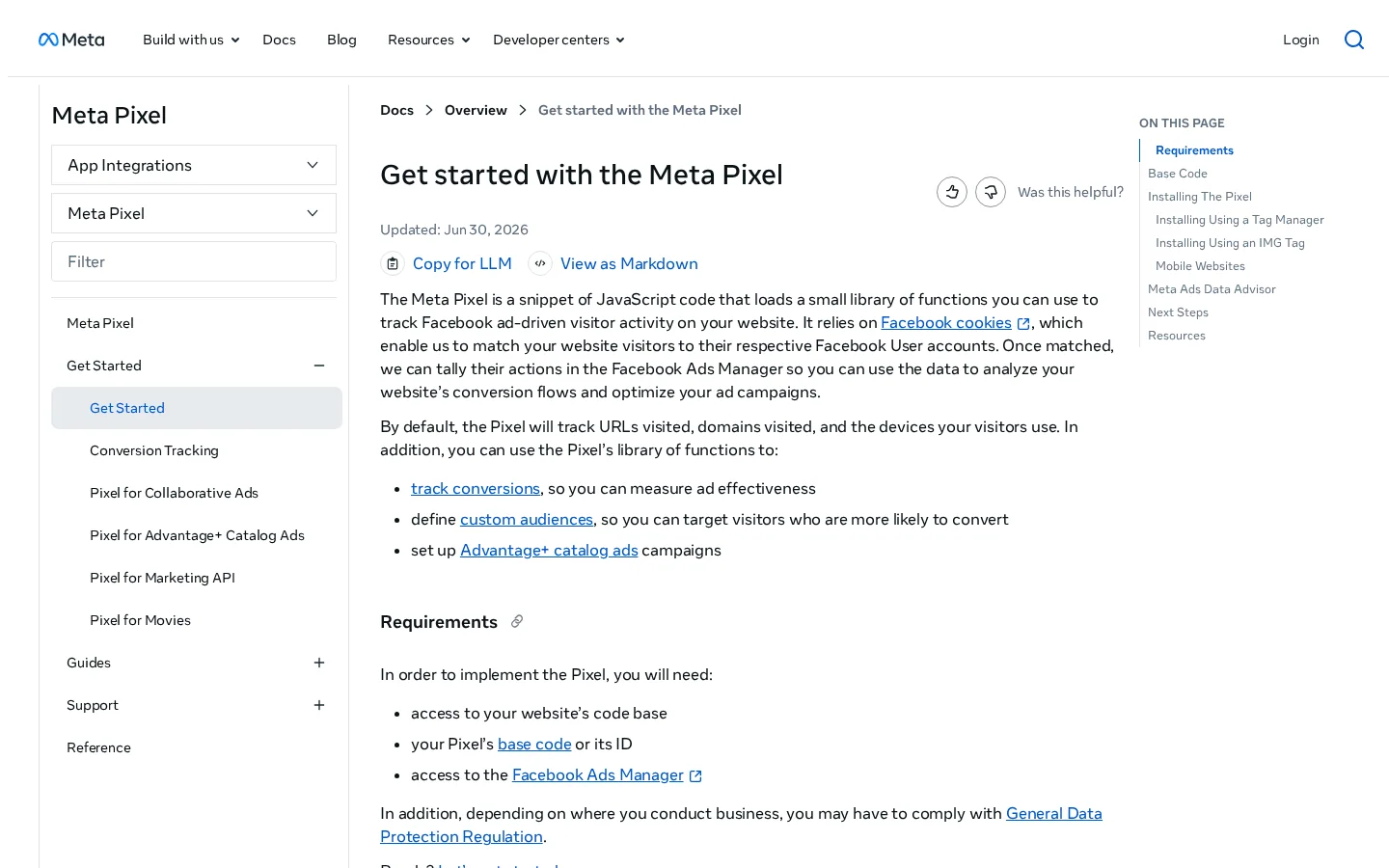
Two rules keep the pixel honest. Fire each event once per real action, not on every render or refresh. Send the value and currency on purchases, because the system uses them to weigh one result against another. A purchase of 5 and a purchase of 500 should not count the same.
fbq('init', 'YOUR_PIXEL_ID');
fbq('track', 'PageView');
fbq('track', 'Lead');
fbq('track', 'Purchase', {value: 49, currency: 'EUR'});
The init line tells Meta which pixel to load, and the PageView line records the page. Each track line records one event with its details. The Lead and Purchase lines are where most setups go wrong, because a Purchase fires again on every reload of the confirmation page.
Note
Track the confirmation page, not the button. A click on Buy is not a sale, and a payment that fails and retries is not a sale either. Fire Purchase only once the order exists, and make sure the order ID stays the same on reloads.
Our conversion tracking guide sets GA4 and Google Ads up next to Meta. This article stays on the Meta side, from the pixel to the server events, because that is where Meta-specific tracking errors happen.
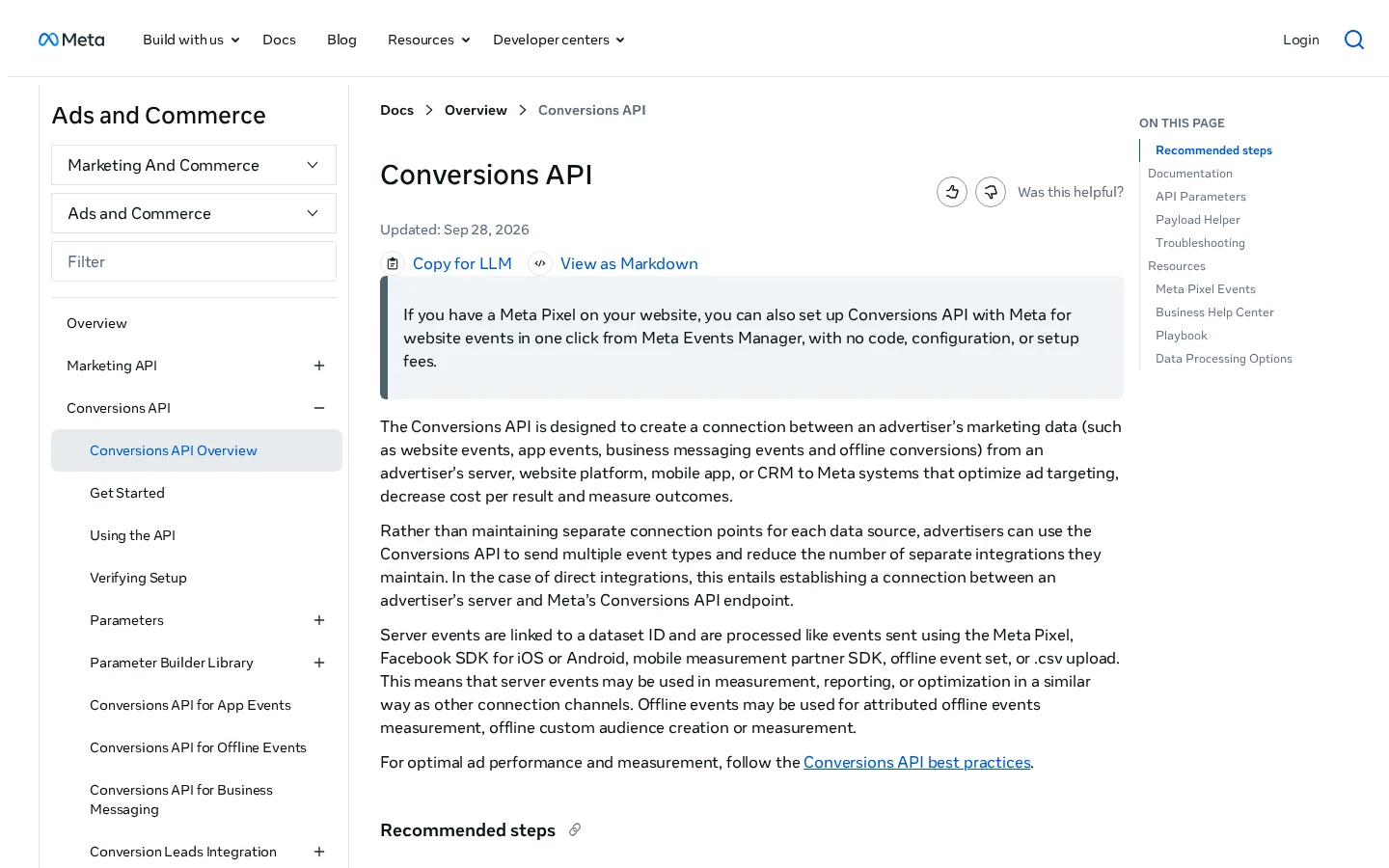
Browsers lose events. Ad blockers, privacy settings, cookie choices and in-app browsers all reduce what a pixel can send. The Conversions API is designed to connect marketing data from your server, CRM or platform to Meta's systems. It sends the same events from your backend instead of the visitor's browser. Server events are linked to a dataset and processed in a similar way to pixel events, so they feed the same optimization.
Pixel only or pixel with server events
Start with the events your backend already knows about: purchases, qualified leads, subscriptions and cancellations. Your order system records a sale even when the browser never reports it, so send those events from the source of truth. High-volume micro events such as page views or scroll depth are usually better left to the pixel, because every extra server event adds load and noise.
Meta matches a server event to a person with customer parameters. According to Meta's customer information parameters documentation, contact details must be hashed before you send them, so you never send a raw email or phone number. Before hashing, trim leading and trailing spaces from the email and convert it to lowercase. Phone numbers need a country code to be used for matching. The same page says that sending client_ip_address and client_user_agent may help event matching, so add them whenever your server has them.
Hashing errors are easy to make and hard to notice. Hash the trimmed, lowercased value once, and never hash a value that is already hashed. A double-hashed email matches nobody, and the dashboard will not tell you.
When the pixel and the server both send the same purchase, Meta must know they are one event. Otherwise one sale counts twice, and your cost per purchase looks better than it is. The fix is an identifier that both sends share.
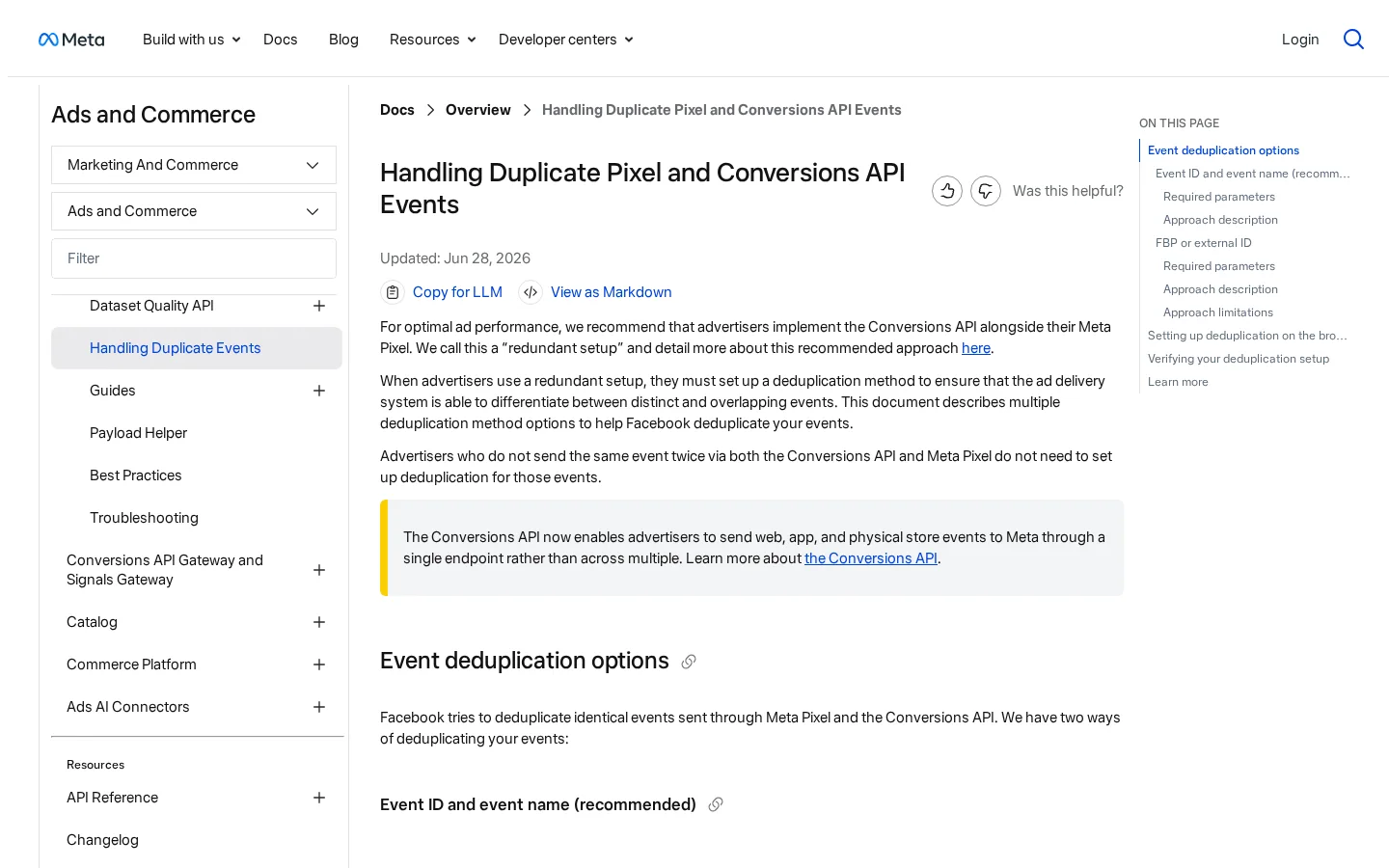
Meta matches events on two things: the ID and the name. The pixel's eventID must equal the server's event_id, and the pixel's event name must equal the server's event_name. According to Meta's deduplication documentation, events are only deduplicated if the second one arrives within 48 hours of the first. When the two do not differ meaningfully, Meta keeps the one it received first and discards the later one.
Duplicate purchases, before and after the shared ID
Use your order number, or an ID created once when the order is created and stored with it. Do not generate a random value on each page load or each server call. A random ID that changes between the browser and the server defeats the whole mechanism. Pass the same string to both sends.
Here is the browser call, and below it a matching server payload for the same order:
// Browser: sent on the order confirmation page
fbq('track', 'Purchase', {value: 49, currency: 'EUR'}, {eventID: 'order-10482'});

// Server: same event, same ID, sent from your backend
{
  "event_name": "Purchase",
  "event_id": "order-10482",
  "event_time": 1763550000,
  "action_source": "website",
  "user_data": {
    "em": ["sha256 hash of the trimmed, lowercased email"],
    "client_ip_address": "203.0.113.10",
    "client_user_agent": "the visitor's browser user agent string"
  },
  "custom_data": {"value": 49, "currency": "EUR"}
}
Notice what is shared: the same event name, the same ID, and the same value. The server adds the hashed email and the client details that help matching. Nothing else needs to change between the two sends.
Warning
A mismatched ID fails silently. Ads Manager keeps reporting results, so the dashboard looks plausible while each sale is counted twice. Test one order and compare the count with your shop before you trust any number.
Place a test order and open Events Manager. You should see the browser and server events for that order sharing one ID, and the purchase counted once. Repeat the test after every change to checkout, including a new payment provider, a new theme or a new tag manager container. These are the changes where matches usually break in practice.
There is no single correct structure. Three methods cover most accounts, and each one trades control for speed. Read the three descriptions, then use the comparison table at the end of this section to choose.
| Method | Best for | Your control | Data pooling | Main risk |
|---|---|---|---|---|
| Consolidated automated | Steady volume, one clear offer | Low | High | Weak creative still takes spend |
| Funnel split | Small budgets, clear stages | High | Low | Ad sets compete with each other |
| Catalog sales | Stores with a clean feed | Medium | High | A bad feed produces bad ads |
If you have a catalog, start with the catalog method. If you sell one or two products, start with the consolidated method. Use the funnel split when budget control matters more than speed. Whichever you choose, keep retargeting separate from prospecting, so you can read the cost of new customers on its own.
When the system picks the audience, your ad decides who responds. The same offer, shown with a different first three seconds or a different opening sentence, can produce a very different cost per purchase. Treat every ad as a filter: it should repel the people you do not want and attract the ones you do.
Run a creative test loop
Video, static images and carousels behave differently depending on where they appear. A vertical 9:16 video built for Reels or Stories rarely crops well into a square feed slot. Build the vertical version first, then check how each placement crops it, instead of the other way round. Keep on-screen text short and away from the edges, where interface elements cover it.
The copy has one job: match the promise of the ad to the first screen of the landing page. If the ad promises a discount and the page shows full price, your cost per purchase rises even when the click rate looks fine. Our ad copywriting guide covers the frameworks. Here, check one thing: is the promise in the first line the first thing a visitor sees?
Read frequency and cost per result on the same chart. When cost per result climbs while the audience stays the same, the creative is tired. A new cut of the same clip rarely fixes that. Change the angle instead: a different problem, a different proof, or a different person speaking. Our Instagram ads guide covers placements and creative for Reels and Stories in more detail.
Scaling is where many accounts lose the gains they made in testing. The most common move, doubling a budget overnight, sends the ad set back to a state where the system has to learn again. Scale in steps, and treat each step as a small test.
Changes to the optimization event, the audience, the creative or the pause status can make an ad set learn again. The learning_stage_info field described earlier is where Meta exposes that state. Large budget jumps can have a similar effect, because the system has to find new auctions to spend the extra money. When you need a big move, duplicate the ad set and give the copy the new budget, and keep the original running until the copy shows its own results.
Use this sequence. Move to the next step only when the current one holds its target for the full window you set before launch.
| Step | Action | What to watch |
|---|---|---|
| 1. Confirm | The ad set holds its target for a full learning period | Cost per purchase against target |
| 2. Raise gently | Increase the budget in modest steps over several days | Cost per purchase and frequency |
| 3. Duplicate | Copy the winning ad set with a new budget | Overlap with the original audience |
| 4. Widen | Add the proven creative to a broader campaign | Whether the new audience converts |
| 5. Roll back | Return to the last stable step when cost stays above target | Whether the creative needs a refresh |
Scaling should also be reversible. If cost per purchase stays above target after a step, go back one step rather than cutting the campaign. Most of the time the creative needs a refresh, not a smaller budget.
Cost per purchase and return on ad spend decide whether a budget step is safe. The formulas, and the trap of blended averages that hide a weak campaign, are in our conversion metrics guide. Compare results over the same days in Ads Manager and in your own shop, so you are not judging one system against another.
These are the errors that cost the most time and money in real accounts. Each one has a clear sign, so you can find it in your own data before it grows.
What it is: you choose add to cart or content views because those events are cheap and plentiful, even though purchases are already tracked. How to spot it: cost per add to cart falls while purchases stay flat or drop. How to fix it: when purchases have enough volume, optimize for purchase. When they do not, choose the nearest event that still moves with sales, and check it each week against orders.
What it is: the pixel and the server send one order with different IDs or event names, so Meta sees two purchases. How to spot it: Ads Manager shows more purchases than the orders in your shop over the same days. How to fix it: use one order ID for both sends, match the event names exactly, and check a test order in Events Manager.
What it is: you change the budget, audience or creative every afternoon, so the learning period never ends. How to spot it: delivery swings from day to day with no clear cause, and the ad set never leaves learning. How to fix it: make one change per ad set per week, and duplicate the ad set when you need a bigger move.
What it is: detailed interest or age limits on a small budget, so the system has too few people to find buyers in. How to spot it: very few impressions and a learning period that never ends. How to fix it: broaden the audience and let the creative do the filtering.
What it is: trusting the results Meta reports without checking total sales. How to spot it: Meta reports strong results, but total orders in your shop do not move. How to fix it: compare Meta purchases with your own orders over the same period, and keep the attribution setting the same in every report you compare.
What it is: the same square video in every slot. How to spot it: the creative works in the feed but collapses in Stories or Reels. How to fix it: adapt the crop and the first seconds for each placement, or use the formats that fit each one.
Weekly audit checklist
Here is a sequence for a new account. If your tracking is ready, the setup takes an afternoon. If you still need to build the server connection, plan for a week.
First campaign in seven steps
Work backwards. Start from your margin per sale and the cost per purchase you can afford. Then compare that figure with what the platform charges for the event you optimize for. If the affordable cost is lower than the market cost, the offer needs a better price or a better product, not a better ad. Set the daily budget at a level you can hold for a full learning period, not at the level that feels exciting for one afternoon.
Tip
Before you set a target cost per purchase, calculate what a customer is worth and how much you can spend to win one. Our free Customer Acquisition Cost Calculator gives you that ceiling in a minute.
In week one, judge the tracking, not the performance. Check that purchases match orders, that the value is correct, and that every ad set is still learning or has left learning for a clear reason. Make one change at the end of the week, write it down, and compare the next week against it. That habit does more for most accounts than any tuning trick.
Paid and organic traffic reinforce each other in ways that are easy to miss. A person who sees your ad may search your brand a week later, or ask an AI assistant about your category. Paid campaigns start that chain, so judge the whole chain, not only the last click. Our paid search guide compares paid search with SEO for the same budget decisions, and the paid traffic entry in our glossary defines the terms.
| Signal | Where to read it | Why it matters |
|---|---|---|
| Brand searches | Search Console | Paid reach often shows up later as branded queries |
| Direct visits | Your web analytics | Captures people who saw an ad and then typed your name |
| Visits from AI assistants | Your web analytics | Shows whether your ads and content reach AI answers |
| Purchases | Your shop | The only number that decides whether the account pays |
Sorank does not list paid ads among its features. It covers the organic side. Its GEO and SEO dashboard puts Google and AI traffic in one place, combining Search Console data, visits from AI assistants and AI visibility tracking. If the pages you promote with ads also need to rank, that view shows whether they still earn visits when the ads are switched off.
Start small, measure honestly and change one thing at a time. A well-tracked campaign with a clear purchase event will teach you more in a month than a large budget spread across ten guesses.
Use both. The Pixel captures what the browser sees, and the Conversions API sends the same key events from your server, so events that browsers block can still reach Meta. Give each shared event the same ID so Meta counts it once.
Let it finish its learning period and collect enough optimization events before you judge cost per result. Meta's Marketing API exposes a learning stage for each ad set, and delivery can be unstable while it is still learning. Judging on the first day usually means judging noise.
Most often the browser and the server send the same purchase with different IDs, so Meta counts one sale twice. Use one order ID for both sends, check a test order in Events Manager, and compare Meta purchases with your shop orders for the same days.
We analyse your competitors, your website and your AI visibility to create a tailored content plan for free.
 AI Content Brief Generator
 FAQ Schema Generator
 AI Blog Post Ideas Generator
 Structured Data Validator (Schema Validator)
 Alt Text Checker
 Internal Link Analyzer
 Backlink Challenge
 AI Meta Description Generator
 AI Blog Title Generator
 Google Indexability Checker
 AI Blog Outline Generator
 UTM Link Builder
 Keyword Clustering Tool
 Canonical Tag Checker
 XML Sitemap Generator
 Broken Link Checker
 AI SEO Title Generator
 Headline Analyzer
 SERP Preview Tool
 Redirect Checker
 Hreflang Tag Generator
 Heading Structure Analyzer
 HTTP Headers Checker
 Favicon Extractor
 SERP CTR Calculator
 SEO vs Paid Search Savings Calculator
 SEO Share of Voice Calculator
 SEO ROI Calculator
 SEO Traffic and Revenue Forecast Calculator
 SEO Budget Calculator
 SEO Break-Even Calculator
 SaaS SEO ROI Calculator
 ROAS Calculator
 Reading Time Calculator
 Ranking Gain Simulator
 Organic Traffic Value Calculator
 Organic Traffic Estimator and Website Traffic Checker
 LTV to CAC Ratio Calculator
 Local SEO ROI Calculator
 Link Building Cost Calculator
 Keyword Value Calculator
 Keyword Opportunity Score Calculator
 Keyword Density Calculator
 GEO ROI Calculator
 GEO Content Investment Calculator
 Ecommerce SEO ROI Calculator
 Customer Lifetime Value Calculator
 Customer Acquisition Cost Calculator
 CTR Calculator
 Cost Per Article Calculator
 Conversion Rate Calculator
 Content Marketing ROI Calculator
 ChatGPT Referral Traffic Estimator
 Bounce Rate Calculator
 Backlink ROI Calculator
 AI Visibility Score Calculator
 AI Traffic Value Calculator
 AI Share of Voice Calculator
 Cost of AI Invisibility Calculator
 AI Citation Rate Calculator
 llms.txt Validator
 AI Overview Checker and AI Overviews Rank Checker
 Robots.txt Checker
 AI SEO Audit
 LLM Readability Checker
 SearchGPT Readiness Checker
 Structured Data LLM Audit
 Website Crawlability AI Audit
 Why ChatGPT Is Not Recommending My Website
 Gemini Ranking Tool
 Perplexity Ranking Checker
 LLM Citation Checker
 Answer Engine Optimization Audit
 GEO Audit
 AI Search Visibility Test
 ChatGPT Visibility Checker
 llms.txt Generator
 URL Extractor
 Webpage to Markdown
 Sitemap Checker
 SERP Volatility Sensor
 Page Size Checker
 Word Counter
 Slug Generator
 Schema Generator
 Robots Generator
 OG Preview
 Meta Tags Generator
 Image Compressor
 Favicon Generator
 On-Page SEO Audit: SEO Checker and SEO Analyzer
 Backlink Analysis Tool
 Keyword Research Tool
 Domain Authority Checker
 “I tested Sorank on a real client site and it's insane. It does everything an agency would bill you $1500 a month for. It's going into production on that client now.”

 Guillaume Guersanguersanguillaume.com“We are an Ads agency and we wanted to get our SEO back on track once and for all. Sorank gave us a clear view of our site, helped us prioritize optimizations, and properly structure our content. The tool is easy to use, well designed for a team, and very practical for centralizing tracking without having to juggle multiple platforms. A very solid foundation to start fresh with our SEO.”
 Gaspard MadouiAds Agency
 “I just let the Sorank software do its thing, and now my DR is 25 and my page is ranking higher.”
 Lucas Flandrefoundertrace.fr“I specialized in GEO thanks to Sorank. The GEO Leaderboard allows me to show my clients their position vs competitors on ChatGPT. It’s a real commercial differentiator.”
 MélanieSEO Freelance“Great service, works well for our website and helps us understand how to improve it to rank better on Google and elsewhere. Congrats, keep going, I recommend it.”
 Hugo T.E-commerce merchant