Preferences
Privacy is important to us, so you have the option of disabling certain types of storage that may not be necessary for the basic functioning of the website. Blocking categories may impact your experience on the website. More information
Privacy is important to us, so you have the option of disabling certain types of storage that may not be necessary for the basic functioning of the website. Blocking categories may impact your experience on the website. More information

What editorial guidelines are, with ready-to-copy rules for writing, sourcing, review and publishing, a template, a checklist and the mistakes to avoid.
In short
Editorial guidelines are the written rules that decide how your content is written, sourced, reviewed and published. They cover voice and style, what counts as a valid source, who approves what, and how errors get corrected. Good guidelines are short, testable and enforced by a checklist, not by memory.
Want to go further? Ask
Quick quiz
Is SEO right for you, and how should you start?
Sorank matches your answers


Test it for 3 days on your own site and see where you stand on Google, ChatGPT and the other AIs.
Start 3-day free trial3 days free, then stop whenever you want. 90-day results guarantee, conditions apply.
Editorial guidelines are a shared rulebook for everyone who writes or edits for your brand: employees, freelancers, agencies and, now, AI models. They answer four questions. How do we write? Where do our facts come from? Who checks the work before it goes live? What happens after publication?
The term comes from newsrooms. Large media groups publish standards on accuracy, impartiality, sourcing and corrections because their credibility depends on them. Companies borrowed the idea when they started publishing blogs, help centers and guides at scale. The goal is the same: a reader should get the same quality whether the article was written by your best writer, a new freelancer or a model.
These three terms get mixed up, and the confusion produces documents that do half the job. A style guide is one part of editorial guidelines. An editorial line (the positioning: topics, audience, angle) sits above them. Brand guidelines cover logos and colors, not sentences.
| Document | Question it answers | Typical content | Who uses it daily |
|---|---|---|---|
| Editorial line | What do we talk about, for whom, with which angle? | Topics, audience, objectives, positioning | Content lead, marketing manager |
| Style guide | How do our sentences look? | Voice, tone, spelling, capitalization, word list, formatting | Writers, editors |
| Editorial guidelines | How do we produce content we can stand behind? | Style guide plus sourcing, fact-checking, review, disclosure, corrections, updates | Writers, editors, experts, SEO, legal |
| Brand guidelines | How does the brand look? | Logo, colors, fonts, image style | Designers |
| Content strategy | What do we publish, when, and why? | Keyword plan, calendar, distribution, metrics | Content lead, SEO |
A style guide alone vs full editorial guidelines
Every rule in good editorial guidelines belongs to one of four families: writing rules (voice, style, structure), sourcing rules (what you can cite and how), review rules (who checks what, in which order) and publishing rules (SEO fields, disclosure, updates, corrections). The rest of this guide gives concrete rules for each family, then a method to write your own.
Editorial guidelines matter because readers scan, teams grow and search engines reward content that shows who wrote it, how and why. Without written rules, quality depends on the person who happened to write the piece.
Jakob Nielsen's 1997 study for Nielsen Norman Group on how users read on the web found that 79% of test users scanned any new page and only 16% read word by word. The same study measured how much easier a page became to use when the text was rewritten. These are old numbers, but every eye-tracking study since has confirmed the scanning habit. Your writing rules exist to make scanning work: answer first, short paragraphs, descriptive headings.
How people read a web page
Source: Jakob Nielsen, Nielsen Norman Group, 1997
Look at the last bar: "objective" means no promotional language. A rule as simple as "no unproven superlatives" is measurable in usability, not just a matter of taste.
One founder writing every post does not need guidelines. Three freelancers, an agency and an AI model do. Each new contributor reinvents capitalization, the way you name your product, the sources they trust. Written rules cut editing time because the editor checks against a list instead of rewriting by feel. They also make feedback less personal: "rule 4.2, one idea per paragraph" is easier to hear than "this feels heavy".
Google's page on creating helpful, reliable, people-first content asks site owners to evaluate their content on "Who, How, and Why": is it self-evident who wrote it, is it clear how it was produced, and why was it created in the first place? It also asks whether the content "has any easily-verified factual errors" and whether it is "written or reviewed by an expert or enthusiast who demonstrably knows the topic well". Each of these questions maps to a rule you can write down: bylines, review by an expert, a fact-checking step. That is what Google calls helpful, people-first content, and it is the backbone of E-E-A-T, Google's experience, expertise, authoritativeness and trust framework.
AI models such as ChatGPT, Claude and Gemini work the same way when they pick a source to cite: they favor pages that state a clear answer, name their sources and are easy to extract. Editorial guidelines that force an answer-first structure and sourced figures make your pages easier to quote.

Writing rules define how your content sounds and looks, down to the comma. The best ones are concrete enough that two editors would apply them the same way. "Be clear" is not a rule. "One idea per paragraph, three sentences maximum" is.
Voice is your personality and does not change. Tone adapts to the situation. Mailchimp's public content style guide puts it in one line: "You have the same voice all the time, but your tone changes." Its voice is described with four traits (plainspoken, genuine, translators, dry humor), each with what it means and what it does not mean. Copy that format: three or four traits, each with a "we are" and a "we are not".
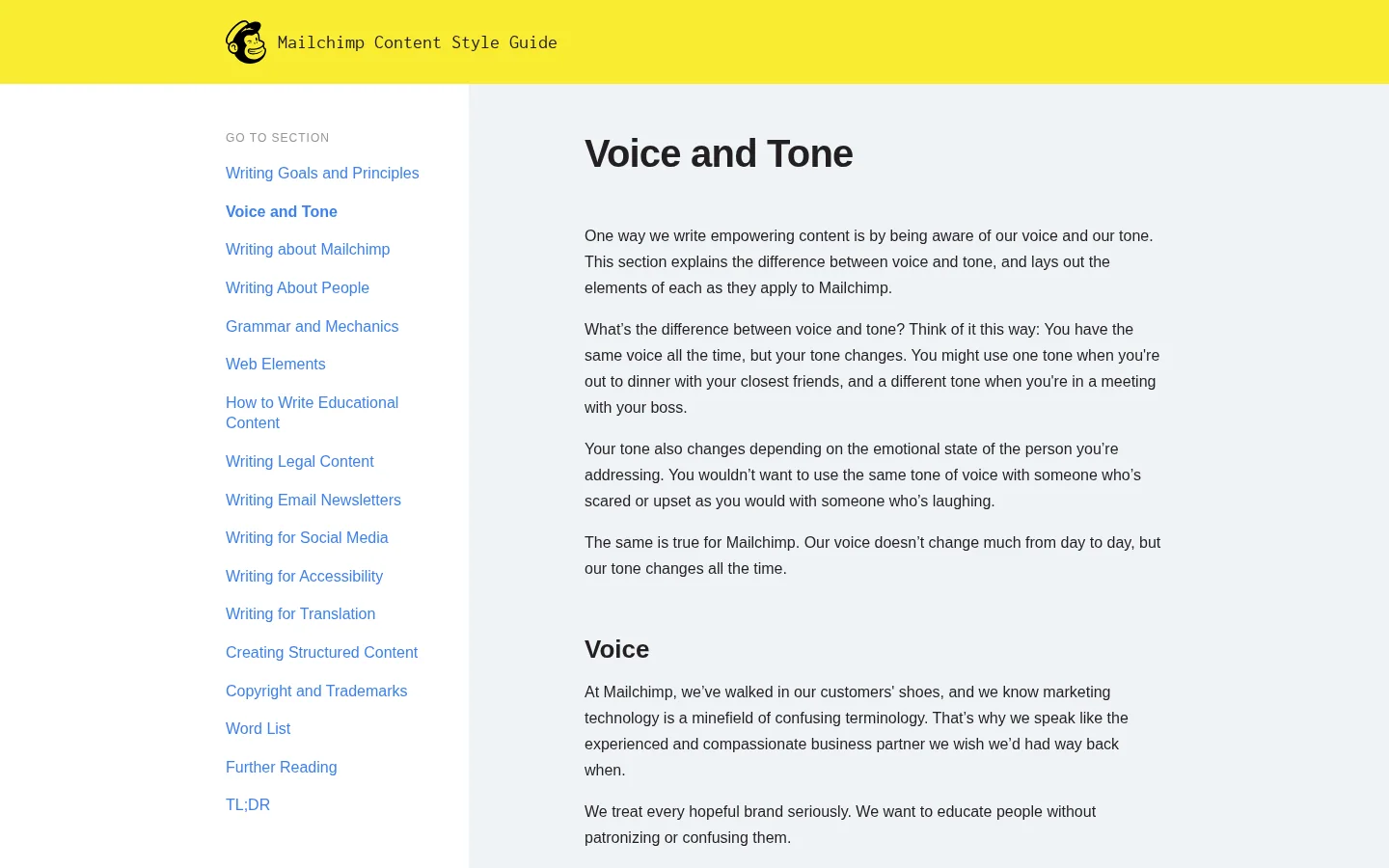
Then write a tone table: one line per situation (blog guide, error message, sales page, support answer, incident report), with the tone and an example sentence. An incident report and a product launch should not sound the same, even with the same voice.
Here are rules that work for most B2B and e-commerce blogs. Each one can be checked by an editor in seconds.
A vague rule vs a testable rule
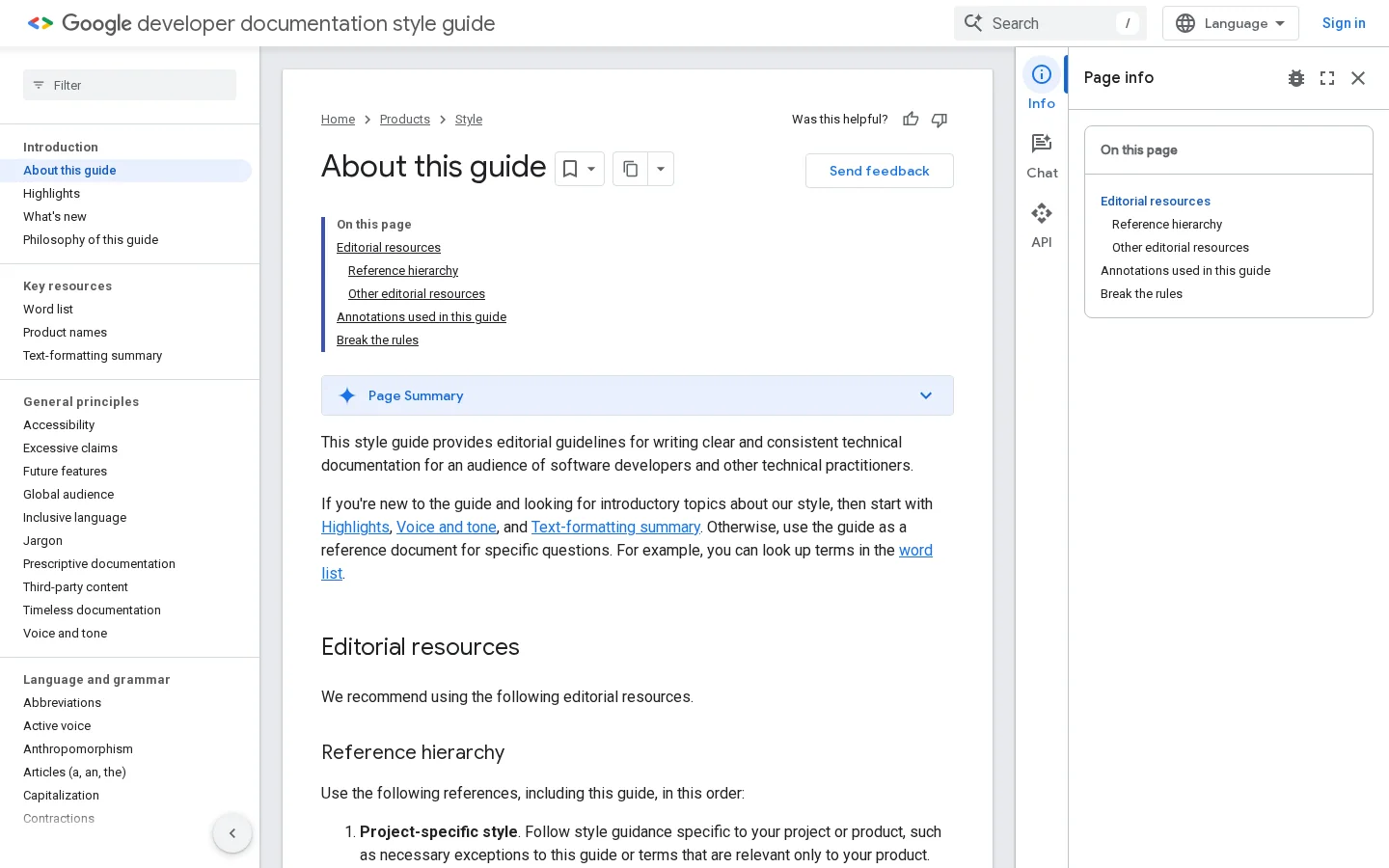
A word list settles spelling and naming once. It is where most real-world inconsistencies live: "e-mail" or "email", "log in" (verb) vs "login" (noun), your product name with or without a capital, the competitor names you never mention. Google's developer documentation style guide keeps a long word list for exactly this reason, and sets a clear order of authority: project rules first, then the house guide, then outside references such as Merriam-Webster and The Chicago Manual of Style.
| Use | Avoid | Why |
|---|---|---|
| e-mail, E-mail | Current usage, one spelling everywhere | |
| sign in (verb), sign-in (noun) | login as a verb | Grammar and consistency with the interface |
| AI model | robot, brain | Accurate term, no anthropomorphism |
| website | web site, Website | Current usage |
| use | utilize, leverage | Plain language |
| Your product name, exact casing | Variants, abbreviations | Brand search and entity recognition |
If you publish in several languages, keep one word list per language and decide which terms stay untranslated (product names, feature names). Translators and AI models follow a list far better than an intention.
Sourcing rules say what you may cite, how you cite it and how you check it. They protect you from the most expensive error in content: a wrong fact that readers, journalists or AI models repeat under your name.
Rank sources so writers do not have to guess. A primary source is the organization that produced the data or the rule. A secondary source reports on it. Always climb back to the primary source when it exists.
| Tier | Examples | Rule |
|---|---|---|
| 1. Primary, official | Official documentation, laws and regulations, original studies, company filings | Preferred. Link the exact page, not the home page. |
| 2. Primary, independent research | Peer-reviewed papers, studies with a published method | Allowed. State the sample and the date. |
| 3. Reputable secondary | Major media, trade press that links its source | Allowed only if the primary source cannot be found. |
| 4. Weak | Statistics roundups, forums, social posts, AI answers | Never cited for a figure. Use them only to find the primary source. |
| 5. Forbidden | Direct competitors (unless they are the primary source), anonymous sites, paywalled claims you could not read | Never cited. |
AI models make writing faster but they can invent figures, studies and quotes that look real. Your guidelines should say it plainly: an AI model is never a source. Every fact in an AI-assisted draft is checked against a primary source by a human. We wrote a full method to fact-check AI content before you publish it, with the claims to verify first.
Warning
Flag high-risk claims for a second check: health, money, legal and safety statements, anything that names a person or company negatively, and summaries of scientific studies. These are the claims that cause complaints and corrections.
Review rules say who checks a piece, in which order, and what each reviewer is responsible for. Without them, everyone assumes someone else checked the facts.
Each pass has one job. Mixing them (fixing commas while checking facts) is how errors slip through.
The five-pass review workflow
Not every piece needs every pass. Scale the review to the risk. Pages on health, money, safety or legal topics fall into what Google calls YMYL, "Your Money or Your Life" content, and deserve a named expert. A product update note does not.
| Content type | Self-edit | Editor | Fact-check | Expert | Legal |
|---|---|---|---|---|---|
| Social post | Yes | Spot check | If it has a figure | No | No |
| Blog guide | Yes | Yes | Yes | If technical | No |
| Statistics page or study | Yes | Yes | Yes, every figure | Yes | If it names companies |
| Health, finance, legal page | Yes | Yes | Yes | Yes, named | Yes |
| Comparison with competitors | Yes | Yes | Yes | Product team | Yes |
Two practical rules make this work. First, set a deadline per pass (for example 48 hours) so review does not become a bottleneck. Second, record the sign-off in your tracker with the reviewer's name: if a correction is needed later, you know who checked what.
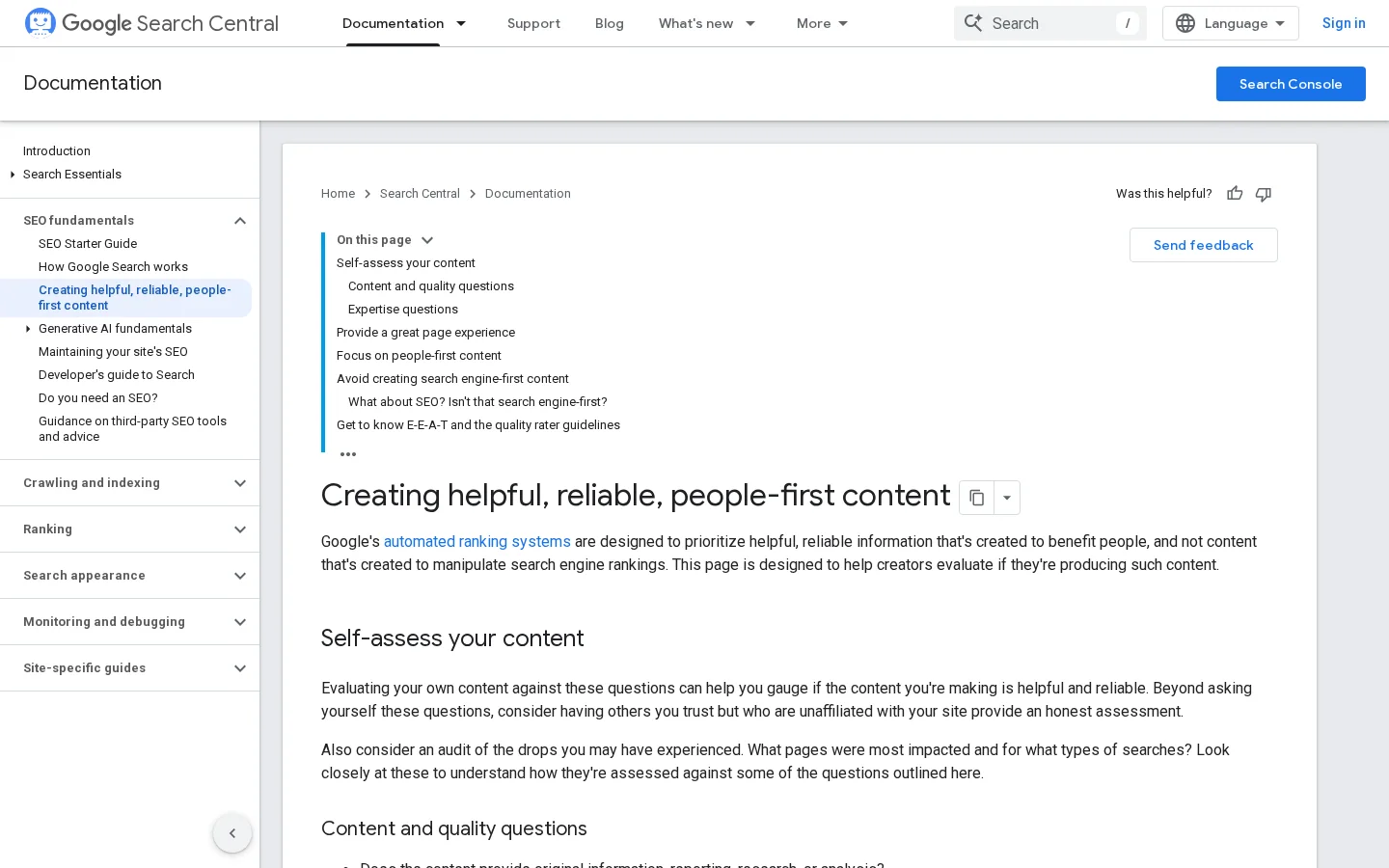
Google's helpful content guidance encourages accurate bylines and explains that readers want to know how content was produced. Put it on the page: author name linked to a bio, "reviewed by" with the expert's credentials, publication date and last update date. Google's own quality rater guidelines, read from an SEO point of view, show raters looking for exactly these signals.
Publishing rules cover everything between "approved" and "live", then what happens to the page over time. They are where SEO enters the guidelines, as fixed fields rather than a separate checklist owned by one person.
Test titles before you lock them: the free headline analyzer scores a title on length and clarity in a few seconds.
Write down which outbound links get which attribute. Google's documentation on qualifying outbound links asks you to mark paid placements and ads with rel="sponsored", user-generated links such as comments with rel="ugc", and to use rel="nofollow" when the other values do not apply. Editorial links to sources you chose freely need no attribute.
<!-- Editorial source: no attribute -->
<a href="https://developers.google.com/search/docs">Google Search documentation</a>

<!-- Affiliate or paid placement -->
<a href="https://partner.example.com/product" rel="sponsored">Partner product</a>

<!-- Link left by a user in comments -->
<a href="https://user-site.example.com" rel="ugc">Commenter site</a>Your guidelines should require the byline and dates in the page code, not only in the visible text. A minimal Article markup looks like this:
<script type="application/ld+json">
{
  "@context": "https://schema.org",
  "@type": "Article",
  "headline": "Editorial guidelines: rules for writing, sourcing and review",
  "author": {
    "@type": "Person",
    "name": "Jane Doe",
    "url": "https://www.example.com/authors/jane-doe"
  },
  "datePublished": "2027-01-12",
  "dateModified": "2027-03-04",
  "publisher": {
    "@type": "Organization",
    "name": "Example Inc.",
    "logo": { "@type": "ImageObject", "url": "https://www.example.com/logo.png" }
  }
}
</script>Write a corrections policy before you need it. A typo is fixed silently. A factual error is fixed and noted at the bottom of the page with the date ("Correction, March 4: an earlier version gave the wrong date for..."). Change dateModified only when the content really changes, never to fake freshness.
Add an update rule too: review every guide at least once a year, and any page that loses traffic for three months in a row. Our guide to refreshing old pages to win back traffic explains how to prioritize them.
Ethics rules cover what you must tell readers: paid relationships, conflicts of interest and how AI was used. They protect trust and, in many countries, keep you within the law.
In the United States, the endorsement guides at 16 CFR 255.5, "Disclosure of material connections" (published by Cornell's Legal Information Institute) require that a connection between an endorser and a seller be disclosed clearly and conspicuously when it could affect how the audience weighs the endorsement. In practice, your guidelines should say:
Google's February 2023 post on Google Search and AI-generated content, by Danny Sullivan and Chris Nelson, says its focus is "on the quality of content, rather than how content is produced", and that using automation "to generate content with the primary purpose of manipulating ranking" violates its spam policies. The helpful content page adds that AI or automation disclosures are useful where someone might ask "How was this created?". Turn that into rules:
| Step | AI allowed | Human rule |
|---|---|---|
| Research and outline | Yes | Every fact found by AI is traced to a primary source |
| First draft | Yes | Draft follows the same brief and guidelines as a human draft |
| Figures, quotes, citations | No | Written or checked by a human from the source itself |
| Expert opinion, first-hand experience | No | Comes from a real person, named |
| Images | Illustrations only | Never a fake screenshot, fake photo of a real place or fake chart |
| Final approval | No | A named human signs off |
There is no single format. Teams usually pick one of five approaches, depending on size, risk and how much content AI produces for them. Most mature teams end up combining two.
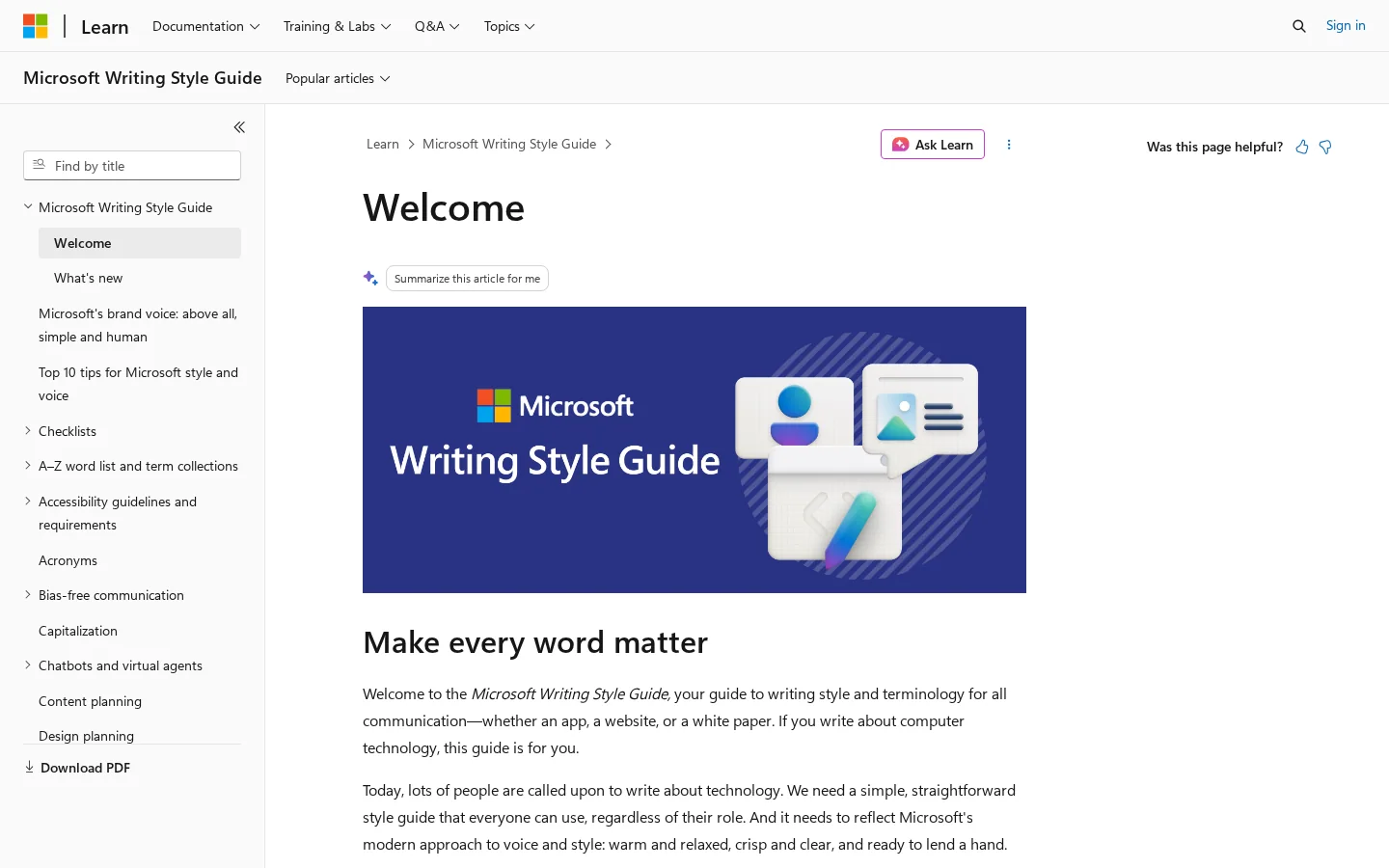
Principle: you follow a published manual (AP Stylebook, The Chicago Manual of Style, or a public guide such as Microsoft's or Google's) and write only your exceptions on one page. When to use it: small teams, technical or news content. Advantages: fast to set up, settles thousands of edge cases. Limits: says nothing about your voice, sourcing or review. Example: "We follow the Microsoft Writing Style Guide, except: we write 'sign in', we never use exclamation marks."
Principle: a complete guide written for your brand, with voice, tone, grammar, word list and content types. When to use it: brands with a strong voice and many writers. Advantages: total control, doubles as onboarding. Limits: weeks of work, goes stale if nobody owns it. Example: Mailchimp's public content style guide.
Principle: a code centered on accuracy, sourcing, impartiality, conflicts of interest and corrections, as large media groups publish. When to use it: publishers, statistics pages, YMYL topics, anyone whose credibility is the product. Advantages: strongest trust signal, clear answers in a crisis. Limits: heavy for a marketing blog, says little about style.
Principle: ten to twenty numbered rules and a pre-publish checklist, nothing else. When to use it: startups, small blogs, teams that publish weekly. Advantages: people actually read it. Limits: gaps on rare cases, needs a good editor to fill them.
Principle: the rules are written so that tools apply them: linter rules, AI model instructions, CMS field limits. When to use it: high volume, AI-assisted writing, many languages. Advantages: rules are enforced on every draft, not just remembered. Limits: only covers what can be tested by a machine; judgment still needs a human.
| Approach | Setup time | Covers voice | Covers sourcing and review | Enforced automatically | Best for |
|---|---|---|---|---|---|
| External manual plus house sheet | One day | Partly | No | Partly (linter packages exist) | Small technical teams |
| Full in-house style guide | Several weeks | Yes | Rarely | No | Brands with a distinct voice |
| Newsroom standards | Several weeks | Little | Yes | No | Publishers, YMYL topics |
| One page plus checklist | One to two days | Briefly | Briefly | No | Startups and small blogs |
| Machine-readable | Days, then ongoing | Yes, if described | Partly | Yes | High volume, AI-assisted teams |
A good default: approach 4 as the document people read, approach 1 for edge cases, approach 5 to enforce it. Add approach 3 for any page with health, money or legal stakes.
You can write a first version in two days. The trick is to start from your real content and real mistakes, not from a blank template.
Seven steps to editorial guidelines your team will use
Copy this outline into your shared drive and fill each section with your own rules. Keep the numbering: it lets editors cite a rule in a comment.
# Editorial guidelines - [Brand]
Owner: [name] | Last review: [date] | Next review: [date]

## 1. Editorial line
1.1 Audience: ...
1.2 Topics we cover / topics we never cover: ...
1.3 Objective of the content: ...

## 2. Voice and tone
2.1 Voice traits (we are / we are not): ...
2.2 Tone by situation (blog, support, sales, incident): ...

## 3. Style
3.1 Sentences and paragraphs: ...
3.2 Headings, lists, numbers, dates, currency: ...
3.3 Word list (use / avoid): ...

## 4. Sourcing
4.1 Source hierarchy: ...
4.2 Citation format: ...
4.3 Figures, quotes, AI facts: ...

## 5. Review
5.1 Passes and owners: ...
5.2 Review level by content type: ...
5.3 Expert reviewers and credentials: ...

## 6. Publishing and SEO
6.1 Title, meta description, slug, headings: ...
6.2 Internal links, link attributes, images: ...
6.3 Byline, dates, structured data: ...

## 7. Ethics and disclosure
7.1 Affiliate and sponsored content: ...
7.2 Conflicts of interest: ...
7.3 AI use policy: ...

## 8. Corrections and updates
8.1 Corrections policy: ...
8.2 Update schedule: ...

## 9. Pre-publish checklist
Link the guidelines from every brief. A writer reads the brief, not the wiki, so each content brief with its template and examples should point to the rules that matter for that piece. If you need briefs fast, the free AI content brief generator gives you a complete starting point.
Rules that a machine can check should be checked by a machine. Editors then spend their time on judgment: angle, depth, accuracy.
Vale is an open-source prose linter that checks text against style rules, the way a code linter checks code. You can load ready-made packages (there is one based on Google's developer style guide) and add your own rules. A minimal configuration:
# .vale.ini
StylesPath = styles
MinAlertLevel = suggestion
Packages = Google

[*.{md,html}]
BasedOnStyles = Vale, Google, House
Then one file per house rule. This one blocks filler openings:
# styles/House/Filler.yml
extends: existence
message: "Remove the filler phrase '%s'."
level: error
ignorecase: true
tokens:
  - in today's digital landscape
  - it's no secret that
  - in this article we will
  - game-changing
And this one enforces your word list:
# styles/House/WordList.yml
extends: substitution
message: "Use '%s' instead of '%s'."
level: warning
ignorecase: true
swap:
  utilize: use
  e-mail: email
web site: websiteSome rules are a one-line search. If your guidelines ban long dashes and thousands separators, this command lists every line that breaks them in a folder of drafts:
grep -rnP '[\x{2014}\x{2013}]|\b\d{1,3},\d{3}\b' drafts/If AI models write first drafts, your guidelines must exist in a form they can follow: short, numbered, with examples. Paste the writing and sourcing rules at the top of every prompt, or store them once in the tool you use. Write them as orders, not wishes:
Follow these editorial rules:
1. Answer the heading in the first two sentences of each section.
2. Address the reader as "you". Sentences under 30 words.
3. Never invent a figure, study or quote. If a fact has no source in the brief, write [SOURCE NEEDED].
4. Use the word list: email (not e-mail), website (not web site), use (not utilize).
5. No superlatives without a source. No filler openings.
This is the approach behind Sorank's brand voice settings for AI-written articles: when you connect your site, Sorank builds a site brief that includes your terminology and your editorial rules and exclusions, you set the tone and form of address once, and every article follows them. Teams that publish at volume can see the whole workflow on the page for content teams and content marketers.
Tip
Before you publish, check how easy your page is for AI models to extract and quote. The free LLM readability checker scores any page in seconds and shows what to fix.
Most guidelines fail for the same few reasons. Here is how to spot each one and fix it.
What it is: rules like "be engaging" or "write with authority". How to spot it: ask two editors to apply a rule to the same paragraph; if they disagree, the rule is vague. How to fix it: rewrite it with a threshold or an example ("no paragraph over five lines", "start with the answer, see example 3.2").
What it is: guidelines so long that writers skim them once and forget them. How to spot it: the same errors keep coming back in edits, and new writers ask questions the document answers. How to fix it: a one-page summary of the 15 rules that matter most, with the long version as a reference, and the checklist linked in every brief.
What it is: a perfect tone guide and no rule on facts. How to spot it: published figures link to statistics roundups or to nothing. How to fix it: add the source hierarchy and the "no figure without a source you have read" rule, then audit your top 20 pages for unsourced figures.
What it is: guidelines written once and never updated. How to spot it: the document mentions tools you no longer use or ignores AI drafting entirely. How to fix it: name one owner, put a review date at the top, and add every recurring edit comment to the rules each quarter.
What it is: "content is reviewed before publication" without saying by whom. How to spot it: after an error, nobody knows who checked the piece. How to fix it: one owner per pass, sign-off recorded in the tracker, expert name shown on the page for technical content.
What it is: rules stored in a wiki that writers never open while writing. How to spot it: writers cannot name three rules. How to fix it: put the relevant rules inside each brief, the checklist inside the CMS or the tracker, and the testable rules in a linter or the AI model instructions.
What it is: changing the update date without changing the content, or silently rewriting a wrong figure. How to spot it: dates move but the text is identical; readers point out errors that vanish without a note. How to fix it: a written corrections policy and a rule that dateModified changes only with a real content change.
| Mistake | Quick test | Fix |
|---|---|---|
| Untestable rules | Two editors disagree | Add a threshold or an example |
| Too long | Same errors keep coming back | One-page summary and checklist |
| No sourcing rules | Figures without a primary source | Source hierarchy and audit |
| No owner | Outdated tools mentioned | Owner and quarterly review |
| Anonymous review | Nobody knows who checked | Named sign-off per pass |
| Separate from the work | Writers cannot cite three rules | Rules inside briefs, CMS, linter |
| Fake freshness | Date moves, text does not | Corrections and update policy |
The checklist is the part of your editorial guidelines that people actually use. Keep it to one screen and run it on every piece before it goes live.
Pre-publish checklist
What to do today: open your last ten published pages, list every inconsistency and unsourced figure you find, and turn the five most frequent into numbered rules. That is version 1 of your editorial guidelines. Then add the review dates to your content calendar so the rules, and the pages, stay current. For the writing side in more depth, our guide on making blog posts easier to read turns many of the rules above into worked examples.
Editorial guidelines should cover four families of rules: writing (voice, tone, style, word list), sourcing (source hierarchy, citation format, fact-checking), review (who checks what and in which order) and publishing (SEO fields, disclosure, corrections and updates). End with a short pre-publish checklist that every writer runs.
A style guide only defines how your sentences look: voice, tone, spelling, capitalization and formatting. Editorial guidelines include the style guide and add the rules that make content trustworthy: which sources are valid, how facts are checked, who approves each piece, and how errors are corrected.
Yes, indirectly. Google asks site owners to make clear who wrote a page, how it was produced and why, and to avoid easily verified factual errors. Guidelines that require bylines, expert review, sourced figures and an answer-first structure produce pages that meet those expectations and are easier for AI models to quote.
We analyse your competitors, your website and your AI visibility to create a tailored content plan for free.
 Website Value Calculator
 Website Accessibility Checker
 Google Analytics Checker
 Duplicate Content Checker
 Mobile-Friendly Test
 Website Speed Test
 Subdomain Finder
 Domain Age Checker
 CMS Detector
 Googlebot Simulator
 Nofollow Link Checker
 Meta Tag Checker
 Keyword Cannibalization Checker
 Keyword Intent Checker
 Keyword Extractor
 Google Ads Cost Calculator
 CPC Calculator
 Local Citation Finder
 Reddit Threads Finder
 Disavow File Generator
 Redirect Generator
 Canonical Tag Generator
 Passive Voice Checker
 Google Location Changer
 Google Review Calculator
 Google Review Link Generator
 Keyword Combiner
 Podcast Show Notes Generator
 AI Content Rewriter
 AI Text Humanizer
 ChatGPT Prompt Generator
 Twitter Thread Generator
 Tweet Generator
 Landing Page Copy Generator
 Google Ads Copy Generator
 Pinterest Pin Description Generator
 Anchor Text Generator
 Social Media Post Generator
 LinkedIn Post Generator
 Free AI Writer
 Review Response Generator
 LSI Keyword Generator
 YouTube Video Ideas Generator
 YouTube Tag Generator
 YouTube Description Generator
 Product Description Generator
 CTA Generator
 Blog Introduction Generator
 Conclusion Generator
 Hook Generator
 AI Content Brief Generator
 FAQ Schema Generator
 AI Blog Post Ideas Generator
 Structured Data Validator (Schema Validator)
 Alt Text Checker
 Internal Link Analyzer
 Backlink Challenge
 AI Meta Description Generator
 AI Blog Title Generator
 Google Indexability Checker
 AI Blog Outline Generator
 UTM Link Builder
 Keyword Clustering Tool
 Canonical Tag Checker
 XML Sitemap Generator
 Broken Link Checker
 AI SEO Title Generator
 Headline Analyzer
 SERP Preview Tool
 Redirect Checker
 Hreflang Tag Generator
 Heading Structure Analyzer
 HTTP Headers Checker
 Favicon Extractor
 SERP CTR Calculator
 SEO vs Paid Search Savings Calculator
 SEO Share of Voice Calculator
 SEO ROI Calculator
 SEO Traffic and Revenue Forecast Calculator
 SEO Budget Calculator
 SEO Break-Even Calculator
 SaaS SEO ROI Calculator
 ROAS Calculator
 Reading Time Calculator
 Ranking Gain Simulator
 Organic Traffic Value Calculator
 Organic Traffic Estimator and Website Traffic Checker
 LTV to CAC Ratio Calculator
 Local SEO ROI Calculator
 Link Building Cost Calculator
 Keyword Value Calculator
 Keyword Opportunity Score Calculator
 Keyword Density Calculator
 GEO ROI Calculator
 GEO Content Investment Calculator
 Ecommerce SEO ROI Calculator
 Customer Lifetime Value Calculator
 Customer Acquisition Cost Calculator
 CTR Calculator
 Cost Per Article Calculator
 Conversion Rate Calculator
 Content Marketing ROI Calculator
 ChatGPT Referral Traffic Estimator
 Bounce Rate Calculator
 Backlink ROI Calculator
 AI Visibility Score Calculator
 AI Traffic Value Calculator
 AI Share of Voice Calculator
 Cost of AI Invisibility Calculator
 AI Citation Rate Calculator
 llms.txt Validator
 AI Overview Checker and AI Overviews Rank Checker
 Robots.txt Checker
 AI SEO Audit
 LLM Readability Checker
 SearchGPT Readiness Checker
 Structured Data LLM Audit
 Website Crawlability AI Audit
 Why ChatGPT Is Not Recommending My Website
 Gemini Ranking Tool
 Perplexity Ranking Checker
 LLM Citation Checker
 Answer Engine Optimization Audit
 GEO Audit
 AI Search Visibility Test
 ChatGPT Visibility Checker
 llms.txt Generator
 URL Extractor
 Webpage to Markdown
 Sitemap Checker
 SERP Volatility Sensor
 Page Size Checker
 Word Counter
 Slug Generator
 Schema Generator
 Robots Generator
 OG Preview
 Meta Tags Generator
 Image Compressor
 Favicon Generator
 On-Page SEO Audit: SEO Checker and SEO Analyzer
 Backlink Analysis Tool
 Keyword Research Tool
 Domain Authority Checker
 “I tested Sorank on a real client site and it's insane. It does everything an agency would bill you $1500 a month for. It's going into production on that client now.”

 Guillaume Guersanguersanguillaume.com“We are an Ads agency and we wanted to get our SEO back on track once and for all. Sorank gave us a clear view of our site, helped us prioritize optimizations, and properly structure our content. The tool is easy to use, well designed for a team, and very practical for centralizing tracking without having to juggle multiple platforms. A very solid foundation to start fresh with our SEO.”
 Gaspard MadouiAds Agency
 “I just let the Sorank software do its thing, and now my DR is 25 and my page is ranking higher.”
 Lucas Flandrefoundertrace.fr“I specialized in GEO thanks to Sorank. The GEO Leaderboard allows me to show my clients their position vs competitors on ChatGPT. It’s a real commercial differentiator.”
 MélanieSEO Freelance“Great service, works well for our website and helps us understand how to improve it to rank better on Google and elsewhere. Congrats, keep going, I recommend it.”
 Hugo T.E-commerce merchant