Preferences
Privacy is important to us, so you have the option of disabling certain types of storage that may not be necessary for the basic functioning of the website. Blocking categories may impact your experience on the website. More information
Privacy is important to us, so you have the option of disabling certain types of storage that may not be necessary for the basic functioning of the website. Blocking categories may impact your experience on the website. More information

Google's rater guidelines are not a ranking formula. Here is what they reveal about quality, how to read them, and how to audit your pages one by one.

Tools

In short
Google's Search Quality Rater Guidelines are the manual Google gives to human raters who judge search results. They do not set your ranking on their own. What they do is describe, in detail, what a good page looks like: a clear purpose, a named author with real experience, sources you can check, and a reputation that exists beyond your own site. Read them as a list of questions to ask about each page, not as a ranking formula.
Want to go further? Ask
Quick quiz
Is SEO right for you, and how should you start?
Sorank matches your answers


Test it for 3 days on your own site and see where you stand on Google, ChatGPT and the other AIs.
Start 3-day free trial3 days free, then stop whenever you want. 90-day results guarantee, conditions apply.
Google publishes the full document as a PDF of its Search Quality Rater Guidelines. It explains to outside raters how to judge the quality of a page and whether a result meets the needs of the person who searched. Raters work through sample results and assign ratings. Google uses that work to check how well its search systems behave. For you, the document is a description of quality, not a live control panel for your rankings.
Two opposite claims circulate, and both miss. The first says the guidelines are a manual you can use to climb the results. John Mueller has said that the public guidelines are not a guide for search rankings, and that treating them as a blueprint for a higher position misreads their purpose, as seo-day.de reported in 2026. The second claim says they are useless for SEO. That is too dismissive. The document shows the standard Google's team holds results to. A page that meets that standard is in good shape, but meeting it does not guarantee a position.
Our reading is simple: the guidelines tell you what Google wants a page to prove, and the ranking systems try to approximate that. Both things can be true at once. For the rest of this article, we stay on the rater document. Our guide to Google's guidelines for SEO covers Search Essentials and spam policies, which are a different set of rules.
Rater guidelines vs ranking systems
Keep that split in mind. The ideas in the left column are the ones you can act on today. The right column is where your ranking actually happens, and you cannot see its weights. Spend your effort on the first column and measure the results in the second.
Raters are human evaluators. They work from the document and look at pages the way a stranger would. They do not know your company history, your intentions or your sales targets. They read the page, look for the person behind it, and try the features of the site. The questions they ask are the questions your page has to answer in the first minute.
Take that stranger test seriously. Open one of your pages in a private browser window, with no login and no context from your other work. Within a minute, can you say who wrote the page, why it exists and what a reader should do next? If you cannot, a rater would probably see the same gap. Then check the page on a phone. A rater who cannot find the author, the contact details or the date on a small screen will not give the page credit for them.
Raters also look beyond the page. The guidelines ask them to research the reputation of a site and of its creator. That means the way other people talk about you is part of the evaluation. A brand that is only mentioned on its own pages has a weak reputation signal, even if its articles are well written. This is the part of the guidelines most teams ignore, and it is the part that takes the longest to fix.
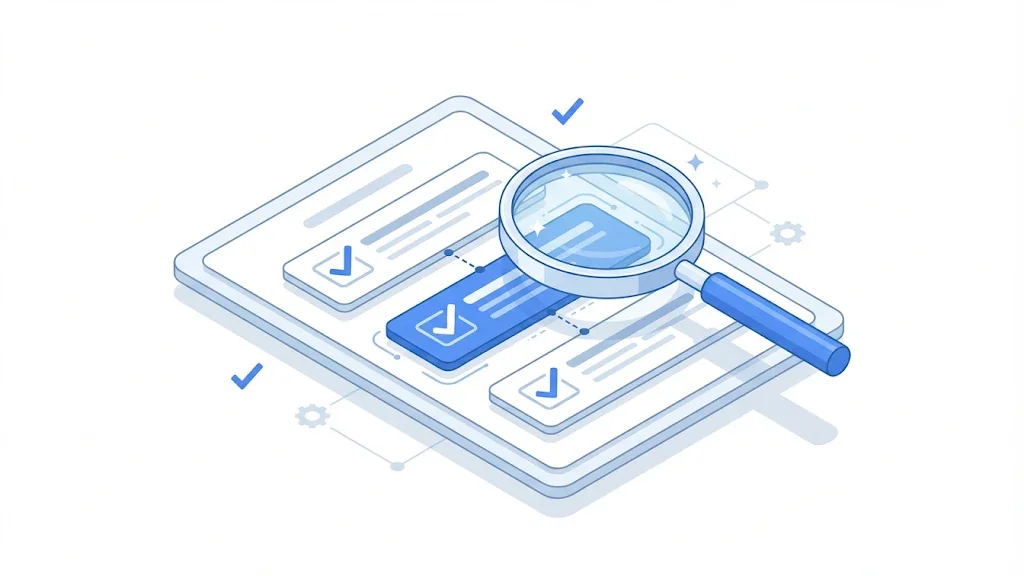
The guidelines are long. The September 2025 version runs to 182 pages. You do not need to read all of them to act on them. For a content lead or an SEO, the most useful parts are the page quality sections, the YMYL definitions and the worked examples. Teams that build search products or run experiments on results will also use the material on user needs, but that is outside the scope of an article audit.
The document in numbers
Source: Search Engine Roundtable, September 2025
The number of revisions matters more than the page count. A document that changes twice in one year can change the examples you rely on, and sometimes the definitions. Set a reminder to check the change log each time a new version appears, and keep a short note of the date you last read it.
When you read the document for the first time, use this order:
Most of the vocabulary in the guidelines comes down to two ideas. E-E-A-T describes what makes a page credible. YMYL describes when the bar for credibility goes up. Our E-E-A-T glossary entry defines each letter. Here we turn the ideas into things you can check on a page, because a definition does not tell you what to change on Monday.
| Signal | Question a rater asks | What to check on your page |
|---|---|---|
| Experience | Did the author use, test or see the thing they describe? | Screenshots from a real test, dates of use, results the reader can reproduce |
| Expertise | Does the author know the subject well enough to write about it? | Named author, role, relevant background, a link to a profile or other work |
| Authoritativeness | Do people in the field recognize this source? | Citations by other sites, mentions in the press, reviews from customers or peers |
| Trustworthiness | Can I trust this page and the site behind it? | Contact details, editorial policy, primary sources, a correction note when something changes |
Experience is the newest letter in the framework. It asks whether the person writing has done the thing they describe. A review of a project tool written from the vendor's feature list reads differently from a review written after two weeks of use. The second one contains the details a stranger cannot invent: the setup mistake that cost an afternoon, the report that looked wrong until a filter was changed, the export that broke on large files.
To show experience on a page, include evidence you could have gathered only by using the thing. Add a dated screenshot, a short log of what you tried, or a before and after result. Say what did not work. A page that admits a failure is more believable than one that describes a perfect product.
Expertise is not a badge you add in a footer. It shows in the depth of the answer and in the decisions the writer makes. An expert explains the edge cases, names the conditions under which advice changes, and warns about the wrong approach that people often try first. A generalist repeats the basic definition and stops.
Make expertise easy to check. Put the author's name and role near the top of the article, link to a profile, and say what the person has done in this field. If a second expert reviewed the page, name that person too, with their role. A named reviewer is a stronger signal than a generic team.
Trust comes from plain, unglamorous details. A working contact page. A company name that matches the legal notice. A date on every article, and a note when it was updated. A clear way to report an error. These details are rarely exciting, but a rater checks them quickly, and their absence makes everything else on the page harder to believe.
YMYL stands for Your Money or Your Life. The term covers pages that can affect a person's health, finances, safety or future. Raters check these pages more closely, because a weak answer can cause real harm. If your site writes about loans, medication, legal steps, insurance or voting, expect the bar to be higher than it is for a recipe blog. The full list of categories is in our YMYL entry.
On a YMYL page, a good article is not enough. The author needs visible credentials, the claims need primary sources, and the page needs a date and an update note. A confident tone without these elements reads as a risk, even when the content is correct.
Two revisions were reported in 2025. According to Search Engine Roundtable, the update dated September 11, 2025 relabeled the YMYL "Society" category as "Government, Civics & Society" and made clear that it covers election and voting information. The same update added rater examples for newer features such as AI Overviews. Those examples appear to mirror earlier examples for featured snippets and knowledge panels, so they add detail rather than a new rule. The change log summary lists updated YMYL definitions, added examples and minor fixes such as typos.
Two revisions reported in 2025
Source: Search Engine Roundtable, September 2025
Note
Read the primary document before you rely on any rule, including the one in this article. Open the current PDF, check the date on the cover and compare it with the change log. Summaries are useful for finding the right section, but the wording that matters is Google's.
What does this mean in practice? If you publish on health, money, legal or civic topics, the 2025 change is a reminder to name the authors, cite primary sources such as laws, public agencies or peer-reviewed studies, and date each claim. For other topics, the change matters less. Your job is to keep the same standard in your normal content and to raise it where the stakes are higher.
Use this method on one page before you touch the rest of your site. Start with a page that matters to you: a page that already ranks near the top for its main query, or one that brings in leads. Give yourself about an hour. Write down what you find, then fix the three most serious items before you move on. A short, finished audit is worth more than a long one you never act on.
A 5-step page audit
Visible author information comes first. Add a byline with the author's name, role and one line on why they can write about this topic. Then add structured data, so machines read the same facts that a reader sees. Structured data does not make a page expert. It only repeats what the visible byline says, so the two must match. If the markup names someone the page never mentions, you have created a mismatch that is easy to spot.
{
  "@context": "https://schema.org",
  "@type": "Article",
  "headline": "Google Search Quality Rater Guidelines: How to Read Them as an SEO",
  "author": {
    "@type": "Person",
    "name": "Jane Example",
    "jobTitle": "Head of SEO",
    "url": "https://example.com/team/jane-example"
  }
}
The values above are a placeholder. Replace them with the real author, the real job title and a profile page that exists. Do not copy a name from another site, and do not keep an author who did not write or review the page.
Take a claim from your article, for example a sentence that says a rule changed on a given date. Find the primary source, which is the document or announcement itself, not a blog that summarized it. Check that the source names the same date and the same rule. Then record the claim in a simple table with four columns: the claim, the source, the date you checked it, and the person responsible for keeping it correct.
Delete any claim that has no owner. An unowned claim is the kind that goes stale for years. On a YMYL page, this step matters more than the writing, because a single wrong figure can undo the trust you built with the rest of the text.
A rater who wants to know whether a site can be trusted searches for it outside the site. You can do the same. Search your brand with words like reviews, complaints or interview, and read the first page. Note who talks about you: reviewers, journalists, forums, partners, former customers. If the only mentions are your own pages, the next job is earning real mentions. That is slower work, and our guide to quality backlinks describes what a useful mention looks like.
"your brand name" reviews OR complaints -site:yourdomain.comThe search above uses quotes for an exact phrase, OR for alternatives and a minus sign to remove your own domain. Replace the placeholders with your real name and domain. Write down the three results that matter most to a buyer, and decide which one you can answer, correct or learn from.
Tip
Run the free on-page SEO audit on the page first. It covers the on-page basics, so your time goes to authorship, sources and reputation, which a tool cannot fix for you.
Open the page on a phone and on a laptop. Click every link, including the ones in the footer. Submit the contact form with a test message. Check that the author link opens a real profile, that the date is correct and that any table of contents jumps to the right section. A rater tries these things as part of the review, and a broken element tells the reader that nobody checked the page.
Teams use the guidelines in three different ways. Each one fits a different job, and each has a blind spot. Pick the one that matches your next deadline, then combine them over a quarter so the gaps in one method are covered by another.
Principle: turn the vocabulary into questions that the writer answers before publishing. When: for every new article, and especially for YMYL topics. Advantage: it is cheap and fast, and it catches the most common gaps, such as a missing author or an undated claim. Limit: a checklist can be gamed by adding a name and a bio without real expertise behind them. Example: a finance writer must name the source of every rate and date it, and a named reviewer with the right role confirms the figures before the page goes live.
Principle: sort your existing pages by how much quality they need, then fix the pages that matter most first. When: once a quarter, or after a traffic drop you cannot explain. Advantage: it shows where the weak pages sit, and the list is usually shorter than people expect. Limit: it measures the signals on each page, not how the market sees your brand. Example: a site with a few hundred pages might find that a dozen of them cover health or money topics with no named author. Those pages go to the top of the list, and the rest wait.
Principle: write the expertise a page needs into the brief before anyone drafts it. When: at planning time, before a word is written. Advantage: the writer knows which experience to bring, so the draft is less generic and easier to verify. Limit: it depends on finding the right expert, which takes time and budget that many teams do not have. Example: a brief for a guide to mortgage rates asks a loan officer to review the numbers and asks for one short case study from a real borrower, with the borrower's details anonymized.
| Approach | Best for | Effort | Main limit |
|---|---|---|---|
| Writer checklist | Every new article | Low | Can turn into box ticking |
| Site risk audit | Finding weak pages across the site | Medium | Shows the page signals, not the brand's reputation |
| Content brief | Planning new topics on YMYL or expert subjects | High, because it needs a real expert | Depends on finding and paying the right person |
If you can run only one method, start with the writer checklist. It changes every future page. Then run the risk audit once to find the pages that need the most work. Use the brief approach for topics where a wrong answer has a real cost.
These four mistakes appear in almost every audit we have seen or read about. For each one, check the signs first, then apply the fix. Fixing the first mistake often makes the others easier, because a page with real proof has less room for generic filler.
What it is: the page says "expert", "trusted" or "certified" but gives no proof. How to spot it: read the introduction and count the claims that have no name, date, figure or source next to them. Each of those is a word doing the work that evidence should do. How to fix it: replace each adjective with a fact you can check. "Our experts" becomes "Reviewed by [name], a certified accountant who has prepared returns for clients since [year]", but only if that is true. A made-up credential is a bigger risk than a weak page, because it damages every other page on the site when someone finds it.
What it is: an author box with a stock photo, a generic name such as "Admin", and no other work anywhere. How to spot it: search the author's name. If nothing appears outside your own site, a rater would doubt the box too. How to fix it: use a real author with a real role, or say plainly that a staff editor wrote the page and an outside expert reviewed it, with the reviewer's name and role. A plain, honest byline is more credible than a polished fake one.
Author box: before and after
What it is: either no sources at all, or forty links to weak pages that repeat the same point. How to spot it: open each source and ask whether it owns the fact. A rule about tax belongs to the tax authority, not to a blog that summarized it last spring. If the source does not say what your sentence says, the link is decoration. How to fix it: keep a short list of primary sources, date each claim, and remove links that do not support a specific sentence. On a YMYL page, a few strong sources beat a long list of weak ones.
What it is: a site that is only talked about by itself. How to spot it: run the reputation search from step 4 and read the results, not just the count. How to fix it: earn mentions from people who know your field. Offer data they can cite, an interview they can publish, or a tool they find useful enough to link to. Avoid paid links that look unnatural. They are the opposite of what you want a rater to find when they search for your brand.
Sorank helps with the repetitive part of the job: finding weak pages, fixing structure and rewriting old content. Our content optimization feature is built to fix and rewrite existing pages, so the work on an old article does not start from zero. It can organize and rewrite the page. It cannot invent the expert behind it. Your author, your data and your experience have to come from you, and the page has to show them clearly.
For a quick check of the basics before a deeper review, the free on-page audit is a good first step:
You do not need a new process to start. Take the checklist below, apply it to the three pages that matter most to your business, and set a reminder to check the next version of the guidelines when it appears. Small, finished work beats a large audit that stays in a document.
Your first week
Once those six steps are done, you will have a clearer picture of what a rater would see. That is a better starting point than any list of guideline keywords.
Not directly. The guidelines are written for human raters, and John Mueller has said they are not a guide for search rankings. They do show what Google considers a quality page, so they are worth reading closely.
Google revises the document several times over the years. Two revisions were reported in 2025, on January 23 and September 11. Check the change log of each new version, because examples and definitions can change between revisions.
YMYL stands for Your Money or Your Life. It covers topics that can affect a person's health, finances, safety or future. Google holds those pages to a higher quality bar, so they need more visible expertise and sourcing.
We analyse your competitors, your website and your AI visibility to create a tailored content plan for free.
 AI Content Brief Generator
 FAQ Schema Generator
 AI Blog Post Ideas Generator
 Structured Data Validator (Schema Validator)
 Alt Text Checker
 Internal Link Analyzer
 Backlink Challenge
 AI Meta Description Generator
 AI Blog Title Generator
 Google Indexability Checker
 AI Blog Outline Generator
 UTM Link Builder
 Keyword Clustering Tool
 Canonical Tag Checker
 XML Sitemap Generator
 Broken Link Checker
 AI SEO Title Generator
 Headline Analyzer
 SERP Preview Tool
 Redirect Checker
 Hreflang Tag Generator
 Heading Structure Analyzer
 HTTP Headers Checker
 Favicon Extractor
 SERP CTR Calculator
 SEO vs Paid Search Savings Calculator
 SEO Share of Voice Calculator
 SEO ROI Calculator
 SEO Traffic and Revenue Forecast Calculator
 SEO Budget Calculator
 SEO Break-Even Calculator
 SaaS SEO ROI Calculator
 ROAS Calculator
 Reading Time Calculator
 Ranking Gain Simulator
 Organic Traffic Value Calculator
 Organic Traffic Estimator and Website Traffic Checker
 LTV to CAC Ratio Calculator
 Local SEO ROI Calculator
 Link Building Cost Calculator
 Keyword Value Calculator
 Keyword Opportunity Score Calculator
 Keyword Density Calculator
 GEO ROI Calculator
 GEO Content Investment Calculator
 Ecommerce SEO ROI Calculator
 Customer Lifetime Value Calculator
 Customer Acquisition Cost Calculator
 CTR Calculator
 Cost Per Article Calculator
 Conversion Rate Calculator
 Content Marketing ROI Calculator
 ChatGPT Referral Traffic Estimator
 Bounce Rate Calculator
 Backlink ROI Calculator
 AI Visibility Score Calculator
 AI Traffic Value Calculator
 AI Share of Voice Calculator
 Cost of AI Invisibility Calculator
 AI Citation Rate Calculator
 llms.txt Validator
 AI Overview Checker and AI Overviews Rank Checker
 Robots.txt Checker
 AI SEO Audit
 LLM Readability Checker
 SearchGPT Readiness Checker
 Structured Data LLM Audit
 Website Crawlability AI Audit
 Why ChatGPT Is Not Recommending My Website
 Gemini Ranking Tool
 Perplexity Ranking Checker
 LLM Citation Checker
 Answer Engine Optimization Audit
 GEO Audit
 AI Search Visibility Test
 ChatGPT Visibility Checker
 llms.txt Generator
 URL Extractor
 Webpage to Markdown
 Sitemap Checker
 SERP Volatility Sensor
 Page Size Checker
 Word Counter
 Slug Generator
 Schema Generator
 Robots Generator
 OG Preview
 Meta Tags Generator
 Image Compressor
 Favicon Generator
 On-Page SEO Audit: SEO Checker and SEO Analyzer
 Backlink Analysis Tool
 Keyword Research Tool
 Domain Authority Checker
 “I tested Sorank on a real client site and it's insane. It does everything an agency would bill you $1500 a month for. It's going into production on that client now.”

 Guillaume Guersanguersanguillaume.com“We are an Ads agency and we wanted to get our SEO back on track once and for all. Sorank gave us a clear view of our site, helped us prioritize optimizations, and properly structure our content. The tool is easy to use, well designed for a team, and very practical for centralizing tracking without having to juggle multiple platforms. A very solid foundation to start fresh with our SEO.”
 Gaspard MadouiAds Agency
 “I just let the Sorank software do its thing, and now my DR is 25 and my page is ranking higher.”
 Lucas Flandrefoundertrace.fr“I specialized in GEO thanks to Sorank. The GEO Leaderboard allows me to show my clients their position vs competitors on ChatGPT. It’s a real commercial differentiator.”
 MélanieSEO Freelance“Great service, works well for our website and helps us understand how to improve it to rank better on Google and elsewhere. Congrats, keep going, I recommend it.”
 Hugo T.E-commerce merchant