Preferences
Privacy is important to us, so you have the option of disabling certain types of storage that may not be necessary for the basic functioning of the website. Blocking categories may impact your experience on the website. More information
Privacy is important to us, so you have the option of disabling certain types of storage that may not be necessary for the basic functioning of the website. Blocking categories may impact your experience on the website. More information

A review post template is a fixed structure for each review you publish. Get the nine sections, schema rules, disclosure wording and the mistakes to avoid.

In short
A review post template is a fixed set of sections, in a fixed order, that every review on your site follows. Readers find the verdict, the specs and the pros and cons in the same place each time, and so do search engines. Build the template once, then fill it in for each product.
Want to go further? Ask
Quick quiz
How should you run your blog?
Sorank matches your answers


Test it for 3 days on your own site and see where you stand on Google, ChatGPT and the other AIs.
Start 3-day free trial3 days free, then stop whenever you want. 90-day results guarantee, conditions apply.
A review post template is the skeleton you copy each time you publish a review: the same sections, in the same order, with the same kind of evidence in each one. It does not decide what you think of a product. It decides where your thinking goes, so a reader can scan the page in a minute and still find the detail when they want it.
Writing from scratch feels faster for the first review. By the fifth, the structure has drifted. One post puts the verdict at the top, another buries it under the company history, and a third has no specs at all. Readers notice the inconsistency, and so does anyone, human or machine, who tries to pull a summary from the page.
The gap is easiest to see side by side.
Writing from scratch vs. a fixed template
The template also gives you a way to show experience. Google Search Central's guidance on high-quality product reviews asks reviewers to back their claims with their own experience, such as visuals, audio or links, and to explain the benefits and drawbacks of a product based on original research. A template turns those items into required fields instead of afterthoughts.
If you are working on the ranking side of the same problem, our guide to product review SEO covers how review pages get ranked and cited. This article is about the structure you reuse on every page.
A single-product review works best with nine sections in this order. Each section has a job, a rough length and a test you can run before you publish. The lengths are working budgets for a deep review of 2000 to 3000 words. They leave room for the testing evidence that makes a review worth reading, without padding it.
| # | Section | Job | Length | Test before publishing |
|---|---|---|---|---|
| 1 | Title and intro | Name the product and give the verdict in one sentence | 40 to 60 words for the summary | Can a reader tell in 10 seconds what you think? |
| 2 | Disclosure | State any affiliate link, sponsorship or free product | 1 to 2 sentences | Is it visible above the first link? |
| 3 | Verdict box | Rating, best-fit buyer, buyer to avoid | 5 to 8 lines | Does every claim match the body? |
| 4 | Specs and facts | Price, plan tested, key specs, check date | A table of 6 to 12 rows | Was each value checked on the vendor page this week? |
| 5 | How I tested it | Your own use, setup, inputs and measurements | 400 to 700 words | Could a colleague repeat the test from this text? |
| 6 | Pros and cons | Concrete points, each tied to the test | 6 to 10 bullets | Would the sentence still work for a competitor's product? |
| 7 | Alternatives | Two or three options and when each one wins | 300 to 500 words | Does each alternative have a clear use case? |
| 8 | Who it is for, and who should skip it | Named buyers and named situations | 150 to 250 words | Can a reader decide from this section alone? |
| 9 | FAQ and final verdict | Answer the questions people actually ask | 200 to 400 words | Do the questions come from search suggestions or support tickets? |
The order is not arbitrary. Readers decide in the first two sections whether to keep reading, so the title, the disclosure and the verdict box come first. The testing section comes after, because a reader who already has the verdict and the price can then decide how much proof they need.
The verdict box holds the rating, the best-fit buyer and the buyer to avoid. Put it right after the intro so it is visible on the first screen of a phone. Use one rating scale and reuse it on every review. A 5-point scale is easier to read than a 10-point one for most products, and it forces clearer choices. Give the rating its criteria in the same box. For a note-taking app, that could be sync reliability, editing speed, export options and price, each with a weight you state. A rating without criteria cannot be checked, and careful readers tend to discount it.
Specs are the section readers come back for, and they are the easiest to get wrong. Keep the table to 6 to 12 rows: the price with its currency, the plan or version you tested, the three to five specs that matter for the category, the supported platforms, and the date you checked the vendor page. Check every value on the vendor page in the same week you publish, and write the check date inside the table, not in a footer. If a value comes from a third-party listing, say so in that row.
Testing evidence is anything a reader cannot get from the vendor's marketing page. Good evidence is specific and dated: your own screenshots with the date visible, a timed run with the setup written down, an error log, a before and after file, or a short screen recording. Weak evidence is a general impression, a stock image or a sentence that could be copied from a press release. In the template, add one field for each kind of evidence you expect, so the writer has to decide what they tested before they write about it.

Not every review does the same job, and one template cannot do all four. A deep review explains a product your readers are likely to buy. A roundup helps someone choose among several products. A quick verdict answers one question fast. A hands-on test measures what a product claims. Below are the four types, when each one fits and what each one risks. Most sites need all four, but one type should be your default.
Use this type for a product your readers are likely to buy, and that you have used long enough to form a real opinion. For a software tool, that usually means at least a week of use on real work. It uses the full nine-section structure, with the testing section as the largest block. Its strength is depth and trust. Its limit is cost: it takes the most time to produce, so keep it for the products that bring the most value per visit.
Use this type for queries shaped like "best X for Y". Open with the selection criteria, then a comparison table with the same five to eight columns for every product, then one short block per product with its best use, its price and one real drawback. Close with a section on how you chose the list, including what you left out and why. The table is the core of the page. If the columns change from one product to the next, readers cannot compare anything. A roundup with no stated criteria reads like a list of affiliate links, and it loses readers who are close to a decision.
Use this type for a product with little search demand, or for a new tool you cannot test deeply yet. Aim for 600 to 900 words: the verdict first, three pros, three cons, the price, who it is for, and one screenshot of the product's own public page. It is fast to write and easy to update. Never make it the only page for a valuable term, because a thin page rarely beats a deep one for a competitive query.
Use this type when the product makes measurable claims: load time, accuracy, output quality or battery life. The template opens with a protocol: the setup, the test inputs and the scoring rule, all written before you run anything. Then come a results table, the interpretation, and a section on what would change the result, such as a different plan or a different dataset. This type is the most citable, because it contains numbers other people can quote. It is also the most demanding, because someone must be able to repeat the test. Keep the raw data available for readers who ask for it.
| Type | Best for | Length | Structure to keep | Main risk |
|---|---|---|---|---|
| Single-product deep review | Products readers are about to buy | 2000 to 3000 words | The full nine sections | Slow to produce |
| Best-of roundup | "Best X for Y" queries | 2500 to 4000 words | Criteria, comparison table, one block per product | Reads like a list of links when criteria are missing |
| Quick verdict review | Low-demand or new products | 600 to 900 words | Verdict, pros, cons, price, who it is for | Too thin for competitive terms |
| Hands-on test review | Products with measurable claims | 1500 to 2500 words | Protocol, results, interpretation | Hard to repeat and slow to run |
Note
Pick a default before you write anything. Many sites use the deep review for their top products and the quick verdict for the long tail. Decide this first, because the default decides how much testing time you budget per product.
Build the template from your best existing review, not from an empty page. The real value sits in the testing details that made that review good, and copying them into placeholders keeps that detail in the template. The five steps below take an afternoon.
Build the template in five steps
A placeholder that only says [PRICE] invites a bad value. Replace it with a rule: "[PRICE: currency, plan tested, checked on the vendor pricing page, with the date]". The rule tells the writer what good looks like and what to check. Do the same for every placeholder in the specs and testing sections. The rules can sit in brackets in the working copy and be deleted before publishing, but they should never be missing from it.
Example
Placeholder: [TEST: setup, inputs, scoring rule, written before you start]. Filled in: "Setup: a fresh account on the Pro plan. Inputs: the same 40 support emails, sent in the same order to each tool. Scoring: a reply counts as correct only if it names the refund window."
Store the template where every writer can reach it, as a document, a saved block in your CMS or a snippet in your editor. Version it. When you change a section, note the change and the date, so you know which older reviews need the new section. If you draft with software, the same rule applies: a tool can fill the structure, but it cannot invent your test. The blog article generator from Sorank is one way to produce a first draft from a structure, and the testing section still needs your own data.
The template also sets the page-level elements that search engines read first. Name the product and the review in the title, keep the primary keyword early, and keep the title under about 60 characters so it does not get cut off in results. Use one H1, one H2 per template section and H3 headings for each test, pro or con. Keep the heading names the same across reviews, such as "How I tested it", so the pages look alike to readers and easy to compare for crawlers.
Review markup, written as JSON-LD, tells search engines that a page reviews one specific item and gives its rating. Star ratings in results are a kind of rich snippet, and Google's rules decide whether a page can show them. According to Google's review snippet documentation, the review must refer to a specific item, not to a category or a list of items, and the review content you mark up must be readily available to users on the page. The required properties are the author, the item reviewed with its name, and the rating value. The publication date, the best rating and the worst rating are recommended. For a deeper look at each property and the mistakes around them, read our guide to review schema.
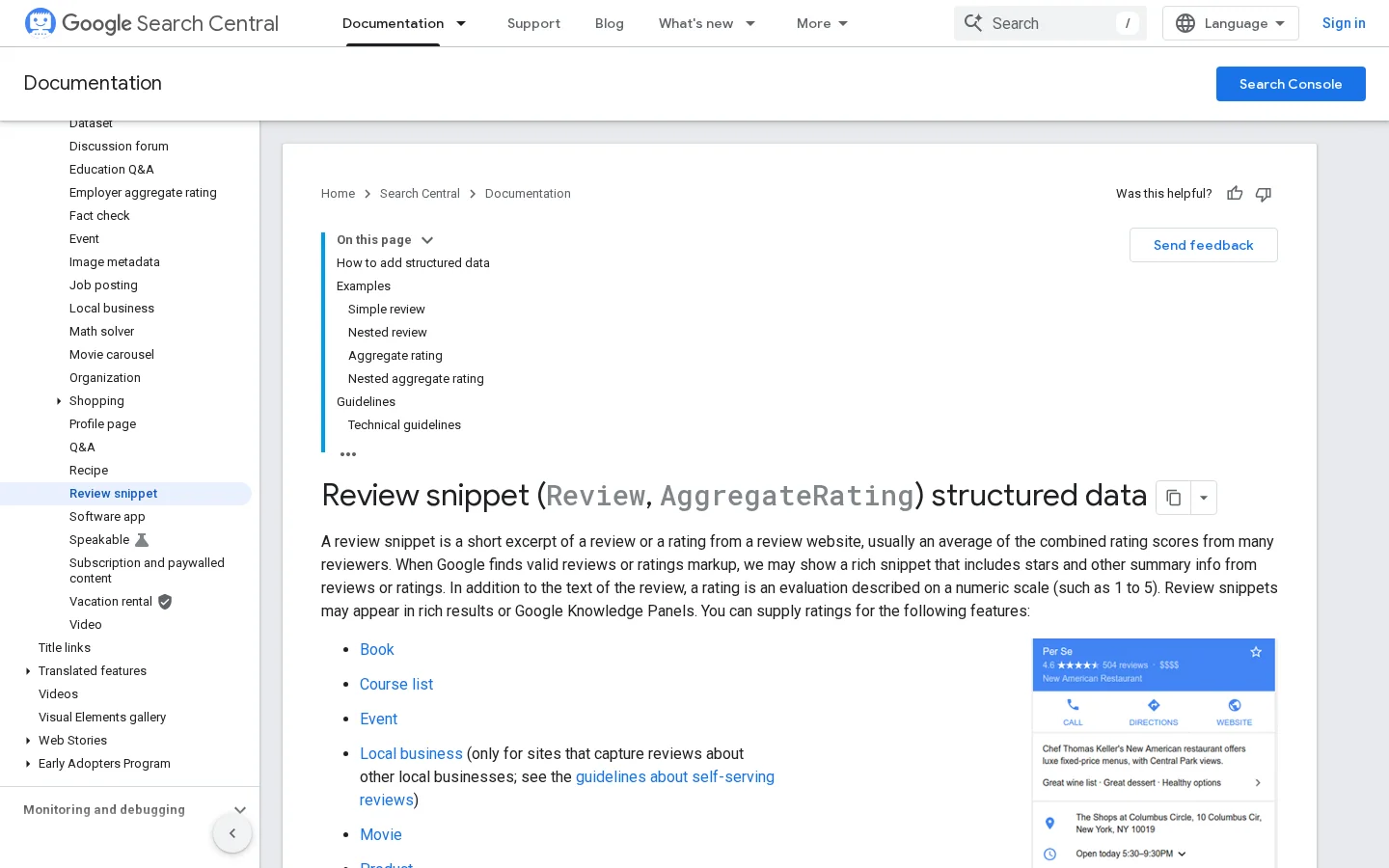
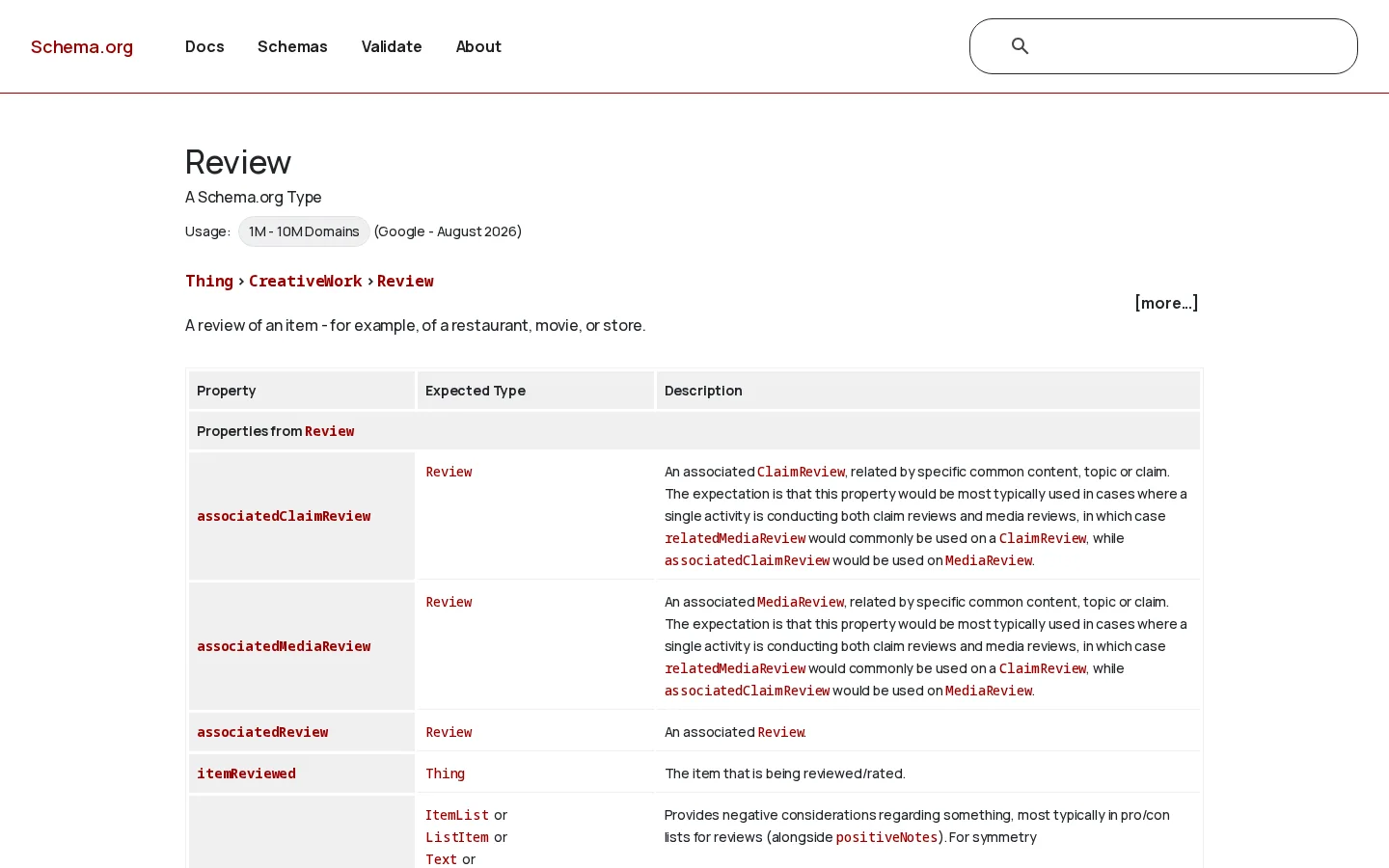
Here is a minimal example for a single-product review. Replace the values with your own, and make sure the name and the rating appear in the visible text of the page.
{
  "@context": "https://schema.org",
  "@type": "Review",
  "itemReviewed": {
    "@type": "SoftwareApplication",
    "name": "Example Note App"
  },
  "reviewRating": {
    "@type": "Rating",
    "ratingValue": "4.2",
    "bestRating": "5",
    "worstRating": "1"
  },
  "author": {
    "@type": "Person",
    "name": "Jane Example"
  },
  "datePublished": "2026-11-22"
}
The example is for layout only. The name, the author and the rating must match what your page shows. If they do not, the markup misleads both the search engine and the reader.
Tip
Before you publish, check the page's JSON-LD with the structured data validator. If you need a starting point for the markup itself, the free schema generator builds the code from a few fields.
Many readers on mobile see only the title, the intro and maybe the verdict box before they scroll. Check that the verdict box sits inside that first screen, and that the rating and the best-fit buyer are readable without zooming. If your page has questions and answers, mark them up as well, and the FAQ schema guide explains what is worth using and what changed.
Disclose any affiliate link, sponsorship or free product before the first link, in words a reader understands. "We earn a commission if you buy through our links" is clear. "Some links may support our work" is not. The disclosure belongs in section 2 of the template, so no writer can skip it. For the wording and placement details, see our article on disclosure rules for affiliate links.
The rule behind this is the Endorsement Guides in 16 CFR Part 255. The text, hosted by Cornell Law School, says that a material connection between a reviewer and a seller must be disclosed clearly and conspicuously, and that the disclosure must make the nature of the connection clear enough for readers to judge it. Connections include payments and the provision of free or discounted products, whether or not the seller asked for an endorsement in return. See 16 CFR 255.5, Disclosure of material connections. The source note for Part 255 cites 88 FR 48102, dated July 26, 2023.
Disclosure: weak wording vs. clear wording
Separate from disclosure, the FTC's rule on consumer reviews in 16 CFR Part 465 deals with fake reviews. Section 465.2 of the text on Cornell's site bars a business from writing, creating or selling a consumer review that materially misrepresents who wrote it or what they experienced. It also bars buying or spreading a review the business knows to be materially misleading. A review template must never produce a review that is not based on real use.
Google's review snippet documentation covers a related case. If the business being reviewed controls the reviews about itself, pages that use LocalBusiness or other Organization markup are not eligible for the star review feature. So a page that the company writes about its own product, and presents as independent, is a problem twice: for the reader, and for the markup.
Warning
Do not fill the testing section of the template with a test you did not run. If you only read about a product or tried it for an hour, publish it as a quick verdict and say what you did and did not check.
Most weak review posts fail in the same six ways. Each one below shows what it looks like, how to spot it in your own drafts and how to fix it. Run this check on the template once it is built, not only on the first draft.
What it is. The rating, the best-fit buyer or the bottom line appears after 800 words of background, or not at all.
How to spot it. Ask someone to read only the first screen on a phone, then tell you what you think of the product. If they cannot answer, the verdict is in the wrong place.
How to fix it. Move the verdict box to section 3, write the verdict as one sentence in the intro, and cut the company history to two sentences unless it changes how the product should be judged.
What it is. Prices, plan names, version numbers and feature lists taken from a vendor page or an old article, with no check.
How to spot it. The specs table has no check date, or the date is older than the last vendor change you know about.
How to fix it. Make the check date a required field. Re-check every spec on the vendor page on the publishing day. Name the plan you tested, because the same product often has several prices.
What it is. A testing section that says "I tried it for a month and it was fast", with no setup, no inputs and no scoring rule.
How to spot it. Give the section to a colleague and ask them to repeat the test. If they cannot start, it was not a test.
How to fix it. Write the protocol before you run the test: the setup, the inputs, the number of runs and how each result is scored. Report the outcome in a results table, and state what the result does not show.
What it is. A con like "Could be cheaper" or "Has a learning curve", which tells the reader nothing about this product in particular.
How to spot it. Swap the product name for a competitor's. If the sentence still works, it is generic.
How to fix it. Tie each pro and con to a moment in your test, and name the situation where it matters. Keep the list to 6 to 10 bullets, and link each one to the testing section.
A generic con, before and after the fix
What it is. Schema with a rating or review text that does not appear on the page, or markup that points at a category or a list instead of one product.
How to spot it. Compare the JSON-LD with the visible page, value by value. Any value missing from the visible page is a problem, and so is a roundup that carries one review block for the whole list.
How to fix it. Generate the markup from the same fields as the verdict box, so the visible rating and the markup come from one source. In a roundup, remove the list-level markup and keep it only on the section that reviews one item.
What it is. Affiliate links with no statement near the top, or a statement in the footer that most readers never reach.
How to spot it. Count the affiliate links that come before the disclosure. If there is any, the disclosure is late.
How to fix it. Put the disclosure in section 2 of the template, in the same words on every page, and make it the first item on your publishing checklist.
A review goes stale when a price changes, a version ships or a feature disappears. Give every review a short maintenance rule, so updates happen on purpose and not whenever someone remembers. Update the sections a change touches, and leave the rest alone.
| Trigger | What to check | What to change |
|---|---|---|
| Price or plan change | The vendor pricing page | The specs table and the price line |
| New major version | The vendor changelog | The testing section, and the verdict if the change affects it |
| Feature removed | Your own test, run again | The pros and cons, and the best-fit line |
| Quarterly check | Links, sources and screenshots | Dead links and outdated captures |
| Repeated reader questions | Support tickets and search suggestions | The FAQ answers |
The date on the page, and any dateModified value in the markup, should change only when you actually re-checked the product. Changing the date without a re-check makes a stale page look current, which is the opposite of what the template is for. Log each re-check in your working document with the date and the sections you touched.
For a page that drives sales, schedule one re-check per quarter. For a quick verdict, once a year is enough unless the product changes fast. To keep the writing consistent across many pages, the guide to SEO-friendly content covers the writing side of the same job.
These are the questions that come up most often when people build a review template.
Nine sections in a fixed order: an intro with the verdict, a disclosure, a verdict box, a specs table with a check date, a testing section, pros and cons, alternatives, who the product is for, and an FAQ. Give each section a length budget and a test you can run before publishing. Write each placeholder as a rule, so a writer knows what a good value looks like.
Not every review needs it, but a review of one specific product can use Review markup when the rating and the review content are visible on the page. Google's documentation says the markup must describe one item rather than a category, and that self-serving reviews are not eligible for the star review feature. Test the JSON-LD against the visible page before you publish.
State the connection before the first affiliate link, in plain words such as "We earn a commission if you buy through our links." Use the same wording on every review. The Endorsement Guides in 16 CFR Part 255 require a material connection, including payments and free products, to be disclosed clearly and conspicuously.
Before you publish a review
Do this today: copy your best review into a new document, mark the nine sections, and run the checklist on it. You will find the gaps in an hour, and your next review will start from a structure instead of a blank page.
Nine sections in a fixed order: an intro with the verdict, a disclosure, a verdict box, a specs table with a check date, a testing section, pros and cons, alternatives, who the product is for, and an FAQ. Give each section a length budget and a test you can run before publishing. Write each placeholder as a rule, so a writer knows what a good value looks like.
Not every review needs it, but a review of one specific product can use Review markup when the rating and the review content are visible on the page. Google's documentation says the markup must describe one item rather than a category, and that self-serving reviews are not eligible for the star review feature. Test the JSON-LD against the visible page before you publish.
State the connection before the first affiliate link, in plain words such as "We earn a commission if you buy through our links." Use the same wording on every review. The Endorsement Guides in 16 CFR Part 255 require a material connection, including payments and free products, to be disclosed clearly and conspicuously.
We analyse your competitors, your website and your AI visibility to create a tailored content plan for free.
 Website Value Calculator
 Website Accessibility Checker
 Google Analytics Checker
 Duplicate Content Checker
 Mobile-Friendly Test
 Website Speed Test
 Subdomain Finder
 Domain Age Checker
 CMS Detector
 Googlebot Simulator
 Nofollow Link Checker
 Meta Tag Checker
 Keyword Cannibalization Checker
 Keyword Intent Checker
 Keyword Extractor
 Google Ads Cost Calculator
 CPC Calculator
 Local Citation Finder
 Reddit Threads Finder
 Disavow File Generator
 Redirect Generator
 Canonical Tag Generator
 Passive Voice Checker
 Google Location Changer
 Google Review Calculator
 Google Review Link Generator
 Keyword Combiner
 Podcast Show Notes Generator
 AI Content Rewriter
 AI Text Humanizer
 ChatGPT Prompt Generator
 Twitter Thread Generator
 Tweet Generator
 Landing Page Copy Generator
 Google Ads Copy Generator
 Pinterest Pin Description Generator
 Anchor Text Generator
 Social Media Post Generator
 LinkedIn Post Generator
 Free AI Writer
 Review Response Generator
 LSI Keyword Generator
 YouTube Video Ideas Generator
 YouTube Tag Generator
 YouTube Description Generator
 Product Description Generator
 CTA Generator
 Blog Introduction Generator
 Conclusion Generator
 Hook Generator
 AI Content Brief Generator
 FAQ Schema Generator
 AI Blog Post Ideas Generator
 Structured Data Validator (Schema Validator)
 Alt Text Checker
 Internal Link Analyzer
 Backlink Challenge
 AI Meta Description Generator
 AI Blog Title Generator
 Google Indexability Checker
 AI Blog Outline Generator
 UTM Link Builder
 Keyword Clustering Tool
 Canonical Tag Checker
 XML Sitemap Generator
 Broken Link Checker
 AI SEO Title Generator
 Headline Analyzer
 SERP Preview Tool
 Redirect Checker
 Hreflang Tag Generator
 Heading Structure Analyzer
 HTTP Headers Checker
 Favicon Extractor
 SERP CTR Calculator
 SEO vs Paid Search Savings Calculator
 SEO Share of Voice Calculator
 SEO ROI Calculator
 SEO Traffic and Revenue Forecast Calculator
 SEO Budget Calculator
 SEO Break-Even Calculator
 SaaS SEO ROI Calculator
 ROAS Calculator
 Reading Time Calculator
 Ranking Gain Simulator
 Organic Traffic Value Calculator
 Organic Traffic Estimator and Website Traffic Checker
 LTV to CAC Ratio Calculator
 Local SEO ROI Calculator
 Link Building Cost Calculator
 Keyword Value Calculator
 Keyword Opportunity Score Calculator
 Keyword Density Calculator
 GEO ROI Calculator
 GEO Content Investment Calculator
 Ecommerce SEO ROI Calculator
 Customer Lifetime Value Calculator
 Customer Acquisition Cost Calculator
 CTR Calculator
 Cost Per Article Calculator
 Conversion Rate Calculator
 Content Marketing ROI Calculator
 ChatGPT Referral Traffic Estimator
 Bounce Rate Calculator
 Backlink ROI Calculator
 AI Visibility Score Calculator
 AI Traffic Value Calculator
 AI Share of Voice Calculator
 Cost of AI Invisibility Calculator
 AI Citation Rate Calculator
 llms.txt Validator
 AI Overview Checker and AI Overviews Rank Checker
 Robots.txt Checker
 AI SEO Audit
 LLM Readability Checker
 SearchGPT Readiness Checker
 Structured Data LLM Audit
 Website Crawlability AI Audit
 Why ChatGPT Is Not Recommending My Website
 Gemini Ranking Tool
 Perplexity Ranking Checker
 LLM Citation Checker
 Answer Engine Optimization Audit
 GEO Audit
 AI Search Visibility Test
 ChatGPT Visibility Checker
 llms.txt Generator
 URL Extractor
 Webpage to Markdown
 Sitemap Checker
 SERP Volatility Sensor
 Page Size Checker
 Word Counter
 Slug Generator
 Schema Generator
 Robots Generator
 OG Preview
 Meta Tags Generator
 Image Compressor
 Favicon Generator
 On-Page SEO Audit: SEO Checker and SEO Analyzer
 Backlink Analysis Tool
 Keyword Research Tool
 Domain Authority Checker
 “I tested Sorank on a real client site and it's insane. It does everything an agency would bill you $1500 a month for. It's going into production on that client now.”

 Guillaume Guersanguersanguillaume.com“We are an Ads agency and we wanted to get our SEO back on track once and for all. Sorank gave us a clear view of our site, helped us prioritize optimizations, and properly structure our content. The tool is easy to use, well designed for a team, and very practical for centralizing tracking without having to juggle multiple platforms. A very solid foundation to start fresh with our SEO.”
 Gaspard MadouiAds Agency
 “I just let the Sorank software do its thing, and now my DR is 25 and my page is ranking higher.”
 Lucas Flandrefoundertrace.fr“I specialized in GEO thanks to Sorank. The GEO Leaderboard allows me to show my clients their position vs competitors on ChatGPT. It’s a real commercial differentiator.”
 MélanieSEO Freelance“Great service, works well for our website and helps us understand how to improve it to rank better on Google and elsewhere. Congrats, keep going, I recommend it.”
 Hugo T.E-commerce merchant