
Preferences
Privacy is important to us, so you have the option of disabling certain types of storage that may not be necessary for the basic functioning of the website. Blocking categories may impact your experience on the website. More information
Privacy is important to us, so you have the option of disabling certain types of storage that may not be necessary for the basic functioning of the website. Blocking categories may impact your experience on the website. More information

Google opened a Search ranking hub on November 24, 2026: ranking principles, update notices, feedback and troubleshooting. What changes and 7 steps to take now.
In short
On November 24, 2026, Google opened a Search ranking hub on Search Central. It puts in one place its ranking principles, how it announces updates, how site owners send feedback on ranking changes, how ranking works, and how to troubleshoot a traffic drop. Google also updated the same day its pages on AI controls, which are not part of the hub. Google also says it will now announce some updates before they start, beginning with the December 2026 core update.
Want to go further? Ask
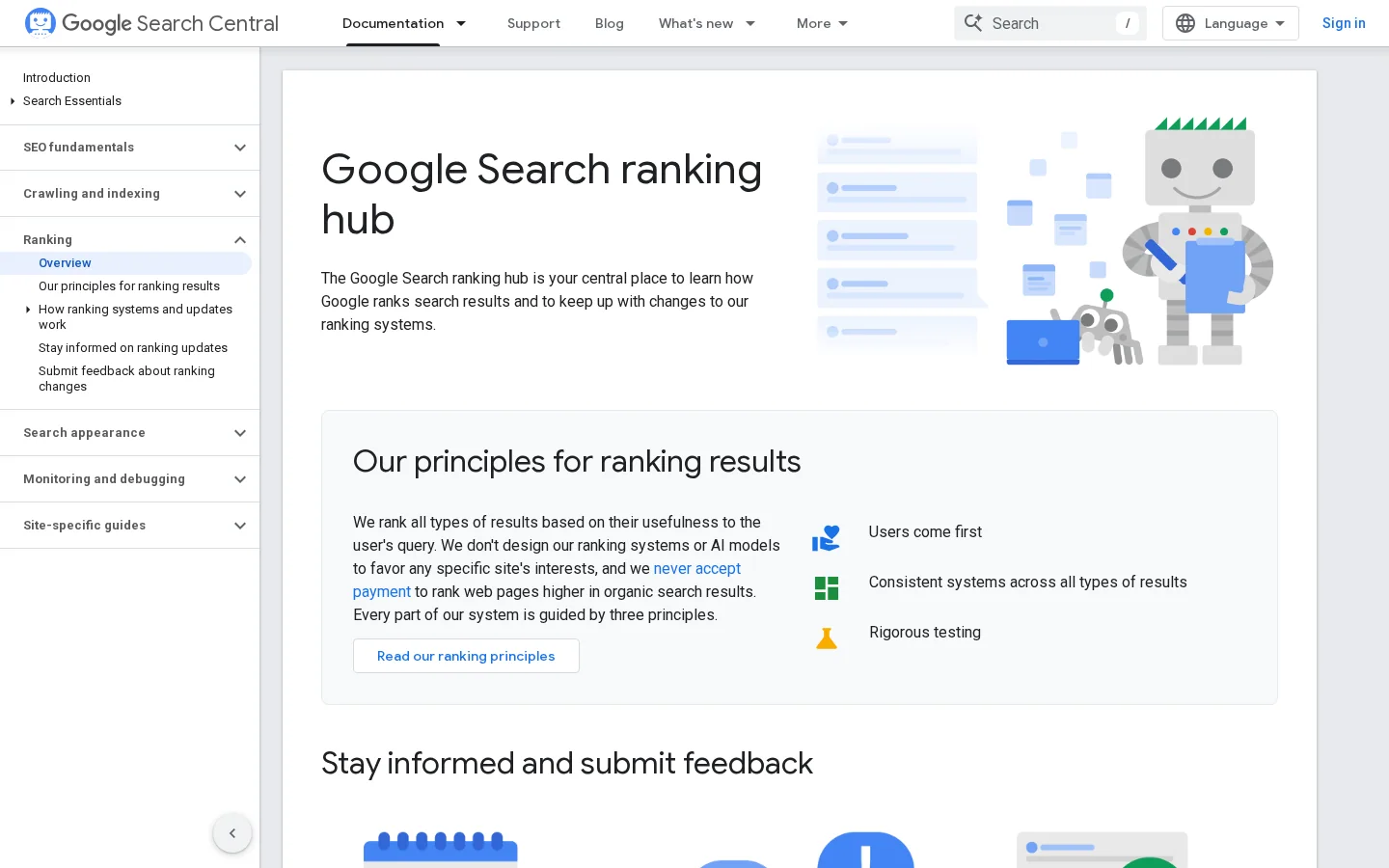
Google published the Google Search ranking hub on November 24, 2026. Search Engine Roundtable describes it as "a unified Search ranking transparency hub on Search Central". It is not a new algorithm. It is a set of pages that explain how ranking works and how Google tells you when it changes.
The hub contains five items:
The same day, Google also published or updated three pages on AI: Google-Extended, control of the use of content by generative AI, and attribution and factuality. These pages are not in the hub.
Google Search: the dates to know
Three things change in practice.
1. Updates can be announced in advance. According to the stay informed page, Google gives notice for changes that add actionable policy requirements (content policies, technical guidelines, eligibility) and for significant ranking changes such as core updates. Pre-announcements, start dates and completion notices go on the Search Status Dashboard, which has an RSS feed. For changes that may shift rankings for UK users, Google says it gives advance notice under the fair ranking conduct requirements of the CMA, the UK competition authority. We covered the first pre-announced update in our article on the December 2026 core update.
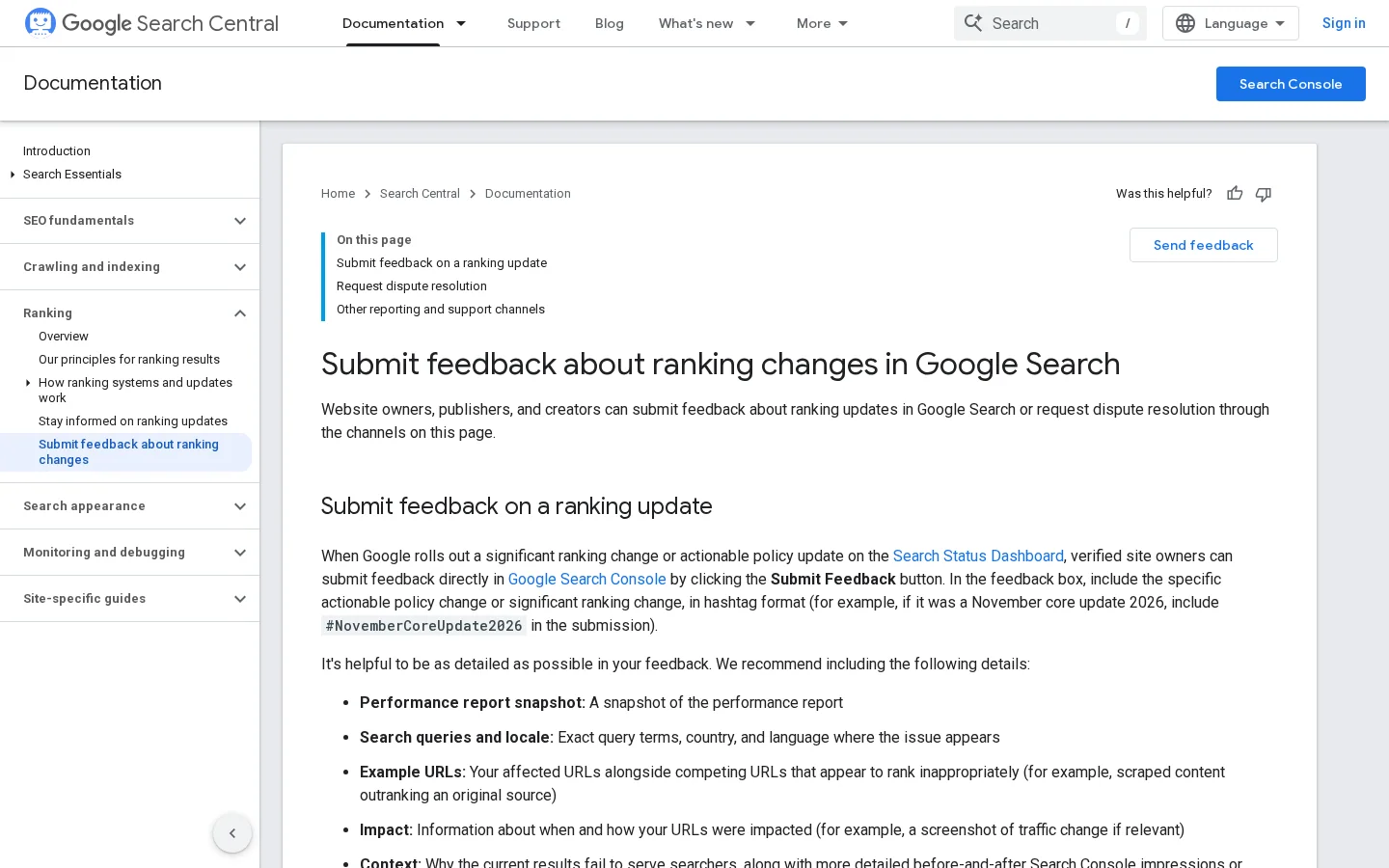
2. There is now an official feedback channel. Verified site owners can send feedback from Google Search Console, with the Submit Feedback button, when a change listed on the Status Dashboard affects them.
3. The principles are written down. The principles page lists three rules: users come first, the same standards for every type of result, and rigorous testing. Google writes that web listings, AI Overviews, carousels, images and videos are all judged on how useful they are for the query, and that "no result receives preferential treatment". The hub adds that Google never accepts payment to rank pages higher in organic results.
Before and after the ranking hub
Every site that gets traffic from Google Search: online stores, local businesses, publishers, SaaS companies and agencies. The feedback page is most useful to sites that lost visibility after an update and think the new results are worse for searchers. The AI pages, which are separate from the hub, concern any site that wants to choose how its content is used by Gemini and by the AI answers in Search.
The feedback page is clear about one limit: feedback does not lead to manual ranking changes for a single URL. Google engineering teams review submissions together to find problems that affect many sites. So feedback is useful when you can show that results got worse for searchers, not just that your site dropped.
How to send ranking feedback to Google
Manual actions, DMCA counter notices, SafeSearch flags and spam reports keep their own separate forms. To read your data before you write anything, our guide on Google Search Console explains the Performance report.
These pages are not in the hub: Google updated them the same day. The updated page on generative AI controls separates two uses of your content. Training teaches a model like Gemini before it is released. Grounding happens after: the model pulls fresh pages from the Search index to answer a prompt, and can link to them.
| Control | Where you set it | What it does |
|---|---|---|
| Google-Extended | robots.txt | Limits how your content trains and grounds some commercial AI products, such as the Gemini app. Google says it does not remove your site from Search and is not a ranking signal. |
| nosnippet and max-snippet | Meta robots tag or HTTP header | Control previews in Search, including AI Overviews and AI Mode. Google writes that they can stop your content from being used as a direct input for these features. |
| noindex | Meta robots tag or HTTP header | Keeps a page out of Search, including its AI features. |
Example of a robots.txt rule that blocks Google-Extended for the whole site:
User-agent: Google-Extended
Disallow: /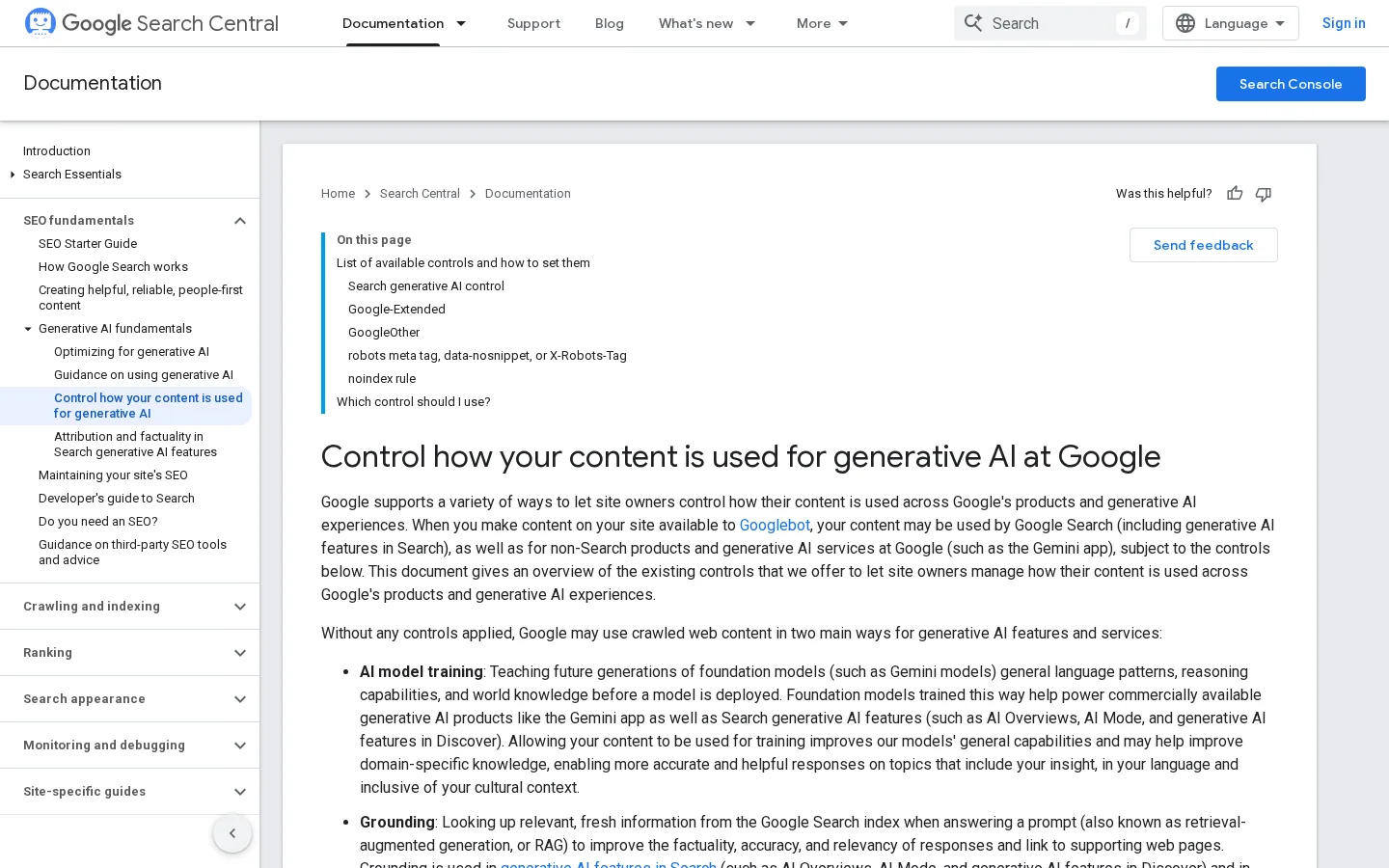
Blocking Google-Extended keeps you in classic Search results, but it is a trade-off if you want to be cited by Gemini. Our guide on robots.txt for AI crawlers lists what to allow and what to block, and our news on the __usage_ai-training group explains the signal Google plans to support in early 2027.
Before the next core update
It is a section of Google Search Central opened on November 24, 2026. It gathers Google's ranking principles, how ranking updates are announced, how site owners send feedback on ranking changes, an explanation of how ranking works, and troubleshooting for traffic drops. Google also updated its pages on AI controls the same day, but they are not part of the hub.
Yes, for significant ranking changes. Google says pre-announcements are posted on the Search Status Dashboard, starting with the December 2026 core update. Google has not published a fixed notice period.
No. Google says feedback does not lead to manual ranking changes for individual URLs. Engineering teams review submissions together to find problems that affect many sites, so feedback is useful when you can show that results got worse for searchers.
We analyse your competitors, your website and your AI visibility to create a tailored content plan for free.
 Website Value Calculator
 Website Accessibility Checker
 Google Analytics Checker
 Duplicate Content Checker
 Mobile-Friendly Test
 Website Speed Test
 Subdomain Finder
 Domain Age Checker
 CMS Detector
 Googlebot Simulator
 Nofollow Link Checker
 Meta Tag Checker
 Keyword Cannibalization Checker
 Keyword Intent Checker
 Keyword Extractor
 Google Ads Cost Calculator
 CPC Calculator
 Local Citation Finder
 Reddit Threads Finder
 Disavow File Generator
 Redirect Generator
 Canonical Tag Generator
 Passive Voice Checker
 Google Location Changer
 Google Review Calculator
 Google Review Link Generator
 Keyword Combiner
 Podcast Show Notes Generator
 AI Content Rewriter
 AI Text Humanizer
 ChatGPT Prompt Generator
 Twitter Thread Generator
 Tweet Generator
 Landing Page Copy Generator
 Google Ads Copy Generator
 Pinterest Pin Description Generator
 Anchor Text Generator
 Social Media Post Generator
 LinkedIn Post Generator
 Free AI Writer
 Review Response Generator
 LSI Keyword Generator
 YouTube Video Ideas Generator
 YouTube Tag Generator
 YouTube Description Generator
 Product Description Generator
 CTA Generator
 Blog Introduction Generator
 Conclusion Generator
 Hook Generator
 AI Content Brief Generator
 FAQ Schema Generator
 AI Blog Post Ideas Generator
 Structured Data Validator (Schema Validator)
 Alt Text Checker
 Internal Link Analyzer
 Backlink Challenge
 AI Meta Description Generator
 AI Blog Title Generator
 Google Indexability Checker
 AI Blog Outline Generator
 UTM Link Builder
 Keyword Clustering Tool
 Canonical Tag Checker
 XML Sitemap Generator
 Broken Link Checker
 AI SEO Title Generator
 Headline Analyzer
 SERP Preview Tool
 Redirect Checker
 Hreflang Tag Generator
 Heading Structure Analyzer
 HTTP Headers Checker
 Favicon Extractor
 SERP CTR Calculator
 SEO vs Paid Search Savings Calculator
 SEO Share of Voice Calculator
 SEO ROI Calculator
 SEO Traffic and Revenue Forecast Calculator
 SEO Budget Calculator
 SEO Break-Even Calculator
 SaaS SEO ROI Calculator
 ROAS Calculator
 Reading Time Calculator
 Ranking Gain Simulator
 Organic Traffic Value Calculator
 Organic Traffic Estimator and Website Traffic Checker
 LTV to CAC Ratio Calculator
 Local SEO ROI Calculator
 Link Building Cost Calculator
 Keyword Value Calculator
 Keyword Opportunity Score Calculator
 Keyword Density Calculator
 GEO ROI Calculator
 GEO Content Investment Calculator
 Ecommerce SEO ROI Calculator
 Customer Lifetime Value Calculator
 Customer Acquisition Cost Calculator
 CTR Calculator
 Cost Per Article Calculator
 Conversion Rate Calculator
 Content Marketing ROI Calculator
 ChatGPT Referral Traffic Estimator
 Bounce Rate Calculator
 Backlink ROI Calculator
 AI Visibility Score Calculator
 AI Traffic Value Calculator
 AI Share of Voice Calculator
 Cost of AI Invisibility Calculator
 AI Citation Rate Calculator
 llms.txt Validator
 AI Overview Checker and AI Overviews Rank Checker
 Robots.txt Checker
 AI SEO Audit
 LLM Readability Checker
 SearchGPT Readiness Checker
 Structured Data LLM Audit
 Website Crawlability AI Audit
 Why ChatGPT Is Not Recommending My Website
 Gemini Ranking Tool
 Perplexity Ranking Checker
 LLM Citation Checker
 Answer Engine Optimization Audit
 GEO Audit
 AI Search Visibility Test
 ChatGPT Visibility Checker
 llms.txt Generator
 URL Extractor
 Webpage to Markdown
 Sitemap Checker
 SERP Volatility Sensor
 Page Size Checker
 Word Counter
 Slug Generator
 Schema Generator
 Robots Generator
 OG Preview
 Meta Tags Generator
 Image Compressor
 Favicon Generator
 On-Page SEO Audit: SEO Checker and SEO Analyzer
 Backlink Analysis Tool
 Keyword Research Tool
 Domain Authority Checker
 “I tested Sorank on a real client site and it's insane. It does everything an agency would bill you $1500 a month for. It's going into production on that client now.”

 Guillaume Guersanguersanguillaume.com“We are an Ads agency and we wanted to get our SEO back on track once and for all. Sorank gave us a clear view of our site, helped us prioritize optimizations, and properly structure our content. The tool is easy to use, well designed for a team, and very practical for centralizing tracking without having to juggle multiple platforms. A very solid foundation to start fresh with our SEO.”
 Gaspard MadouiAds Agency
 “I just let the Sorank software do its thing, and now my DR is 25 and my page is ranking higher.”
 Lucas Flandrefoundertrace.fr“I specialized in GEO thanks to Sorank. The GEO Leaderboard allows me to show my clients their position vs competitors on ChatGPT. It’s a real commercial differentiator.”
 MélanieSEO Freelance“Great service, works well for our website and helps us understand how to improve it to rank better on Google and elsewhere. Congrats, keep going, I recommend it.”
 Hugo T.E-commerce merchant































