Preferences
Privacy is important to us, so you have the option of disabling certain types of storage that may not be necessary for the basic functioning of the website. Blocking categories may impact your experience on the website. More information
Privacy is important to us, so you have the option of disabling certain types of storage that may not be necessary for the basic functioning of the website. Blocking categories may impact your experience on the website. More information

 GA4 and Get More of It
What social media referral traffic is, how much each network sends, how GA4 classifies it, a UTM setup in 5 steps and the mistakes that hide your social visits.
In short
Social media referral traffic is the visits that reach your website after someone clicks a link on a social network such as Facebook, LinkedIn, Reddit or TikTok. In a 63987-site study, social sent about 10% of all visits. You measure it in GA4 with clean UTM tags and grow it by placing links where each network lets people click.
Want to go further? Ask
Quick quiz
Which social network should you focus on?
Sorank matches your answers


Test it for 3 days on your own site and see where you stand on Google, ChatGPT and the other AIs.
Start 3-day free trial3 days free, then stop whenever you want. 90-day results guarantee, conditions apply.
Social media referral traffic is any session on your site that started with a click on a social platform. The visitor was on Facebook, LinkedIn, YouTube or Reddit, saw a link, tapped it, and landed on one of your pages. It is a subset of the broader referral traffic definition, which covers every click coming from another website.
The difference matters because analytics tools do not file all social clicks in the same bucket. A click from an organic post, a click from a paid ad and a link shared in a private WhatsApp chat all come from "social", yet they end up in three different places in your reports. If you only read one line called "Organic Social", you are looking at a part of the picture, not the whole.
Before you measure anything, agree on what you are counting. Here are the four families of visits that come from social networks, and how Google Analytics 4 usually records each one.
| Type | What it is | Where GA4 files it by default | Can you control it? |
|---|---|---|---|
| Organic social referral | A click on a link in an unpaid post, a bio, a comment or a video description | Organic Social (source = facebook.com, l.instagram.com, linkedin.com...) | Yes, with UTM tags |
| Paid social | A click on a sponsored post or ad | Paid Social, only if utm_medium matches a paid pattern | Yes, with UTM tags and ad platform settings |
| Dark social | A link copied into a messaging app, an email or a private group | Direct, because no referrer is passed | Partly, with tagged share links |
| In-app browser visits | A tap that opens your page inside the app's own browser | Organic Social or Direct, depending on whether the app sends a referrer | Partly, with UTM tags on every link you post |
The technical detail behind this table is the HTTP referrer. When a browser follows a link, it can send the address of the previous page in a header called Referer. GA4 reads that header and turns it into a source such as l.facebook.com. When an app strips the header, or when a link is pasted into a messaging app, there is no referrer, and the visit drops into the Direct channel. That is why many sites see their direct traffic in GA4 rise when their social activity rises.
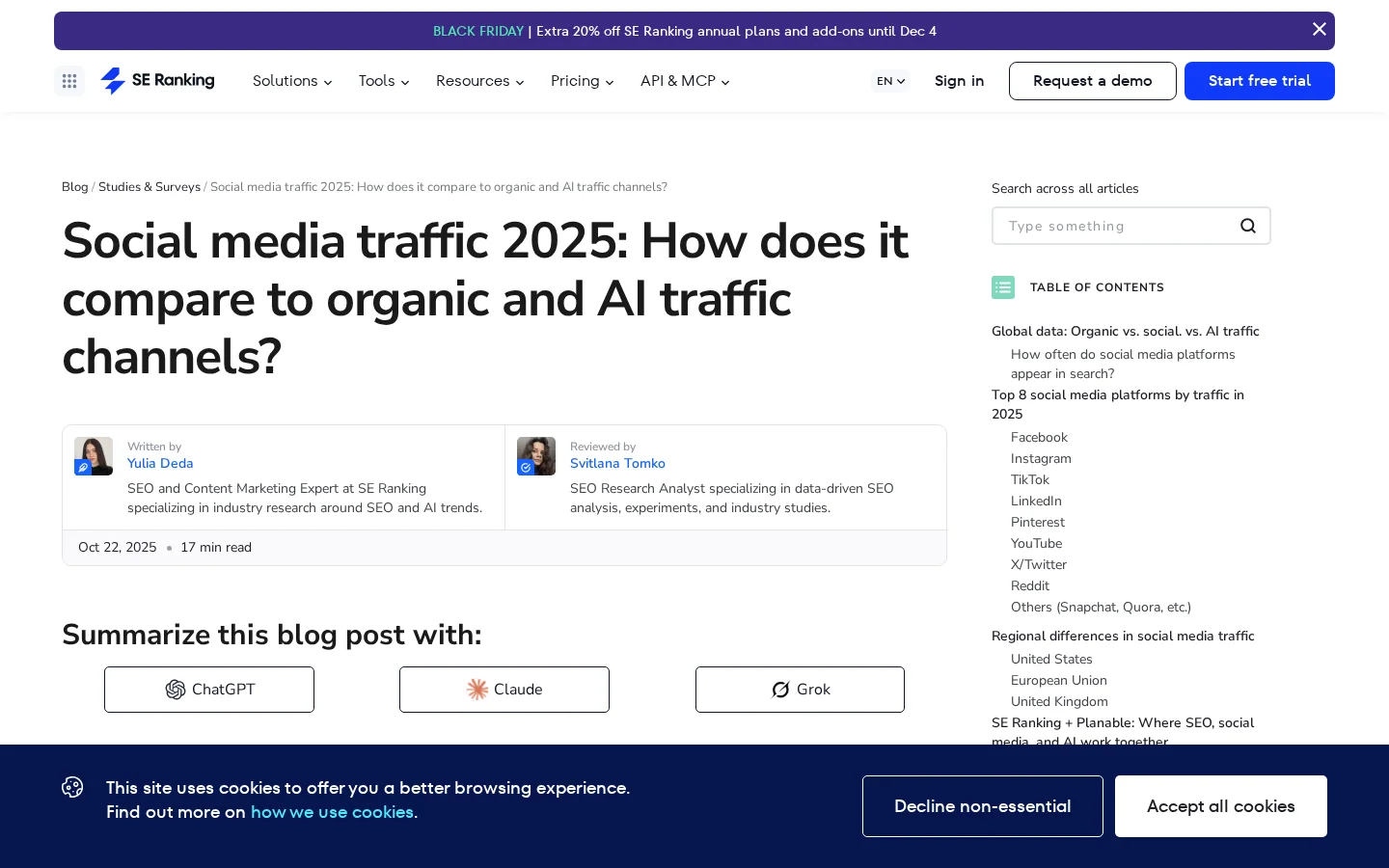
Social media sends a real but uneven share of web traffic, and one network dominates. The largest recent dataset on the subject comes from SE Ranking. In a study published in October 2025 by Yulia Deda, SE Ranking analyzed Google Analytics data from 63987 websites between January and August 2025, in 250 countries and territories. Social media brought 10.12% of all visits, against 46.98% for organic search and 0.18% for AI platforms.
Where website visits came from in 2025
Source: SE Ranking, study of 63987 websites, January to August 2025
Inside that 10%, Facebook is far ahead. It alone sent 7.75% of all website visits, which is about three quarters of all social referrals. Every other network sits below 1% of total traffic.
These figures are averages across very different sites, so read them as a map, not as a target. Three details from the same study change how you should use them.
Your own numbers are the only ones that count. To compare yourself with peers on reach and engagement rather than clicks, see our social media benchmarks by platform.

GA4 files a visit as social based on two fields: the source and the medium. If either matches its social rules, the visit lands in Organic Social. If the medium matches a paid pattern and the source is a social site, it lands in Paid Social. Everything else follows other rules, and a visit with no source at all goes to Direct.
Google documents these rules on its GA4 traffic-source dimensions page. For manual traffic, Organic Social is assigned when the source "matches a regex list of social sites" or when the medium is one of six exact values. Paid Social needs both conditions together: a social source and a paid medium.
Organic Social (OR)
  Source matches Google's list of social sites
  Medium is one of: social | social-network | social-media | sm | social network | social media

Paid Social (AND)
  Source matches Google's list of social sites
  Medium matches regex: ^(.*cp.*|ppc|retargeting|paid.*)$
First, a medium outside the list breaks the grouping. If your team tags links with utm_medium=organic_social or utm_medium=Social, GA4 only files them correctly when the source happens to be on Google's list. A source like ig or linkedin_page is not, so the visit falls into "Unassigned".
Second, ads tagged with utm_medium=social are counted as organic. The medium-only rule wins, and your paid campaigns inflate your Organic Social line. Use paid_social or cpc for anything you pay for.
Third, in-app browsers create several sources for one network. Facebook clicks often show up as l.facebook.com, lm.facebook.com or m.facebook.com. Instagram clicks often appear as l.instagram.com. When the app sends no referrer at all, the same click becomes Direct. That is the main reason UTM tags are not optional for social.
There are five methods to measure social traffic, and they work best together. Each one answers a different question, from "which network?" to "which post?" to "did people come back later?".
Principle: you let GA4 read the referrer header. When to use it: for links you do not control, such as people sharing your article on their own profile. Advantages: zero setup. Limits: in-app browsers and messaging apps hide many clicks, and you cannot tell one post from another. Example: a reader posts your guide on LinkedIn; GA4 shows linkedin.com / referral and nothing more.
Principle: you add campaign parameters to the URL, so the data travels with the link, not with the browser. When to use it: on every link your team publishes, without exception. Advantages: works inside in-app browsers, splits results by post, format or campaign. Limits: needs a naming convention and discipline; a typo creates a new row. Example: ?utm_source=linkedin&utm_medium=social&utm_campaign=guide_launch&utm_content=carousel.
Principle: each network points to its own URL, such as /go/tiktok that redirects to a tagged page. When to use it: for bios, videos and podcasts, where people type or remember the address. Advantages: short, readable, trackable even when spoken aloud. Limits: the redirect must keep the parameters, or you lose them. Example: a YouTube creator says "go to example.com/yt" in a video.
Principle: one link in your profile leads to a page with several links. When to use it: on Instagram and TikTok, where profiles allow few clickable links. Advantages: one place to update. Limits: if the bio page is hosted elsewhere, your analytics sees that tool as the referrer unless every outbound link is tagged. Hosting the page on your own domain avoids this.
Principle: you ask new customers "How did you hear about us?" in a form or at checkout. When to use it: always, as a check on the other four. Advantages: it catches dark social, word of mouth and people who saw a post on their phone and bought later on a laptop. Limits: people forget and pick the first option; keep the list short and add a free text field.
| Method | Setup effort | Splits by post | Survives in-app browsers | Catches dark social |
|---|---|---|---|---|
| Referrer only | None | No | Sometimes | No |
| UTM tagging | Low | Yes | Yes | Only for links you share |
| Vanity paths | Medium | Per channel | Yes | Partly (typed URLs) |
| Bio-link page on your domain | Medium | Per link | Yes, if tagged | No |
| Self-reported attribution | Low | No | Not relevant | Yes |
Relying on the referrer vs tagging every link
A reliable setup takes about an hour and has five steps: a naming convention, tagged links, a custom channel group, a saved report and a monthly review. Do them in this order, because each step depends on the one before.
The 5-step setup
Your convention is a short document everyone uses. Google's GA4 URL builders documentation lists the parameters GA4 reads (utm_source, utm_medium, utm_campaign, utm_content, utm_term, utm_id, utm_source_platform) and warns that values are case sensitive: utm_source=google and utm_source=Google become two rows. Google recommends lowercase for all fields. Here is a convention that fits the default channel rules:
utm_source     facebook | instagram | linkedin | x | tiktok | youtube | pinterest | reddit | threads
utm_medium     social        (unpaid posts, bios, comments)
               paid_social   (any sponsored post or ad)
utm_campaign   topic_or_launch_name   e.g. social_referral_guide
utm_content    format_or_placement    e.g. carousel | bio | first_comment | story | video_description
utm_id         optional campaign id shared with your ad platform
Tip
Build every tagged link with the same tool so nobody invents a new spelling. Our free UTM link builder generates clean, lowercase campaign URLs in a few seconds.
Teams usually tag the link in the post and forget the rest. List every place a link lives on each network and tag them all with a distinct utm_content.
The default channel group cannot be edited, so create your own in GA4 under Admin, Data display, Channel groups. Add one channel per network with a rule on source, then keep the default channels below. A condition like this one gathers all the Facebook variants:
Channel: Facebook
  Session source matches regex: ^(facebook|fb|l\.facebook\.com|lm\.facebook\.com|m\.facebook\.com|facebook\.com)$

Channel: Instagram
  Session source matches regex: ^(instagram|ig|l\.instagram\.com|instagram\.com)$

Channel: LinkedIn
  Session source matches regex: ^(linkedin|lnkd\.in|linkedin\.com)$
Put these channels above the default Organic Social rule. GA4 checks the rules in order and stops at the first match. To understand the dimensions you are filtering on, our guide to GA4 dimensions explains session source versus first user source.
In Explorations, create a free-form report with these rows and columns:
Save it and share it with the social team. A number they see every week changes their behaviour faster than a quarterly deck.
Each month, sort session source by sessions and look for anything new: a misspelled source, a tool domain, a network you did not tag. Fix the convention, then compare Direct traffic on days after big posts. A jump in Direct the day a post went viral is your dark social made visible.
Read social traffic by quality, not by volume. A network that sends 2000 sessions with a 20% engagement rate is worth less than one that sends 300 sessions that read, sign up and buy. Look at the full path from impression to result.
From a post to a result: where to measure each step
The platform counts a click when someone taps; GA4 counts a session only when its tag loads and the visitor accepts tracking where consent is required. Slow pages, closed tabs, ad blockers and consent refusals all widen the gap. Track the ratio over time rather than trying to make it equal 1. If it suddenly drops, check page speed and redirects first.
That last point is why last-click reports undervalue social. Someone discovers you in a TikTok video, searches your brand on Google two days later and buys. GA4 credits Organic Search. To give social its fair share, compare data-driven and last-click models, as explained in our guide to marketing attribution models. For the on-platform side (reach, saves, shares), our article on social media analytics metrics covers what to track inside each network.
You increase social referral traffic by giving people a reason to click and a place where clicking is easy. Each network treats outbound links differently, so the tactic changes from one to the next.
| Network | Where the link works best | Content that earns clicks | Watch out for |
|---|---|---|---|
| Link posts in groups and pages, link in ads | Practical guides, local news, offers | Clicks spread over many referrer hosts; tag everything | |
| Story link sticker, profile link | Before and after, tutorials with "full steps on the site" | Few clickable spots; use utm_content to compare them | |
| Post body or first comment, newsletters, company page | Data, frameworks, templates, case studies | Test link in body vs first comment on your own account | |
| YouTube | Description, pinned comment, spoken vanity URL | Tutorials that point to a checklist or tool | Put the link in the first lines of the description |
| Every pin's destination link | Visual how-tos, recipes, product ideas | Long life: name campaigns by topic, not by date | |
| Comments in answer to real questions | Honest, detailed answers with a source | Community rules; self-promotion is often banned | |
| TikTok | Profile link and vanity URL said in the video | Short demos with a clear next step | In-app browser often hides the referrer |
That last lever is where search and social meet. A site that publishes useful articles every week always has something worth linking to. With Sorank's GEO and SEO dashboard, you see in one view the traffic that comes from Google and from AI models, next to the articles Sorank writes and publishes for you, so you know which pages deserve a social push.
Social clicks do not raise your Google rankings directly, but social platforms shape what people see in Google and in AI answers. Keep the two ideas separate.
On rankings, Google has never confirmed likes or shares as a ranking factor. What social does is put your content in front of people who may link to it, mention it or search your brand later. Our page on social signals and SEO details what is proven and what is myth.
On visibility, the overlap is large. As seen above, SE Ranking found a social platform in the top 10 Google results for half of all queries. AI models also quote social content. Our study of which social networks AI models cite shows which platforms ChatGPT, Gemini and Claude use as sources. A useful Reddit answer or YouTube tutorial can therefore bring you three kinds of visits: a direct click from the network, a click from Google where the post ranks, and a click from an AI answer that cites it.
Note
Visits from AI models often arrive without a referrer too, just like dark social. If your Direct channel grows without any social campaign, read our page on AI dark traffic before crediting it to social.
Most social tracking problems come from a handful of repeated mistakes. Each one below has a symptom you can spot in GA4 and a fix that takes minutes.
What it is: the post link is tagged, but the profile link, story sticker or first comment is not. How to spot it: in session source / medium, you see rows like l.instagram.com / referral next to your tagged rows. How to fix it: list every link spot per network (see step 2) and tag each with its own utm_content.
What it is: ads use utm_medium=social. How to spot it: Organic Social jumps on the days ads run, and Paid Social is empty or tiny. How to fix it: switch ad URLs to utm_medium=paid_social, which matches GA4's paid regex, and note the change date in your report.
What it is: Facebook, facebook, FB and fb coexist. How to spot it: the same network appears on four rows. How to fix it: enforce lowercase in the convention, use one builder, and catch old variants with the regex in your custom channel group.
What it is: a banner on your own site links to another page with UTM parameters. How to spot it: a campaign shows sessions with your own domain as the previous page, and social sessions look shorter than they are. How to fix it: never put UTM tags on links between your own pages. Use events to track internal banners.
What it is: a shortener, a vanity path or a site redirect sends people to the final page without the query string. How to spot it: a campaign you know got clicks shows zero sessions, or its visits show up as Direct. How to fix it: open the tagged link in a private window and check that the final URL still carries every parameter. Configure redirects to pass the query string.
What it is: treating every Direct visit as brand loyalty. How to spot it: Direct spikes on the same day as a viral post or a newsletter mention. How to fix it: annotate big posts, compare Direct the day before and after, and add a "How did you hear about us?" question to your forms.
What it is: cutting a network because it sends few visits. How to spot it: your reports sort by sessions and never show key events or revenue per network. How to fix it: add key events and revenue to the saved report and compare networks per session. A small LinkedIn line can carry most of your B2B demos.
What it is: a new team member starts using utm_source=li. How to spot it: a new source appears in the monthly review. How to fix it: keep the convention in one shared document, version it, and add the new value to the channel regex if you decide to keep it.
You can get reliable social referral data within a week. Start with the checklist below, then let a month of clean data guide where you post next.
Social referral tracking checklist
Social referral traffic is rarely your biggest channel, but it is often the one that starts the relationship. Measure it cleanly, read it by results rather than by clicks, and keep publishing pages that deserve to be shared. If you want a steady flow of those pages without writing them yourself, Sorank researches keywords, writes and publishes articles on autopilot, and shows you which ones bring visits from Google and AI models.
It is the visits that reach your website after someone clicks a link on a social network, such as a post, a bio link, a comment or a video description. In Google Analytics 4, these visits usually appear in the Organic Social or Paid Social channel, and sometimes in Direct when the app hides the referrer.
Many apps open links in their own browser and do not always send a referrer, and links shared in messaging apps never do. Without a referrer or UTM tags, GA4 files the visit as Direct. Tagging every link you publish with utm_source and utm_medium fixes most of it.
Facebook, by far. In SE Ranking's study of 63987 websites from January to August 2025, Facebook sent 7.75% of all visits, about three quarters of all social referrals. Instagram, TikTok, LinkedIn, Pinterest, YouTube, X and Reddit each sent less than 1% of total traffic.
We analyse your competitors, your website and your AI visibility to create a tailored content plan for free.
 Website Value Calculator
 Website Accessibility Checker
 Google Analytics Checker
 Duplicate Content Checker
 Mobile-Friendly Test
 Website Speed Test
 Subdomain Finder
 Domain Age Checker
 CMS Detector
 Googlebot Simulator
 Nofollow Link Checker
 Meta Tag Checker
 Keyword Cannibalization Checker
 Keyword Intent Checker
 Keyword Extractor
 Google Ads Cost Calculator
 CPC Calculator
 Local Citation Finder
 Reddit Threads Finder
 Disavow File Generator
 Redirect Generator
 Canonical Tag Generator
 Passive Voice Checker
 Google Location Changer
 Google Review Calculator
 Google Review Link Generator
 Keyword Combiner
 Podcast Show Notes Generator
 AI Content Rewriter
 AI Text Humanizer
 ChatGPT Prompt Generator
 Twitter Thread Generator
 Tweet Generator
 Landing Page Copy Generator
 Google Ads Copy Generator
 Pinterest Pin Description Generator
 Anchor Text Generator
 Social Media Post Generator
 LinkedIn Post Generator
 Free AI Writer
 Review Response Generator
 LSI Keyword Generator
 YouTube Video Ideas Generator
 YouTube Tag Generator
 YouTube Description Generator
 Product Description Generator
 CTA Generator
 Blog Introduction Generator
 Conclusion Generator
 Hook Generator
 AI Content Brief Generator
 FAQ Schema Generator
 AI Blog Post Ideas Generator
 Structured Data Validator (Schema Validator)
 Alt Text Checker
 Internal Link Analyzer
 Backlink Challenge
 AI Meta Description Generator
 AI Blog Title Generator
 Google Indexability Checker
 AI Blog Outline Generator
 UTM Link Builder
 Keyword Clustering Tool
 Canonical Tag Checker
 XML Sitemap Generator
 Broken Link Checker
 AI SEO Title Generator
 Headline Analyzer
 SERP Preview Tool
 Redirect Checker
 Hreflang Tag Generator
 Heading Structure Analyzer
 HTTP Headers Checker
 Favicon Extractor
 SERP CTR Calculator
 SEO vs Paid Search Savings Calculator
 SEO Share of Voice Calculator
 SEO ROI Calculator
 SEO Traffic and Revenue Forecast Calculator
 SEO Budget Calculator
 SEO Break-Even Calculator
 SaaS SEO ROI Calculator
 ROAS Calculator
 Reading Time Calculator
 Ranking Gain Simulator
 Organic Traffic Value Calculator
 Organic Traffic Estimator and Website Traffic Checker
 LTV to CAC Ratio Calculator
 Local SEO ROI Calculator
 Link Building Cost Calculator
 Keyword Value Calculator
 Keyword Opportunity Score Calculator
 Keyword Density Calculator
 GEO ROI Calculator
 GEO Content Investment Calculator
 Ecommerce SEO ROI Calculator
 Customer Lifetime Value Calculator
 Customer Acquisition Cost Calculator
 CTR Calculator
 Cost Per Article Calculator
 Conversion Rate Calculator
 Content Marketing ROI Calculator
 ChatGPT Referral Traffic Estimator
 Bounce Rate Calculator
 Backlink ROI Calculator
 AI Visibility Score Calculator
 AI Traffic Value Calculator
 AI Share of Voice Calculator
 Cost of AI Invisibility Calculator
 AI Citation Rate Calculator
 llms.txt Validator
 AI Overview Checker and AI Overviews Rank Checker
 Robots.txt Checker
 AI SEO Audit
 LLM Readability Checker
 SearchGPT Readiness Checker
 Structured Data LLM Audit
 Website Crawlability AI Audit
 Why ChatGPT Is Not Recommending My Website
 Gemini Ranking Tool
 Perplexity Ranking Checker
 LLM Citation Checker
 Answer Engine Optimization Audit
 GEO Audit
 AI Search Visibility Test
 ChatGPT Visibility Checker
 llms.txt Generator
 URL Extractor
 Webpage to Markdown
 Sitemap Checker
 SERP Volatility Sensor
 Page Size Checker
 Word Counter
 Slug Generator
 Schema Generator
 Robots Generator
 OG Preview
 Meta Tags Generator
 Image Compressor
 Favicon Generator
 On-Page SEO Audit: SEO Checker and SEO Analyzer
 Backlink Analysis Tool
 Keyword Research Tool
 Domain Authority Checker
 “I tested Sorank on a real client site and it's insane. It does everything an agency would bill you $1500 a month for. It's going into production on that client now.”

 Guillaume Guersanguersanguillaume.com“We are an Ads agency and we wanted to get our SEO back on track once and for all. Sorank gave us a clear view of our site, helped us prioritize optimizations, and properly structure our content. The tool is easy to use, well designed for a team, and very practical for centralizing tracking without having to juggle multiple platforms. A very solid foundation to start fresh with our SEO.”
 Gaspard MadouiAds Agency
 “I just let the Sorank software do its thing, and now my DR is 25 and my page is ranking higher.”
 Lucas Flandrefoundertrace.fr“I specialized in GEO thanks to Sorank. The GEO Leaderboard allows me to show my clients their position vs competitors on ChatGPT. It’s a real commercial differentiator.”
 MélanieSEO Freelance“Great service, works well for our website and helps us understand how to improve it to rank better on Google and elsewhere. Congrats, keep going, I recommend it.”
 Hugo T.E-commerce merchant