
Preferences
Privacy is important to us, so you have the option of disabling certain types of storage that may not be necessary for the basic functioning of the website. Blocking categories may impact your experience on the website. More information
Privacy is important to us, so you have the option of disabling certain types of storage that may not be necessary for the basic functioning of the website. Blocking categories may impact your experience on the website. More information

Referral traffic is the visits from links on other websites. Learn what counts as referral, how to find it in Google Analytics 4 and how to grow it.







Founder Sorank, 7+ years in SEO.
Summary
Referral traffic is the visits your site receives when people click a link on another website, such as a blog post, a directory, a partner page or a review. Analytics tools record the page that sent the visitor as the source, so you can see which sites send you visits and how many.
Want to go further? Ask
Referral traffic comes from links on other sites. A reader is on someone else's page, clicks a link, and lands on yours. The visitor did not come from a search engine and did not click an ad. That is what sets it apart from organic traffic, which comes from unpaid search results, and from paid traffic, which comes from ads.
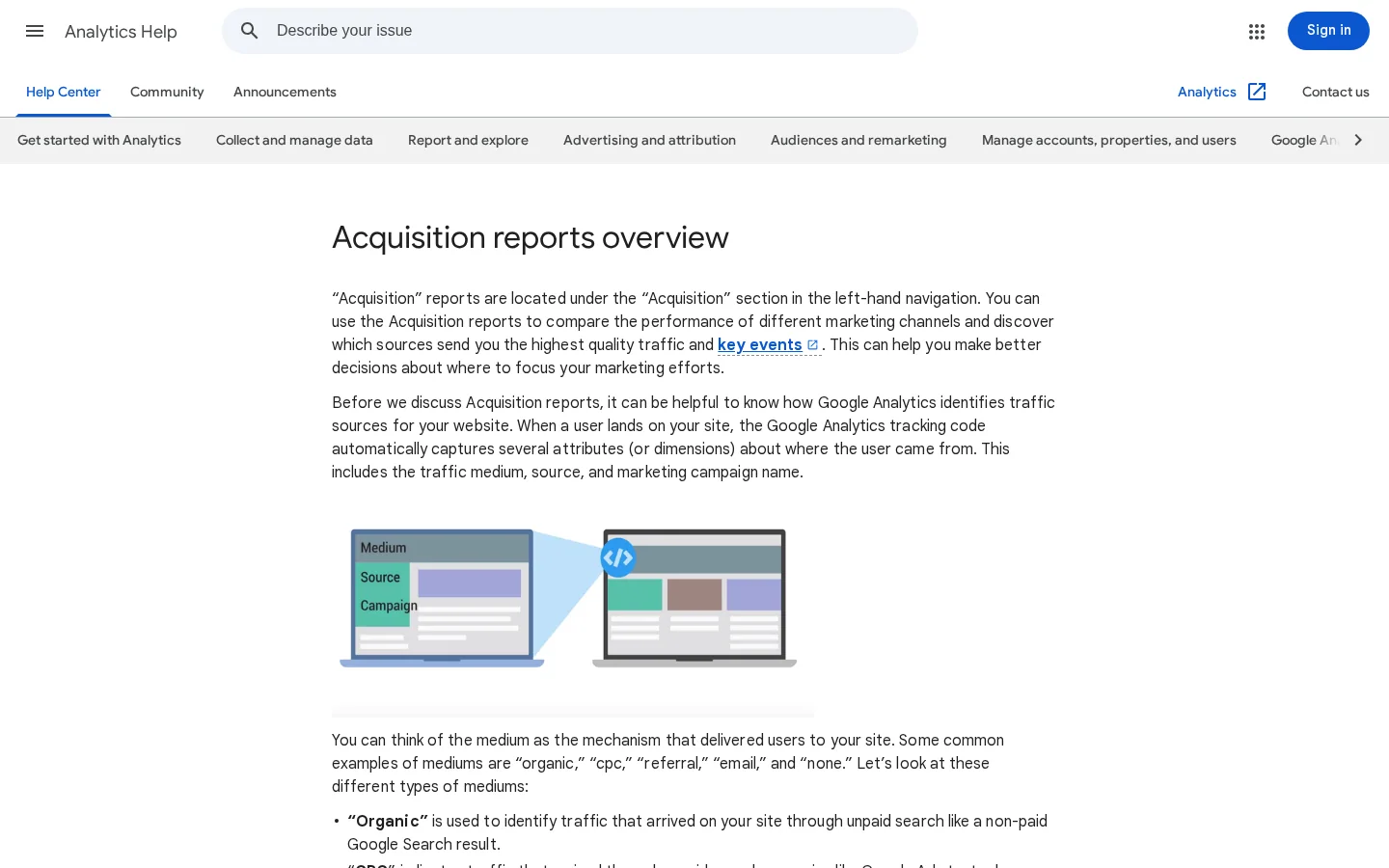
Google Analytics files a visit under the referral channel when it comes from a non-ad link on another site or app, according to its default channel group guide. Its acquisition reports guide adds that the source of such a visit is the address of the site that sent the visitor. So the report tells you which site sent the traffic, not only that the traffic came from outside.
Common referral sources include:
Each of these sources depends on a backlink, which is the link itself. The referral visit is what happens when someone clicks it. A link that nobody clicks creates no referral traffic, even if it sits on a busy site.
Not all referral sources are equal. A few links from sites your buyers already read can bring more useful visits than many links from sites nobody in your market visits. Count the visits from each source, then check what those visits do. Use the bounce rate and your conversions per source to judge quality, not the raw count alone.
Also review the anchor text of the links behind a source that sends many visits and few of them stay, because the words of the link set what the reader expects.
In Google Analytics 4, the acquisition reports sit under the Acquisition section of the left-hand menu. Follow these steps to see your referral sources:
Tip
Use the search box above a report table to type one domain. You see only the visits from that site, which makes it easy to check a single partner or directory.
Some visits lose their source on the way. A link opened from an app, a document or a private message often arrives without the address of the page it came from. Analytics then files the visit under direct traffic, even though a person clicked a link. The same thing happens with some AI tools, a problem known as AI dark traffic.
To keep your own links traceable, tag them with campaign parameters. A parameter is a short piece of text added to the end of an address. Build the tagged link with the UTM link builder, then check the medium in your report. A tagged link might look like this:
https://www.example.com/guide?utm_source=partner-blog&utm_medium=referral&utm_campaign=spring-guideReferral traffic grows when other sites have a good reason to link to you. Focus on sites in your field where your customers already look: directories, partners who share your audience, and articles that other writers want to cite. Earn the links by publishing something useful, rather than asking for any link you can get.
Sorank's natural backlink acquisition is built around contextual links from your niche. Its GEO and SEO dashboard shows Google and AI traffic in one view. To follow which links are lost or added over time, read our guide to backlink monitoring.
A nofollow link tells search engines not to follow it. Google's guidance on qualifying outbound links lists the values sponsored, ugc and nofollow, and says links marked this way will generally not be followed. Sponsored links are the ones used for paid placements, and ugc links are the ones in comments and forum posts.
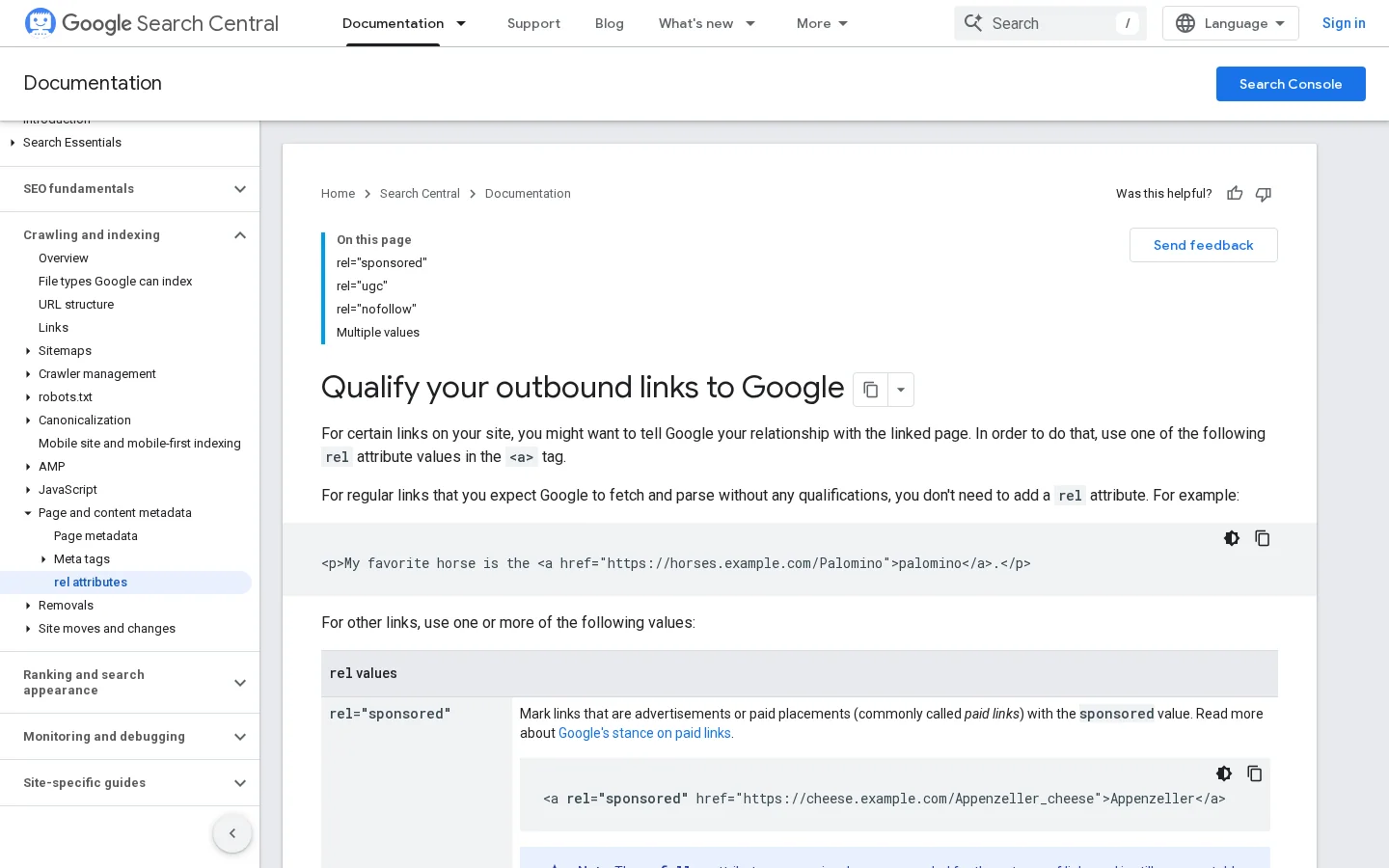
A reader can still click a nofollow link and arrive on your site. That visit is still referral traffic, because the report records the click, not the value of the link for ranking. Check nofollow sources in your report too, and judge them by the visits they bring.
Referral traffic covers visits from any link on another site. AI referred traffic covers visits that come from links inside answers given by AI models, such as ChatGPT or Claude. Both appear as sources in your analytics, but they come from different places. AI answers can send visits without a clear source, so AI traffic often needs its own check.
Read the two side by side. If referral visits grow while AI visits stay flat, the change is probably linked to your partners and directories. If both move together, look at the pages that were cited or linked.
Referral traffic shows that other sites link to you and that readers follow those links. The links behind it also give search engines another way to find your pages, because Google notes that linked pages can be found through links from other sites. That is why the same backlinks support both your visits and your visibility.
For GEO, referral traffic is one of the channels to track next to your presence in AI answers. Visits from AI models, from partner sites and from directories tell you where people actually come from, which a ranking report alone does not show.
Referral traffic is the visits that arrive from links on other websites. Find it under the referral channel in your analytics, read it by source rather than by total, and check each source for engagement and conversions. Build links on sites your buyers actually read, tag the links you control, and track referral and AI visits side by side. For the full picture of every source, read our website traffic overview.
Sources
Not quite. A backlink is the link itself, placed on another site. Referral traffic is the visits that link sends when someone clicks it. A link nobody clicks creates no referral visits.
Open the Acquisition section in the left-hand menu and look for the rows where the medium is referral. Each row shows the domain of the site that sent the visits. Compare periods of equal length before you draw conclusions.
It shows that other sites link to you and that readers follow those links. The same links give search engines another way to find your pages. Judge each source by the engaged visits it brings.
 “I tested Sorank on a real client site and it's insane. It does everything an agency would bill you $1500 a month for. It's going into production on that client now.”

 Guillaume Guersanguersanguillaume.com“We are an Ads agency and we wanted to get our SEO back on track once and for all. Sorank gave us a clear view of our site, helped us prioritize optimizations, and properly structure our content. The tool is easy to use, well designed for a team, and very practical for centralizing tracking without having to juggle multiple platforms. A very solid foundation to start fresh with our SEO.”
 Gaspard MadouiAds Agency
 “I just let the Sorank software do its thing, and now my DR is 25 and my page is ranking higher.”
 Lucas Flandrefoundertrace.fr“I specialized in GEO thanks to Sorank. The GEO Leaderboard allows me to show my clients their position vs competitors on ChatGPT. It’s a real commercial differentiator.”
 MélanieSEO Freelance“Great service, works well for our website and helps us understand how to improve it to rank better on Google and elsewhere. Congrats, keep going, I recommend it.”
 Hugo T.E-commerce merchant



















