Preferences
Privacy is important to us, so you have the option of disabling certain types of storage that may not be necessary for the basic functioning of the website. Blocking categories may impact your experience on the website. More information
Privacy is important to us, so you have the option of disabling certain types of storage that may not be necessary for the basic functioning of the website. Blocking categories may impact your experience on the website. More information

Sitebulb or Botify? Compare plan prices, URL limits, log analysis and crawl methods, then pick the tool that fits your site size, team and budget.
In short
Sitebulb is a technical SEO crawler sold as a desktop app or a cloud plan, with prices on its website. Botify is an enterprise platform that sells through a demo and publishes no price list. For one site that you audit with one crawler, Sitebulb is the faster start. For a large site where log files, indexation and internal linking must run together, Botify is built for that job.
Want to go further? Ask
Quick quiz
Which kind of SEO tool is right for you?
Sorank matches your answers


Test it for 3 days on your own site and see where you stand on Google, ChatGPT and the other AIs.
Start 3-day free trial3 days free, then stop whenever you want. 90-day results guarantee, conditions apply.
Sitebulb is a website crawler. It reads your URLs, reports technical problems such as broken links, redirects, non-indexable pages and slow templates, and explains each problem with a visual. Most teams use it to run a full audit, then fix the list themselves or hand it to a developer.
Botify is a larger product. Its homepage groups its offer into AI Readiness, AI Visibility and AI Activation. The modules it lists include website analytics, bot analytics, internal linking and automated page changes. It names large retail and marketplace brands among its customers, which shows where the product is designed to work.
The two tools are often searched together because both do technical SEO, but they were built for different buyers. Sitebulb is aimed at SEO specialists, consultants and agencies. Botify is aimed at enterprise teams that manage very large sites. We already covered a neighboring pair in our Deepcrawl vs Screaming Frog comparison, which looks at crawlers from a different angle, so read it for a second view on the same question.
Sitebulb and Botify, side by side
Sources: Sitebulb pricing page and Botify homepage, checked November 2026
Sitebulb is easier to start with on a single site. Botify covers more of the workflow for enterprise teams. Pricing transparency, crawl limits and log analysis are the three criteria where the gap is clearest, so start there.
Sitebulb shows its plans on its website. Its FAQ says cloud plans start from £95 a month, and the pricing page lets you switch between GBP, USD and EUR. Botify does not show prices on its homepage. The calls to action are "Get a demo" and "Enter botify", so you cannot compare a monthly figure before a sales call. Ask for a written quote and check that it covers the modules you need, not only the crawler.
Sitebulb sets its limits per audit. Desktop Lite is listed at 10000 URLs per audit and Desktop Pro at 500000, and the FAQ says the Pro limit can rise to 2000000 depending on the machine. Its cloud plan states no project limits. Botify publishes no URL cap, so you have to ask.
Measure your real URL count before you choose. A sitemap often lists far fewer URLs than a crawler finds once faceted pages, parameters, redirects and pagination are included. The gap between the two numbers is where the wrong plan gets bought.
Botify lists a LogAnalyzer module under AI agent and bot analytics, which points to server log work. I could not confirm a comparable log module on Sitebulb's public pages, so do not assume it has one. If logs matter to your project, ask both vendors to show a log report built from a sample file before you sign.
Sitebulb's comparison page says its JavaScript crawling is included at no extra cost, and that Botify treats it as a paid add-on. That is Sitebulb's own claim, and Botify's pricing is not public, so test it yourself. Pick one page whose content loads with JavaScript, crawl it in both tools, and compare what each one sees in the rendered HTML.
| Criterion | Sitebulb | Botify |
|---|---|---|
| Buying model | Plans on its website, desktop or cloud | Sales-led, demo first |
| Public prices | Yes, shown in GBP, USD or EUR | No |
| URL limits | Stated per audit on desktop plans, no project limits on cloud | Not published |
| Log analysis | Not described on the pages checked | LogAnalyzer module listed |
| Internal linking | Internal link analysis listed on its comparison page | SmartLink module listed |
| Other listed features | Crawl maps, performance and mobile checks, Google Analytics integration | SmartIndex for indexation, bot and agent analytics |
| Best fit | Single sites, consultants, agencies | Large sites with enterprise teams |
Sitebulb's feature list comes from its own comparison page, so treat it as a claim until you have tested it. The Botify modules come from its homepage.
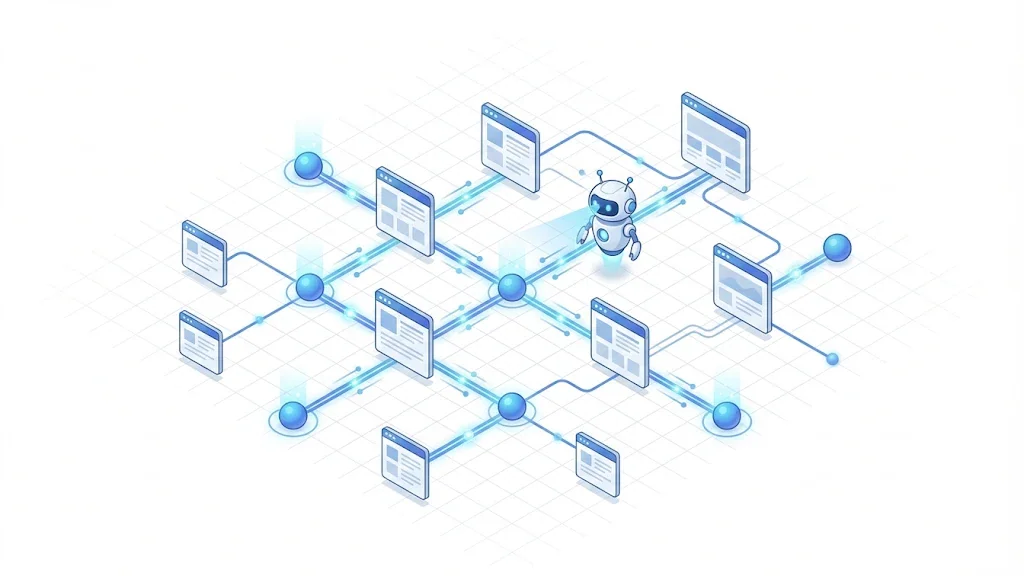
There are four practical ways to get the data behind a technical audit: a desktop crawl, a cloud crawl, log file analysis, and a combined stack. Each one answers a different question. Pick the method by the question you need answered, not by the brand that is loudest in the market.
Principle. The crawler runs on your computer and uses its memory, processor and internet connection. Sitebulb's desktop plans work this way.
When to use it. One site, a crawl size that your machine can handle, and a team that wants the data to stay on a local machine.
Advantages. It is quick to start, and it costs only the licence. You control when the crawl runs and where the export goes.
Limits. Speed depends on your hardware and connection. If the laptop sleeps, the crawl stops. Large crawls need a machine with enough memory, and the URL limit per audit caps what one run can cover.
Example. An in-house SEO runs a desktop crawl on a 20000 URL online store every Monday morning, exports the errors to a spreadsheet and sends the top 20 to the developers before lunch. The machine is free, but the crawl only runs when the laptop is on.
If you already use a desktop crawler such as Screaming Frog, the workflow is the same. Our Screaming Frog SEO Spider setup guide shows how to run a full audit on that tool.
Principle. The crawl runs on the vendor's servers, so it does not depend on your laptop. It can be scheduled and shared with the team.
When to use it. Recurring monitoring, several sites, or several people who need the same project.
Advantages. Crawls run on a schedule and results sit in a shared project. Sitebulb states that its cloud plans have no project limits.
Limits. The cost grows with the number of sites and crawls. Your site data sits on the vendor's platform, so check its terms before you connect a client's site.
Example. An agency with eight client sites schedules a weekly crawl of each one, and the account manager reviews a single dashboard on Friday. The question to ask is how much each extra site costs, because that decides whether the model still works at ten clients.
Principle. You read your server logs and see which bots requested which URLs, and what status code they received. This is the only method that shows real bot behavior rather than a simulated crawl.
When to use it. A large site, a suspected crawl waste problem, or a question about how Googlebot treats a section of the site.
Advantages. You see what bots actually did. Patterns such as repeated hits on filtered URLs are easy to spot once the logs are loaded.
Limits. You need access to the logs, the files can be very large, and you have to filter bot traffic correctly. Anyone can send a Googlebot user agent, so verify the IP before you trust a line.
Example. A retailer finds that most Googlebot requests go to sorted and filtered product URLs, while its best category pages get few visits. The fix is a change to internal linking and robots rules, not a new crawl. Our log file analysis for SEO guide covers the full method.
Principle. You run a crawl, add server logs, and push fixes through a workflow that someone owns. Botify is designed for this combined approach.
When to use it. Enterprise sites, many markets, or a team that must measure the effect of each change.
Advantages. The crawl shows what the site says, the logs show what bots do, and the workflow shows whether a fix shipped.
Limits. It is the most expensive option, it needs a dedicated owner, and the volume of data can slow decisions down if nobody filters it.
Example. A marketplace with millions of listings reviews its log data each week, compares it with the crawl, and sends a ticket to the platform team for each template that wastes crawl requests.
| Method | Answers the question | Main limit | Typical user |
|---|---|---|---|
| Desktop crawl | What is broken on this site today? | Depends on your machine | In-house SEO, consultants |
| Cloud crawl | What changed since last week? | Cost grows with sites and crawls | Agencies, multi-site teams |
| Log file analysis | What did bots really request? | Needs log access and filtering | Large sites, technical SEO leads |
| Combined stack | Did the fix change bot behavior? | Cost and a dedicated owner | Enterprise teams |
Sitebulb states its limits per audit, so you can check your site size against them today. Botify keeps its limits and prices behind a demo, so you need to ask for them in writing.
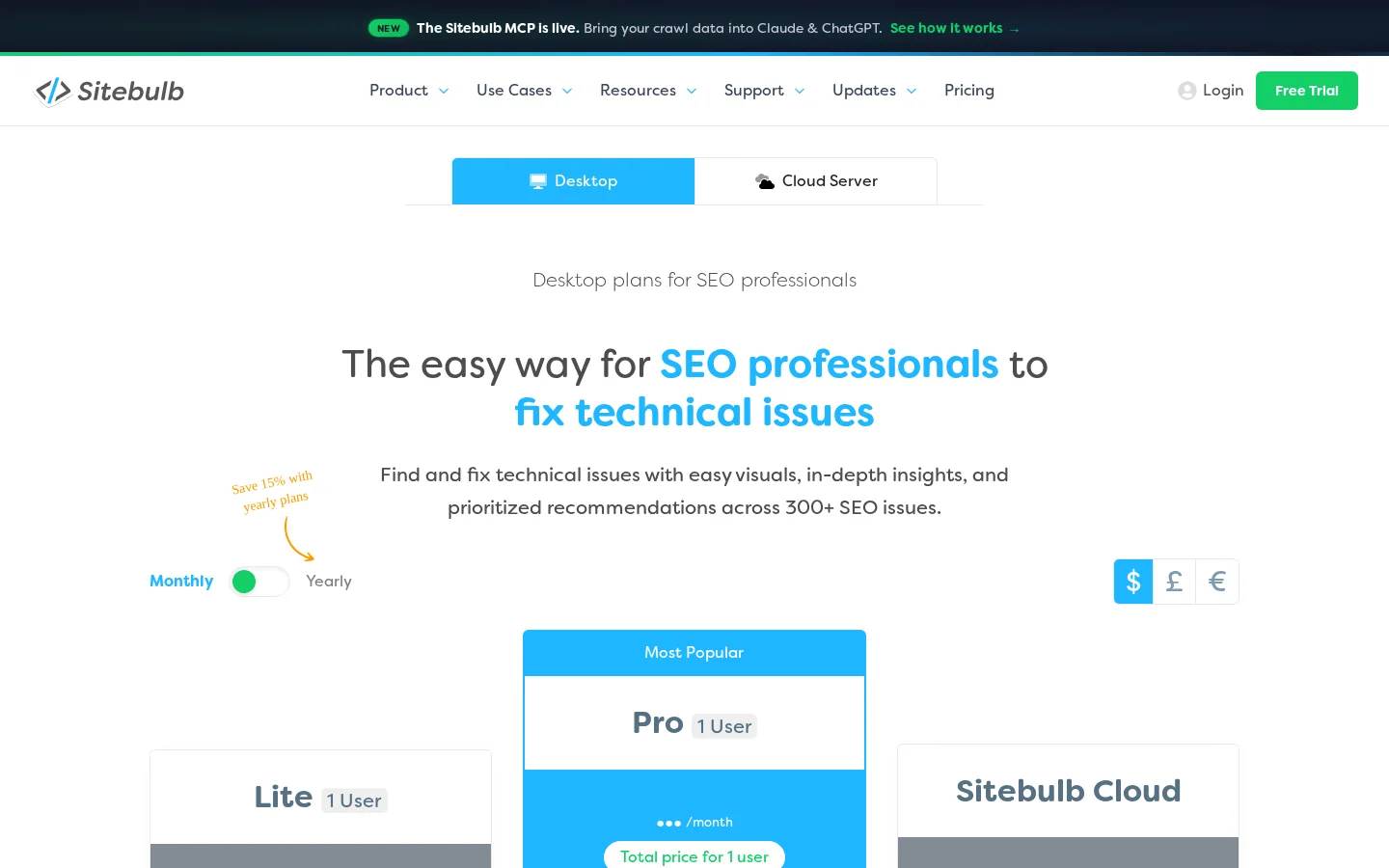
Sitebulb limits per audit
Source: Sitebulb pricing page, checked November 2026
Sitebulb's pricing page lists Desktop Lite with a limit of 10000 URLs per audit and Desktop Pro with 500000 per audit. Extra users on Pro are listed from £7 a month. The cloud plan starts from £95 a month, according to the FAQ. The currency selector shows GBP, USD and EUR, but the figures I could read were in pounds, so confirm the currency on your invoice before you budget.
Use the numbers this way. Divide your URL count by the per-audit limit. If the answer is above one, the plan does not cover one full crawl of your site. Run that check before any sales call, because it removes the most common wrong purchase.
Sitebulb's comparison page says Botify's pricing "hasn't been publicly available for some years". Read that as a warning that you will be asked for a call. Botify's homepage shows no price and no URL limit, and its pricing link leads to a different domain, so it is not a price list for the crawler.
Log file analysis shows which bots requested which URLs and what each request got back. Botify packages that as a LogAnalyzer module. You can run a first check yourself with one command on an access log, before you buy anything.
Run this on a log file from your server. It counts Googlebot requests by HTTP status code:
grep "Googlebot" access.log | awk '{print $9}' | sort | uniq -c | sort -rnThe ninth field is the status code in the common and combined log formats, which most Apache and nginx setups use. Check your server's format first, because a different layout moves the field. If a large share of the results are 301 or 404 responses, Googlebot is spending visits on dead ends. Fix the source of the redirects or the broken links before you ask for a bigger crawl budget.
You do not need log access to see the trend. The Crawl Stats report in Search Console describes its "total crawl requests" as "the total number of crawl requests issued for URLs on your site, whether successful or not". Use it to confirm the trend, then use logs for the detail. Our Crawl Stats report guide explains how to read each chart.
Crawl budget only matters when a site is large or changes fast. Google's guide gives a rough threshold: sites of one million or more unique pages whose content changes about weekly, and sites of 10000 or more unique pages whose content changes daily. Below that, a clean internal link structure matters more than the crawler you choose. The crawl budget entry defines the term, and our expert guide to crawling, indexing and speed covers the wider technical picture.
| Site type | Unique pages | How often content changes | Does crawl budget need attention? |
|---|---|---|---|
| Large site | 1000000 or more | About once a week | Yes, Google's guide says these sites should read it |
| Medium or larger site | 10000 or more | Daily | Yes, same guide |
| Smaller site | Under 10000 | Not rapidly | No, Google says these sites don't need to read the guide |
Source: Google Search Central, the large-site crawl budget guide. Google calls these numbers a rough estimate.
Google advises you to "eliminate duplicate content to focus crawling on unique content rather than unique URLs". Sorted and filtered versions of one page are the usual case. Stop the source of the duplicates, such as sort parameters that generate new links, instead of letting the crawler find them again and again.
On a large site, the crawler finds what your links make visible. Botify lists a SmartLink module for internal linking and a SmartIndex module for indexation on its homepage. Sitebulb's comparison page lists internal link analysis. Before you buy either, decide which pages must rank, link to them first, and only then ask the tool to find the rest. Our priority-based internal linking plan gives the order.
Test both tools on one real section of your site, using the same settings, before you compare prices. The test takes a few hours and tells you more than any table, including the one above.
A practical test to choose between them
Keep the test notes in one document. Write down the URL count, the number of issues each tool found, the fixes that were clear, and the price in writing. A decision made from those four lines holds up better than one made from a feature list.
The expensive mistakes are not technical. They are choosing on price alone, crawling the wrong part of the site, and turning a crawl into a list that nobody owns. Each one below has a clear sign and a clear fix.
What it is. You compare a published monthly price with a quote you have not received, then assume the cheaper tool costs less over a year.
How to spot it. The decision document has no URL count, no module list and no written quote from the vendor.
How to fix it. Divide your URL count by the per-audit limit, list the modules you need, and ask Botify for a written quote that covers those modules. Then compare the totals for the same scope.
What it is. You start the crawl from the homepage only, or cap the depth, so the report misses deep pages, filtered pages and sections that only load from menus.
How to spot it. The crawl finds far fewer URLs than your CMS export or your sitemap lists, and the report looks clean in a way that does not match what the team sees.
How to fix it. Start the crawl from the sitemap and from a CMS export, use the same depth in both tools, and check the count of crawled URLs against the export before you read any issue.
What it is. You add a noindex tag to filtered or duplicate pages and expect Google to stop spending visits on them. Google's guide warns against this. It says "Don't use noindex" for this purpose, because Google still has to request the page to read the tag, which wastes crawling time.
How to spot it. The crawl lists many noindex URLs, and your logs still show Googlebot requesting them.
How to fix it. Stop the source of the unwanted URLs where you can, such as sort links and session parameters. For URL patterns you never want crawled, block them in robots.txt, as Google's guide suggests for differently sorted versions of the same page. Then check the logs again after two weeks.
What it is. Any client can send a user agent that says Googlebot. If you count those requests as Google's, your crawl budget analysis is wrong.
How to spot it. Requests that claim to be Googlebot come from IP addresses that do not resolve to Google's domains.
How to fix it. Verify the IP with a reverse DNS lookup and a forward lookup. The host name should resolve to a Google domain, and the forward lookup should return the same IP. Remove the unverified requests before you count anything.
What it is. The crawl finds 2000 issues, the report is shared in a folder, and nobody is named to fix them. The next crawl shows the same issues.
How to spot it. The same issues appear in two or three crawls in a row, and no ticket has an owner.
How to fix it. Group issues by template rather than by URL, give each group an owner, fix the top 20 first, and re-crawl the section to confirm the fix. Our technical SEO checklist lists the fixes in order of impact.
A crawl report alone vs a report with a fix workflow
Choose Sitebulb if you need a clear audit of one site and you can read the fixes yourself. Choose Botify if you run a large site, need logs and internal linking together, and can get a written quote that fits your budget.
| Your situation | Start with |
|---|---|
| One site, in-house SEO, a crawl your machine can run | Sitebulb desktop plan, checked against the URL limit |
| Agency with several client sites and monthly audits | Sitebulb cloud plan, with the cost per site checked |
| Large site with log files and indexation work | Botify demo with your numbers |
| A team that needs fixes applied and content rewritten, not only a report | A tool that acts on the audit, such as Sorank |
Sorank's homepage says its audit covers technical issues and that an AI agent applies fixes to problems such as page speed, schema, indexation and broken links. That is a vendor claim, so test it on one page before you rely on it. If your main problem is old pages that need rewriting, the content optimization on autopilot feature is the closer fit.
Tip
Before you buy either crawler, run the free Internal Link Analyzer on one important page. It shows the internal links going in and out of that page, which tells you whether the page is reachable before you plan a site-wide change.
Warning
Vendor prices, plan names and URL limits change. Check each figure on the day you buy, and get the final price and module list in writing.
Start with the URL count. Everything else in this comparison depends on that number, because it decides the plan, the method and the cost of the test.
Before you buy either tool
Probably at the entry level, but the comparison is hard to make exactly. Sitebulb publishes its plan prices, while Botify does not list prices and sells through a demo, so ask Botify for a written quote before you decide.
It depends on the plan. Sitebulb's pricing page lists 10000 URLs per audit for Desktop Lite and 500000 for Desktop Pro, which the FAQ says can rise to 2000000 on a strong machine. Its cloud plan states no project limits.
Its homepage lists a LogAnalyzer module under AI agent and bot analytics, which covers bot activity from server logs. Ask the vendor which log formats and volumes the module handles before you rely on it.
We analyse your competitors, your website and your AI visibility to create a tailored content plan for free.
 Duplicate Content Checker
 Mobile-Friendly Test
 Website Speed Test
 Subdomain Finder
 Domain Age Checker
 CMS Detector
 Googlebot Simulator
 Nofollow Link Checker
 Meta Tag Checker
 Keyword Cannibalization Checker
 Keyword Intent Checker
 Keyword Extractor
 Google Ads Cost Calculator
 CPC Calculator
 Local Citation Finder
 Reddit Threads Finder
 Disavow File Generator
 Redirect Generator
 Canonical Tag Generator
 Passive Voice Checker
 Google Location Changer
 Google Review Calculator
 Google Review Link Generator
 Keyword Combiner
 Podcast Show Notes Generator
 AI Content Rewriter
 AI Text Humanizer
 ChatGPT Prompt Generator
 Twitter Thread Generator
 Tweet Generator
 Landing Page Copy Generator
 Google Ads Copy Generator
 Pinterest Pin Description Generator
 Anchor Text Generator
 Social Media Post Generator
 LinkedIn Post Generator
 Free AI Writer
 Review Response Generator
 LSI Keyword Generator
 YouTube Video Ideas Generator
 YouTube Tag Generator
 YouTube Description Generator
 Product Description Generator
 CTA Generator
 Blog Introduction Generator
 Conclusion Generator
 Hook Generator
 AI Content Brief Generator
 FAQ Schema Generator
 AI Blog Post Ideas Generator
 Structured Data Validator (Schema Validator)
 Alt Text Checker
 Internal Link Analyzer
 Backlink Challenge
 AI Meta Description Generator
 AI Blog Title Generator
 Google Indexability Checker
 AI Blog Outline Generator
 UTM Link Builder
 Keyword Clustering Tool
 Canonical Tag Checker
 XML Sitemap Generator
 Broken Link Checker
 AI SEO Title Generator
 Headline Analyzer
 SERP Preview Tool
 Redirect Checker
 Hreflang Tag Generator
 Heading Structure Analyzer
 HTTP Headers Checker
 Favicon Extractor
 SERP CTR Calculator
 SEO vs Paid Search Savings Calculator
 SEO Share of Voice Calculator
 SEO ROI Calculator
 SEO Traffic and Revenue Forecast Calculator
 SEO Budget Calculator
 SEO Break-Even Calculator
 SaaS SEO ROI Calculator
 ROAS Calculator
 Reading Time Calculator
 Ranking Gain Simulator
 Organic Traffic Value Calculator
 Organic Traffic Estimator and Website Traffic Checker
 LTV to CAC Ratio Calculator
 Local SEO ROI Calculator
 Link Building Cost Calculator
 Keyword Value Calculator
 Keyword Opportunity Score Calculator
 Keyword Density Calculator
 GEO ROI Calculator
 GEO Content Investment Calculator
 Ecommerce SEO ROI Calculator
 Customer Lifetime Value Calculator
 Customer Acquisition Cost Calculator
 CTR Calculator
 Cost Per Article Calculator
 Conversion Rate Calculator
 Content Marketing ROI Calculator
 ChatGPT Referral Traffic Estimator
 Bounce Rate Calculator
 Backlink ROI Calculator
 AI Visibility Score Calculator
 AI Traffic Value Calculator
 AI Share of Voice Calculator
 Cost of AI Invisibility Calculator
 AI Citation Rate Calculator
 llms.txt Validator
 AI Overview Checker and AI Overviews Rank Checker
 Robots.txt Checker
 AI SEO Audit
 LLM Readability Checker
 SearchGPT Readiness Checker
 Structured Data LLM Audit
 Website Crawlability AI Audit
 Why ChatGPT Is Not Recommending My Website
 Gemini Ranking Tool
 Perplexity Ranking Checker
 LLM Citation Checker
 Answer Engine Optimization Audit
 GEO Audit
 AI Search Visibility Test
 ChatGPT Visibility Checker
 llms.txt Generator
 URL Extractor
 Webpage to Markdown
 Sitemap Checker
 SERP Volatility Sensor
 Page Size Checker
 Word Counter
 Slug Generator
 Schema Generator
 Robots Generator
 OG Preview
 Meta Tags Generator
 Image Compressor
 Favicon Generator
 On-Page SEO Audit: SEO Checker and SEO Analyzer
 Backlink Analysis Tool
 Keyword Research Tool
 Domain Authority Checker
 “I tested Sorank on a real client site and it's insane. It does everything an agency would bill you $1500 a month for. It's going into production on that client now.”

 Guillaume Guersanguersanguillaume.com“We are an Ads agency and we wanted to get our SEO back on track once and for all. Sorank gave us a clear view of our site, helped us prioritize optimizations, and properly structure our content. The tool is easy to use, well designed for a team, and very practical for centralizing tracking without having to juggle multiple platforms. A very solid foundation to start fresh with our SEO.”
 Gaspard MadouiAds Agency
 “I just let the Sorank software do its thing, and now my DR is 25 and my page is ranking higher.”
 Lucas Flandrefoundertrace.fr“I specialized in GEO thanks to Sorank. The GEO Leaderboard allows me to show my clients their position vs competitors on ChatGPT. It’s a real commercial differentiator.”
 MélanieSEO Freelance“Great service, works well for our website and helps us understand how to improve it to rank better on Google and elsewhere. Congrats, keep going, I recommend it.”
 Hugo T.E-commerce merchant