Preferences
Privacy is important to us, so you have the option of disabling certain types of storage that may not be necessary for the basic functioning of the website. Blocking categories may impact your experience on the website. More information
Privacy is important to us, so you have the option of disabling certain types of storage that may not be necessary for the basic functioning of the website. Blocking categories may impact your experience on the website. More information

Find out if Google penalised your site, tell a manual action from an algorithmic drop, and follow the exact steps to fix it and file a reconsideration request.

Tools

In short
a Google penalty comes in two forms. A manual action is a sanction applied by a human reviewer: it shows up in the Manual actions report of Search Console and you lift it by fixing every issue and filing a reconsideration request. An algorithmic demotion is never announced: you spot it by matching a traffic drop to an update date, then you fix the cause and wait for Google's systems to reassess your site.
Want to go further? Ask
Quick quiz
Is SEO right for you, and how should you start?
Sorank matches your answers


Test it for 3 days on your own site and see where you stand on Google, ChatGPT and the other AIs.
Start 3-day free trial3 days free, then stop whenever you want. 90-day results guarantee, conditions apply.
"Penalty" is the word everyone uses, but Google rarely uses it. Google talks about manual actions, spam policies and ranking systems. The difference matters, because the diagnosis and the cure are not the same.
A penalty, in the everyday sense, is any loss of visibility caused by Google judging that your site breaks its rules or no longer deserves its positions. The drop can hit one page, one folder, a type of rich result or the whole domain. In the worst case, the site disappears from the index.
Google's automated detection has become very efficient. In its webspam report for 2022 (Google Search Central, April 2023), Google says SpamBrain detected five times more spam sites than in 2021 and 50 times more link spam sites than during the previous link spam update. In March 2024, Elizabeth Tucker, Director of Product Management, wrote on the Google blog that the March 2024 core update cut low-quality, unoriginal content in results by 45%.
How hard Google now hunts spam
Sources: Google Search Central webspam report 2022 (April 2023); Google blog, Elizabeth Tucker (March 2024, updated April 2024)
The practical consequence: a tactic that "worked" two years ago can now be detected and neutralised in a single update, with no warning. If you want the full rulebook behind these sanctions, read our guide to Google's guidelines for SEO. This article focuses on what to do when the sanction has already landed.
The first question is always the same: is there a message in Search Console? The answer decides your whole plan.
Manual action vs algorithmic demotion
| Criterion | Manual action | Spam demotion (automated) | Core update reassessment |
|---|---|---|---|
| Who decides | A human reviewer | Automated spam systems | Core ranking systems |
| Notification | Search Console message and Manual actions report | None | None, only the update announcement |
| Typical pattern | Sudden drop on a precise day, often site-wide or on one section | Drop during a spam update window, links or pages ignored | Gradual slide or step drop during a core update rollout |
| Scope | Site-wide or partial (listed in the report) | Pages, links or whole domain | Usually many pages at once |
| How to recover | Fix, then Request Review | Remove the spam signals, wait | Improve usefulness, wait for the next reassessment |
| Disavow useful? | Yes, for "unnatural links to your site" | Rarely | No |
If none of these explain the drop, the cause is probably technical (a noindex pushed by mistake, a broken redirect, a migration) or seasonal. Rule these out before you blame Google: a free indexability check on your top pages takes one minute.

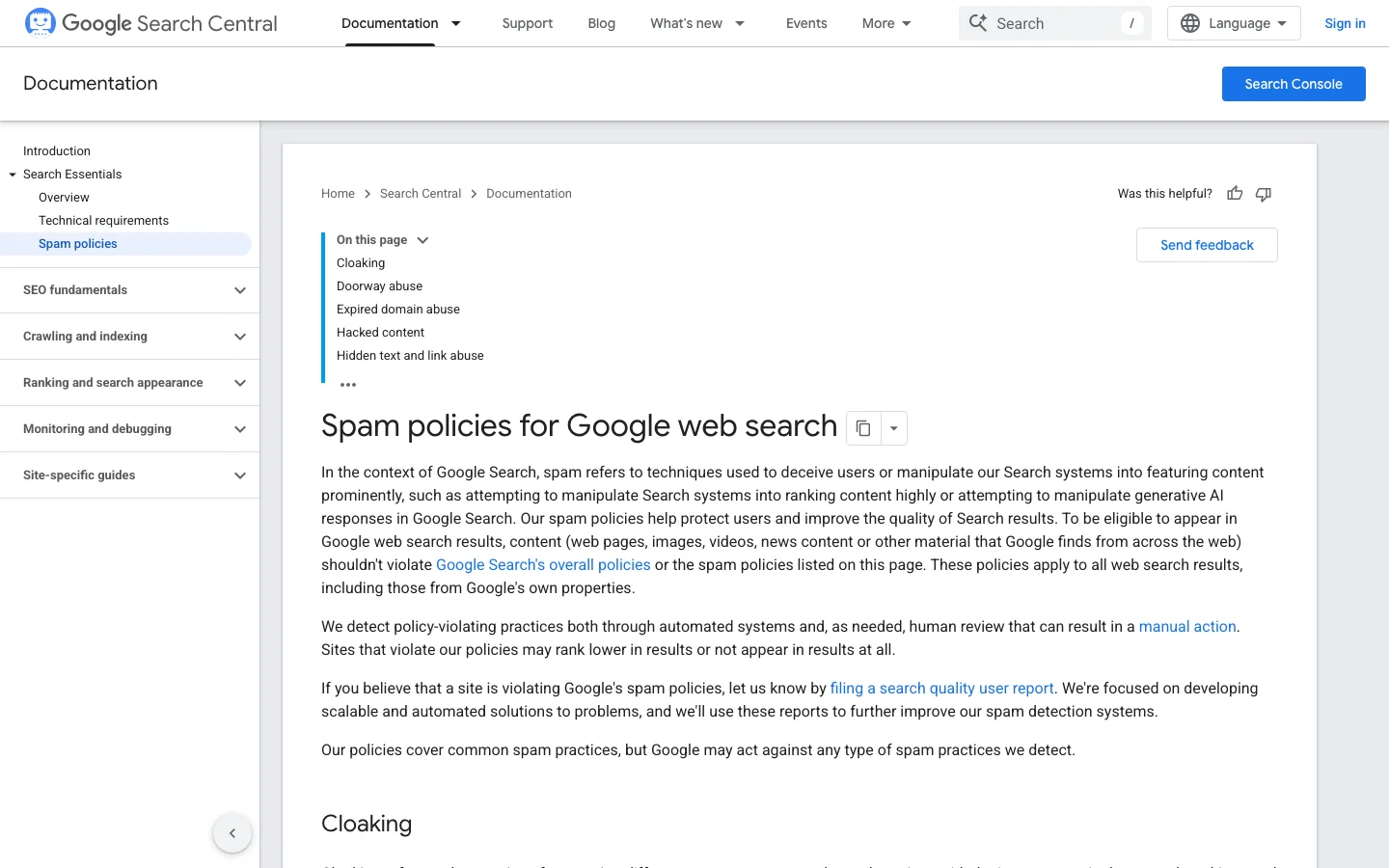
Google publishes the full list of manual actions in its Manual actions report help page, and the full list of violations in its spam policies for Google web search. The table below maps the most common ones to their real-world causes and fixes.
| Manual action or policy | What usually causes it | How to fix it |
|---|---|---|
| Unnatural links to your site | Bought links, link networks (PBN), large-scale link exchanges, keyword-rich anchors in guest posts | Remove what you can, disavow the rest, document everything |
| Unnatural links from your site | Selling dofollow links, sitewide footer links sold to partners | Remove or add rel="sponsored" or rel="nofollow" |
| Thin content with little or no added value | Auto-generated pages, scraped content, doorway pages, thin affiliate pages | Delete, merge or deeply rewrite; noindex what has no search value |
| Scaled content abuse (policy) | Many pages produced mainly to rank, whatever the method (human, AI or mixed) | Prune, consolidate, keep only pages with real added value |
| Site reputation abuse | Third-party pages (coupons, casino, reviews) hosted on a strong domain with little oversight | Remove or noindex the third-party section, or bring it under real editorial control |
| Expired domain abuse (policy) | Buying an old domain to publish unrelated content riding on its reputation | Stop the practice; recovery is rarely worth it |
| Cloaking and/or sneaky redirects | Different content for Googlebot and users, mobile-only redirects to spam | Serve identical content, remove conditional redirects, check plugins |
| Hidden text and/or keyword stuffing | White text on white, text hidden with CSS, lists of cities or keywords | Remove the hidden blocks, rewrite stuffed passages |
| Structured data issue | Markup that describes content not visible on the page (fake reviews, fake ratings) | Make the markup match the visible content, or remove it |
| User-generated spam / site abused with third-party spam | Spam comments, forum profiles, open sign-ups | Clean up, moderate, add rel="ugc", block spam bots |
| Major spam problems / pure spam | Aggressive combination of the above | Often a full rebuild; reconsideration rarely succeeds without one |
On March 5, 2024, Google Search Central announced three new spam policies: expired domain abuse, scaled content abuse and site reputation abuse, with enforcement of site reputation abuse starting May 5, 2024. These three explain a large share of the drops seen since then, especially on sites that published hundreds of AI pages with no editing, and on media sites that rented out sections of their domain.
Note
Google states in its manual actions documentation that the site reputation manual action does not apply to search results shown in the European Economic Area. In the EEA, affected pages may be classified separately from the main domain instead.
With its link spam updates, Google mostly neutralises bad links instead of punishing the site: the links simply stop counting. That is why a site can lose rankings after a link spam update without any manual action. The links that carried it no longer pass value. Disavowing will not bring that value back. Our guide on toxic backlinks and when disavowing is actually needed goes into the detail, and the article on buying backlinks explains why paid links are the most common trigger.
Diagnosis is 80% of the work. A wrong diagnosis leads to the classic mistake: disavowing hundreds of links when the real cause was thin content, or rewriting everything when the cause was a robots.txt change.
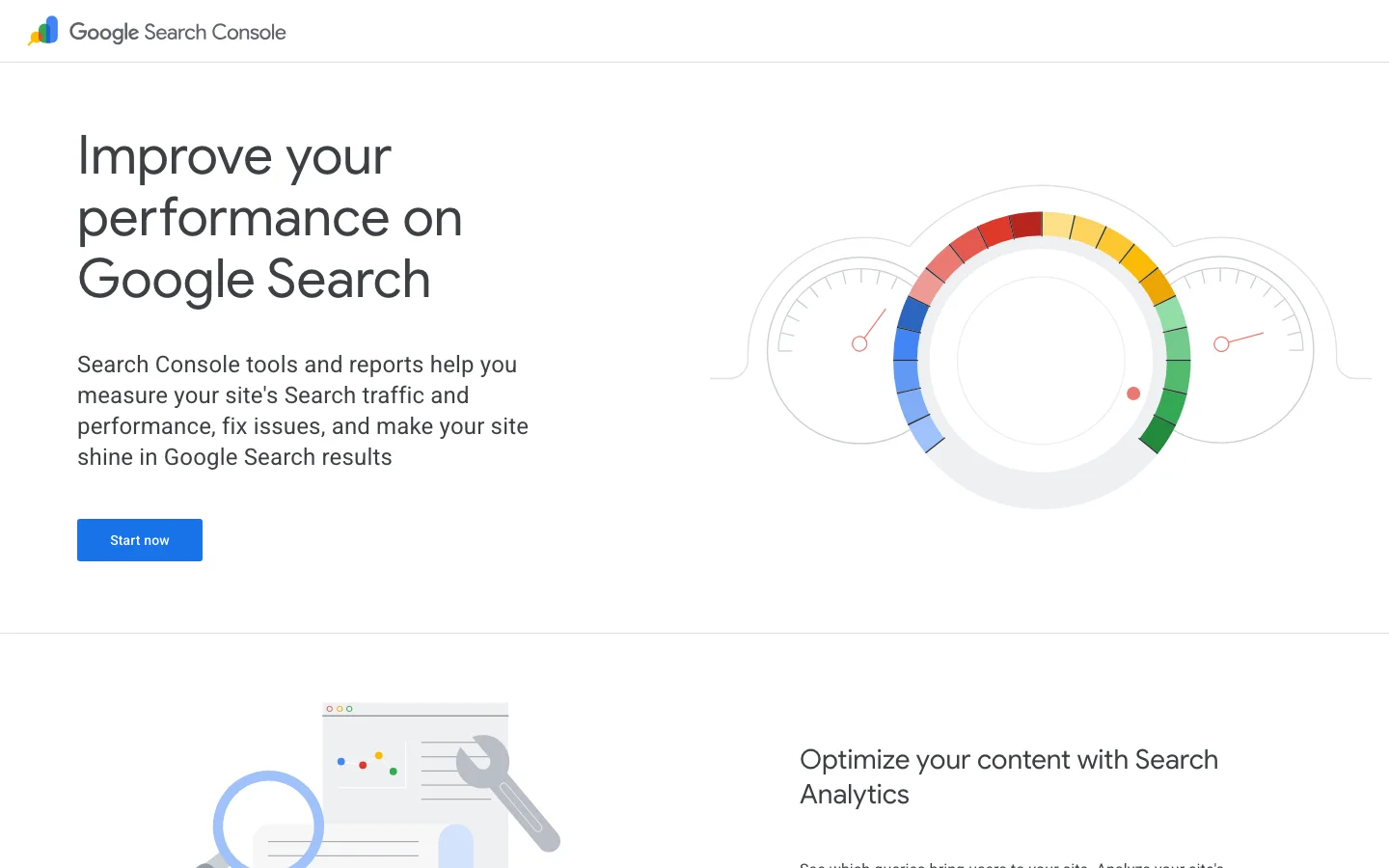
Open, in this order: Manual actions, Security issues, Pages (indexing), Performance. The first two answer "is there a sanction or a hack?". The third answers "did my pages leave the index?". The fourth tells you when, where and how much. If you are new to the tool, our Google Search Console tutorial walks through each report.
In Performance, compare the 28 days before and after the drop. Note the first day clicks fall by more than a third. Then check the Status Dashboard: a drop that starts on day 2 of a core update rollout is almost certainly linked to it. A drop on a Tuesday with no update and a manual action message is a manual action. A drop the day after a deployment is technical until proven otherwise.
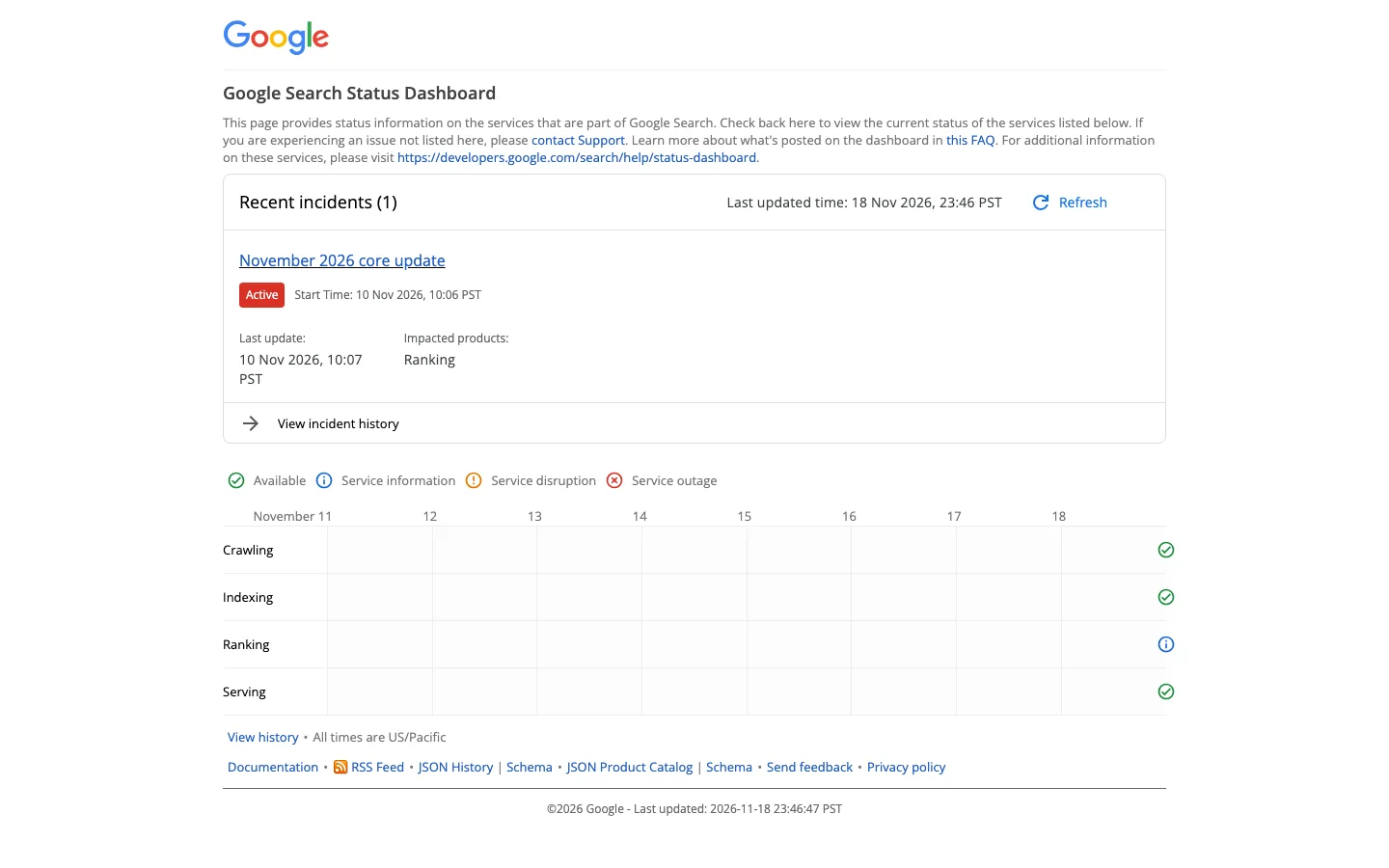
A penalty almost never hits everything evenly. Filter the Performance report by page and by query to find the pattern. Use the regex filter (Page, then Custom (regex)) to isolate sections:
# Pages in /blog/ or /guides/
^https://www\.example\.com/(blog|guides)/

# Everything except the blog
^https://www\.example\.com/(?!blog/)

# Queries that contain your brand (branded traffic)
(?i)(example|exmple|example\.com)
Read the result like this:
Search site:example.com and compare the rough number of results with your known number of pages. Then run URL Inspection on five affected URLs: "URL is not on Google" with no technical reason is a strong signal. For a site-wide view of technical causes, follow our SEO audit method.
Before you change anything, write one paragraph: date of the drop, scope, update or message involved, most likely cause, evidence. This paragraph becomes the base of your reconsideration request if there is a manual action, and the base of your before/after measurement if there is none.
There is no single "penalty removal" technique. There are six methods, and the right mix depends on the diagnosis. Here is each one, with when to use it, what it brings and where it stops.
Principle: after fixing a manual action, you ask Google to review the site again. When: only when there is a manual action. Advantages: the only way to lift a manual action, with a clear answer. Limits: useless for algorithmic drops; a rejected request costs weeks. Example: a site with "Unnatural links to your site" removes 300 paid links, disavows 120 domains, then files a documented request.
Principle: remove artificial links at the source, then disavow those you cannot remove. When: manual action for unnatural links, or a large, known history of paid links likely to cause one. Advantages: direct effect on the link-related manual action. Limits: Google's own disavow documentation calls it an advanced feature to use with caution; disavowing good links can hurt. Example: disavowing a whole network of 40 blogs built by a former agency.
Principle: delete, merge or noindex pages that add nothing. When: thin content, scaled content abuse, doorway pages, core update drops on a site with many weak pages. Advantages: raises the average quality signal of the whole site. Limits: deleting pages with links or traffic without a redirect loses value. Example: 2000 city pages with the same text merged into 30 real regional pages.
Principle: rewrite the pages that still have potential so they answer better than the pages that overtook you. When: core update drops, helpful content issues. Advantages: the only lasting answer to a quality reassessment. Limits: slow; results usually show after a later core update. Example: adding first-hand tests, real data and author expertise to a buying guide. See our page on helpful content for the standard Google applies.
Principle: remove cloaking, sneaky redirects, hidden text, hacked pages or misleading structured data. When: manual actions of these types, or a hack. Advantages: fast, verifiable. Limits: the cause is often a plugin, a script or an old agency setup you did not know about. Example: a compromised plugin redirecting mobile visitors to a pharmacy site.
Principle: abandon the penalised domain. When: pure spam, or an expired domain bought for its history. Advantages: clean slate. Limits: you lose all the domain's legitimate history; redirecting the old domain to the new one can carry the problem over. Example: a site built entirely on a PBN with no real audience.
| Method | Best for | Speed | Risk if misused | Effort |
|---|---|---|---|---|
| Reconsideration request | Any manual action | Days to weeks | Low (rejection only) | Low once fixes are done |
| Link cleanup and disavow | Unnatural links | Weeks | High (disavowing good links) | High |
| Pruning and consolidation | Thin or scaled content | Weeks to months | Medium (lost pages and links) | Medium |
| Content improvement | Core updates, helpful content | Months | Low | High |
| Technical correction | Cloaking, redirects, hacks, markup | Days | Low | Low to medium |
| New domain | Pure spam, abused expired domain | Months | High (loss of history) | Very high |
This is the section to follow today if you have a message in Search Console.
The 6-step manual action recovery
The file format, as defined by Google: one URL or domain per line, domain: prefix for a whole domain, # for comments, UTF-8 or 7-bit ASCII, a name ending in .txt, up to 100000 lines and 2 MB.
# Disavow file for https://www.example.com
# Updated 2026-11-18 after manual action "Unnatural links to your site"
# Network sold by former agency, removal requests sent 2026-10-02, no answer
domain:cheap-links-network.net
domain:seo-blog-farm.info
domain:article-directory-spam.org

# Single paid posts on otherwise acceptable sites
https://www.some-magazine.com/sponsored/best-tools-2023/
https://news.local-site.fr/partner-content/agency-review/
Warning
Uploading a new disavow file replaces the old one entirely. Always start from the current file, add to it, and keep a dated copy. The http and https versions of a URL-prefix property need separate lists, and domain properties are not supported.
Google reads the request as proof of good faith. Be factual, short and complete. A structure that works:
Example
"We received a manual action for unnatural links on 2026-09-28. The cause: between 2021 and 2023, a former agency bought links on a network of blogs and in sponsored posts without rel attributes. What we did: we identified 1240 linking domains, classified 214 as artificial, obtained the removal of 87 (see column C of the attached sheet), and disavowed the remaining 127 at domain level. We ended the contract with the agency and adopted a written rule: any paid placement gets rel="sponsored". Result: no artificial link from the list is still active without being disavowed."
If you bought the site and the violations came from the former owner, say so: Google's documentation explicitly asks you to mention it and confirm the issues are fixed.
You receive an email when Google receives the request and another when the review is done. Google indicates most reviews take several days or weeks, and link-related requests can take longer. If the request is rejected, the answer usually points to remaining examples: fix those, widen the search to similar pages, and submit again with the new evidence.
Lifting the action does not mean traffic returns to its old level. If links carried your rankings, removing them removes their value too. Plan to rebuild authority with clean links: our guide to backlink strategies compared by risk lists the safe options.
No request to file here. You fix the cause, then you let Google's systems reassess the site. The work depends on the type of update that hit you.
Milestones that shaped Google penalties
The cause is a clear violation detected automatically: scaled pages, link schemes, cloaking. Remove the practice completely. Google does not publish a delay, and experience shows recovery often comes with a later update, once the systems see the site has changed over a long enough period. Partial cleanup does not count.
Start by comparing your pages with those that now rank above you, query by query. Ask concrete questions: do they give first-hand experience, more precise data, a clearer answer, a better-identified author? Then decide page by page: improve, merge or remove. Our guide to the Google core update and the article on the Google algorithm and its ranking systems explain what these reassessments look at.
Links that stopped counting will not count again. Disavowing them is useless, since they are already ignored. The answer is to earn new, legitimate links and to stop the practice that created the old ones. A backlink audit tells you how much of your profile was artificial and how much authority you need to rebuild.
Tip
Measure recovery on the right segment. Track the folder or query group that dropped, not the whole site: a 10% site-wide rise can hide a full recovery of the hit section, or the opposite.
A reconsideration request asks Google to review your site after you fix the problems named in a manual action or security issues notification. File one only when Search Console shows that notice. If the Manual actions report says “No issues detected”, there is nothing to reconsider, and a traffic drop on its own is not a reason to file.
| Situation | File a request? | Right route |
|---|---|---|
| Notice about unnatural links to your site | Yes, after the cleanup | Clean up, disavow what stays, then file (see our backlink audit guide) |
| Notice about thin or scaled content | Yes, after pruning or rewriting | Prune, merge or noindex, then file |
| Security issues notice (hacked site) | Yes, after the cleanup | Remove the injected code and pages, check the site, then file |
| Traffic drop with no notice | No | Self-assess the site, as described in the algorithmic penalty section below |
| Notice has gone from the report | No | Nothing to file; keep monitoring the report |
If a fixed URL still reports a block, check our guide to blocked by robots.txt before you file.
Name the issue exactly as the report does. A request that opens with “Unnatural links to your site” answers a clear notice. A request that talks about “some old SEO problems” makes the reviewer guess what you fixed. Follow the order the review needs: the notice and its date, the cause, the fixes with their numbers, and the evidence you can share. Keep each claim short and checkable.
Most sites that stay down for months do not lack effort. They made one of these mistakes.
What it is: filing reconsideration requests or mass-disavowing links when there is no message in Search Console. How to spot it: the Manual actions report says "No issues detected". How to fix it: go back to the diagnosis, date the drop, compare it with the Status Dashboard and work on the real cause.
What it is: uploading the full list of linking domains, or every link with a low third-party score. How to spot it: your disavow file contains press sites, partners or directories you chose yourself. How to fix it: remove those lines, upload the corrected file, and keep disavow for clearly artificial links.
What it is: correcting the pages listed in the report and nothing else. How to spot it: the request is rejected with new examples of the same problem. How to fix it: search the whole site for the same pattern (crawler, site: searches, CMS export) and fix all of it before resubmitting.
What it is: putting the cleaned pages behind a login, blocking them in robots.txt or leaving a noindex during the review. How to spot it: URL Inspection shows "Blocked by robots.txt" or "Excluded by noindex". How to fix it: make the fixed pages accessible, as Google requires.
What it is: sending a new request every few days to "speed up" the review. How to spot it: several requests in the report history. How to fix it: wait for the decision; Google explicitly asks not to resubmit while a request is pending.
What it is: pruning thin content by deleting hundreds of pages that still had backlinks or traffic. How to spot it: a rise in 404 errors in Search Console and lost referring domains. How to fix it: 301-redirect deleted pages to the closest useful page, and keep 404 or 410 only for pages with no value at all.
What it is: returning to bulk AI publishing or paid links once traffic comes back. How to spot it: a second drop during the next spam update. How to fix it: write the rule that caused the problem into your editorial and link-building process, and check it at every release.
A penalised site before and after a proper cleanup
An algorithmic penalty comes with no notice and no request to file. It means the ranking systems now judge some of your pages less helpful than the pages competing with them. Google says there might not be anything fundamentally wrong with your content, so do not hunt for one bad page. For a large, persistent drop, Google recommends self-assessing the whole website to check that it is helpful, reliable and people-first.
Check the right signal first. Google suggests watching your average position, not only your clicks. A dramatic, persistent drop in position is the sign to self-assess your content. If clicks fall while positions hold, the cause is more likely the results page itself, as our guide to AI Overviews traffic drops explains.
Google's self-assessment questions make a good checklist. Ask them of every page in the dropped section:
Google also asks whether the content is mass-produced or spread across a large network of sites. A yes to that question makes a page a candidate for merging or removal, not for another round of small edits.
List the pages of the dropped section in a table, and count how many of the questions above each page answers badly. Then pick one decision per page.
| Page profile | What it usually means | Decision |
|---|---|---|
| Fails three or more questions, no unique data | Little reason to rank | Merge into a stronger page, or remove with a 301 redirect |
| Good answer, weak on expertise or sourcing | Could rank with a named author and clear sources | Add first-hand detail, expertise and sources |
| Strong answer, outranked by a broader guide | Too narrow to win the wider query | Expand it, or link it to the guide that covers the wider topic |
| Strong answer, still losing position | The problem is probably elsewhere on the site | Review the pages around it before changing it |
Google is clear that recovery is slow. Some changes can take effect in a few days, while others could take several months, and it may take months before its systems determine that a site is now producing helpful content. Google suggests waiting a few weeks before you analyse your site in Search Console again. Compare the same segment each time, and do not undo your changes because the first check looks flat.
If the dropped pages were drafted with AI, read our guide on whether Google penalises AI-generated content before you decide what to keep.
Sources: Google Search Central, Debugging drops in Google Search traffic, and Creating helpful, reliable, people-first content.
Prevention costs far less than recovery. Most penalties come from a small set of practices, so a short checklist covers most of the risk.
Penalty prevention checklist
The scaled content abuse policy targets pages made mainly to manipulate rankings, whatever the method. Publishing often is not the problem; publishing pages with no added value is. Each new page should answer a distinct question, avoid cannibalising an existing page and bring something the top results do not. Sorank's content optimization rewrites and refreshes existing pages instead of multiplying near-duplicates, which is the safer way to grow a site after a quality reassessment.
Links that survive are those an editor would keep even if they passed no SEO value: contextual, in a related niche, on sites with a real audience. Sorank's natural backlink acquisition works on that principle: contextual links from sites in your niche, not mass placements.
A drop caught on day 3 is easier to explain than one caught after three months. Put Google clicks and AI-assistant traffic side by side: if both drop, the cause is often on your site; if only Google drops during an update window, the cause is the update. Sorank's GEO / SEO dashboard shows both in one view.
Tip
Before you clean up a link profile, run a free backlink analysis to see your referring domains and anchors at a glance. It shows quickly whether exact-match anchors dominate, which is the first warning sign of a link-related penalty.
If you suspect a penalty, do these four things in the next hour: open the Manual actions report, open Security issues, find the exact day of the drop in Performance, and compare it with the Status Dashboard. You will know which of the two paths you are on. If it is a manual action, follow the six steps above and send one complete, documented request. If it is algorithmic, write your diagnosis down, fix the cause across the whole site, and measure the affected segment until the next update. In both cases, keep the rule that caused the problem out of your process for good.
Open Search Console and check the Manual actions report: if it lists an issue, you have a manual action. If it says no issues detected, compare the exact day of your traffic drop with the update dates on the Google Search Status Dashboard to spot an algorithmic demotion.
For a manual action, Google says most reconsideration reviews take several days or weeks, and link-related ones can take longer. For an algorithmic drop there is no request to file: recovery usually shows when Google's systems reassess the site, often during a later update.
Only in one case: a manual action for unnatural links to your site, where you disavow the artificial links you could not get removed, then file a reconsideration request. For algorithmic drops, links that stopped counting are already ignored, so disavowing them brings nothing back.
We analyse your competitors, your website and your AI visibility to create a tailored content plan for free.
 AI Content Brief Generator
 FAQ Schema Generator
 AI Blog Post Ideas Generator
 Structured Data Validator (Schema Validator)
 Alt Text Checker
 Internal Link Analyzer
 Backlink Challenge
 AI Meta Description Generator
 AI Blog Title Generator
 Google Indexability Checker
 AI Blog Outline Generator
 UTM Link Builder
 Keyword Clustering Tool
 Canonical Tag Checker
 XML Sitemap Generator
 Broken Link Checker
 AI SEO Title Generator
 Headline Analyzer
 SERP Preview Tool
 Redirect Checker
 Hreflang Tag Generator
 Heading Structure Analyzer
 HTTP Headers Checker
 Favicon Extractor
 SERP CTR Calculator
 SEO vs Paid Search Savings Calculator
 SEO Share of Voice Calculator
 SEO ROI Calculator
 SEO Traffic and Revenue Forecast Calculator
 SEO Budget Calculator
 SEO Break-Even Calculator
 SaaS SEO ROI Calculator
 ROAS Calculator
 Reading Time Calculator
 Ranking Gain Simulator
 Organic Traffic Value Calculator
 Organic Traffic Estimator and Website Traffic Checker
 LTV to CAC Ratio Calculator
 Local SEO ROI Calculator
 Link Building Cost Calculator
 Keyword Value Calculator
 Keyword Opportunity Score Calculator
 Keyword Density Calculator
 GEO ROI Calculator
 GEO Content Investment Calculator
 Ecommerce SEO ROI Calculator
 Customer Lifetime Value Calculator
 Customer Acquisition Cost Calculator
 CTR Calculator
 Cost Per Article Calculator
 Conversion Rate Calculator
 Content Marketing ROI Calculator
 ChatGPT Referral Traffic Estimator
 Bounce Rate Calculator
 Backlink ROI Calculator
 AI Visibility Score Calculator
 AI Traffic Value Calculator
 AI Share of Voice Calculator
 Cost of AI Invisibility Calculator
 AI Citation Rate Calculator
 llms.txt Validator
 AI Overview Checker and AI Overviews Rank Checker
 Robots.txt Checker
 AI SEO Audit
 LLM Readability Checker
 SearchGPT Readiness Checker
 Structured Data LLM Audit
 Website Crawlability AI Audit
 Why ChatGPT Is Not Recommending My Website
 Gemini Ranking Tool
 Perplexity Ranking Checker
 LLM Citation Checker
 Answer Engine Optimization Audit
 GEO Audit
 AI Search Visibility Test
 ChatGPT Visibility Checker
 llms.txt Generator
 URL Extractor
 Webpage to Markdown
 Sitemap Checker
 SERP Volatility Sensor
 Page Size Checker
 Word Counter
 Slug Generator
 Schema Generator
 Robots Generator
 OG Preview
 Meta Tags Generator
 Image Compressor
 Favicon Generator
 On-Page SEO Audit: SEO Checker and SEO Analyzer
 Backlink Analysis Tool
 Keyword Research Tool
 Domain Authority Checker
 “I tested Sorank on a real client site and it's insane. It does everything an agency would bill you $1500 a month for. It's going into production on that client now.”

 Guillaume Guersanguersanguillaume.com“We are an Ads agency and we wanted to get our SEO back on track once and for all. Sorank gave us a clear view of our site, helped us prioritize optimizations, and properly structure our content. The tool is easy to use, well designed for a team, and very practical for centralizing tracking without having to juggle multiple platforms. A very solid foundation to start fresh with our SEO.”
 Gaspard MadouiAds Agency
 “I just let the Sorank software do its thing, and now my DR is 25 and my page is ranking higher.”
 Lucas Flandrefoundertrace.fr“I specialized in GEO thanks to Sorank. The GEO Leaderboard allows me to show my clients their position vs competitors on ChatGPT. It’s a real commercial differentiator.”
 MélanieSEO Freelance“Great service, works well for our website and helps us understand how to improve it to rank better on Google and elsewhere. Congrats, keep going, I recommend it.”
 Hugo T.E-commerce merchant