Preferences
Privacy is important to us, so you have the option of disabling certain types of storage that may not be necessary for the basic functioning of the website. Blocking categories may impact your experience on the website. More information
Privacy is important to us, so you have the option of disabling certain types of storage that may not be necessary for the basic functioning of the website. Blocking categories may impact your experience on the website. More information

Learn how to market to seniors: segments by life stage, the channels they use, the right tone, an accessible website, ad rules and a 30-day plan.
In short
Marketing to seniors is the work of reaching and convincing people aged 50 and over, plus the adult children who help them decide. It works when you split them by life stage, use the channels they already trust (search, Facebook, YouTube, email, phone, mail), write plainly, prove you are legitimate and build an accessible website.
Want to go further? Ask
Quick quiz
Which way of finding customers online fits you best?
Sorank matches your answers


Test it for 3 days on your own site and see where you stand on Google, ChatGPT and the other AIs.
Start 3-day free trial3 days free, then stop whenever you want. 90-day results guarantee, conditions apply.
Marketing to seniors means adapting your channels, message and website to buyers aged 50 and over. The first mistake is to treat them as one group. A 52-year-old who still works and an 84-year-old who lives in assisted living have almost nothing in common, except the label marketers give them.
Most brands get better results when they split this market into four groups. Each one has its own needs, its own devices and its own way of deciding.
| Segment | Typical situation | What they buy | How they decide |
|---|---|---|---|
| Pre-retirees (50 to 64) | Working, peak income, often helping both kids and parents | Travel, finance, home improvement, health prevention, tech | Online research, reviews, comparison sites, like any adult buyer |
| Active retirees (65 to 74) | Retired, time to compare, fixed but stable income | Travel, leisure, insurance, Medicare plans, hobbies, home services | Search plus advice from friends; read details and terms |
| Older seniors (75 and over) | Health and mobility needs grow, less confident online | Care, mobility aids, home safety, delivery, medical services | Phone, family, doctor, local reputation; slower and cautious |
| Caregivers (often 40 to 65) | Adult children deciding for or with a parent | Home care, senior living, alarms, legal and financial help | Urgent search, often on mobile, compare 3 to 5 providers |
The caregiver group is the one most guides forget. If you sell home care, senior living or medical alarms, the person who types the search is often the daughter or son, not the senior. Your page has to convince two people: the one who pays or decides, and the one who will live with the product. Our guide for home care agencies that want families to find them shows how this double audience changes the keywords and the pages you need.
For each segment you target, write down five facts: age range, living situation, main worry, device used to search, and who else is involved in the decision. Then check them against real data: your CRM (age is often missing, but date of birth or "retired" status may be there), your call recordings and the questions your sales team hears every week. The method is the same as for any audience; our step by step guide to building buyer personas from real data gives the template.
Old view vs useful view of the senior market
Older adults are online, on smartphones and on social networks, but not on the same platforms as younger people. The data from Pew Research Center is clear on this point and kills the cliché of the senior who "doesn't do the internet".
According to the Pew Research Center mobile fact sheet (October 19, 2026, survey of January to June 2026), 91% of Americans aged 50 to 64 and 79% of those aged 65 and over own a smartphone, and 96% of those 65 and over own a cellphone of some kind. So a mobile-first website is not optional for this market.
Older Americans and their phones
Source: Pew Research Center, Mobile Fact Sheet, October 2026
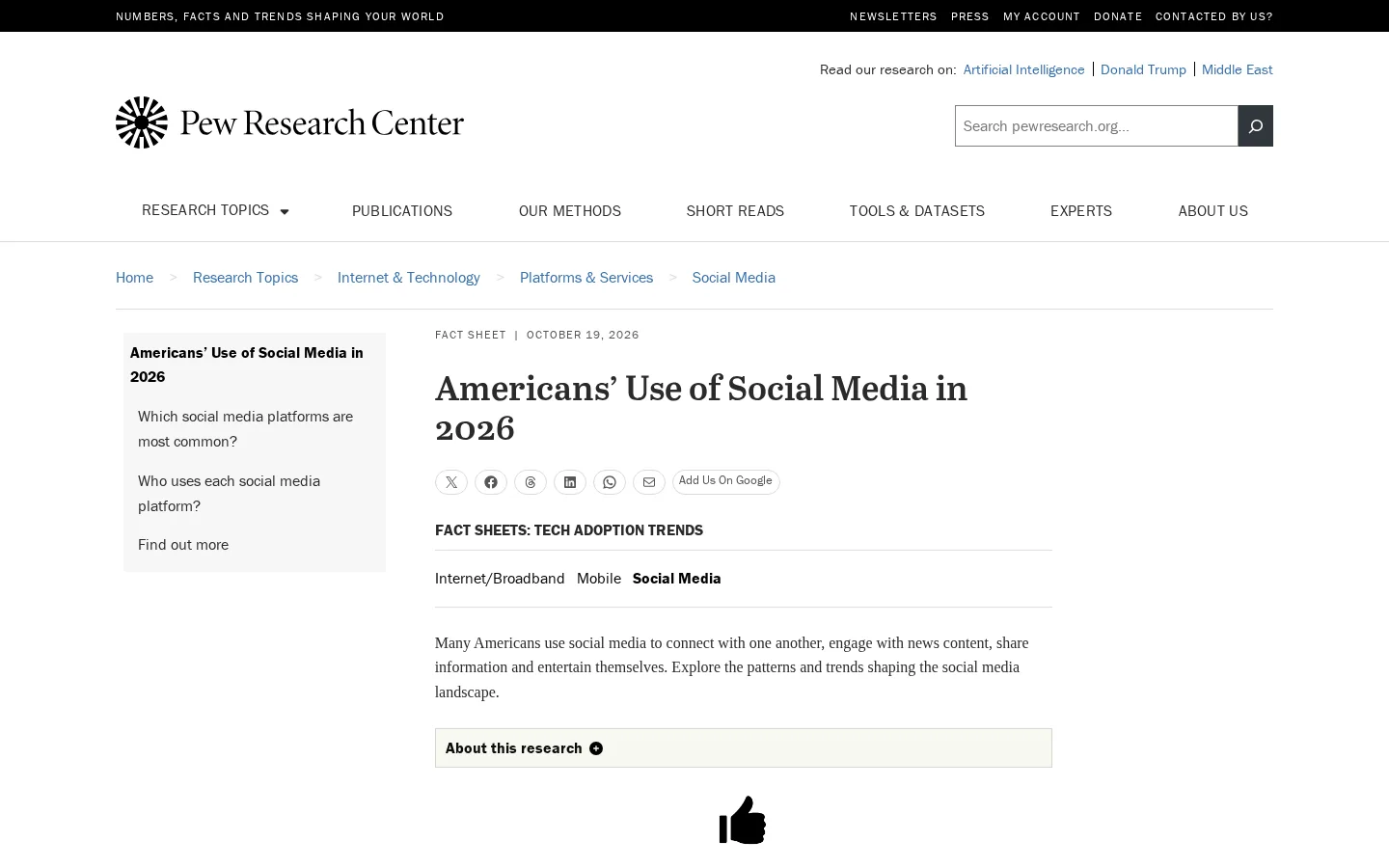
The Pew Research Center social media fact sheet, published October 19, 2026, gives platform use by age. For adults 65 and over, YouTube (65%) and Facebook (59%) are far ahead. Instagram (21%), WhatsApp (20%) and Nextdoor (18%) come next. TikTok (11%), X (7%) and Reddit (6%) are marginal for this group.
The 50 to 64 group looks very different: 85% use YouTube, 71% Facebook, 41% Instagram, 36% WhatsApp, 32% LinkedIn and 31% TikTok in the same survey. If your target starts at 50, Instagram and even LinkedIn are real options. If it starts at 70, they are not.
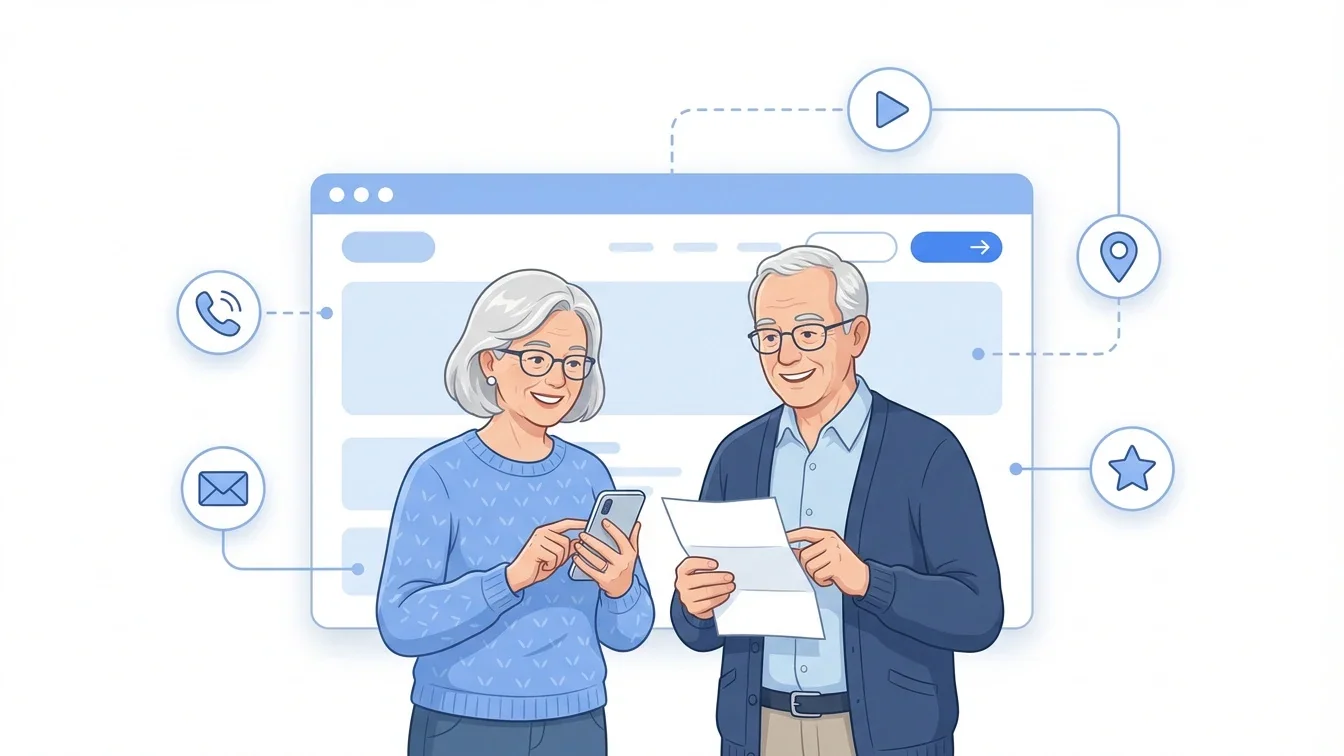
The best channels to reach seniors are search (Google and now AI answers), Facebook, YouTube, email, direct mail with a QR code, the phone and word of mouth. The right mix depends on the age segment and on whether you sell locally or nationally.
| Channel | Best for | Role in the journey | Key setting or tip |
|---|---|---|---|
| Google search and Maps | All segments, caregivers | Capture active demand ("hearing aids near me") | Pages per need and per city, complete Google Business Profile, phone number in the snippet |
| AI answers (ChatGPT, Gemini, Claude) | 50 to 74, caregivers | Shortlist of providers | Clear answers on your pages, consistent reviews and mentions across the web |
| Facebook (page, groups, ads) | 55 and over | Discovery, community, retargeting | Lead forms prefilled, short video with captions, answer every comment |
| YouTube | All segments | Education, demos, reassurance | Slow tutorials, chapters, large captions; target by topic rather than age |
| All online segments | Nurture, reminders, loyalty | 16 px text minimum, one call to action, phone number in every email | |
| Direct mail | 70 and over, local services | Awareness, offer, catalog | QR code with a tracked short link, printed phone number, large type |
| Phone and call center | 75 and over, high-value services | Conversion, reassurance | Real humans, short menus, callback option, call tracking |
| Referrals and word of mouth | All segments | Trust, conversion | Referral program with a simple reward, reviews from people of the same age |
| Local partners and events | Local businesses | Trust, leads | Senior centers, pharmacies, clubs, workshops that teach something useful |
When an older buyer (or their child) has a real need, they search. Searches are often long and very concrete: "walk-in shower installation cost for elderly", "best medical alert system without monthly fee", "assisted living near Dayton that accepts Medicaid". Each of these deserves its own page that answers the question in the first lines, with the price range, the steps and a phone number.
For local businesses, the Google Business Profile does a large part of the work: hours, photos of the real team, answers to questions and reviews. Our guide to local SEO and ranking on Google Maps covers the setup in detail.
More and more, the shortlist is also built in AI answers: a caregiver asks ChatGPT "which home care agencies near me have good reviews?" and gets three names. To be one of them, your pages must answer clearly, and your brand must be cited elsewhere on the web. Sorank tracks and improves how ChatGPT, Claude and Gemini recommend your brand, and its articles are written to answer these concrete questions.
For people over 65, Facebook is the main social network for news, local groups and family. Post useful content (how to, local news, answers to frequent questions) more than promotions, and answer comments fast: an unanswered question under an ad looks like a scam. Our Facebook marketing guide for pages, groups and ads covers the setup.
YouTube is the most used platform at every age above 50. It works best for explaining: how to set up a device, what a procedure looks like, a walk through of a residence. Keep a slow pace, show hands and screens close, add chapters and captions.
Email remains strong with older buyers, who read longer messages and keep useful ones. Use it for reminders, guides and offers, with a single clear action. Direct mail still works for the 70 and over group, especially when it leads to a tracked page through a QR code. And the phone is often where the sale closes: put the number at the top of every page and every email, and staff it with people, not a long menu. For email basics and automation, see our guide to email marketing with concrete examples.
The right tone with seniors is respectful, direct and adult. Speak to them like the experienced buyers they are: give the facts, the price and the next step, without slang, pressure or condescension.
Rewriting an ad for a medical alert pendant
Use photos of real people in their 50s, 60s and 70s, active and in situations your buyers live: at work, with grandchildren, travelling, cooking, using a phone. Most people feel younger than their age, so choose models who look slightly younger than your core target, never frail or confused. If your product is about care, show the outcome (independence, calm) rather than the problem.
A clear headline that names the need and the outcome works for every age. Test several versions before you publish.
Tip
Before you publish a landing page or an email for older readers, run its title through our free headline analyzer: it scores clarity and length, and flags vague or overlong titles.
There are five main strategies to market to older adults, and most successful brands combine two of them. The choice depends on your product: is it made for older people, or simply bought by them?
Principle: you never say "seniors". You design the product, the website and the message so they work for everyone, including people with weaker eyesight or less tech confidence. When to use it: mainstream products bought by all ages (banking, phones, travel, groceries). Advantages: no stigma, no risk of offending, a better experience for all. Limits: you may miss specific needs and keywords. Example: a bank app with large buttons and a "call an adviser" button on every screen, marketed to everyone.
Principle: you target a moment, not an age: retirement, becoming a grandparent, downsizing, first hearing loss, a hip replacement. When to use it: when your product answers a specific transition. Advantages: very relevant message, clear keywords, strong conversion. Limits: smaller audience per campaign; needs several pages and ads. Example: a financial planner with a "first year of retirement" guide and a calculator.
Principle: you speak to the adult child who searches, compares and often pays. When to use it: home care, senior living, alarms, mobility aids, legal and financial protection. Advantages: reaches the real decision maker, who is younger and very active online. Limits: the senior must still agree; a message that ignores them can backfire. Example: a home care page titled "Worried about your mother living alone? Here is how home care works", with a checklist to print and discuss with her.
Principle: you let peers sell for you: referrals, reviews, ambassadors, local clubs, workshops. When to use it: local services, high-trust purchases, products with a social side (travel, fitness classes). Advantages: the strongest trust signal for older buyers; low cost per lead. Limits: slow to build, hard to scale nationally. Example: a hearing clinic running free monthly talks at the local library, with a referral gift for each new patient. Reviews and testimonials written by customers are a form of user-generated content that also helps SEO.
Principle: you sell values and identity (freedom, adventure, style, learning), with older people as heroes. When to use it: fashion, beauty, travel, cars, fitness, education. Advantages: flattering, strong brand building, reaches the 50 to 64 group well. Limits: needs budget and good creative; easy to fall into clichés. Example: a travel brand showing a group of 60-somethings hiking, with no mention of age anywhere.
| Strategy | Best for | Main channel | Speed of results | Main risk |
|---|---|---|---|---|
| Age-neutral | Mainstream products | Search, website, email | Medium | Missing specific needs |
| Life-stage | Products tied to a transition | Search, content, YouTube | Fast for search demand | Too many small campaigns |
| Caregiver | Care, safety, senior living | Search, Facebook, AI answers | Fast | Talking over the senior |
| Community | Local and high-trust services | Referrals, events, reviews | Slow, then compounding | Hard to scale |
| Ageless lifestyle | Brands, travel, beauty | Video, Facebook, Instagram (50 to 64) | Slow | Clichés, high cost |
A good default for a small business: age-neutral website plus one targeted strategy (life-stage or caregiver) for your content and ads, and a referral program on top.
A senior-friendly website is an accessible website: large readable text, strong contrast, big targets, simple forms and a visible phone number. If you follow the Web Content Accessibility Guidelines (WCAG) at level AA, you cover most of the needs of older users.
The W3C Web Accessibility Initiative explains in its resource Developing Websites for Older People how WCAG applies to age-related changes: lower contrast sensitivity and near vision, hearing loss in high pitches, reduced fine motor control and shorter attention or memory. Each need maps to precise success criteria.
| Age-related change | What breaks on a website | WCAG criterion | Fix |
|---|---|---|---|
| Weaker near vision | Small grey text, zoom that breaks the layout | 1.4.4 Resize Text (AA) | Relative units, text that zooms to 200% without loss |
| Lower contrast sensitivity | Light grey on white, text on photos | 1.4.3 Contrast Minimum (AA) | At least 4.5:1 for body text, 7:1 ideally (1.4.6, AAA) |
| Less precise hand movements | Tiny links and close buttons | 2.5.8 Target Size Minimum (AA, WCAG 2.2) | Targets of 24 px minimum, 44 px recommended for key buttons |
| Hearing loss | Videos without captions, music over voice | 1.2.2 Captions (A), 1.4.7 Low Background Audio (AAA) | Captions on every video, no background music under speech |
| Shorter memory or attention | Long forms, timeouts, carousels that move | 2.2.1 Timing Adjustable (A), 2.2.2 Pause, Stop, Hide (A) | Short forms, no time limit, no autoplay sliders |
| Less confidence online | Vague links, errors without explanation | 2.4.4 Link Purpose (A), 3.3.3 Error Suggestion (AA) | Descriptive links, errors explained in plain words |
Here is a starting point for your stylesheet. It uses relative units, so the text follows the browser zoom and the user's own font settings.
html { font-size: 100%; }          /* respects the user's browser setting */
body {
  font-size: 1.125rem;              /* about 18 px */
  line-height: 1.6;
  color: #1a1a1a;                   /* near black on white: about 17:1 */
  background: #ffffff;
}
a { text-decoration: underline; }   /* links visible without colour */
button, .btn, input, select {
  min-height: 48px;                 /* large touch target */
  font-size: 1.125rem;
}
:focus-visible {
  outline: 3px solid #1a56db;       /* clear keyboard focus */
  outline-offset: 2px;
}
@media (prefers-reduced-motion: reduce) {
  * { animation: none !important; transition: none !important; }
}
And make the phone number clickable on every page, so a mobile visitor can call in one tap:
<a href="tel:+18005551234" class="btn">Call us: 800-555-1234</a>Accessibility also helps your rankings and your visibility in AI answers, because clean structure is easier for machines to read. Our guide to accessibility fixes that help users and search engines lists the technical changes in order of impact.
Senior-friendly website checklist
Paid ads can reach older adults precisely, but age targeting is not always allowed, and it is rarely the best lever on its own. Start with intent (keywords, topics, interests), then use age to adjust bids or to split creatives.
On Meta, age targeting is simple for most products, with one big exception. The Meta Marketing API documentation on Special Ad Categories states that ads for housing, employment and financial products and services are "generally fixed to include ages 18 through 65+" when they reach the US, Canada or Europe (with an exception for credit ads in Europe). So if you sell a reverse mortgage, senior housing or an insurance product, you cannot narrow your audience to people over 60. Google Ads applies a similar rule in the US and Canada for housing, employment and credit ads: age, gender and parental status must stay open.
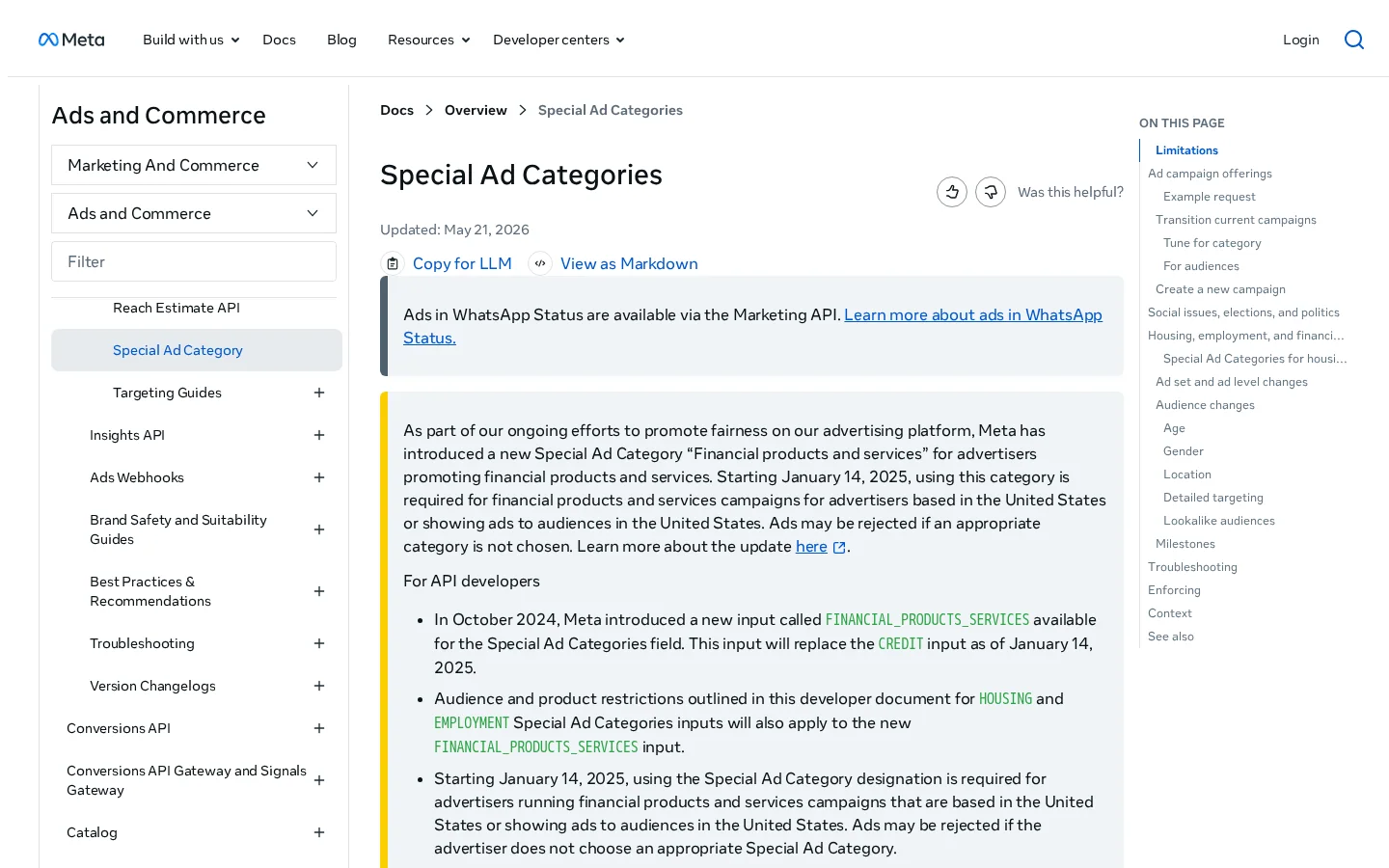
In these categories, the message does the targeting. A headline like "Thinking about downsizing after retirement?" or "Turn your home equity into monthly income" attracts the right people even when the audience is open. The ad algorithm then learns who clicks and converts.
| Situation | Can you target by age? | What to do instead |
|---|---|---|
| Retail, travel, health products, services | Yes, on Google and Meta | Age range plus interests; separate creatives for 50 to 64 and 65+ |
| Housing, senior living rentals, real estate (US, Canada) | No | Life-stage wording, topic targeting, retargeting of site visitors |
| Credit, loans, insurance, financial services (Meta: US, Canada, Europe) | No (fixed 18 to 65+) | Message about retirement needs, content and search campaigns |
| Employment offers to retirees | No | Wording like "flexible part-time roles", no age mention in the ad |
Warning
Choosing the wrong category on Meta can get your ads rejected or your account restricted. Check the Special Ad Category before you build the audience, not after.
Trust decides most purchases made by older adults. They are a frequent target of scams and they know it, so every sign of doubt (no address, hidden price, pressure, unknown brand) pushes them away. Your job is to look as safe and transparent as possible.
Review sites also feed the answers of AI models: when ChatGPT recommends a provider, it relies a lot on reviews and third-party mentions. Our analysis of how review sites shape AI recommendations shows which platforms matter.
Older customers are often protected by extra caution from regulators. In the US, the CAN-SPAM Act (15 U.S.C. § 7704, Cornell Legal Information Institute) requires every commercial email to have accurate sender information, a subject line that does not mislead, a valid physical postal address and a working opt-out, and it gives you 10 business days to honor an unsubscribe request. In Europe, the GDPR and national rules generally require prior consent for marketing emails to consumers. Do not add the phone numbers of older customers to cold call lists without checking your local do-not-call rules.
You can launch a solid senior marketing plan in 30 days by working in this order: data, website, content, channels, then measurement. Here is the plan we would follow for a small or medium business.
The 30-day senior marketing plan
Your best content ideas come from the words your customers use. Write down every question heard on the phone for two weeks. Add the "People also ask" questions on Google for your main keyword, and test what ChatGPT or Gemini answer when you ask "what is the best [your product] for an 80-year-old?". If your brand never appears, you know what to work on. Sorank's AI prompt research shows the questions your customers ask AI about your topic, so you can answer them on your site.
Writing in a consistent, warm voice across dozens of pages takes time. Sorank's brand voice feature writes articles in your tone, with your words, so a plain and respectful style stays the same on every page.
The most common mistakes come from clichés: thinking older people are not online, talking down to them, or hiding behind a form. Here is how to spot and fix each one.
What it is: one message for a 55-year-old manager and an 85-year-old widow. How to spot it: your ads say "seniors" and your conversion rate is flat across ages. How to fix it: split by life stage, write one landing page per segment and compare results by age in your analytics.
What it is: "our golden oldies", exclamation marks everywhere, oversimplified explanations. How to spot it: read your copy aloud to someone over 65 and watch their face; check comments for irony. How to fix it: write as you would to an experienced client: facts, respect, no jokes about age.
What it is: stock photos of confused people with a phone, or grandparents only shown in a rocking chair. How to spot it: your images show older people only at home, never at work or doing something. How to fix it: use real customers (with consent) or photos of active people slightly younger than your target.
What it is: every page speaks to the senior, while the person searching is their child. How to spot it: your Google Ads age report shows many clicks from 35 to 54 year olds; callers say "it's for my father". How to fix it: create caregiver pages, keywords and ads, with a printable guide they can share with their parent.
What it is: a contact form only, prices "on request". How to spot it: high bounce rate on pricing pages, calls asking basic questions already answered elsewhere. How to fix it: show the number at the top of every page, give a price range at least, and track calls as conversions.
What it is: countdown timers, "last chance today", aggressive follow-up calls. How to spot it: complaints, refund requests, bad reviews mentioning "pushy". How to fix it: give time to think, a free trial or an easy cancellation, and write it on the page.
What it is: 14 px grey text, pop-ups, tiny buttons, long forms. How to spot it: run an accessibility checker (such as the WAVE extension or Lighthouse in Chrome) and look at session recordings of visitors who zoom or rage-click. How to fix it: apply the checklist above, starting with text size, contrast and the phone button.
What it is: only print and TV "because seniors are not online", or only TikTok "because it's trendy". How to spot it: your channel mix was never compared to usage data. How to fix it: start from the Pew figures for your age group, test two channels, and keep the one that brings sales.
What it is: targeting "65+" for a mortgage or senior housing ad. How to spot it: rejected ads, account warnings. How to fix it: declare the Special Ad Category and let the message select the audience.
Measure senior marketing by leads and sales per channel and per age group, and count phone calls as conversions. Many older buyers find you online but call to buy, so an analytics setup that only counts forms will undervalue your best channels.
| Metric | Where to find it | Why it matters for this audience |
|---|---|---|
| Calls from the website and ads | Call tracking tool, Google Ads call conversions | The phone is often the final step |
| Conversions by age group | GA4 demographics (needs Google signals), Google Ads and Meta reports | Shows which segment really buys |
| Cost per lead by channel | Ad platforms plus CRM | Compares print, search and social fairly |
| Scan rate of QR codes | UTM links in GA4 | Measures direct mail and print |
| Review volume and rating | Google Business Profile, review sites | Main trust signal for older buyers |
| Mentions in AI answers | AI visibility tracking | Caregivers build shortlists there |
Every QR code and every printed short link should carry UTM parameters, so the visits show up in your analytics with the right source. For example:
https://www.example.com/walk-in-shower?utm_source=mailer&utm_medium=print&utm_campaign=spring_seniors_65plus&utm_content=qr_back_pageUse a different utm_content for each placement (front page, back page, flyer, magazine ad) and a dedicated phone number per campaign if your call tracking tool allows it. After 30 days, you will know which piece of paper brought which sale.
Once you know the segments, adapt your emails and pages: different examples, photos and offers for a 55-year-old and for a caregiver. This is content personalization in its simplest form, and it works without guessing anyone's age: use what people tell you (the guide they downloaded, the page they visited, the option "this is for a family member" in your form).
Marketing to seniors is not a special art: it is good marketing done with more care. Split the market by life stage, speak to the caregiver too, choose channels from data, write plainly, show the price and the phone number, and make your site accessible. Today, do three things: check your site with the checklist above, list 20 real questions from your customers, and put your phone number at the top of every page. Then build one answer page a week, and track the calls it brings.
Split them by life stage (50 to 64, 65 to 74, 75 and over, and caregivers), then reach each group where it already is: Google search, Facebook, YouTube, email, direct mail and the phone. Write plainly, show the price and a phone number, and prove you are a real, trustworthy company.
In the US, YouTube and Facebook lead by far among adults aged 65 and over, used by 65% and 59% of them according to Pew Research Center (October 2026). Instagram, WhatsApp and Nextdoor reach about one in five, while TikTok and X stay marginal for this age group.
Yes for most products, on both Google Ads and Meta. But for housing, employment and credit or financial services, Meta fixes the age range at 18 to 65+ for ads reaching the US, Canada or Europe, and Google blocks age targeting for these categories in the US and Canada. In that case, let the message and the topic select the audience.
We analyse your competitors, your website and your AI visibility to create a tailored content plan for free.
 Duplicate Content Checker
 Mobile-Friendly Test
 Website Speed Test
 Subdomain Finder
 Domain Age Checker
 CMS Detector
 Googlebot Simulator
 Nofollow Link Checker
 Meta Tag Checker
 Keyword Cannibalization Checker
 Keyword Intent Checker
 Keyword Extractor
 Google Ads Cost Calculator
 CPC Calculator
 Local Citation Finder
 Reddit Threads Finder
 Disavow File Generator
 Redirect Generator
 Canonical Tag Generator
 Passive Voice Checker
 Google Location Changer
 Google Review Calculator
 Google Review Link Generator
 Keyword Combiner
 Podcast Show Notes Generator
 AI Content Rewriter
 AI Text Humanizer
 ChatGPT Prompt Generator
 Twitter Thread Generator
 Tweet Generator
 Landing Page Copy Generator
 Google Ads Copy Generator
 Pinterest Pin Description Generator
 Anchor Text Generator
 Social Media Post Generator
 LinkedIn Post Generator
 Free AI Writer
 Review Response Generator
 LSI Keyword Generator
 YouTube Video Ideas Generator
 YouTube Tag Generator
 YouTube Description Generator
 Product Description Generator
 CTA Generator
 Blog Introduction Generator
 Conclusion Generator
 Hook Generator
 AI Content Brief Generator
 FAQ Schema Generator
 AI Blog Post Ideas Generator
 Structured Data Validator (Schema Validator)
 Alt Text Checker
 Internal Link Analyzer
 Backlink Challenge
 AI Meta Description Generator
 AI Blog Title Generator
 Google Indexability Checker
 AI Blog Outline Generator
 UTM Link Builder
 Keyword Clustering Tool
 Canonical Tag Checker
 XML Sitemap Generator
 Broken Link Checker
 AI SEO Title Generator
 Headline Analyzer
 SERP Preview Tool
 Redirect Checker
 Hreflang Tag Generator
 Heading Structure Analyzer
 HTTP Headers Checker
 Favicon Extractor
 SERP CTR Calculator
 SEO vs Paid Search Savings Calculator
 SEO Share of Voice Calculator
 SEO ROI Calculator
 SEO Traffic and Revenue Forecast Calculator
 SEO Budget Calculator
 SEO Break-Even Calculator
 SaaS SEO ROI Calculator
 ROAS Calculator
 Reading Time Calculator
 Ranking Gain Simulator
 Organic Traffic Value Calculator
 Organic Traffic Estimator and Website Traffic Checker
 LTV to CAC Ratio Calculator
 Local SEO ROI Calculator
 Link Building Cost Calculator
 Keyword Value Calculator
 Keyword Opportunity Score Calculator
 Keyword Density Calculator
 GEO ROI Calculator
 GEO Content Investment Calculator
 Ecommerce SEO ROI Calculator
 Customer Lifetime Value Calculator
 Customer Acquisition Cost Calculator
 CTR Calculator
 Cost Per Article Calculator
 Conversion Rate Calculator
 Content Marketing ROI Calculator
 ChatGPT Referral Traffic Estimator
 Bounce Rate Calculator
 Backlink ROI Calculator
 AI Visibility Score Calculator
 AI Traffic Value Calculator
 AI Share of Voice Calculator
 Cost of AI Invisibility Calculator
 AI Citation Rate Calculator
 llms.txt Validator
 AI Overview Checker and AI Overviews Rank Checker
 Robots.txt Checker
 AI SEO Audit
 LLM Readability Checker
 SearchGPT Readiness Checker
 Structured Data LLM Audit
 Website Crawlability AI Audit
 Why ChatGPT Is Not Recommending My Website
 Gemini Ranking Tool
 Perplexity Ranking Checker
 LLM Citation Checker
 Answer Engine Optimization Audit
 GEO Audit
 AI Search Visibility Test
 ChatGPT Visibility Checker
 llms.txt Generator
 URL Extractor
 Webpage to Markdown
 Sitemap Checker
 SERP Volatility Sensor
 Page Size Checker
 Word Counter
 Slug Generator
 Schema Generator
 Robots Generator
 OG Preview
 Meta Tags Generator
 Image Compressor
 Favicon Generator
 On-Page SEO Audit: SEO Checker and SEO Analyzer
 Backlink Analysis Tool
 Keyword Research Tool
 Domain Authority Checker
 “I tested Sorank on a real client site and it's insane. It does everything an agency would bill you $1500 a month for. It's going into production on that client now.”

 Guillaume Guersanguersanguillaume.com“We are an Ads agency and we wanted to get our SEO back on track once and for all. Sorank gave us a clear view of our site, helped us prioritize optimizations, and properly structure our content. The tool is easy to use, well designed for a team, and very practical for centralizing tracking without having to juggle multiple platforms. A very solid foundation to start fresh with our SEO.”
 Gaspard MadouiAds Agency
 “I just let the Sorank software do its thing, and now my DR is 25 and my page is ranking higher.”
 Lucas Flandrefoundertrace.fr“I specialized in GEO thanks to Sorank. The GEO Leaderboard allows me to show my clients their position vs competitors on ChatGPT. It’s a real commercial differentiator.”
 MélanieSEO Freelance“Great service, works well for our website and helps us understand how to improve it to rank better on Google and elsewhere. Congrats, keep going, I recommend it.”
 Hugo T.E-commerce merchant