Preferences
Privacy is important to us, so you have the option of disabling certain types of storage that may not be necessary for the basic functioning of the website. Blocking categories may impact your experience on the website. More information
Privacy is important to us, so you have the option of disabling certain types of storage that may not be necessary for the basic functioning of the website. Blocking categories may impact your experience on the website. More information

 Gemini, What the Search Docs Revealed and How to Protect Your Keys
What the Google API leak exposed: public keys that unlocked Gemini, the 2024 Search docs leak, and a 7-step audit to check, rotate and restrict your keys.
In short
The Google API leak usually means one of two events. In February 2026, researchers showed that public Google API keys (the "AIza" keys in Maps or Firebase code) could silently unlock Gemini, exposing files and running up bills. In May 2024, internal Google Search API documentation leaked. Below: what happened, who was hit, and how to lock your keys today.
Want to go further? Ask
Quick quiz
Is SEO right for you, and how should you start?
Sorank matches your answers


Test it for 3 days on your own site and see where you stand on Google, ChatGPT and the other AIs.
Start 3-day free trial3 days free, then stop whenever you want. 90-day results guarantee, conditions apply.
The phrase covers two unrelated events. The first one is a security problem: Google API keys that were safe to publish became keys to Gemini. The second one is an SEO story: internal documentation of Google Search was published by mistake. If you run a website, the first one can cost you money this week. The second one changes how you think about rankings.
Most articles on this keyword cover only one of them. That creates confusion. A developer who reads an SEO recap misses the billing risk. A marketer who reads a security alert misses what the ranking documents revealed. This guide covers both, starting with the one that needs action.
| Point | Gemini API key exposure (2026) | Search documentation leak (2024) |
|---|---|---|
| What leaked | Nothing was "stolen" from Google: public keys gained new powers | Internal docs of the Content Warehouse API |
| Made public | February 25, 2026 by Truffle Security | May 27 and 28, 2024 by Rand Fishkin and Michael King |
| Who is at risk | Any company with a Google Cloud project that uses API keys | Nobody directly; it is information, not access |
| Main risk | Surprise bills, access to files sent to Gemini | Wrong SEO conclusions drawn from partial data |
| What you do | Audit, rotate and restrict your keys | Adjust your SEO priorities |
A Google API key is a string that starts with "AIza". For years, Google told developers that keys for Maps or Firebase were not secrets: you paste them in your page code, and anyone can read them. The problem started when the same key format began to work for the Gemini API, which handles private data and costs money per request.
Joe Leon of Truffle Security explained the flaw in his February 25, 2026 report. Google Cloud used a single credential type for two purposes. A Maps key in your HTML is an identifier: it tells Google which project to bill. A Gemini key is a secret: it proves you are allowed to read data and spend money. Both looked exactly the same.
Public identifier vs secret credential
Here is the chain of events. A company creates a key for Google Maps in 2022 and puts it in its website. In 2025, someone on the team enables the Gemini API (its technical name is the Generative Language API) in the same Google Cloud project, for a test or a chatbot. From that moment, the old Maps key also works on Gemini. Nobody gets an email. The key is still sitting in the public page code.
Truffle Security calls this "retroactive privilege expansion". The key did not change. What it can do changed.
The second cause is the default setting. A key with no "API restriction" works on every API enabled in its project. Many teams never set restrictions, because the Maps quick start did not require it. According to Google Cloud's API key documentation, the console and the gcloud tool now require at least one API restriction to create a key, but a key created through the REST API stays unrestricted unless you send a restrictions object. Old keys keep the settings they had.
Truffle Security listed three risks. First, read private data: the /files and /cachedContents endpoints of the Gemini API can return documents and datasets your team uploaded, and context stored in cache. Second, spend your money: every Gemini call is billed to your project. Third, exhaust your quotas, which can break your real application.
The test Truffle used was a single request. A protected key returns 403 Forbidden. An exposed one returns 200 OK.
curl "https://generativelanguage.googleapis.com/v1beta/files?key=$API_KEY"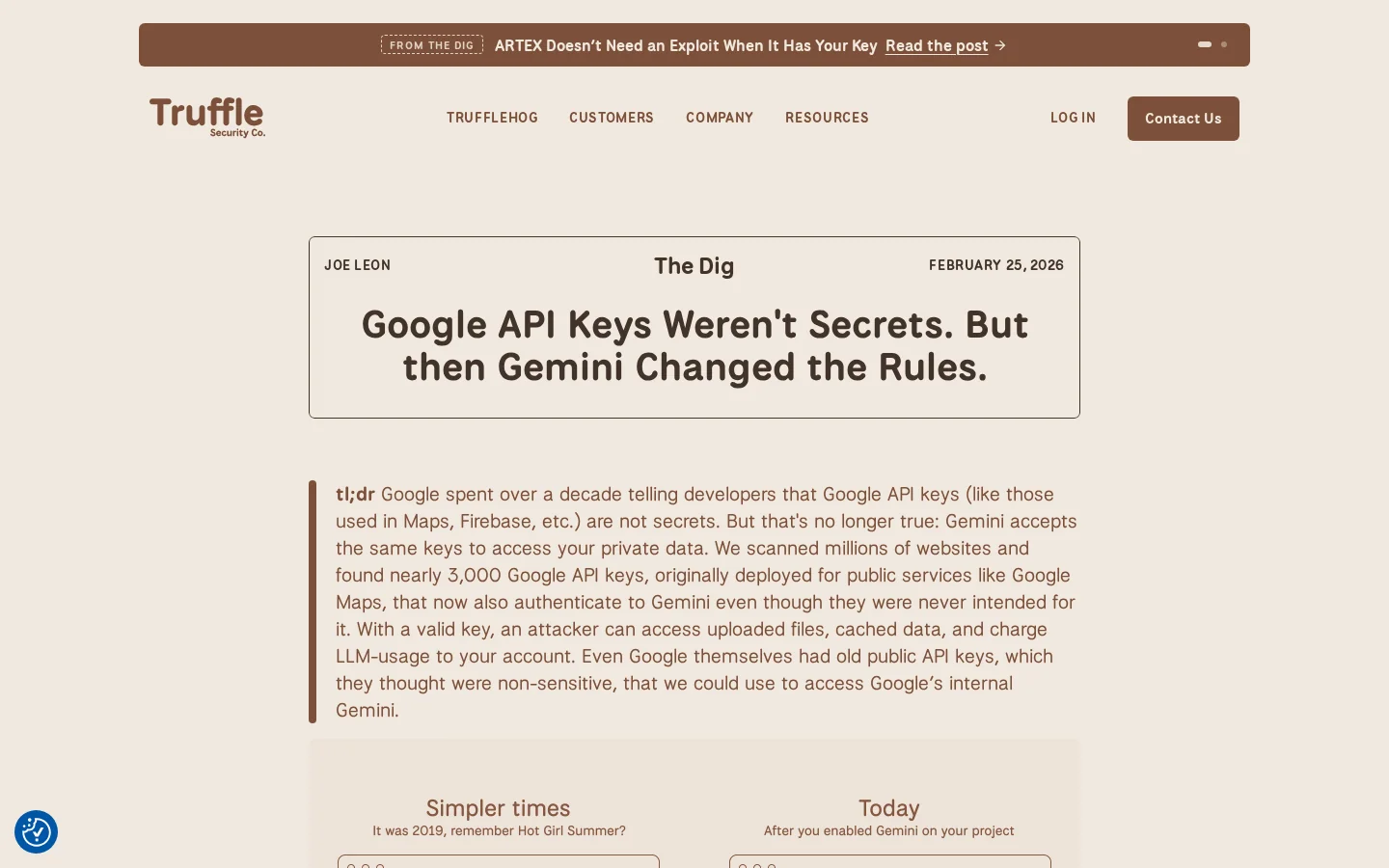

Nearly 3000 exposed keys were found, owned by large companies and by Google itself. Truffle Security scanned the November 2025 Common Crawl archive, a public copy of the web of about 700 TiB, and found 2863 live Google API keys that could reach Gemini. The report says the owners included major financial institutions, security companies, global recruiting firms and Google. One of Google's own keys had been public on a product website since at least February 2023, before Gemini existed.
The Gemini key exposure in numbers
Source: Truffle Security, February 25, 2026
The most quoted case hit a three-person startup in Mexico. The Register reported on March 3, 2026 that its Google Cloud key was stolen and used between February 11 and 12. In about 48 hours, it generated 82314.44 dollars of charges, mostly on Gemini 3 Pro Image and Gemini 3 Pro Text. The company normally spent about 180 dollars a month. Google support first pointed to the shared responsibility model: the customer protects its keys.
You are exposed if two things are true at the same time: a Google API key is readable somewhere public, and the Gemini API is enabled in the same Google Cloud project. The usual profiles:
If you are not sure what an API key does in this setup, our glossary entry on the AI API and how apps connect to language models explains the basics.
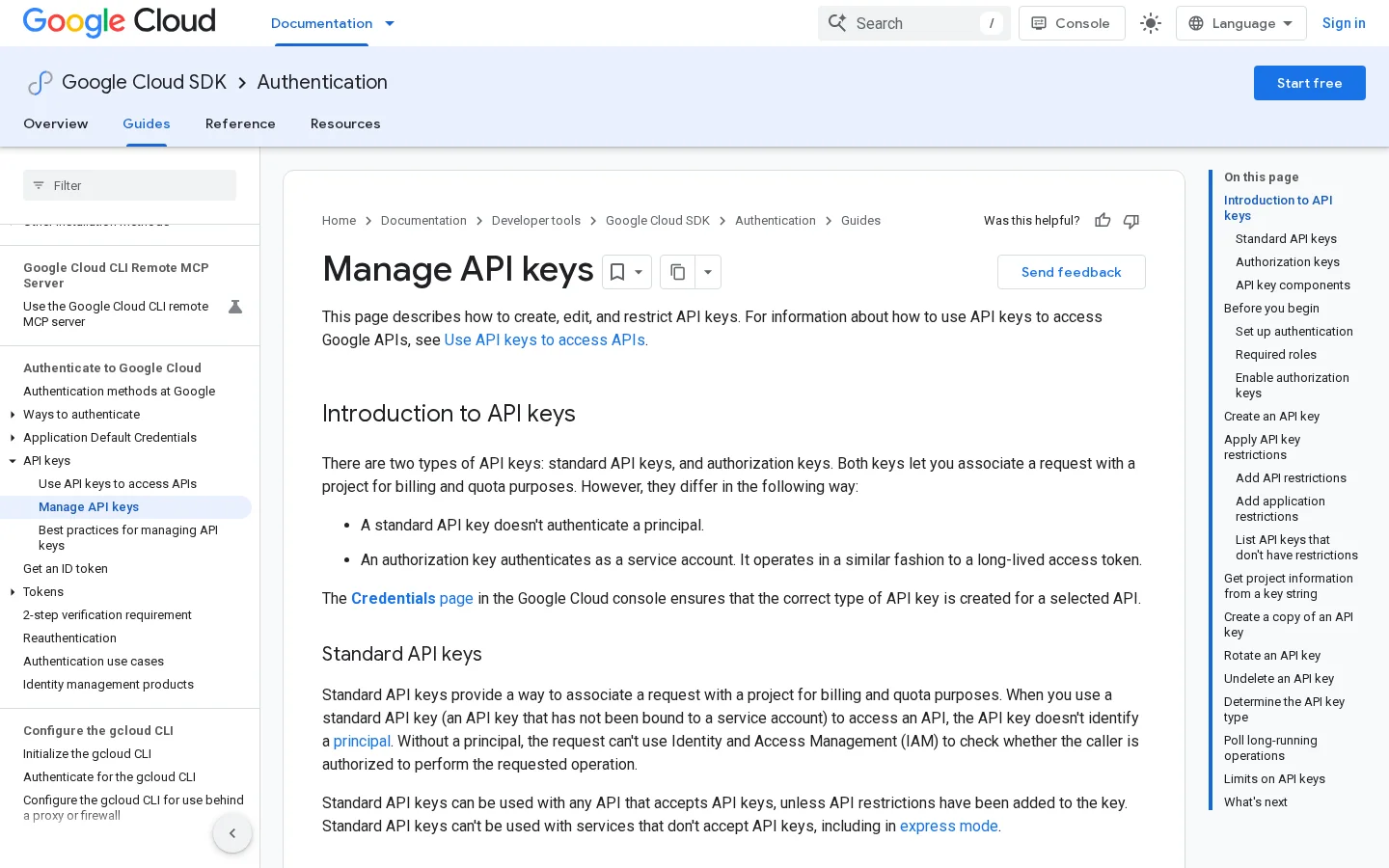
Google first called the behavior intended, then classified it as a bug and changed how keys work with Gemini. The fix came in steps over six months. The key change: new keys created in Google AI Studio are now "auth keys", tied to a service account and limited to Gemini by default.
From report to fix
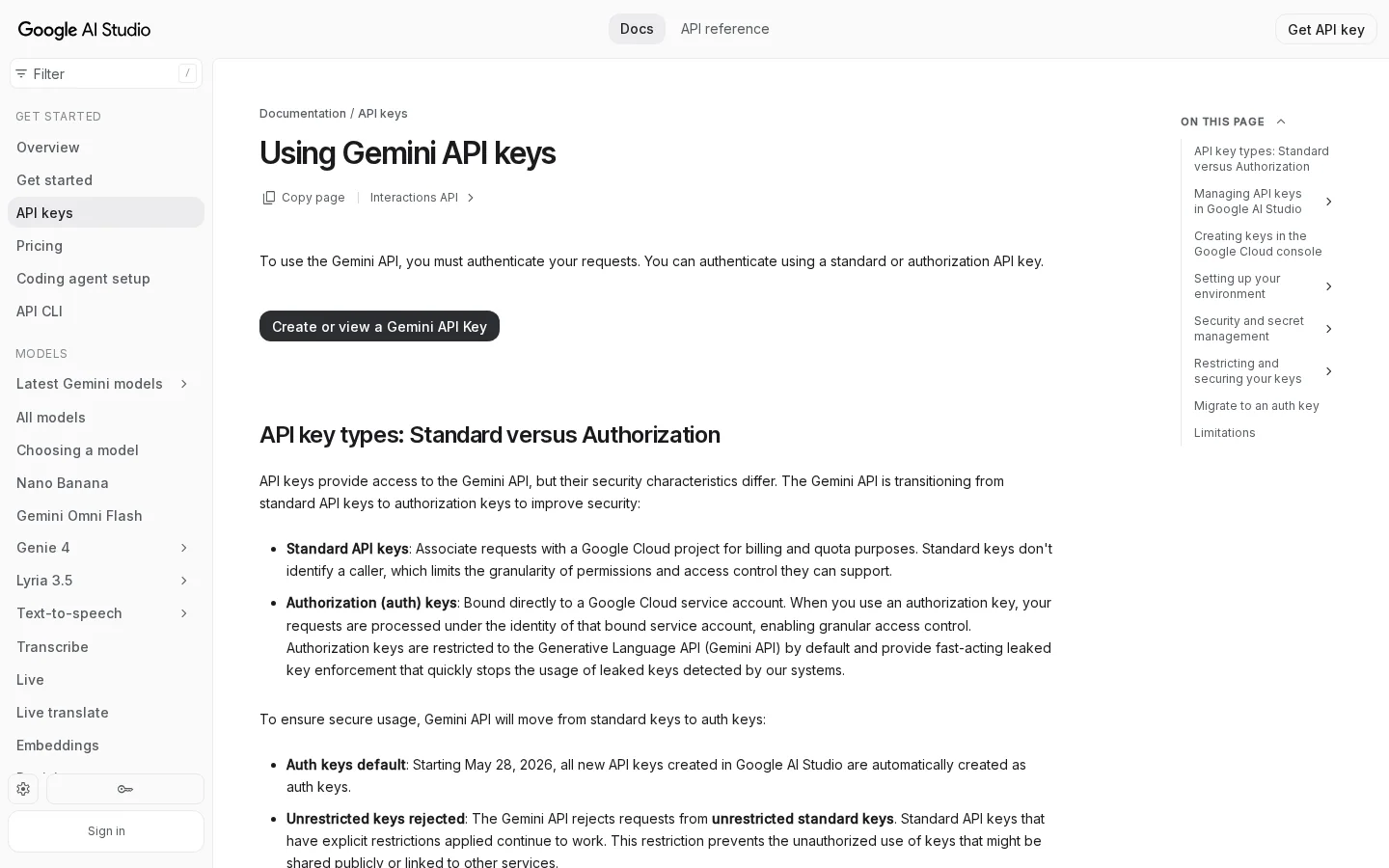
The Gemini API key documentation in Google AI Studio now describes two key types. A standard key links a request to a project for billing and quota, but does not identify who calls. An auth key is bound to a Google Cloud service account, is restricted to the Generative Language API by default and comes with "fast-acting leaked key enforcement". The same page states that the Gemini API rejects requests from unrestricted standard keys, while restricted standard keys keep working.
Warning
Google's fixes protect Gemini. They do not protect your other paid APIs. An unrestricted Maps key on a public page can still be used by someone else on Maps, Places or any other API enabled in the project, and you pay for it. The audit below is still needed.
You can secure your keys in under an hour with seven steps: list your projects, find the ones with Gemini enabled, find unrestricted keys, find which ones are public, rotate them, restrict the new ones, then cap your spending. Start with your oldest keys: they are the most likely to be public and forgotten.
The 7-step Google API key audit
In the Google Cloud console, open APIs and Services, then Enabled APIs and Services, for each project. If "Generative Language API" is not in the list, that project is not affected by the Gemini issue. With the command line, loop over all projects at once:
for p in $(gcloud projects list --format="value(projectId)"); do
  echo "== $p"
  gcloud services list --enabled --project="$p" | grep generativelanguage
done
Any project that prints a line under its name has Gemini on. Write those down: they come first.
In the console, open APIs and Services, then Credentials. An unrestricted key shows a warning icon. For many projects, Cloud Asset Inventory lists them in one command. The filter below returns keys with no API restriction:
gcloud asset list \
  --project=PROJECT_ID \
  --asset-types=apikeys.googleapis.com/Key \
  --content-type=resource \
  --filter="-resource.data.restrictions.apiTargets:*"
Replace apiTargets with browserKeyRestrictions or serverKeyRestrictions to find keys without a website or IP restriction. If you find a key string somewhere and do not know where it comes from, gcloud services api-keys lookup KEY_STRING tells you which project owns it.
A Google API key matches a simple pattern: "AIza" followed by 35 letters, digits, dashes or underscores. Search your own website, your built JavaScript files and your code with it.
# In your website's HTML
curl -s https://www.example.com | grep -oE 'AIza[0-9A-Za-z_-]{35}' | sort -u

# In a local copy of your code and its history
git log -p | grep -oE 'AIza[0-9A-Za-z_-]{35}' | sort -u
Check the page source of your main templates, the JavaScript bundle of your app, your mobile app package and any public repository. A key deleted from the code is still in the git history: if it was ever pushed to a public repository, treat it as leaked. Truffle Security also publishes an open source scanner, TruffleHog, that finds keys and tests if they are live: trufflehog filesystem /path/to/your/code --only-verified.
To test if one of YOUR keys can reach Gemini, ask for the list of models. A 200 means it can; a 403 means it is blocked. Only test keys that belong to you.
curl -s -o /dev/null -w "%{http_code}\n" \
"https://generativelanguage.googleapis.com/v1beta/models?key=YOUR_KEY"Restricting a leaked key is not enough when it can reach paid or private services: replace it. Google Cloud's documentation says rotation is done in the console. It creates a new key with the same restrictions. Deploy the new key in your site or app, check that everything works, then disable the old one. Google AI Studio's documentation recommends disabling first rather than deleting right away, then reviewing billing and API usage for activity you do not recognize.
Each key gets two restrictions: the list of APIs it may call, and where it may be used from. For a Maps key used on a website:
gcloud services api-keys update KEY_ID \
  --api-target=service=maps-backend.googleapis.com \
  --allowed-referrers="https://www.example.com/*"
For a key used by a server, such as an SEO script, restrict it to the server's IP address:
gcloud services api-keys update KEY_ID \
  --api-target=service=pagespeedonline.googleapis.com \
  --allowed-ips="203.0.113.10"
Be careful: each new --api-target list replaces the old one, it does not add to it. List every API the key needs in the same command. For Gemini, create a separate key in Google AI Studio (it will be an auth key) and never reuse a Maps or Firebase key.
Set a budget with alerts on your billing account, and lower the quotas of expensive APIs to what you really use. A budget sends emails, it does not stop spending: quotas and fast reaction do.
gcloud billing budgets create \
  --billing-account=BILLING_ACCOUNT_ID \
  --display-name="Monthly API guard" \
  --budget-amount=300USD \
  --threshold-rule=percent=0.5 \
  --threshold-rule=percent=0.9 \
  --threshold-rule=percent=1.5
Set the amount to about twice your normal month. The startup in The Register's story spent 180 dollars a month: an alert set at 300 dollars would have fired long before the charges reached 82314 dollars, not on the next invoice.
There is no single protection: you combine an API restriction with one application restriction, and you keep secret keys on a server. Each method blocks a different attack. Google's own documentation warns that some restrictions are easy to bypass, so none of them makes a key safe to publish when it unlocks paid or private services.
Principle: the key only works on the APIs you list. Use it on every key, always. Advantage: a Maps key can no longer call Gemini, even if someone enables Gemini later. Limit: it does nothing against abuse of the allowed API itself. Example: a store locator key limited to Maps JavaScript API and Places API.
Principle: Google checks the "Referer" header of the request against your list, such as *.example.com. Use it for keys that must live in a browser. Advantage: casual copy and paste on another site fails. Limit: an attacker who calls the API from a script can forge the header. Example: a Firebase web config key limited to your domains.
Principle: only requests from listed IP addresses or ranges are accepted. Use it for keys used by your servers. Advantage: very hard to bypass. Limit: useless for browser or mobile keys, and internal IPs or localhost are not supported. It is also the only application restriction available for auth keys.
Principle: the request must carry your app's package name and certificate fingerprint (Android) or bundle ID (iOS). Use it for mobile keys. Limit: Google's documentation says plainly that bypassing it is straightforward, so add an API restriction and watch usage.
For Gemini, the strongest setup is an auth key that lives only on your server. The browser or app calls your backend, your backend calls Gemini. The key is read from an environment variable (GEMINI_API_KEY or GOOGLE_API_KEY; if both are set, GOOGLE_API_KEY wins) or from a secret store such as Google Cloud Secret Manager in production.
| Method | Best for | Blocks | Weak point |
|---|---|---|---|
| API restriction | Every key | Use of the key on other APIs (Gemini included) | Abuse of the allowed API |
| Website (referrer) | Browser keys: Maps, Firebase | Reuse on other websites | Forged header from a script |
| IP address | Server keys, SEO scripts | Any call from another machine | Not usable in browsers or apps |
| Android / iOS | Mobile app keys | Casual reuse | Easy to bypass according to Google |
| Auth key | Gemini | Use outside Gemini, leaked keys (fast enforcement) | Must still stay off the client |
| Backend proxy + secret manager | Any secret key | Key never reaches the public | Needs a small server component |
Most incidents come from six habits, not from clever attacks. Each one is easy to spot in an audit and quick to fix.
Habits that lead to a leaked key bill
What it is: a single key is used by the website map, the mobile app and a server script. How to spot it: in Credentials, one key shows several API restrictions or none, and appears in several codebases. How to fix it: one key per use and per environment, each with its own restrictions. When one leaks, you replace one, not all.
What it is: someone enables the Generative Language API in the project that holds your public Maps key. How to spot it: Step 2 above shows Gemini enabled in a project that also serves your website. How to fix it: move AI work to a separate project with its own billing alerts, and disable the Generative Language API where it is not needed.
What it is: old keys created before restrictions were required. How to spot it: the warning icon in Credentials, or the gcloud asset list filter from Step 3. How to fix it: add an API restriction to each one today, starting with the oldest.
What it is: a chatbot widget or a "generate" button calls the Gemini API directly from JavaScript with the key inside. How to spot it: open your site, then the developer tools Network tab, and look for requests to generativelanguage.googleapis.com with key= in the address. How to fix it: route the call through your backend. Google AI Studio's documentation says not to embed keys in client-side web or mobile apps.
What it is: a key was committed, then removed in a later commit. How to spot it: the git log -p search in Step 4, or TruffleHog on the repository. How to fix it: rotate the key. Rewriting git history does not help if the repository was public, because copies already exist.
What it is: nobody receives billing alerts, or the person who did left the company. How to spot it: check budgets in the billing console and the email addresses they notify. How to fix it: one budget per billing account, alerts sent to a shared address, quotas set on paid APIs, and a named owner for each project.
In 2024, Google accidentally published internal documentation of its Content Warehouse API, the system that stores data about web pages for Search. It listed thousands of attributes, some of which contradicted public statements by Google. Google confirmed the documents were real but warned that they were out of context, outdated or incomplete.
The 2024 Search documentation leak
The files are definitions of data fields: names, types and short comments. They are not source code. They do not give the weight of any factor, do not say which fields are still used and do not show how scores are combined. heise reported on May 30, 2024 that Google admitted the material was authentic while calling it outdated and incomplete.
The 2024 leak in numbers
Sources: Wikipedia, "2024 Google Search documentation leak"; heise, May 30, 2024
A few fields drew the most attention because they matched what SEOs had long suspected:
goodClicks, badClicks and lastLongestClicks. NavBoost had already been described under oath in the US antitrust trial against Google.uniqueChromeViews and site-level Chrome view counts.pandaDemotion and babyPandaDemotion.Here is the click module as it appears in the public copy of the documentation (version 0.4.0 of the Elixir library):
GoogleApi.ContentWarehouse.V1.Model.QualityNavboostCrapsCrapsClickSignals
  absoluteImpressions   float
  badClicks             float
  clicks                float
  goodClicks            float
  impressions           float
  lastLongestClicks     float
  unicornClicks         float
  unsquashedClicks      float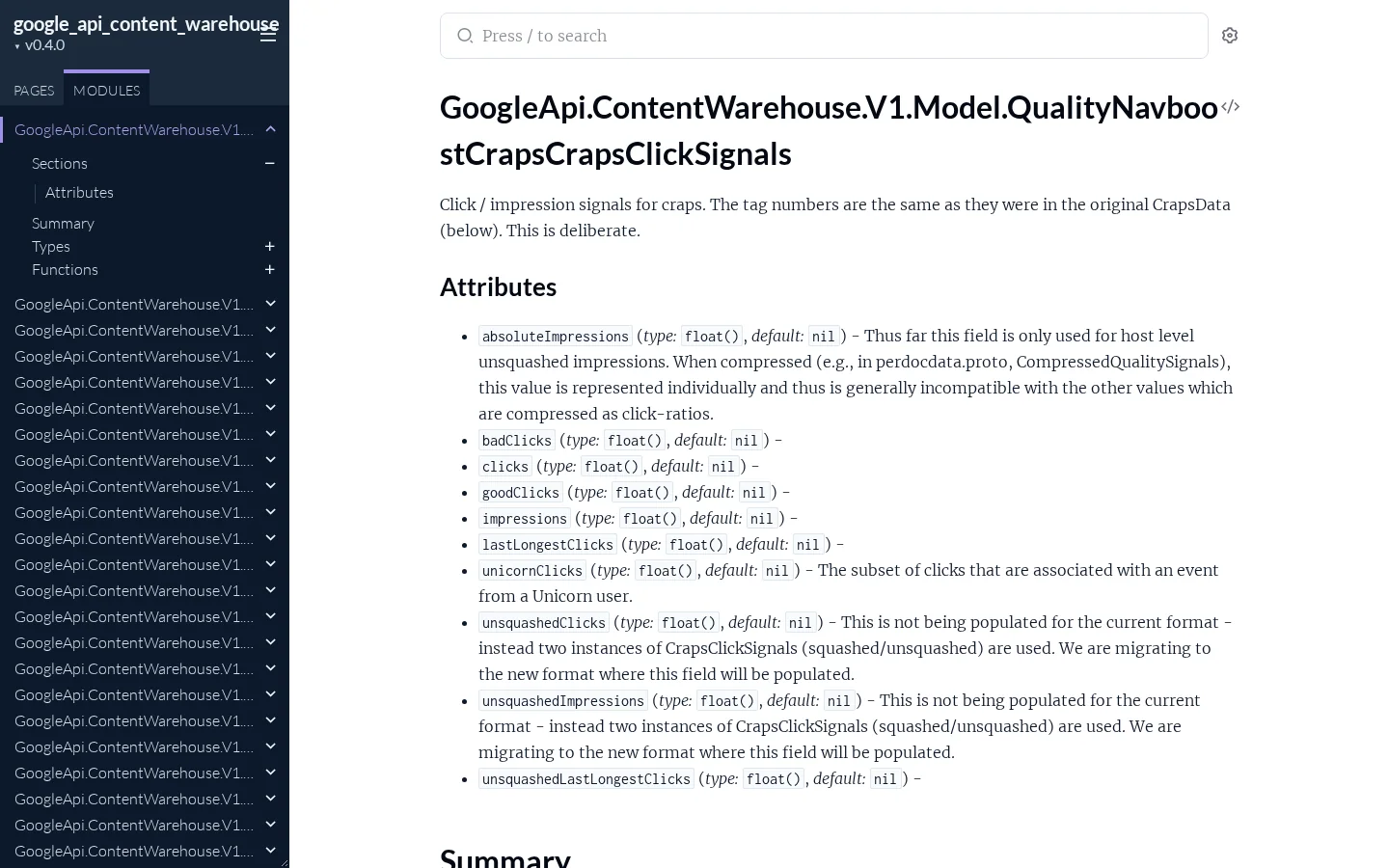
Public statements vs what the documentation listed
A field that exists is not proof that it matters today. Some modules are marked deprecated. Some date back many years. "siteAuthority" is not Moz's Domain Authority score and you cannot measure it. Treat the leak like the Yandex ranking factors leak: a map of what a search engine stores, not a recipe with doses. For the list of signals Google has confirmed in public, see our guide to Google ranking factors, confirmed vs speculation.
It changes priorities more than tactics: real user satisfaction, site-wide quality, clear authors and strong links from good pages. None of this is new advice. The leak simply removed the doubt about whether Google measures these things.
If NavBoost counts good clicks, bad clicks and the "last longest click", the page that ends the search wins. Write titles that promise exactly what the page delivers, answer the question in the first lines, and avoid pages that make people bounce back to the results. Our glossary page on click through rate in search results details how to measure it.
Tip
Before you change a title, check how it will look in Google with the free SERP preview tool. A truncated or vague title loses the click before the reader sees your page.
Fields like siteAuthority, lowQuality and the Panda demotions work at site or host level. A few hundred thin or outdated pages can weigh on the whole domain. Audit old content: update it, merge it or remove it. This is the logic of Google Panda's site-level quality checks, and it still applies. Sorank's content optimization feature finds and rewrites old pages on autopilot so the average quality of the site goes up.
Google stores authors as entities. Sign articles with a real person, link to a bio page, and keep the same name across your site and other sites. Our page on author authority and named experts explains how.
The documents suggest link value depends on the tier of the source page and on the trust of its homepage. A link from a fresh, well-ranked page of a real site beats ten links from pages nobody visits. The same signals of trust help you get cited by Gemini and other AI models, which you can follow with Sorank's GEO optimization for ChatGPT, Claude and Gemini.
SEO actions from the 2024 leak
If your company uses Google Cloud, run the key audit first: it protects your money. Then use the 2024 documentation as a reason to fix site-wide quality, not as a list of tricks.
Yes, if the Gemini API (Generative Language API) is enabled in the same Google Cloud project and the key has no API restriction. Truffle Security found 2863 such public keys in February 2026. Google now rejects unrestricted standard keys on Gemini, but you should still restrict every key to the APIs it needs.
Create a replacement key, deploy it, then disable the old one once everything works. Review billing and API usage for activity you do not recognize, and add an API restriction plus a website, IP or app restriction to the new key. Set a budget alert so a future leak is caught early.
Yes. On May 29, 2024, Google confirmed to The Verge that the documents were authentic. It also warned against drawing conclusions from information it called out of context, outdated or incomplete, since the documents list attributes without their weights.
We analyse your competitors, your website and your AI visibility to create a tailored content plan for free.
 Website Value Calculator
 Website Accessibility Checker
 Google Analytics Checker
 Duplicate Content Checker
 Mobile-Friendly Test
 Website Speed Test
 Subdomain Finder
 Domain Age Checker
 CMS Detector
 Googlebot Simulator
 Nofollow Link Checker
 Meta Tag Checker
 Keyword Cannibalization Checker
 Keyword Intent Checker
 Keyword Extractor
 Google Ads Cost Calculator
 CPC Calculator
 Local Citation Finder
 Reddit Threads Finder
 Disavow File Generator
 Redirect Generator
 Canonical Tag Generator
 Passive Voice Checker
 Google Location Changer
 Google Review Calculator
 Google Review Link Generator
 Keyword Combiner
 Podcast Show Notes Generator
 AI Content Rewriter
 AI Text Humanizer
 ChatGPT Prompt Generator
 Twitter Thread Generator
 Tweet Generator
 Landing Page Copy Generator
 Google Ads Copy Generator
 Pinterest Pin Description Generator
 Anchor Text Generator
 Social Media Post Generator
 LinkedIn Post Generator
 Free AI Writer
 Review Response Generator
 LSI Keyword Generator
 YouTube Video Ideas Generator
 YouTube Tag Generator
 YouTube Description Generator
 Product Description Generator
 CTA Generator
 Blog Introduction Generator
 Conclusion Generator
 Hook Generator
 AI Content Brief Generator
 FAQ Schema Generator
 AI Blog Post Ideas Generator
 Structured Data Validator (Schema Validator)
 Alt Text Checker
 Internal Link Analyzer
 Backlink Challenge
 AI Meta Description Generator
 AI Blog Title Generator
 Google Indexability Checker
 AI Blog Outline Generator
 UTM Link Builder
 Keyword Clustering Tool
 Canonical Tag Checker
 XML Sitemap Generator
 Broken Link Checker
 AI SEO Title Generator
 Headline Analyzer
 SERP Preview Tool
 Redirect Checker
 Hreflang Tag Generator
 Heading Structure Analyzer
 HTTP Headers Checker
 Favicon Extractor
 SERP CTR Calculator
 SEO vs Paid Search Savings Calculator
 SEO Share of Voice Calculator
 SEO ROI Calculator
 SEO Traffic and Revenue Forecast Calculator
 SEO Budget Calculator
 SEO Break-Even Calculator
 SaaS SEO ROI Calculator
 ROAS Calculator
 Reading Time Calculator
 Ranking Gain Simulator
 Organic Traffic Value Calculator
 Organic Traffic Estimator and Website Traffic Checker
 LTV to CAC Ratio Calculator
 Local SEO ROI Calculator
 Link Building Cost Calculator
 Keyword Value Calculator
 Keyword Opportunity Score Calculator
 Keyword Density Calculator
 GEO ROI Calculator
 GEO Content Investment Calculator
 Ecommerce SEO ROI Calculator
 Customer Lifetime Value Calculator
 Customer Acquisition Cost Calculator
 CTR Calculator
 Cost Per Article Calculator
 Conversion Rate Calculator
 Content Marketing ROI Calculator
 ChatGPT Referral Traffic Estimator
 Bounce Rate Calculator
 Backlink ROI Calculator
 AI Visibility Score Calculator
 AI Traffic Value Calculator
 AI Share of Voice Calculator
 Cost of AI Invisibility Calculator
 AI Citation Rate Calculator
 llms.txt Validator
 AI Overview Checker and AI Overviews Rank Checker
 Robots.txt Checker
 AI SEO Audit
 LLM Readability Checker
 SearchGPT Readiness Checker
 Structured Data LLM Audit
 Website Crawlability AI Audit
 Why ChatGPT Is Not Recommending My Website
 Gemini Ranking Tool
 Perplexity Ranking Checker
 LLM Citation Checker
 Answer Engine Optimization Audit
 GEO Audit
 AI Search Visibility Test
 ChatGPT Visibility Checker
 llms.txt Generator
 URL Extractor
 Webpage to Markdown
 Sitemap Checker
 SERP Volatility Sensor
 Page Size Checker
 Word Counter
 Slug Generator
 Schema Generator
 Robots Generator
 OG Preview
 Meta Tags Generator
 Image Compressor
 Favicon Generator
 On-Page SEO Audit: SEO Checker and SEO Analyzer
 Backlink Analysis Tool
 Keyword Research Tool
 Domain Authority Checker
 “I tested Sorank on a real client site and it's insane. It does everything an agency would bill you $1500 a month for. It's going into production on that client now.”

 Guillaume Guersanguersanguillaume.com“We are an Ads agency and we wanted to get our SEO back on track once and for all. Sorank gave us a clear view of our site, helped us prioritize optimizations, and properly structure our content. The tool is easy to use, well designed for a team, and very practical for centralizing tracking without having to juggle multiple platforms. A very solid foundation to start fresh with our SEO.”
 Gaspard MadouiAds Agency
 “I just let the Sorank software do its thing, and now my DR is 25 and my page is ranking higher.”
 Lucas Flandrefoundertrace.fr“I specialized in GEO thanks to Sorank. The GEO Leaderboard allows me to show my clients their position vs competitors on ChatGPT. It’s a real commercial differentiator.”
 MélanieSEO Freelance“Great service, works well for our website and helps us understand how to improve it to rank better on Google and elsewhere. Congrats, keep going, I recommend it.”
 Hugo T.E-commerce merchant