Preferences
Privacy is important to us, so you have the option of disabling certain types of storage that may not be necessary for the basic functioning of the website. Blocking categories may impact your experience on the website. More information
Privacy is important to us, so you have the option of disabling certain types of storage that may not be necessary for the basic functioning of the website. Blocking categories may impact your experience on the website. More information

BrightEdge vs Moz compared on audits, keyword research, AI visibility and pricing, plus a 30-day test you can run on your own site before you buy.
In short
BrightEdge is an enterprise SEO and AI search platform built for large sites, many brands and multi-market teams. Moz Pro is a lighter SEO toolkit built around domain authority, site crawls and keyword research, which suits smaller teams. Pick by the weekly jobs, the users and the budget, then test both on your own site.
Want to go further? Ask
Quick quiz
Which kind of SEO tool is right for you?
Sorank matches your answers


Test it for 3 days on your own site and see where you stand on Google, ChatGPT and the other AIs.
Start 3-day free trial3 days free, then stop whenever you want. 90-day results guarantee, conditions apply.
BrightEdge and Moz are not the same kind of product, so the comparison starts with that gap. BrightEdge sells an enterprise platform: one system meant to run SEO, content and AI visibility across many sites, teams and reporting lines. Moz Pro sells a toolkit: a set of tools that answer specific questions quickly for one site or a few. If you also weigh Semrush, the Semrush vs Moz comparison covers the toolkit side of that choice.
BrightEdge calls itself "The Leading AI-Powered SEO and AEO Platform" on its homepage, which was read on 22 November 2026. The page names a keyword engine called Data Cube X, which it describes as having "over 4 billion data points and 10 years of historical context". It also names Copilot, which gives "actionable insights", and Autopilot, which "executes automatic website optimizations". Enterprise SEO is its offer for managing data, recommendations, reporting, integrations and security in one place. These are the vendor's own words, so treat them as claims to test, not as results you will get.
Moz Pro is the paid suite from Moz. Its best-known part is Domain Authority, a score from 1 to 100 that predicts how well a domain can rank, mostly from its link profile. Around it sit keyword research, site crawls, link research and rank tracking. Moz changes its tool names and plan structure from time to time, so check the current list on its site before you build a plan around one of them.
The split shows up most clearly in who opens the tool each week. On an enterprise platform, the regional manager, the content lead and the data team each log in to different parts of one system, and the SEO specialist mostly sets it up and reads the exports. On a toolkit, the same person usually runs the crawl, checks the keywords and writes the report. Neither setup is wrong. The mistake is buying one setup and running the other.
At a glance: enterprise platform or lighter toolkit
Moz is simpler to start with, and BrightEdge goes deeper when many teams and markets share one platform. A feature list does not tell you how a tool behaves on your site, so the table below pairs each job with a test you can run. The test column matters more than the verdict column. Run the test, and let the output decide.
| Job | BrightEdge (vendor wording) | Moz Pro | Test on your site |
|---|---|---|---|
| Site audit | Full-scale audits to resolve site errors | Site Crawl for errors, titles, duplicates and speed | Crawl the same 300 URLs in both and compare the issue lists |
| Keyword research | Data Cube X, a keyword engine built on a large data set | Keyword Explorer for volume, difficulty and the results page | Check whether each tool's list contains the 20 keywords you already rank for or target |
| Competitor analysis | Competitor tracking inside the enterprise suite | Competitor and link comparisons | Compare the top five competitors each tool names for your main topic |
| AI search visibility | AI Hyper Cube, which covers how people search in ChatGPT and Google AI Overviews | Ask Moz for its current AI tracking scope before you buy | Ask each vendor which engines and prompts it tracks, and how often |
| Reporting for many brands | Enterprise reporting, data management and integrations | Reports sized to one site or a few | Build the report your manager reads each month, then check who can export it |
| Setup effort | Guided onboarding, usually sold for larger accounts | Light setup for one team | Time how long it takes to get your first report you would show a client |
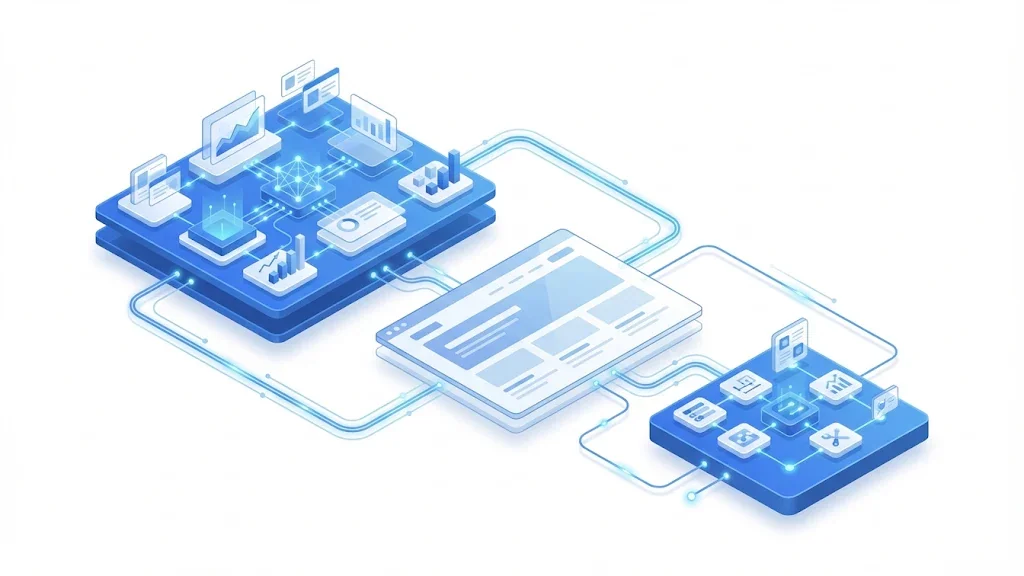
Most comparisons pick one lens and stop there. Use three, in this order: the job you need done, the team that will use the tool, and the data the tool is built on. Each lens exposes a different risk, and a platform that wins on one can lose on another.
The principle is simple. Write down the five to ten tasks you do each week, such as finding keywords for a new page, crawling the site after a release, or checking which competitor gained links. Score each tool only on those tasks, and ignore the rest of the feature list until you have a result.
When to use it: when you already know your workflow and want to avoid paying for features you will never open.
Advantage: the decision follows your work, not the best demo.
Limit: a task list changes as the site grows. A choice made for this quarter's tasks can age within a year.
Example: a 40-page B2B site that only needs a quarterly audit and a keyword list will get more from a lighter toolkit than from an enterprise platform with dashboards nobody opens.
Count who will log in, who will export reports, and who signs the contract. Enterprise platforms assume dedicated SEO staff and a reporting layer that other departments read. Toolkits assume one or two people who do most of the work themselves. Seats and training cost money, so the team size can matter more than any single feature.
When to use it: when the tool will serve several people or several brands, or when you are deciding who will own SEO inside the company.
Advantage: it matches cost and skills to the people who will really use the tool.
Limit: a platform used by one person is an expensive habit, and a toolkit shared by ten people can hit seat limits and reporting gaps.
Example: an in-house team of two editors and one SEO lead working on a single domain should test Moz first. A group of regional marketers running a dozen brands in several languages has a better case for an enterprise platform such as BrightEdge.
Ask where each number comes from. Some metrics are measured from your own data, such as the clicks and impressions in Google Search Console. Others are estimates from a third-party index, such as Domain Authority or traffic estimates. Label each metric with its source before you put it in a budget or a client deck. The Domain Authority glossary entry explains what the score is and what it is not.
When to use it: any time a vendor shows traffic, authority or AI share numbers.
Advantage: it stops you from treating an estimate as a measurement.
Limit: vendors do not always disclose their methods in full, so you may have to ask for them in writing.
Example: a Moz Domain Authority score is an estimate from Moz's index. Your clicks from Google are counted by Google. If the two disagree, trust the clicks for performance and use the score only to compare domains inside the same tool.
| Method | Best when | Main advantage | Main limit |
|---|---|---|---|
| By job | You know your weekly tasks | Ties the choice to real work | Task lists change as the site grows |
| By team | Seats and reporting matter most | Matches cost and skills to the users | A wrong tier wastes money or blocks people |
| By data | Numbers will reach a budget or a client | Separates measured clicks from estimates | Vendors do not always disclose sources |
Both tools crawl your site, so the audit itself is not the main difference. What differs is what the audit connects to. A list of broken links is useful. The same list next to the pages that lost clicks is a priority list. Start every audit from the pages that matter, not from the total count of issues.
The method below works on either tool, and it keeps the comparison fair because both tools crawl the same URLs.
Audit both tools on the same URLs
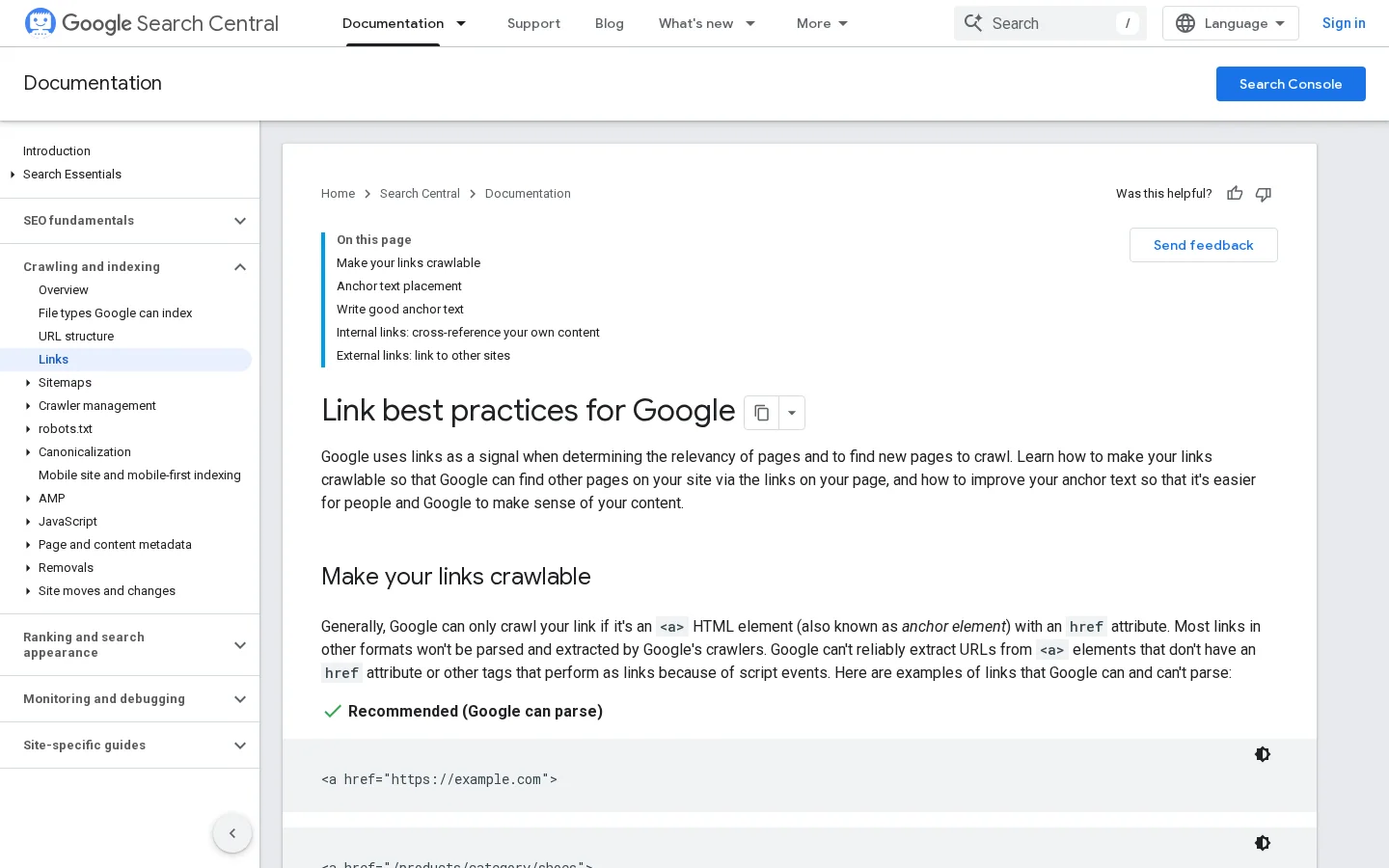
Internal links deserve their own check, because audit tools often miss them. Google's Search Central documentation on crawlable links says that every page you care about should have a link from at least one other page on your site. It also says Google can only crawl a link if it is an anchor element with an href attribute, and it recommends anchor text that is descriptive, reasonably concise and relevant to the page it is on.
Tip
To find pages with no inbound internal link, compare your crawl list with the links your own pages send. The Free Internal Link Analyzer audits the internal links of any single page, which is a quick way to test one template before you pay for a full crawl.
For the mechanics behind this check, read the internal linking basics and the internal linking strategy guide. They show how to decide which pages should receive the most links.
Judge both tools by one question: does the output change what you publish next week? BrightEdge's keyword engine is built for large data sets and many markets, and its homepage points to that scale. Moz's keyword tool is known for a simpler view of volume, difficulty and the results page. A simpler view is faster to act on, but it may cover fewer markets and fewer long-tail ideas.
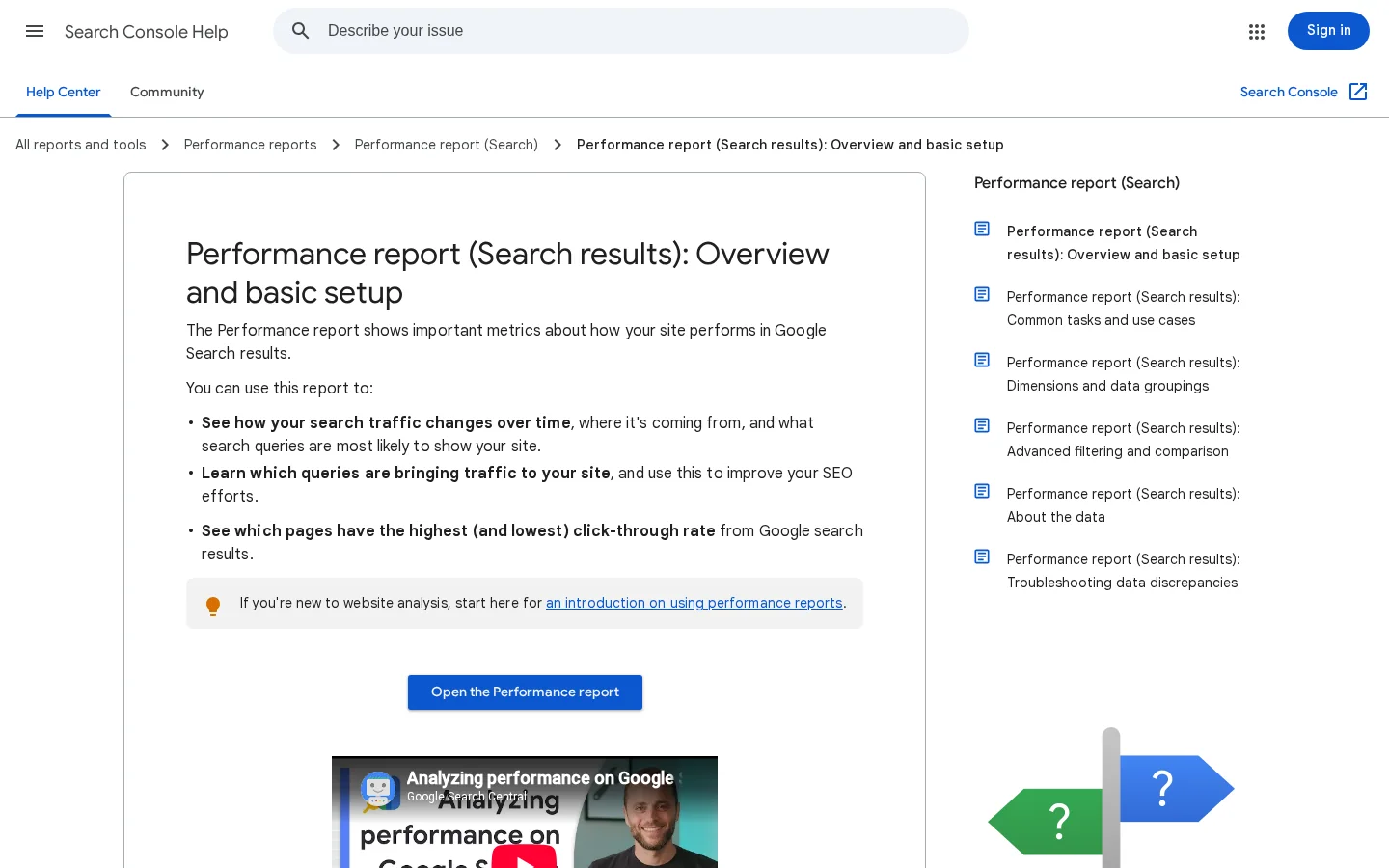
Before you trust any keyword tool, check its click and volume claims against your own Search Console data. Google's Search Console help page for the Performance report defines the four core metrics. Clicks are "the number of times a user clicked your site from Google Search results". Impressions are "how many times your site appeared in Search results". CTR is clicks divided by impressions. Average position is "the average position of the topmost result from your site". The default view shows the past three months, so change the date filter before you draw a conclusion.
Here is the CTR formula, with a worked example using made-up numbers so you can check your own arithmetic:
CTR = clicks / impressions

Example: 120 clicks / 4000 impressions = 0.03, which is a 3% CTR
To isolate queries that mention the two tools, use the custom regex option in the query filter of the Performance report. The pattern below matches brand names and keeps "moz" from matching longer words.
brightedge|\bmoz\bTip
A quick check of one domain's authority is useful before you read a vendor's score. The Free Domain Authority Checker gives a fast read without a subscription, so you can sanity-check a number you see in a demo.
Competitor analysis is the second half of this job. The SEO Spy Tool tracks a competitor's keywords every week, which covers the monitoring side. The step-by-step SEO competitor analysis method explains how to turn that data into a list of pages to write.
Pick one seed topic you already write about, such as "technical SEO audit", and export the keyword suggestions from each tool for it. Sort every suggestion into one of three groups: a topic you already cover, a topic that fits a page you could write this quarter, and a topic that is off-brand or too broad. Count how many suggestions land in the second group for each tool. That count, not the total length of the list, tells you which tool helps you publish.
Then check difficulty against the results page. A low difficulty score means little if the first page is full of large sites with deep link profiles, because a new page will struggle to enter that set. Open the first page of results for your three best candidates and ask whether those pages are the same kind of page you plan to write. If the results are forums, marketplaces or product pages and you plan an article, the keyword is a poor fit even with a good score.
AI visibility is where both vendors are putting new effort. The useful question is not whether a tool mentions AI, but what it measures and how. A solid AI visibility report tells you which engines it checks, which prompts it runs, how often it re-runs them, and whether it records a citation, a brand mention or both.
| Question for the vendor | Why it matters |
|---|---|
| Which engines do you track? | ChatGPT, Gemini, Claude, Perplexity and Google AI Overviews are not always covered by the same tool |
| Which prompts do you run, and who wrote them? | A prompt you invent tells you little about what your buyers ask |
| How often are answers re-run? | Answers change between runs, so a single check says very little |
| Do you record citations, mentions or both? | A brand named in an answer is not always linked as a source |
| Can I export the raw answers? | You need the text to check claims, wording and competitors named alongside you |
Run a manual version of this check before you buy either tool. The AI visibility audit walkthrough shows how to test your brand in several engines with the same prompts. If you want the tracking tied to the content you publish, Sorank follows visibility in ChatGPT, Gemini, Claude and Perplexity alongside your Google traffic in one dashboard, through the GEO / SEO dashboard.
This article gives no prices, because prices change often and public listings disagree with each other. Ask both vendors for a written quote based on your exact usage, then compare the quotes on the same terms. Moz plans scale with the number of sites, keywords and users you track. Enterprise platforms like BrightEdge usually price around features, data scale and seats, so ask for a quote that lists each one separately.
Warning
Usage-based pricing can grow faster than your traffic. Price each plan at three times your current keyword and site count before you accept it, so you know what growth will cost.
Ask for these in every quote
Run the same five tasks on both tools, on the same site, and score the output rather than the demo. Vendors demo on clean sites with ideal data. Your site has old pages, redirects and messy titles, and that is where the real difference shows up.
Thirty days, five tasks
Note
Keep a dated log of every number each tool gives you. Vendors change their data and their models, and a log lets you check a claim later, when someone asks where a figure came from.
Most bad choices come from three habits: trusting vendor case studies, comparing authority scores across tools, and choosing on the demo. The errors below are the ones that come up most often in these decisions, with the signs that give each one away and the fix for each.
What it is: treating a vendor's headline result as the normal result. BrightEdge's homepage cites a 95% increase in organic revenue for an enterprise customer, and a 61% increase in site visits for a midsize business. Neither figure comes with a baseline, a time period or a sample.
How to spot it: the case study has a big percentage, no starting point and no dates. Ask what the number was before, when it was measured and how many pages were involved.
How to fix it: compare the claim with your own Search Console data. Ask the vendor for the before and after dates and the traffic baseline, then calculate the change in clicks on your own pages over the same period.
Vendor numbers, read with their context
Source: BrightEdge homepage, read 22 November 2026 (vendor claims)
What it is: treating Moz's Domain Authority as the same thing as another tool's authority or rating score. Each vendor builds its score from its own index and its own formula.
How to spot it: two tools show different numbers for the same domain, and someone in the meeting says one of them is "higher", as if the scale were shared.
How to fix it: use each score only to follow one domain over time, inside one tool. For real performance, use clicks from Search Console. The what Domain Authority means for rankings article explains where the score helps and where it misleads.
What it is: scoring a tool on a sample site that the vendor prepared, with clean titles, few errors and rich data.
How to spot it: the demo shows almost no issues and every keyword has data. Your own site will not look like that.
How to fix it: run the 30-day test above on your own site, with your Search Console property connected to both tools.
What it is: paying for seats, markets and dashboards that nobody opens after the first month.
How to spot it: the list of weekly tasks is short, but the contract covers several markets and many seats. Check the login history after two months. If most of the seats are idle, the tier is too large.
How to fix it: count the tasks first, then match the tier to the people who will run them. Ask for a smaller plan with a clear upgrade path.
What it is: taking an estimate for a measurement. Traffic figures, AI share numbers and authority scores are often modelled, not counted.
How to spot it: a traffic figure with no label, or AI share numbers with no list of prompts behind them.
How to fix it: ask for the method in writing, and check one number per tool against Search Console. If a tool misses your clicks by a wide margin, its estimates are not safe for budget decisions.
Two ways to choose a platform
Pick BrightEdge if you run many sites, brands or markets, have a dedicated SEO team and can justify enterprise software. Pick Moz Pro if you need a focused toolkit for one site or a few, and your team is small. Whichever you choose, run the 30-day test before you sign, and keep the log.
| Your situation | Better starting point | Why |
|---|---|---|
| One site, small team, tight budget | Moz Pro | Lighter setup and fewer seats to pay for |
| Many sites and brands, one reporting line | BrightEdge | Built for enterprise data, reporting and integrations |
| Dedicated SEO team across several markets | BrightEdge | Scale and multi-market data are the core of the product |
| You want content, links and AI tracking handled for you | Neither platform alone | Add an autopilot tool to your stack, such as Sorank for SEO Teams, and test it against your current setup |
If the test shows that your work is mostly content and links rather than audits and enterprise reporting, a platform may be more than you need. Pick the tool that does your weekly jobs well, and keep the 30-day habit for every renewal.
Neither is better in every case. BrightEdge suits large enterprise programs with many brands and markets, while Moz Pro suits smaller teams that want a lighter toolkit. Test both on your own site before you decide.
For most smaller teams, yes, based on public listings and user reports, because BrightEdge is sold as an enterprise platform. Prices change often, so ask each vendor for a written quote for your exact usage.
It can, but BrightEdge is built for teams with dedicated SEO staff and enterprise needs. A small business usually gets more value from a focused tool and a short test before it signs a long contract.
We analyse your competitors, your website and your AI visibility to create a tailored content plan for free.
 Duplicate Content Checker
 Mobile-Friendly Test
 Website Speed Test
 Subdomain Finder
 Domain Age Checker
 CMS Detector
 Googlebot Simulator
 Nofollow Link Checker
 Meta Tag Checker
 Keyword Cannibalization Checker
 Keyword Intent Checker
 Keyword Extractor
 Google Ads Cost Calculator
 CPC Calculator
 Local Citation Finder
 Reddit Threads Finder
 Disavow File Generator
 Redirect Generator
 Canonical Tag Generator
 Passive Voice Checker
 Google Location Changer
 Google Review Calculator
 Google Review Link Generator
 Keyword Combiner
 Podcast Show Notes Generator
 AI Content Rewriter
 AI Text Humanizer
 ChatGPT Prompt Generator
 Twitter Thread Generator
 Tweet Generator
 Landing Page Copy Generator
 Google Ads Copy Generator
 Pinterest Pin Description Generator
 Anchor Text Generator
 Social Media Post Generator
 LinkedIn Post Generator
 Free AI Writer
 Review Response Generator
 LSI Keyword Generator
 YouTube Video Ideas Generator
 YouTube Tag Generator
 YouTube Description Generator
 Product Description Generator
 CTA Generator
 Blog Introduction Generator
 Conclusion Generator
 Hook Generator
 AI Content Brief Generator
 FAQ Schema Generator
 AI Blog Post Ideas Generator
 Structured Data Validator (Schema Validator)
 Alt Text Checker
 Internal Link Analyzer
 Backlink Challenge
 AI Meta Description Generator
 AI Blog Title Generator
 Google Indexability Checker
 AI Blog Outline Generator
 UTM Link Builder
 Keyword Clustering Tool
 Canonical Tag Checker
 XML Sitemap Generator
 Broken Link Checker
 AI SEO Title Generator
 Headline Analyzer
 SERP Preview Tool
 Redirect Checker
 Hreflang Tag Generator
 Heading Structure Analyzer
 HTTP Headers Checker
 Favicon Extractor
 SERP CTR Calculator
 SEO vs Paid Search Savings Calculator
 SEO Share of Voice Calculator
 SEO ROI Calculator
 SEO Traffic and Revenue Forecast Calculator
 SEO Budget Calculator
 SEO Break-Even Calculator
 SaaS SEO ROI Calculator
 ROAS Calculator
 Reading Time Calculator
 Ranking Gain Simulator
 Organic Traffic Value Calculator
 Organic Traffic Estimator and Website Traffic Checker
 LTV to CAC Ratio Calculator
 Local SEO ROI Calculator
 Link Building Cost Calculator
 Keyword Value Calculator
 Keyword Opportunity Score Calculator
 Keyword Density Calculator
 GEO ROI Calculator
 GEO Content Investment Calculator
 Ecommerce SEO ROI Calculator
 Customer Lifetime Value Calculator
 Customer Acquisition Cost Calculator
 CTR Calculator
 Cost Per Article Calculator
 Conversion Rate Calculator
 Content Marketing ROI Calculator
 ChatGPT Referral Traffic Estimator
 Bounce Rate Calculator
 Backlink ROI Calculator
 AI Visibility Score Calculator
 AI Traffic Value Calculator
 AI Share of Voice Calculator
 Cost of AI Invisibility Calculator
 AI Citation Rate Calculator
 llms.txt Validator
 AI Overview Checker and AI Overviews Rank Checker
 Robots.txt Checker
 AI SEO Audit
 LLM Readability Checker
 SearchGPT Readiness Checker
 Structured Data LLM Audit
 Website Crawlability AI Audit
 Why ChatGPT Is Not Recommending My Website
 Gemini Ranking Tool
 Perplexity Ranking Checker
 LLM Citation Checker
 Answer Engine Optimization Audit
 GEO Audit
 AI Search Visibility Test
 ChatGPT Visibility Checker
 llms.txt Generator
 URL Extractor
 Webpage to Markdown
 Sitemap Checker
 SERP Volatility Sensor
 Page Size Checker
 Word Counter
 Slug Generator
 Schema Generator
 Robots Generator
 OG Preview
 Meta Tags Generator
 Image Compressor
 Favicon Generator
 On-Page SEO Audit: SEO Checker and SEO Analyzer
 Backlink Analysis Tool
 Keyword Research Tool
 Domain Authority Checker
 “I tested Sorank on a real client site and it's insane. It does everything an agency would bill you $1500 a month for. It's going into production on that client now.”

 Guillaume Guersanguersanguillaume.com“We are an Ads agency and we wanted to get our SEO back on track once and for all. Sorank gave us a clear view of our site, helped us prioritize optimizations, and properly structure our content. The tool is easy to use, well designed for a team, and very practical for centralizing tracking without having to juggle multiple platforms. A very solid foundation to start fresh with our SEO.”
 Gaspard MadouiAds Agency
 “I just let the Sorank software do its thing, and now my DR is 25 and my page is ranking higher.”
 Lucas Flandrefoundertrace.fr“I specialized in GEO thanks to Sorank. The GEO Leaderboard allows me to show my clients their position vs competitors on ChatGPT. It’s a real commercial differentiator.”
 MélanieSEO Freelance“Great service, works well for our website and helps us understand how to improve it to rank better on Google and elsewhere. Congrats, keep going, I recommend it.”
 Hugo T.E-commerce merchant