Preferences
Privacy is important to us, so you have the option of disabling certain types of storage that may not be necessary for the basic functioning of the website. Blocking categories may impact your experience on the website. More information
Privacy is important to us, so you have the option of disabling certain types of storage that may not be necessary for the basic functioning of the website. Blocking categories may impact your experience on the website. More information

 Ahrefs vs Moz Pro: How to Choose the Right SEO Platform for Your Work
Ahrefs vs Moz Pro compared on DR vs DA, backlink freshness, keyword and rank tracking tests, plan limits, and a 14-day test to choose the right tool.
In short
Ahrefs vs Moz Pro is a choice between two paid SEO platforms that both cover keywords, backlinks, rank tracking and site audits. Ahrefs is usually the deeper tool for backlink and competitor data, while Moz Pro is often easier to learn for small teams. Settle it with a two-week test on your own keywords and pages.
Want to go further? Ask
Quick quiz
Which kind of SEO tool is right for you?
Sorank matches your answers


Test it for 3 days on your own site and see where you stand on Google, ChatGPT and the other AIs.
Start 3-day free trial3 days free, then stop whenever you want. 90-day results guarantee, conditions apply.
Ahrefs is built around a large backlink and keyword database. Moz Pro is built around rankings, links and a workflow that small teams can pick up quickly. That is the short answer. The details decide which one fits your week.
Both tools answer the same daily questions: which keywords to target, which sites link to a competitor, whether your pages are ranking, and what is broken on your site. They reach those answers in different ways. The differences show up mostly in backlink depth, in how plans are priced and limited, and in how much setup you must do yourself.
| Job | Ahrefs | Moz Pro |
|---|---|---|
| Backlink research | Deep link data with a live index | Recognized link metrics in a simpler view |
| Keyword research | Large keyword and SERP dataset | Structured keyword workflow |
| Rank tracking | Tracked keyword cap set by plan | Tracking with a simpler setup |
| Site audit | Technical audit next to rank tracking | Audit with clear priorities |
| Learning curve | Steeper for beginners | Gentler, with more guidance |
| Best fit | Deep research and agencies with many sites | Small teams and marketers learning SEO |
No page on our blog compares these two head to head. Our Semrush vs Moz comparison covers Moz against a different rival, and Ahrefs vs SpyFu covers Ahrefs against another competitor research tool. This article stays on the Ahrefs and Moz Pro pair. It focuses on how to test them, so you do not have to trust a verdict written by someone else.
Domain Rating (DR) is Ahrefs' score from 0 to 100 for the strength of a site's backlink profile. Domain Authority (DA) is Moz's score from 1 to 100, built to predict how well a site might rank. They come from different formulas on different link data. A DR of 40 and a DA of 40 do not describe the same site strength.
In a May 4, 2022 post on the Ahrefs blog, Tim Soulo describes DR as "an Ahrefs metric that shows the relative strength of a website's backlink profile." The score runs on a logarithmic scale, so each extra point near the top is harder to earn. The article says DR is calculated "in a somewhat similar way to how PageRank is calculated," but it works between websites, not between pages. It also calls DR "purely link-based," so search traffic and domain age do not feed it.
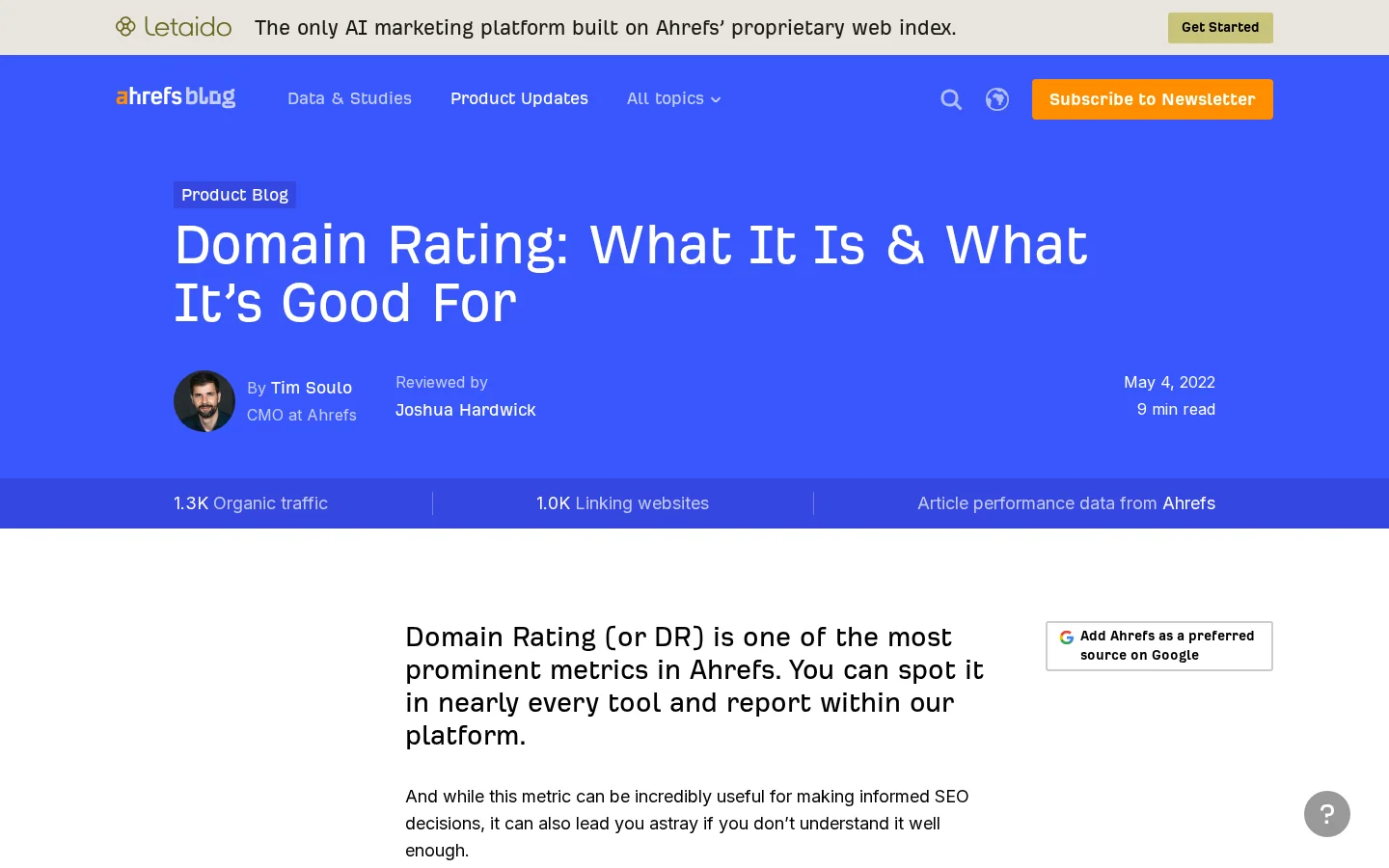
The same article gives three details that change how you should read DR. Only followed links count, so nofollow links do not raise the score. Only the first link from a given domain counts. And large amounts of low-quality backlinks may increase DR, which is why the score alone does not filter spam. The article also says that "Google ranks pages, not websites." Use DR to compare sites, not as a ranking target. The post is from 2022, so check the current definition inside the tool before you build a report on it.
Moz presents DA as a search engine ranking score that predicts how well a site will rank, on a scale from 1 to 100. Moz says it is meant for comparison. That makes the useful question "Is my competitor's DA rising faster than mine?" rather than "Is my DA good?" A score can also move because a competitor gained or lost links, even when your site did nothing.
A DR of 45 in Ahrefs and a DA of 45 in Moz describe two models built on two different link indexes. Neither converts to the other, and the gap between them can be large for the same domain. Pick one metric per tool, record it every month, and read the trend rather than the absolute value.
Two link scores, two different jobs
Source: Ahrefs blog, Tim Soulo, May 4, 2022
Tip
For a quick first look at any domain, our free domain authority checker is faster than opening a paid account. Confirm the final number inside the tool you plan to buy, since each tool has its own scale.
If you want both definitions side by side, read the glossary entry on Domain Rating and the domain authority glossary entry. Both explain how the scores are built.

Backlink data is only useful when it is current and complete. Ahrefs says its live backlink index is updated with fresh data every 15 to 30 minutes, and that a full refresh of its historical backlink data takes about two months (Ahrefs help center article, dated September 3, 2026). The material we reviewed does not give Moz a refresh schedule, so test it rather than assume it matches.
How fresh Ahrefs says its backlink data is
Source: Ahrefs help center, September 3, 2026
Live links are the ones the index currently sees on a page that still exists. Historical links are older ones that may have been removed, redirected or changed. The Ahrefs help center treats a backlink as live until its crawler re-visits the linking page and sees otherwise. A lost link can therefore stay live in a report for a while, and a new link appears only after the crawler finds it. Read the status and the first-seen date before you count anything.
A tool that finds 300 links is less useful than one that finds 120 links with the anchors you expect. Anchor text tells you what the link says about your page, and it is also the first thing a reviewer looks at when a profile looks unnatural. Export the anchors from both tools and sort them into four groups: your brand name, a naked URL, a descriptive phrase, and an exact keyword match. A profile dominated by one exact-match phrase is a warning sign, even when every link is real.
Compare the two exports on the same 20 links. If one tool records the anchor as empty or truncated, note it in your log. That gap matters more than a difference in total counts, because you will rely on those anchors when you review your profile later. Our anchor text optimization guide shows how to balance the groups once you have the data.
Pick 20 links you know are live. Mix a recent guest post, a press mention, a resource page and one old directory listing. Then run the same check in both tools on the same day.
The 20-link backlink test
A link missing from one tool is not always a lost link. Four causes explain most gaps:
A paid placement often carries a qualifier, so it is a common cause of a miss on the DR side. Here is the markup a qualified sponsored link should use:
<a href="https://example.com/guest-post" rel="sponsored">your brand</a>Tip
To check the links pointing to one of your pages without opening a paid account, try our free backlink checker. Use it as a quick cross-check on the same 20 links, not as a full replacement for either paid index.
For keyword research, the tools should agree on the basics and disagree on the edges. Give both the same seed list, the same country and the same device, then count the ideas you would actually publish. Competitor research shows the biggest gap, because each tool reads its own keyword data.
Choose 20 to 30 seed queries. Use your best queries from Google Search Console, the questions your sales team hears most, and the pages of two or three competitors you already know. A short seed list keeps the test fair, and it shows the difference between the tools instead of hiding it behind volume.
Both tools estimate keyword difficulty from their own link and SERP data, so the same keyword can show a different number in each. Use the number to rank your list against itself, not to decide on one keyword alone. Our keyword difficulty glossary entry explains how to pick keywords you can actually rank for. In practice, a keyword with a medium difficulty and a clear page type beats one with a low number and a mismatched intent.
Run the gap report for your domain against your three competitors. Export the keywords they rank for and you do not. Then clean the list in this order: remove brand names that belong to them, drop keywords that need a product you do not sell, group the rest by topic, and mark the intent of each group as informational, comparison or buying.
Gap lists get long fast, and most lines are noise. Keep only the groups where you already have a page or can publish one this month.
If you want competitor keywords refreshed every week without manual exports, Sorank's SEO spy tool is built for that routine. It does not replace the link data described above.
Keyword test checklist
Rank tracking and site audits only compare fairly when both tools use the same location, device, keyword list and crawl scope. If they do not, the gap you see comes from the setup, not from the product.
Set the same country and city, the same device type (desktop or mobile), the same language and the same keyword list. Then check the refresh schedule in both tools. A daily check in one tool against a weekly check in the other will make one look unstable even when rankings barely moved.
Check the tracked keyword cap on your plan before you load the list. If the plan allows fewer keywords than your list, the test stops early and you learn nothing about the rest.
Start both crawls from the same URL, with the same page limit and the same robots.txt rules. Turn JavaScript rendering on or off the same way in both tools. If one tool renders scripts and the other reads only the raw HTML, pages built with client-side scripts can show errors in one report and not in the other.
Compare the crawl size before you compare the issues. If one crawl stopped after a few hundred URLs and the other covered the whole site, the issue counts cannot be compared at all.
Each tool gives a site health score, and the two scores use different weights. Ignore the headline number first. Group the issues by type: broken internal links, redirect chains, missing titles, slow pages and blocked pages. Fix the group that touches your most important pages first. A high score with a broken checkout page is worse than a lower score with clean key pages.
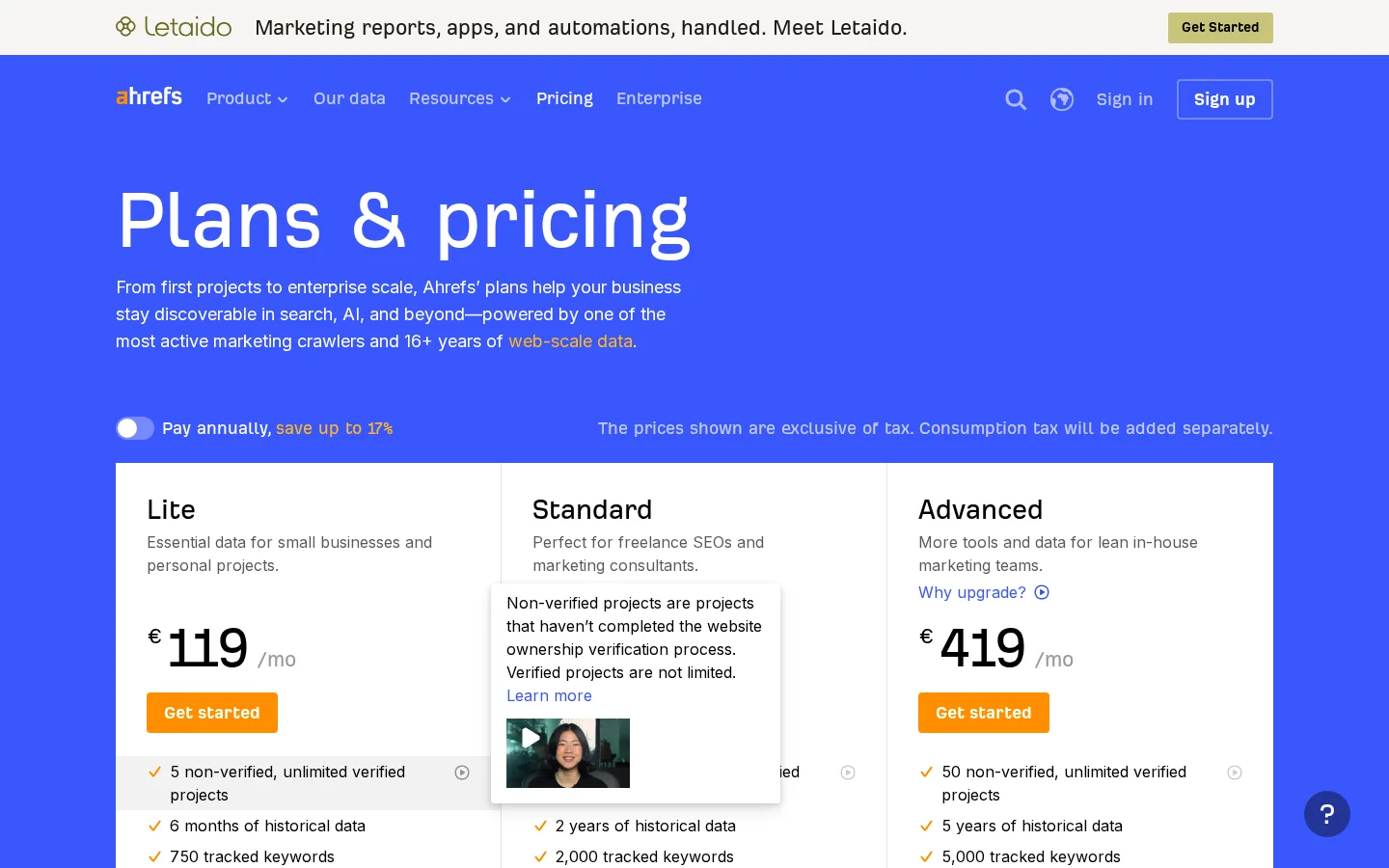
Read the plan limits before you compare the monthly price. Ahrefs lists each plan with caps on projects, crawl credits, historical data, users and tracked keywords. Its pricing page says you can "save up to 17%" with annual billing. When we checked the page on November 22, 2026, the prices were shown in euros, so compare the same plan in the same currency.
Moz Pro also sets limits on tracked keywords, crawls and users for each plan. Check its pricing page directly before you compare, because those limits decide whether a plan can run your test. Packaging changes often in this market, so write down the plan name, the cap and the date next to each price in your notes.
| Criterion | What to check on the pricing page | Why it matters |
|---|---|---|
| Tracked keywords | The cap for each plan | Your test list must fit inside it |
| Crawl limits | Crawl credits or page caps | A capped crawl makes the audit incomplete |
| Historical data | Months or years of history | Trend reports need it |
| Users | Seats included and the price of extra seats | Teams and agencies pay per seat |
| Annual billing | The saving shown | It changes the real monthly cost |
| Trial | Whether you can test before you pay | Test on your own data first |
How to compare plans
Run the same work in both tools for 14 days, then score each one on the jobs you do every week. Your own site and keyword list will tell you more than any comparison article, this one included. Use a free trial if one is offered. If none is, run the test on the lowest plan that covers your list.
Your 14-day plan
Give each job a weight that matches your work, and make the weights add up to 100. Then rate each tool from 1 to 5 on each job. Multiply each weight by its rating, divide by 5, and add the results. A weighted score keeps you from choosing a tool because one demo impressed you.
Criterion              Weight   Ahrefs (1-5)   Moz Pro (1-5)
Backlink accuracy        30
Keyword ideas            25
Competitor gaps          20
Rank tracking setup      15
Time to first report     10
Weighted total 100Write the decision rule before you open the tools. For example: the higher weighted total wins, unless one tool misses more than a few of your 20 test links. Writing the rule first stops you from moving the goalposts once you see which tool you like. Keep the score sheet, because you will reuse it when the plan renews.
Most bad comparisons come from four mistakes: comparing scores across tools, trusting size claims, testing with mismatched settings, and buying links to move a metric. Each one is easy to spot once you know the signs.
What it is: Reading a DR number and a DA number as the same measure, then choosing the tool that shows the higher figure.
How to spot it: A report says "our authority rose from 30 to 35" and mixes numbers from both tools in the same slide, or a plan is justified by a comparison of the two scores.
How to fix it: Keep one metric per tool. Track each one as its own trend line, and compare sites only inside the same tool.
What it is: Choosing a tool because its marketing says it has the biggest index.
How to spot it: Vendor pages give different index figures depending on the page and its date, and the figures often describe different indexes. A size claim tells you nothing about whether the tool finds your links.
How to fix it: Run the 20-link test and count how many of your links each tool finds and dates correctly.
Choosing a tool on evidence
What it is: Tracking the same keywords with different locations, devices or refresh schedules in each tool.
How to spot it: The same page shows a position in one tool that is several places away from the other, on the same day. The first thing to check is the settings screen, not the ranking.
How to fix it: Copy the settings from one tool to the other, then check them again on day 2 of the test. Only compare positions once both settings match.
What it is: Buying links, or swapping links in bulk, to push up DR or DA.
How to spot it: A sudden set of links from unrelated sites, often with exact-match anchor text, or paid placements with no nofollow or sponsored attribute. The score rises while your risk grows.
How to fix it: Audit the links with our backlink audit guide, then remove or qualify the paid placements. Google's spam policies page lists buying or selling links for ranking, and excessive link exchanges, as link spam. It allows paid links when they carry a nofollow or sponsored attribute.
Warning
Raising a score by buying links can backfire. The metric may look better for a few weeks while the link risk builds up. Check the policy before you pay for any placement.
Choose Ahrefs if backlink depth and competitor research drive your work and you can justify the higher plans. Choose Moz Pro if you are learning SEO, run a small team, or want a workflow that is easier to hand to someone new. Neither tool fixes a slow publishing process, so decide that part separately.
| Your situation | Lean toward | Reason |
|---|---|---|
| You audit many backlink profiles every week | Ahrefs | Backlink depth and the live index update |
| You are new to SEO and want guidance | Moz Pro | Reviewers often rate it easier to learn |
| You manage many client sites | Ahrefs | Check the project and user caps on each plan |
| Your budget is tight | Test both on the lowest plan | Compare the caps before the price |
| You must turn research into published pages | Either tool, plus a workflow tool | Research tools do not write or publish pages |
If your bottleneck is turning research into published pages, Sorank can take over part of that routine. Its automated keyword research covers the research step, and its domain authority tracker keeps your Domain Rating visible over time. Sorank does not replace a backlink index, so keep a dedicated backlink tool for link audits.
Pick your 20 test links today, write your decision rule and lock the settings in both tools. Then run the 14-day test and keep the score sheet. The tool that wins on your own site is the right one, even if it does not win on paper.
Neither is better for every job. Ahrefs usually has deeper backlink and competitor data, while Moz Pro is often easier to learn for small teams. Choose by the job you need done first, then test both on the same keywords and pages.
No. Ahrefs' Domain Rating runs from 0 to 100 on a logarithmic scale and measures backlink strength. Moz's Domain Authority is also a 1 to 100 score, but it is Moz's own prediction model, so compare each number only inside the tool that produced it.
Two weeks is usually enough to see whether the data and the workflow fit your work. Use the same keyword list, the same location and the same pages in both tools, then score the results. If a free trial exists, use it. If not, run the test on the lowest plan that covers your list.
We analyse your competitors, your website and your AI visibility to create a tailored content plan for free.
 Duplicate Content Checker
 Mobile-Friendly Test
 Website Speed Test
 Subdomain Finder
 Domain Age Checker
 CMS Detector
 Googlebot Simulator
 Nofollow Link Checker
 Meta Tag Checker
 Keyword Cannibalization Checker
 Keyword Intent Checker
 Keyword Extractor
 Google Ads Cost Calculator
 CPC Calculator
 Local Citation Finder
 Reddit Threads Finder
 Disavow File Generator
 Redirect Generator
 Canonical Tag Generator
 Passive Voice Checker
 Google Location Changer
 Google Review Calculator
 Google Review Link Generator
 Keyword Combiner
 Podcast Show Notes Generator
 AI Content Rewriter
 AI Text Humanizer
 ChatGPT Prompt Generator
 Twitter Thread Generator
 Tweet Generator
 Landing Page Copy Generator
 Google Ads Copy Generator
 Pinterest Pin Description Generator
 Anchor Text Generator
 Social Media Post Generator
 LinkedIn Post Generator
 Free AI Writer
 Review Response Generator
 LSI Keyword Generator
 YouTube Video Ideas Generator
 YouTube Tag Generator
 YouTube Description Generator
 Product Description Generator
 CTA Generator
 Blog Introduction Generator
 Conclusion Generator
 Hook Generator
 AI Content Brief Generator
 FAQ Schema Generator
 AI Blog Post Ideas Generator
 Structured Data Validator (Schema Validator)
 Alt Text Checker
 Internal Link Analyzer
 Backlink Challenge
 AI Meta Description Generator
 AI Blog Title Generator
 Google Indexability Checker
 AI Blog Outline Generator
 UTM Link Builder
 Keyword Clustering Tool
 Canonical Tag Checker
 XML Sitemap Generator
 Broken Link Checker
 AI SEO Title Generator
 Headline Analyzer
 SERP Preview Tool
 Redirect Checker
 Hreflang Tag Generator
 Heading Structure Analyzer
 HTTP Headers Checker
 Favicon Extractor
 SERP CTR Calculator
 SEO vs Paid Search Savings Calculator
 SEO Share of Voice Calculator
 SEO ROI Calculator
 SEO Traffic and Revenue Forecast Calculator
 SEO Budget Calculator
 SEO Break-Even Calculator
 SaaS SEO ROI Calculator
 ROAS Calculator
 Reading Time Calculator
 Ranking Gain Simulator
 Organic Traffic Value Calculator
 Organic Traffic Estimator and Website Traffic Checker
 LTV to CAC Ratio Calculator
 Local SEO ROI Calculator
 Link Building Cost Calculator
 Keyword Value Calculator
 Keyword Opportunity Score Calculator
 Keyword Density Calculator
 GEO ROI Calculator
 GEO Content Investment Calculator
 Ecommerce SEO ROI Calculator
 Customer Lifetime Value Calculator
 Customer Acquisition Cost Calculator
 CTR Calculator
 Cost Per Article Calculator
 Conversion Rate Calculator
 Content Marketing ROI Calculator
 ChatGPT Referral Traffic Estimator
 Bounce Rate Calculator
 Backlink ROI Calculator
 AI Visibility Score Calculator
 AI Traffic Value Calculator
 AI Share of Voice Calculator
 Cost of AI Invisibility Calculator
 AI Citation Rate Calculator
 llms.txt Validator
 AI Overview Checker and AI Overviews Rank Checker
 Robots.txt Checker
 AI SEO Audit
 LLM Readability Checker
 SearchGPT Readiness Checker
 Structured Data LLM Audit
 Website Crawlability AI Audit
 Why ChatGPT Is Not Recommending My Website
 Gemini Ranking Tool
 Perplexity Ranking Checker
 LLM Citation Checker
 Answer Engine Optimization Audit
 GEO Audit
 AI Search Visibility Test
 ChatGPT Visibility Checker
 llms.txt Generator
 URL Extractor
 Webpage to Markdown
 Sitemap Checker
 SERP Volatility Sensor
 Page Size Checker
 Word Counter
 Slug Generator
 Schema Generator
 Robots Generator
 OG Preview
 Meta Tags Generator
 Image Compressor
 Favicon Generator
 On-Page SEO Audit: SEO Checker and SEO Analyzer
 Backlink Analysis Tool
 Keyword Research Tool
 Domain Authority Checker
 “I tested Sorank on a real client site and it's insane. It does everything an agency would bill you $1500 a month for. It's going into production on that client now.”

 Guillaume Guersanguersanguillaume.com“We are an Ads agency and we wanted to get our SEO back on track once and for all. Sorank gave us a clear view of our site, helped us prioritize optimizations, and properly structure our content. The tool is easy to use, well designed for a team, and very practical for centralizing tracking without having to juggle multiple platforms. A very solid foundation to start fresh with our SEO.”
 Gaspard MadouiAds Agency
 “I just let the Sorank software do its thing, and now my DR is 25 and my page is ranking higher.”
 Lucas Flandrefoundertrace.fr“I specialized in GEO thanks to Sorank. The GEO Leaderboard allows me to show my clients their position vs competitors on ChatGPT. It’s a real commercial differentiator.”
 MélanieSEO Freelance“Great service, works well for our website and helps us understand how to improve it to rank better on Google and elsewhere. Congrats, keep going, I recommend it.”
 Hugo T.E-commerce merchant