Preferences
Privacy is important to us, so you have the option of disabling certain types of storage that may not be necessary for the basic functioning of the website. Blocking categories may impact your experience on the website. More information
Privacy is important to us, so you have the option of disabling certain types of storage that may not be necessary for the basic functioning of the website. Blocking categories may impact your experience on the website. More information

 Semrush vs Moz Pro: How to Read Keyword Volume and Difficulty
Compare Semrush and Moz Pro keyword volume and difficulty, learn how each score is built, and test which number matches your real  Search Console data.
In short
Semrush and Moz Pro both show a monthly search volume and a keyword difficulty score, but each vendor builds them from its own data and model. Semrush averages 12 months of searches into one figure and scores difficulty from the top 10 results. Use both numbers to shortlist keywords, then check the search results and your Search Console data before you write.
Want to go further? Ask
Quick quiz
How should you find the right keywords?
Sorank matches your answers


Test it for 3 days on your own site and see where you stand on Google, ChatGPT and the other AIs.
Start 3-day free trial3 days free, then stop whenever you want. 90-day results guarantee, conditions apply.
Search volume estimates how many people search a keyword in a typical month. Keyword difficulty estimates how hard it is to get onto the first page. Neither number is a count from Google, and neither one tells you how many clicks you will get. According to Google's guidance on third-party SEO tools, those tools do not have access to Google's internal ranking data, so treat both numbers as estimates that help you rank options, not as facts about the market.
The two tools are not the same kind of product. Our feature and pricing comparison of Semrush and Moz covers plans, tools and scope. This article stays on the keyword numbers, because they drive most decisions about what to write next. If you trust the wrong number, every article you plan on top of it inherits the error.
Here is what each metric means and what to check before you use it.
| Metric | What it estimates | What to check before you use it |
|---|---|---|
| Search volume | Average monthly searches for a keyword | The 12-month average, the country, and whether the keyword is seasonal |
| Keyword difficulty | How hard the first page is to win | The top 10 results you would compete with, not the score alone |
| Click-through rate | Share of impressions that turn into a click | Your own Search Console data, not a tool estimate |
Two lines in that table matter most. Volume is an average, so a seasonal keyword can look flat in a tool while its traffic moves a lot. Difficulty is a model output, so compare keywords inside one tool and do not read the score as an absolute measure.
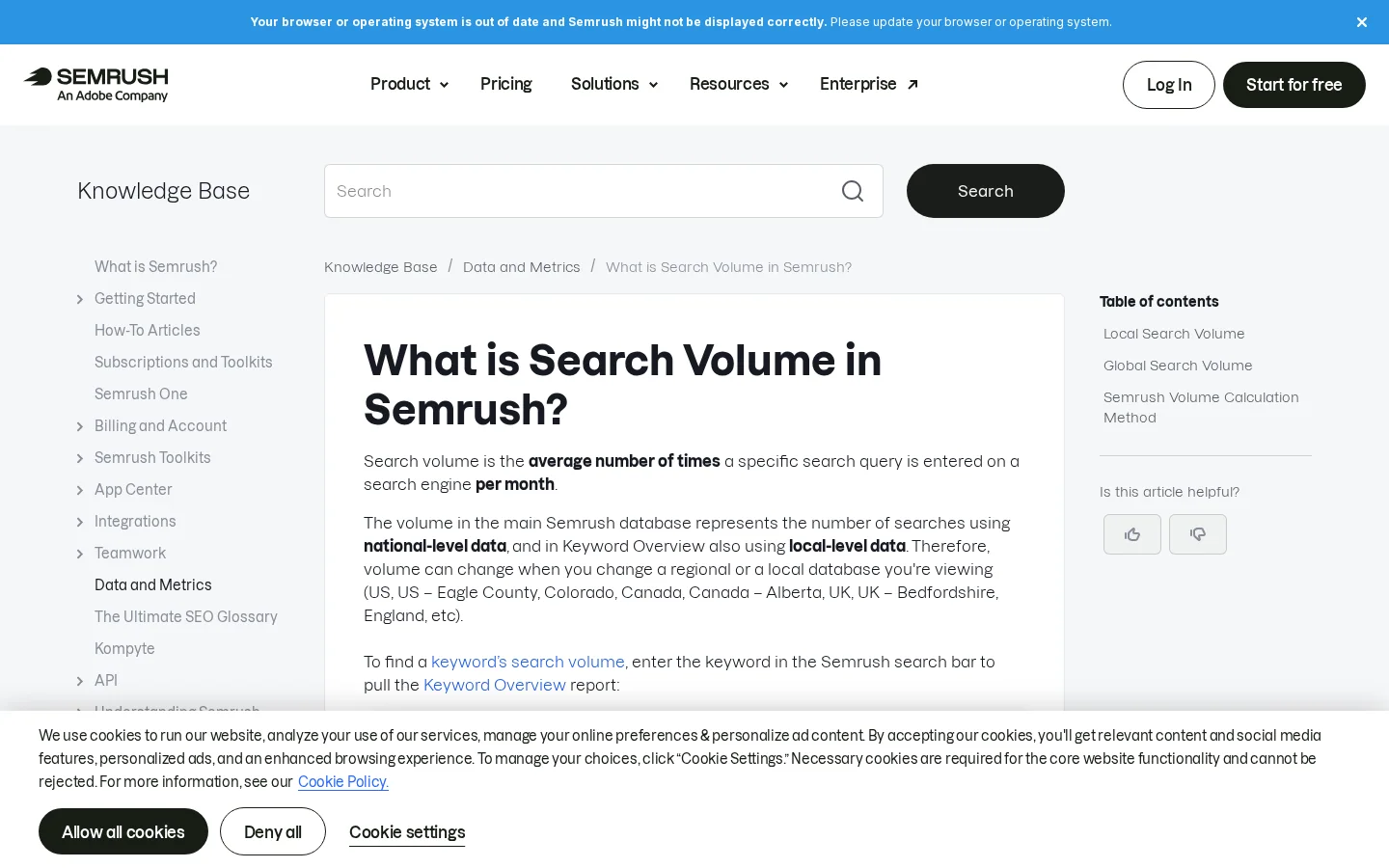
Semrush defines its average monthly search volume as the total searches for a keyword over the past 12 months, divided by 12. Its Knowledge Base article on search volume, checked on November 22, 2026, adds that monthly figures can run above or below that average for seasonal or trending keywords. Read the article as a rule for interpreting the number, not as a promise about next month. For the wider definition, see our search volume glossary entry.
The data behind the figure has three layers, according to the same page. Semrush combines data from third-party providers with historical clickstream data from sources it describes as reliable. It sends that dataset to a computing cluster, which returns a computational model, and the page says the model uses machine learning. The figure is therefore a model output. The page gives no accuracy percentage and no margin of error, so you cannot measure the error from the page alone.
Semrush says its search volumes are updated monthly, and that historical monthly data is available back to January 2012. A volume you read today is at best a month old. Use it to rank keywords for next quarter's plan, not to judge what happened last week.
Volumes are also not split by device. The figure includes mobile and desktop searches together. If most of your audience uses one device, the number can hide a different reality, so check your own device split in Search Console before you decide.
Take a keyword that people search mostly in one season. The average spreads the searches across twelve months, so the monthly figure can look modest while the peak month is much higher. A modest average can hide a peak that falls inside your publishing window, and that peak is the number that matters for timing.
Open the trend graph for the last 12 months in the tool and write down the peak month. Then work backwards from that month. An article published after the peak arrives when the demand is already falling. An article published a few weeks before it has time to be indexed and to earn some position.
Volume is a useful filter, but a poor ranking key on its own. Sort your candidates by search intent first, then by volume. A high-volume informational keyword can bring many visits and no customers, while a smaller keyword with buying intent can bring the call you need. Pick the market that matches your audience before you read any number, because the same keyword can carry a very different volume in another country.
Keep one more check in the same step. If a keyword's volume is high but the first page is full of news sites or encyclopedias, you may not win that page with a commercial article. Note the result, then move to the next candidate instead of forcing a page onto the query.
Three facts about Semrush search volume
Source: Semrush Knowledge Base, search volume article, checked November 22, 2026

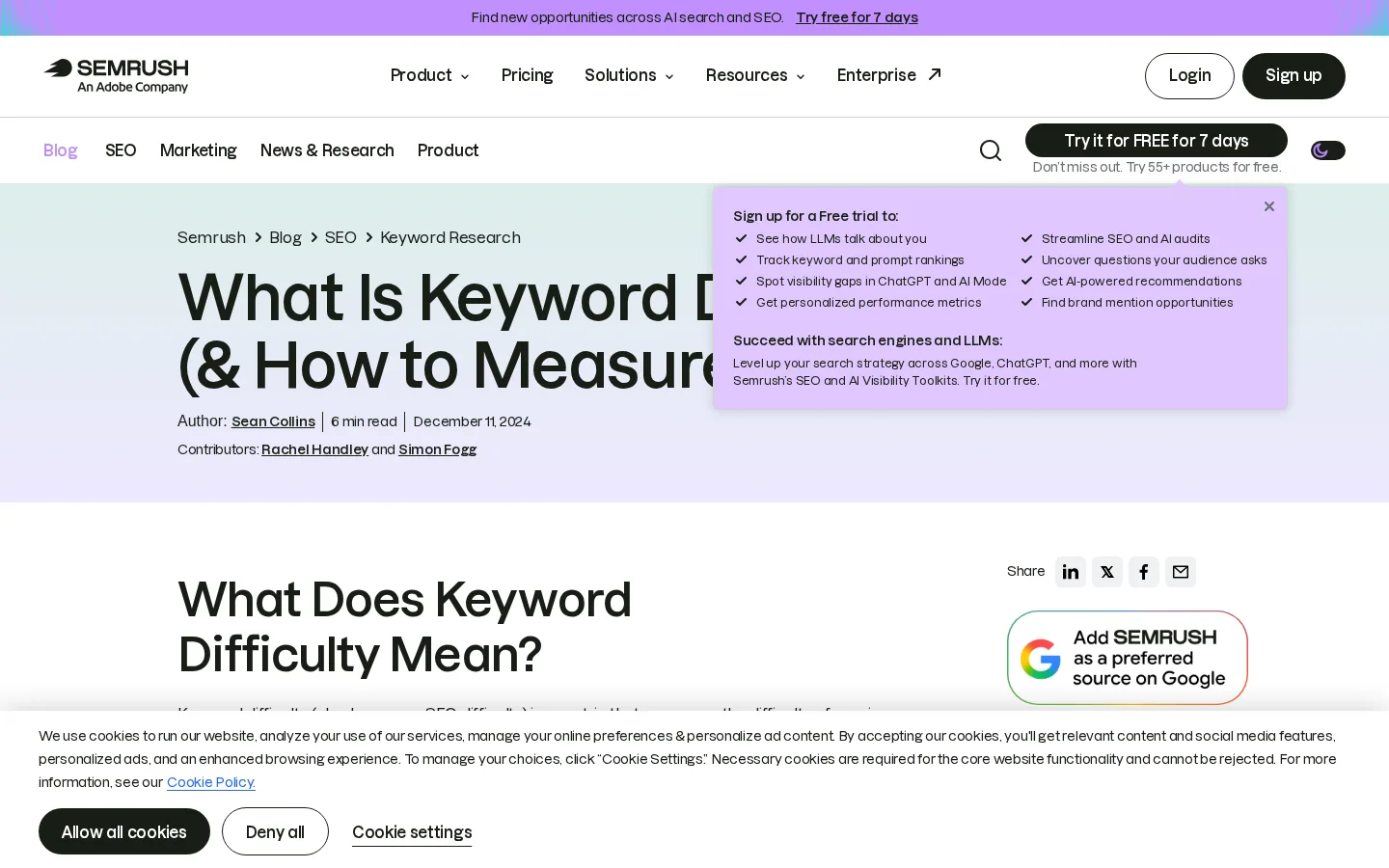
Semrush says its keyword difficulty relies on analysing Google's top 10 organic results and several keyword characteristics, in its keyword difficulty article dated December 11, 2024. The article lists six key factors: backlinks to top-ranking sites, authority scores of top-ranking sites, search volume, SERP features, branded terms and word count. It says word count is less heavily weighted than the other factors. For the definition of the metric, read our keyword difficulty glossary entry.
Two of those factors are described with medians: the median number of referring domains across the top results, and the median ratio of follow to nofollow links. The article does not give every step, so you cannot rebuild the score yourself. You can, however, read the same inputs on the first page yourself, and that is the habit that makes the score useful.
The same article calls Semrush's metric the most accurate on the market. That is a vendor claim. Test it with the method later in this article before you rely on it.
Two keywords with the same difficulty score can have very different first pages. One can be led by a few strong domains with deep pages, while the other is led by thin pages on weak domains. The score treats them alike, but your chance of ranking does not. Open the top 10 for each keyword and note three things: the strength of the linking domains, the page type that ranks, and the SERP features that take space above the organic results.
Those three checks cost little time compared with a month of writing, and they catch most bad targets. A keyword whose first page is all forum threads or category pages rarely rewards a long guide, even when its score looks easy.
Semrush says word count matters less than the other factors. That is a reason not to write a 4000-word article for a keyword whose first page is made of short product pages. Match the length and format of the top results first, then decide how deep to go. Length is a choice you make for the reader, not a target the score sets for you.
How the Semrush difficulty score is built
Source: Semrush blog, keyword difficulty article, December 11, 2024
Moz Pro shows its own volume and difficulty for each keyword in its keyword research tool. Each vendor runs its own model over its own data, so the numbers will not match exactly, even when both tools agree on which keywords matter. Expect a gap, then decide which tool's gap you can explain.
Ask three questions of any Moz number. Where does the volume come from? What does the difficulty score use from the top results? When was the data last refreshed? Read Moz's help center for the answers, write down the date you read them, and apply the same tests you apply to Semrush. Do not assume that a number labelled the same way means the same thing in another tool. If you want a deeper accuracy test, our Ahrefs vs Moz accuracy test shows how to set one up.
A vendor estimate against your own data
This test takes an afternoon and uses data you already own. It answers one question: for the keywords your site already appears for, which tool's volume and difficulty best match what you observe? Search Console reports the data you need, and Google defines its metrics in its performance report help page. Clicks are the clicks your site received from Google Search, impressions are the times your site appeared in results, and click-through rate is clicks divided by impressions. Use those definitions in your sheet, so every column means the same thing in both tools.
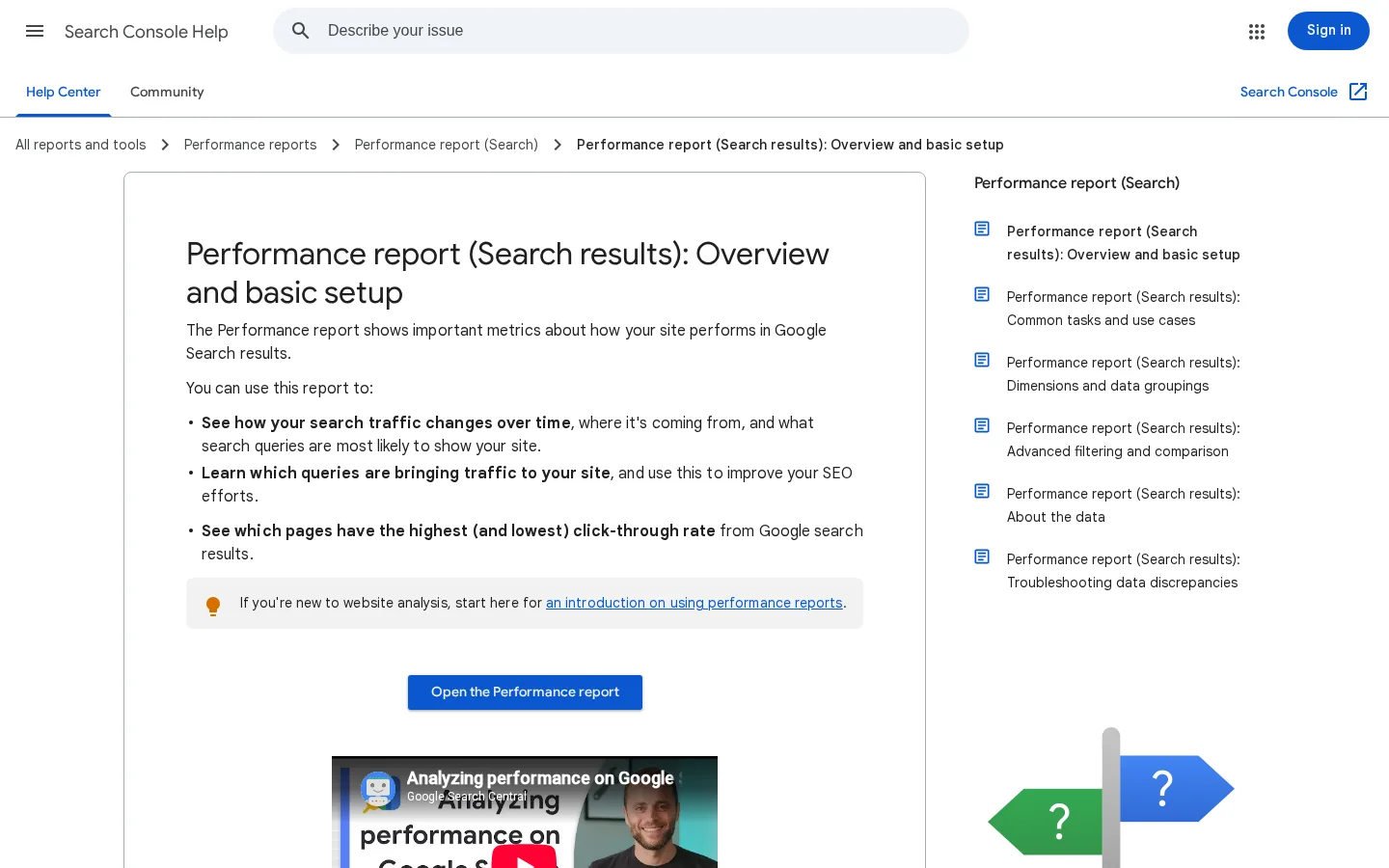
The five-step test
CTR (per query):    =clicks/impressions
Tool volume check: =tool_volume/impressions
One row per query, both columns side by side.
Impressions depend on your position. A page at position 20 gets far fewer impressions than one at position 3 for the same query, so impressions are a floor for a query you already rank for, not its real demand. Use the second column to spot outliers, not as a corrected volume. If a query has a large tool volume and no impressions at all, that is a signal to check the first page and the intent before you write.
Once the sheet is full, look at the pattern rather than at single rows. If one tool's volume rises and falls with your impressions across several queries, that tool is tracking the demand you can reach, and you can lean on it for your shortlist. If neither tool follows your impressions, the problem is more likely the match between your pages and the intent of the queries than the data.
Write the decision in one line before you move on, such as "Keep Semrush for shortlisting, check the first page for every target". A test that ends in a written rule changes how you work next month. A test that ends in a feeling does not.
Warning
Do not replace search volume with Search Console impressions. A query you never appear for has no impressions, even when many people search it, so impressions can only show you the demand you already reach.
You can check a keyword number in three ways. Each one answers a different question, so use all three before a keyword earns a page. The table at the end of this section compares them.
| Method | What it measures | Best for | Main limit |
|---|---|---|---|
| Vendor number | Modelled volume and difficulty | Shortlisting | An estimate, with no published margin of error |
| First page | The results you would compete with | Choosing between keywords | Slow, and results vary by location |
| Search Console | Your impressions, clicks and positions | Checking a tool against your data | Covers only queries you already appear for |
Most mistakes come from reading a number as more precise than it is. Each one below has a simple sign and a simple fix.
What it is: treating a monthly search count as the number of visits you will get. How to spot it: a traffic forecast that multiplies volume by a share nobody has named. How to fix it: estimate clicks with click-through rate from your own data, and check the position you can realistically reach first.
What it is: putting a Semrush difficulty next to a Moz difficulty in one column. How to spot it: a column called "difficulty" with no tool name in the header. How to fix it: pick one tool per project, name it in the header, and rank keywords only inside that tool.
What it is: taking Search Console impressions as the search volume of a query. How to spot it: a volume column filled from Search Console for queries that have no tool data at all. How to fix it: keep impressions as your own floor, and take demand from a tool, labelled as an estimate.
What it is: reading the 12-month average as the month you will publish in. How to spot it: a flat volume for a keyword you already know is seasonal. How to fix it: open the 12-month trend, find the peak, and schedule the article before it arrives.
What it is: ranking every keyword by its volume and starting with the biggest one. How to spot it: a plan whose first five articles target head terms with a difficulty you would not beat. How to fix it: filter by intent and by the first page, then choose the keywords where a well-written page has a real path to the top 10, even if the volume is smaller.
What it is: writing a whole plan from one vendor's numbers with no second check. How to spot it: every keyword in the plan carries the same source. How to fix it: run the five-step test once a year, and again whenever a plan depends on a handful of keywords.
Before you trust a keyword number
The right number depends on the decision in front of you. Use the table to pick the number that answers that question first, and the number that checks it second.
| Decision | Use first | Check second |
|---|---|---|
| Shortlisting a long keyword list | Vendor volume and difficulty | The top 10 of the five best candidates |
| Choosing one keyword for one page | Search intent from the first page | Vendor volume and trend |
| Planning the next quarter | The 12-month trend in the vendor tool | Search Console queries you already get |
| Judging a published article | Clicks and click-through rate in Search Console | Average position and impressions over time |
Take a concrete case. You have a shortlist of 12 keywords. The vendor numbers rank three of them at the top, but the first page for each one shows the same kind of pages, and Search Console shows that your current article already gets most of its impressions on one of the other nine queries. The right move is to strengthen the page you already have for that query, not to write three new articles that compete with it. The table tells you which number to use first at each step.
If two keywords have the same first page and the same intent, they usually belong on one page, not two. Two pages that chase the same results split the clicks, and neither one ranks as well as a single stronger page. Our guide on how to do keyword research covers how to group keywords before you assign them to pages.
Sorank's automated keyword research builds its list from three sources: your Search Console queries, up to five competitors you choose, and the questions AI models search for in the monthly GEO analyses. Each keyword gets a search volume, a keyword difficulty and an intent. Every suggestion is then checked against your existing pages, which is what stops two articles from competing for the same query.
| Step | Who does it | What you get |
|---|---|---|
| Collect queries | Sorank, from your Search Console | Queries you already appear for |
| Score candidates | Sorank | Volume, difficulty and intent for each keyword |
| Check overlap | Sorank, against your pages and plan | Keywords that would compete with your pages set aside |
| Verify on the first page | You | The intent and page types that really rank |
Sorank does not replace the test in this article. It gives you a shortlist, and the data it reads is the same Search Console data you use in the test above. Keep your own check on the first page, because the score cannot show you the intent behind it.
Tip
Start your shortlist with the free keyword suggestions tool, then run the five-step test on the keywords it returns. Two tools and one afternoon are enough to know which number you can trust.
Start this week with one site and one list of 30 queries. Export them from Search Console, look them up in both tools, and let the results tell you which number to trust for the next plan.
Neither vendor gives a margin of error for its volume figures, so accuracy cannot be settled by reading the pages. Test both tools on the queries you already get impressions for, and trust the one whose numbers follow your impressions over time.
Semrush says the score relies on analysing Google's top 10 organic results and several keyword factors. Those factors include backlinks to top-ranking sites, their authority scores, search volume, SERP features, branded terms and word count.
Not directly. Volume counts searches, while clicks depend on your position, the SERP features above you and how your result looks. Use click-through rate from Search Console, which is clicks divided by impressions, to estimate the clicks your own pages get.
We analyse your competitors, your website and your AI visibility to create a tailored content plan for free.
 Duplicate Content Checker
 Mobile-Friendly Test
 Website Speed Test
 Subdomain Finder
 Domain Age Checker
 CMS Detector
 Googlebot Simulator
 Nofollow Link Checker
 Meta Tag Checker
 Keyword Cannibalization Checker
 Keyword Intent Checker
 Keyword Extractor
 Google Ads Cost Calculator
 CPC Calculator
 Local Citation Finder
 Reddit Threads Finder
 Disavow File Generator
 Redirect Generator
 Canonical Tag Generator
 Passive Voice Checker
 Google Location Changer
 Google Review Calculator
 Google Review Link Generator
 Keyword Combiner
 Podcast Show Notes Generator
 AI Content Rewriter
 AI Text Humanizer
 ChatGPT Prompt Generator
 Twitter Thread Generator
 Tweet Generator
 Landing Page Copy Generator
 Google Ads Copy Generator
 Pinterest Pin Description Generator
 Anchor Text Generator
 Social Media Post Generator
 LinkedIn Post Generator
 Free AI Writer
 Review Response Generator
 LSI Keyword Generator
 YouTube Video Ideas Generator
 YouTube Tag Generator
 YouTube Description Generator
 Product Description Generator
 CTA Generator
 Blog Introduction Generator
 Conclusion Generator
 Hook Generator
 AI Content Brief Generator
 FAQ Schema Generator
 AI Blog Post Ideas Generator
 Structured Data Validator (Schema Validator)
 Alt Text Checker
 Internal Link Analyzer
 Backlink Challenge
 AI Meta Description Generator
 AI Blog Title Generator
 Google Indexability Checker
 AI Blog Outline Generator
 UTM Link Builder
 Keyword Clustering Tool
 Canonical Tag Checker
 XML Sitemap Generator
 Broken Link Checker
 AI SEO Title Generator
 Headline Analyzer
 SERP Preview Tool
 Redirect Checker
 Hreflang Tag Generator
 Heading Structure Analyzer
 HTTP Headers Checker
 Favicon Extractor
 SERP CTR Calculator
 SEO vs Paid Search Savings Calculator
 SEO Share of Voice Calculator
 SEO ROI Calculator
 SEO Traffic and Revenue Forecast Calculator
 SEO Budget Calculator
 SEO Break-Even Calculator
 SaaS SEO ROI Calculator
 ROAS Calculator
 Reading Time Calculator
 Ranking Gain Simulator
 Organic Traffic Value Calculator
 Organic Traffic Estimator and Website Traffic Checker
 LTV to CAC Ratio Calculator
 Local SEO ROI Calculator
 Link Building Cost Calculator
 Keyword Value Calculator
 Keyword Opportunity Score Calculator
 Keyword Density Calculator
 GEO ROI Calculator
 GEO Content Investment Calculator
 Ecommerce SEO ROI Calculator
 Customer Lifetime Value Calculator
 Customer Acquisition Cost Calculator
 CTR Calculator
 Cost Per Article Calculator
 Conversion Rate Calculator
 Content Marketing ROI Calculator
 ChatGPT Referral Traffic Estimator
 Bounce Rate Calculator
 Backlink ROI Calculator
 AI Visibility Score Calculator
 AI Traffic Value Calculator
 AI Share of Voice Calculator
 Cost of AI Invisibility Calculator
 AI Citation Rate Calculator
 llms.txt Validator
 AI Overview Checker and AI Overviews Rank Checker
 Robots.txt Checker
 AI SEO Audit
 LLM Readability Checker
 SearchGPT Readiness Checker
 Structured Data LLM Audit
 Website Crawlability AI Audit
 Why ChatGPT Is Not Recommending My Website
 Gemini Ranking Tool
 Perplexity Ranking Checker
 LLM Citation Checker
 Answer Engine Optimization Audit
 GEO Audit
 AI Search Visibility Test
 ChatGPT Visibility Checker
 llms.txt Generator
 URL Extractor
 Webpage to Markdown
 Sitemap Checker
 SERP Volatility Sensor
 Page Size Checker
 Word Counter
 Slug Generator
 Schema Generator
 Robots Generator
 OG Preview
 Meta Tags Generator
 Image Compressor
 Favicon Generator
 On-Page SEO Audit: SEO Checker and SEO Analyzer
 Backlink Analysis Tool
 Keyword Research Tool
 Domain Authority Checker
 “I tested Sorank on a real client site and it's insane. It does everything an agency would bill you $1500 a month for. It's going into production on that client now.”

 Guillaume Guersanguersanguillaume.com“We are an Ads agency and we wanted to get our SEO back on track once and for all. Sorank gave us a clear view of our site, helped us prioritize optimizations, and properly structure our content. The tool is easy to use, well designed for a team, and very practical for centralizing tracking without having to juggle multiple platforms. A very solid foundation to start fresh with our SEO.”
 Gaspard MadouiAds Agency
 “I just let the Sorank software do its thing, and now my DR is 25 and my page is ranking higher.”
 Lucas Flandrefoundertrace.fr“I specialized in GEO thanks to Sorank. The GEO Leaderboard allows me to show my clients their position vs competitors on ChatGPT. It’s a real commercial differentiator.”
 MélanieSEO Freelance“Great service, works well for our website and helps us understand how to improve it to rank better on Google and elsewhere. Congrats, keep going, I recommend it.”
 Hugo T.E-commerce merchant