Preferences
Privacy is important to us, so you have the option of disabling certain types of storage that may not be necessary for the basic functioning of the website. Blocking categories may impact your experience on the website. More information
Privacy is important to us, so you have the option of disabling certain types of storage that may not be necessary for the basic functioning of the website. Blocking categories may impact your experience on the website. More information

301 redirect or canonical tag? Learn the real difference, how Google weighs each signal, concrete cases, server code, common mistakes and an audit checklist.

In short
A 301 redirect is a server instruction that moves a URL for good: users and bots land on the new page. A canonical tag is a hint naming which live duplicate should rank; both pages stay reachable and Google may ignore it. Use a 301 when the old URL no longer needs to exist, a canonical when it does.
Want to go further? Ask
Quick quiz
Who should fix the technical side of your site?
Our advice for you
Permanent redirect (301 or 308) is the right solution for you
Number 1 in this ranking, the best match for your answers.
Our advice for you
Temporary redirect (302 or 307) is the right solution for you
Number 2 in this ranking, the best match for your answers.
Our advice for you
Canonical tag in HTML is the right solution for you
Number 3 in this ranking, the best match for your answers.
Our advice for you
Canonical in the HTTP Link header is the right solution for you
Number 4 in this ranking, the best match for your answers.
The difference fits in one sentence: a 301 removes a URL from the user's path, a canonical keeps it but asks Google to credit another URL. Everything else follows from that.
Ask yourself one question: does a human still need to see the duplicate page? If no, redirect it. If yes (a filtered product list, a tracking URL, a printable version, the same article republished on a partner site), keep it live and point its canonical to the main version.
301 redirect vs canonical tag at a glance
Neither one is "better". They answer two different situations. The table below gives the technical differences that matter when you have to choose.
| Criterion | 301 redirect | Canonical tag (rel="canonical") |
|---|---|---|
| Nature | HTTP status code sent by the server | Link element in the HTML head, or HTTP Link header |
| Binding? | Yes for browsers and bots: the old page is never served | No: "a hint, not a rule" for Google |
| What users see | Only the target URL | The page they asked for |
| What Google indexes | The target (permanent redirect) | Usually the declared canonical, if other signals agree |
| Crawl cost | One extra request per hop, then the old URL is crawled less | Google still crawls every duplicate |
| Cross-domain | Yes | Yes |
| Typical use | Moved, merged or deleted pages; HTTPS, www, domain change | Parameters, filters, sorting, variants, syndication |
| Who sets it up | Developer, host or CMS redirect module | Template, SEO plugin, CMS field |
A 301 redirect is an HTTP response with the status code 301 (Moved Permanently) and a Location header that gives the new address. The browser or the bot never receives the old page body: it requests the new URL instead.
GET /old-shoes-page HTTP/1.1
Host: www.example.com

HTTP/1.1 301 Moved Permanently
Location: https://www.example.com/running-shoes/
Cache-Control: max-age=3600
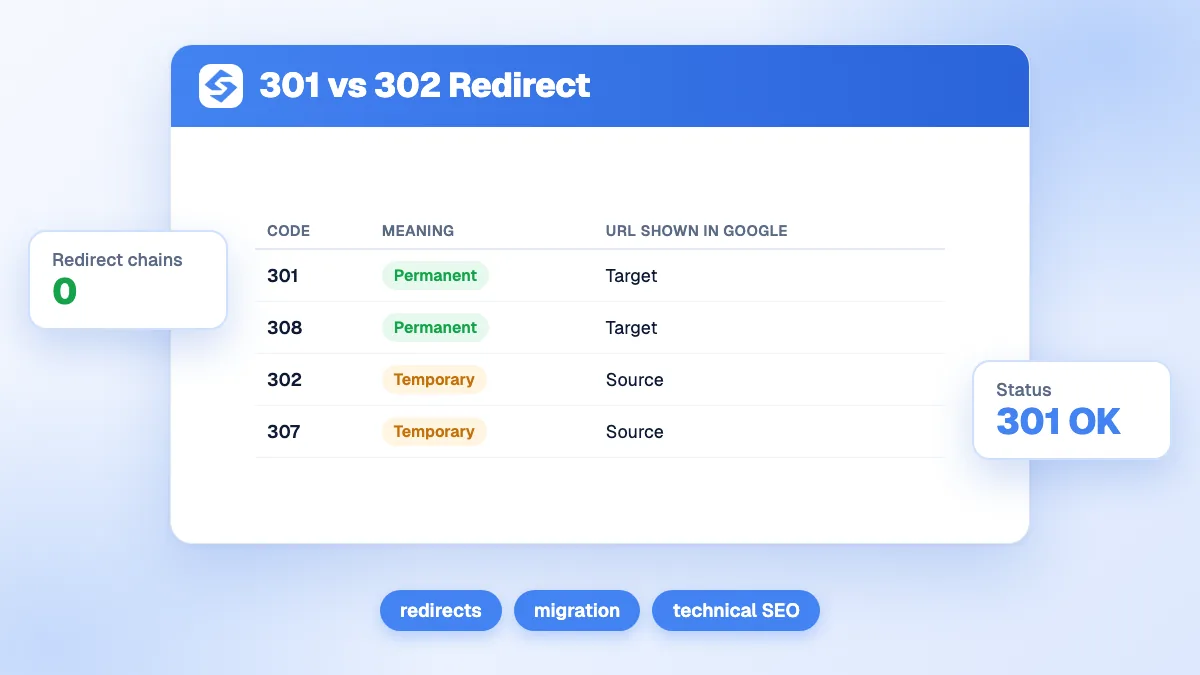
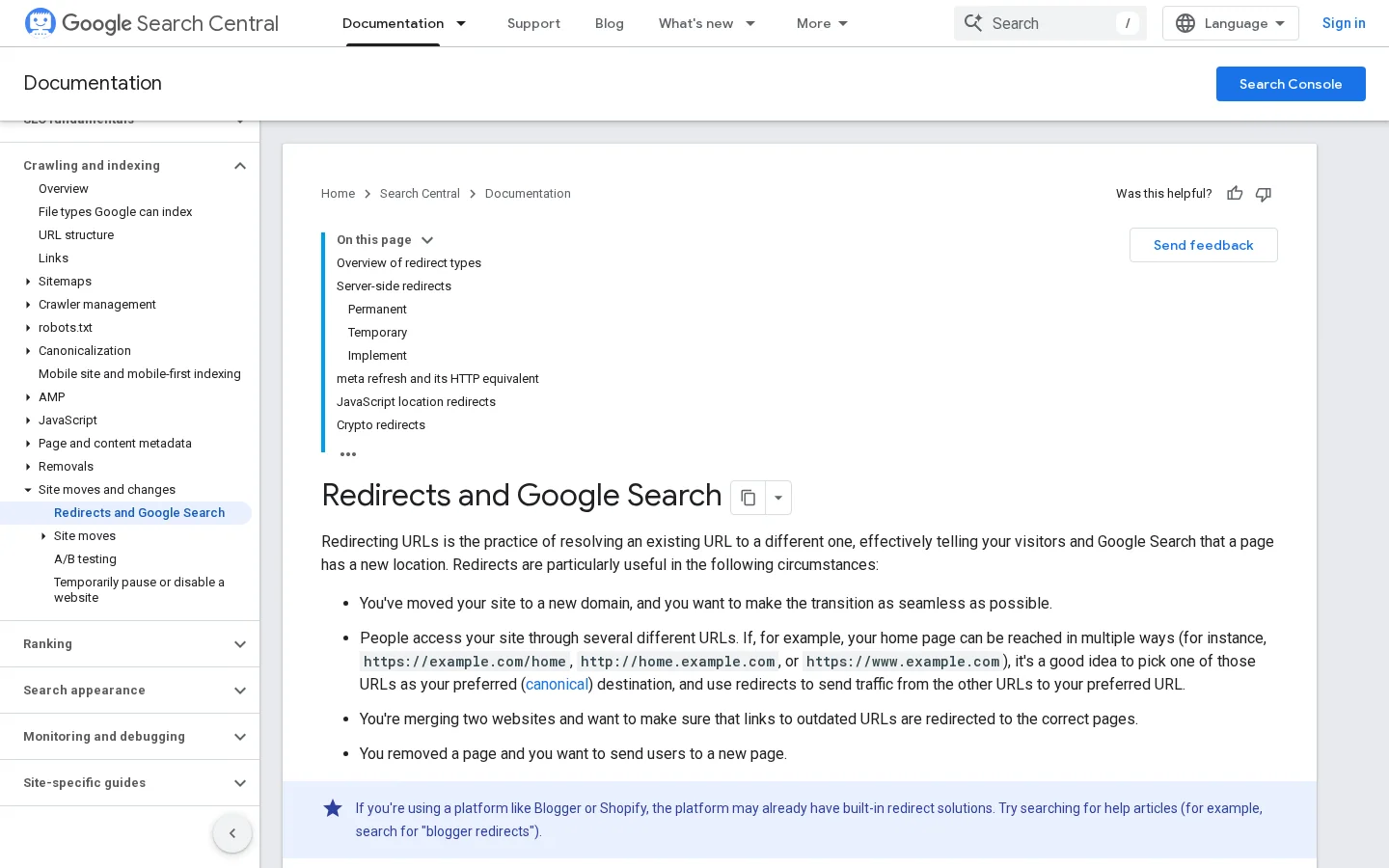
Google's documentation on redirects and Google Search explains that a permanent redirect makes Google "show the new redirect target in search results", while a temporary one keeps the source page in results. It also recommends "a permanent server-side redirect whenever possible". For the full family of status codes, our guide to 301, 302, 307 and 308 redirects for SEO goes deeper.
Google treats 301 and 308 the same way: both mean "moved permanently". The only difference is for the request method. A browser may turn a POST into a GET when it follows a 301; a 308 keeps the method and the body. For normal pages, use 301. For an API endpoint or a form target that moves, use 308.
When you cannot touch the server (some hosted site builders), you still have two options. Google reads an instant meta refresh (content="0") as a permanent redirect and a delayed one as temporary. A JavaScript redirect only works if Google renders the page, so Google lists it as the last resort. Most AI crawlers do not run JavaScript at all, so they will never see it.
<meta http-equiv="refresh" content="0; url=https://www.example.com/running-shoes/">The ranking signals of the old URL (links, history) are consolidated on the target, which becomes the canonical. That is why a 301 is the standard tool for a domain change or an HTTPS move. Google's site move guide asks you to keep redirects "for as long as possible, generally at least 1 year", so Google has time to transfer signals and visitors with old bookmarks still land somewhere useful.
Tip
Before you ship a batch of redirects, paste a few old URLs in our free redirect chain checker. It shows every hop and its status code, so you catch a 302 or a chain before Google does.

A canonical tag is a link element with rel="canonical" that tells search engines which URL you prefer to see indexed for a piece of content. The page that carries it stays live and works normally for visitors.
<!-- On https://www.example.com/running-shoes/?color=blue&sort=price -->
<link rel="canonical" href="https://www.example.com/running-shoes/">
For files with no HTML head (PDF, images), you send the same information in an HTTP header:
HTTP/1.1 200 OK
Content-Type: application/pdf
Link: <https://www.example.com/guides/size-chart/>; rel="canonical"
If you need a refresher on the tag itself, see our glossary entry on the canonical tag and duplicate content.
Google's canonicalization page says it plainly: "indicating a canonical preference is a hint, not a rule." Google groups duplicate URLs into a cluster, then picks one representative using several signals: HTTPS or HTTP, redirects, presence in the sitemap and rel="canonical". Internal links and content similarity also weigh in practice. If your canonical points to page A but your menu, sitemap and hreflang all point to page B, Google often picks B and reports "Duplicate, Google chose different canonical than user" in Search Console.
That is the key practical point: a canonical works when every other signal agrees with it. It fails when it is the only signal pulling in that direction.
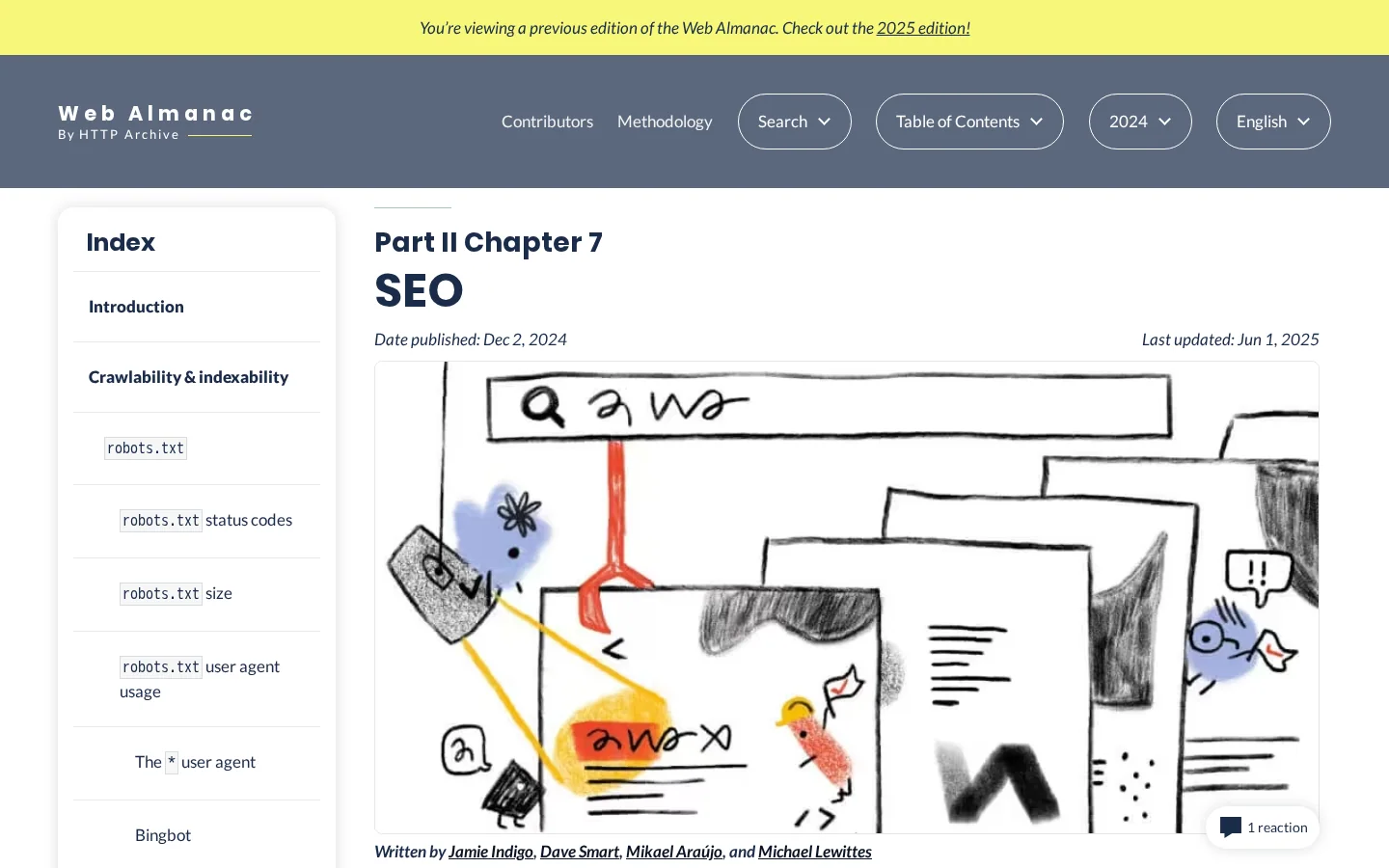
Canonical tags are now standard on most of the web, and most of them are simple self-references. The HTTP Archive's Web Almanac 2024 SEO chapter measured them across millions of pages.
Canonical tags on the web in 2024
Source: HTTP Archive, Web Almanac 2024, SEO chapter
Google ranks the tools by strength: redirects first, then rel="canonical", then the sitemap. Its page on consolidating duplicate URLs lists them "in order of how strongly they can influence canonicalization" and calls a redirect "a strong signal that the target of the redirect should become canonical".
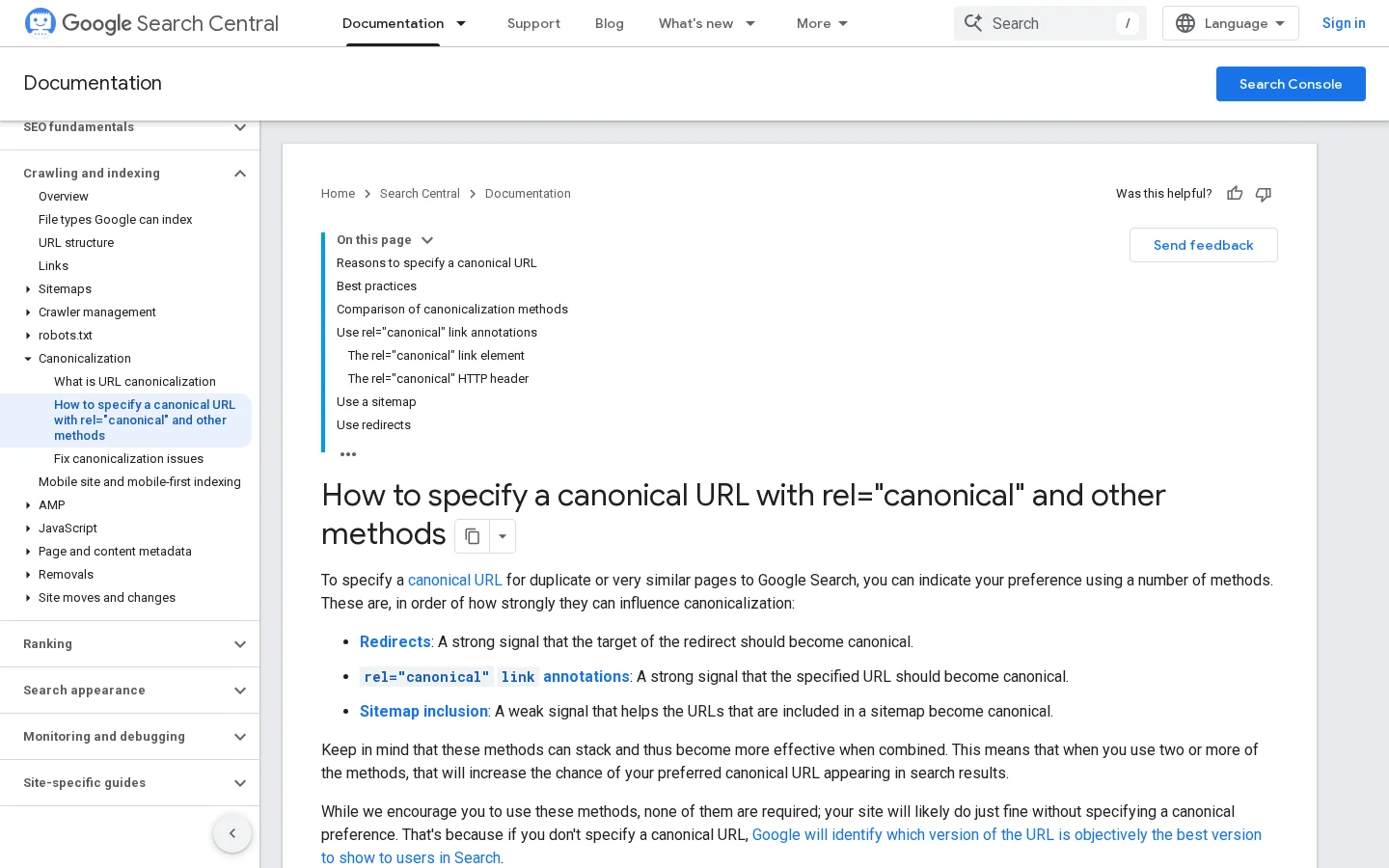
| Signal | Strength (Google) | What it does well | Where it breaks |
|---|---|---|---|
| 301 / 308 redirect | Strong | Leaves no doubt: only one URL can be served | Kills the old page for users too |
| rel="canonical" (HTML or header) | Strong, but a hint | Keeps useful variants live | Overruled by contradictory signals |
| XML sitemap inclusion | Weak | Confirms your choice on a large site | Not enough alone |
| Internal links | Supporting signal | Shows which URL you really use | Mixed links blur the choice |
| HTTPS over HTTP | Supporting signal | Google prefers the secure version | Useless if both protocols are live |
The lesson: stack the signals. A strong canonical setup is a canonical tag, plus internal links to the canonical URL only, plus a sitemap that lists the canonical URL only, plus hreflang that points to canonical URLs only.
301 and canonical are two of seven tools. Picking the right one is easier when you see all of them side by side.
Principle: the server sends everyone to the new URL. When: the old URL has no reason to exist anymore. Pros: strongest signal, clean index, users never see stale content. Limits: needs server access; a wrong redirect is visible to every visitor. Example: /blog/2023/seo-tips moved to /blog/seo-tips after a URL clean-up.
Principle: sends users elsewhere for now, the source stays the URL Google shows. When: maintenance, an out-of-stock product sent to its category for a few days, a geo or A/B test. Pros: reversible. Limits: left in place for months, Google may end up treating it as permanent, and you lose control of which URL ranks. Our comparison of 301 vs 302 redirects covers the details.
Principle: the duplicate stays live and names its preferred version. When: parameters, sorting, filters, product variants, print versions, session IDs. Pros: no change for users, easy in templates. Limits: a hint; Google still crawls every variant. Example: /shoes/?sort=price points to /shoes/.
Principle: same message, sent by the server. When: PDF, image or any non-HTML file duplicated by an HTML page. Pros: works where there is no head. Limits: Google supports it for web search only, and only 1% of pages use it, so many crawlers and plugins never check it. Example: a downloadable PDF guide that points to its HTML version.
Principle: the page stays live but must not appear in results. When: internal search results, thank-you pages, thin pages with no "main" version to credit. Pros: binding. Limits: no signal is consolidated anywhere; Google advises against it for canonicalization inside one site because "it will completely block the page from Search". See our page on the noindex directive.
Principle: the page is gone and nothing replaces it. When: a discontinued product with no close equivalent, expired event pages with no links. Pros: honest, clean. Limits: backlinks to that URL are lost. If the page has good links, redirect it to the closest relevant page instead.
Principle: stops crawling. When: to save crawl budget on infinite URL spaces, never to pick a canonical. Limits: Google cannot read a canonical or a noindex on a page it cannot crawl. Google says it directly: "Don't use the robots.txt file for canonicalization purposes."
| Method | Page stays reachable? | Signals consolidated? | Binding? | Best for |
|---|---|---|---|---|
| 301 / 308 | No | Yes, to the target | Yes | Moves, merges, protocol and host changes |
| 302 / 307 | No (for now) | Source keeps them | Yes, temporarily | Short-term detours |
| Canonical (HTML) | Yes | Yes, if Google agrees | No | Parameters, filters, variants |
| Canonical (header) | Yes | Yes, if Google agrees | No | PDF and non-HTML files |
| Noindex | Yes | No | Yes | Pages with no value in search |
| 404 / 410 | No | No | Yes | Dead content without links |
| Robots.txt | Yes, for users | No | For crawling only | Crawl waste, never duplicates |
Use a 301 every time a URL has been replaced and nobody needs the old one. These are the common cases:
Merging two competing articles
Use a canonical when the duplicate must stay live for users or for your business, but should not compete in search.
?utm_source=newsletter, ?ref=partner, ?sessionid=. Redirecting them would break your analytics.?sort=price, ?color=blue on a category page. Shoppers use them; Google only needs the main list. Our guide to faceted navigation for SEO explains which filters deserve their own indexable page./men/shoes/model-x and /sale/model-x. Point both to one clean product URL.Tip
To see where a page's canonical really points (HTML and HTTP header), run it through our free canonical tag checker. It flags relative URLs, canonicals to redirected pages and missing self-references.
Most real problems sit in the gray zone. Here is how to decide in the cases that come up in audits.
Not on the same URL: a page that returns a 301 is never rendered, so its canonical tag is never read. But you should use both in the same project. After a migration, the redirect handles old URLs and every new URL carries a self-referencing canonical. Google's site move guide asks for exactly that.
Page A says its canonical is B, but B redirects to C. Google gets two signals that disagree with your intent. Fix the template so A points straight to C. The same rule applies to canonicals pointing to a 404, a noindex page or a URL blocked by robots.txt.
If you own both sites (a .com and a .co.uk with the same English content), prefer hreflang if the audiences differ, a 301 if one site is useless. A cross-domain canonical fits syndication, but Google has said since 2023 that it may not follow it when the partner page differs a lot; asking the partner for a noindex is the safer path if ranking the original matters. Our hreflang guide covers the multilingual side.
Never point page 2, 3 or 4 of a list to page 1. They hold different products or articles, so they are not duplicates, and Google may stop crawling the items they link to. Each paginated page gets a self-referencing canonical. See our pagination SEO guide.
Two city pages with 90% identical text ("plumber Lyon", "plumber Villeurbanne") are not a canonical case if each targets a real local query. The fix is better content, not a canonical. A canonical would remove the second page from search.
If your framework injects or changes the canonical in JavaScript, Google may see one value in raw HTML and another after rendering; the Web Almanac found rendering changed the raw canonical on about 2% of pages. Put the canonical in the server HTML. This matters even more for AI crawlers such as GPTBot or ClaudeBot: they follow an HTTP 301 like any client, but most do not render JavaScript and nothing guarantees they honor a canonical. For moved content you want cited in ChatGPT, Claude or Gemini answers, a server-side 301 is the only signal every bot understands.
This is the method we apply on every duplicate or moved URL. It takes a few minutes per pattern, not per page.
The 6-step decision method
On Apache, a single-page 301 and a site-wide HTTPS plus www rule in .htaccess:
Redirect 301 /old-shoes-page https://www.example.com/running-shoes/

RewriteEngine On
RewriteCond %{HTTPS} off [OR]
RewriteCond %{HTTP_HOST} !^www\. [NC]
RewriteRule ^(.*)$ https://www.example.com/$1 [L,R=301]
On Nginx, the same logic:
server {
    listen 80;
    server_name example.com www.example.com;
    return 301 https://www.example.com$request_uri;
}

location = /old-shoes-page {
    return 301 https://www.example.com/running-shoes/;
}
Both rules send users to the final URL in one hop. A common mistake is two separate rules (HTTP to HTTPS, then non-www to www), which creates a chain of two redirects on every old link.
Build the canonical from a clean, absolute URL without the query string, unless a parameter really changes the content:
<link rel="canonical" href="https://www.example.com{{ page.path }}">Google asks for absolute URLs: a relative href="/shoes/" works in theory but breaks as soon as a staging copy or a mirrored host serves the same HTML.
# Follow redirects and print each status code
curl -sIL https://example.com/old-shoes-page | grep -iE "^HTTP|^location"

# Read the canonical in the HTML and in the headers
curl -s https://www.example.com/shoes/?sort=price | grep -io '<link[^>]*canonical[^>]*>'
curl -sI https://www.example.com/guide.pdf | grep -i "^link"
Expected result for a redirect: one 301, then one 200. If you see 302, two 301s in a row, or a final 404, fix it before going further.
These are the errors we find most often in technical audits. Each one is easy to spot once you know where to look.
What it is: after a migration, the old URLs still return 200 with a canonical to the new ones. How to spot it: old URLs still appear in "Alternate page with proper canonical tag" months later, and backlinks still point to them. Fix: replace with 301s. The canonical leaves two live sites; a 301 leaves one.
What it is: filter or tracking URLs redirected to the clean URL. How to spot it: campaigns lose their UTM data, filters "do nothing" for shoppers. Fix: remove the redirect, serve the page with a canonical.
What it is: A to B to C, or A to B to A. How to spot it: a crawler's redirect chain report, or curl showing several 30x lines. Fix: point every source straight to the final URL. Google's site move guide accepts chains but asks to keep them "ideally no more than 3 and fewer than 5" hops; one hop is the goal.
What it is: every deleted page redirected to /. How to spot it: "Soft 404" in Search Console for those URLs. Fix: redirect to the closest relevant page, or return 410. Google treats irrelevant redirects like soft 404s and the signals are lost anyway.
What it is: canonical to A, but menu links, sitemap and hreflang use B. How to spot it: "Duplicate, Google chose different canonical than user". Our article on duplicate without user-selected canonical covers the sister status. Fix: align every signal to the same URL, then request a new inspection.
What it is: a template bug writes the home page URL into every canonical. How to spot it: a sudden drop in indexed pages; a crawl shows one canonical value for thousands of URLs. Fix: correct the template to output the page's own URL, then resubmit the sitemap.
What it is: the theme and an SEO plugin each add one, or the header and HTML disagree. How to spot it: view source, search "canonical". Fix: keep one. When Google finds conflicting canonicals, it may ignore all of them.
What it is: noindex plus a canonical to another URL. How to spot it: crawler "noindex + canonicalized" filter. Fix: pick one message. If the page is a duplicate, keep the canonical and drop the noindex.
What it is: redirect rules deleted after a few weeks "because Google has updated". How to spot it: old backlinks now hit 404s. Fix: restore them and keep them at least one year, ideally forever for URLs with backlinks.
What it is: the CMS default redirect is a 302. How to spot it: curl shows 302 Found; the old URL stays in results. Fix: switch to 301 or 308.
Search Console tells you what Google decided; a crawler tells you what you declared. Compare the two. Start with the Page indexing report and the URL Inspection tool described in our Google Search Console tutorial.
| Search Console status | What it means | Action |
|---|---|---|
| Page with redirect | The URL redirects; the target is indexed instead | Normal for old URLs. Check internal links don't still use them |
| Alternate page with proper canonical tag | Google followed your canonical | Normal. Details in our article on alternate pages with a proper canonical |
| Duplicate, Google chose different canonical than user | Google ignored your canonical | Align signals, or accept Google's choice if it is better |
| Duplicate without user-selected canonical | No canonical declared, Google picked one | Add self-referencing canonicals |
| Soft 404 | A page (often a redirect target) looks empty or irrelevant | Redirect to a relevant page or return 410 |
Redirect and canonical audit checklist
Run this checklist after every release that touches templates, URLs or the CMS. Most canonical disasters come from a theme or plugin update, not from a human decision. If you want a quick yes or no on one URL, our indexability checker tests status code, canonical, noindex and robots.txt together.
The best redirect is the one you never need. Most duplicates come from publishing two pages for the same intent, then fixing it later with a canonical or a 301. Plan one URL per search intent before you write.
That is the logic behind Sorank's topic cluster generator with built-in anti-cannibalization: each article in the plan targets its own keyword, so new content does not create competing pages that you later have to merge and redirect.
What to do today: take your 20 most linked URLs, run them through a redirect checker, and confirm each one answers 200 with a self-canonical, or 301 to its final page in one hop. Then open the Page indexing report and read the "Google chose different canonical" list. Those two checks fix most of the value lost to redirects and canonicals.
Not in strength. Google lists redirects as the strongest canonicalization signal, while a canonical tag is a hint it can ignore if other signals disagree. Use a canonical only when the duplicate page must stay reachable for users.
No, a page that returns a 301 is never rendered, so its canonical is never read. In the same project you use both: 301s for the old URLs and a self-referencing canonical on every new URL.
Google's site move guide says to keep them as long as possible, generally at least one year. For URLs with backlinks, keeping them forever is the safest choice, since old links keep sending visitors and signals.
We analyse your competitors, your website and your AI visibility to create a tailored content plan for free.
 Website Value Calculator
 Website Accessibility Checker
 Google Analytics Checker
 Duplicate Content Checker
 Mobile-Friendly Test
 Website Speed Test
 Subdomain Finder
 Domain Age Checker
 CMS Detector
 Googlebot Simulator
 Nofollow Link Checker
 Meta Tag Checker
 Keyword Cannibalization Checker
 Keyword Intent Checker
 Keyword Extractor
 Google Ads Cost Calculator
 CPC Calculator
 Local Citation Finder
 Reddit Threads Finder
 Disavow File Generator
 Redirect Generator
 Canonical Tag Generator
 Passive Voice Checker
 Google Location Changer
 Google Review Calculator
 Google Review Link Generator
 Keyword Combiner
 Podcast Show Notes Generator
 AI Content Rewriter
 AI Text Humanizer
 ChatGPT Prompt Generator
 Twitter Thread Generator
 Tweet Generator
 Landing Page Copy Generator
 Google Ads Copy Generator
 Pinterest Pin Description Generator
 Anchor Text Generator
 Social Media Post Generator
 LinkedIn Post Generator
 Free AI Writer
 Review Response Generator
 LSI Keyword Generator
 YouTube Video Ideas Generator
 YouTube Tag Generator
 YouTube Description Generator
 Product Description Generator
 CTA Generator
 Blog Introduction Generator
 Conclusion Generator
 Hook Generator
 AI Content Brief Generator
 FAQ Schema Generator
 AI Blog Post Ideas Generator
 Structured Data Validator (Schema Validator)
 Alt Text Checker
 Internal Link Analyzer
 Backlink Challenge
 AI Meta Description Generator
 AI Blog Title Generator
 Google Indexability Checker
 AI Blog Outline Generator
 UTM Link Builder
 Keyword Clustering Tool
 Canonical Tag Checker
 XML Sitemap Generator
 Broken Link Checker
 AI SEO Title Generator
 Headline Analyzer
 SERP Preview Tool
 Redirect Checker
 Hreflang Tag Generator
 Heading Structure Analyzer
 HTTP Headers Checker
 Favicon Extractor
 SERP CTR Calculator
 SEO vs Paid Search Savings Calculator
 SEO Share of Voice Calculator
 SEO ROI Calculator
 SEO Traffic and Revenue Forecast Calculator
 SEO Budget Calculator
 SEO Break-Even Calculator
 SaaS SEO ROI Calculator
 ROAS Calculator
 Reading Time Calculator
 Ranking Gain Simulator
 Organic Traffic Value Calculator
 Organic Traffic Estimator and Website Traffic Checker
 LTV to CAC Ratio Calculator
 Local SEO ROI Calculator
 Link Building Cost Calculator
 Keyword Value Calculator
 Keyword Opportunity Score Calculator
 Keyword Density Calculator
 GEO ROI Calculator
 GEO Content Investment Calculator
 Ecommerce SEO ROI Calculator
 Customer Lifetime Value Calculator
 Customer Acquisition Cost Calculator
 CTR Calculator
 Cost Per Article Calculator
 Conversion Rate Calculator
 Content Marketing ROI Calculator
 ChatGPT Referral Traffic Estimator
 Bounce Rate Calculator
 Backlink ROI Calculator
 AI Visibility Score Calculator
 AI Traffic Value Calculator
 AI Share of Voice Calculator
 Cost of AI Invisibility Calculator
 AI Citation Rate Calculator
 llms.txt Validator
 AI Overview Checker and AI Overviews Rank Checker
 Robots.txt Checker
 AI SEO Audit
 LLM Readability Checker
 SearchGPT Readiness Checker
 Structured Data LLM Audit
 Website Crawlability AI Audit
 Why ChatGPT Is Not Recommending My Website
 Gemini Ranking Tool
 Perplexity Ranking Checker
 LLM Citation Checker
 Answer Engine Optimization Audit
 GEO Audit
 AI Search Visibility Test
 ChatGPT Visibility Checker
 llms.txt Generator
 URL Extractor
 Webpage to Markdown
 Sitemap Checker
 SERP Volatility Sensor
 Page Size Checker
 Word Counter
 Slug Generator
 Schema Generator
 Robots Generator
 OG Preview
 Meta Tags Generator
 Image Compressor
 Favicon Generator
 On-Page SEO Audit: SEO Checker and SEO Analyzer
 Backlink Analysis Tool
 Keyword Research Tool
 Domain Authority Checker
 “I tested Sorank on a real client site and it's insane. It does everything an agency would bill you $1500 a month for. It's going into production on that client now.”

 Guillaume Guersanguersanguillaume.com“We are an Ads agency and we wanted to get our SEO back on track once and for all. Sorank gave us a clear view of our site, helped us prioritize optimizations, and properly structure our content. The tool is easy to use, well designed for a team, and very practical for centralizing tracking without having to juggle multiple platforms. A very solid foundation to start fresh with our SEO.”
 Gaspard MadouiAds Agency
 “I just let the Sorank software do its thing, and now my DR is 25 and my page is ranking higher.”
 Lucas Flandrefoundertrace.fr“I specialized in GEO thanks to Sorank. The GEO Leaderboard allows me to show my clients their position vs competitors on ChatGPT. It’s a real commercial differentiator.”
 MélanieSEO Freelance“Great service, works well for our website and helps us understand how to improve it to rank better on Google and elsewhere. Congrats, keep going, I recommend it.”
 Hugo T.E-commerce merchant