Preferences
Privacy is important to us, so you have the option of disabling certain types of storage that may not be necessary for the basic functioning of the website. Blocking categories may impact your experience on the website. More information
Privacy is important to us, so you have the option of disabling certain types of storage that may not be necessary for the basic functioning of the website. Blocking categories may impact your experience on the website. More information

Set up your Yelp for Business page step by step, avoid the mistakes that get reviews hidden, judge whether Yelp ads pay off, and see how AI uses Yelp.

In short
Yelp for Business is the free dashboard where you claim and manage your Yelp page. Yelp's software decides which reviews count, and asking customers for reviews can get them hidden. Yelp matters most for restaurants and local services in North America, and that is where our data shows most Yelp citations in AI answers.
Want to go further? Ask
Quick quiz
How should you get more local customers from Google?
Sorank matches your answers


Test it for 3 days on your own site and see where you stand on Google, ChatGPT and the other AIs.
Start 3-day free trial3 days free, then stop whenever you want. 90-day results guarantee, conditions apply.
Yelp is a review site where people search for local businesses, mostly restaurants, home services, beauty and health. Yelp for Business is the side of the platform where you, the owner, manage your page. You claim the page, fill in your details, reply to reviews and check how people find you.
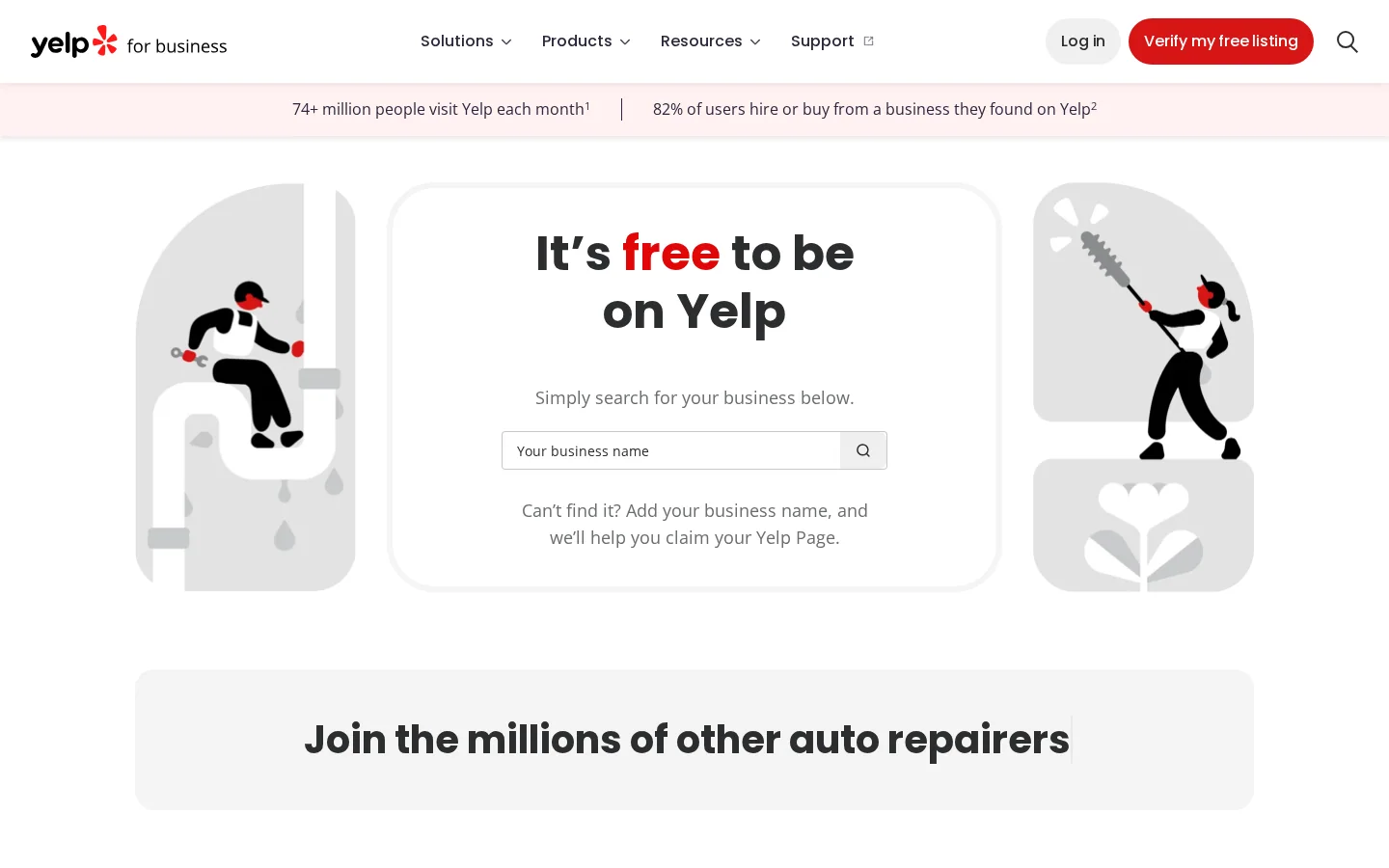
The basic page is free. You can claim it, complete it and reply to reviews without paying anything. Paid options exist, mainly advertising and upgraded page features. Yelp shows them inside the dashboard, and prices change, so read the current terms there before you pay. The ads are covered in their own section below.
Yelp is a local platform. It helps most when a customer searches for a service in a specific city and compares options by stars and photos. Restaurants, cafes, hair salons, plumbers, dentists and other businesses that serve people nearby use it most. If you sell online to customers anywhere, Yelp is a weak channel for you. Put that time into the directories that still matter for your market and into your own site.
Most owners learn this the hard way. A review you expected is missing, and your star rating does not match what customers tell you. The cause is usually Yelp's review filter, and you cannot switch it off. You can only work with it.
Yelp uses automated software to decide which reviews are shown on your page as recommended. Yelp's help center article on its recommendation software says that "the recommendation software is entirely automated," and that it applies the same rules to every business. The stated aim is to filter out "potentially unreliable reviews, like those that may be solicited."
That last phrase matters for you. Yelp does not publish its full criteria, so you will never know exactly why one review is hidden and another is not. What you control is how you ask for reviews and how you treat customers. Those are the two things that move the odds.
Hidden reviews are not deleted. Yelp's help page on recommended reviews says that "reviews that are not currently recommended don't factor into a business's overall star rating or review count." They stay visible behind a link at the bottom of your page, and they can also be seen on the reviewer's profile.
The rating matters more than most owners expect. Michael Luca's Harvard Business School working paper on Yelp found that a one-star increase in Yelp rating leads to a 5 to 9 percent increase in revenue, an effect concentrated among independent restaurants. Chains showed no clear effect.
So a hidden review costs you twice. It does not add to the rating, and a reader who scrolls down sees the reviews you were not credited for. Solicited reviews are exactly what the software looks for, so a batch of five-star reviews you asked for is more likely to be hidden than to lift your rating.
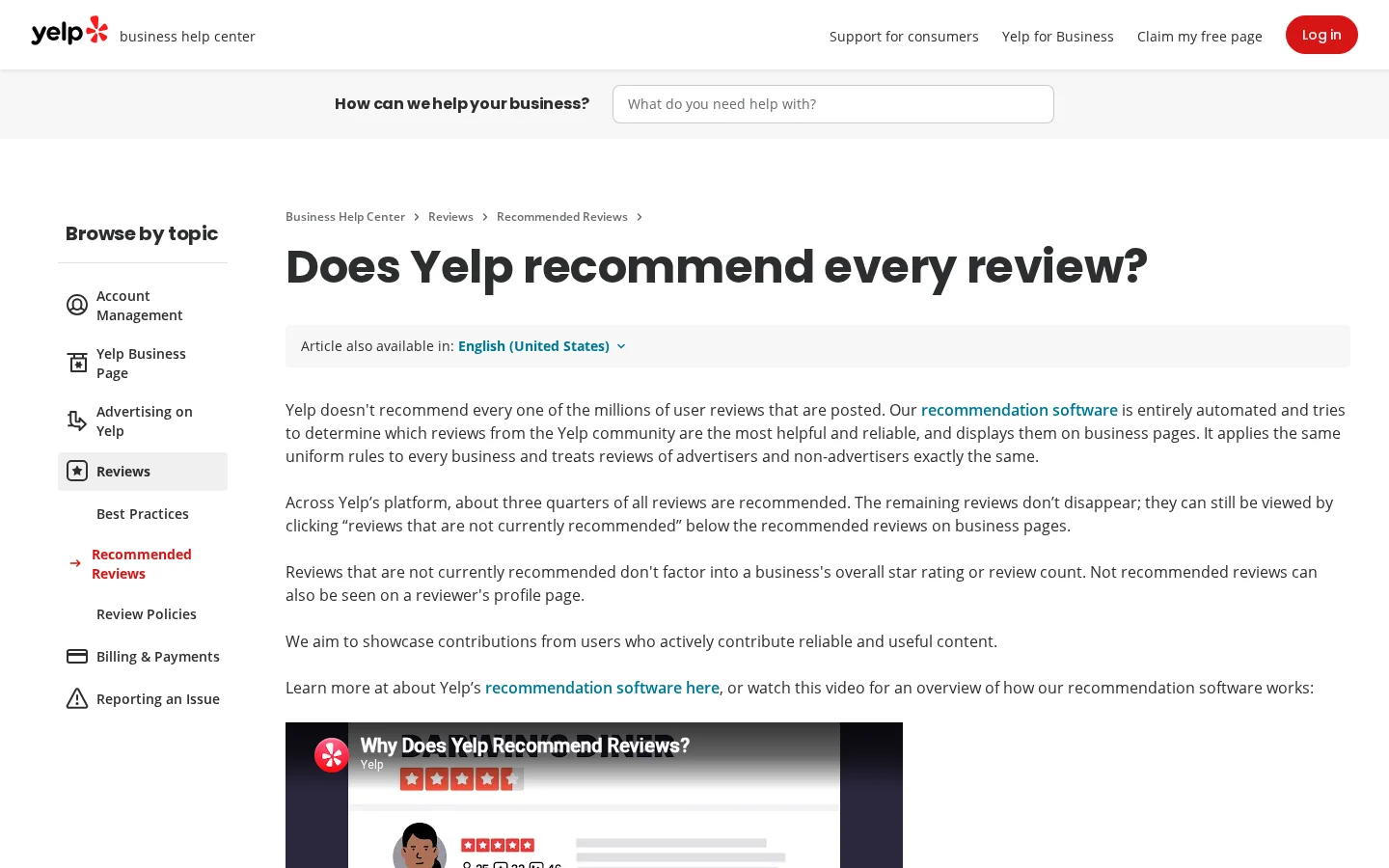
Which reviews tend to be hidden
Based on Yelp's help center, which says the software filters "potentially unreliable reviews, like those that may be solicited." Yelp does not publish the full list.
The software is built to catch reviews that look prompted by the business. Many owners respond by adding a review link to every receipt, email and table card. That is the habit most likely to get the reviews hidden, because it creates exactly the pattern the software is looking for.
Warning
Do not ask customers to review you on Yelp, do not put a "review us" link in your emails, and never offer a discount, gift or perk for a review. Yelp prohibits incentives for reviews, and the software is designed to catch prompted reviews.
If you want more reviews without breaking the rules, focus on the work itself and on being easy to find. A complete page with fresh photos converts the people who already searched for you. For the Google side of the same problem, the Google review guide covers what you may do there.

Setup takes an afternoon if your details are ready. Have your hours, your photos, your website address and the exact legal name of the business at hand. Work through the steps in order. A duplicate page created in the first step causes problems that take weeks to fix.
Setup in six steps
Search Yelp by business name and city, and try the spelling your customers would use. If a page exists, claim it. A second page gives you two records for one business, and reviews end up split between them. If you find a duplicate you did not create, report it to Yelp and keep working on the page you control.
Claiming links the page to your business account. Yelp then asks you to verify that you manage the business. The Yelp for Business home page uses the button "Verify my free listing," so that is the place to start. Once verified, you can reply to reviews and edit the page.
Your name, address and phone number must match exactly what appears on your website and your Google Business Profile. Use the name as it appears on your signage, not a keyword-stuffed version such as "Best Plumber Austin Cheap Repairs". Set your hours, including holiday hours. Choose the categories that match what customers search for, then put your main services in the description with the words people actually type, such as "emergency drain cleaning" rather than "solutions".
Tip
Before you save, compare the Yelp page, your Google Business Profile and your website footer line by line. Most conflicts come from one abbreviation, such as "St." on one page and "Street" on another. The local SEO checklist lists the other fields to match.
Upload photos of the real place, the team and the work. Rename the files before upload, so "austin-plumbing-van.jpg" tells the platform what the image shows, instead of "IMG_4402.jpg". Replace photos each season. Old photos of a menu you no longer serve tell customers that nobody checks the page, and that is a bad first impression before anyone reads a review.
Replies are the one part of the review process you fully control. Customers judge your business by how you answer, and that matters most when the review is negative. A reader who sees a calm, specific reply often trusts the business more than one who sees only five stars.
Keep each reply under 100 words. Thank the reviewer by name if they gave one. Name the specific thing they mentioned, such as "the table by the window" or "the 7am delivery". If something went wrong, say what you changed. Then give one contact route, such as a manager's email, and stop there. A reply that runs to five paragraphs reads as defensive, even when you are right.
Some reviews should be reported, not answered. Personal data, threats and reviews from a competitor's campaign break Yelp's content rules. Report those through Yelp's reporting tool, then reply once with facts only, so future readers see a calm owner. Do not argue in the reply. Readers judge the reply as much as the review it answers.
The same reply, rewritten
Yelp ads put your page in front of people who are searching nearby. Whether that is worth the money depends on your market, your recent review count and what you already get from Google. The table below shows the situations where we would test ads first and where we would wait.
| Your situation | Test ads? | Why |
|---|---|---|
| Restaurant or cafe in a large North American city | Yes, usually | Diners check Yelp before they choose, and our data shows Yelp citations are strongest in restaurant questions |
| Home service (plumber, electrician) in a metro area | Maybe | It works when recent reviews are strong. If your last reviews are old, fix the page first |
| Business in a small town with few reviews | Usually not | Few people search, and ads cannot fix a thin profile |
| Business that already fills its calendar from Google Ads | Usually not | An extra channel adds little unless you have a clear offer for Yelp users |
| Business that sells mainly online | No | Yelp is built for local customers, not for shipping products |
Start with the smallest self-serve budget you can set in the dashboard. Avoid long contracts signed on a sales call, because the sales call is designed to sell the upgrade. Promote one location and one service. Run the test for a full month, so you see weekday and weekend patterns and do not judge the campaign on a slow week.
Measure cost per lead. That is the money spent divided by the leads you tracked, meaning calls, bookings and direct messages. Then compare that cost with what one customer is worth to you. Use the tracking methods in the last section of this guide. If the number does not clear your margin after about three months, shrink the budget or stop.
Example
A cafe spends 300 in a month on Yelp ads and tracks 10 calls. Three of those calls become regular customers, each worth 80 over the year. The campaign brings in 240 for 300 spent, so it loses money even though it produced leads. The fix is to test a cheaper offer or drop the ad, not to keep it running out of habit.
Yelp is not only a directory for people. AI tools cite it when they answer local questions. We measured this in our own study, which covers 498158 AI answers from ChatGPT, Gemini, Perplexity, Claude and Grok, collected from August 2025 to October 2026. The Yelp AI citation study has the full figures and method.
Yelp in numbers
Sources: Michael Luca, Harvard Business School working paper 12-016; Sorank AI citation study, data to 2 November 2026.
Grok cites Yelp most often, followed by Claude. ChatGPT cites it least. Those differences change where your effort pays. If your customers ask Grok or Claude about local services, a complete Yelp page carries more weight in the answer than it does in ChatGPT.
Restaurants lead, at 1.04 citations per 100 answers, about 12 times the platform average of 0.08. Pets and animals and beauty follow. Fashion is low. Citations also cluster in North American local queries, while European business questions mostly cite other sources.
Two caveats matter. About 87% of the prompts were in French, yet Yelp was cited more often in English answers than in French ones, at 0.15 against 0.07 per 100 from July to October 2026. Also, a model that recommends a business from memory, with no link, is not counted. So our figure measures citations, not every recommendation.
A citation happens when the answer model finds a page that matches the question. Your Yelp page should answer the questions a customer would ask an AI: what you do, where, for whom, at what price level and with which options. Write those answers in the description and the services fields, in plain words. Recent, specific reviews help too, because they contain the facts a model can quote, such as the dish, the wait time or the job done.
Tip
To see whether AI names your business today, start with an AI visibility audit on the questions your customers ask. To track those answers every week across ChatGPT, Gemini, Claude and Perplexity, use Sorank's GEO optimization feature.
Google Business Profile matters for almost every local business, because it drives Google Maps and the local results. Yelp is a second channel, and its weight depends on your category and your city. The table compares the two on the rules that change how you work.
| Question | Yelp | Google Business Profile |
|---|---|---|
| Can you ask customers for reviews? | No. Yelp prohibits it, and its software filters reviews that look prompted | Yes, within Google's rules and without offering incentives. See the Google review guide |
| How do you handle a bad review? | Reply in under 100 words. Report reviews that break Yelp's guidelines | Reply in the same way. Report reviews that break Google's policies |
| Where does it matter most? | Restaurants, home services and North American cities, where customers browse Yelp | Almost every local business |
For most local businesses, set up Google Business Profile first, then Yelp. Move Yelp up the list if you run a restaurant, a cafe or a home service in a North American city where your customers already browse Yelp. In that case, claim the Yelp page in the first week, not in the third month. For the Google side, follow the guide to verifying your Google Business Profile first.
Each location needs its own page with its own address and phone number. Use the same business name format on every page, and do not merge two locations into one page, even if they share a brand. A merged page sends reviews from one branch to the other and makes both harder to trust.
Each mistake below follows the same pattern: what it is, how to spot it, and how to fix it. Check your page against all six before you spend money on ads.
What it is. Two pages for the same business, often one created by a customer and one by you. Reviews split between them and neither page looks complete.
How to spot it. Search your business name and city, then check the map view. Compare the phone numbers and addresses on each page. A page with a different phone number is usually the duplicate.
How to fix it. Keep the page with the most reviews, claim it, and copy your photos and description onto it. Report the duplicate to Yelp, and do not ask customers to re-review on the new page.
What it is. A review link on receipts, a "please review us" line in emails, or a staff member who asks each customer at the till. Yelp treats all of these as solicitation.
How to spot it. Read every template your team uses, including the signs by the till and the automated emails from your booking tool. If any of them name Yelp, you have a problem.
How to fix it. Remove the link and the request, then let the service itself carry the reviews. Check which reviews are hidden over the next month, because the timing shows you when the pattern started.
What it is. The Yelp page says "Suite 4", your website says "Unit 4", and Google says nothing. Platforms and AI tools treat the records as different businesses.
How to spot it. Put the Yelp page, the Google profile and your website footer side by side, and read them aloud. Look for abbreviations, missing suites and old phone numbers.
How to fix it. Pick one format and use it everywhere. Our step-by-step local SEO audit shows how to run this check across all your listings.
What it is. Holiday hours missing, a closed summer terrace still listed, or a category you dropped years ago.
How to spot it. Ask someone outside the business to check your hours on their phone the week before a public holiday. Read the categories and compare them with the services on your current menu.
How to fix it. Set holiday hours in advance. Update the categories whenever a service starts or stops, and put that date on your monthly review routine.
What it is. A free dessert, a discount or a raffle entry for anyone who leaves a review. Yelp prohibits incentives, and the harm goes beyond one review.
How to spot it. Look at your loyalty and promotion emails for any line that links a reward to a review, on any platform.
How to fix it. Stop the offer. Keep the reward separate from any feedback request, and do not mention review sites in promotions at all.
What it is. You spend on ads or invest time on the page, but you cannot tell whether Yelp brings any customers at all.
How to spot it. Ask your team how a new customer found them. If "Yelp" never appears in the answers, the question is not being asked, or the answers are being lost.
How to fix it. Tag your Yelp website link with UTM parameters, use a tracking phone number where you can, and add "Yelp" to your booking form's source list. The next section explains each step.
Yelp gives you its own numbers in the dashboard. Those show what happens on Yelp, but they do not show what happens after the click. Combine them with your own tools. The table lists what to track and where to find it.
| Metric | Where to find it | What it tells you |
|---|---|---|
| Profile views and clicks | Yelp for Business dashboard | Whether people find your page |
| Calls | A tracking number used only on Yelp, or call logs | Whether the page leads to contact |
| Website visits from Yelp | Your analytics, filtered by the source "yelp" | Whether people go on to your site |
| Leads and customers | Your booking tool or CRM | Whether the traffic becomes revenue |
| Cost per lead | Ad spend divided by leads | Whether ads are worth renewing |
Add UTM parameters to the website link on your Yelp profile. Your analytics tool then records the visit as Yelp traffic instead of "direct". Use the same campaign name every time, so the reports can be compared across months.
https://www.example.com/?utm_source=yelp&utm_medium=listing&utm_campaign=yelp-profileTip
If your phone system allows it, give the Yelp listing its own tracking number, forwarded to your main line. Calls from that number are then clearly from Yelp. Check that the number matches the one you use everywhere else, or you will reintroduce the mismatch problem from the mistakes section.
Write the formula down once and use it every month. Cost per lead is spend divided by leads. Return is the value of the customers those leads become, minus the spend. Use your average customer value, not your best customer's value, or the result will flatter the channel.
Run through this list once per quarter. The items below are the ones most often missing from pages that get reviews hidden or are rarely cited in AI answers.
Yelp for Business checklist
Pick one item from this list and finish it today. The page that gets the most from Yelp is rarely the one with the most features. It is the one whose facts are right, whose replies are calm, and whose owner checks it every month.
Yes. Claiming and running a basic Yelp page is free, and you can reply to reviews at no cost. Advertising and upgraded page features are paid options, and their prices change, so check the current terms in the Yelp dashboard before you commit.
Yelp's recommendation software hides some reviews, and hidden reviews do not count toward your star rating. The most common cause is a review that looks prompted by the business, such as one you asked for. Hidden reviews stay visible behind a link at the bottom of the page.
It can. In our study of 498158 AI answers from August 2025 to October 2026, Yelp was cited 0.08 times per 100 answers overall and 1.04 times per 100 for restaurant questions. The citations cluster in North American local queries.
We analyse your competitors, your website and your AI visibility to create a tailored content plan for free.
 Website Value Calculator
 Website Accessibility Checker
 Google Analytics Checker
 Duplicate Content Checker
 Mobile-Friendly Test
 Website Speed Test
 Subdomain Finder
 Domain Age Checker
 CMS Detector
 Googlebot Simulator
 Nofollow Link Checker
 Meta Tag Checker
 Keyword Cannibalization Checker
 Keyword Intent Checker
 Keyword Extractor
 Google Ads Cost Calculator
 CPC Calculator
 Local Citation Finder
 Reddit Threads Finder
 Disavow File Generator
 Redirect Generator
 Canonical Tag Generator
 Passive Voice Checker
 Google Location Changer
 Google Review Calculator
 Google Review Link Generator
 Keyword Combiner
 Podcast Show Notes Generator
 AI Content Rewriter
 AI Text Humanizer
 ChatGPT Prompt Generator
 Twitter Thread Generator
 Tweet Generator
 Landing Page Copy Generator
 Google Ads Copy Generator
 Pinterest Pin Description Generator
 Anchor Text Generator
 Social Media Post Generator
 LinkedIn Post Generator
 Free AI Writer
 Review Response Generator
 LSI Keyword Generator
 YouTube Video Ideas Generator
 YouTube Tag Generator
 YouTube Description Generator
 Product Description Generator
 CTA Generator
 Blog Introduction Generator
 Conclusion Generator
 Hook Generator
 AI Content Brief Generator
 FAQ Schema Generator
 AI Blog Post Ideas Generator
 Structured Data Validator (Schema Validator)
 Alt Text Checker
 Internal Link Analyzer
 Backlink Challenge
 AI Meta Description Generator
 AI Blog Title Generator
 Google Indexability Checker
 AI Blog Outline Generator
 UTM Link Builder
 Keyword Clustering Tool
 Canonical Tag Checker
 XML Sitemap Generator
 Broken Link Checker
 AI SEO Title Generator
 Headline Analyzer
 SERP Preview Tool
 Redirect Checker
 Hreflang Tag Generator
 Heading Structure Analyzer
 HTTP Headers Checker
 Favicon Extractor
 SERP CTR Calculator
 SEO vs Paid Search Savings Calculator
 SEO Share of Voice Calculator
 SEO ROI Calculator
 SEO Traffic and Revenue Forecast Calculator
 SEO Budget Calculator
 SEO Break-Even Calculator
 SaaS SEO ROI Calculator
 ROAS Calculator
 Reading Time Calculator
 Ranking Gain Simulator
 Organic Traffic Value Calculator
 Organic Traffic Estimator and Website Traffic Checker
 LTV to CAC Ratio Calculator
 Local SEO ROI Calculator
 Link Building Cost Calculator
 Keyword Value Calculator
 Keyword Opportunity Score Calculator
 Keyword Density Calculator
 GEO ROI Calculator
 GEO Content Investment Calculator
 Ecommerce SEO ROI Calculator
 Customer Lifetime Value Calculator
 Customer Acquisition Cost Calculator
 CTR Calculator
 Cost Per Article Calculator
 Conversion Rate Calculator
 Content Marketing ROI Calculator
 ChatGPT Referral Traffic Estimator
 Bounce Rate Calculator
 Backlink ROI Calculator
 AI Visibility Score Calculator
 AI Traffic Value Calculator
 AI Share of Voice Calculator
 Cost of AI Invisibility Calculator
 AI Citation Rate Calculator
 llms.txt Validator
 AI Overview Checker and AI Overviews Rank Checker
 Robots.txt Checker
 AI SEO Audit
 LLM Readability Checker
 SearchGPT Readiness Checker
 Structured Data LLM Audit
 Website Crawlability AI Audit
 Why ChatGPT Is Not Recommending My Website
 Gemini Ranking Tool
 Perplexity Ranking Checker
 LLM Citation Checker
 Answer Engine Optimization Audit
 GEO Audit
 AI Search Visibility Test
 ChatGPT Visibility Checker
 llms.txt Generator
 URL Extractor
 Webpage to Markdown
 Sitemap Checker
 SERP Volatility Sensor
 Page Size Checker
 Word Counter
 Slug Generator
 Schema Generator
 Robots Generator
 OG Preview
 Meta Tags Generator
 Image Compressor
 Favicon Generator
 On-Page SEO Audit: SEO Checker and SEO Analyzer
 Backlink Analysis Tool
 Keyword Research Tool
 Domain Authority Checker
 “I tested Sorank on a real client site and it's insane. It does everything an agency would bill you $1500 a month for. It's going into production on that client now.”

 Guillaume Guersanguersanguillaume.com“We are an Ads agency and we wanted to get our SEO back on track once and for all. Sorank gave us a clear view of our site, helped us prioritize optimizations, and properly structure our content. The tool is easy to use, well designed for a team, and very practical for centralizing tracking without having to juggle multiple platforms. A very solid foundation to start fresh with our SEO.”
 Gaspard MadouiAds Agency
 “I just let the Sorank software do its thing, and now my DR is 25 and my page is ranking higher.”
 Lucas Flandrefoundertrace.fr“I specialized in GEO thanks to Sorank. The GEO Leaderboard allows me to show my clients their position vs competitors on ChatGPT. It’s a real commercial differentiator.”
 MélanieSEO Freelance“Great service, works well for our website and helps us understand how to improve it to rank better on Google and elsewhere. Congrats, keep going, I recommend it.”
 Hugo T.E-commerce merchant