Preferences
Privacy is important to us, so you have the option of disabling certain types of storage that may not be necessary for the basic functioning of the website. Blocking categories may impact your experience on the website. More information
Privacy is important to us, so you have the option of disabling certain types of storage that may not be necessary for the basic functioning of the website. Blocking categories may impact your experience on the website. More information

Learn how Google Ads retargeting works, set up your tag and audience segments step by step, pick the right campaign type, budget it and avoid costly mistakes.
In short
Google Ads retargeting (Google calls it remarketing) shows ads to people who already visited your site, used your app, watched your videos or are on your customer list. You add the Google tag, build audience segments from behavior, then target them in Search, Display, YouTube, Demand Gen or Performance Max campaigns with a message matched to where they stopped.
Want to go further? Ask
Quick quiz
Ads, SEO or both: what is right for you now?
Sorank matches your answers


Test it for 3 days on your own site and see where you stand on Google, ChatGPT and the other AIs.
Start 3-day free trial3 days free, then stop whenever you want. 90-day results guarantee, conditions apply.
Google Ads retargeting is a way to show ads only, or mostly, to people who have already interacted with your business. Someone reads a product page, leaves, and later sees your ad on YouTube, in Gmail, on a news site or at the top of a Google search. The aim is simple: bring back people who already know you, because they convert more easily than strangers.
Inside the Google Ads interface you will not find the word "retargeting". Google uses "remarketing", and the lists of people are called "your data segments" (they were called remarketing lists or audiences in older versions). The two words mean the same thing in practice. In email marketing, "remarketing" sometimes means re-engaging past customers by email, but in Google Ads it means ads.
The mechanism has three parts:
view_item or add_to_cart. The signal can also come from your Google Analytics 4 property, your app, your YouTube channel or a file of customer emails.Identification relies on cookies, mobile advertising IDs and, more and more, signed-in Google accounts. That is why a segment shown in Google Ads is usually smaller than the number of visitors in your analytics: people who refuse consent, block cookies or browse in private windows cannot be added.
Google also sells audience segments it builds itself: affinity, in-market, life events, custom segments based on keywords or URLs. Those reach new people who look like buyers. Retargeting is different because it uses your own first-party data: people who have actually been in contact with you. Keep the two apart in your campaigns and reports, or you will mix cheap returning conversions with expensive prospecting and draw the wrong conclusions.
Retargeting pays because almost every visit ends without a sale, and part of those visitors were close to buying. The gap between "visited" and "bought" is where the money is.
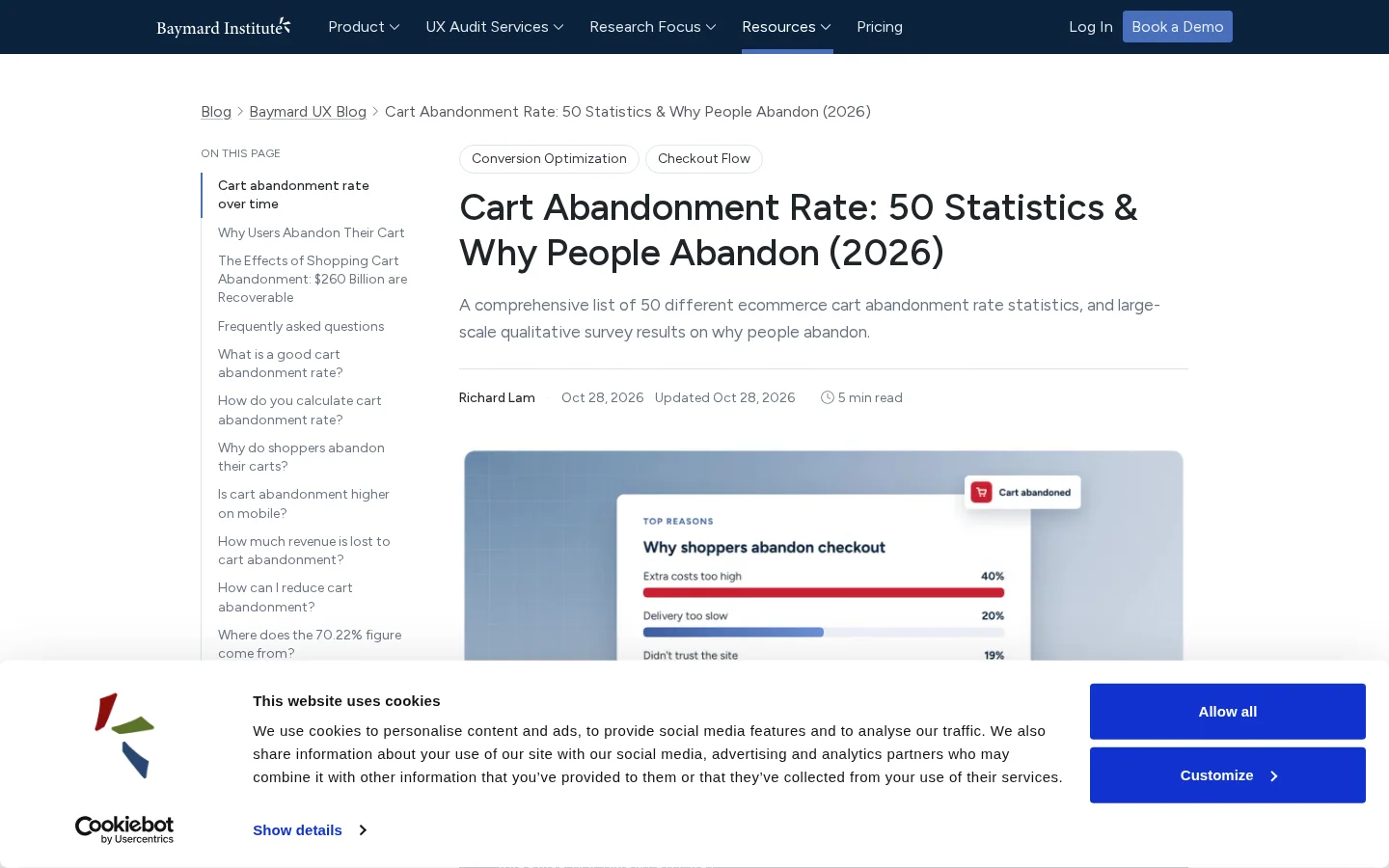
The clearest figure comes from ecommerce. The Baymard Institute's list of 50 cart abandonment studies (updated October 2026) puts the average documented rate at 70.22%. In other words, about 7 carts in 10 are left behind. Baymard also asked shoppers why: 42% of US online shoppers say they abandoned because they were "just browsing" or not ready to buy. Among the others, extra costs such as shipping, taxes and fees are the first reason, at 40%.
Why there is room for retargeting
Source: Baymard Institute, cart abandonment rate list, October 2026
These numbers tell you two practical things. First, a big share of non-buyers were simply not ready: they need time and a reminder, not a discount. Second, a known objection (extra costs) can be answered directly in a retargeting ad, for example by showing free shipping or a total price that includes everything.
Retargeting only works on people you already attracted. If your site gets 300 visits a month, your segments will stay tiny and many will never reach the minimum size. It also tends to take credit for sales that would have happened anyway, because returning visitors are already warm. Both limits shape the rest of this guide: you need a steady flow of visitors, and you need to measure the extra sales, not the total.

Google Ads offers seven ways to reach people you already know. They differ by data source, by where the ads appear and by how much control you keep. Most accounts need two or three of them, not all seven.
Principle: a Display campaign targets a segment of site visitors and shows banner or responsive display ads on sites and apps of the Google Display Network. When to use it: to stay visible with people who visited key pages but did not convert, for any business. Advantages: cheap reach, full control of segments, frequency caps. Limits: banner blindness, many low-quality placements unless you exclude them, and view-through conversions that inflate results. Example: a B2B software shows "See the 3-minute demo" to visitors of the pricing page in the last 14 days.
Principle: ads are built automatically from a product or service feed and show the exact items each person viewed, plus related items. When to use it: ecommerce, travel, real estate, jobs, any catalog with many items. Advantages: personal ads at scale with no manual design. Limits: needs clean event parameters and a feed (Merchant Center for retail); a bad feed means wrong prices or out-of-stock items in ads. Example: a shoe store shows the exact sneakers a visitor left in the cart, with the current price. Our guide to Google Shopping ads, Merchant Center and feeds covers feed setup in detail.
Principle: you add your data segments to Search campaigns, then either raise bids for past visitors, show them different ads, or bid on broad keywords only when the searcher already knows you. Google used to call this RLSA, remarketing lists for search ads. When to use it: almost always, because the person is searching right now. Advantages: the highest intent of all retargeting types. Limits: volume is limited to people who search again; bid adjustments are ignored by most Smart Bidding strategies. Example: a law firm bids on the broad keyword "divorce lawyer" only for people who visited its fees page.
Principle: segments built from people who watched your videos, subscribed, liked or visited your channel, once your channel is linked to Google Ads. When to use it: when you invest in video, or to retarget site visitors with a video that answers objections. Advantages: video carries proof and emotion better than banners. Limits: creative cost; views are easy to buy, so judge on site actions. Example: people who watched 50% of a tutorial see a short customer story.
Principle: you upload hashed emails, phone numbers or addresses of customers and leads, and Google matches them to signed-in users. Google says Customer Match is available on Search, the Shopping tab, YouTube, Gmail and Display. When to use it: to upsell customers, re-activate old leads, or exclude existing customers from acquisition campaigns. Advantages: works without cookies, across devices. Limits: match rate depends on how many of your contacts use Google accounts with the same email; lists are not used with manual bidding; memberships expire after 540 days unless refreshed; you must have consent to use the data.
Principle: segments from app events (installed but inactive, opened a product, started a subscription) used in App campaigns for engagement. When to use it: apps with a real engagement funnel. Limits: needs Firebase or a third-party app attribution partner, and iOS signals are partial.
Principle: Demand Gen campaigns (the successor of Discovery ads, see our guide to Demand Gen campaigns) accept your data segments as targeting on YouTube, Discover and Gmail. Performance Max accepts them only as "audience signals": hints that guide the system, which then reaches anyone it predicts will convert. When to use it: Demand Gen for visual retargeting on Google's own feeds; Performance Max when you want one campaign across all inventory and accept less control. Limits: in Performance Max you cannot force a campaign to show only to past visitors, so it is not pure retargeting.
| Type | Data source | Where ads show | Intent level | Control | Best for |
|---|---|---|---|---|---|
| Standard remarketing | Google tag, GA4 | Display Network | Low to medium | High | Staying visible, lead gen |
| Dynamic remarketing | Tag events + feed | Display, Performance Max | Medium to high | Medium | Ecommerce, catalogs |
| Search segments (RLSA) | Google tag, GA4, Customer Match | Google Search | Very high | High | Every account |
| YouTube remarketing | Linked YouTube channel, tag | YouTube | Medium | Medium | Proof, education |
| Customer Match | Your CRM file | Search, Shopping tab, YouTube, Gmail, Display | Varies | High | Upsell, exclusions, reactivation |
| App remarketing | App events | Search, Play, YouTube, Display | Medium to high | Medium | Apps |
| Demand Gen / Performance Max | Your data segments as targeting or signals | YouTube, Discover, Gmail (Demand Gen); all inventory (Performance Max) | Varies | Medium (Demand Gen), low (Performance Max) | Scale with automation |
Standard remarketing vs dynamic remarketing for a store
Before building a single campaign, check four things: a working tag, valid consent, enough people and an eligible business category. Most failed retargeting setups break on one of them.
The Google tag must load on all pages, including checkout and thank-you pages, with your Google Ads ID (it starts with AW-). If you already use Tag Manager, use the "Google tag" and "Google Ads remarketing" tag types instead of pasting code. Our guide to installing and using Google Tag Manager walks through the container setup, and the article on conversion tracking in GA4 and Google Ads shows how to check that conversions arrive.
For users in the European Economic Area, the UK and Switzerland, Google's EU user consent policy requires you to collect consent and pass it to Google, otherwise your tags cannot be used for remarketing. In practice that means a consent banner connected to consent mode, with two parameters that matter for ads: ad_user_data and ad_personalization. If a visitor refuses, they are not added to your segments. Our comparison of cookie consent tools lists platforms certified by Google.
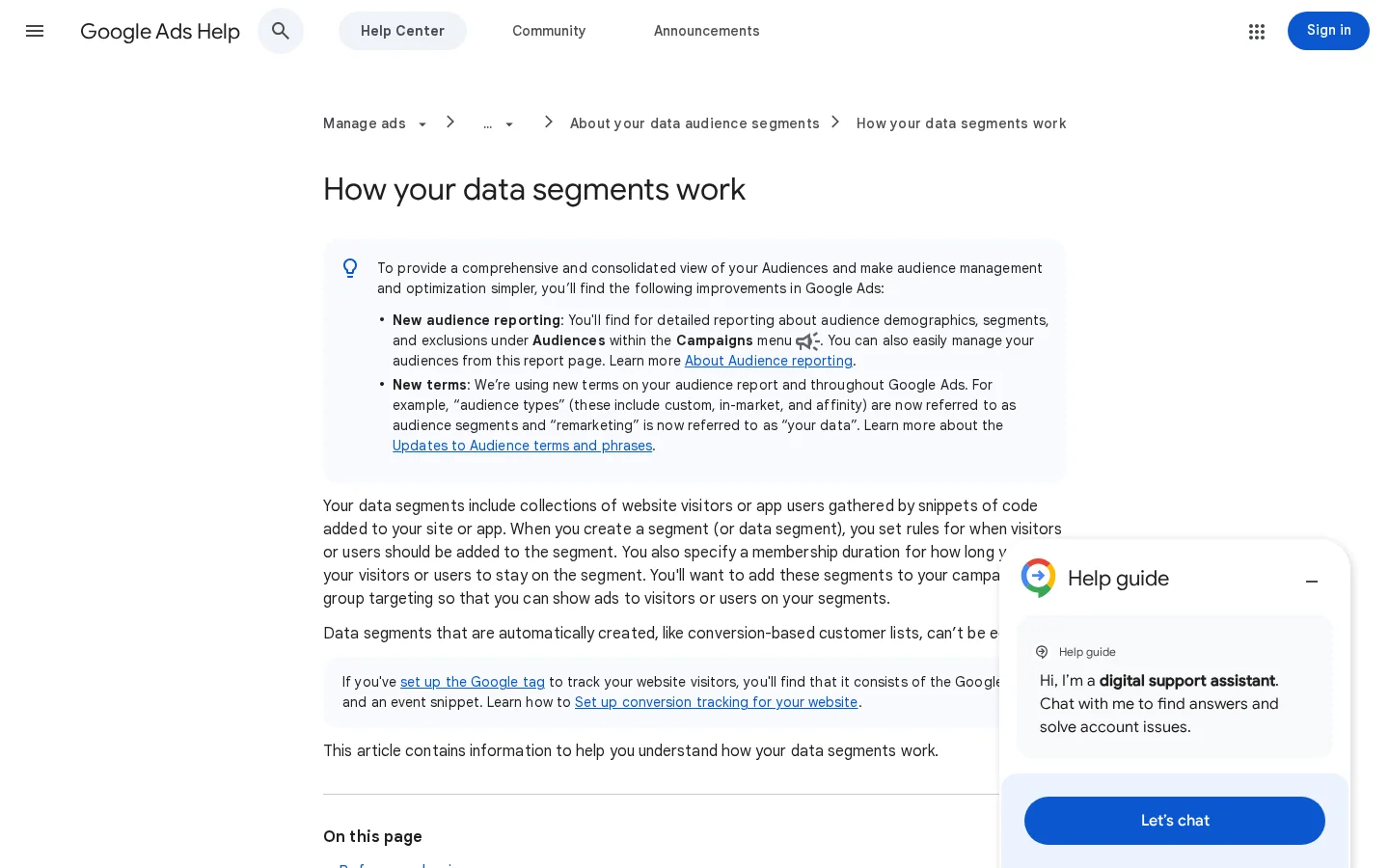
Google's help page on how your data segments work sets the bar at 100 active visitors or users within the last 30 days for the Display Network, Search and YouTube. Search used to require 1000, so older tutorials are wrong on this point. The same page gives a default membership duration of 30 days and a maximum of 540 days, and it says that a segment unused in targeting for 540 days is automatically set to "Closed".
Google's personalized advertising policy forbids remarketing in sensitive interest categories, among them health, negative financial status, gambling, sexual content, religious beliefs, sexual orientation, political affiliation and relationship hardships. A clinic, a debt advisor or a dating service for a specific community cannot build segments from visitors the usual way. Read the list before you plan the budget.
Pre-launch checklist
Setting up retargeting takes six steps: install the tag, add events, create segments, choose campaigns, write ads, then launch with exclusions and caps. Count one day for the setup and two to four weeks for segments to fill.
The 6-step setup
In Google Ads, go to Tools, then Data manager (or Audience manager, depending on your interface version), and set up the Google tag as a data source. If you use gtag.js directly, the base code looks like this, with your own ID and with consent defaults set before the tag loads:
<script>
  window.dataLayer = window.dataLayer || [];
  function gtag(){dataLayer.push(arguments);}
  gtag('consent', 'default', {
    'ad_storage': 'denied',
    'ad_user_data': 'denied',
    'ad_personalization': 'denied',
    'analytics_storage': 'denied'
  });
</script>
<script async src="https://www.googletagmanager.com/gtag/js?id=AW-XXXXXXXXX"></script>
<script>
  gtag('js', new Date());
  gtag('config', 'AW-XXXXXXXXX');
</script>
Your consent banner then calls gtag('consent', 'update', {...}) with "granted" values when the visitor accepts. Outside the regions where consent is required, you can set the defaults to granted, but check your local law first.
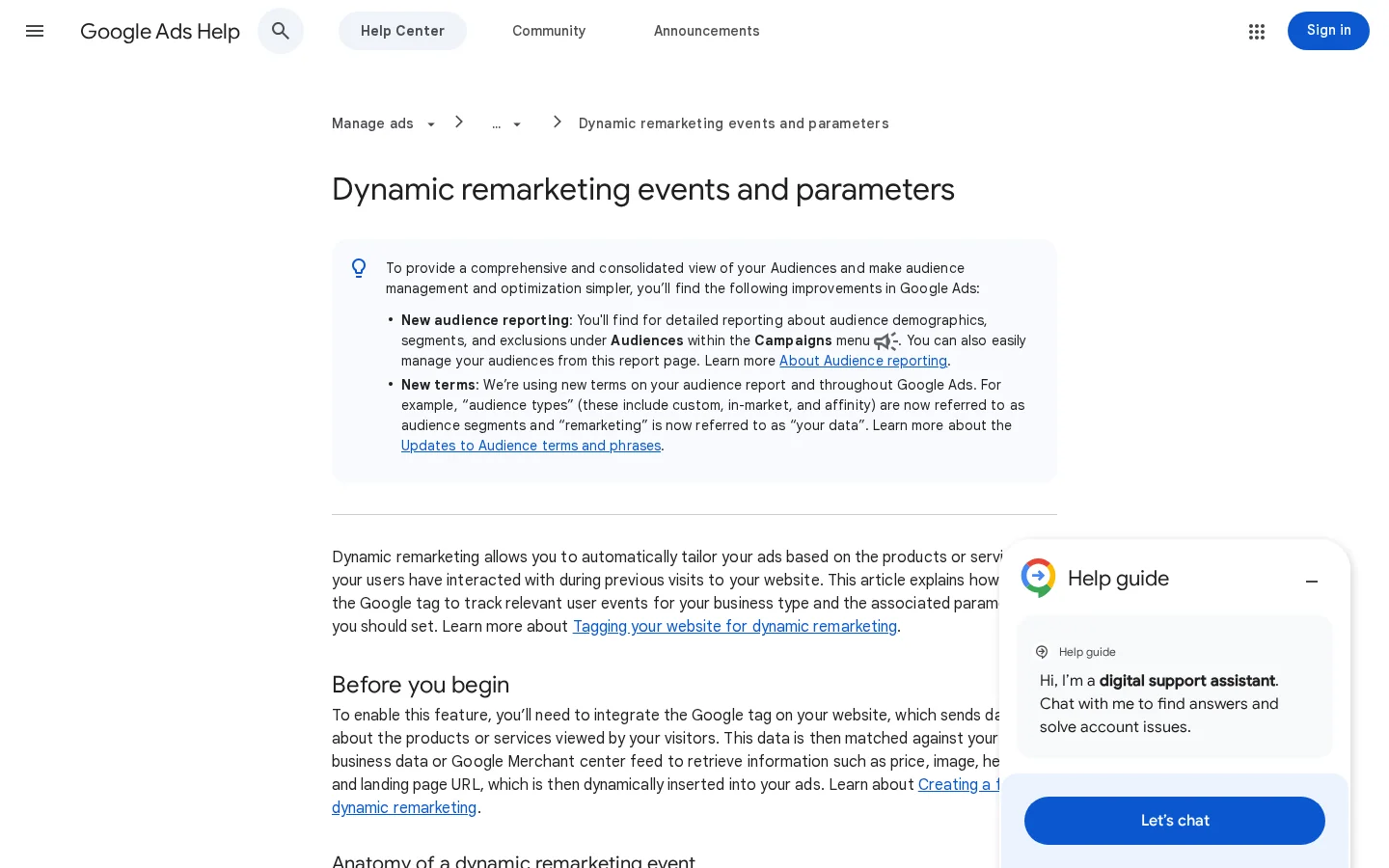
Page URLs are enough for simple segments. Events are better, because they survive URL changes and carry values. For retail dynamic remarketing, Google's page on dynamic remarketing events and parameters lists five recommended events (view_search_results, view_item_list, view_item, add_to_cart, purchase) and gives this snippet for a product page:
gtag('event', 'view_item', {
  'value': 998.55,
  'items': [
    {
      'id': 1234,
      'google_business_vertical': 'retail'
    }
  ]
});
The id must match the product ID in your Merchant Center feed exactly. A store that sends "SKU-1234" in the tag while the feed says "1234" gets empty dynamic ads. For lead generation, fire your own events at each step: view_pricing, start_form, generate_lead.
Go to Tools, Shared library, Audience manager, then "Your data segments" and click the plus button. Choose "Website visitors", then define the rule. Three settings matter:
For combinations, use "Custom combination" segments. The most useful one in every account is "cart abandoners": people who added to cart but did not buy.
Segment: Cart abandoners 14 days
  Include: visitors with event add_to_cart (membership 14 days)
  AND NOT: visitors with event purchase (membership 14 days)
You can also import audiences built in Google Analytics 4 once GA4 is linked to Google Ads and personalized advertising is enabled in the GA4 data settings. GA4 audiences allow richer rules: engaged sessions, scroll depth, number of sessions, or predictive audiences like "likely 7-day purchasers" when your property has enough data. The definition of Google Analytics 4 and how it measures conversions is a good refresher if you are new to it.
Start where intent is highest. Add your segments to your existing Search campaigns in observation mode first, so you can compare their conversion rate with the rest of the traffic without changing anything. Then build one Display or Demand Gen campaign dedicated to retargeting. Stores add dynamic remarketing on top. In Display and Demand Gen, turn off "optimized targeting" if you want the campaign to stay on your segments only; otherwise Google expands to new people and your "retargeting" numbers become prospecting numbers.
Each segment gets its own ad group and its own message (see the creative section below). Upload responsive display ads with several headlines, a square and a landscape image, and your logo.
Before you press "Publish", exclude recent buyers, set a frequency cap, review placements and set a budget that matches the size of your segments. The next sections give the numbers to use.
Good retargeting segments mix two dimensions: how far the person went (intent) and how long ago (recency). A visitor who reached checkout yesterday is worth far more than someone who read a blog post four months ago, and should get a different bid, message and duration.
Retargeting segments from widest to most valuable
The durations above are starting points, not rules. Adapt them to your buying cycle: an impulse purchase under 50 euros is decided within days, a B2B software contract can take months.
| Segment | Rule | Suggested duration | Goal of the ad | Bid or budget weight |
|---|---|---|---|---|
| Cart abandoners | add_to_cart AND NOT purchase | 7 to 14 days | Remove the last objection (costs, delivery, trust) | Highest |
| Checkout abandoners | begin_checkout AND NOT purchase | 3 to 7 days | Reassure on payment and returns | Highest |
| Product viewers | view_item AND NOT add_to_cart | 14 to 30 days | Show the item, reviews, alternatives | High |
| Pricing page visitors (B2B) | URL contains /pricing | 30 to 60 days | Demo, case study, free trial | High |
| Blog readers | URL contains /blog | 60 to 90 days | Lead magnet, newsletter, guide | Low |
| Past buyers | purchase or Customer Match | Based on repurchase cycle | Refill, upsell, new collection | Medium |
| Converters (exclusion) | purchase or generate_lead | Length of your offer cycle | Exclude from acquisition ads | None |
Every retargeting campaign needs exclusions. Exclude people who bought in the last 7 to 30 days (unless you sell consumables), current customers uploaded through Customer Match, job seekers who visited your careers page, and visitors who bounced in under a few seconds if you track it through a GA4 audience. Exclusions cut waste and protect your brand from the "I already bought this, stop following me" effect.
A clean way to structure a Display or Demand Gen campaign is by windows that do not overlap: 0 to 3 days, 4 to 14 days, 15 to 30 days. Build each window as a custom combination ("visited in the last 14 days AND NOT visited in the last 3 days"). You can then lower the budget as the window gets older and change the message from "still thinking about it?" to a broader brand story.
Retargeting has no separate price: you pay per click, per impression or per conversion like in any Google Ads campaign, in the same auction. What changes is the volume. Your budget is capped by the size of your segments, so spending more than they can absorb only raises frequency.
For Display and video retargeting, estimate the budget from the reachable audience and the frequency you accept:
Daily budget = (active people in segment x impressions per person per day x CPM) / 1000

Example (your own figures go here):
  4000 active people x 1 impression per day x 3 euros CPM / 1000 = 12 euros per day
Take your actual CPM from an existing Display campaign or from the first week of the new one, then adjust. On Search, the budget follows the search volume of returning visitors: check the "Audiences" report in observation mode for a few weeks to see how many clicks your segments already generate. To understand how clicks are priced in general, read our breakdown of Google Ads costs, CPC and budgets.
Tip
Before you raise a retargeting budget, check that each euro still comes back. Our free ROAS and break-even ROAS calculator tells you the minimum return your margins allow, so you know which target to give Smart Bidding.
In Display campaigns, set a frequency cap in the campaign settings (Additional settings, Frequency management). A reasonable start is 3 to 5 impressions per person per day for hot segments and 1 to 2 for cold ones, then look at the frequency column in reports. If conversion rate drops as frequency rises, lower the cap. These are starting points to test, not benchmarks.
A retargeting ad works when it continues the conversation the visitor started on your site. The same generic banner shown to everyone for 90 days does the opposite: it costs money and annoys people.
A generic retargeting ad vs a stage-matched one
Use what Baymard found: if extra costs are the first reason after "just browsing", say the total price, free delivery threshold or free returns in the ad. If trust is the issue, show reviews and a guarantee. If people were just browsing, offer something lighter: a guide, a comparison, a short video. Our practical guide to writing ad copy that converts, platform by platform has headline formulas you can reuse.
If every cart abandoner gets 10% off, regular buyers learn to abandon carts on purpose. Show the discount only to the hottest segment (checkout abandoners), only after a few days, and test it against a version without discount.
Send the click to the exact product, the restored cart, or the pricing page, not the home page. Tag each ad with UTM parameters so you can isolate retargeting in GA4; our free UTM link builder creates them in a few seconds. Google Ads auto-tagging already passes the click ID, but UTMs help when you compare channels in other tools.
Retargeting still works in Chrome with third-party cookies, but it works on fewer people every year because of consent refusals, Safari and Firefox blocking, and private browsing. The durable answer is first-party data: your own tag, logged-in users, Customer Match and enhanced conversions.
In an update published on 17 October 2025, Anthony Chavez, VP Privacy Sandbox at Google, confirmed that Chrome keeps its current approach of letting users choose about third-party cookies, and retired several Privacy Sandbox technologies, including Protected Audience and Topics. For advertisers, it means the cookie-based remarketing you know is not about to vanish in Chrome, but the planned replacement is gone too. Our article on what changed with third-party cookies covers the full story.
Rule changes that affect Google Ads retargeting
Warning
Customer Match requires that you collected the data with consent for this use. Uploading a list of emails bought from a third party breaks Google's policy and, in Europe, the GDPR.
Measure retargeting by the sales it adds, not by the sales it touches. Returning visitors were already likely to buy, so the platform's conversion column overstates the effect, often by a lot.
Separate click-through conversions from view-through conversions. A view-through conversion means someone saw a banner, did not click, and bought later: it can be real influence or pure coincidence. Report both, but decide on click-through conversions and on the total cost per acquisition across channels. Our list of PPC metrics with their formulas covers CPA, ROAS and conversion rate.
| Question | Metric | Where to read it | Warning sign |
|---|---|---|---|
| Is the segment big enough? | Active size, eligible size per network | Audience manager | "Too small to serve" for weeks |
| Are people tired of the ad? | Frequency, CTR over time | Campaign report, Frequency column | CTR falling while frequency rises |
| Does it bring sales? | Click-through conversions, CPA, ROAS | Campaign and segment reports | Most conversions are view-through |
| Are the sales extra? | Conversion lift, holdout difference | Experiments, lift studies | No difference between test and control |
| Is Search better for known visitors? | Conversion rate by segment in observation | Search campaign, Audiences tab | Same rate as cold traffic |
The strongest proof is a holdout. Three practical ways, from simplest to most rigorous:
If the lift is small, lower the budget and shorten durations; you were paying for sales you already had.
Most retargeting waste comes from the same eight mistakes. Each one is easy to spot in the account in a few minutes.
What it is: buyers stay in "all visitors" segments and keep seeing the product they just paid for. How to spot it: in the campaign, check the excluded audiences; if no "purchasers" segment is listed, you have the problem. Fix: exclude a purchase-event segment with a duration equal to your repurchase cycle, and upload customers through Customer Match as a second exclusion.
What it is: Display and Demand Gen campaigns can expand beyond your segments. How to spot it: the "Audiences" report shows a large share of impressions outside your segments, or reach is far above segment size. Fix: turn off optimized targeting in the ad group settings for pure retargeting campaigns, and run prospecting in a separate campaign.
What it is: every visitor of the last year and a half in one list with one message. How to spot it: a single segment named "All visitors" with the maximum duration powers the whole campaign. Fix: split by intent and recency as in the table above; keep long durations only for past buyers and low-cost awareness.
What it is: the same person sees your banner dozens of times a day. How to spot it: add the "Avg. impression frequency per user" column; high numbers with a falling CTR are the signal. Fix: set a cap in Frequency management and rotate creatives every few weeks.
What it is: the tag misses the checkout or the thank-you page, so cart abandoners and buyers are never identified. How to spot it: Tag Assistant shows no hit on those pages, or the "cart abandoners" segment stays near zero while sales happen. Fix: test each event in Tag Assistant preview, and for dynamic remarketing check the "Diagnostics" alerts on product ID mismatches.
What it is: tags fire without consent in Europe, or the banner blocks everything without consent mode. How to spot it: the Google Ads diagnostic shows missing consent signals, or EU segments are far smaller than traffic would suggest. Fix: connect a certified consent platform to consent mode with ad_user_data and ad_personalization.
What it is: retargeting banners appear in mobile games and low-quality apps where clicks are accidental. How to spot it: in "Where ads showed", sort by cost; look for apps with high CTR and no conversions. Fix: exclude those placements, and add content exclusions for sensitive or low-quality inventory at account level.
What it is: the campaign looks profitable only because view-through conversions are counted. How to spot it: compare click-through conversions with the total; if most of the value is view-through, be suspicious. Fix: make decisions on click-through results and on an incrementality test, as explained above.
Retargeting multiplies the value of your traffic; it does not create it. Every segment in this guide starts with a visit, and the cheapest durable visits come from organic search and from AI answers that cite your site.
That is why paid and organic work best together: content brings readers who are not yet ready, retargeting brings them back when they are. Our guide to combining SEO and PPC on the same results page shows how to share keywords and data between the two, and the definition of pay-per-click advertising covers the auction basics. If you want the organic side to run without daily effort, Sorank writes and publishes the articles that fill your segments, and its GEO and SEO dashboard shows Google and AI traffic in one view, so you can see which pages feed your retargeting lists.
In Google Ads they mean the same thing: showing ads to people who already interacted with your site, app, videos or customer list. Google uses the word remarketing and calls the lists "your data segments". Outside Google Ads, remarketing sometimes means re-engaging past customers by email.
Google requires at least 100 active visitors or users within the last 30 days for a segment to serve on the Display Network, Search and YouTube. Search used to need 1000, so older tutorials are outdated. Below that size, the segment keeps collecting people but your ads do not show.
There is no separate price: you pay per click, per impression or per conversion in the same auction as other campaigns. The real limit is the size of your segments, so estimate the budget from active people, the frequency you accept and your CPM. Start small, then raise the budget only if an incrementality test shows extra sales.
We analyse your competitors, your website and your AI visibility to create a tailored content plan for free.
 Duplicate Content Checker
 Mobile-Friendly Test
 Website Speed Test
 Subdomain Finder
 Domain Age Checker
 CMS Detector
 Googlebot Simulator
 Nofollow Link Checker
 Meta Tag Checker
 Keyword Cannibalization Checker
 Keyword Intent Checker
 Keyword Extractor
 Google Ads Cost Calculator
 CPC Calculator
 Local Citation Finder
 Reddit Threads Finder
 Disavow File Generator
 Redirect Generator
 Canonical Tag Generator
 Passive Voice Checker
 Google Location Changer
 Google Review Calculator
 Google Review Link Generator
 Keyword Combiner
 Podcast Show Notes Generator
 AI Content Rewriter
 AI Text Humanizer
 ChatGPT Prompt Generator
 Twitter Thread Generator
 Tweet Generator
 Landing Page Copy Generator
 Google Ads Copy Generator
 Pinterest Pin Description Generator
 Anchor Text Generator
 Social Media Post Generator
 LinkedIn Post Generator
 Free AI Writer
 Review Response Generator
 LSI Keyword Generator
 YouTube Video Ideas Generator
 YouTube Tag Generator
 YouTube Description Generator
 Product Description Generator
 CTA Generator
 Blog Introduction Generator
 Conclusion Generator
 Hook Generator
 AI Content Brief Generator
 FAQ Schema Generator
 AI Blog Post Ideas Generator
 Structured Data Validator (Schema Validator)
 Alt Text Checker
 Internal Link Analyzer
 Backlink Challenge
 AI Meta Description Generator
 AI Blog Title Generator
 Google Indexability Checker
 AI Blog Outline Generator
 UTM Link Builder
 Keyword Clustering Tool
 Canonical Tag Checker
 XML Sitemap Generator
 Broken Link Checker
 AI SEO Title Generator
 Headline Analyzer
 SERP Preview Tool
 Redirect Checker
 Hreflang Tag Generator
 Heading Structure Analyzer
 HTTP Headers Checker
 Favicon Extractor
 SERP CTR Calculator
 SEO vs Paid Search Savings Calculator
 SEO Share of Voice Calculator
 SEO ROI Calculator
 SEO Traffic and Revenue Forecast Calculator
 SEO Budget Calculator
 SEO Break-Even Calculator
 SaaS SEO ROI Calculator
 ROAS Calculator
 Reading Time Calculator
 Ranking Gain Simulator
 Organic Traffic Value Calculator
 Organic Traffic Estimator and Website Traffic Checker
 LTV to CAC Ratio Calculator
 Local SEO ROI Calculator
 Link Building Cost Calculator
 Keyword Value Calculator
 Keyword Opportunity Score Calculator
 Keyword Density Calculator
 GEO ROI Calculator
 GEO Content Investment Calculator
 Ecommerce SEO ROI Calculator
 Customer Lifetime Value Calculator
 Customer Acquisition Cost Calculator
 CTR Calculator
 Cost Per Article Calculator
 Conversion Rate Calculator
 Content Marketing ROI Calculator
 ChatGPT Referral Traffic Estimator
 Bounce Rate Calculator
 Backlink ROI Calculator
 AI Visibility Score Calculator
 AI Traffic Value Calculator
 AI Share of Voice Calculator
 Cost of AI Invisibility Calculator
 AI Citation Rate Calculator
 llms.txt Validator
 AI Overview Checker and AI Overviews Rank Checker
 Robots.txt Checker
 AI SEO Audit
 LLM Readability Checker
 SearchGPT Readiness Checker
 Structured Data LLM Audit
 Website Crawlability AI Audit
 Why ChatGPT Is Not Recommending My Website
 Gemini Ranking Tool
 Perplexity Ranking Checker
 LLM Citation Checker
 Answer Engine Optimization Audit
 GEO Audit
 AI Search Visibility Test
 ChatGPT Visibility Checker
 llms.txt Generator
 URL Extractor
 Webpage to Markdown
 Sitemap Checker
 SERP Volatility Sensor
 Page Size Checker
 Word Counter
 Slug Generator
 Schema Generator
 Robots Generator
 OG Preview
 Meta Tags Generator
 Image Compressor
 Favicon Generator
 On-Page SEO Audit: SEO Checker and SEO Analyzer
 Backlink Analysis Tool
 Keyword Research Tool
 Domain Authority Checker
 “I tested Sorank on a real client site and it's insane. It does everything an agency would bill you $1500 a month for. It's going into production on that client now.”

 Guillaume Guersanguersanguillaume.com“We are an Ads agency and we wanted to get our SEO back on track once and for all. Sorank gave us a clear view of our site, helped us prioritize optimizations, and properly structure our content. The tool is easy to use, well designed for a team, and very practical for centralizing tracking without having to juggle multiple platforms. A very solid foundation to start fresh with our SEO.”
 Gaspard MadouiAds Agency
 “I just let the Sorank software do its thing, and now my DR is 25 and my page is ranking higher.”
 Lucas Flandrefoundertrace.fr“I specialized in GEO thanks to Sorank. The GEO Leaderboard allows me to show my clients their position vs competitors on ChatGPT. It’s a real commercial differentiator.”
 MélanieSEO Freelance“Great service, works well for our website and helps us understand how to improve it to rank better on Google and elsewhere. Congrats, keep going, I recommend it.”
 Hugo T.E-commerce merchant