Preferences
Privacy is important to us, so you have the option of disabling certain types of storage that may not be necessary for the basic functioning of the website. Blocking categories may impact your experience on the website. More information
Privacy is important to us, so you have the option of disabling certain types of storage that may not be necessary for the basic functioning of the website. Blocking categories may impact your experience on the website. More information

 Semrush vs Ubersuggest: How the Data, Prices and Limits Compare
Semrush vs Ubersuggest compared on keyword data, plan limits and price, with a same-keywords test to decide which one fits your SEO budget and work.

In short
Semrush is a full SEO suite with the deeper data, and Ubersuggest is a cheaper, lighter tool for small sites. Choose Semrush when you need data depth and can pay for it. Choose Ubersuggest when your budget and your site are small. Test both on the same keywords before you commit.
Want to go further? Ask
Quick quiz
Which kind of SEO tool is right for you?
Sorank matches your answers


Test it for 3 days on your own site and see where you stand on Google, ChatGPT and the other AIs.
Start 3-day free trial3 days free, then stop whenever you want. 90-day results guarantee, conditions apply.
Semrush is built for teams that work across many keywords, domains and markets. Ubersuggest is built for one site, a small team and a fixed monthly budget. The two overlap on the basics: keyword ideas, search volume estimates, competitor domains and site audits. They differ on how much data sits behind those numbers, how many projects you can run at once and what you pay for it. This guide compares both tools on the points that change a buying decision, then gives you a test you can run yourself before you pay.
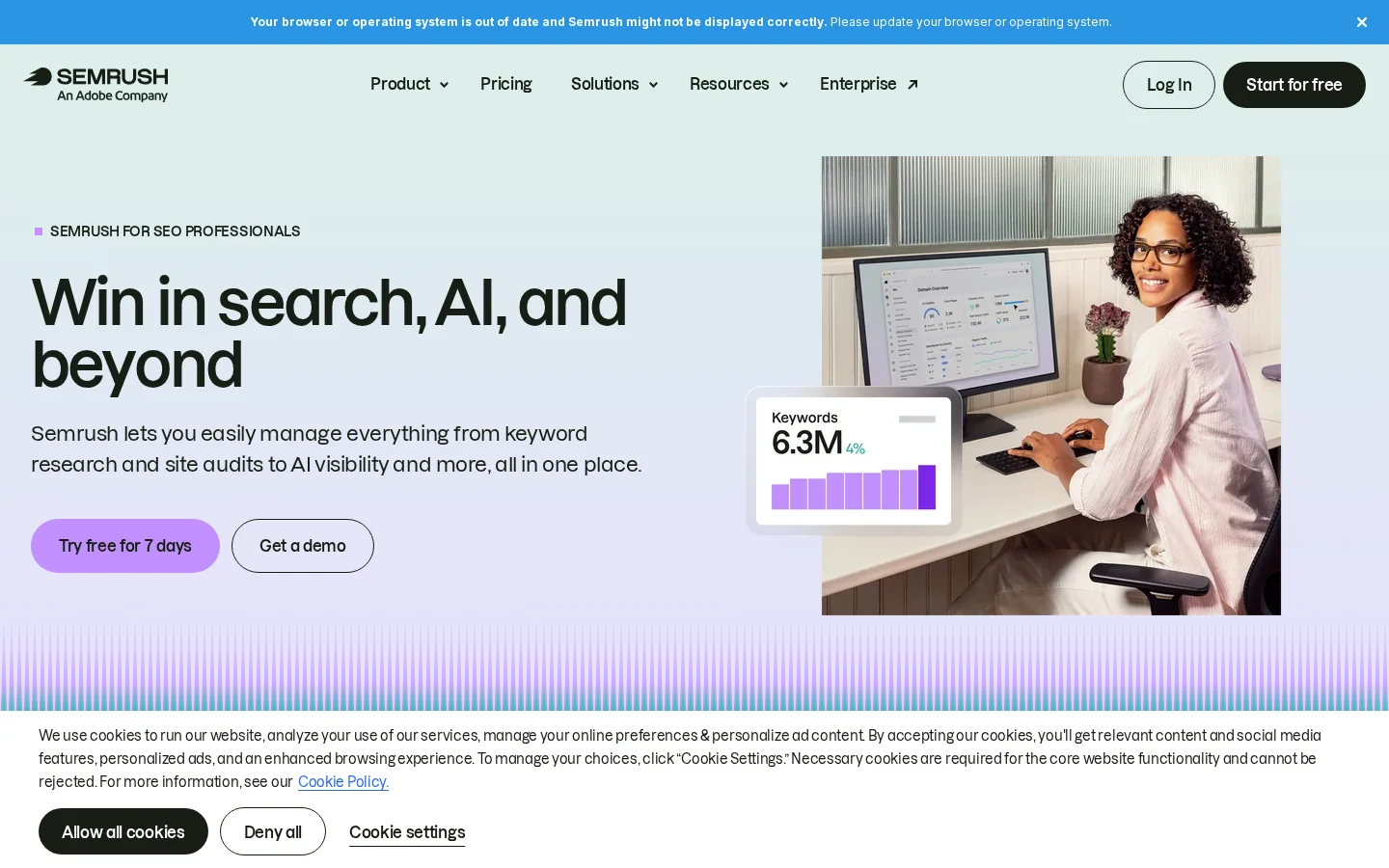
Semrush offers keyword, domain and site-health reporting, with a wide set of competitor research views. Its largest claim is the size of its keyword database. The FAQ on its solutions page says the database "covers 28B+ keywords across 142 geographic databases and is continuously updated" (Semrush solutions page for SEO professionals, checked 22/11/2026). That matters when you research a niche in a smaller market, where a thin database gives you few terms to work with.
Semrush at a glance
Sources: Semrush solutions page and Semrush help article 998, both checked 22/11/2026
Ubersuggest is the tool many people pick when they start SEO on a small budget. It covers keyword ideas, site audits and competitor views, and its plans are sold by number of websites and daily search allowance. The three paid plans on its pricing page are Individual, Business and Enterprise/Agency. I could not find a database size for Ubersuggest in this check, so do not compare the two on database size until you have the number from the vendor.
Semrush suits a marketing team that wants one suite for research, audits and reporting, and an agency that tracks many clients and rivals. Ubersuggest suits a founder doing their own SEO, a creator with a few sites and a marketer who must justify every euro or dollar of tool spend. The overlap is large, so the real question is whether you need the extra depth, and whether you will use it every week.
Two tools can show the same keyword with different volumes, because volume is an estimate built from data you cannot see. Semrush publishes how its data is built, which lets you judge its numbers. Ubersuggest's public pages give plan limits, but I could not find an equivalent data-source page, so treat its volumes as a directional signal until you check them. Start from the one thing that is certain: a keyword volume is never a count of the real searches for your site.
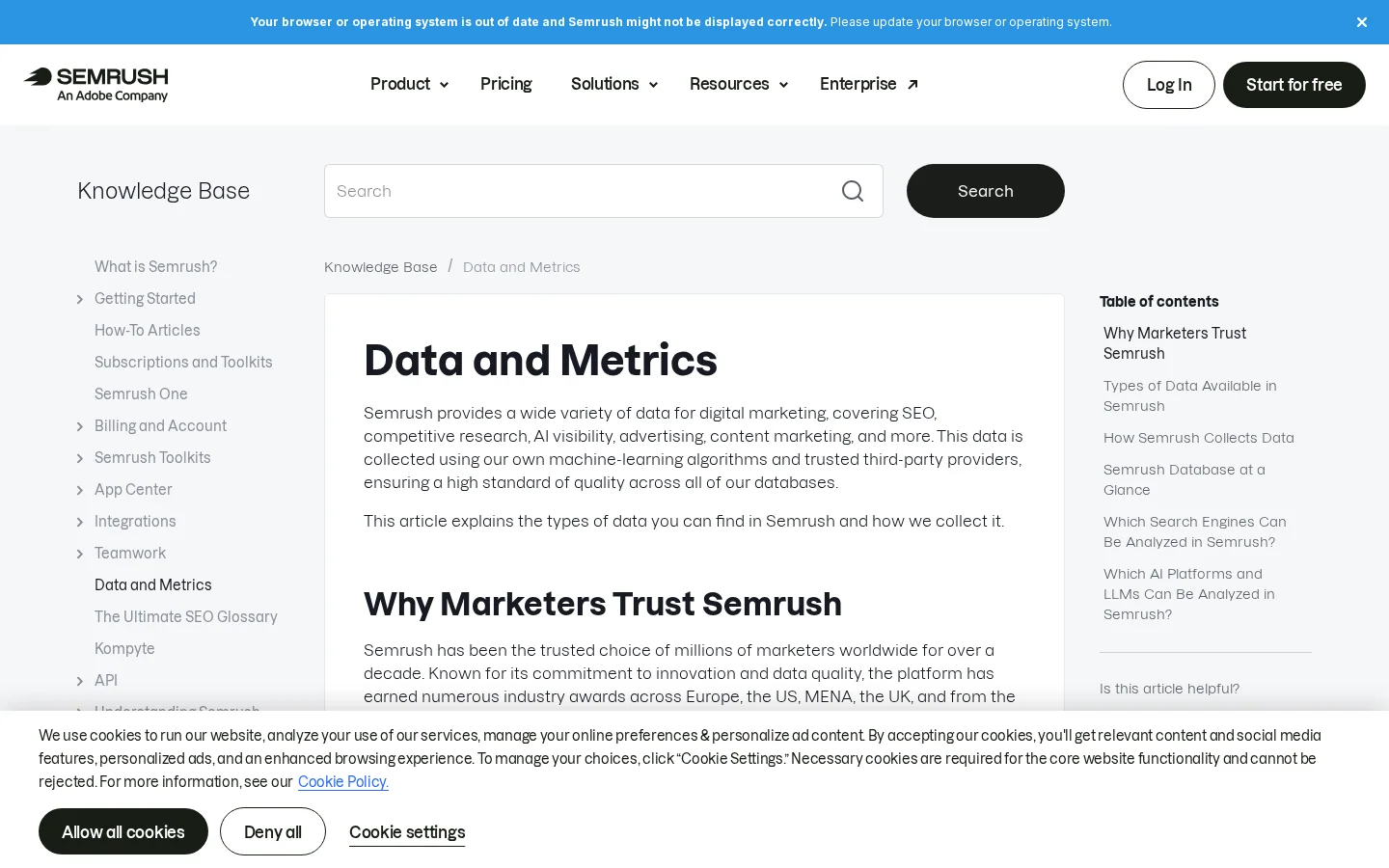
Semrush's help article on where its data comes from, checked on 22/11/2026, describes three inputs. The first is keyword and ranking data. Semrush says it works with third-party data providers to collect Google results, covering the top 100 positions for hundreds of millions of keywords. The second is traffic data, which comes from a clickstream panel of more than 200 million anonymized internet users across more than 190 countries and regions. A neural network processes that panel together with Semrush's backlink and organic position databases. The third is a proprietary crawler that reviews about 10 billion pages a day and feeds the backlink database (Semrush help article 998).
Two details matter when you use these numbers. The article says keywords update on an ongoing basis, with the frequency depending on each keyword's popularity, and that updates range from daily to monthly. It also does not explain exactly how search volume is estimated, so volume is still a model and not a measurement.
Before you trust Ubersuggest volumes for a decision, ask the vendor three questions in writing: where the volume comes from, how often it updates, and which countries and languages it covers. Some third-party reviews say Ubersuggest relies on Google's Keyword Planner data with its own adjustments, but those reviews disagree with each other. Treat that as a lead to confirm, not a fact. The answers decide how much weight a volume deserves in your spreadsheet.

For keyword research, Semrush gives you more keywords and more detail per keyword. Ubersuggest gives you a faster start at a lower price, but its daily search limit is the first wall you will hit on a large project. The two numbers you will use most are keyword volume and keyword difficulty, and each tool estimates them in its own way. Run the same list through both before you rely on either one.
Volume is a monthly estimate of searches for a term in one country. Difficulty is an estimate of how hard it is to reach the first page, built from the pages that already rank. Neither number tells you the traffic you will get, because the click share depends on the result layout, the features shown above the organic results and the position you reach. Use volume to rank options against each other, and use difficulty to sort them into "try now" and "later" piles. Do not use either one to predict visits.
A term can have volume in one country and almost none in the next. Semrush's 142 geographic databases make it easier to check the same term in several markets, which helps if you sell in more than one country. Check the country setting in each tool before you read a number, because the default is often your home market. For a single-market site, the database size matters less than the accuracy for your own language, so test that with five terms you know well.
Semrush's edge is coverage and the detail it publishes about its data. A large database means you are more likely to find long-tail terms in a smaller market, and more likely to see the same term across several countries. A content team that plans hundreds of keywords a month will use that depth every week. If you need twenty keywords for one site, you may never touch it.
Data depth, as published on each site
Sources: Semrush solutions page and help article 998; Ubersuggest pricing page, all checked 22/11/2026
Tip
Before you buy either tool, run your first 20 keywords through the free keyword research and suggestions tool on Sorank. You get a list to test against, so you do not start from an empty spreadsheet.
Both tools can show the domains that rank for your keywords and the keywords those domains rank for. That is the core of competitor analysis. The difference is how far you can take it: how many competitors you can follow, how many pages a crawl reads and how fresh the data is. Those limits are where most buyers feel the gap, so check them before you read the features list.
For each rival, pull four things: the keywords they rank for that you do not, the pages that bring them the most traffic, the topics they have published recently and the domains that link to them. Semrush gives you the widest range of these views. Ubersuggest covers the core views on its plans, and the page scan limit per project decides how many pages you can crawl before you need to upgrade. Look at the page that gets the traffic first. The keyword list usually follows from it.
On Ubersuggest's pricing page, each plan sets a page scan limit per project: 1000 on Individual, 5000 on Business and 10000 on Enterprise/Agency. A project is one site, so each client or each domain you track has its own allowance. Semrush's pricing page lists project limits and crawl limits as not stated, so you cannot compare the two on paper. Compare them on the same site instead: crawl one domain in both tools and count the pages each one reads.
Freshness changes what you can act on. Semrush's help article says keyword data updates daily to monthly, depending on the keyword's popularity, so a popular term is current and a rare one may lag. For Ubersuggest, I could not find a published update schedule. Check it with a term you know changed recently, such as a product name that launched this year, and see which tool shows the change first.
If you want the competitor view to run on its own, Sorank's SEO Spy Tool tracks the keywords of up to five competitors and turns their new pages into ideas for your content calendar each week. It is a different job from a one-off comparison. It watches the competitors in the background, while Semrush and Ubersuggest answer the questions you bring to them.
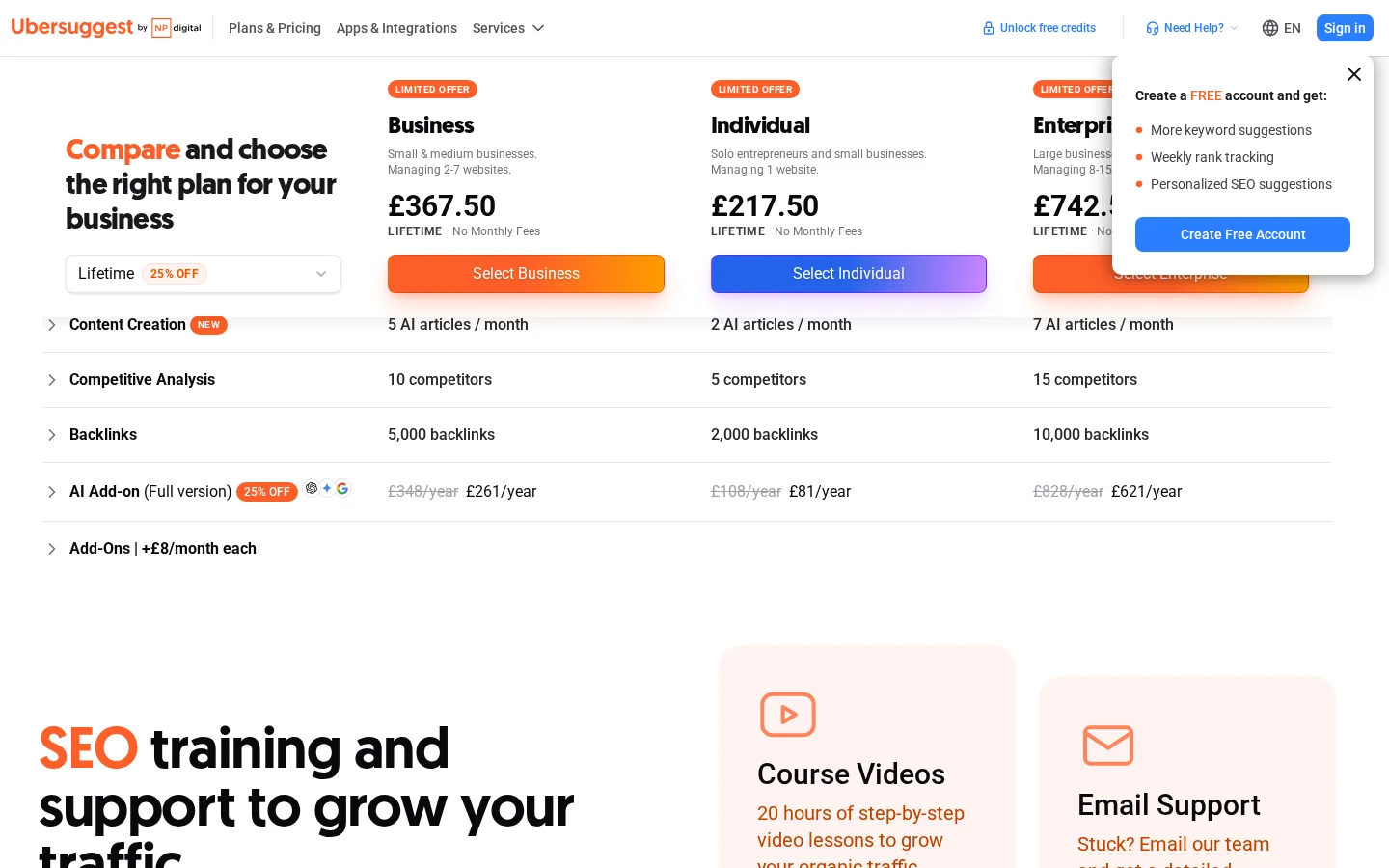
Ubersuggest's list prices are the easiest part to compare. On its pricing page, in USD and checked on 22/11/2026, the three monthly plans cost $29, $49 and $99. The real difference lies in the limits, which grow faster than the price. Moving from Individual to Enterprise/Agency more than triples the price, from $29 to $99, and multiplies the daily search allowance by six, from 150 to 900. Read the table first, then work out what each unit of limit costs you.
| Plan | Monthly (USD) | Websites | Searches per day | Projects | Page scans per project |
|---|---|---|---|---|---|
| Individual | $29 | 1 | 150 | 1 | 1000 |
| Business | $49 | 2 to 7 | 300 | 7 | 5000 |
| Enterprise/Agency | $99 | 8 to 15 | 900 | 15 | 10000 |
Source: Ubersuggest pricing page, checked 22/11/2026. The 7-day free trial applies to monthly billing only.
The plan price alone says little, so divide it by the limit you care about. The formula below gives the price per page scan that a plan allows inside one project. It uses the limits as published, so treat the result as a comparison tool, not as your bill.
price per page scan = monthly plan price / page scans per project

Individual:        $29 / 1000  = $0.029
Business:          $49 / 5000  = $0.0098
Enterprise/Agency: $99 / 10000 = $0.0099
The Business plan gives the lowest cost per scan, not the Individual plan. That is the kind of result a price list hides, and it only matters if you actually use the scans. I could not confirm from the pricing page whether the scan allowance resets each month, so ask before you count on it.
On 22/11/2026, the Semrush pricing page at semrush.com/prices showed prices in pounds. Its SEO plan was listed at £113 a month billed monthly, in a plan structure that differs from the one many older reviews describe. Get a quote for your country on the live page, and write down the plan name, the price and the limits you saw, because plan names change.
Warning
The prices in this article are the ones I checked on 22/11/2026. Ubersuggest says its prices are localized, so the amount you pay can differ from the USD list. Confirm the amount on the pricing page before you budget.
The fastest way to choose is to run both tools on the same input and compare what they return. Pick a small set of keywords and a few competitors, run them in both tools on the same day, and score each output against what you would do next. This takes less time than reading two feature lists, and it gives you numbers you can defend in a meeting.
Keep the test small, so the comparison stays fair and cheap to run. Use 20 keywords: about half head terms in your category and half long-tail questions your customers actually type. Add three competitor domains you already lose to. Run the test on your own site and on one competitor, so you can see both coverage and accuracy. Write the list in a sheet before you open either tool, so you do not adjust the list to fit the tool that looks better.
The same-keywords test
Example
Say your list shows volume for 12 keywords in one tool and for 9 in the other. The tool with more volume data is more useful for your niche, but only if its numbers match your own Search Console data for the terms you already rank for. Check that match first. A tool that is generous with volume but wrong on your own terms will mislead every decision you make with it.
Accuracy is the hardest part to judge, because no tool shows you the true search count. Use the terms you already rank for as your control group. Google Search Console reports the impressions and clicks your own pages get for each query, which is real data about your site. If a tool's volume and difficulty look wrong against that data for your own terms, expect the same error on the terms you do not rank for yet.
Judge the outputs on three checks. First, does the tool agree with what you already see? Compare its volume and ranking for your own terms with Search Console. Second, does it find keywords you did not think of? Count the new terms that pass a basic relevance check. Third, does the cost fit the work? Divide the plan price by the number of terms you will actually act on each month, and compare that figure across both tools.
Most bad purchases come from five mistakes: comparing list prices without the limits, treating volume as exact, testing on one site, trusting star ratings and committing to yearly billing before the test. Each one is easy to spot once you know what to look for, and each has a fix you can apply before you pay.
What it is: You pick the cheapest plan, then hit a daily search or project limit in your second week. How to spot it: Your plan has fewer projects or daily searches than your weekly keyword work needs. How to fix it: List your real weekly work, meaning keywords checked, sites tracked and pages scanned, and match each plan to that list. Use the cost per page scan formula above so you compare cost per unit, not plan names.
What it is: You read one volume number and plan your content as if it were a promise. How to spot it: The two tools give different volumes for the same term, or the number moves between checks with no clear reason. How to fix it: Use volume to rank options, not to forecast traffic, and check important numbers in a second source before they go into a budget. The keyword volume explained entry covers why the number is an estimate.
What it is: You test on your largest site, which has years of links and rankings, and conclude that the tool is accurate. How to spot it: The results look good on the brand terms you already rank for and vague on the new topics you are targeting. How to fix it: Run the same test on one small site and one competitor. A tool that matches a large brand may still miss the niche your new site is trying to enter.
What it is: You choose the tool with the higher rating on a review site. How to spot it: The ratings differ between review sites, and the reviewers have different budgets and needs. How to fix it: Use the ratings to find questions to ask, then decide on the data depth, the limits and the price you measured yourself. A high rating from a team with a large budget says little about your own use.
What it is: You switch to yearly or lifetime billing to save money, before you have tested the tool on your own keywords. How to spot it: You cannot test the plan because the free trial is not offered on that billing option. On Ubersuggest, the 7-day free trial applies to monthly billing only. How to fix it: Start on monthly billing, run the test list, and move to a longer billing term only after the numbers match your own data.
Before you pay, check
Pick Semrush when your work needs depth across many keywords, markets and competitors, and you can absorb a higher price. Pick Ubersuggest when you start SEO on a small budget, run one or two sites and need a daily allowance that fits a small team. In between, the table below helps you match your situation to a starting point before you run the test.
| Your situation | Better starting point | Why |
|---|---|---|
| One small site, first keywords, tight budget | Ubersuggest | Lowest entry price, and a daily allowance that fits a short list |
| Agency with many client sites and rivals | Semrush | Broader data and a published database size to explain to clients |
| Content team that plans a large keyword list each month | Test both | Volume gaps show up at scale, so check your own list first |
| Need a daily competitor watch, not one-off reports | Neither alone | Both answer the questions you bring; a monitoring tool covers the watch |
Neither tool tells you what to write, and neither replaces your own analytics. Both give you ideas, numbers and competitor views, but the decision about which page to build, what to say on it and how to measure its results still sits with you. Keep your own tracking running, so you can check every tool against the traffic you actually receive.
If you are still deciding, read our Semrush review for the full product picture. If Ahrefs is also on your list, the Ahrefs vs Ubersuggest comparison takes a different angle, focused on Ahrefs. For the Semrush side against another rival, see Semrush vs Moz.
Pick the test list today, run it in both tools on the same day, and write down three numbers: the volume you trust, the limit you would hit first and the price per useful result. Once you choose a tool and a keyword list, a planner turns that list into a calendar. Sorank's AI content calendar plans and publishes your blog from a keyword list, so the work after the test does not stall. Keep the same list when you test the next tool, so the results stay comparable.
For depth, yes. Semrush publishes a 28B+ keyword database and explains its data sources, so it suits teams that work with many keywords, markets and competitors. For a small site on a tight budget, Ubersuggest often covers the basics at a much lower price.
Yes, at the entry level. Ubersuggest's Individual plan is $29 a month in USD on its pricing page, checked on 22/11/2026. Semrush's SEO plan cost £113 a month billed monthly on its pricing page the same day, and prices vary by country and billing period.
For a small project, often yes, as long as the daily search limit fits your work: 150 searches a day on the Individual plan. For large keyword lists or deep competitor data, run the same keywords through both tools and compare the results before you switch.
We analyse your competitors, your website and your AI visibility to create a tailored content plan for free.
 Website Value Calculator
 Website Accessibility Checker
 Google Analytics Checker
 Duplicate Content Checker
 Mobile-Friendly Test
 Website Speed Test
 Subdomain Finder
 Domain Age Checker
 CMS Detector
 Googlebot Simulator
 Nofollow Link Checker
 Meta Tag Checker
 Keyword Cannibalization Checker
 Keyword Intent Checker
 Keyword Extractor
 Google Ads Cost Calculator
 CPC Calculator
 Local Citation Finder
 Reddit Threads Finder
 Disavow File Generator
 Redirect Generator
 Canonical Tag Generator
 Passive Voice Checker
 Google Location Changer
 Google Review Calculator
 Google Review Link Generator
 Keyword Combiner
 Podcast Show Notes Generator
 AI Content Rewriter
 AI Text Humanizer
 ChatGPT Prompt Generator
 Twitter Thread Generator
 Tweet Generator
 Landing Page Copy Generator
 Google Ads Copy Generator
 Pinterest Pin Description Generator
 Anchor Text Generator
 Social Media Post Generator
 LinkedIn Post Generator
 Free AI Writer
 Review Response Generator
 LSI Keyword Generator
 YouTube Video Ideas Generator
 YouTube Tag Generator
 YouTube Description Generator
 Product Description Generator
 CTA Generator
 Blog Introduction Generator
 Conclusion Generator
 Hook Generator
 AI Content Brief Generator
 FAQ Schema Generator
 AI Blog Post Ideas Generator
 Structured Data Validator (Schema Validator)
 Alt Text Checker
 Internal Link Analyzer
 Backlink Challenge
 AI Meta Description Generator
 AI Blog Title Generator
 Google Indexability Checker
 AI Blog Outline Generator
 UTM Link Builder
 Keyword Clustering Tool
 Canonical Tag Checker
 XML Sitemap Generator
 Broken Link Checker
 AI SEO Title Generator
 Headline Analyzer
 SERP Preview Tool
 Redirect Checker
 Hreflang Tag Generator
 Heading Structure Analyzer
 HTTP Headers Checker
 Favicon Extractor
 SERP CTR Calculator
 SEO vs Paid Search Savings Calculator
 SEO Share of Voice Calculator
 SEO ROI Calculator
 SEO Traffic and Revenue Forecast Calculator
 SEO Budget Calculator
 SEO Break-Even Calculator
 SaaS SEO ROI Calculator
 ROAS Calculator
 Reading Time Calculator
 Ranking Gain Simulator
 Organic Traffic Value Calculator
 Organic Traffic Estimator and Website Traffic Checker
 LTV to CAC Ratio Calculator
 Local SEO ROI Calculator
 Link Building Cost Calculator
 Keyword Value Calculator
 Keyword Opportunity Score Calculator
 Keyword Density Calculator
 GEO ROI Calculator
 GEO Content Investment Calculator
 Ecommerce SEO ROI Calculator
 Customer Lifetime Value Calculator
 Customer Acquisition Cost Calculator
 CTR Calculator
 Cost Per Article Calculator
 Conversion Rate Calculator
 Content Marketing ROI Calculator
 ChatGPT Referral Traffic Estimator
 Bounce Rate Calculator
 Backlink ROI Calculator
 AI Visibility Score Calculator
 AI Traffic Value Calculator
 AI Share of Voice Calculator
 Cost of AI Invisibility Calculator
 AI Citation Rate Calculator
 llms.txt Validator
 AI Overview Checker and AI Overviews Rank Checker
 Robots.txt Checker
 AI SEO Audit
 LLM Readability Checker
 SearchGPT Readiness Checker
 Structured Data LLM Audit
 Website Crawlability AI Audit
 Why ChatGPT Is Not Recommending My Website
 Gemini Ranking Tool
 Perplexity Ranking Checker
 LLM Citation Checker
 Answer Engine Optimization Audit
 GEO Audit
 AI Search Visibility Test
 ChatGPT Visibility Checker
 llms.txt Generator
 URL Extractor
 Webpage to Markdown
 Sitemap Checker
 SERP Volatility Sensor
 Page Size Checker
 Word Counter
 Slug Generator
 Schema Generator
 Robots Generator
 OG Preview
 Meta Tags Generator
 Image Compressor
 Favicon Generator
 On-Page SEO Audit: SEO Checker and SEO Analyzer
 Backlink Analysis Tool
 Keyword Research Tool
 Domain Authority Checker
 “I tested Sorank on a real client site and it's insane. It does everything an agency would bill you $1500 a month for. It's going into production on that client now.”

 Guillaume Guersanguersanguillaume.com“We are an Ads agency and we wanted to get our SEO back on track once and for all. Sorank gave us a clear view of our site, helped us prioritize optimizations, and properly structure our content. The tool is easy to use, well designed for a team, and very practical for centralizing tracking without having to juggle multiple platforms. A very solid foundation to start fresh with our SEO.”
 Gaspard MadouiAds Agency
 “I just let the Sorank software do its thing, and now my DR is 25 and my page is ranking higher.”
 Lucas Flandrefoundertrace.fr“I specialized in GEO thanks to Sorank. The GEO Leaderboard allows me to show my clients their position vs competitors on ChatGPT. It’s a real commercial differentiator.”
 MélanieSEO Freelance“Great service, works well for our website and helps us understand how to improve it to rank better on Google and elsewhere. Congrats, keep going, I recommend it.”
 Hugo T.E-commerce merchant