Preferences
Privacy is important to us, so you have the option of disabling certain types of storage that may not be necessary for the basic functioning of the website. Blocking categories may impact your experience on the website. More information
Privacy is important to us, so you have the option of disabling certain types of storage that may not be necessary for the basic functioning of the website. Blocking categories may impact your experience on the website. More information

 Ahrefs vs Ubersuggest: Which SEO Tool Fits You, and How to Test Both
Ahrefs vs Ubersuggest on keyword difficulty, backlinks, audits and real prices, with a method to test both on your own site before you pay for either one.

In short
Ahrefs is a professional SEO platform built around backlink and keyword data, with deeper reports and pricier top plans. Ubersuggest is a cheaper, simpler suite for keyword ideas and quick checks. Pick the tool that matches your weekly workload, then test it on your own site before you pay.
Want to go further? Ask
Quick quiz
Which kind of SEO tool is right for you?
Sorank matches your answers


Test it for 3 days on your own site and see where you stand on Google, ChatGPT and the other AIs.
Start 3-day free trial3 days free, then stop whenever you want. 90-day results guarantee, conditions apply.
Ahrefs is built for people who work with SEO data every day. Ubersuggest is built for people who want a readable answer in a few minutes. Both cover keyword research, competitor checks, backlinks and site audits, so the real question is not which one has the longer feature list. It is how much depth you need, how fast you need answers, and what you can spend each month.
Ahrefs is best known for its backlink data. Site Explorer shows the links pointing to any domain, Keywords Explorer shows search volume, difficulty and ranking history, and Site Audit and Rank Tracker cover your own projects. The interface is dense. Expect a few sessions of learning where each report lives, and expect the reports to answer the follow-up questions that a simpler tool leaves open.
Ubersuggest puts keyword ideas, traffic estimates, backlinks and an audit on fewer screens. For a blogger who needs ten topics this week, that is often enough. The trade-off is depth. The independent comparisons I read describe its competitor and backlink reports as shallower, and they say its difficulty scores are harder to check, which is why section 2 spends time on how to read them.
If you also look at Semrush, our Semrush review covers that tool with the same questions. For a ranking of tools across budgets, see our list of the best keyword research tools. This article compares only two tools and gives you a way to test them yourself.
| Question | Ahrefs | Ubersuggest |
|---|---|---|
| Main strength | Depth of backlink and keyword data | Fast ideas and an easy interface |
| Who it suits | SEO specialists, agencies, link builders | Bloggers, founders, small teams |
| Difficulty score | Built from referring domains of the top 10 pages | Its own score, whose method the pages I read do not describe |
| Free access | A free tier exists, not a trial | No free plan in the official pricing table |
| Free trial | Trial terms not stated on the pricing page I checked | 7-day trial on monthly plans only |
Ahrefs' Keyword Difficulty (KD) is an estimate of how hard it would be to rank on the first page of Google, on a scale from 0 to 100. The Ahrefs Help Center article dated September 3, 2026 says it uses the number of referring domains of the top 10 organic pages, and that it does not take any on-page SEO factor into account. Ubersuggest also gives a difficulty score. The pages I read do not explain how it is calculated, so you cannot tell from the outside what it measures.
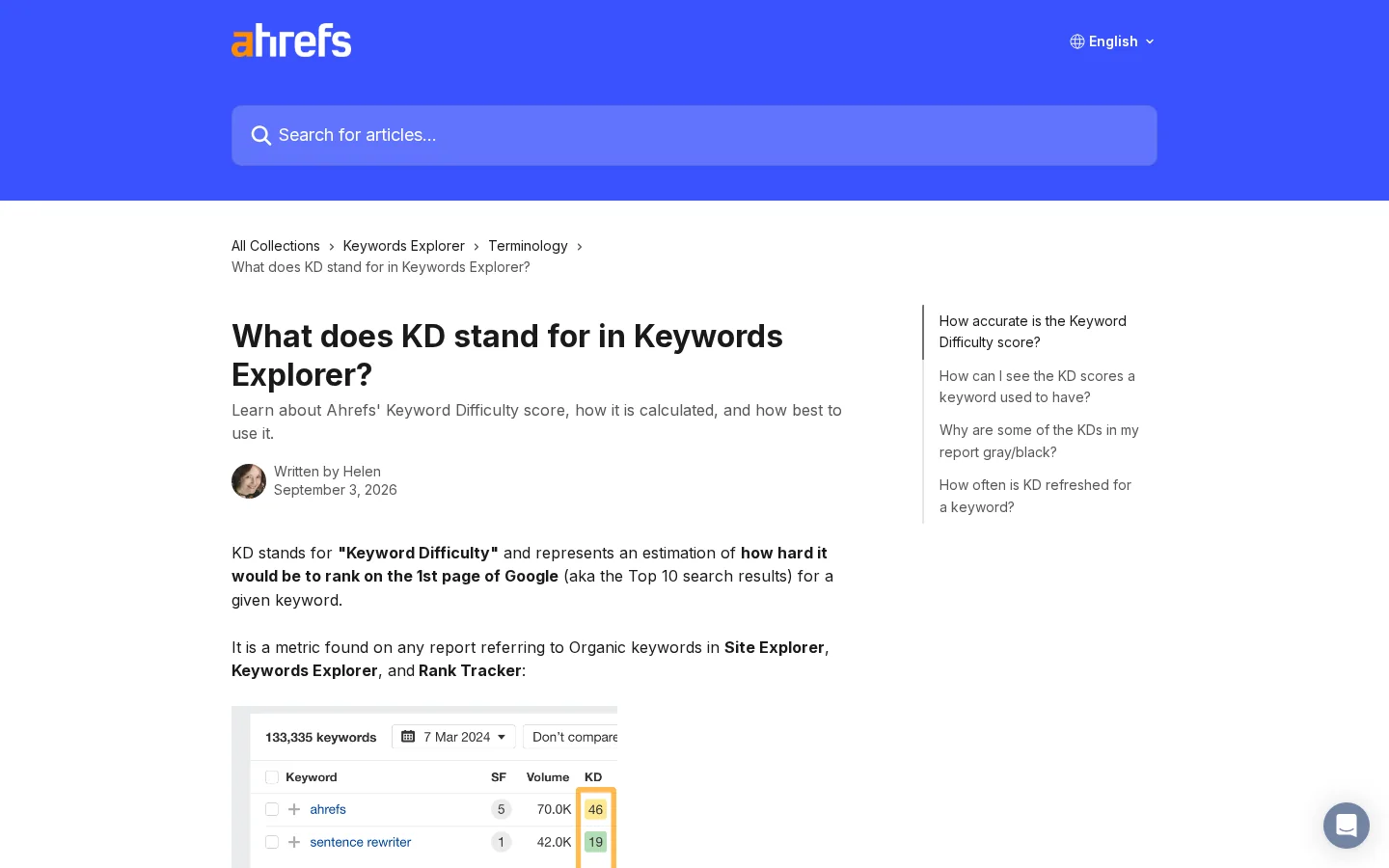
Keyword Difficulty in three numbers
Source: Ahrefs Help Center, article on what KD stands for in Keywords Explorer, dated September 3, 2026
That gap matters. A score built on links tells you how much link authority the current results have. It tells you nothing about whether a page written for the exact query would beat them. Ahrefs makes the same point in its own article, which says you should not base all your SEO decisions on the KD score alone. Read the number as a clue about competition, then check the results page before you decide.
Because KD counts referring domains, a keyword can look hard only because its top pages have many links, even when those pages answer a slightly different question. The reverse also happens. A low score can hide a top 10 made of thin pages, and a well-matched page can rank for a harder query. The score measures link competition. It does not measure the quality of the page you would write, how fresh the results are, or whether they match the intent behind the query.
Example
Suppose you find two keywords. Keyword A has a difficulty of 12, and its top 3 are old forum threads. Keyword B has a difficulty of 35, and its top 3 are recent, detailed guides with a clear answer format. A plain reading of the score puts A first. A reading of the results page says A is a quick win only if your page can be clearly better than an old thread, while B is a harder fight that may match your offer better. Use the score to sort, then decide with the page.
Treat KD as a filter, not a verdict. Start with intent: keep only the keywords whose results match a page you can actually write. Then open the results page and look at three things: the type of page ranking (guide, product, forum, news), how fresh the top results are, and whether the top 3 look beatable for your site. Only after that does the difficulty number help you rank the options that remain. For the definition in plain words, read our glossary entry on keyword difficulty.

Most independent comparisons I read put Ahrefs ahead on backlink data, and that is why link builders and agencies pay for it. Depth still needs checking. Before you rely on any link index, compare it with links you already know exist. A large index that misses your own links is of little use to you.
Site Explorer lists the referring domains, the pages they point to and the anchor text used. Ahrefs also publishes Domain Rating (DR), a score from 0 to 100 for a whole site. DR is a vendor metric, not a Google measure. Read our Domain Rating glossary entry before you set a DR target for a client. The number is useful for comparing sites inside one tool, and it tells you much less when you compare across tools.
Ubersuggest's backlink view covers the basics: who links to you, which pages receive links, and how the count changes over time. For a site that needs a monthly check of its own links, that may be enough. For a link campaign built on a long list of targets, you will probably need more depth. The comparisons I read describe its index as smaller, which you can measure yourself with the method in section 7.
The Search Console Help article on the Links report describes a sample of internal and external links for your verified site. Each table is capped at 1000 rows, so large sites get truncated lists. The top linking sites are grouped by root domain, which means subdomains do not appear as separate rows. The report is free, so there is no reason to skip it. If a paid tool misses links that Search Console shows for your site, you have a measured gap, and that is more useful than any claim on a sales page. For a method to turn link lists into targets, read our backlink gap analysis guide.
Backlink research: what to expect from each
Depth: independent comparisons, to confirm with your own test. Price: ubersuggest.com/en/pricing
Both tools crawl your site and track positions, so the practical difference lies in the limits: how many projects you can run, how many keywords you can track per project, and how much history you keep. Check those numbers before you sign up. A plan that suits one site can run out of room as soon as you add a client or a second brand.
The Ubersuggest pricing page, checked in November 2026, lists 1, 7 and 15 projects for its three plans, with 125, 150 and 300 tracked keywords per project. If you want to track 200 terms for one site, the Individual plan is too small whatever its monthly price. Count your keywords before you choose a plan, and leave a margin for the terms you will want later.
Ubersuggest limits that decide the plan
Source: Ubersuggest pricing page, ubersuggest.com/en/pricing, checked November 2026
The Ahrefs pricing page lists 5, 20 and 50 non-verified projects for its Lite, Standard and Advanced plans, with 750, 2000 and 5000 tracked keywords. All three main plans include API and MCP access. Historical data runs for 6 months on Lite, 2 years on Standard and 5 years on Advanced, so if you need year-over-year trends, the plan you pick decides what you can see. The page also lists crawl credits for each plan, which you should compare with the size of the sites you audit.
Both tools handle a small site without trouble. The gaps show up on sites with thousands of URLs, heavy JavaScript or many redirects. Run a crawl of the same site in both tools, during a trial or on a free tier, then compare the lists of issues. Count how many issues each tool finds that the other misses, and open five of each to check. A tool that reports broken pages should send you to pages that really return an error. A tool that reports a missing title should show you a page with no title. Keep the findings you can verify, and drop the ones you cannot.
Ubersuggest's official pricing page lists its prices in US dollars. The Individual plan costs 29 dollars a month, 192 dollars a year, or 217.50 dollars once for lifetime access. Ahrefs prices depend on currency and region, so you have to put the two on the same basis before you decide.
| Plan | Monthly | Yearly | Lifetime (one payment) | Projects | Tracked keywords per project |
|---|---|---|---|---|---|
| Individual | $29 | $192 | $217.50 | 1 | 125 |
| Business | $49 | $326 | $367.50 | 7 | 150 |
| Enterprise/Agency | $99 | $657 | $742.50 | 15 | 300 |
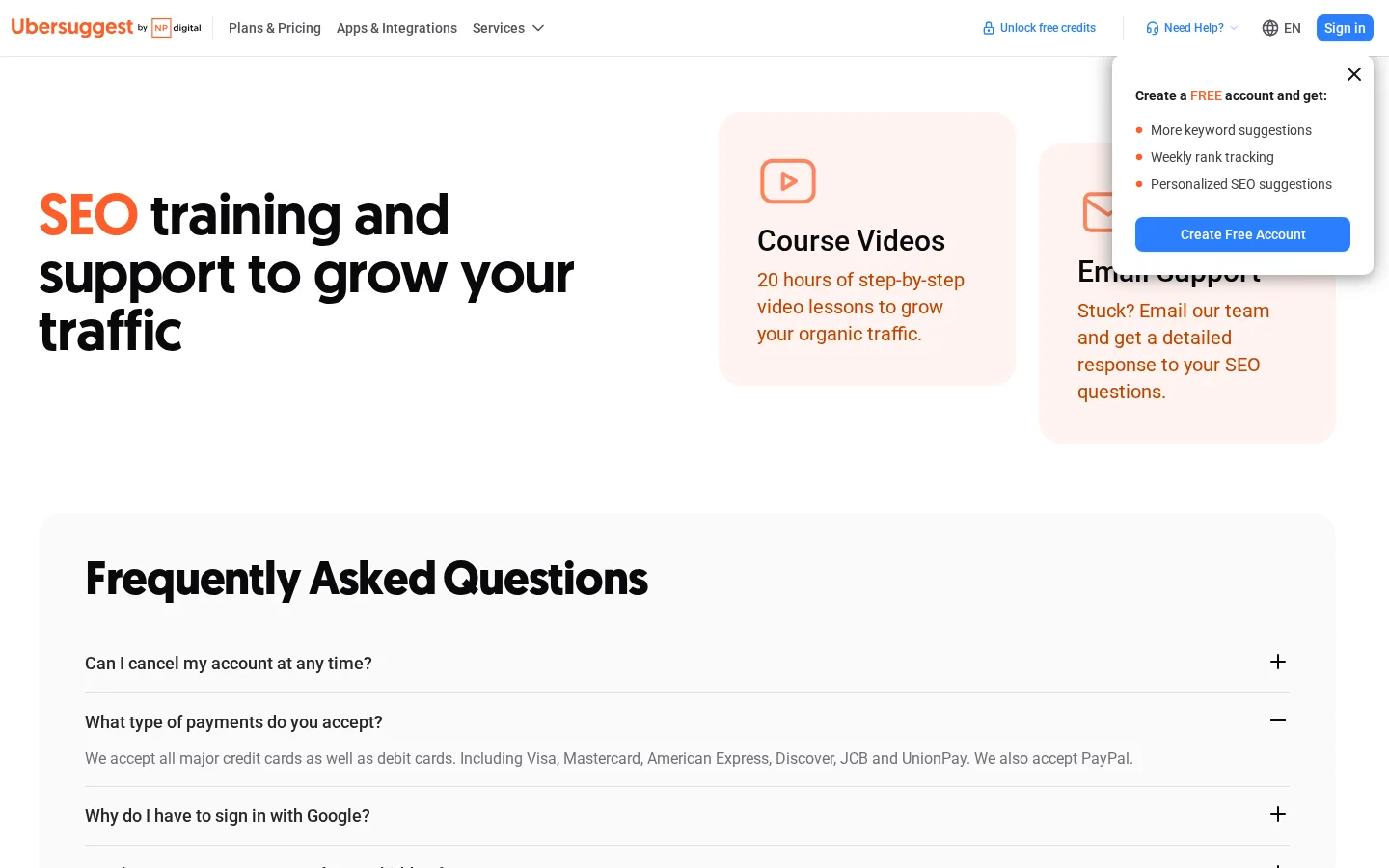
Yearly billing on Ubersuggest is about 45 percent cheaper than twelve monthly payments on each tier. On the Individual plan, the yearly price is 192 dollars against 348 dollars for twelve months of monthly billing. The lifetime price is worth it only if you keep using the tool, and it pays for itself after 7.5 months of monthly billing, or about 13.5 months of yearly billing. Use the formula below with your own plan to find your break-even point.
break-even vs monthly (months) = lifetime price / monthly price
217.50 / 29 = 7.5 months

break-even vs yearly (months) = lifetime price / (yearly price / 12)
217.50 / (192 / 12) = 13.6 monthsThe Ahrefs pricing page I checked showed prices in euros, with the Lite plan at 119 euros a month. It also says annual billing saves up to 17 percent, without listing each annual price on the same page. Those figures cannot be set beside the dollar prices above. Open the page in the currency you pay in, note the monthly price of the plan you need, and compare the same tier on both sides. If one tool bills yearly and the other monthly, convert both to a monthly figure first.
Warning
Comparison pages disagree on Ahrefs' starting price. Some quote 29 dollars a month for the cheapest plan, others 99. Prices change, and comparison articles go stale. Use the vendor's pricing page on the day you buy, and write the date next to your decision.
Note
The Ubersuggest table lists three paid plans and no free plan, so do not assume a free tier. Ahrefs lists a free tier, which is not a trial and does not replace a research plan.
Use four methods together: a side-by-side test on a fixed keyword list, a check against Search Console, a manual look at the results page, and a reading of the vendor's method. Each one catches a different kind of error, and none is enough alone. Any single tool can be wrong in a way its own dashboard never shows you.
Start from one fact about the data. Google's guidance on third-party SEO tools says that third-party tools don't have access to our internal ranking data. Every tool estimates from outside data, so every number carries an error you cannot see. Your job is to measure that error in your own niche.
Principle: export volume and difficulty for the same 30 keywords from both tools, on the same day, with the same country and language. When to use it: before you pay for either tool. Advantage: it is cheap and shows exactly where the two tools disagree. Limit: if both tools share an error, their agreement looks like proof. When two scores are far apart, such as 18 in one tool and 61 in the other, your next step is the results page, not the bigger number.
Principle: Search Console shows the queries that already bring you impressions, with your average position. These are the only figures that come from Google about your site. When to use it: when your site has some history. Advantage: the data is real and free. Limit: it only covers queries you already get, so it cannot tell you about new keywords or their difficulty. Take the 10 queries with the most impressions, and check how each tool rated them. Then compare that rating with the position you already hold. That gap is where a difficulty score earns or loses your trust.
Principle: open the results page, list the top 10 domains and page types, and rate how strong the top 3 look: the site type, the links you can see, the depth of the content and how recent it is. When to use it: for every keyword you plan to target. Advantage: it costs nothing and shows the intent that no score captures. Limit: it is subjective and slow beyond a few dozen keywords, so keep it for the shortlist.
Principle: read what the vendor says its score measures, and what it leaves out. Ahrefs defines KD from the referring domains of the top 10 organic pages, on a 0 to 100 scale, with no on-page factors. When to use it: before you trust any score in a report. Advantage: it tells you which errors to expect. Limit: a method description does not prove accuracy, and the full algorithm stays private.
| Method | What it tests | Cost | Main limit |
|---|---|---|---|
| Side-by-side list | Agreement between the two tools | Your time | Shared errors look like truth |
| Search Console check | Accuracy on queries you already get | Free | Covers only existing queries |
| Results page check | Real competition and intent | Your time | Subjective and slow at scale |
| Method documentation | What the score measures and ignores | Free | Does not prove accuracy |
Run a 30-keyword test in five steps, score both tools on the same list, and keep the tool with the higher hit rate for your niche. You can finish within a week, although the Search Console part needs several days of data to be meaningful. The steps below cover the whole process.
The five-step test
Source for the Search Console data: your own Google Search Console property
Tip
Build your 30-keyword list with our free keyword suggestions tool before you open either paid tool. Both tools then start from the same set of terms.
A hit is a keyword where the tool's difficulty band matches your manual check. Choose the bands before you start, for example low, medium and high, and write them down so you cannot move them later. Then apply this formula to each tool:
hit rate = keywords where the tool's band matches your manual check / keywords tested
example: 21 hits out of 30 keywords = 70%
With 30 keywords, a difference of one or two hits is noise. Choose a tool only when the gap is clear, and repeat the test with 30 new keywords before you commit to an annual plan.
The most common mistake is to treat a difficulty score as a ranking forecast. The others come from old prices, unequal tests and limits you only find after you pay. Each mistake below has a way to spot it and a fix you can apply the same day.
What it is: you pick a keyword with a low score and expect the page to rank within weeks. The score measures link competition only, so it says nothing about whether your page answers the query better than the current results. How to spot it: your page sits at position 40 after a month, although the score said the keyword was easy. How to fix it: check the results page for intent and page type before you publish, and judge the page after several months of data, not after its first crawl.
What it is: you set a dollar price from one article against a euro price on a vendor's page, or you use a figure from a comparison written two years ago. How to spot it: two sources give different starting prices for the same plan, or the page shows a currency that does not match your invoice. How to fix it: open the vendor's pricing page in the currency you pay, convert both plans to a monthly figure, and save the date of the check next to the decision.
What it is: you assume a larger link index gives you better link opportunities. An index tells you how many links the tool has seen, not whether those links help you. How to spot it: the tool reports thousands of referring domains, but your outreach list is full of directories and dead sites. How to fix it: filter the list by the topics and types of site you want, check five of the top links by hand, and compare the tool's list with Search Console for your own site.
What it is: you test both tools on three branded queries or on a single product category, then generalize the result. How to spot it: the test list has no informational questions, or every keyword comes from the same competitor. How to fix it: build the 30-keyword list from three groups: your own queries, your targets and your competitors' terms. Make sure a good share of them are informational questions, because those are the ones a content plan depends on.
What it is: you choose a plan on price, then discover that one project holds only 125 tracked keywords. How to spot it: the tool warns you at the limit, or your tracked list stops updating in the second week. How to fix it: before you choose, write down your keyword count per project, the number of sites you manage and the size of the crawls you need. Compare each figure with the plan table, and leave a margin for growth.
What it is: you assume that a free tier is a trial, or that a lifetime deal comes with the same terms as a monthly plan. How to spot it: the terms you read do not say which plans the trial covers, or the refund rule is missing from the order page. How to fix it: read the terms before you pay. The official Ubersuggest page says its 7-day trial applies to monthly plans only, so you cannot test a lifetime purchase that way.
Before you buy either tool
Pick Ahrefs if link research and competitor data are part of your weekly work and you can afford a plan built for them. Pick Ubersuggest if you need fast ideas and a readable report on a small budget. Either way, keyword data is only half the job. Someone still has to choose the page, write it, publish it and check where it ranks.
Pick the tool that matches your work
Based on the official pricing pages and the test in section 7
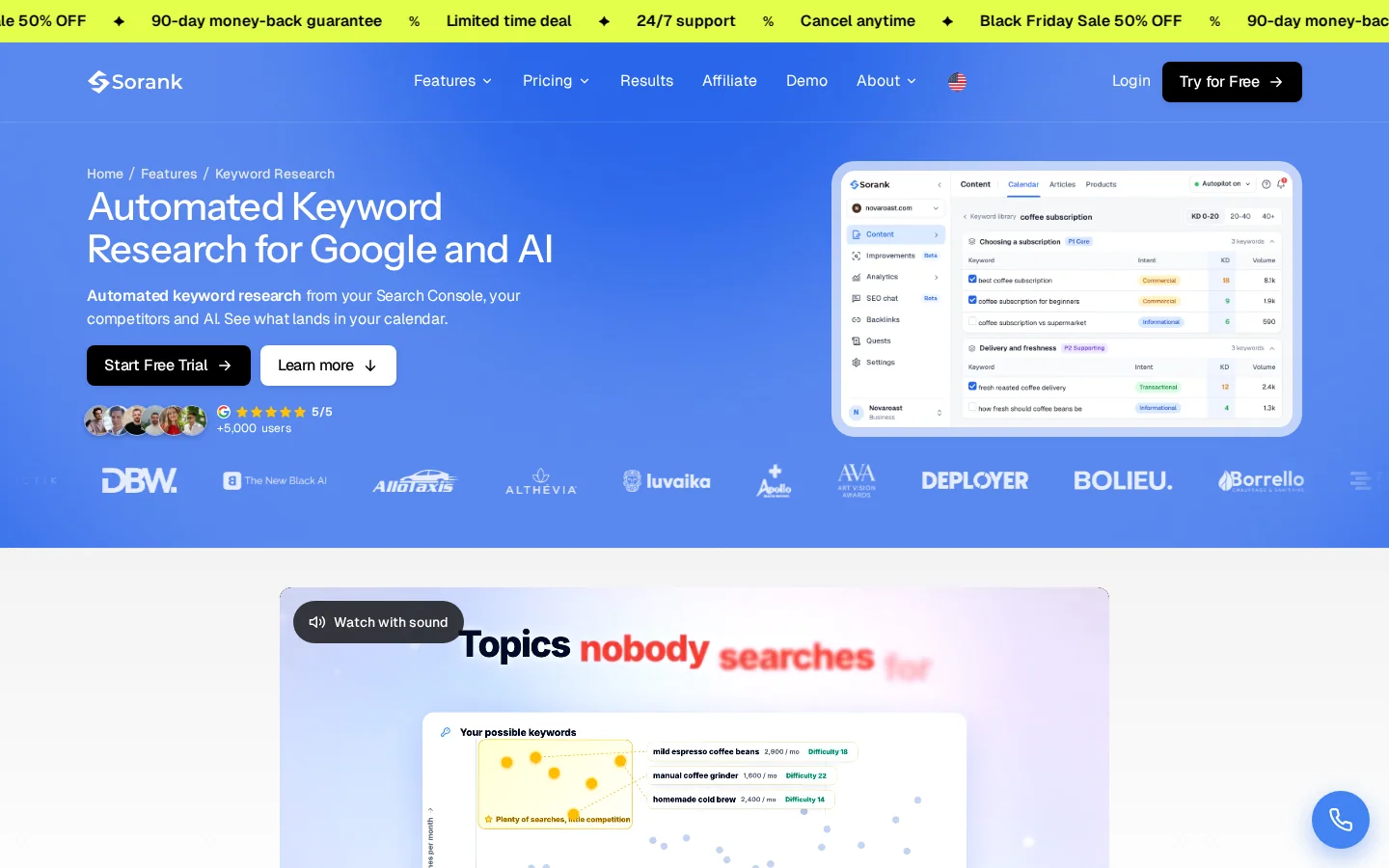
If publishing is your bottleneck, Sorank works at a different point in the process. Its automated keyword research draws on your Search Console data, the competitors you choose and the questions people ask AI models. Each keyword comes with volume, difficulty and intent, and a check against your existing pages filters out duplicates before the list reaches your content calendar. It does not replace a link database, so keep a backlink tool if link research is central to your work.
Finally, run the test before you buy. Keep the list, the scores and the date of your pricing check. If one tool gets your niche right more often, the decision is made, and what remains is a budget question.
It depends on the job. Ubersuggest is fast for keyword ideas, but its difficulty and backlink reports are harder to verify, and the pages I read do not explain its method. Test both tools on the same 30 keywords and on your own Search Console data before you cancel anything.
Ubersuggest's official pricing starts at 29 dollars a month, with yearly and lifetime options. Ahrefs prices depend on currency and region, so compare the same tier in the same currency on the day you buy.
Ahrefs' Keyword Difficulty is an estimate, on a scale from 0 to 100, of how hard it would be to rank on the first page of Google. It is based on the referring domains of the top 10 organic pages and ignores on-page SEO factors, so it measures link competition, not the quality of your content.
We analyse your competitors, your website and your AI visibility to create a tailored content plan for free.
 AI Content Brief Generator
 FAQ Schema Generator
 AI Blog Post Ideas Generator
 Structured Data Validator (Schema Validator)
 Alt Text Checker
 Internal Link Analyzer
 Backlink Challenge
 AI Meta Description Generator
 AI Blog Title Generator
 Google Indexability Checker
 AI Blog Outline Generator
 UTM Link Builder
 Keyword Clustering Tool
 Canonical Tag Checker
 XML Sitemap Generator
 Broken Link Checker
 AI SEO Title Generator
 Headline Analyzer
 SERP Preview Tool
 Redirect Checker
 Hreflang Tag Generator
 Heading Structure Analyzer
 HTTP Headers Checker
 Favicon Extractor
 SERP CTR Calculator
 SEO vs Paid Search Savings Calculator
 SEO Share of Voice Calculator
 SEO ROI Calculator
 SEO Traffic and Revenue Forecast Calculator
 SEO Budget Calculator
 SEO Break-Even Calculator
 SaaS SEO ROI Calculator
 ROAS Calculator
 Reading Time Calculator
 Ranking Gain Simulator
 Organic Traffic Value Calculator
 Organic Traffic Estimator and Website Traffic Checker
 LTV to CAC Ratio Calculator
 Local SEO ROI Calculator
 Link Building Cost Calculator
 Keyword Value Calculator
 Keyword Opportunity Score Calculator
 Keyword Density Calculator
 GEO ROI Calculator
 GEO Content Investment Calculator
 Ecommerce SEO ROI Calculator
 Customer Lifetime Value Calculator
 Customer Acquisition Cost Calculator
 CTR Calculator
 Cost Per Article Calculator
 Conversion Rate Calculator
 Content Marketing ROI Calculator
 ChatGPT Referral Traffic Estimator
 Bounce Rate Calculator
 Backlink ROI Calculator
 AI Visibility Score Calculator
 AI Traffic Value Calculator
 AI Share of Voice Calculator
 Cost of AI Invisibility Calculator
 AI Citation Rate Calculator
 llms.txt Validator
 AI Overview Checker and AI Overviews Rank Checker
 Robots.txt Checker
 AI SEO Audit
 LLM Readability Checker
 SearchGPT Readiness Checker
 Structured Data LLM Audit
 Website Crawlability AI Audit
 Why ChatGPT Is Not Recommending My Website
 Gemini Ranking Tool
 Perplexity Ranking Checker
 LLM Citation Checker
 Answer Engine Optimization Audit
 GEO Audit
 AI Search Visibility Test
 ChatGPT Visibility Checker
 llms.txt Generator
 URL Extractor
 Webpage to Markdown
 Sitemap Checker
 SERP Volatility Sensor
 Page Size Checker
 Word Counter
 Slug Generator
 Schema Generator
 Robots Generator
 OG Preview
 Meta Tags Generator
 Image Compressor
 Favicon Generator
 On-Page SEO Audit: SEO Checker and SEO Analyzer
 Backlink Analysis Tool
 Keyword Research Tool
 Domain Authority Checker
 “I tested Sorank on a real client site and it's insane. It does everything an agency would bill you $1500 a month for. It's going into production on that client now.”

 Guillaume Guersanguersanguillaume.com“We are an Ads agency and we wanted to get our SEO back on track once and for all. Sorank gave us a clear view of our site, helped us prioritize optimizations, and properly structure our content. The tool is easy to use, well designed for a team, and very practical for centralizing tracking without having to juggle multiple platforms. A very solid foundation to start fresh with our SEO.”
 Gaspard MadouiAds Agency
 “I just let the Sorank software do its thing, and now my DR is 25 and my page is ranking higher.”
 Lucas Flandrefoundertrace.fr“I specialized in GEO thanks to Sorank. The GEO Leaderboard allows me to show my clients their position vs competitors on ChatGPT. It’s a real commercial differentiator.”
 MélanieSEO Freelance“Great service, works well for our website and helps us understand how to improve it to rank better on Google and elsewhere. Congrats, keep going, I recommend it.”
 Hugo T.E-commerce merchant