Preferences
Privacy is important to us, so you have the option of disabling certain types of storage that may not be necessary for the basic functioning of the website. Blocking categories may impact your experience on the website. More information
Privacy is important to us, so you have the option of disabling certain types of storage that may not be necessary for the basic functioning of the website. Blocking categories may impact your experience on the website. More information

 Ahrefs Link Building for Beginners: A Step-by-Step Guide
Learn Ahrefs link building for beginners: find the right pages, pitch with a clear reason, track results, and stay within Google's link spam rules.

In short
Link building with Ahrefs for beginners means finding pages that already cover your topic, then asking their owners to link to you for a useful reason. Ahrefs helps you find those pages. Google's spam policies define link spam as links made mainly to manipulate rankings, so every link has to be earned.
Want to go further? Ask
Quick quiz
How should you get links from other websites?
Sorank matches your answers


Test it for 3 days on your own site and see where you stand on Google, ChatGPT and the other AIs.
Start 3-day free trial3 days free, then stop whenever you want. 90-day results guarantee, conditions apply.
Link building is the work of getting other websites to link to your pages. A link from a relevant page tells Google that your page deserves a visit, and the anchor text tells it what the target page is about. Beginners usually go wrong by counting links instead of asking three questions: does this link send real readers, does it add context, and would it still exist if nobody were paid for it?
If the terms are new, the backlink glossary entry covers the basics, and link building covers the wider practice. This guide is the step-by-step version: how to use Ahrefs to find the right pages, how to pitch them, and how to stay on the right side of Google's rules.
Earned link vs bought link
Three kinds of links show up in most beginner campaigns. An earned link is one an editor adds because your page helps their readers. A bought link is one you pay for, directly or through a sponsored post. An exchanged link is a swap: you link to them, and they link to you. Google's spam policies define link spam as "the practice of creating links to or from a site primarily for the purpose of manipulating search rankings." Its examples include buying or selling links, excessive link exchanges, and links with optimized anchor text placed in guest posts.
Earned links are the default you should aim for. Bought and exchanged links often match one of Google's examples, so they carry risk even when they seem to work at first. The rest of this guide shows how to get earned links with a method you can repeat.
Before you pitch anyone, measure what you already have. The goal is a short inventory: which pages earn links, which referring sites matter, and which links were lost or broken. Google Search Console is free and reports links from its own data, but the report is partial, so you need a second source as well.
In Search Console, open the Links report, then External links, then Top linked pages, as Google's help page for the Links report describes it. The top linking sites view lists the root domains that link to you most, sorted by count. Two limits matter. Each table shows at most 1000 rows, and the export button can pull up to 100000 rows. If your site has more links than a table shows, export the data and sort it yourself.
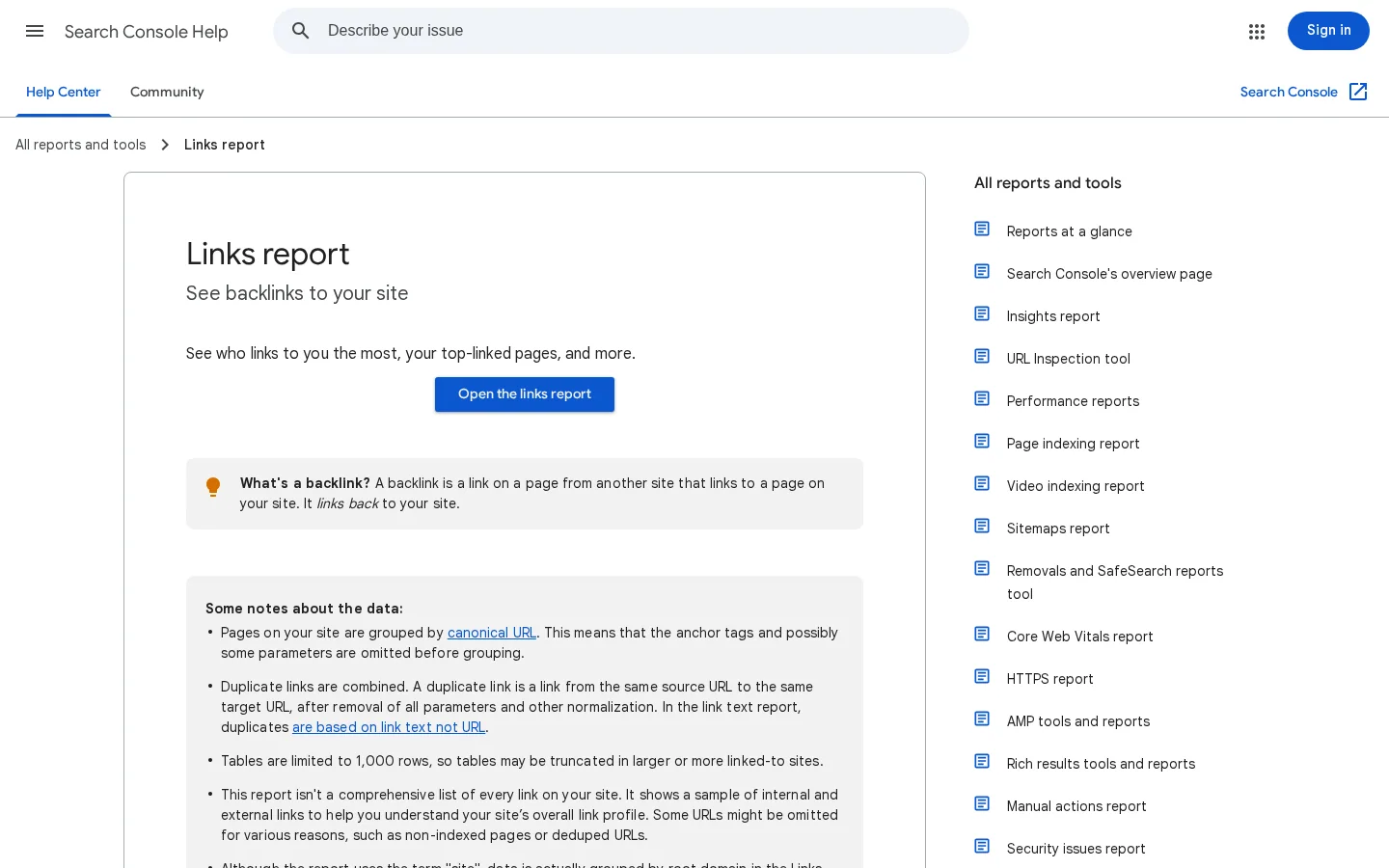
Limits of the Search Console Links report
Source: Google Search Console Help, Links report
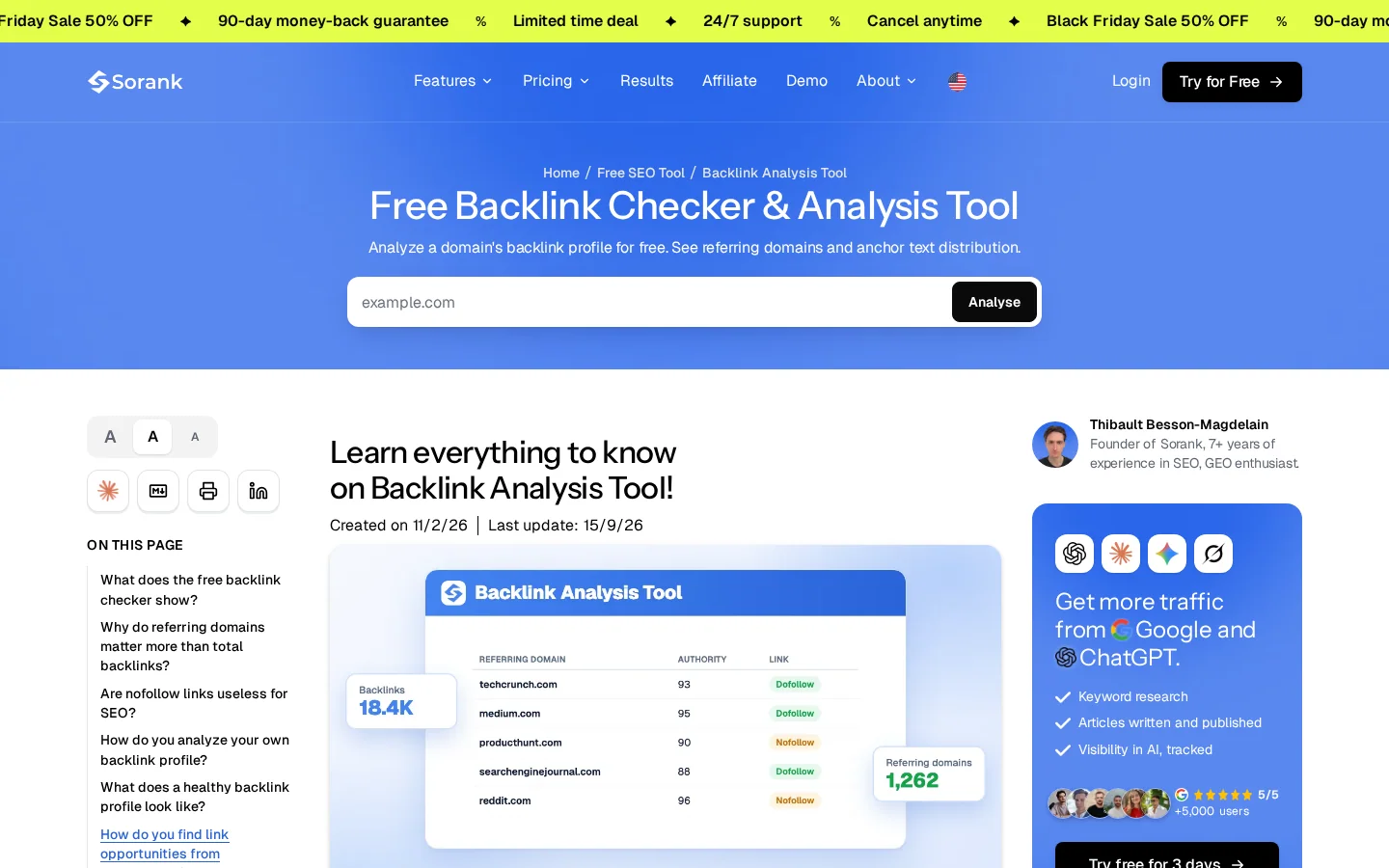
Search Console shows what Google has seen, but a backlink checker gives you a faster view of the whole profile. Sorank's free backlink checker takes one domain and returns total backlinks, referring domains, referring IPs, broken links, the dofollow and nofollow split, and link types such as text, image, redirect and canonical links. Free analyses are limited per day, so plan your checks. Run it on your own domain and on two competitors so you have a baseline to compare against later.
Tip
Run the free backlink checker on your own domain first. Write down the referring domains count and the broken links count, because you will compare them again in three months.
One site with forty links in its footer is usually worth less than one editorial mention from a relevant site. Count referring domains first, because they show how many separate sites trust you enough to link. The guide on referring domains explains why they matter more than raw counts, and Domain Rating is the score Ahrefs uses to estimate a site's link strength. Treat that score as a filter, not a goal. A strong site on an unrelated topic rarely sends the readers you want.

In short, the plan has six steps: pick a page worth linking to, find prospects in Ahrefs, filter them, choose one method, pitch with a reason, and track every result. Each step has an output you can check before you move on, so you never pitch a list you have not filtered.
The six-step beginner plan
In Ahrefs, open Site Explorer, enter a competitor's domain or a page that ranks for your topic, and open the referring domains report. Sort it so the sites that link to several competitors appear first. The Link Intersect tool does this comparison for you: enter two or three competitors and it lists domains that link to some of them but not to you. Those sites already link to this topic, which makes them the warmest prospects you will find.
Note
Ahrefs renames menus and reports from time to time. The labels in this guide are the ones the tool used when we wrote it, so check the current names before you follow the steps.
Remove any site that fails one of these tests. The site covers your topic, not just one keyword that appears on the page. The site and the page you want to be on are still online. There is a real editor or author you can reach, not only a contact form. The site does not sell links, which you can often spot on a "write for us" page that lists prices. And the site is not a directory or a page full of outbound links with no editorial choice behind them. Keep the rest and sort them by how closely they match your topic. A list of twenty careful prospects is worth more than a list of two hundred weak ones.
A spreadsheet with six columns is enough: prospect URL, contact name, date sent, status, anchor text used, and link live (yes or no). Recheck the live links every month, because pages get edited, moved or removed. The guide on link building management covers tracking at a larger scale, and the backlink audit guide explains the full review you run once or twice a year.
Five methods earn links without buying them: broken link building, resource page outreach, unlinked mention requests, guest posting and link reclamation. The sixth, paid links and exchanges, is the one to avoid. The guide on how to get backlinks lists nine methods in total. Here we go deeper on the ones a beginner can run with a spreadsheet and Ahrefs, and we explain the risk of each one.
Principle: an editor links to a resource that no longer works, and you offer a working page that does the same job. When to use it: when your topic has older resource pages that were never updated. Benefits: you fix a real problem for the editor, so the pitch is easy to accept. Limits: many niches have few dead links, and finding them takes time. Example: a marketing blog links to a free keyword tool that has shut down. You publish a page that explains the same job with a working alternative, then email the editor with the exact dead link and your replacement. The full process is in the broken link building guide, and the steps appear below.
Principle: resource pages collect the best references on a topic, and their editors add new ones when they find something useful. When to use it: when you have a page that is genuinely one of the best free references on its subject. Benefits: the editor is actively looking for additions, and the pitch can be one sentence. Limits: resource lists go stale, and many are no longer maintained, so check the last edit before you pitch. Example: a list of free SEO tools on a niche site. You pitch your own free tool with one sentence about the job it does that the list is missing. If you have a free tool, the broken link checker is an example of the kind of page editors add to these lists.
Principle: someone names your brand, product or research without linking to it. When to use it: when you have already been cited and you want the link that goes with the citation. Benefits: the source already knows you, so it is usually the easiest yes. Limits: you can only use it when a mention exists, and it does not create new visibility on its own. Example: a newsletter quotes your study and names your company in the text. You write a short message thanking the author and asking them to link the name to the study page.
Principle: you write an article for another site, and in exchange you get a link in the article or in the author bio. When to use it: when you have real expertise on a topic and the host has an audience that needs it. Benefits: you get real readers and a relationship with the editor. Limits: it takes time, and guest posts with optimized anchor text are one of the link scheme examples in Google's policy. Keep the link natural and the bio simple. The guest posting guide covers how to judge a host site before you write for it.
Principle: find links that point to pages that moved, returned errors or disappeared, then fix the destination or ask the site to update the link. When to use it: after a redesign, a domain change or a page deletion. Benefits: these links already exist, so this is often the fastest win. Limits: it only works when you have lost links. Example: a guide moves from an old address to a new one with no redirect. Links to the old address can stop reaching the new page, so you add a 301 redirect, then ask the sites that linked to the old address to update it. The 301 vs 302 redirect guide explains which redirect to use.
Principle: you pay for a link, or you agree to swap links with a site. When to use it: never as a beginner's method. Benefits: they can appear fast. Limits: Google's policy lists buying or selling links for ranking purposes and excessive link exchanges as spam examples, so these links put your site at risk. Read the buy backlinks guide and the backlink exchange guide before you accept any offer.
| Method | Effort | Risk | Best for | Main limit |
|---|---|---|---|---|
| Broken link building | Medium | Low | Topics with old resource pages | Few dead links in some niches |
| Resource page outreach | Medium | Low | Pages that are a genuine reference | Lists go stale |
| Unlinked mentions | Low | Low | Brands that are already cited | Needs an existing mention |
| Guest posting | High | Medium | Real expertise and an engaged host | Time-consuming, and optimized anchors are spam |
| Link reclamation | Low | Low | Sites with moved or deleted pages | Only recovers links you already had |
| Paid links and exchanges | Low | High | Nothing that lasts | Matches Google's link spam examples |
The effort and risk ratings in this table are our judgment, not measured data. Use them to choose where to start, then test the method on a small list.
In short, broken link building means finding pages that link to dead resources in your topic, confirming the dead link, building or picking a replacement, and sending one clear message to the editor. It works because the editor gets a fix, not a favor, and the pitch is easier to accept for that reason.
Search operators help you find resource pages in your niche. Quoted phrases match exact wording, and site: limits results to one domain or domain ending. Use these queries as a starting point, and replace "your topic" with the words your niche uses.
"your topic" "resources" site:.edu
"your topic" "useful links"
"your topic" "write for us" OR "guest post"
inurl:resources "your topic"Open each candidate page and click every outbound link that fits your topic. You can also run the broken link checker on the whole page. A link counts as dead if it returns an error, redirects to an unrelated page, or leads to a parked domain for sale. Keep a note of the exact anchor text, the dead URL and the date you checked it, because pages change quickly.
Your replacement must cover what the dead link covered. If the old link pointed to a tool that closed, your page should explain the job the tool did, name a working alternative and answer the same question for the reader. Do not pitch a page that does not serve the reader better than the dead link did, because the editor will notice and ignore you.
Before you send, check the list below. Most failed pitches break one of these points.
Before you send a broken link pitch
In short, a good outreach email is short, specific and asks for one thing. It names the page where the link should go, explains in one sentence why it helps their readers, and gives them an easy way to say yes. The rest is detail, and the detail below is what separates a reply from a delete.
Your subject line should name the page or the problem, not your brand. An email that opens with "Quick question about your resources page" gets opened more often than one that says "Link opportunity." The first sentence should show you read their page. Name the section or the link you mean. If you cannot name it, you have not read it closely enough to pitch.
Say what you found, what you have, and what you want. Give the URL once. Do not attach files, and do not paste a long summary of your article. The editor should be able to decide in under a minute. A pitch that asks for a link, a fix and a reply to a question is three requests, and two of them will be ignored.
Send one follow-up after about a week, with a single new sentence and the same link. Then stop. Repeated messages hurt the relationship and fill inboxes that might have said yes later. Log the outcome either way, so you know which prospects to skip next time.
The same request, before and after
The full template set, with send timing, is in the email outreach guide. Use it as a checklist for your own messages, not a script to paste into hundreds of inboxes.
In short, anchor text should describe the page it points to, and the mix should vary over time. Google's guidance is that "Good anchor text is descriptive, reasonably concise, and relevant to the page that it's on and to the page it links to." The same guidance says Google can only crawl a link that is an <a> element with an href attribute, so use real links, not scripts.
Most healthy profiles mix several anchor types. A branded anchor uses your company name. An exact-match anchor uses your target keyword. A partial match adds words around the keyword. A descriptive anchor explains the page in plain language. A naked URL shows the address itself. The table below shows how to use each one, and the anchor text entry covers the basics.
| Anchor type | Example | How to use it |
|---|---|---|
| Branded | Sorank | Good as a common share of your profile |
| Exact match | link building for beginners | Use sparingly, one or two pages at most |
| Partial match | a guide to link building for beginners | The most natural choice for a pitch |
| Descriptive | the step-by-step method for finding link prospects | Works well on your own pages and in guest posts |
| Naked URL | example.com/guide | Keeps the profile natural |
When you link out to a partner, an affiliate program or a sponsored placement, Google asks you to qualify the link. In a July 2021 Search Central blog post, Google's search quality analyst Duy Nguyen asked sites in affiliate programs to qualify those links with rel="sponsored", and recommended applying the right rel values to any outgoing link. A labeled link looks like this:
<a href="https://example.com/partner" rel="sponsored">Partner tool</a>Export your anchors from the Search Console Links report or from your backlink checker, then group them by type. If most anchors are the same exact keyword, the profile looks engineered, and it is hard to explain to a reader who clicks it. The anchor text optimization guide shows how to audit the mix and fix the imbalance without removing good links.
In short, link spam is links made or placed mainly to manipulate rankings. The safest way to stay clear of it is to make sure every link would still exist if you stopped asking for it, and that no money or product changed hands for the placement. Google lists the examples, and a beginner should read them once before the first pitch.
Google's spam policies page lists these as link scheme examples:
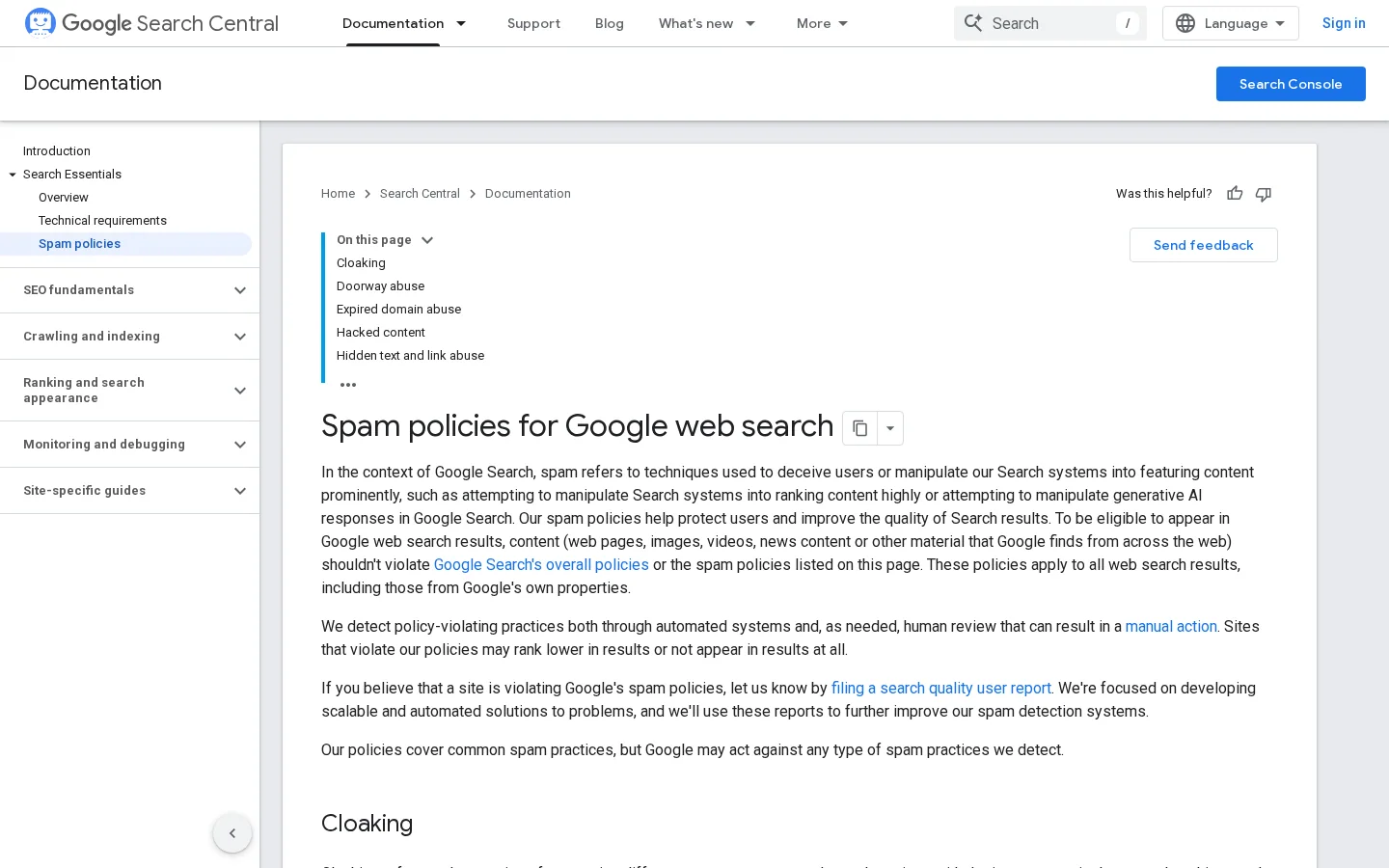
How Google's link guidance has moved
Sources: Google Search Central blog, July 26, 2021; Google Search Central, spam policies
Warning
A paid placement is not automatically spam, but if the link passes ranking credit without a label, Google's examples cover it. When in doubt, label the link as sponsored or skip the placement.
If you do not want to run outreach yourself, Sorank offers a backlinks acquisition feature that places one-way links from member sites inside published articles. You can refuse any link, and you can switch the feature off. Google's examples include excessive link exchanges, so treat any placement as something to check one by one, not as a shortcut around the rules.
In short, most beginner mistakes come from measuring the wrong thing or moving too fast. Each mistake below has three parts: what it is, how to spot it in your data, and how to fix it. Work through them after your first month, when you have enough live links to see patterns.
What it is: you go after the highest-scoring sites, even when their topic has nothing to do with yours. How to spot it: your new links come from sites in unrelated niches, and their readers never click through. How to fix it: score each prospect on topic match first and strength second, and drop any site that would be odd to recommend to your own customers. The Domain Rating entry explains what the score measures and what it leaves out.
What it is: every link you get uses the same keyword as the anchor. How to spot it: the anchor report shows one phrase in most rows. How to fix it: ask editors to link with a descriptive phrase, and write your own bios and guest posts with varied wording. Keep the exact match where it reads naturally, but do not make it the default.
What it is: you pitch a site whose editorial process does not accept outside links, such as a closed community or a platform that removes all outbound links. How to spot it: the site's pages have no outbound links at all, or their guidelines forbid them. How to fix it: check a few existing articles before you pitch. If none of them links to a source, move on.
What it is: you pay a provider for a batch of links with no editorial choice behind them. How to spot it: the seller promises a fixed number of links per month, and the sites offered are unrelated to your topic. How to fix it: stop the order, list the links you already got, and remove those that are clearly paid placements. The toxic backlinks guide explains when removal is needed and when it is not.
What it is: you change URLs and do not redirect the old ones, so links that worked stop reaching the page. How to spot it: the broken links count in your backlink checker rises after a launch. How to fix it: map every old URL to its new home, add redirects, then run link reclamation on the sites that linked to the old pages.
What it is: your message asks for a link and nothing else. How to spot it: your reply rate is near zero, and the messages you send contain only your page address. How to fix it: give the editor a reason tied to their readers, using the before and after example earlier in this guide.
Monthly link audit
In short, the first month should give you a baseline, one method tested on a small list, and a clear record of what worked. Do not start five methods at once. Run one method, measure it, then add a second method only if the first one is producing live links.
Your first 30 days
Once you have a rhythm, the guide on backlink strategies compares the methods by effort, cost and risk, and the backlink gap analysis guide shows how to find the links your competitors have and you do not. The method that works is the one you can repeat every week without cutting corners.
Find the referring domains of competitor pages in Ahrefs, then filter those sites by topic and by whether they have a working contact. Pitch each site with one method, naming the exact page and the reason, and log every prospect so you can see which messages get a live link.
It is safe when every link is earned, meaning an editor adds it because your page helps their readers. Google's spam policies define link spam as links made mainly to manipulate rankings, and the examples include buying links and excessive link exchanges. Stay with earned methods and check each link you place.
It depends on the method, on how many editors say yes, and on how new your site is. Review the results after one month, then repeat the method that produced the most live links.
We analyse your competitors, your website and your AI visibility to create a tailored content plan for free.
 AI Content Brief Generator
 FAQ Schema Generator
 AI Blog Post Ideas Generator
 Structured Data Validator (Schema Validator)
 Alt Text Checker
 Internal Link Analyzer
 Backlink Challenge
 AI Meta Description Generator
 AI Blog Title Generator
 Google Indexability Checker
 AI Blog Outline Generator
 UTM Link Builder
 Keyword Clustering Tool
 Canonical Tag Checker
 XML Sitemap Generator
 Broken Link Checker
 AI SEO Title Generator
 Headline Analyzer
 SERP Preview Tool
 Redirect Checker
 Hreflang Tag Generator
 Heading Structure Analyzer
 HTTP Headers Checker
 Favicon Extractor
 SERP CTR Calculator
 SEO vs Paid Search Savings Calculator
 SEO Share of Voice Calculator
 SEO ROI Calculator
 SEO Traffic and Revenue Forecast Calculator
 SEO Budget Calculator
 SEO Break-Even Calculator
 SaaS SEO ROI Calculator
 ROAS Calculator
 Reading Time Calculator
 Ranking Gain Simulator
 Organic Traffic Value Calculator
 Organic Traffic Estimator and Website Traffic Checker
 LTV to CAC Ratio Calculator
 Local SEO ROI Calculator
 Link Building Cost Calculator
 Keyword Value Calculator
 Keyword Opportunity Score Calculator
 Keyword Density Calculator
 GEO ROI Calculator
 GEO Content Investment Calculator
 Ecommerce SEO ROI Calculator
 Customer Lifetime Value Calculator
 Customer Acquisition Cost Calculator
 CTR Calculator
 Cost Per Article Calculator
 Conversion Rate Calculator
 Content Marketing ROI Calculator
 ChatGPT Referral Traffic Estimator
 Bounce Rate Calculator
 Backlink ROI Calculator
 AI Visibility Score Calculator
 AI Traffic Value Calculator
 AI Share of Voice Calculator
 Cost of AI Invisibility Calculator
 AI Citation Rate Calculator
 llms.txt Validator
 AI Overview Checker and AI Overviews Rank Checker
 Robots.txt Checker
 AI SEO Audit
 LLM Readability Checker
 SearchGPT Readiness Checker
 Structured Data LLM Audit
 Website Crawlability AI Audit
 Why ChatGPT Is Not Recommending My Website
 Gemini Ranking Tool
 Perplexity Ranking Checker
 LLM Citation Checker
 Answer Engine Optimization Audit
 GEO Audit
 AI Search Visibility Test
 ChatGPT Visibility Checker
 llms.txt Generator
 URL Extractor
 Webpage to Markdown
 Sitemap Checker
 SERP Volatility Sensor
 Page Size Checker
 Word Counter
 Slug Generator
 Schema Generator
 Robots Generator
 OG Preview
 Meta Tags Generator
 Image Compressor
 Favicon Generator
 On-Page SEO Audit: SEO Checker and SEO Analyzer
 Backlink Analysis Tool
 Keyword Research Tool
 Domain Authority Checker
 “I tested Sorank on a real client site and it's insane. It does everything an agency would bill you $1500 a month for. It's going into production on that client now.”

 Guillaume Guersanguersanguillaume.com“We are an Ads agency and we wanted to get our SEO back on track once and for all. Sorank gave us a clear view of our site, helped us prioritize optimizations, and properly structure our content. The tool is easy to use, well designed for a team, and very practical for centralizing tracking without having to juggle multiple platforms. A very solid foundation to start fresh with our SEO.”
 Gaspard MadouiAds Agency
 “I just let the Sorank software do its thing, and now my DR is 25 and my page is ranking higher.”
 Lucas Flandrefoundertrace.fr“I specialized in GEO thanks to Sorank. The GEO Leaderboard allows me to show my clients their position vs competitors on ChatGPT. It’s a real commercial differentiator.”
 MélanieSEO Freelance“Great service, works well for our website and helps us understand how to improve it to rank better on Google and elsewhere. Congrats, keep going, I recommend it.”
 Hugo T.E-commerce merchant