Preferences
Privacy is important to us, so you have the option of disabling certain types of storage that may not be necessary for the basic functioning of the website. Blocking categories may impact your experience on the website. More information
Privacy is important to us, so you have the option of disabling certain types of storage that may not be necessary for the basic functioning of the website. Blocking categories may impact your experience on the website. More information

 ChatGPT: Setup, Budget and a 30-Day Test
Set up a ChatGPT Ads campaign step by step: account, objectives, bids, ad limits, tracking, budget pacing and a 30-day test with a stop rule.
In short
To advertise on ChatGPT, you buy a labeled sponsored card that appears below an answer when the conversation matches your context hints. You set it up in OpenAI's self-serve Ads Manager, and only logged-in adults on the Free and Go plans see it. Run a small test, measure clicks and conversions, and decide in advance when you stop.
Want to go further? Ask
Quick quiz
How should you get mentioned by ChatGPT and other AI assistants?
Sorank matches your answers


Test it for 3 days on your own site and see where you stand on Google, ChatGPT and the other AIs.
Start 3-day free trial3 days free, then stop whenever you want. 90-day results guarantee, conditions apply.
You get one labeled sponsored unit below a ChatGPT answer. It shows your advertiser name, a favicon, a title, a line of copy, your landing page and an optional image. OpenAI describes the ads as "clearly labeled as sponsored and visually separated from the organic answer" in its announcement on testing ads in ChatGPT, first published on February 9, 2026 and updated on August 11, 2026.
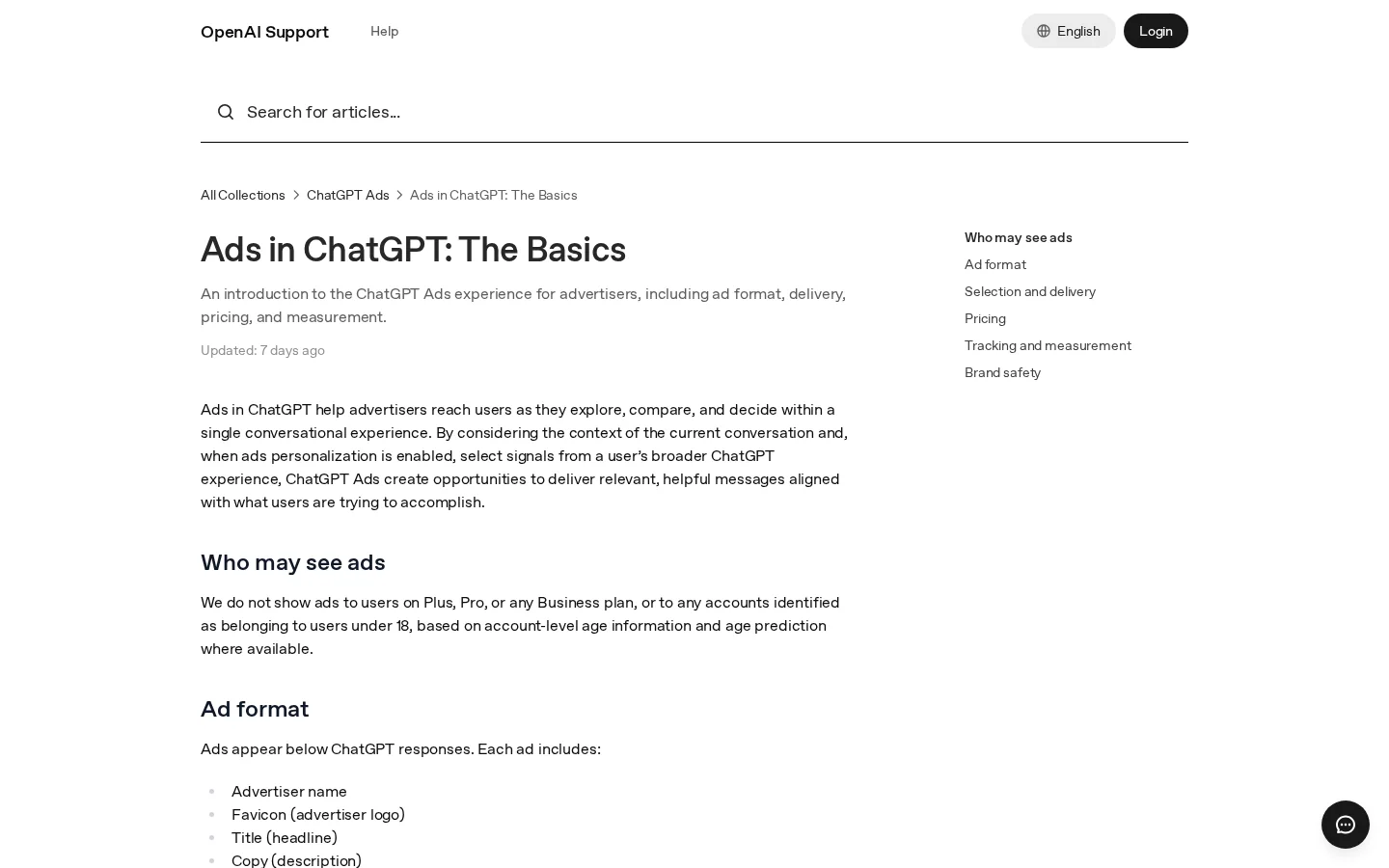
Ads show to logged-in adults on the Free and Go plans. Plus, Pro, Business, Enterprise and Education accounts see none, and neither do accounts identified as belonging to users under 18. OpenAI also keeps ads away from sensitive or regulated topics such as health, mental health and politics. If your offer sits in one of these areas, you may get few or no placements, so check before you plan.
You do not see the conversations that triggered your ad. OpenAI says advertisers have no access to chats, chat history, memories or personal details, and they receive only aggregate figures such as views and clicks. You plan from the metrics you can see, not from the prompts behind them.
Titles and copy have character limits, and your starting bid decides how much a test costs. The numbers below come from OpenAI's help center and from the SE Ranking test described later in this guide.
Limits and starting numbers
Sources: OpenAI Help Center, Ads in ChatGPT: the basics; SE Ranking, How to Advertise on ChatGPT, September 10, 2026
Advertise only when two things are true: the people you want to reach use ChatGPT on the Free or Go plan, and you have a page that answers the question they asked. If either one is missing, your budget buys visits that leave fast.
OpenAI does not publish how many users on a given topic are on a free plan, so you have to test the fit. One signal is worth weighing: SE Ranking's test suggests that consumer, prosumer and e-commerce offers fit the format better than B2B SaaS. That is one company's reading of one campaign, so treat it as a hypothesis, not a rule (SE Ranking, "How to Advertise on ChatGPT," September 10, 2026).
Our ChatGPT Ads overview covers the platform itself. This article is the working side: which choices to make, in what order, and how to judge the first month.
Good fit or poor fit for a first test
Frame the first campaign as a question. For example: "Do people who ask ChatGPT to compare two invoicing tools click an ad that compares them for a team of five?" A campaign built around one question tells you something at the end. A campaign built to "see what happens" usually does not.
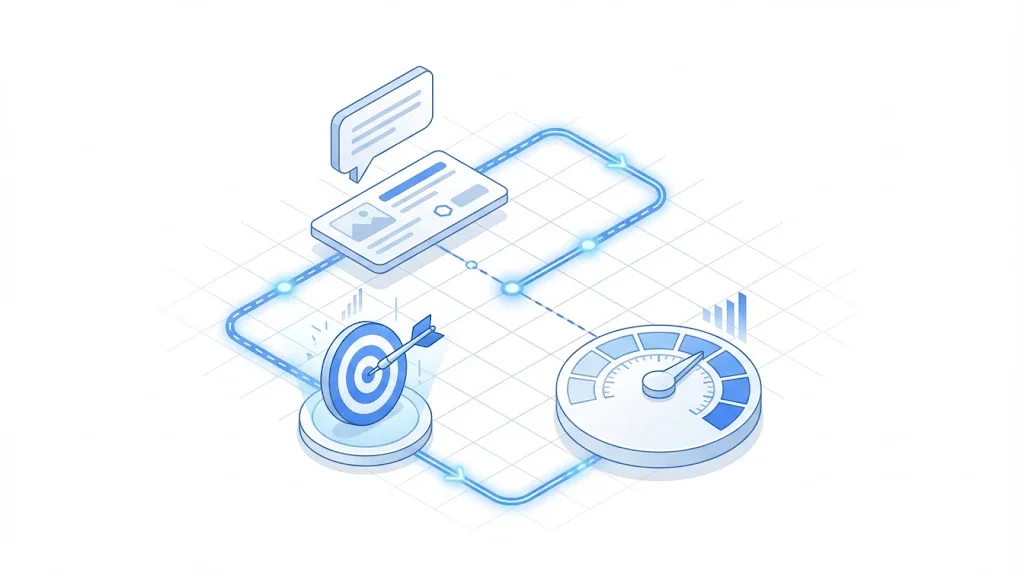
Advertisers can buy in two ways: self-serve in Ads Manager, or through a technology partner. Whichever route you pick, you control three levers: the objective and bid, the context hints that describe your audience, and the negative phrases that exclude unrelated meanings.
| Route | Who it suits | What you control | What to check |
|---|---|---|---|
| Self-serve Ads Manager | Teams that can run billing, campaigns and tracking themselves | Budgets, bids, targeting, ads and reporting | Verification, review and your own stop rule |
| Technology partner | Teams already working in a platform that connects to ChatGPT ads | Campaigns built in the partner's tool | Which objectives and fields the tool exposes, and whether you can export raw reports |
You sign in at ads.openai.com with an OpenAI account, add a billing profile, verify the account and build campaigns yourself. Choose this route when you want direct control of each bid and ad group, and when someone on your team will check the account every week. Account setup has one hard limit: once you belong to ten or more ad accounts, you cannot create another one yourself, although you can still be invited to more.
A technology partner lets you buy ChatGPT ads inside a platform you already use. The trade-off is control, because the partner's interface decides which objectives and fields you can use. Before you sign up, check three things: which objectives the tool supports, whether it exposes context hints and negative phrases, and whether you can export raw reports into your own analytics. If any answer is no, you will be guessing from the partner's dashboard.
Setup has five steps, and the account stage causes most of the delays. Verification, billing and brand names must be right before any ad can deliver.
Setup in five steps
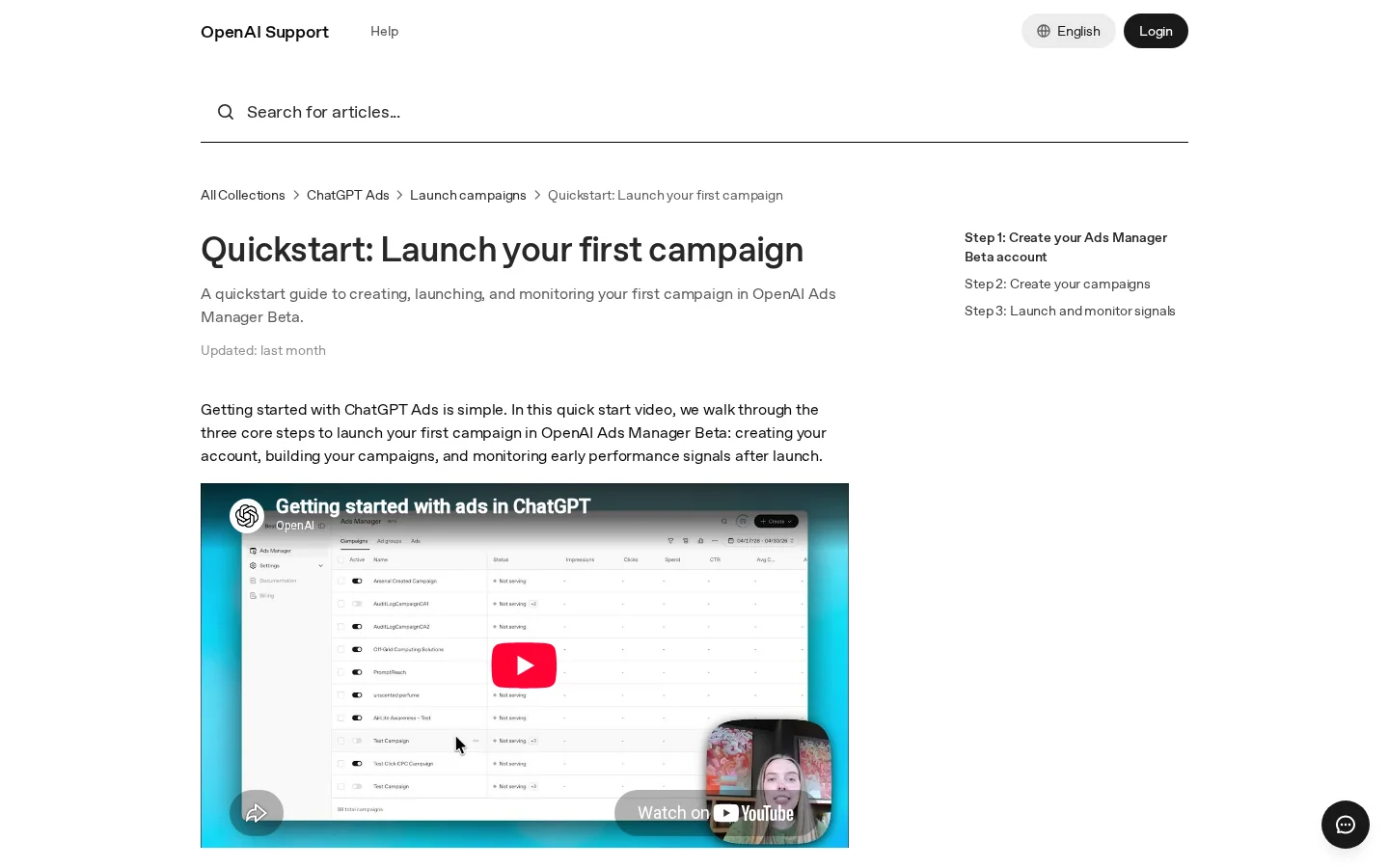
Some settings are hard to change later. Country or region, currency and time zone are fixed once the account exists. Changing the brand name triggers a brand review and pauses serving until it passes, and changing the legal name restarts business review. Set these on day one, not on launch day.
Ads Manager has three levels. The campaign sets the objective, budget, dates and targeting. The ad group holds one theme and its context hints. The ad is the creative: title, copy, image and landing page. Each account can hold up to 5000 campaigns, 5000 ad groups and 5000 ads, far more than a first test needs.
You can build in the guided flow or by bulk upload. Bulk upload needs the official template, and OpenAI says not to rename its tabs or column headers. For a first campaign, use the guided flow, which is slower but harder to break.
Dates behave differently on a first campaign. You may not see start or end dates before you publish, and they appear once you edit the campaign. If you need a fixed start date, do not publish just to reach those settings.
OpenAI checks each ad against its policies, and an ad goes live only after it passes review. Even after approval, the account, billing and campaign settings must be ready. If an ad shows "Not serving", hover over the status to read the reason. Many issues clear when you edit the item and submit it again. Others need account or business verification first, and the ad stays off until that is done. Check the status the day after you submit, not a week later.
For a first test, use Clicks with a maximum CPC bid. Use Conversions only after you have a tracked event with real volume. In SE Ranking's test, the objective and the event could not be changed after the campaign was created, so the choice you make at setup stays with the campaign.
| Objective | Billing | What you set | Use it when |
|---|---|---|---|
| Views (Reach) | CPM, per 1000 impressions | Maximum CPM bid | You need exposure and have no conversion data yet |
| Clicks | CPC, per valid click | Maximum CPC bid | You run a first test and want visits you can measure |
| Conversions | oCPC, per valid click, or oCPM, per 1000 impressions | The standard event to optimize, plus a bid | You already track one event that means a lead or a sale, with steady volume |
The Conversions objective changes who the system finds, but you still pay per valid click. OpenAI's help center says conversion-optimized campaigns with click billing "charge for valid clicks, not conversions." Cost per click works like it does in search, so if the term is new to your team, our pay-per-click glossary entry defines it.
OpenAI's basics page suggests starting with a maximum bid of $3 to $5 per click. In SE Ranking's test, manual bids of $3 to $4 per ad group produced a blended average CPC of $3.16. Treat those as starting points, not targets. After the first week, compare the average CPC in Ads Manager with the number your business can afford.
A bid only makes sense against what a conversion is worth to you. The cost per acquisition is the cost per click divided by your conversion rate, and the highest bid your economics allow comes from your profit per conversion:
cost per acquisition = cost per click / conversion ratemaximum cost per click = conversion rate * profit per conversionExample
At a $3 bid and a 2 percent conversion rate, each acquisition costs $150 in ads ($3 / 0.02). If one sale leaves you $120 of profit, the campaign loses $30 per sale at that bid. Either the bid must fall, or the offer or the landing page must convert better.
Write each context hint as a conversation someone could have with ChatGPT, and write each ad as the step that follows the answer. Keep one theme per ad group, so your reports tell you which situation worked.
| Element | Recommended length | Maximum |
|---|---|---|
| Title | 16 to 24 characters | 50 characters |
| Copy | 32 to 48 characters | 100 characters |
| Image | Square PNG or JPG | 1200 x 1200 pixels |
The table lists the field limits in the SE Ranking test, which matches the ad fields in Ads Manager. Write to the recommended length first, and keep the maximum as a hard stop.
A weak hint is a keyword, such as "invoicing software". A usable hint describes a person and a task: "a freelancer who wants to send invoices and chase late payments". Each hint has three parts: who the person is, what they are trying to do, and which capability of your product answers the need. Write several hints per ad group, each one a different situation, and drop any hint that describes only your product.
Negative phrases keep your ad out of unrelated meanings. They are available only to qualifying advertisers, so check your access first. If you have it, use them on the words that cause the most false matches.
Example
A school that teaches the Python programming language can exclude conversations about the snake, if its account has negative phrases. Without that filter, the ad can appear in questions about pets, and those clicks cost money with no chance of a student.
The Federal Trade Commission's guide to native advertising, dated December 2015 with no later update shown on the page I checked, says a sponsored message must be clearly identifiable as advertising. It lists labels such as "Ad", "Advertisement", "Paid Advertisement" and "Sponsored Advertising Content", and it warns that "Promoted" is ambiguous (FTC, Native Advertising: A Guide for Businesses). ChatGPT labels your unit already, but your copy still has to stay honest: do not mimic the answer's voice, and do not suggest that ChatGPT recommends you.
Warning
Do not write "recommended by ChatGPT", and do not copy a sentence from the answer above your ad. The label belongs to the platform, but a false claim in your copy is yours, and it can fail review.
For platform-by-platform wording rules, see our ad copywriting guide.
Tag every destination URL with UTM parameters, set up conversion measurement before you spend, and store the campaign, ad group and ad names with each lead. Then a row in your analytics can match a row in Ads Manager without guessing.
| Layer | What it answers | Where to read it |
|---|---|---|
| Ads Manager | Delivery, clicks, spend and conversions from your event | ads.openai.com |
| Web analytics | What visitors do after the click, using your UTM tags | Your analytics tool |
| CRM | Which leads and sales came from which campaign | Your CRM |
Ads Manager reports impressions, clicks, spend, click-through rate, average CPC, average CPM and conversions. Impressions, clicks and CTR refresh about every 15 minutes, and spend can lag 7 to 8 hours. OpenAI's quickstart warns that a displayed $0 next to impressions or clicks does not necessarily mean no charges have accrued.
OpenAI's basics page says you can add static tracking parameters, such as UTMs, to landing page URLs, and that they persist on ad clicks. Use the same parts in the same order every time: the source, the medium, the campaign with its date and objective, and the ad.
https://www.example.com/late-payment-reminders?utm_source=chatgpt_ads&utm_medium=cpc&utm_campaign=2026q4_invoicing_clicks&utm_content=ad_group_a_ad_1In SE Ranking's walkthrough, OpenAI offers a browser measurement pixel and a server-side Conversions API. When both send the same event, a matching event ID lets the platform count it once instead of twice. Set this up in the conversion measurement area of Ads Manager, then send one real test event and confirm it appears before the campaign runs.
Tip
Build the tagged URL with the free UTM Link Builder before you paste it into the ad. A consistent campaign name makes the comparison in your analytics much easier.
Ad clicks and organic visits from AI assistants land in the same analytics tool, so read them side by side. Keep the UTM tags on your ad links, and check visits by assistant over the same weeks. Our GEO / SEO dashboard places Google clicks and the visits from each AI assistant in one view, which shows whether paid and organic AI traffic move together. For the Google and Meta side of the same budget, see our conversion tracking guide.
Before you launch, fix three numbers: the test budget, the 30-day window and the cost per acquisition you can accept. Write the stop rule with them, so the decision is made before the data arrives.
The daily budget is an average over seven days, not a cap on each day. OpenAI's campaign documentation says the campaign aims to spend your daily amount on average over a 7-day period. Daily spend will not exceed twice the daily budget, and spend over the 7-day period will not exceed seven times the daily budget. The minimum daily budget is $25 in USD and varies with billing currency (OpenAI Help Center, "Create campaigns for ChatGPT ads").
maximum on one day = 2 * daily budget
maximum over 7 days = 7 * daily budget
With a $25 daily budget, one day can spend up to $50, and the week can spend up to $175. Those are ceilings, not targets. A spike on one day is within the rules, but a week above $175 would break the documented cap, so raise it with OpenAI if you see one.
Translate the budget into clicks before you launch. At an average of $25 a day and a $3 bid, you can buy about eight clicks a day at most, and only if each click costs the full bid. Decide how many clicks you need to judge the test, then check whether the budget can reach that number in the time you have.
In the SE Ranking test, two of eight ad groups received about half of all impressions. If one ad group takes most of the spend, the others never produce enough data to judge. Either split the budget on purpose, or pause the weak ad groups once they have enough clicks to compare.
One test, June 3 to 15, 2026
Source: SE Ranking, How to Advertise on ChatGPT, September 10, 2026
The same test produced almost no sign-ups, and it was stopped before the full budget was spent. A stop rule written in advance is what made that outcome cheap.
| Window | What you do | Decision |
|---|---|---|
| Days 1 to 3 | Confirm each ad is serving and each tag fires | Fix any Not serving status or tracking gap before you add spend |
| Days 4 to 14 | Read clicks, CTR and average CPC by ad group | Pause ad groups with impressions and no clicks, once they have had enough delivery to judge |
| Days 15 to 30 | Test two ads in each remaining ad group, one change at a time | Keep the ad with the lower cost per acquisition |
| Day 30 | Compare cost per acquisition with your other channels | Scale only if the result beats your stop rule |
Note
The SE Ranking test was one company's campaign, with manual bids and 13 days of data. Your numbers will differ. Use the test to design your own plan, not to predict your results.
An ad buys a visible slot under the answer. It does not change the answer itself. OpenAI says ads do not influence ChatGPT's answers, and that conversations stay private from advertisers (OpenAI, "Testing ads in ChatGPT," updated August 11, 2026). So the two channels run separately: you pay for the ad and it stops when the budget stops, while organic mentions come from what the model knows and retrieves about you, and they also reach users on paid plans who never see ads.
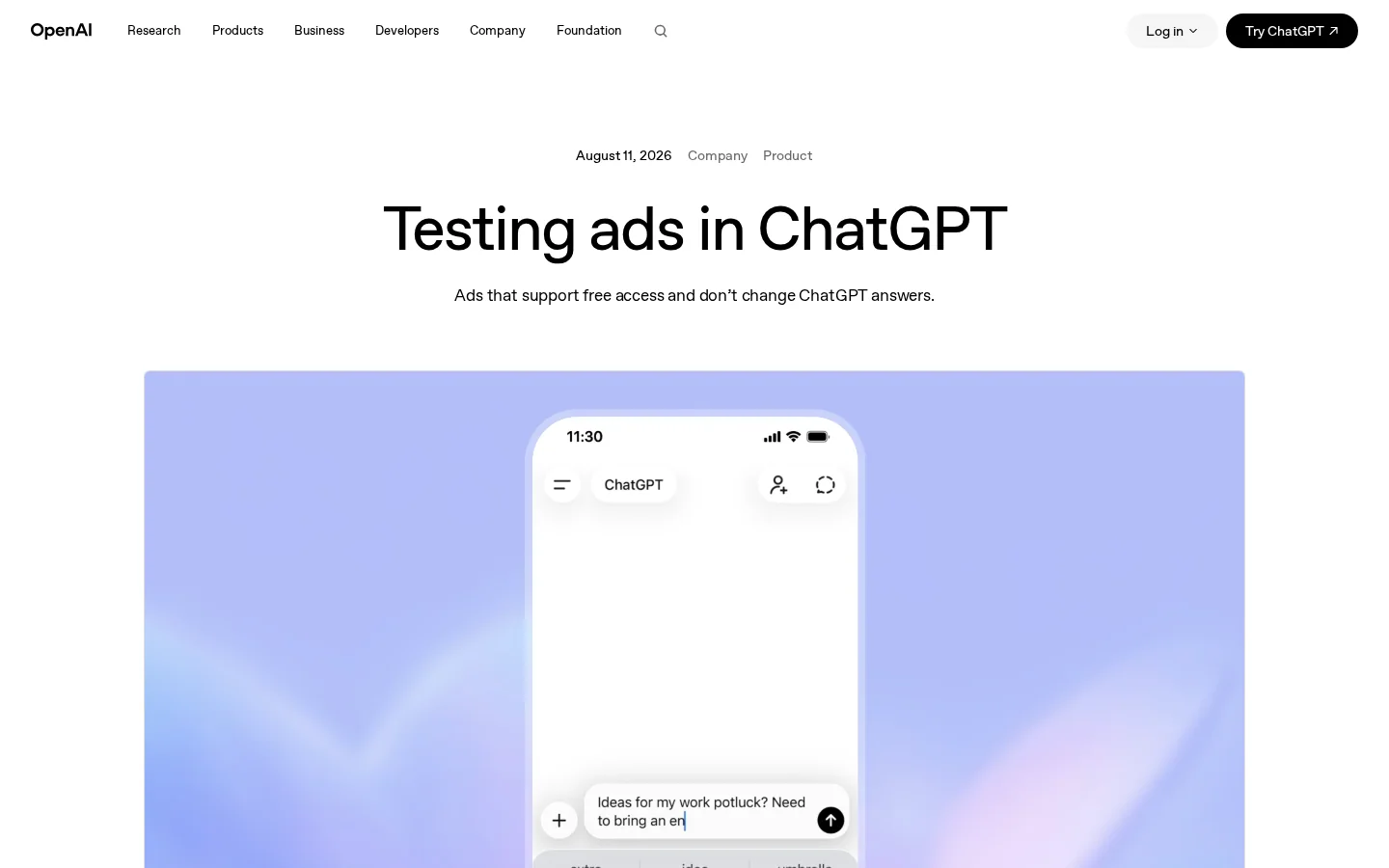
In the same test, the advertiser's domain appeared among the answer's sources in 3.63% of placements, and the exact advertised URL in 0.09%. Do not buy an ad expecting the answer to cite your page. Buy the click, and build the organic citation separately. For that second part, read how to rank in ChatGPT, and check where you stand with AI Mention Tracking, which shows the prompts that name your brand. The ChatGPT glossary entry explains how the model chooses its sources.
Sorank works on the organic side, so measure it with its own tools rather than judging it against your ad metrics.
Most weak tests come from six errors: a homepage as the landing page, keyword thinking, tracking installed late, the wrong objective, ignored Not serving statuses, and no stop rule. Each one below shows what it is, how to spot it in your numbers, and how to fix it.
Before and after the first week
What it is: The ad promises a specific answer, and the click lands on a generic homepage where the visitor has to search for it.
How to spot it: Clicks look healthy, but the conversion rate on the landing page is far below your other channels, and visitors leave without going further.
How to fix it: Give each ad group a landing page that repeats the promise of the ad on the first screen, and point each ad at its own page with UTM tags.
What it is: You write hints as search terms, so they describe a topic rather than a situation, and the ad appears in conversations where your product is a weak answer.
How to spot it: Your placements look unrelated to your offer, and the visitors who do click do not match the buyer you wrote for. The SE Ranking test found that 14.35% of placements were no more related to their prompt than a random pairing.
How to fix it: Rewrite each hint as a situation with a person and a task, and cut the hints that describe only your product.
What it is: The campaign runs with clicks counted, but no event records what happened after the click.
How to spot it: Spend and clicks rise, while your CRM shows no new lead tagged with that campaign's UTM values.
How to fix it: Pause the spend, install measurement, send one test event, and confirm it appears before you restart. Do not rely on the $0 spend line to tell you the tracking works.
What it is: You select Conversions before you have an event with real volume, so the system optimizes on too little data.
How to spot it: Delivery stays thin for days, and no conversions arrive even though the clicks do.
How to fix it: Start with Clicks, measure the visit, and move to Conversions once one event is clean. Because the objective cannot change after creation, create a new campaign for the new objective rather than expecting to edit the old one.
What it is: The campaign looks live, but an ad or the account is not allowed to deliver.
How to spot it: A "Not serving" status with a reason when you hover over it, or spend that stays at zero after launch.
How to fix it: Read the reason, edit the item and submit it again. If the cause is account, business or billing verification, fix that first, because the ads stop serving until the check is done. Remember that a brand name change also triggers review and pauses serving.
What it is: The test keeps running because nobody decided what result would end it.
How to spot it: You cannot say, without checking, what cost per acquisition or what spend would make you pause.
How to fix it: Write the ceiling and the event before launch, using the formula from the bid section. The SE Ranking test was stopped before the full budget was spent, after almost no sign-ups, and that is the outcome a written rule protects you from.
Before you spend, confirm eligibility, billing, tracking, hints, landing pages and the stop rule. If one of them is missing, the test will not tell you what you wanted to know.
Before you spend the first dollar
When the first month ends, compare the results with the question you set on day one. If the answer is clear, scale that ad group. If it is not, change one variable at a time: the hint, the ad or the page. For a wider view of the platform, read our ChatGPT Ads research guide, and for the search side of the same budget, the paid search guide.
Yes. OpenAI sells sponsored cards through its self-serve Ads Manager, and they appear below answers for logged-in adults on the Free and Go plans. Plus, Pro, Business, Enterprise and Education accounts see no ads.
You pay per 1000 impressions or per valid click, and the minimum daily budget is $25 in USD. OpenAI suggests starting with a maximum CPC of $3 to $5, but your real cost depends on the auction and your market.
According to OpenAI, no. Ads do not influence the answers, and advertisers cannot see your conversations. Measure ads and organic mentions separately, because they are two different channels.
We analyse your competitors, your website and your AI visibility to create a tailored content plan for free.
 Website Value Calculator
 Website Accessibility Checker
 Google Analytics Checker
 Duplicate Content Checker
 Mobile-Friendly Test
 Website Speed Test
 Subdomain Finder
 Domain Age Checker
 CMS Detector
 Googlebot Simulator
 Nofollow Link Checker
 Meta Tag Checker
 Keyword Cannibalization Checker
 Keyword Intent Checker
 Keyword Extractor
 Google Ads Cost Calculator
 CPC Calculator
 Local Citation Finder
 Reddit Threads Finder
 Disavow File Generator
 Redirect Generator
 Canonical Tag Generator
 Passive Voice Checker
 Google Location Changer
 Google Review Calculator
 Google Review Link Generator
 Keyword Combiner
 Podcast Show Notes Generator
 AI Content Rewriter
 AI Text Humanizer
 ChatGPT Prompt Generator
 Twitter Thread Generator
 Tweet Generator
 Landing Page Copy Generator
 Google Ads Copy Generator
 Pinterest Pin Description Generator
 Anchor Text Generator
 Social Media Post Generator
 LinkedIn Post Generator
 Free AI Writer
 Review Response Generator
 LSI Keyword Generator
 YouTube Video Ideas Generator
 YouTube Tag Generator
 YouTube Description Generator
 Product Description Generator
 CTA Generator
 Blog Introduction Generator
 Conclusion Generator
 Hook Generator
 AI Content Brief Generator
 FAQ Schema Generator
 AI Blog Post Ideas Generator
 Structured Data Validator (Schema Validator)
 Alt Text Checker
 Internal Link Analyzer
 Backlink Challenge
 AI Meta Description Generator
 AI Blog Title Generator
 Google Indexability Checker
 AI Blog Outline Generator
 UTM Link Builder
 Keyword Clustering Tool
 Canonical Tag Checker
 XML Sitemap Generator
 Broken Link Checker
 AI SEO Title Generator
 Headline Analyzer
 SERP Preview Tool
 Redirect Checker
 Hreflang Tag Generator
 Heading Structure Analyzer
 HTTP Headers Checker
 Favicon Extractor
 SERP CTR Calculator
 SEO vs Paid Search Savings Calculator
 SEO Share of Voice Calculator
 SEO ROI Calculator
 SEO Traffic and Revenue Forecast Calculator
 SEO Budget Calculator
 SEO Break-Even Calculator
 SaaS SEO ROI Calculator
 ROAS Calculator
 Reading Time Calculator
 Ranking Gain Simulator
 Organic Traffic Value Calculator
 Organic Traffic Estimator and Website Traffic Checker
 LTV to CAC Ratio Calculator
 Local SEO ROI Calculator
 Link Building Cost Calculator
 Keyword Value Calculator
 Keyword Opportunity Score Calculator
 Keyword Density Calculator
 GEO ROI Calculator
 GEO Content Investment Calculator
 Ecommerce SEO ROI Calculator
 Customer Lifetime Value Calculator
 Customer Acquisition Cost Calculator
 CTR Calculator
 Cost Per Article Calculator
 Conversion Rate Calculator
 Content Marketing ROI Calculator
 ChatGPT Referral Traffic Estimator
 Bounce Rate Calculator
 Backlink ROI Calculator
 AI Visibility Score Calculator
 AI Traffic Value Calculator
 AI Share of Voice Calculator
 Cost of AI Invisibility Calculator
 AI Citation Rate Calculator
 llms.txt Validator
 AI Overview Checker and AI Overviews Rank Checker
 Robots.txt Checker
 AI SEO Audit
 LLM Readability Checker
 SearchGPT Readiness Checker
 Structured Data LLM Audit
 Website Crawlability AI Audit
 Why ChatGPT Is Not Recommending My Website
 Gemini Ranking Tool
 Perplexity Ranking Checker
 LLM Citation Checker
 Answer Engine Optimization Audit
 GEO Audit
 AI Search Visibility Test
 ChatGPT Visibility Checker
 llms.txt Generator
 URL Extractor
 Webpage to Markdown
 Sitemap Checker
 SERP Volatility Sensor
 Page Size Checker
 Word Counter
 Slug Generator
 Schema Generator
 Robots Generator
 OG Preview
 Meta Tags Generator
 Image Compressor
 Favicon Generator
 On-Page SEO Audit: SEO Checker and SEO Analyzer
 Backlink Analysis Tool
 Keyword Research Tool
 Domain Authority Checker
 “I tested Sorank on a real client site and it's insane. It does everything an agency would bill you $1500 a month for. It's going into production on that client now.”

 Guillaume Guersanguersanguillaume.com“We are an Ads agency and we wanted to get our SEO back on track once and for all. Sorank gave us a clear view of our site, helped us prioritize optimizations, and properly structure our content. The tool is easy to use, well designed for a team, and very practical for centralizing tracking without having to juggle multiple platforms. A very solid foundation to start fresh with our SEO.”
 Gaspard MadouiAds Agency
 “I just let the Sorank software do its thing, and now my DR is 25 and my page is ranking higher.”
 Lucas Flandrefoundertrace.fr“I specialized in GEO thanks to Sorank. The GEO Leaderboard allows me to show my clients their position vs competitors on ChatGPT. It’s a real commercial differentiator.”
 MélanieSEO Freelance“Great service, works well for our website and helps us understand how to improve it to rank better on Google and elsewhere. Congrats, keep going, I recommend it.”
 Hugo T.E-commerce merchant