Preferences
Privacy is important to us, so you have the option of disabling certain types of storage that may not be necessary for the basic functioning of the website. Blocking categories may impact your experience on the website. More information
Privacy is important to us, so you have the option of disabling certain types of storage that may not be necessary for the basic functioning of the website. Blocking categories may impact your experience on the website. More information

Ecommerce keyword research step by step: find buyer keywords, score them by revenue, map them to category, filter and product pages, and avoid costly mistakes.

In short
ecommerce keyword research means finding the words shoppers type before they buy, then assigning each one to the page type Google already rewards for it: category, filtered category, product, comparison or guide. Start from your own data (site search, Search Console, product reviews), check the search results page for every keyword, score each one by revenue rather than volume, and map one primary keyword to one URL. Done this way, the research becomes your store architecture, not a spreadsheet nobody opens.
Want to go further? Ask
Quick quiz
How should you find the right keywords?
Sorank matches your answers


Test it for 3 days on your own site and see where you stand on Google, ChatGPT and the other AIs.
Start 3-day free trial3 days free, then stop whenever you want. 90-day results guarantee, conditions apply.
Classic keyword research, the kind described in our 7-step keyword research method, is built for content sites: find a topic, write an article, rank. A store works differently. Most of the revenue comes from pages that are not articles at all: category pages, filtered listings and product pages. Those pages are generated by templates, fed by a catalog, and multiplied by filters. One bad decision about a keyword can create thousands of duplicate URLs.
So the question is never only "which keywords?". It is "which keyword goes on which page type, with which template, and which filter combinations deserve their own indexable URL?". That is why ecommerce keyword research sits halfway between marketing and information architecture.
If you run a store, the first half of each section gives you the decisions to make. If you are a marketer or an SEO, the second half gives you the settings, formulas and edge cases: faceted navigation, variants, out-of-stock products, seasonal URLs and cannibalization between category and product pages.
Content-site keyword research vs ecommerce keyword research
Before collecting a single keyword, you need the grid you will sort them into. Every store has the same five or six page types, and each one matches a recognizable search pattern.
| Page type | Search pattern | Example | Typical intent |
|---|---|---|---|
| Category | Generic product noun, often plural | running shoes, linen bedding | Browse a range |
| Filtered category (subcategory) | Noun + attribute (color, material, gender, size, use) | women's trail running shoes, white linen duvet cover | Browse a narrower range |
| Product | Brand + model, reference, very precise attributes | hoka speedgoat 6 women, linen duvet cover 240x220 sage | Buy |
| Comparison | "vs", "or", "alternative" | hoka vs salomon trail, linen vs cotton sheets | Choose |
| Buying guide | "best", "how to choose", "for [use]" | best trail shoes for beginners, how to choose a duvet | Prepare a purchase |
| How-to and care | "how to", "can you", "why" | how to wash linen sheets | Use a product already bought |
| Gift guide (seasonal) | "gift for", "gift ideas" | gifts for runners | Buy for someone else |
The first three rows are store pages: they convert directly. The last four are content pages: they capture people earlier, then pass them to products through internal links. Our guide to ecommerce content strategy details what to publish at each of those stages.
Each URL gets one primary keyword and its close variants (singular and plural, word order, synonyms that show the same results). If two of your pages target the same primary keyword, Google has to pick one, and it often picks badly. This is keyword cannibalization, and in stores it usually happens between a category page and its best-selling product, or between a category and a blog post titled "best [category]".
Note
The map also tells you what NOT to create. A blog post on "running shoes" will not rank: Google shows category pages for that query. A category page on "how to choose running shoes" will not rank either: Google shows guides. Fighting the page type is the most expensive mistake in ecommerce SEO.

Keyword tools are not the best starting point for a store. Your own data comes first, because it contains the exact vocabulary of people who already buy from you. Tools come second, to size and complete what you found.
What visitors type in your search bar is pure buying vocabulary. On Shopify, the "Searches by search query" and "Searches with no results" reports in Analytics show both. Elsewhere, configure the view_search_results event in Google Analytics 4 with the query parameter your site uses (often q or s). The "no results" list is gold: it shows products, sizes or synonyms people expect and do not find.
The Performance report lists queries you already appear for. Filter on positions 8 to 30 with a high number of impressions: these are keywords where Google already sees you as relevant, and a dedicated page or a better title can move you onto page one. Use a regex filter to isolate commercial modifiers.
(best|cheap|buy|price|sale|vs|review|for women|for men|size|near me)Then do the opposite to find informational queries that deserve a guide:
^(how|what|why|which|can|should|is|are)\bAmazon, Etsy and eBay suggestions are built from real purchase searches. Type your category noun followed by each letter of the alphabet and write down the attributes that come back (materials, sizes, uses, audiences). Our guide to Amazon SEO explains how this search engine ranks products, which helps you read its suggestions. Google's own suggestions work the same way, see Google Autocomplete for SEO.
Open the menus and filter panels of the three largest stores in your niche. Their subcategory names and filter labels have usually been tested against search demand. List every filter value: each one is a candidate attribute keyword. Then run a keyword gap analysis to see which of their category URLs rank where you have nothing.
Customers describe products in their own words: "doesn't pill", "fits wide feet", "works on induction". These phrases become long-tail keywords, product description sections and FAQ entries. Export your reviews and the questions sent to support, then count the recurring phrases.
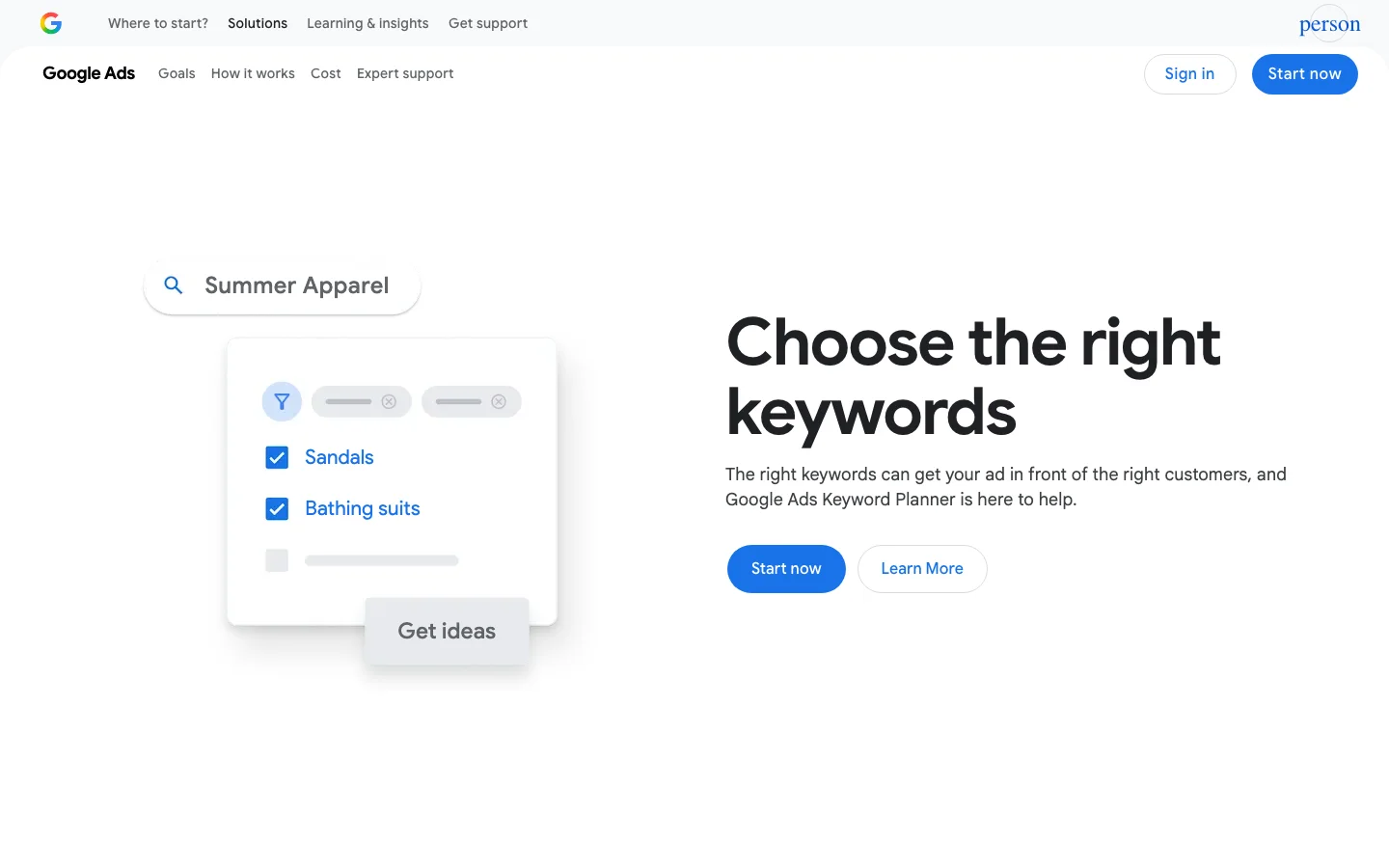
Now use a tool to get volume, difficulty and cost per click for what you collected, and to expand it. Google's own Keyword Planner help page (Google Ads Help) explains that the tool gives estimates of monthly searches and of the average cost to show ads, and that forecasts are based on the last 7 to 10 days, adjusted for seasonality. Cost per click matters for a store: advertisers pay more for keywords that convert, so a high cost per click is a strong buying-intent signal. See our walkthrough of Google Keyword Planner for SEO and the comparison of the best keyword research tools.
Tip
Paste a seed such as your main category noun into our free keyword suggestions tool to get attribute and question variants in a few seconds, before you open a paid tool.
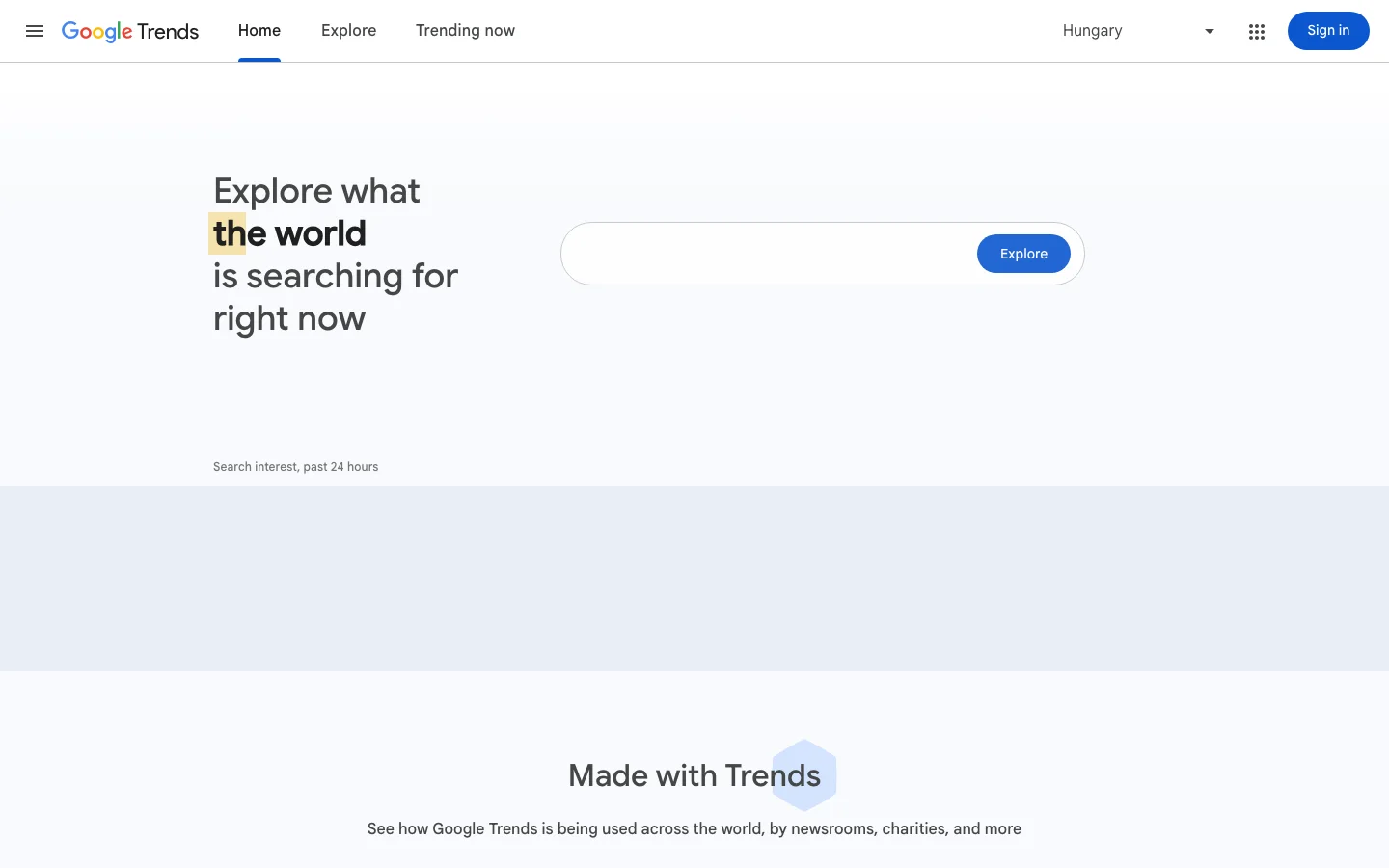
Trends does not give volumes, but it shows when interest starts rising each year and which regions search most. For a store, that is what decides when a seasonal page must be live and indexed: several weeks before the rise, not on the day of the peak.
Shoppers now also ask ChatGPT, Gemini or Perplexity "which running shoes for flat feet under 150€". These prompts are longer than Google queries and full of constraints (budget, use, body type). They are a new source of long-tail attributes. Our guide to keyword research for AI search explains how to collect them, and Sorank's AI prompt research lists the questions your customers ask AI about your category.
Keyword sources to export this week
Once you have a few hundred keywords, you need to sort them. Volume alone is misleading in ecommerce: a keyword with 300 monthly searches for a 900€ sofa can bring more revenue than a keyword with 5000 searches for a 9€ phone case. Four checks, in this order.
Search the keyword in a private window, in the target country. Count how many of the top 10 results are category pages, product pages, articles or marketplace listings. If 7 or more are category pages, the keyword is a category keyword, whatever your plans were. If results are mixed, intent is mixed, and a category page with a strong buying guide block under the product grid often wins.
Look for modifiers ("buy", "price", "cheap", "sale", sizes, colors), shopping ads at the top, product carousels and free listings. Our guide to buying intent keywords gives a scoring grid. Cost per click is the quickest proxy.
Difficulty scores from tools are averages. Look at who ranks: if page one is only national retailers and marketplaces, a young store will struggle on the head term but can win the attribute variants. Read keyword difficulty for how to judge a results page by hand.
Estimate what one good position is worth per month. The formula is simple; the inputs come from your own analytics.
Monthly revenue = Search volume × Expected CTR × Conversion rate × Average order value

Example:
800 searches × 0.10 (position 3) × 0.02 × 120€ = 192€ per month
Use your own store conversion rate for organic traffic, not an industry average, and the average order value of the category concerned. The keyword value calculator does the same calculation with click-through rates by position, and the keyword opportunity score calculator combines value and difficulty into one score to rank your list.
How a raw keyword list narrows to pages worth building
There is more than one way to organize an ecommerce keyword plan. Most stores mix them, but you should know which one drives the structure.
Principle: start from the head terms of each department, then go down to subcategories and attributes. When to use it: new stores, redesigns, migrations. Advantages: produces a clean tree and a clear menu. Limits: misses the long tail and the vocabulary customers really use. Example: "bedding" then "duvet covers" then "linen duvet covers" then "king size linen duvet cover".
Principle: export your product feed, list every attribute value (material, color, size, use, audience), cross them with the category nouns, and check which combinations have search demand. When to use it: large catalogs, marketplaces, stores with many filters. Advantages: finds hundreds of precise, low-competition keywords and tells you which filter pages deserve indexing. Limits: creates thin pages if you do not set a demand threshold. Example: "linen" × "duvet cover" × "sage green" gives "sage green linen duvet cover".
Principle: extract the ranking URLs of two or three direct competitors and rebuild the keyword map from what works for them. When to use it: entering a crowded niche fast. Advantages: fast, demand already validated. Limits: you copy their blind spots and never get ahead. Example: a competitor's "/collections/linen-bedding-sets" ranks top 3; you build the matching collection with a better product range and buying guide.
Principle: start from site search, reviews, support and AI prompts, and only then check volumes. When to use it: established stores with traffic and reviews, niche or technical products. Advantages: finds keywords tools underestimate and phrases that convert. Limits: needs existing data; volumes can be too low to justify a page alone. Example: reviews keep saying "doesn't wrinkle"; you create a "wrinkle-free linen sheets" filtered page.
| Approach | Best for | Main data | Strength | Risk |
|---|---|---|---|---|
| Top-down | New store, redesign | Keyword tool, head terms | Clean architecture | Misses long tail |
| Bottom-up | Large catalogs | Product feed attributes | Many precise keywords | Thin filter pages |
| Competitor-led | Crowded niches | Competitor ranking URLs | Fast, validated demand | Copies their gaps |
| Customer-language-led | Established stores | Site search, reviews, prompts | Converting phrases | Low volumes |
A good default: top-down for the skeleton, bottom-up to decide which filters become pages, customer language to write the copy. Competitor data is a check, not a plan.
Here is the method we recommend for a store of a few hundred to a few thousand products. Each step produces a file you keep.
The 7-step ecommerce keyword research method
Crawl the site or export from your platform. For each URL, record its type, title, H1, number of products, and the top query from Search Console over the last 3 months. This shows what already ranks and prevents creating a new page for a keyword an existing page already owns.
Write one line per category noun and product type (both singular and plural forms), then add the brands you sell. Paste in site search queries and Search Console queries. Aim for a list of 50 to 200 seeds for a mid-size store.
Build combinations automatically. In Google Sheets, if column A holds nouns and column B holds attributes, this formula generates every pair:
=ARRAYFORMULA(FLATTEN(B2:B20 & " " & TRANSPOSE(A2:A10)))Run the result through your keyword tool to get volumes, then delete combinations with zero demand. Keep a threshold: a filtered page needs real monthly searches and at least a few products to show, otherwise it stays a non-indexed filter.
For every keyword above your threshold, tag the dominant page type and intent. For large lists, check the top 50 by value manually and use a tool that reads results pages for the rest.
Two keywords belong on the same page if Google shows mostly the same URLs for both. "Linen duvet cover" and "linen duvet covers" will share results; "linen duvet cover" and "linen sheets" will not. Our guide to keyword clustering explains the overlap threshold, and the free keyword clustering tool groups a list for you.
Apply the revenue formula to each cluster, then write the target URL next to it: an existing URL to optimize, or a new URL to create. This file is your keyword map. One cluster, one URL, no exceptions.
cluster_id, primary_keyword, variants, page_type, target_url, status, est_monthly_revenue
C014, linen duvet cover, "linen duvet covers|linen quilt cover", category, /collections/linen-duvet-covers, optimize, 410
C015, sage linen duvet cover, "sage green linen duvet", filtered, /collections/linen-duvet-covers/sage, create, 95
C016, linen vs cotton sheets, "is linen better than cotton", comparison, /blog/linen-vs-cotton-sheets, create, 60For each URL, set the title tag, H1, intro copy, FAQ and internal links using the primary keyword and its variants. Category pages are covered in detail in ecommerce category page SEO, product pages in product description SEO. Then add the keywords to a rank tracker and review the map every quarter.
Filters are where ecommerce keyword research turns technical. A category with 6 filters of 10 values each can generate millions of URL combinations. Only a few of them match real searches.
A filter combination gets an indexable, static URL when three conditions are met: it matches a keyword with real demand, it shows enough products to be useful, and the results page for that keyword shows category-type pages. Everything else stays a filter for users, invisible to search engines.
Filter handling before and after keyword research
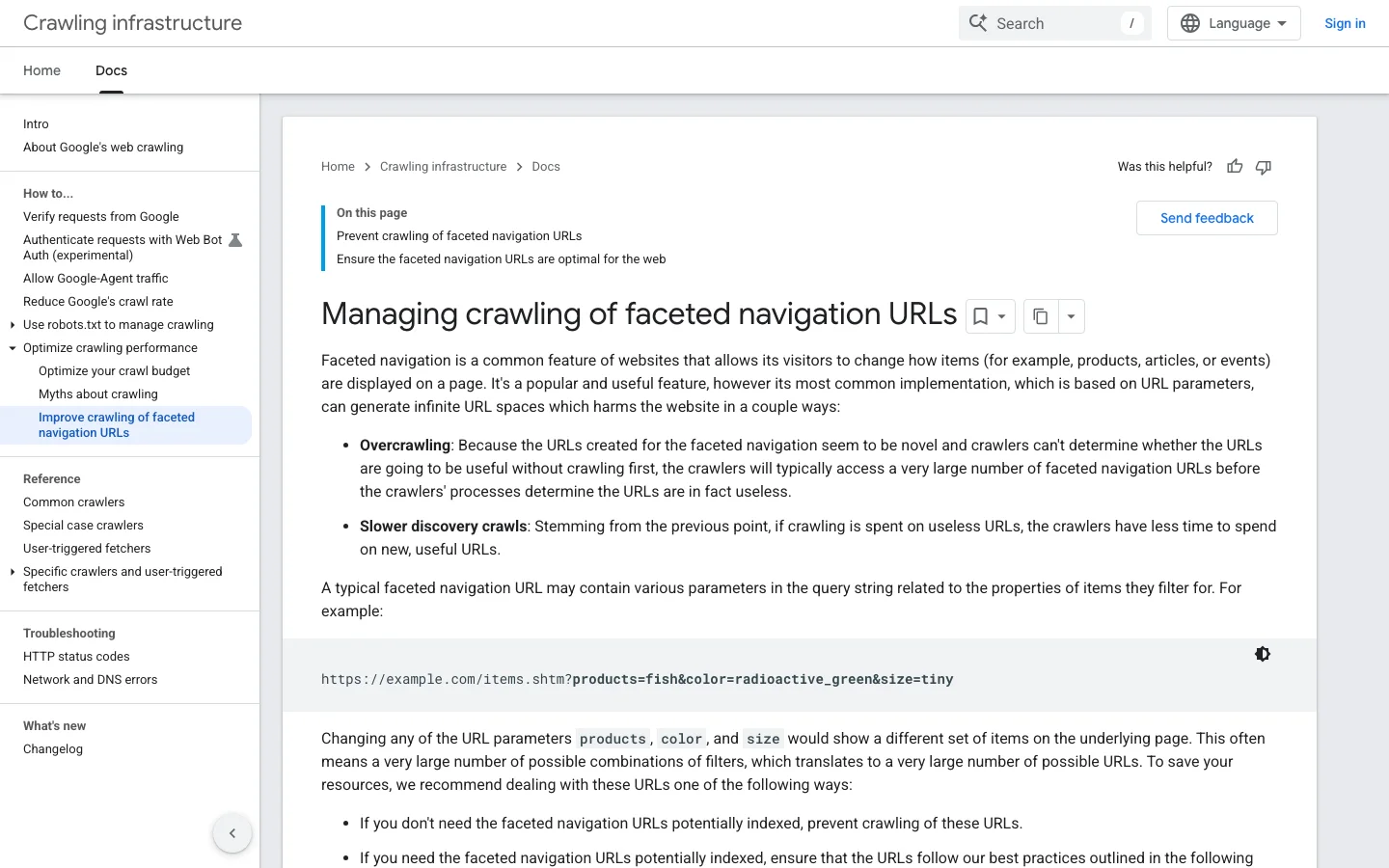
Google's documentation on managing crawling of faceted navigation URLs (Google Search Central) lists the options: block filter parameters in robots.txt, use URL fragments for filters, or, less effectively over time, canonical tags and nofollow links. For filters you want indexed, it asks for the standard & separator, a consistent filter order, and a 404 status for empty or nonsensical combinations. A robots.txt in the spirit of Google's example:
User-agent: *
Disallow: /*?*sort=
Disallow: /*?*price=
Disallow: /*?*color=*&*size=
Allow: /collections/linen-duvet-covers/sage
Keep the searched combinations as clean paths (for example /collections/linen-duvet-covers/sage) rather than parameters, so you can block parameters broadly without blocking the pages you want to rank. Google's guide to helping Google understand your ecommerce site structure adds that Google relies on links between pages more than on URL structure, so each indexable filter page must be linked from its parent category, not only reachable through the filter panel. Our guide to technical SEO for ecommerce covers variants, stock and pagination in detail.
Warning
Do not block in robots.txt a URL that carries a canonical tag you want Google to read: if Google cannot crawl the page, it cannot see the canonical. Choose one mechanism per URL pattern.
Product keywords are the most precise and the easiest to rank for, because few pages match them exactly. They also raise questions category pages never do.
Brand + model + the one or two attributes people add when they search (gender, size range, color family). Put the most searched version in the title tag and H1, and the others in the description and specifications. Do not try to rank a single product for the category head term: that is the category's job. See how many keywords per page for the full rule.
If people search color or size variants separately ("hoka speedgoat 6 black"), and the variant has its own photos, a separate variant URL can rank. If not, keep one product URL with variant selectors, and mention the variants in the copy. Search Console tells you: if variant queries appear with impressions, the demand exists.
A temporarily out-of-stock product keeps its URL, its keyword and its rankings: show the stock status and alternatives. A discontinued product with backlinks or traffic is redirected with a 301 to its successor or to its category. A discontinued product with neither can return a 404. Never delete a product page that ranks without checking its keywords first.
Seasonal keywords (gifts, holidays, back to school, summer collections) follow the same curve every year. The research is the same; the timing is everything.
Seasonal keyword calendar for a gift peak
Use /collections/gifts-for-runners, not /collections/gifts-for-runners-2026. The page keeps its links and history from one season to the next, and you only update the content. Put the year in the title tag if searchers type it, not in the URL.
More and more product discovery starts in a conversation with an AI assistant. The assistant breaks a request such as "linen bedding that stays cool, under 200€, for a king bed" into several searches and reads pages that answer each constraint. That changes what your pages must contain, not the method.
Our guides to GEO for ecommerce and ChatGPT Shopping show how to get products recommended. Sorank's query fan-out tracker shows which searches AI assistants actually run behind a prompt.
These are the errors we see most in store audits. Each one has a symptom you can check today.
What it is: the whole plan rests on a handful of generic nouns dominated by national retailers. How to spot it: your keyword map has fewer filtered pages than top categories, and Search Console shows impressions but almost no clicks on the head terms. How to fix it: run the bottom-up attribute expansion from step 3 and create the filtered pages that pass the demand threshold.
What it is: an article titled "best linen duvet covers" targets a keyword where Google shows category pages. How to spot it: the article sits on page two while your category page does not rank either, both competing for the same query. How to fix it: check the results page; if categories dominate, move the useful content into a guide block on the category page, redirect the article, or retarget it to a true informational keyword.
What it is: a best-selling product page carries the category keyword in its title. How to spot it: in Search Console, filter the query and look at the Pages tab; two URLs alternate. How to fix it: remove the head term from the product title, link the product to the category with that keyword as anchor, and keep one primary keyword per URL.
What it is: indexable filter pages with one or two products and the same text as the parent category. How to spot it: the Pages report in Search Console lists many "Crawled, currently not indexed" or "Duplicate without user-selected canonical" filter URLs. How to fix it: raise the threshold (minimum products and minimum demand), noindex or block the rest, and give the remaining filtered pages a unique intro and FAQ.
What it is: categories named after internal or supplier terms ("textile bed range") instead of what people type ("bed sheets"). How to spot it: your category names return little or no volume in a keyword tool, and site search queries use different words. How to fix it: rename categories and H1s after the most searched term, keep the supplier term in the description if it has value.
What it is: visitors search your store for products or synonyms you do not handle. How to spot it: the "searches with no results" report shows recurring queries. How to fix it: add synonyms to your search engine, create the missing category if you sell the products, or source them if demand is strong.
What it is: prioritizing the biggest numbers regardless of price and conversion. How to spot it: traffic grows but revenue from organic search does not. How to fix it: sort the map by estimated revenue with the formula above, and start with high-value clusters you can realistically rank for.
What it is: "/black-friday-2025", "/black-friday-2026" and so on. How to spot it: several near-identical seasonal URLs exist, each with few links. How to fix it: pick one permanent URL, redirect the old ones to it with a 301, and update its content each year.
Quick audit of your keyword map
You do not need a large stack. What matters is covering the four jobs: collecting your own data, sizing demand, reading results pages and tracking positions.
| Job | Tool | What it gives you | Cost |
|---|---|---|---|
| Own data | Google Search Console | Queries, impressions, positions per page | Free |
| Own data | Shopify Analytics or GA4 site search | Internal search and "no results" queries | Free with platform |
| Demand | Google Keyword Planner | Monthly search estimates, cost per click | Free with a Google Ads account |
| Seasonality | Google Trends | Interest over time and by region | Free |
| Expansion | Marketplace and Google autocomplete | Real attribute and long-tail phrases | Free |
| Clustering and scoring | Sorank free SEO tools | Suggestions, clusters, keyword value | Free |
For a ranked comparison of paid suites, see the best ecommerce SEO tools. If you would rather not run this process by hand every quarter, Sorank's automated keyword research finds and prioritizes keywords for Google and AI search, then plans the content in a calendar; see how it applies to stores on the SEO software for ecommerce page.
You can start with one hour and free tools. Open Search Console, filter queries in positions 8 to 30, and note the ten with the most impressions. Search each one and write down the page type Google shows. For every keyword where your store has the right page type, improve its title, H1 and intro. For every keyword where you have no matching page, add a line to your keyword map. Then export your site search "no results" list: it is the fastest list of missing products and synonyms you will ever get.
Once the map exists, every new category, filter or article starts from it. That is the real output of ecommerce keyword research: not a list of words, but a store where each page has one clear job.
Start with your own data: internal site search, Search Console queries in positions 8 to 30, and the words customers use in reviews. Then expand with Amazon and Google autocomplete and competitor filter names, and use a keyword tool to size demand.
Generic and attribute keywords ("linen duvet covers", "sage linen duvet cover") go on category and filtered pages. Brand, model and precise reference keywords go on product pages. Check the Google results page: build the page type that already ranks.
One primary keyword plus its close variants, such as singular and plural forms or synonyms that show the same results. Two pages targeting the same primary keyword compete with each other and usually both rank lower.
We analyse your competitors, your website and your AI visibility to create a tailored content plan for free.
 AI Content Brief Generator
 FAQ Schema Generator
 AI Blog Post Ideas Generator
 Structured Data Validator (Schema Validator)
 Alt Text Checker
 Internal Link Analyzer
 Backlink Challenge
 AI Meta Description Generator
 AI Blog Title Generator
 Google Indexability Checker
 AI Blog Outline Generator
 UTM Link Builder
 Keyword Clustering Tool
 Canonical Tag Checker
 XML Sitemap Generator
 Broken Link Checker
 AI SEO Title Generator
 Headline Analyzer
 SERP Preview Tool
 Redirect Checker
 Hreflang Tag Generator
 Heading Structure Analyzer
 HTTP Headers Checker
 Favicon Extractor
 SERP CTR Calculator
 SEO vs Paid Search Savings Calculator
 SEO Share of Voice Calculator
 SEO ROI Calculator
 SEO Traffic and Revenue Forecast Calculator
 SEO Budget Calculator
 SEO Break-Even Calculator
 SaaS SEO ROI Calculator
 ROAS Calculator
 Reading Time Calculator
 Ranking Gain Simulator
 Organic Traffic Value Calculator
 Organic Traffic Estimator and Website Traffic Checker
 LTV to CAC Ratio Calculator
 Local SEO ROI Calculator
 Link Building Cost Calculator
 Keyword Value Calculator
 Keyword Opportunity Score Calculator
 Keyword Density Calculator
 GEO ROI Calculator
 GEO Content Investment Calculator
 Ecommerce SEO ROI Calculator
 Customer Lifetime Value Calculator
 Customer Acquisition Cost Calculator
 CTR Calculator
 Cost Per Article Calculator
 Conversion Rate Calculator
 Content Marketing ROI Calculator
 ChatGPT Referral Traffic Estimator
 Bounce Rate Calculator
 Backlink ROI Calculator
 AI Visibility Score Calculator
 AI Traffic Value Calculator
 AI Share of Voice Calculator
 Cost of AI Invisibility Calculator
 AI Citation Rate Calculator
 llms.txt Validator
 AI Overview Checker and AI Overviews Rank Checker
 Robots.txt Checker
 AI SEO Audit
 LLM Readability Checker
 SearchGPT Readiness Checker
 Structured Data LLM Audit
 Website Crawlability AI Audit
 Why ChatGPT Is Not Recommending My Website
 Gemini Ranking Tool
 Perplexity Ranking Checker
 LLM Citation Checker
 Answer Engine Optimization Audit
 GEO Audit
 AI Search Visibility Test
 ChatGPT Visibility Checker
 llms.txt Generator
 URL Extractor
 Webpage to Markdown
 Sitemap Checker
 SERP Volatility Sensor
 Page Size Checker
 Word Counter
 Slug Generator
 Schema Generator
 Robots Generator
 OG Preview
 Meta Tags Generator
 Image Compressor
 Favicon Generator
 On-Page SEO Audit: SEO Checker and SEO Analyzer
 Backlink Analysis Tool
 Keyword Research Tool
 Domain Authority Checker
 “I tested Sorank on a real client site and it's insane. It does everything an agency would bill you $1500 a month for. It's going into production on that client now.”

 Guillaume Guersanguersanguillaume.com“We are an Ads agency and we wanted to get our SEO back on track once and for all. Sorank gave us a clear view of our site, helped us prioritize optimizations, and properly structure our content. The tool is easy to use, well designed for a team, and very practical for centralizing tracking without having to juggle multiple platforms. A very solid foundation to start fresh with our SEO.”
 Gaspard MadouiAds Agency
 “I just let the Sorank software do its thing, and now my DR is 25 and my page is ranking higher.”
 Lucas Flandrefoundertrace.fr“I specialized in GEO thanks to Sorank. The GEO Leaderboard allows me to show my clients their position vs competitors on ChatGPT. It’s a real commercial differentiator.”
 MélanieSEO Freelance“Great service, works well for our website and helps us understand how to improve it to rank better on Google and elsewhere. Congrats, keep going, I recommend it.”
 Hugo T.E-commerce merchant