Preferences
Privacy is important to us, so you have the option of disabling certain types of storage that may not be necessary for the basic functioning of the website. Blocking categories may impact your experience on the website. More information

Privacy is important to us, so you have the option of disabling certain types of storage that may not be necessary for the basic functioning of the website. Blocking categories may impact your experience on the website. More information

How Google Autocomplete (Google Suggest) works and how to use it for SEO: find long-tail keywords and questions step by step, plus its limits.
Tools

In short
Google Autocomplete (often called Google Suggest) predicts the end of a query from real searches, taking into account language, location and trending interest. For SEO, it is a free source of long-tail keywords and questions that people really type. Use it by typing your topic followed by letters, question words or prepositions, collect the predictions, then check volume and intent before writing. You cannot buy or force a prediction, and Google removes those that break its policies.
Want to go further? Ask
Quick quiz
Is SEO right for you, and how should you start?
Sorank matches your answers


Test it for 3 days on your own site and see where you stand on Google, ChatGPT and the other AIs.
Start 3-day free trial3 days free, then stop whenever you want. 90-day money-back guarantee.
Google Autocomplete SEO is one of the oldest keyword research techniques, and still one of the most reliable for finding how people phrase their needs. According to Google's help page on autocomplete, predictions come from common queries that match what you type, and from patterns across the web. This guide explains how the feature works, how to mine it for keywords and where its limits are.
As you type in the search box, Google shows predictions that complete your query. They are based on real searches: common and trending queries that start with or contain what you typed. Google says predictions take into account the language of the query, the location it comes from and trending interest, and that signed-in users may see predictions influenced by their past searches.
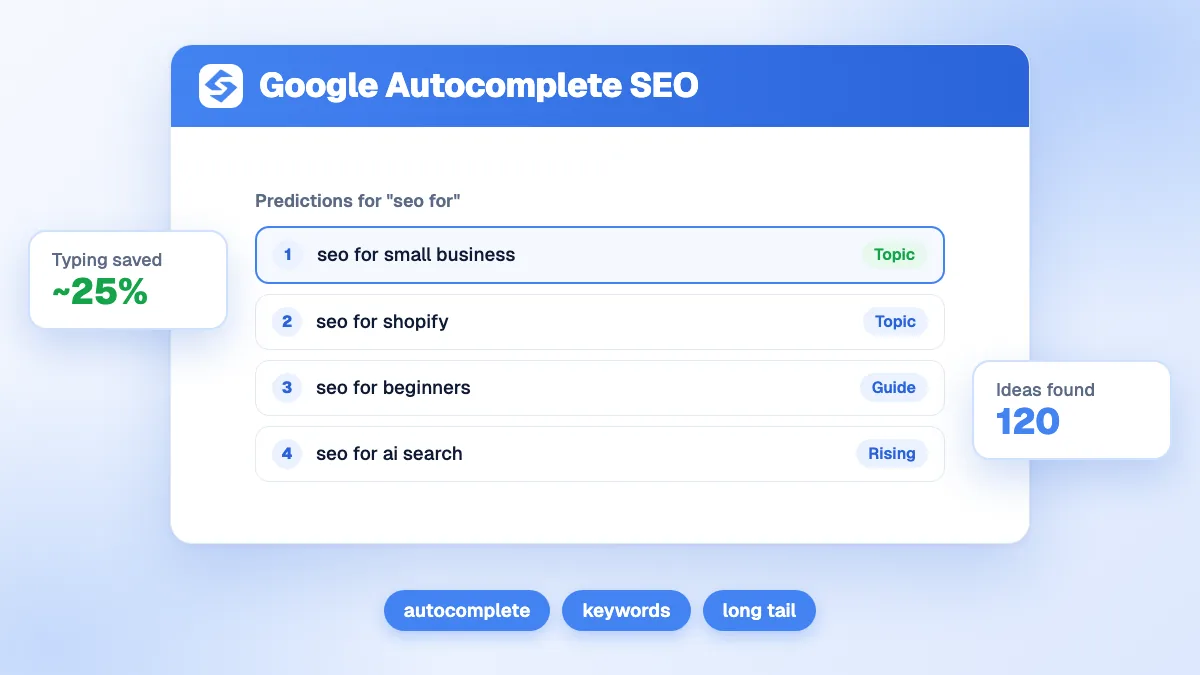
The feature saves time: in a post explaining how autocomplete works, Google said in 2018 that it reduces typing by about 25% on average. That is also why it shapes searches: many users pick a prediction instead of finishing their own wording, so predictions become frequent queries.
Note
Autocomplete shows predictions, not volumes. A prediction proves that a query is searched, not how often. Always check the volume in a keyword tool before deciding to write a page.
These ideas also matter for AI answers: assistants receive long, conversational questions close to what autocomplete reveals. Our guide to related keywords covers the other free sources from the results page, such as People Also Search For.
Use a private window, sign out, and set the country and language of your market so your own history does not bias the predictions.
Type the main topic slowly and note every prediction. Then add a space at the end: Google often shows a different set.
Type your seed followed by each letter, "seo for a", "seo for b", and so on. Each letter brings new completions. Do the same with the letter before the seed ("a seo for").
Combine the seed with how, what, why, which, can, is, best, vs, for, near, price, free, template, example. Each modifier targets a different intent.
Typing an underscore in the middle of a query, as in "how to _ a blog", often makes Google fill the gap with common words. Results vary, but it is a quick way to explore patterns.
Paste every prediction into a sheet, remove duplicates, group by intent, then check volume and difficulty. Keep one page per intent. The free keyword suggestions tool and keyword clustering tool speed up these two steps.
| Modifier | Example for "project management" | Intent revealed |
|---|---|---|
| how / how to | how to do project management | Informational, guide |
| best / top | best project management software | Commercial, comparison |
| vs | project management vs program management | Comparison of notions or products |
| for | project management for small teams | Segment, specific need |
| price / cost / free | project management software free | Transactional, budget |
| template / example | project management template | Resource to download or copy |
Tip
Repeat the exercise on YouTube, Amazon and in the Google app on mobile: each has its own autocomplete and reveals different needs. Video and product predictions are often closer to buying intent.
Only indirectly. Predictions reflect what people search, so the legitimate way to appear in them is to make your brand searched: brand awareness, press, partnerships and content people look for by name. Services that promise to "place" a prediction by generating artificial searches go against Google's policies and do not last. For negative predictions about your brand, Google's help page explains how to report a prediction that breaks its policies; our guide to online reputation management covers the broader work, and branded keywords explains how to track searches for your name.
Watch out
Do not create a page for every prediction. Many predictions are variants of the same intent; writing one page each creates thin, competing pages. Group them first.
Autocomplete is a great start, but manual. Once you have a list, the work is to check volumes, group by intent and write one useful page per group. Our guide on keyword research describes the full process, and our ranking of keyword research tools compares the tools that add volumes and difficulty.
Autocomplete shows how people phrase their needs; your content wins when it answers those exact phrases better than anyone else. Sorank, SEO and GEO software that runs on autopilot, does this at scale: its keyword research finds and groups the queries automatically, then it writes and publishes the matching articles. See the Sorank plans, with a 3-day free trial.

Yes. Google Suggest was the original name of the feature launched in the late 2000s; Google now calls it autocomplete. Both refer to the predictions that appear under the search box as you type.
Predictions depend on the language and location of the search, on trending interest and, for signed-in users, on past searches. To get neutral predictions for keyword research, use a private window, sign out and set the target country.
You can report a prediction that breaks Google's autocomplete policies, for example a disparaging or unsupported accusation, using the report link under the predictions or Google's help page. Predictions that simply reflect what people search are not removed on request.
We analyse your competitors, your website and your AI visibility to create a tailored content plan for free.
 AI Content Brief Generator
 FAQ Schema Generator
 AI Blog Post Ideas Generator
 Structured Data Validator (Schema Validator)
 Alt Text Checker
 Internal Link Analyzer
 Backlink Challenge
 AI Meta Description Generator
 AI Blog Title Generator
 Google Indexability Checker
 AI Blog Outline Generator
 UTM Link Builder
 Keyword Clustering Tool
 Canonical Tag Checker
 XML Sitemap Generator
 Broken Link Checker
 AI SEO Title Generator
 Headline Analyzer
 SERP Preview Tool
 Redirect Checker
 Hreflang Tag Generator
 Heading Structure Analyzer
 HTTP Headers Checker
 Favicon Extractor
 SERP CTR Calculator
 SEO vs Paid Search Savings Calculator
 SEO Share of Voice Calculator
 SEO ROI Calculator
 SEO Traffic and Revenue Forecast Calculator
 SEO Budget Calculator
 SEO Break-Even Calculator
 SaaS SEO ROI Calculator
 ROAS Calculator
 Reading Time Calculator
 Ranking Gain Simulator
 Organic Traffic Value Calculator
 Organic Traffic Estimator and Website Traffic Checker
 LTV to CAC Ratio Calculator
 Local SEO ROI Calculator
 Link Building Cost Calculator
 Keyword Value Calculator
 Keyword Opportunity Score Calculator
 Keyword Density Calculator
 GEO ROI Calculator
 GEO Content Investment Calculator
 Ecommerce SEO ROI Calculator
 Customer Lifetime Value Calculator
 Customer Acquisition Cost Calculator
 CTR Calculator
 Cost Per Article Calculator
 Conversion Rate Calculator
 Content Marketing ROI Calculator
 ChatGPT Referral Traffic Estimator
 Bounce Rate Calculator
 Backlink ROI Calculator
 AI Visibility Score Calculator
 AI Traffic Value Calculator
 AI Share of Voice Calculator
 Cost of AI Invisibility Calculator
 AI Citation Rate Calculator
 llms.txt Validator
 AI Overview Checker and AI Overviews Rank Checker
 Robots.txt Checker
 AI SEO Audit
 LLM Readability Checker
 SearchGPT Readiness Checker
 Structured Data LLM Audit
 Website Crawlability AI Audit
 Why ChatGPT Is Not Recommending My Website
 Gemini Ranking Tool
 Perplexity Ranking Checker
 LLM Citation Checker
 Answer Engine Optimization Audit
 GEO Audit
 AI Search Visibility Test
 ChatGPT Visibility Checker
 llms.txt Generator
 URL Extractor
 Webpage to Markdown
 Sitemap Checker
 SERP Volatility Sensor
 Page Size Checker
 Word Counter
 Slug Generator
 Schema Generator
 Robots Generator
 OG Preview
 Meta Tags Generator
 Image Compressor
 Favicon Generator
 On-Page SEO Audit: SEO Checker and SEO Analyzer
 Backlink Analysis Tool
 Keyword Research Tool
 Domain Authority Checker
THEY TRIED SORANK BEFORE YOU
 “I tested Sorank on a real client site and it's insane. It does everything an agency would bill you $1500 a month for. It's going into production on that client now.”
 Guillaume Guersanguersanguillaume.com“We are an Ads agency and we wanted to get our SEO back on track once and for all. Sorank gave us a clear view of our site, helped us prioritize optimizations, and properly structure our content. The tool is easy to use, well designed for a team, and very practical for centralizing tracking without having to juggle multiple platforms. A very solid foundation to start fresh with our SEO.”
 Gaspard MadouiAds Agency
 “I just let the Sorank software do its thing, and now my DR is 25 and my page is ranking higher.”
 Lucas Flandrefoundertrace.fr“I specialized in GEO thanks to Sorank. The GEO Leaderboard allows me to show my clients their position vs competitors on ChatGPT. It’s a real commercial differentiator.”
 MélanieSEO Freelance“Great service, works well for our website and helps us understand how to improve it to rank better on Google and elsewhere. Congrats, keep going, I recommend it.”
 Hugo T.E-commerce merchant