Preferences
Privacy is important to us, so you have the option of disabling certain types of storage that may not be necessary for the basic functioning of the website. Blocking categories may impact your experience on the website. More information

Privacy is important to us, so you have the option of disabling certain types of storage that may not be necessary for the basic functioning of the website. Blocking categories may impact your experience on the website. More information

Keyword research for AI search: find the prompts buyers ask, capture the queries AI assistants run behind them, estimate prompt volume and track trends.
Tools

In short
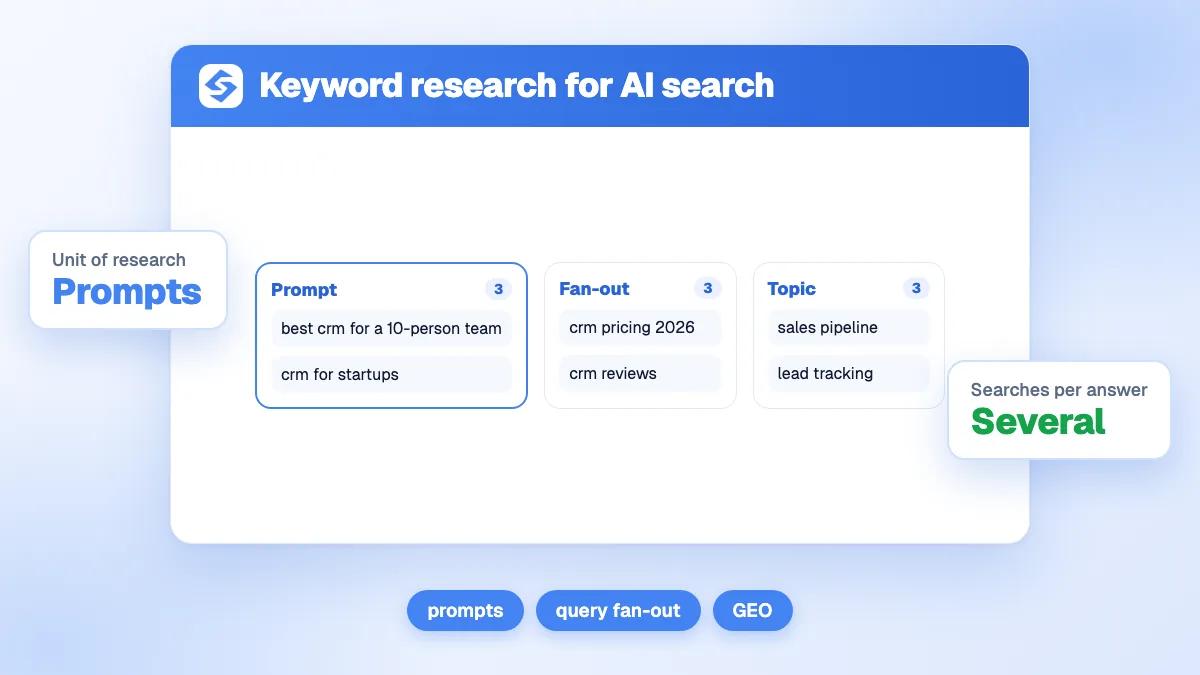
keyword research for AI search works on three layers. The prompts: the full questions your buyers ask ChatGPT, Gemini or Claude. The fan-out queries: the shorter searches the assistant runs behind each prompt to find sources. And the classic keywords: the search volume that confirms a topic has demand. No AI company publishes prompt volume, so you estimate it from proxies (Search Console, keyword volume, Bing grounding queries) and you measure the trend by tracking the same prompts every week.
Want to go further? Ask
Quick quiz
How should you get mentioned by ChatGPT and other AI assistants?
Sorank matches your answers


Test it for 3 days on your own site and see where you stand on Google, ChatGPT and the other AIs.
Start 3-day free trial3 days free, then stop whenever you want. 90-day results-or-refund guarantee.
Keyword research for AI search starts from a simple observation: people do not type keywords into an assistant, they ask questions with context. OpenAI's study of how people use ChatGPT (NBER working paper, September 2025) found that about 49% of messages are "asking" requests, and that practical guidance, seeking information and writing together account for nearly 80% of conversations. A list of two-word keywords misses most of that. This guide shows how to build the three layers, which signals to use for volume and trends, and how to turn them into pages that get cited.
Classic keyword research looks for short queries with a monthly volume. AI research adds two objects that keyword tools do not show well: the prompt, written in natural language, and the searches the assistant derives from it.
| Layer | Example | Who writes it | Where you see it |
|---|---|---|---|
| Keyword | coffee subscription | The user, in Google | Keyword tools, Search Console |
| Prompt | Which coffee subscription is best for a beginner who drinks two cups a day? | The user, in an assistant | Sales calls, support, reviews, prompt tracking |
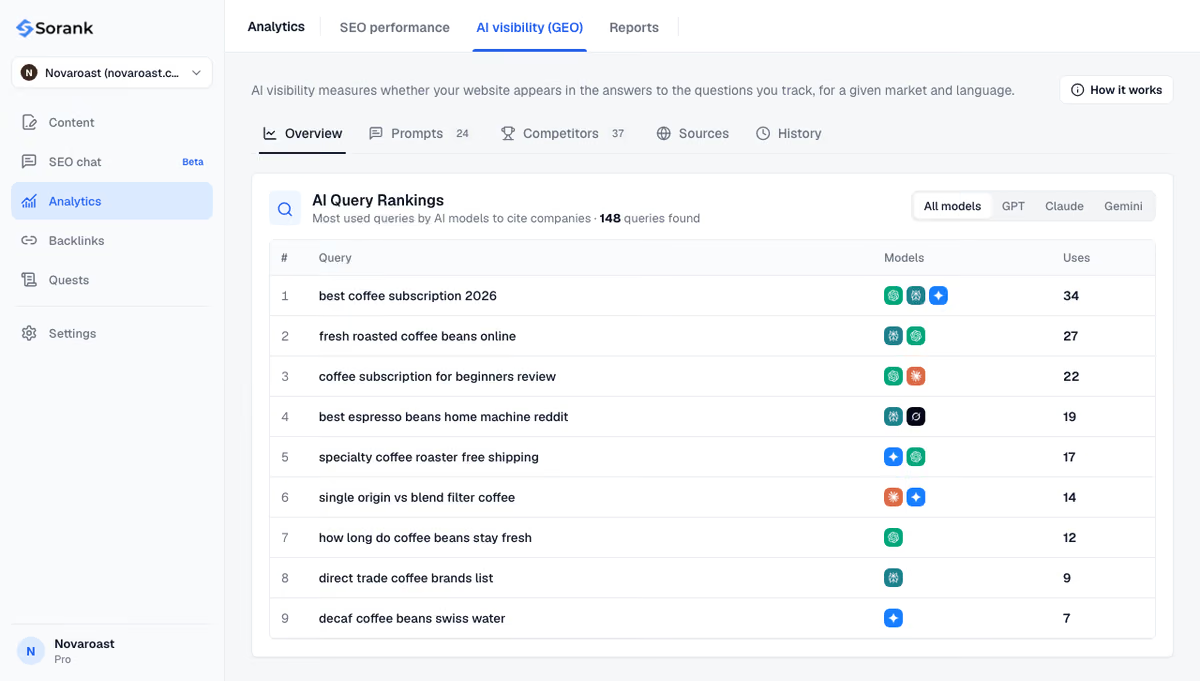
| Fan-out query | coffee subscription for beginners review; fresh roasted coffee delivery price | The assistant, behind the scenes | Answers that display their searches, Bing grounding queries, fan-out tracking |
The three layers do not compete. The prompt tells you the intent and the context of the buyer. The fan-out queries tell you which pages the assistant will read. The keyword tells you whether the same topic also brings Google traffic. Our guide on how AI assistants choose their sources explains why the fan-out layer decides which pages get retrieved.
Not as an official figure. OpenAI, Google, Anthropic and Perplexity do not publish how many times a given prompt is asked. The numbers sold as prompt volume are estimates built from panels, browser data or models extrapolating from search volume. They help rank topics against each other; they are not counts.
Three official signals come closer to the truth:
Watch out
A tool that shows a precise monthly "prompt volume" for a sentence is giving you a modeled estimate. Use it to compare topics, never as a forecast of traffic, and check that the trend matches what you see in Search Console.
Start from sources that contain full sentences: sales and support conversations, customer reviews, forum threads in your sector, and the longest queries in Search Console. Rewrite each one as a prompt a buyer would type, with its context (company size, budget, location, use case).
Group them by what the buyer wants to know. Four groups work for most markets: understanding (how does it work), benefits (what will it bring me), comparison (which option should I choose) and quality (how do I recognize a good provider). Comparison and quality prompts are where buying decisions happen, so cover them first. The classic notion of search intent still applies, with more nuance per sentence.
A panel that is too small misses topics; one that is too large cannot be tracked. Between 25 and 150 prompts covers most businesses. Our prompt library for SEO and GEO gives starting formulations you can adapt.
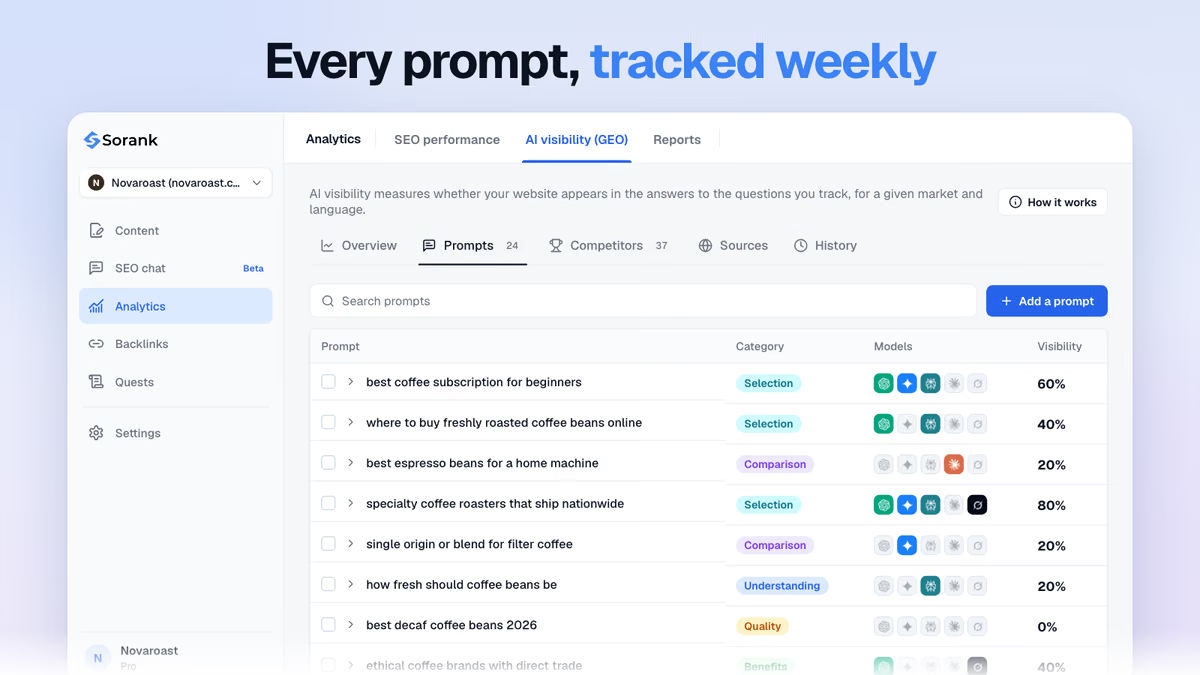
Send each prompt to the assistants your buyers use and record the searches they run. Google describes AI Mode as breaking a question into subtopics and issuing a multitude of queries simultaneously, and its Deep Search can issue hundreds of searches for one report. These sub-queries are often longer and more specific than anything in a keyword tool, and they change from one model to another.
Run the fan-out queries through a classic keyword research tool to get volume, difficulty and intent. A sub-query that the assistants use often and that also has Google volume is a double win: one page can rank on Google and be retrieved by the AIs.
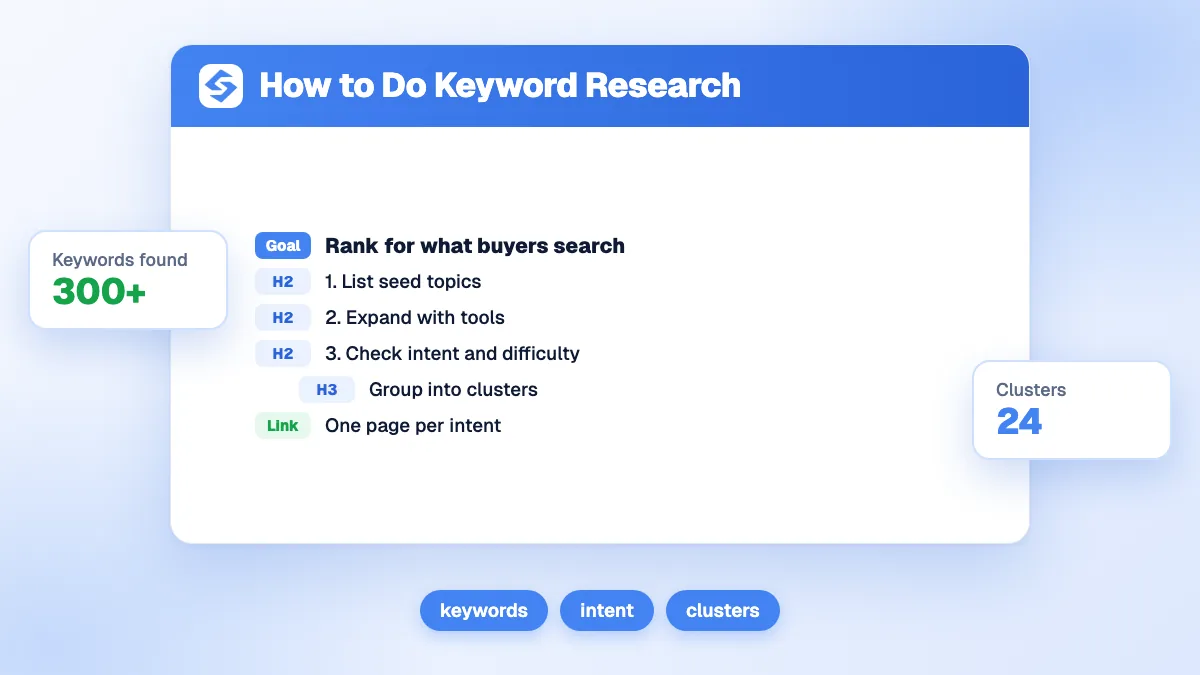
Cluster the prompts and sub-queries that share an answer, then assign one page per cluster to avoid cannibalization. The topical cluster generator does this grouping from a seed topic.
Tip
Write the prompt itself as the H2 or H3 of the page that answers it, then answer in the first two sentences. The assistant's sub-query and your heading then share the same words, which makes retrieval easier.
Trends matter more than absolute numbers, because both demand and the assistants' behavior move. Our ChatGPT citation study shows that ChatGPT moved from 5.8 to 4.1 sources per answer between August 2025 and August 2026: the same prompt can open or close citation slots within a few months.
| Signal | Where | What it tells you | Limit |
|---|---|---|---|
| Question-shaped queries | Google Search Console | Real demand on Google, AI Overviews and AI Mode included | AI traffic is not separated from classic Search |
| Grounding queries, intents, citation share | Bing Webmaster Tools | What Copilot searched to cite you, and your share per query | Sampled data, Microsoft surfaces only |
| Interest over time | Google Trends | Seasonality and rising topics | Relative index, no absolute volume |
| Search volume | Keyword tools | Demand behind fan-out queries | Does not count prompts |
| Mention rate per prompt | Weekly prompt tracking | Whether AIs cite you, and who instead | Varies from one run to the next |
| Fan-out frequency | Fan-out tracking | Which sub-queries come back week after week | Only where the model shows its searches |
Two habits make these signals useful. First, compare periods rather than reading a single month, as our guide to Google Trends for SEO explains for seasonality. Second, track the same prompts every week: the share of answers that mention you, measured on a stable panel, is the most reliable trend line you can build on AI visibility.
Example
A bike shop tracks "which electric bike for a 15 km commute?". Over four weeks, the assistants keep searching "electric bike range real test" and "electric bike commute price". Neither appears in the shop's keyword plan. One test page with measured ranges and prices answers both, ranks for the Google keyword and gives the AIs a passage to quote.
The same research feeds both channels. Fan-out queries with Google volume become articles that rank; prompts with high buying intent become comparison and pricing pages that the AIs can quote; weekly tracking tells you which of them works. Keyword research for AI search starts from the buyer's question, follows the searches the assistant runs, and checks the demand with real data.
Sorank automates the loop. AI prompt research writes the prompts of your market from your site and sorts them by intent, AI query fan-out records the searches each assistant runs behind them, and AI mention tracking measures every week whether your brand is cited on ChatGPT, Claude and Gemini, plus Perplexity and Grok from the Pro plan. The fan-out queries then become keywords in your editorial calendar.

Yes, for one of the three layers. Keyword tools give the volume and difficulty of the short queries that AI assistants run behind a prompt, which is useful to confirm demand. They do not show the prompts buyers type or the sub-queries a model actually runs, so combine them with prompt tracking and fan-out capture.
Between 25 and 150 prompts covers most businesses. Start with the comparison and quality questions of your main offer, where buying decisions happen, then add understanding and benefits questions. A stable panel tracked weekly gives a more reliable trend than a large list checked once.
No. Each assistant rewrites the question in its own way and searches a different index, so the sub-queries differ from one model to another and change over time. Recording them per model shows which angles are shared, worth one strong page, and which are specific to the assistant your buyers use.
We analyse your competitors, your website and your AI visibility to create a tailored content plan for free.
 AI Content Brief Generator
 FAQ Schema Generator
 AI Blog Post Ideas Generator
 Structured Data Validator (Schema Validator)
 Alt Text Checker
 Internal Link Analyzer
 Backlink Challenge
 AI Meta Description Generator
 AI Blog Title Generator
 Google Indexability Checker
 AI Blog Outline Generator
 UTM Link Builder
 Keyword Clustering Tool
 Canonical Tag Checker
 XML Sitemap Generator
 Broken Link Checker
 AI SEO Title Generator
 Headline Analyzer
 SERP Preview Tool
 Redirect Checker
 Hreflang Tag Generator
 Heading Structure Analyzer
 HTTP Headers Checker
 Favicon Extractor
 SERP CTR Calculator
 SEO vs Paid Search Savings Calculator
 SEO Share of Voice Calculator
 SEO ROI Calculator
 SEO Traffic and Revenue Forecast Calculator
 SEO Budget Calculator
 SEO Break-Even Calculator
 SaaS SEO ROI Calculator
 ROAS Calculator
 Reading Time Calculator
 Ranking Gain Simulator
 Organic Traffic Value Calculator
 Organic Traffic Estimator and Website Traffic Checker
 LTV to CAC Ratio Calculator
 Local SEO ROI Calculator
 Link Building Cost Calculator
 Keyword Value Calculator
 Keyword Opportunity Score Calculator
 Keyword Density Calculator
 GEO ROI Calculator
 GEO Content Investment Calculator
 Ecommerce SEO ROI Calculator
 Customer Lifetime Value Calculator
 Customer Acquisition Cost Calculator
 CTR Calculator
 Cost Per Article Calculator
 Conversion Rate Calculator
 Content Marketing ROI Calculator
 ChatGPT Referral Traffic Estimator
 Bounce Rate Calculator
 Backlink ROI Calculator
 AI Visibility Score Calculator
 AI Traffic Value Calculator
 AI Share of Voice Calculator
 Cost of AI Invisibility Calculator
 AI Citation Rate Calculator
 llms.txt Validator
 AI Overview Checker and AI Overviews Rank Checker
 Robots.txt Checker
 AI SEO Audit
 LLM Readability Checker
 SearchGPT Readiness Checker
 Structured Data LLM Audit
 Website Crawlability AI Audit
 Why ChatGPT Is Not Recommending My Website
 Gemini Ranking Tool
 Perplexity Ranking Checker
 LLM Citation Checker
 Answer Engine Optimization Audit
 GEO Audit
 AI Search Visibility Test
 ChatGPT Visibility Checker
 llms.txt Generator
 URL Extractor
 Webpage to Markdown
 Sitemap Checker
 SERP Volatility Sensor
 Page Size Checker
 Word Counter
 Slug Generator
 Schema Generator
 Robots Generator
 OG Preview
 Meta Tags Generator
 Image Compressor
 Favicon Generator
 On-Page SEO Audit: SEO Checker and SEO Analyzer
 Backlink Analysis Tool
 Keyword Research Tool
 Domain Authority Checker
THEY TRIED SORANK BEFORE YOU
 “I tested Sorank on a real client site and it's insane. It does everything an agency would bill you $1500 a month for. It's going into production on that client now.”
 Guillaume Guersanguersanguillaume.com“We are an Ads agency and we wanted to get our SEO back on track once and for all. Sorank gave us a clear view of our site, helped us prioritize optimizations, and properly structure our content. The tool is easy to use, well designed for a team, and very practical for centralizing tracking without having to juggle multiple platforms. A very solid foundation to start fresh with our SEO.”
 Gaspard MadouiAds Agency
 “I just let the Sorank software do its thing, and now my DR is 25 and my page is ranking higher.”
 Lucas Flandrefoundertrace.fr“I specialized in GEO thanks to Sorank. The GEO Leaderboard allows me to show my clients their position vs competitors on ChatGPT. It’s a real commercial differentiator.”
 MélanieSEO Freelance“Great service, works well for our website and helps us understand how to improve it to rank better on Google and elsewhere. Congrats, keep going, I recommend it.”
 Hugo T.E-commerce merchant