Preferences
Privacy is important to us, so you have the option of disabling certain types of storage that may not be necessary for the basic functioning of the website. Blocking categories may impact your experience on the website. More information
Privacy is important to us, so you have the option of disabling certain types of storage that may not be necessary for the basic functioning of the website. Blocking categories may impact your experience on the website. More information

Compare AirOps and Conductor on AI visibility tracking, workflows, CMS publishing and pricing, then run a 30-day test to pick the right tool.
In short
AirOps and Conductor both track how AI assistants answer questions about your brand, but they are built for different jobs. Conductor is positioned mainly as a monitoring platform, and AirOps as an operations platform that runs content and publishing. Choose by bottleneck: unseen gaps point to measurement first, seen but unfixed gaps point to execution.
Want to go further? Ask
Quick quiz
Which kind of SEO tool is right for you?
Sorank matches your answers


Test it for 3 days on your own site and see where you stand on Google, ChatGPT and the other AIs.
Start 3-day free trial3 days free, then stop whenever you want. 90-day results guarantee, conditions apply.
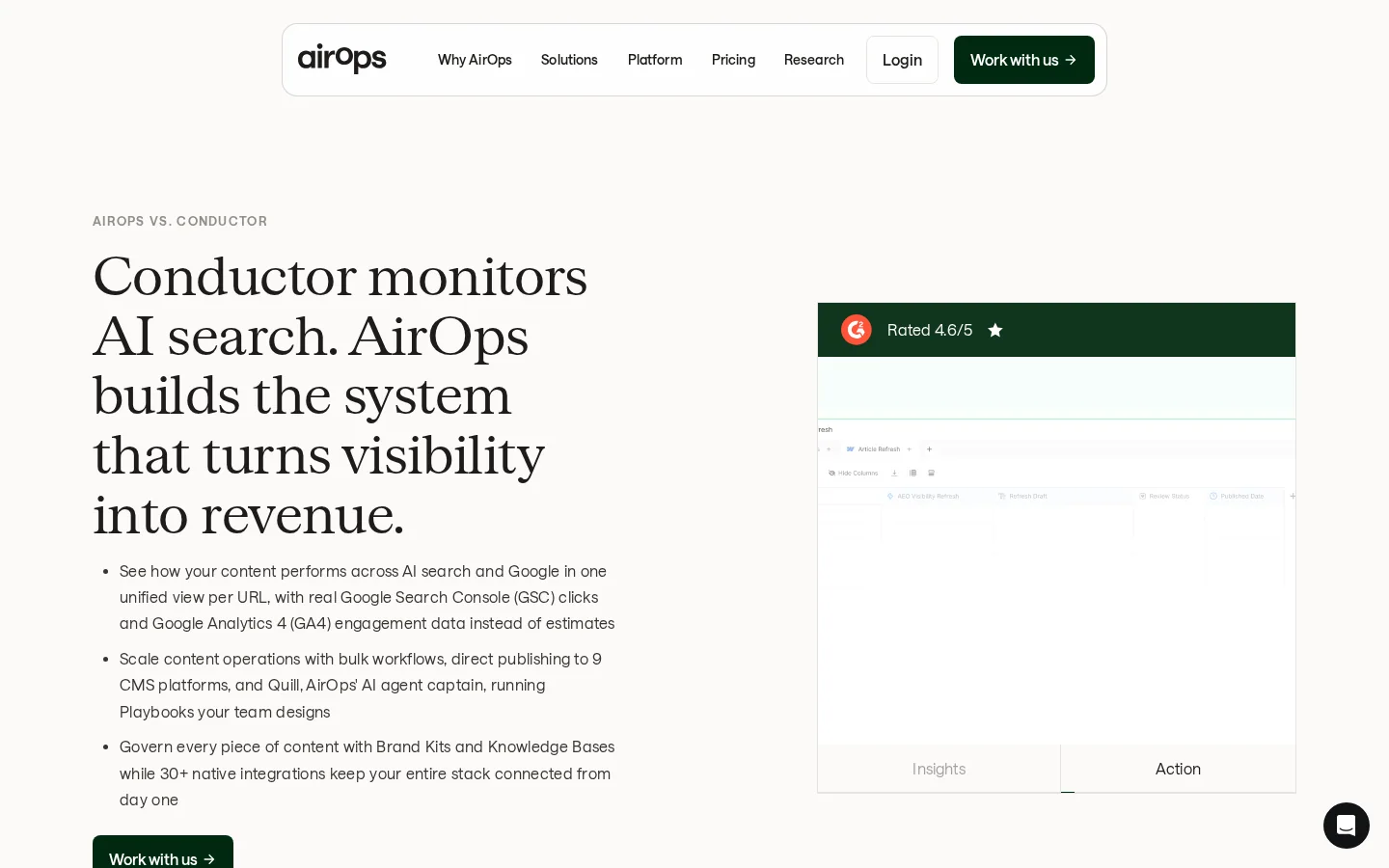
AirOps describes itself as an end-to-end operations platform that connects data, decisions and execution in one environment. It describes Conductor as an intelligence platform built for monitoring, with execution as an add-on. Both descriptions come from AirOps' own comparison page, so treat them as the vendor's framing. This section checks that framing against what each product publishes about itself.
Conductor's AI search FAQ, read on 22 November 2026, describes an AI Search Performance report that tracks each brand by monitoring mentions and citations over time. Its pricing page sells monitoring as its own tier, with limits on pages monitored and tracked websites. According to AirOps' summary of Conductor, the analytics sit in three places, Intelligence (formerly Conductor Searchlight), Creator and Monitoring, which teams have to combine by hand. Check that in a trial before you rely on it, because it comes from a competitor's page.
AirOps' page describes Page360, a per-URL view that combines AI citations, Search Console clicks, GA4 engagement and content freshness. It also lists Prompt Discovery, Query Fan-outs, Campaigns, Content Publish Tracking, Workflow Studio and Grids for running work in bulk. The practical difference is where the work happens. In an operations platform, the team can act in the same environment where it measures. With a monitoring-first tool, the fix usually moves to writers, developers or project management software.
Monitoring first or operations first?
Sources: Conductor AI search FAQ, 2026; AirOps comparison page, 2026
There are three practical ways to measure AI visibility: test by hand, buy a tracking-only tool, or use an operations platform that tracks and acts. Each one works. Each one misses something different, so the right choice depends on how often you need numbers and how fast you must act on them.
You ask the questions yourself and write down the answers. It costs nothing and it forces you to read real answers, which is useful in your first week. It misses history. One answer on one day, from one assistant, from one account, proves very little, because AI answers change between conversations. Example: a Tuesday check in ChatGPT names your brand, and the next Monday Claude names two competitors and skips you.
The same prompts go to several assistants on a schedule, and the tool stores mentions, citations and sources. You get a curve instead of a snapshot, which is what you need to judge whether a content change did anything. It misses the work. A tracking tool tells you that you are absent. It does not write the page that fixes it, and it does not publish that page.
Tracking sits next to content creation, data sync and publishing, so you stop copying numbers from one tool into another. The cost is higher, the setup takes longer and you need someone who can run workflows. A platform that covers everything can still be weaker than a specialist at the one step that matters most to you, so test that step first.
| Method | What it gives you | Best when | What it misses |
|---|---|---|---|
| Manual testing | Real answers, read in full | Your first week, or a sanity check | History, scale and sources |
| Tracking-only tool | Monthly visibility, mentions and sources by date | You need to know where you stand before you spend on content | The fix itself |
| Operations platform | Tracking plus data, content and publishing in one place | You have the gaps and the team to close them | Depth in a single step, which you must test |

Both tools measure two different things, mentions and citations, and both depend on which assistants they query and how often. Compare those three settings before you compare dashboards, because a clean dashboard can hide a thin method.
A mention is when the tool finds your brand in the text of an answer. A citation is when it finds a link to your site among the sources the assistant used. You can be mentioned without being cited, for example when an assistant describes your product from a directory listing. You can also be cited while the answer never names you. Both matter, and the source list tells you more than the score does. The AirOps comparison and Conductor's FAQ both use the mention and citation vocabulary, so ask every vendor to show you both in the same report.
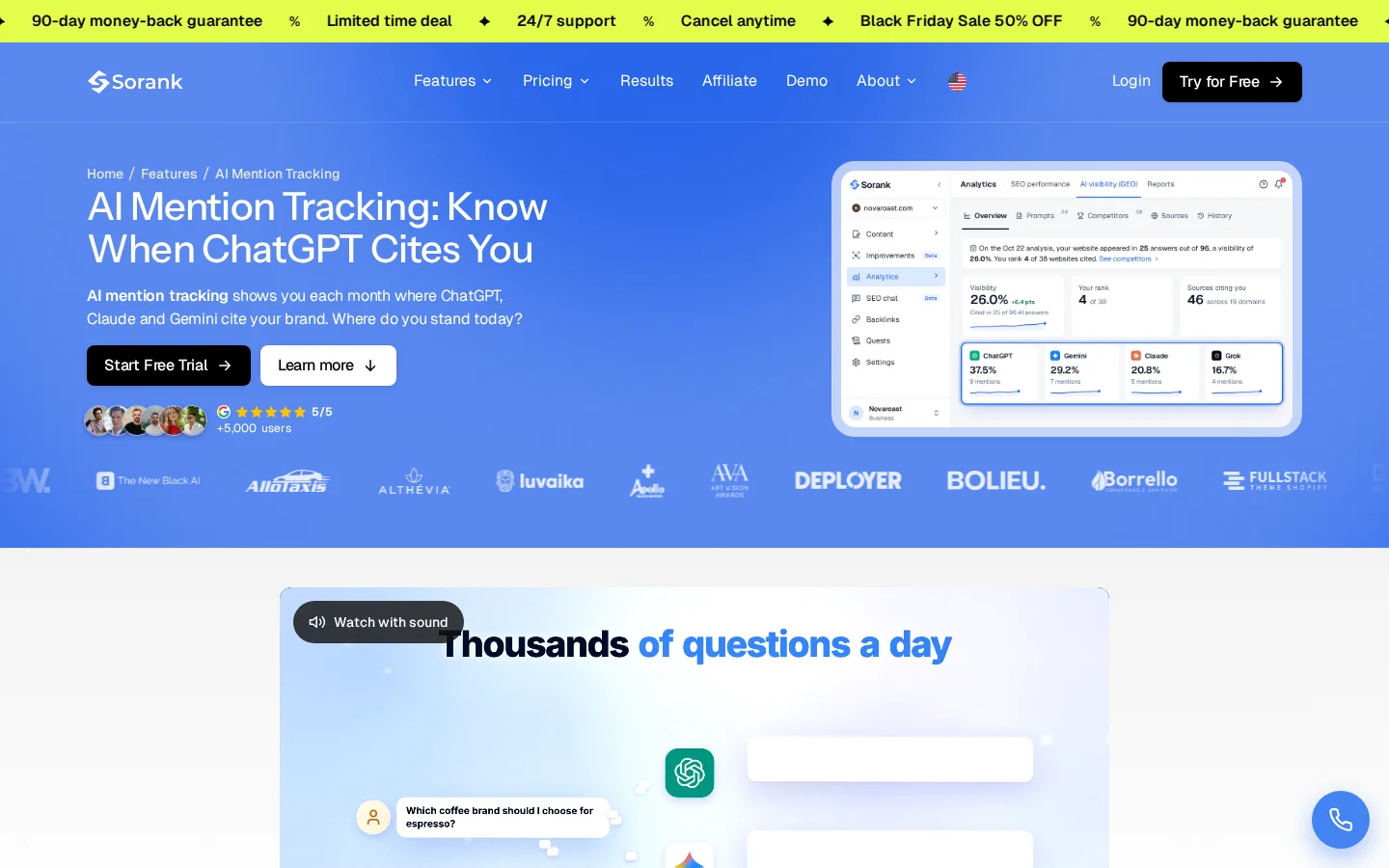
Sorank draws the same line. Its AI Mention Tracking page shows mentions per assistant, the sources and searches behind each answer, and a warning that a mention and a source are not the same piece of information.
Conductor's FAQ lists nine AI platforms: ChatGPT in automatic and search modes, Claude Sonnet, Gemini, Google AI Mode, Google AI Overviews, Grok, Microsoft Copilot and Perplexity. You choose a tracking cadence for each topic, daily, weekly or monthly. AirOps' comparison table gives Conductor a count of "6+" platforms and gives itself "5+", so even the vendor pages disagree with each other. Ask each vendor for the exact list of assistants and models, and the cadence, in writing.
What the coverage claims look like
Sources: Conductor AI search FAQ, read 22 November 2026; Google Search Central, AI features documentation, read 22 November 2026
Note
Vendor counts change often. Write the date of every claim in your evaluation notes, the way this article dates each reading. A claim you cannot date is a claim you cannot compare.
Neither tool changes what Google asks of your page. Google's documentation says there are no additional requirements to appear in AI Overviews or AI Mode, so a tracking tool can only measure what your pages already earn. Get the basics right first, because they decide whether any assistant can use your page at all.
Google's AI features documentation, read on 22 November 2026, says a page must be indexed and eligible to be shown in Google Search with a snippet. It also says that AI Mode and AI Overviews can issue several related searches, which Google calls query fan-out, to build one response. A page that ranks for the main question can still miss the side questions the assistant searches for. Read more about this in our guide to query fanout and in the article on how AI assistants choose their sources.
The same Google page says you do not need to create new machine readable files, AI text files or markup to appear in these features, and that there is no special schema.org structured data you must add. Be careful with any tool that presents an AI-specific file as a requirement. Treat it as an option, and measure whether it changes anything in your own tracked prompts before you invest time in it.
Page checks to run before you buy any tool
Workflows separate the two platforms most clearly, and publishing is where vendor claims disagree most. Take the feature table from each vendor, then confirm each row in a trial with your own CMS and your own data. The rows below are the claims as they appear on AirOps' comparison page, which describes both products.
AirOps says its Workflow Studio is a visual builder with conditional branching, loops, human review checkpoints and code execution steps. The same page says Conductor has no native visual builder and relies on handoffs to Jira or Asana. It also says Conductor's two Turnkey Agents, Content and Technical, follow preset paths that cannot be chained into multi-step sequences. Read those as the competitor's account, then test the flow you actually need.
| Feature | AirOps (its own page) | Conductor (as AirOps describes it) |
|---|---|---|
| Workflow builder | Visual Workflow Studio with branching and review steps | No native visual builder; handoffs to Jira or Asana |
| Agents | Power Agents and Playbooks designed by your team | Two Turnkey Agents on preset paths |
| CMS publishing | "9 CMS platforms" in the text, "7+ platforms" in the table | Drupal only in the text, "Yes" in the capability table |
| Bulk work | "Thousands of pages" in the body, "hundreds" in the FAQ | No bulk publishing support, per the same page |
Publishing is where a tool proves it does the job. The contradictions in the table above are a warning, not a verdict, but they show why a comparison page cannot settle the question. Ask for three things: the exact CMS versions supported, whether the publish action creates a draft or a live page, and what happens to internal links and metadata when content is published. A tool that publishes to a draft you still have to move by hand is a different product from one that goes live.
Warning
Do not sign on the strength of a comparison table. The AirOps page contradicts itself on CMS count, bulk scale and, for Conductor, support hours (24/7 in the body, 24/5 in the FAQ). Verify each figure you will rely on.
Ask every vendor before the trial ends
Neither vendor publishes a dollar price on the pages I read. Conductor's pricing page shows three plans defined by usage limits, with buttons for a free trial, a demo or sales. AirOps says its partnerships are scoped to each customer's funnel. Budget from the limits, then ask for a written quote that names every add-on.
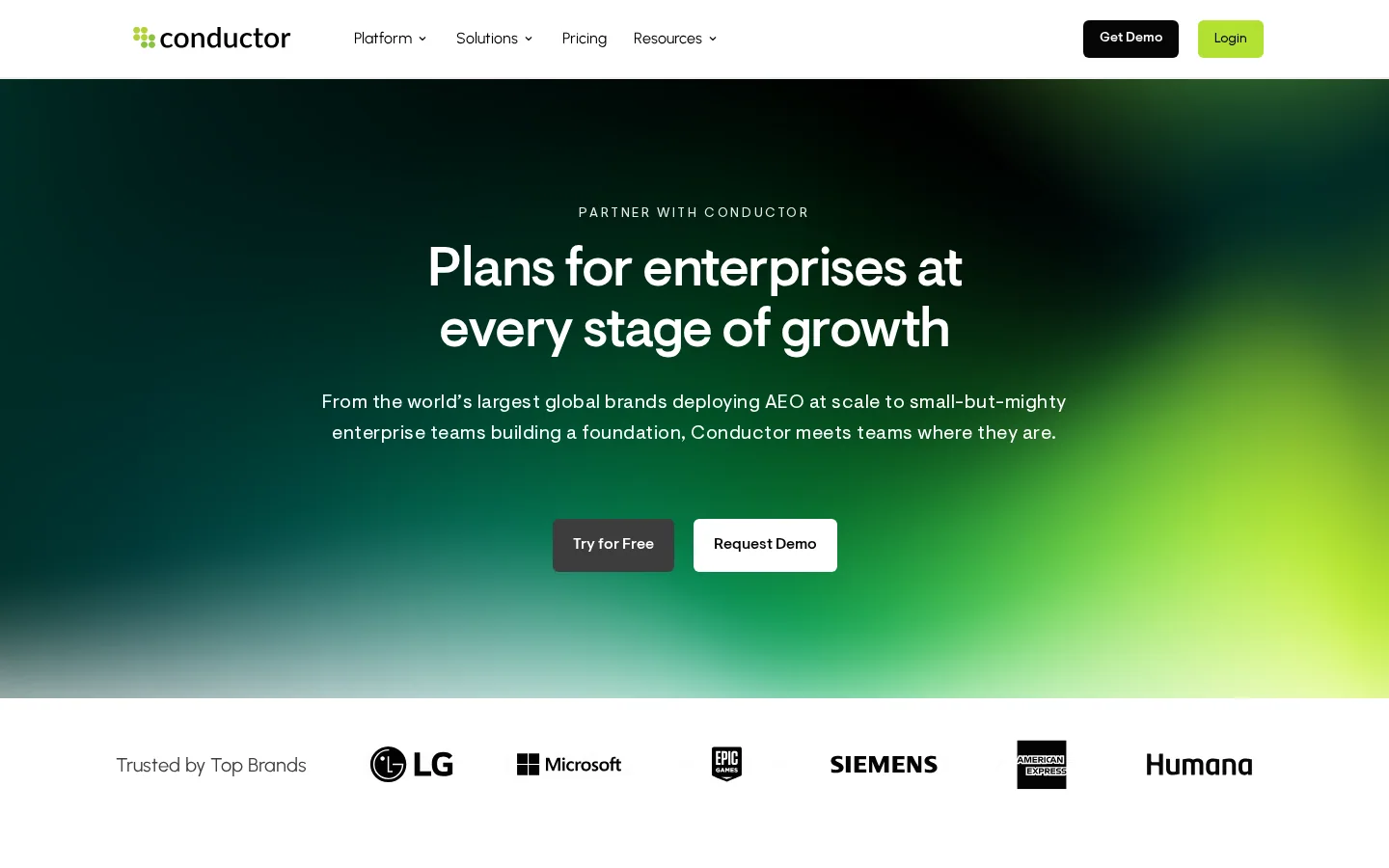
Conductor's page says the model is usage-based and built around the value you get, not the seats you buy. The page does not mention Searchlight, so ask whether the product has its own price. AirOps' page cites third-party estimates of mid-market and enterprise contracts. I could not verify those figures from a source I can check, so this article leaves them out.
| Conductor plan | Writing Assistant drafts per year | Tracked websites | Price shown on the page |
|---|---|---|---|
| Essentials (small teams) | 60 | 3 | "Try for Free", no amount |
| Growth (scaling teams) | 180 | 5 | "Request a Demo", no amount |
| Enterprise (global teams) | 600 on the plan card, "Custom" in the comparison table | 10 or more | "Contact Sales" |
The limits decide the real cost. An agency that manages five client sites fits Growth on tracked websites, but a sixth site pushes it to Enterprise, so count your sites before you choose a plan. For a content team, the drafts per year figure matters most. Example: a team that plans 15 articles a month needs 180 drafts a year, which is the whole Growth allowance, so the choice is between cutting volume or paying for a higher tier.
Tip
Before you compare vendors, write down your limits: sites, pages, prompts, articles per year and assistants. Every quote you get will be easier to check against that list.
Choose by the gap you can name. If you cannot see where AI assistants mention you, start with a measurement tool. If you can see the gaps but lack the people to close them, an operations platform makes more sense. If you are not sure, run the free checks first and decide once you have a baseline. The table gives a starting point, not a verdict.
| Your situation | Start with | Why |
|---|---|---|
| You do not know which AI answers name you | Monthly prompt tracking | You need a baseline before you spend on content |
| You know the gaps but have no writers or publishing capacity | An operations platform | The fix has to happen in the same system |
| Your CMS is not on the vendor's list | A publishing test before any purchase | Vendor counts disagree, so only a test is reliable |
| Your process needs human review at each step | A tool with workflow review steps | Review checkpoints matter more than dashboard depth |
A 30-day test with the same prompts in every tool answers the question better than any comparison page. Run it on the trial of each product, log the results by hand, and compare what each tool reports against your own log. You need about two hours a week, and you finish with evidence you can share with a vendor or your boss.
The 30-day method
Use the same formula in your log and in every report, so the numbers can be compared:
visibility rate = mentioned answers / (prompts x assistants)Example
You track 10 prompts in 3 assistants, which gives 30 expected answers. If your brand is mentioned in 9 of them, your visibility rate is 9 / 30, or 30%. Repeat the count next month with the same prompts, and the change tells you something real.
Most bad comparisons come from four mistakes: judging on one answer, changing prompts between runs, counting mentions as citations, and trusting a vendor table without a trial. Each one is easy to spot once you know what to look for. The before and after below sums up the fix.
One test versus a monthly measure
What it is: you run one question once and treat the result as a fact. How to spot it: a slide or a report that shows a single screenshot, or a score with no date. How to fix it: run the full prompt set in every assistant, every month, and report the trend over at least two cycles. Answers vary between sessions, accounts and locations, so one result can be a lucky or unlucky draw.
What it is: you edit the questions, then compare the new score with the old one as if nothing changed. How to spot it: the prompt list differs between two reports, and nobody noted it. How to fix it: freeze the set for the whole test, and when you add questions, start a new set and compare only like with like. A score can move because the questions moved, not because the assistants changed.
What it is: you report that an assistant named your brand, and assume it used your site. How to spot it: a visibility figure with no source list next to it. How to fix it: track both signals and open the sources behind the answers that matter. An assistant can describe your company while drawing on a third-party page, and the fix for that case is different from the fix for a missing mention.
What it is: you pick the tool with the longest feature list on the comparison page. How to spot it: the same page gives two counts for the same thing, as the AirOps page does for CMS platforms. How to fix it: run the trial on your CMS and your data, and treat every vendor table as a set of claims to test.
Sorank is built around the measurement and content loop. Its monthly prompt tracking feature runs your prompts once a month across ChatGPT, Claude and Gemini, plus Grok on higher plans, and shows where you are mentioned and which sources and searches sit behind each answer. Its GEO Leaderboard shows which brands AI recommends instead of you. Sorank also writes and publishes articles on the questions you lose, and earns backlinks. If you need a general-purpose workflow builder for your own processes, test that part separately before you decide.
Tip
Run a first check before you spend anything. The free ChatGPT visibility checker shows whether your brand appears in ChatGPT answers, which gives you a baseline for the 30-day test above.
Start with 30 days of measurement on the same prompts, then decide. Vendor pages are useful for the list of features, but your own log is the only evidence you can trust. Keep it dated, keep it frozen and read the sources, not only the score. If you want to go deeper on the measurement side, read our guide on how to track your brand mentions in ChatGPT, Claude, Gemini and Perplexity or our overview of the best AI visibility tools.
Neither is better in general, because they are built for different jobs. Conductor is positioned mainly around monitoring how AI search presents your brand, while AirOps is positioned around running the work, from data and content to publishing. The right pick depends on whether your bottleneck is seeing the problem or fixing it.
Not as dollar amounts. Its pricing page lists plan names, usage-based limits such as drafts per year, and buttons for a free trial, a demo or sales. AirOps does not publish prices either, so you need a written quote from each vendor that names every add-on.
Write 20 to 30 real buyer questions, run them every month in ChatGPT, Claude, Gemini and Perplexity, and log whether your brand is mentioned and cited. Run the same frozen prompts through each tool's trial and compare the results after two cycles, not after one answer.
We analyse your competitors, your website and your AI visibility to create a tailored content plan for free.
 Duplicate Content Checker
 Mobile-Friendly Test
 Website Speed Test
 Subdomain Finder
 Domain Age Checker
 CMS Detector
 Googlebot Simulator
 Nofollow Link Checker
 Meta Tag Checker
 Keyword Cannibalization Checker
 Keyword Intent Checker
 Keyword Extractor
 Google Ads Cost Calculator
 CPC Calculator
 Local Citation Finder
 Reddit Threads Finder
 Disavow File Generator
 Redirect Generator
 Canonical Tag Generator
 Passive Voice Checker
 Google Location Changer
 Google Review Calculator
 Google Review Link Generator
 Keyword Combiner
 Podcast Show Notes Generator
 AI Content Rewriter
 AI Text Humanizer
 ChatGPT Prompt Generator
 Twitter Thread Generator
 Tweet Generator
 Landing Page Copy Generator
 Google Ads Copy Generator
 Pinterest Pin Description Generator
 Anchor Text Generator
 Social Media Post Generator
 LinkedIn Post Generator
 Free AI Writer
 Review Response Generator
 LSI Keyword Generator
 YouTube Video Ideas Generator
 YouTube Tag Generator
 YouTube Description Generator
 Product Description Generator
 CTA Generator
 Blog Introduction Generator
 Conclusion Generator
 Hook Generator
 AI Content Brief Generator
 FAQ Schema Generator
 AI Blog Post Ideas Generator
 Structured Data Validator (Schema Validator)
 Alt Text Checker
 Internal Link Analyzer
 Backlink Challenge
 AI Meta Description Generator
 AI Blog Title Generator
 Google Indexability Checker
 AI Blog Outline Generator
 UTM Link Builder
 Keyword Clustering Tool
 Canonical Tag Checker
 XML Sitemap Generator
 Broken Link Checker
 AI SEO Title Generator
 Headline Analyzer
 SERP Preview Tool
 Redirect Checker
 Hreflang Tag Generator
 Heading Structure Analyzer
 HTTP Headers Checker
 Favicon Extractor
 SERP CTR Calculator
 SEO vs Paid Search Savings Calculator
 SEO Share of Voice Calculator
 SEO ROI Calculator
 SEO Traffic and Revenue Forecast Calculator
 SEO Budget Calculator
 SEO Break-Even Calculator
 SaaS SEO ROI Calculator
 ROAS Calculator
 Reading Time Calculator
 Ranking Gain Simulator
 Organic Traffic Value Calculator
 Organic Traffic Estimator and Website Traffic Checker
 LTV to CAC Ratio Calculator
 Local SEO ROI Calculator
 Link Building Cost Calculator
 Keyword Value Calculator
 Keyword Opportunity Score Calculator
 Keyword Density Calculator
 GEO ROI Calculator
 GEO Content Investment Calculator
 Ecommerce SEO ROI Calculator
 Customer Lifetime Value Calculator
 Customer Acquisition Cost Calculator
 CTR Calculator
 Cost Per Article Calculator
 Conversion Rate Calculator
 Content Marketing ROI Calculator
 ChatGPT Referral Traffic Estimator
 Bounce Rate Calculator
 Backlink ROI Calculator
 AI Visibility Score Calculator
 AI Traffic Value Calculator
 AI Share of Voice Calculator
 Cost of AI Invisibility Calculator
 AI Citation Rate Calculator
 llms.txt Validator
 AI Overview Checker and AI Overviews Rank Checker
 Robots.txt Checker
 AI SEO Audit
 LLM Readability Checker
 SearchGPT Readiness Checker
 Structured Data LLM Audit
 Website Crawlability AI Audit
 Why ChatGPT Is Not Recommending My Website
 Gemini Ranking Tool
 Perplexity Ranking Checker
 LLM Citation Checker
 Answer Engine Optimization Audit
 GEO Audit
 AI Search Visibility Test
 ChatGPT Visibility Checker
 llms.txt Generator
 URL Extractor
 Webpage to Markdown
 Sitemap Checker
 SERP Volatility Sensor
 Page Size Checker
 Word Counter
 Slug Generator
 Schema Generator
 Robots Generator
 OG Preview
 Meta Tags Generator
 Image Compressor
 Favicon Generator
 On-Page SEO Audit: SEO Checker and SEO Analyzer
 Backlink Analysis Tool
 Keyword Research Tool
 Domain Authority Checker
 “I tested Sorank on a real client site and it's insane. It does everything an agency would bill you $1500 a month for. It's going into production on that client now.”

 Guillaume Guersanguersanguillaume.com“We are an Ads agency and we wanted to get our SEO back on track once and for all. Sorank gave us a clear view of our site, helped us prioritize optimizations, and properly structure our content. The tool is easy to use, well designed for a team, and very practical for centralizing tracking without having to juggle multiple platforms. A very solid foundation to start fresh with our SEO.”
 Gaspard MadouiAds Agency
 “I just let the Sorank software do its thing, and now my DR is 25 and my page is ranking higher.”
 Lucas Flandrefoundertrace.fr“I specialized in GEO thanks to Sorank. The GEO Leaderboard allows me to show my clients their position vs competitors on ChatGPT. It’s a real commercial differentiator.”
 MélanieSEO Freelance“Great service, works well for our website and helps us understand how to improve it to rank better on Google and elsewhere. Congrats, keep going, I recommend it.”
 Hugo T.E-commerce merchant