Preferences
Privacy is important to us, so you have the option of disabling certain types of storage that may not be necessary for the basic functioning of the website. Blocking categories may impact your experience on the website. More information
Privacy is important to us, so you have the option of disabling certain types of storage that may not be necessary for the basic functioning of the website. Blocking categories may impact your experience on the website. More information

Conductor bought Searchmetrics in 2023 and the product now runs as Conductor. Learn what changed, how the modules differ and how to run a 30-day test.

In short
Searchmetrics is no longer a separate product. Conductor announced it had acquired Searchmetrics on February 7, 2023, and its site now says "Searchmetrics is now Conductor." The useful question is whether Conductor's current modules fit your team, and that is best answered with a test on your own keywords and crawl data.
Want to go further? Ask
Quick quiz
Which kind of SEO tool is right for you?
Sorank matches your answers


Test it for 3 days on your own site and see where you stand on Google, ChatGPT and the other AIs.
Start 3-day free trial3 days free, then stop whenever you want. 90-day results guarantee, conditions apply.
Searchmetrics is now part of Conductor. Conductor bought the company in February 2023, and the Searchmetrics platform was rebranded under the Conductor name. If you find a comparison page that still treats the two as rivals, it is out of date.
Conductor announced the deal in a blog post dated February 7, 2023, titled Acquiring Searchmetrics: From Fierce Competitors to a Global Leader. The post calls Searchmetrics a "former competitor" and says the goal was growth in Europe. Conductor said it would bring its real-time auditing product to "hundreds of new European customers", and it cited a Berlin office that would expand multilingual support to more than 10 languages.
The same post gives the size of the business at the time: over 500 global customers and 70 new team members. These are Conductor's own figures, so read them as the vendor's view of the deal, not as an independent audit.
The deal in numbers, as Conductor reported them
Source: Conductor, "Acquiring Searchmetrics", February 7, 2023
Note
If a page or a sales rep still names Searchmetrics as a separate product, ask which Conductor plan they mean. The answer should be a plan name you can find on Conductor's pricing page.
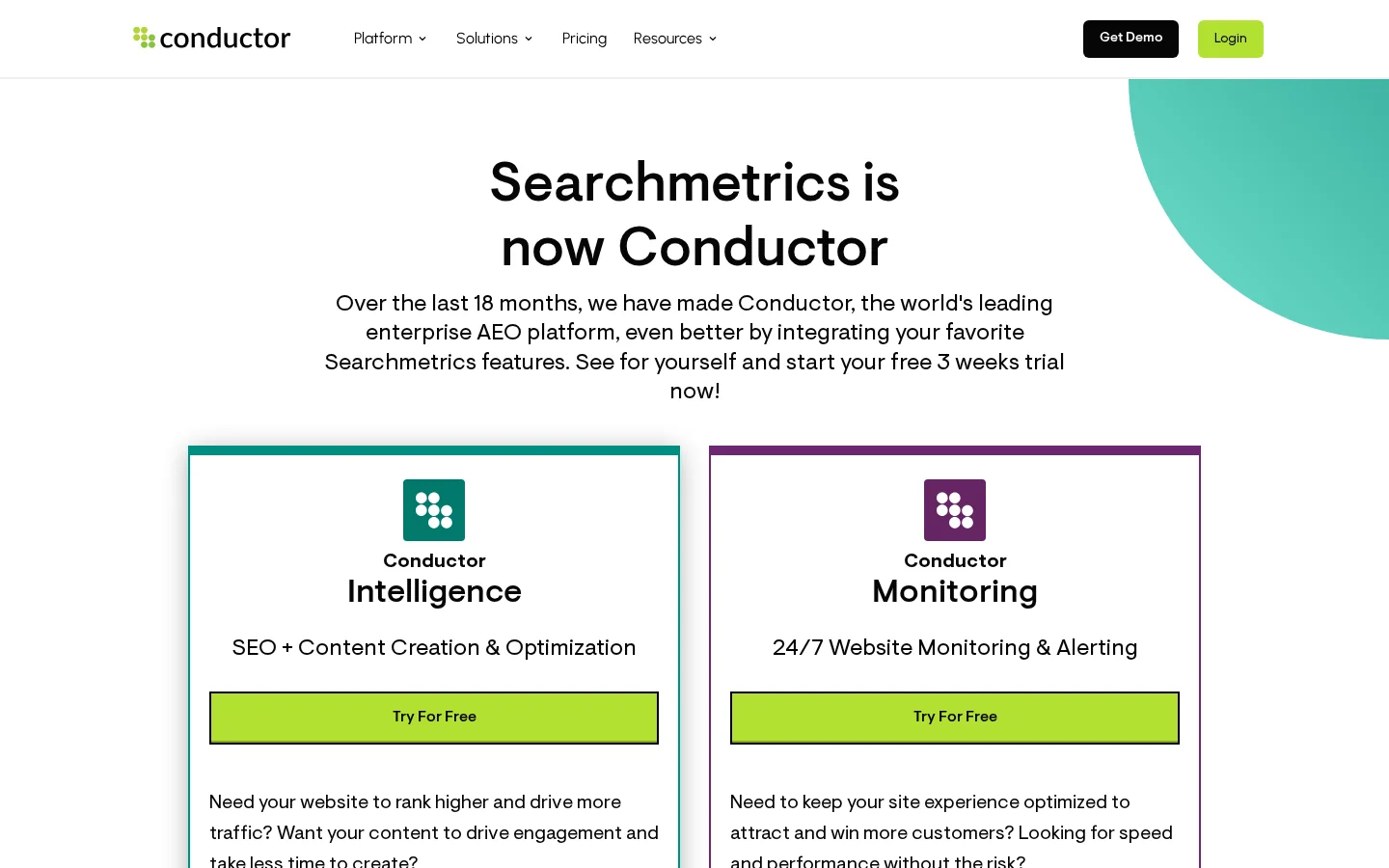
Conductor's landing page, which says "Searchmetrics is now Conductor", presents the merged product as the company's platform. The page also says existing Searchmetrics customers can get updated Conductor login details through their account manager or the support team. If you still have a Searchmetrics contract, the first step is to ask in writing how it maps to a Conductor plan.
How the two names relate now
Sources: Conductor blog (February 7, 2023) and Conductor landing page
Conductor now describes itself as an enterprise AEO platform, where AEO means answer engine optimization. That is the work of tracking and improving how your brand appears in AI answers as well as in the classic list of blue links. The landing page calls Conductor "the world's leading enterprise AEO platform". That is the vendor's own claim, and the page offers no evidence for it, so treat it as positioning rather than proof.
The current offering is organized into two modules, Intelligence and Monitoring. The navigation also lists Creator, for AI-powered content generation, and AgentStack, for AEO tools aimed at LLMs, apps and agents. The page gives no details on those two, so this article does not assess them.
The rebrand page says the product brings together features from both companies. When you read a vendor page, ask which part you are buying. A keyword database and a site monitor are different products with different data sources, and each one can be priced separately.

If you are comparing the old Searchmetrics feature set with Conductor today, start with the two modules, because they split the work differently. Intelligence is where you research keywords and audiences, analyze competitors and content, and report on return. Monitoring is where you watch the site itself, get alerted when something changes, and keep a record of those changes.
Conductor's two modules, as the vendor lists them
Source: Conductor landing page, read in November 2026
A practical split: if your SEO problem is "what should we publish", the Intelligence side matters most. If it is "what broke last night", Monitoring matters most. Most enterprise teams need both, so the real cost question is whether the plan you need includes both modules, and at what usage level.
Conductor's page for former Searchmetrics users lists the features it expects them to value. Those features show what the product was known for, and they make a useful checklist for your own evaluation.
Tools that suggest content changes from live results usually follow the same steps. They fetch the top results for a query, extract the terms, headings and entities those pages share, and compare that set with your page. A term used by eight of the ten results and missing from your page is a strong candidate to add. A term that appears on only one result is a weak candidate, however often it appears on that page. If you want the broader idea behind this, our article on content intelligence and what to publish explains how it decides what to write next.
The output is only as good as the sample. If the ten results are all global brands, the guidance will tend to copy global brands. Check that the sample includes the real competitors in your market and language. A quick test: pick one query, read the top ten results yourself, and list the terms you would add. Then compare your list with the tool's list. If they overlap less than you expected, look at the sample before you trust the score.
A database of 20 billion keywords sounds like a complete view, but what you need is coverage for your own queries, in your own countries, on your own devices. Coverage has three parts: how many of your target keywords the tool knows, how often it refreshes them, and whether it tracks the local results for each market, not only the national ones. Keep all three in your test, and do not decide on the total number alone. For the workflow behind this kind of data, the competitor analysis glossary entry explains what a platform should report back to you.
Neither vendor publishes a price you can put in a spreadsheet. Conductor's pricing page lists three plans, Essentials, Growth and Enterprise, each with its own call to action: a free trial for Essentials, a demo for Growth, and contact sales for Enterprise. The page describes its pricing as built around the value you get, not the seats you buy, and it mentions a usage-based model. It does not show a single dollar amount.
Some third-party articles quote a starting price for Searchmetrics. We could not confirm any figure from the vendor, so this article leaves it out. For the same reason, do not use a price from an old article as a benchmark, because the plan names and limits have changed with the rebrand.
To compare two quotes fairly, send both vendors the same brief: the same number of tracked keywords, markets, crawled URLs and user seats. Then divide each annual quote by the number of tracked keywords to get a cost per tracked keyword:
cost_per_keyword = annual_quote / tracked_keywordsThe number is rough, but it is the same kind of number for both vendors, which is what makes the comparison useful. Ask what happens above the included limits. Usage-based models are usually billed on those limits, so a quote that looks reasonable for 200 keywords can rise once your list grows.
A bake-off is the only test that uses your own data. It takes about 30 days, a spreadsheet and a few hours a week. Run the steps below in order, and use the same settings for every vendor. If you want the wider method for competitor data, our step-by-step competitor analysis guide covers the groundwork.
A 30-day bake-off for two platforms
Pick 200 keywords that matter to your business, split across the markets you actually sell in. Keep the device setting the same for every tool, whether that is desktop, mobile or both. If one tool tracks mobile and the other tracks desktop, you are comparing two different things, and the gap will look like a difference in quality.
Export average position and impressions for the same keywords and countries from Google Search Console. Google's Search Console help page, read in November 2026, defines position as the topmost position your link held for each query, averaged across queries, and it adds that a specific search can differ from that average. So use Search Console as a sanity check, not as a perfect truth. A large gap between a rank tracker and Search Console on a keyword with many impressions is worth checking by hand.
Run each crawler on the same site, then compare three counts: the URLs the crawler found, the URLs listed in your XML sitemap, and the pages Search Console reports as indexed. Note every URL the crawler finds that is not in the sitemap. Those are often parameter pages, old redirects or staging copies, and they show how well the tool handles the noise of a real site.
Pick one low-traffic page and make a change you can roll back in seconds, such as a title tag edit. Note the time of the change, then record when each platform sends an alert and what the alert says. Repeat with a minor copy edit that should not matter. A good monitor alerts on the title change and stays quiet on the copy edit. A noisy monitor trains your team to ignore it, which is worse than having none.
At the end, count the keywords where the two tools disagree on position by a wide margin, then check five of them by hand. Use a clean browser, a logged-out session and the location you are tracking. Write down which tool was right on each of the five. That result tells you which tool to trust, and it matters more than any feature list.
A rank tracker reports one sample of one search, from one location, on one device, at one time. Google can show different results for the same query depending on those settings, so a position is a measurement, not a permanent fact about your site. Before you blame a drop on your own work, check whether the search itself moved.
Tip
Our SERP Volatility Sensor detects Google algorithm updates in real time. Run it before you investigate a drop, so a site-wide shift is not mistaken for a problem on one keyword.
Warning
A single rank sample is not what every user sees. Two tools can both be right for their own location and device and still disagree. Record the settings with every number you export.
Positions on their own are hard to add up across 200 keywords. Share of voice combines them into one figure: for each keyword, take its search volume and weight it by the share of clicks you would expect at your position, then divide the total by the volume you track. The formula is simple, but the result depends on the click-through curve you assume. Pick one curve, cite its source, and use it for every tool, or you will compare two curves instead of two platforms.
share_of_voice = sum(volume[i] * ctr[pos[i]]) / sum(volume[i])Here ctr is the click-through rate you assume for each position, and the sums run over every tracked keyword i. Share of voice tells you how much of the demand you capture in the results. It does not tell you how many visits you get, because real click rates depend on the snippet, the features above your result and the type of query.
Each method answers a different question. The strongest choice combines the first two, and the third one protects you after the contract is signed.
| Method | How it works | Best for | Main limit |
|---|---|---|---|
| Feature checklist | You compare vendor feature lists line by line | A first shortlist of two or three tools | Lists do not show accuracy, freshness or coverage in your markets |
| Bake-off on your data | Each tool tracks the same keywords and crawls the same site for 30 days | The final choice before you sign | Takes time and a careful, identical setup for each vendor |
| Reference calls | You talk to customers in your market and your sector | Support quality and the real time to onboard | The vendor chooses the references, so ask for one you find yourself |
The feature checklist is cheap and fast, and it gives you a shortlist. The bake-off tells you whether the data holds up on your sites. Reference calls show how the vendor treats customers once they have signed. Skip any one of them and you lose a piece of the decision.
The right platform depends less on the feature list than on the job you need done each week. A few patterns hold up across teams, and the comparison below shows the split.
Who needs which side
Based on the module lists Conductor publishes
Monitoring and alerting matter most when one template change can break thousands of pages overnight. Check the crawl limits, the alert rules and how the tool handles your sitemap and URL parameters. The crawl and alert steps of the bake-off cover exactly this.
Intelligence matters more here: keyword research, content recommendations, briefs and ROI reports. Check the quality of the SERP sample behind the recommendations, and check whether briefs can reach your writers without copy and paste.
An enterprise platform is often more than you need, and a smaller team usually needs fewer modules and a faster setup. If your goal is to publish and get found on Google and in AI answers without building every report yourself, Sorank is designed for that job. The SEO Spy Tool shows your competitors' keywords every week, and the Topic Cluster Generator groups pages with anti-cannibalization built in. It is a different product for a different team, so run the same bake-off before you choose.
Most poor purchases come from a small set of mistakes. Each one below is easy to spot once you know the signs.
Some reviews, forum threads and comparison pages still treat Searchmetrics as a separate product. What it looks like: a page that describes Searchmetrics as if it were sold today, or a sales conversation that names a plan you cannot find on Conductor's pricing page. How to fix it: ask the vendor for the current Conductor plan name, the modules inside it and the contract terms, all in writing, before you compare prices.
Average review scores tell you how other buyers felt, not whether the data matches your markets. What it looks like: reviews that say nothing about your country, your language or your stack. How to fix it: run the bake-off on your own keywords, and use reviews only as a list of questions to ask during the trial.
A large keyword database looks impressive in a sales deck. What it looks like: a tool that returns data for the global view of a keyword but has gaps in the market where you sell. How to fix it: after your test export, count how many of your 200 keywords have a position in each market and on each device. A gap in one market is a real problem even when the total looks healthy.
One reading of one search is noisy. What it looks like: two tools that disagree by a wide margin on the same keyword, with no way to tell which one is right. How to fix it: check the disputed keywords by hand from a clean, logged-out browser, compare them with the Search Console average, and record which tool was right. Repeat on another day, because results move.
One sample versus a checked result
One third-party comparison says Searchmetrics had deeper backlink analysis than Conductor. We could not confirm that from Conductor's pages, and the features Conductor lists for former Searchmetrics users do not mention backlink analysis at all. What it looks like: a buyer who expects link data and finds only a basic view after signing. How to fix it: ask whether backlink data is in your plan, which index it uses and how often it updates. If links are a priority, read our guide to what to track in backlink monitoring and test the link data against a second source.
Start with a short written request to each vendor. Ask which plan and modules you would get, what the usage limits are, and how a former Searchmetrics contract would be migrated if you are coming from that product. Then run the 30-day bake-off with the same keyword set for each tool, and finish with reference calls from customers in your own market. Once you sign, the enterprise SEO guide for large sites covers the setup choices that matter most.
Searchmetrics is no longer a separate choice, so the decision is between Conductor's plans and the other platforms on your shortlist. Make it on the results of your own test, not on the name in a search result.
Ask every vendor before you sign
No. Conductor acquired Searchmetrics in February 2023, and Conductor's landing page says Searchmetrics is now Conductor. Former Searchmetrics customers can get updated Conductor login details through their account manager or the support team.
There is no separate Searchmetrics product to compare anymore, so the real question is whether Conductor's current modules fit your team. Run a 30-day test with your own keywords, markets and crawl data, and compare results instead of reviews.
Conductor does not publish prices. Its pricing page lists Essentials, Growth and Enterprise plans, with a free trial, a demo or a contact-sales button. Ask every vendor for a quote based on the same keyword count, markets and crawl size.
We analyse your competitors, your website and your AI visibility to create a tailored content plan for free.
 Duplicate Content Checker
 Mobile-Friendly Test
 Website Speed Test
 Subdomain Finder
 Domain Age Checker
 CMS Detector
 Googlebot Simulator
 Nofollow Link Checker
 Meta Tag Checker
 Keyword Cannibalization Checker
 Keyword Intent Checker
 Keyword Extractor
 Google Ads Cost Calculator
 CPC Calculator
 Local Citation Finder
 Reddit Threads Finder
 Disavow File Generator
 Redirect Generator
 Canonical Tag Generator
 Passive Voice Checker
 Google Location Changer
 Google Review Calculator
 Google Review Link Generator
 Keyword Combiner
 Podcast Show Notes Generator
 AI Content Rewriter
 AI Text Humanizer
 ChatGPT Prompt Generator
 Twitter Thread Generator
 Tweet Generator
 Landing Page Copy Generator
 Google Ads Copy Generator
 Pinterest Pin Description Generator
 Anchor Text Generator
 Social Media Post Generator
 LinkedIn Post Generator
 Free AI Writer
 Review Response Generator
 LSI Keyword Generator
 YouTube Video Ideas Generator
 YouTube Tag Generator
 YouTube Description Generator
 Product Description Generator
 CTA Generator
 Blog Introduction Generator
 Conclusion Generator
 Hook Generator
 AI Content Brief Generator
 FAQ Schema Generator
 AI Blog Post Ideas Generator
 Structured Data Validator (Schema Validator)
 Alt Text Checker
 Internal Link Analyzer
 Backlink Challenge
 AI Meta Description Generator
 AI Blog Title Generator
 Google Indexability Checker
 AI Blog Outline Generator
 UTM Link Builder
 Keyword Clustering Tool
 Canonical Tag Checker
 XML Sitemap Generator
 Broken Link Checker
 AI SEO Title Generator
 Headline Analyzer
 SERP Preview Tool
 Redirect Checker
 Hreflang Tag Generator
 Heading Structure Analyzer
 HTTP Headers Checker
 Favicon Extractor
 SERP CTR Calculator
 SEO vs Paid Search Savings Calculator
 SEO Share of Voice Calculator
 SEO ROI Calculator
 SEO Traffic and Revenue Forecast Calculator
 SEO Budget Calculator
 SEO Break-Even Calculator
 SaaS SEO ROI Calculator
 ROAS Calculator
 Reading Time Calculator
 Ranking Gain Simulator
 Organic Traffic Value Calculator
 Organic Traffic Estimator and Website Traffic Checker
 LTV to CAC Ratio Calculator
 Local SEO ROI Calculator
 Link Building Cost Calculator
 Keyword Value Calculator
 Keyword Opportunity Score Calculator
 Keyword Density Calculator
 GEO ROI Calculator
 GEO Content Investment Calculator
 Ecommerce SEO ROI Calculator
 Customer Lifetime Value Calculator
 Customer Acquisition Cost Calculator
 CTR Calculator
 Cost Per Article Calculator
 Conversion Rate Calculator
 Content Marketing ROI Calculator
 ChatGPT Referral Traffic Estimator
 Bounce Rate Calculator
 Backlink ROI Calculator
 AI Visibility Score Calculator
 AI Traffic Value Calculator
 AI Share of Voice Calculator
 Cost of AI Invisibility Calculator
 AI Citation Rate Calculator
 llms.txt Validator
 AI Overview Checker and AI Overviews Rank Checker
 Robots.txt Checker
 AI SEO Audit
 LLM Readability Checker
 SearchGPT Readiness Checker
 Structured Data LLM Audit
 Website Crawlability AI Audit
 Why ChatGPT Is Not Recommending My Website
 Gemini Ranking Tool
 Perplexity Ranking Checker
 LLM Citation Checker
 Answer Engine Optimization Audit
 GEO Audit
 AI Search Visibility Test
 ChatGPT Visibility Checker
 llms.txt Generator
 URL Extractor
 Webpage to Markdown
 Sitemap Checker
 SERP Volatility Sensor
 Page Size Checker
 Word Counter
 Slug Generator
 Schema Generator
 Robots Generator
 OG Preview
 Meta Tags Generator
 Image Compressor
 Favicon Generator
 On-Page SEO Audit: SEO Checker and SEO Analyzer
 Backlink Analysis Tool
 Keyword Research Tool
 Domain Authority Checker
 “I tested Sorank on a real client site and it's insane. It does everything an agency would bill you $1500 a month for. It's going into production on that client now.”

 Guillaume Guersanguersanguillaume.com“We are an Ads agency and we wanted to get our SEO back on track once and for all. Sorank gave us a clear view of our site, helped us prioritize optimizations, and properly structure our content. The tool is easy to use, well designed for a team, and very practical for centralizing tracking without having to juggle multiple platforms. A very solid foundation to start fresh with our SEO.”
 Gaspard MadouiAds Agency
 “I just let the Sorank software do its thing, and now my DR is 25 and my page is ranking higher.”
 Lucas Flandrefoundertrace.fr“I specialized in GEO thanks to Sorank. The GEO Leaderboard allows me to show my clients their position vs competitors on ChatGPT. It’s a real commercial differentiator.”
 MélanieSEO Freelance“Great service, works well for our website and helps us understand how to improve it to rank better on Google and elsewhere. Congrats, keep going, I recommend it.”
 Hugo T.E-commerce merchant