Preferences
Privacy is important to us, so you have the option of disabling certain types of storage that may not be necessary for the basic functioning of the website. Blocking categories may impact your experience on the website. More information
Privacy is important to us, so you have the option of disabling certain types of storage that may not be necessary for the basic functioning of the website. Blocking categories may impact your experience on the website. More information

Conductor vs seoClarity: what each platform offers, what the claims hide, and a 30-day test on your own data to decide which one fits your team.
In short
Conductor and seoClarity are enterprise SEO platforms that bundle rank tracking, keyword research, content tools and technical audits in one login. Both also sell AI visibility tracking. Neither gives a current, public price you can budget from, so you buy on a quote. Pick between them with a 30-day test on your own keywords and site data, not on a vendor's comparison page.
Want to go further? Ask
Quick quiz
Is SEO right for you, and how should you start?
Sorank matches your answers


Test it for 3 days on your own site and see where you stand on Google, ChatGPT and the other AIs.
Start 3-day free trial3 days free, then stop whenever you want. 90-day results guarantee, conditions apply.
Conductor and seoClarity both aim at large websites and marketing teams that want one place for keyword research, rank tracking, content and technical SEO. Both now add AI visibility on top, which measures whether ChatGPT, Gemini, Claude or Perplexity name your brand when someone asks a question in your category. The feature lists overlap a lot. The real differences show up in how each vendor structures its data, how it connects to the rest of your stack, and how it sells.
If you are running enterprise SEO on a large site across several departments, the buying process matters as much as the software. Expect a demo, a security review, a procurement call and a quote that depends on your size. That is normal for this class of tool, but it also means the features and the price arrive in separate conversations. Keep notes on both from the first call.
Both vendors use the same vocabulary: enterprise, answer engine optimization (AEO), AI search. That vocabulary is not wrong, but it makes the two pages hard to compare line by line. Start by translating every claim into something you can measure on your own site.
The scale numbers on their pages are a good place to start, as long as you read them as marketing. They tell you who each vendor sells to. They do not tell you whether its data is better.
Scale claims, as each vendor writes them
Sources: Conductor and seoClarity comparison pages, vendor claims checked in November 2026
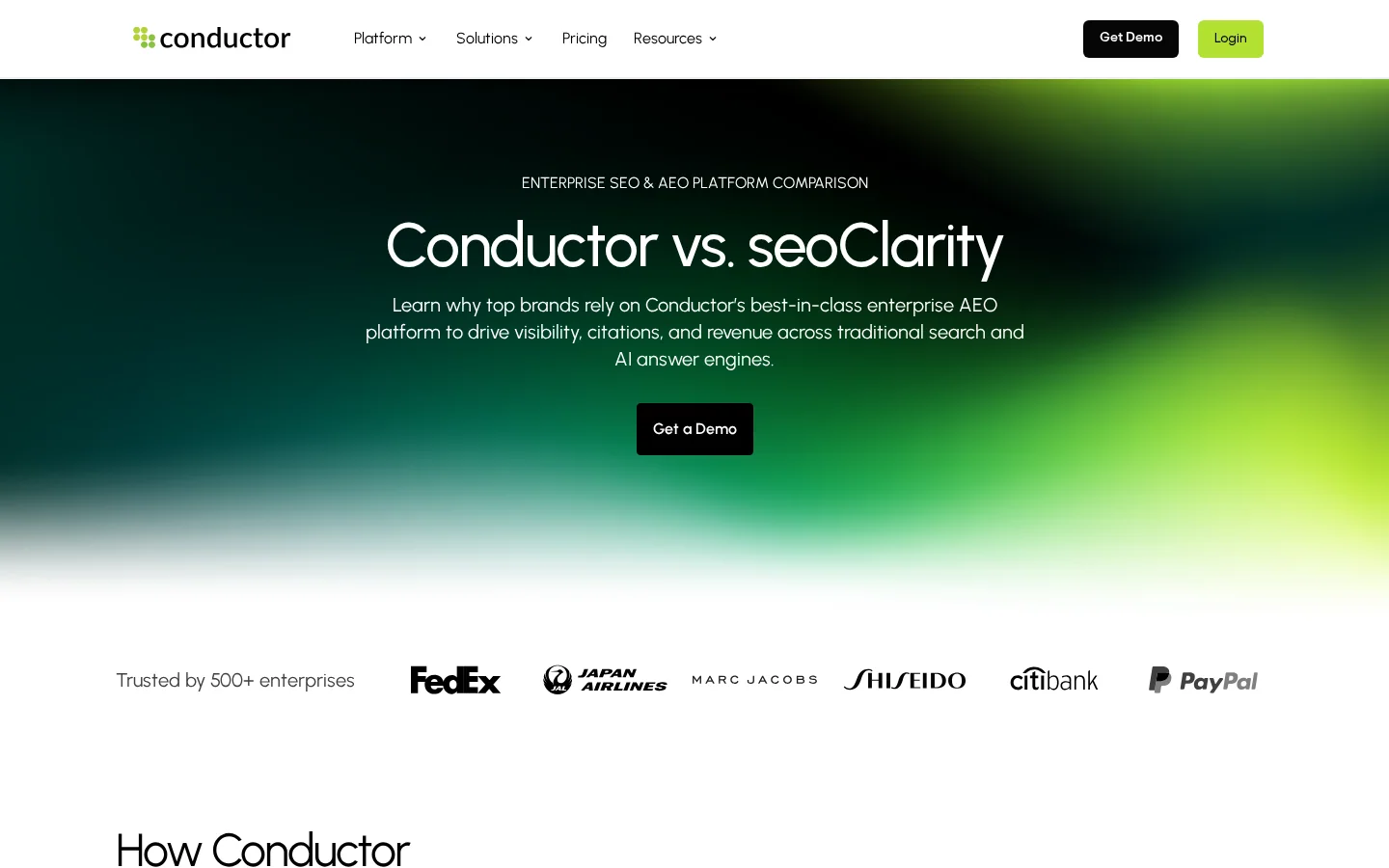
Conductor groups its product into four modules. Conductor Creator "generates authoritative content with AI". Conductor Intelligence is about "visibility in traditional & AI search". Conductor Monitoring "safeguards and optimizes website health", with 24/7 monitoring and real-time alerts. Conductor AgentStack is aimed at AI systems, and the page lists a native MCP server, a Data API and a Content API. The use cases on the page are answer engine optimization, agentic AEO and SEO, content creation, enterprise SEO and technical SEO with AEO. All of this comes from Conductor's own comparison page, as it read in November 2026.
Two parts of that list matter more to a technical buyer than the module names. The first is developer access. An MCP server lets an AI assistant query your SEO data directly, which is handy for quick questions. It also needs the same rules you would apply to any integration: a dedicated key, read-only scope and a log of who asked what.
The second is the technical signal list. The page says Conductor detects "25+ AEO-specific technical signals", and gives semantic HTML, schema coverage and AI bot directives as examples. Ask for the full list. A vendor that can name its signals lets you check them against your own pages. A vendor that cannot is selling a label.
The page also makes claims about seoClarity: that it "struggles with enterprise data volumes and lacks global coverage", and that its AI "offers generic SEO practices, not content quality". These are Conductor's views of a rival, and the page shows no test behind them. Treat each one as a hypothesis for your own trial, and check it on your own keywords.
seoClarity's comparison page lists its product by job rather than by module name. Its main claims, as the page read in November 2026, are these:
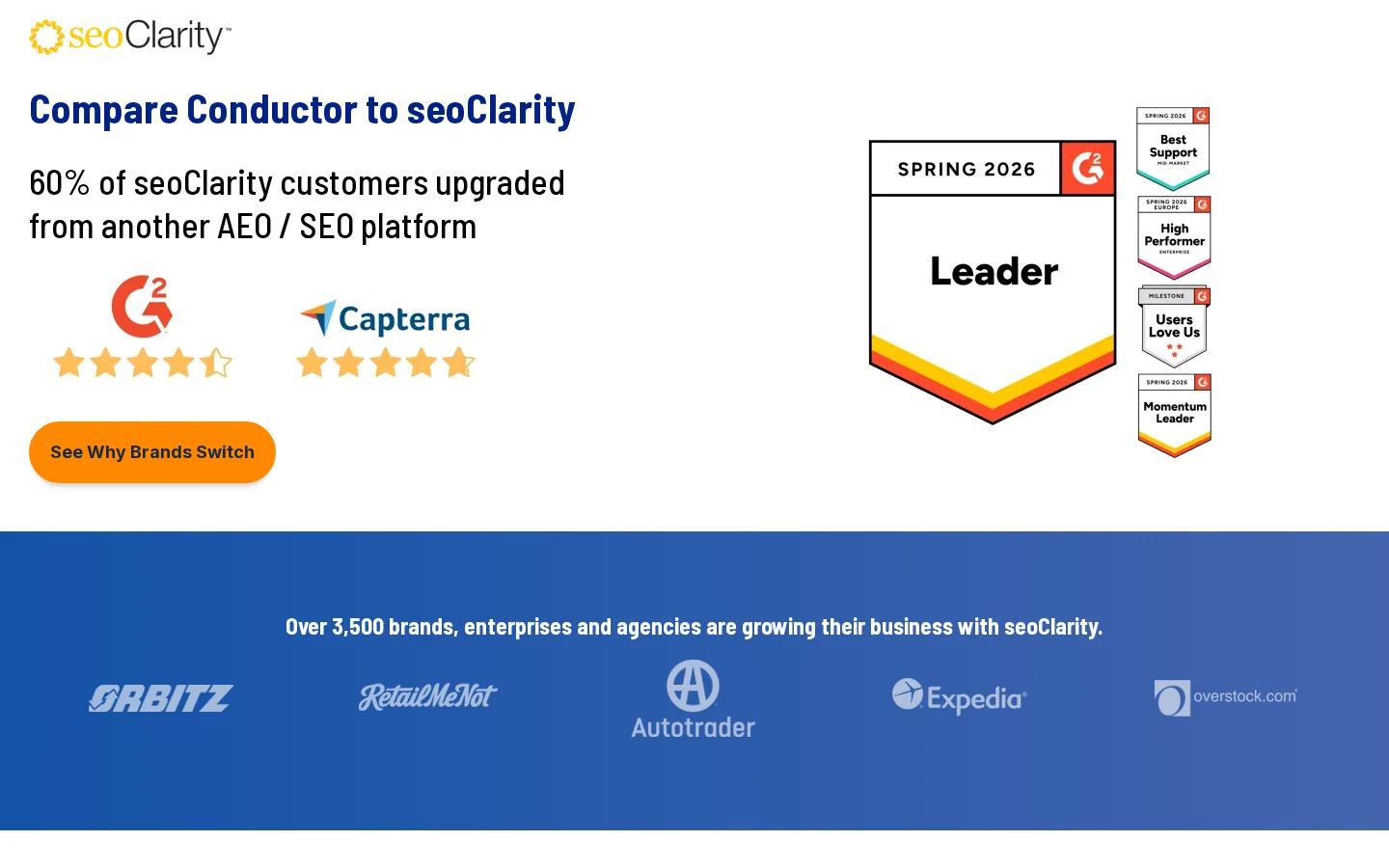
Two details are worth a note. ArcAI Insights is described as "released July 2025", and ArcAI Pulse tracks brand mentions across "news sites, forums, blogs, and the open web". The page also says it can download up to 1 million rows inside the platform.
The AI visibility numbers need a closer look. AI answers are not fixed. The same prompt can name different brands on different runs, so a single check is an anecdote. Ask each tool how many times it runs each prompt, and how it reports the spread across those runs. Ask the same about rank tracking cadence: weekly tracking is fine for trend lines, but it will not show you what happened on the day of a launch.
The line that matters most for your Search Console setup is "16 Months Historical Data". That is the ceiling Google sets, and we come back to it in the data section, because it changes what any tool can show you on its first day.
Conductor does not publish prices. Its page links to a pricing page, says its API is "available across tiers", and describes its own approach as "more transparent, value-based". The same page says seoClarity "often requires additional investment for custom analyses, expanded data access, and ongoing support". Both statements describe how the vendor sells. Neither tells you what you will pay.
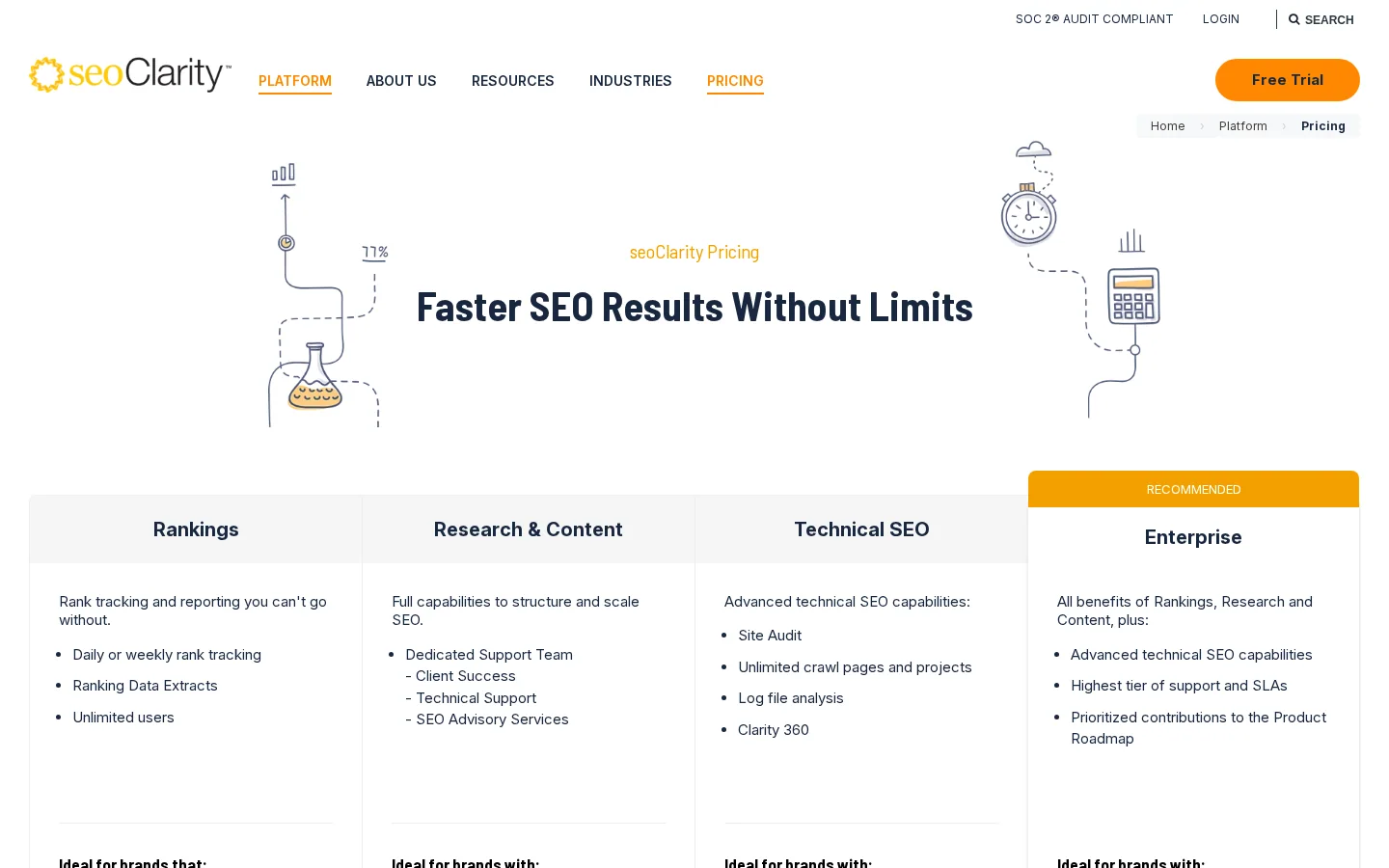
seoClarity's pricing page is more specific. It shows four cards, each with a "Get a Custom Quote" button, and states: "All packages are priced based on the number of domains and keywords tracked." Three tiers also show "starts at" prices of $2500, $3200 and $4500 a month. A footnote dates those figures to October 11, 2022. Treat them as a historical reference, not a quote. Third-party price sites list different tier names and amounts, so do not budget from those either.
Warning
Ask for each quote in writing, with the domain count and the keyword count it covers. Two quotes are only comparable when both use the same domains and the same keyword volume, because the price moves with both.
To compare quotes on one number, divide the annual price by the keywords you actually track each month. The formula is simple, and it often shows a different winner from the headline price:
cost per tracked keyword per month = (annual quote / 12) / keywords tracked each monthEach vendor has a page that compares it with the other, and each page names its own product as the stronger option. Neither page is neutral, and that is fine as long as you read them as a list of claims to test. Sort each claim into one of four types, then decide how you will check it.
A bar chart makes a vendor's score look like an independent measurement. It is not. The score comes from an analyst report, and the vendor chose which of its numbers to show. If you want to rely on the report, read its criteria, its date and its list of vendors before you quote it.
| Claim type | Example from the pages | How to test it |
|---|---|---|
| Scale | "Trusted by 500+ enterprises" (Conductor) | Ask for two references with a site your size, in your sector. |
| Coverage | "170 Countries" (seoClarity), "200+ regions" (Conductor) | Pick three countries that matter to you and check 20 keywords in each against a manual search. |
| Speed | "Real-time alerts" (Conductor) | Change a title on a test page, then time how long the alert takes to arrive. |
| Analyst score | 4.4 vs 2.9 out of 5 (Forrester, quoted by Conductor) | Read the report yourself and check its date and criteria. |
The table doubles as a demo checklist. Every claim in it is one you can verify before you sign. The claims you cannot verify are the ones to raise first.
You can evaluate a platform in three ways: watch a demo, run a free trial, or run a bake-off on your own data. Each answers a different question, and many teams stop after the first two.
| Method | What it shows you | What it hides | Typical time |
|---|---|---|---|
| Demo | The interface and the vendor's best examples | Your keywords, your site, your speed | About an hour |
| Free trial | Whether your team can work in the tool day to day | Quality at your scale, unless you bring your own data | Often five days (seoClarity's comparison page mentions a "5-day free trial" after a demo request) |
| Bake-off | Which tool returns the answers you need, on the same data, with the same scorecard | Little, if you set the rules before you start | Around 30 days |
Run the bake-off once you have a shortlist of two. It is the only method that puts both tools on the same keywords, the same site and the same questions. The demo shows you what the vendor wants you to see, the trial shows whether your team likes the tool, and the bake-off shows which tool gives the answers you need.
The bake-off also protects you from a common trap. Vendors demo with clean, well-chosen sample data. Your site is messier: old redirects, duplicate pages, a staging subdomain that somehow got indexed. A tool that handles the sample well can struggle with your site, and you only find out after the contract is signed.
Sales call vs your own bake-off
Write the scorecard before the test starts. Pick five criteria, give each a weight, and make the weights add up to 100. Agree on them with the people who will use the tool. Then score both tools after the test, not during it. Changing the criteria halfway is the easiest way to get the answer you already wanted.
This is the method to use. It takes about 30 days, one part-time analyst and access to Search Console. It also produces a result you can defend to finance. Run both tools in parallel with the same inputs, and do not let either one see the other's results until the scoring is done.
The 30-day bake-off
Manual checks are approximate. Results vary with personalization, location and time of day, so you are looking for a pattern, not an exact position. If one tool is consistently off by several positions on the same keywords, that is a finding. If both tools agree with your manual check within a position or two, the accuracy question is settled.
Turn the scores into one number with a simple formula:
score per tool = sum of (criterion weight x criterion score from 1 to 5)With weights that total 100, a tool's score runs from 100 (a 1 on every criterion) to 500 (a 5 on every criterion). The total is only useful if the weights were set before the test. Put the output on one page for the finance team, with the quote at the same keyword count, the score and the two or three findings that drove it. A decision you can explain in one page is easier to defend next year.
Once the bake-off is running, the data questions matter more than the feature list. Four checks catch most of the gaps between a tool's claims and its output.
Google's help page on Search Console data in Analytics says Search Console "keeps data for the last 16 months", and that Analytics reports "include a maximum of 16 months of data". Any platform that connects to Search Console can only show what Google still holds, plus whatever it saved earlier. A platform that promises longer history must have been storing your data, so the question is since when. Ask for the earliest date it holds for your property. If that date is last month, the long history you were promised is not there yet.
Log file analysis shows what bots actually requested from your server, not what a crawler simulates. seoClarity lists log file analysis among its technical modules. To test it, take one day of raw access logs and compare the bot counts in the tool with your own count. This filter shows the status codes Googlebot received, from an nginx access log in the default combined format:
grep "Googlebot" /var/log/nginx/access.log | awk '{print $9}' | sort | uniq -c | sort -rnAny script can copy Googlebot's user agent string, so the counts above include fake visits. Before you trust them, confirm the IP addresses with a reverse DNS lookup. A tool that does this check for you saves the work, so ask whether it does.
Both vendors advertise broad reach. seoClarity says "170 Countries", and Conductor says "unmatched visibility across 200+ regions". These numbers measure different things, and neither page defines them. Ask each vendor what counts as covered: rank tracking in that country from a local device, or a data source that includes that country. Then test the three countries that matter most to your revenue, and check both results against the manual sample from the bake-off.
Conductor lists a Data API, a Content API and an MCP server. seoClarity says you can "download up to 1 million rows right within the platform". Those limits matter once you move from dashboards to a warehouse. Check the row limit, the rate limit and whether an export carries the same fields as the interface. If you plan to join the data with your own sales figures, run that join during the trial. For a broader look at what SEO APIs return and where they stop, read our guide to the best SEO APIs and their limits.
Tip
Before you trust any platform's count of indexed pages, check a few URLs yourself with the free Google indexability checker. It takes seconds and gives you a baseline to compare the platform against.
Questions to put to both vendors
Five mistakes come up again and again when teams pick between two enterprise platforms. Each one feels reasonable at the time. Each one is easy to spot once you know what to look for.
What it is: you adopt the winner a vendor declares, usually on its own comparison page. How to spot it: the page names a winner in every category you care about, and every one of those categories is a strength of the vendor that wrote it. How to fix it: write your five criteria before you open either comparison page, then check every claim against your bake-off. Many of the most detailed comparisons online are written by companies that sell a competing SEO product, so read them as a list of claims, not as a ranking.
What it is: you compare two quotes that cover different keyword counts or numbers of domains. How to spot it: one quote looks cheaper, but it covers fewer keywords or fewer domains than the other. How to fix it: ask both vendors for a quote at the same keyword count and domain count, then compare them with the per-keyword formula from the pricing section.
What it is: you assume a tool holds years of Search Console data because its page says so. How to spot it: the earliest date in the interface is the day you connected, or the vendor will not say when storage began. How to fix it: ask for the earliest stored date for your property in writing, and start saving your own export now if you need more than 16 months. Google will not return data older than its window, so each month you wait is a month you cannot get back.
What it is: you test on a site that someone has already cleaned up. How to spot it: the test site has no redirect chains, no duplicate pages and no staging subdomains, and your real site has all three. How to fix it: run the bake-off on your real domain, messy parts included, and make sure the pages that bring in the most revenue are in the test set. If the tool reports an error on those pages, ask the vendor to explain it instead of moving on.
What it is: you decide a tool is easy or hard to use after one guided session. How to spot it: only one person has used the tool, and that person is the one who watched the demo. Conductor's comparison page quotes a customer who found it "difficult to learn where to find the information" in seoClarity's interface. That is a testimonial the vendor chose, but the check is easy to run. How to fix it: give the tool to two people from your team, set five real tasks, and time them. Put those times in the scorecard.
How the choice gets made
An enterprise platform suits a team with a large site, several markets, a dedicated data analyst and a budget set by procurement. Many teams are not in that position. They need to find keywords, publish pages, watch competitors and see where AI assistants recommend them, and they need that without a long procurement cycle. That is the job Sorank is built for.
Sorank's SEO Competitor Spy watches up to five competitors and sends the keywords behind their new pages to your content calendar. Keyword research adds the same five rivals to a gap list, and keywords you already cover or have planned are filtered out, so the list shows real gaps. The competitor analysis entry in our glossary explains the method behind this kind of work.
Be clear about the trade-off. If log file depth is your main criterion, test that part with a dedicated log analyzer during your bake-off, and do not assume that any single lean tool covers it. If your criteria are publishing, competitor watch and AI visibility on a small team, test Sorank in the same process and let the scorecard decide.
Neither vendor wins on its own comparison page, and that is the point. The tool that wins is the one that returns the data you need from your own site, at a price you can compare, for a team that can actually use it.
Neither is better for everyone. Each vendor says it wins where it is strong, so the answer depends on your site size, your countries and your team. Test both on the same keywords before you decide.
Neither vendor publishes a current price you can budget from. seoClarity's pricing page offers custom quotes based on domains and keywords tracked, and its starting prices carry an October 2022 footnote. Ask both for a written quote at the same keyword count.
Google keeps Search Console data for the last 16 months, and a tool can only show what Google still holds plus what it saved earlier. Ask any platform when it started storing your data, because anything older than 16 months exists only if someone kept a copy.
We analyse your competitors, your website and your AI visibility to create a tailored content plan for free.
 Duplicate Content Checker
 Mobile-Friendly Test
 Website Speed Test
 Subdomain Finder
 Domain Age Checker
 CMS Detector
 Googlebot Simulator
 Nofollow Link Checker
 Meta Tag Checker
 Keyword Cannibalization Checker
 Keyword Intent Checker
 Keyword Extractor
 Google Ads Cost Calculator
 CPC Calculator
 Local Citation Finder
 Reddit Threads Finder
 Disavow File Generator
 Redirect Generator
 Canonical Tag Generator
 Passive Voice Checker
 Google Location Changer
 Google Review Calculator
 Google Review Link Generator
 Keyword Combiner
 Podcast Show Notes Generator
 AI Content Rewriter
 AI Text Humanizer
 ChatGPT Prompt Generator
 Twitter Thread Generator
 Tweet Generator
 Landing Page Copy Generator
 Google Ads Copy Generator
 Pinterest Pin Description Generator
 Anchor Text Generator
 Social Media Post Generator
 LinkedIn Post Generator
 Free AI Writer
 Review Response Generator
 LSI Keyword Generator
 YouTube Video Ideas Generator
 YouTube Tag Generator
 YouTube Description Generator
 Product Description Generator
 CTA Generator
 Blog Introduction Generator
 Conclusion Generator
 Hook Generator
 AI Content Brief Generator
 FAQ Schema Generator
 AI Blog Post Ideas Generator
 Structured Data Validator (Schema Validator)
 Alt Text Checker
 Internal Link Analyzer
 Backlink Challenge
 AI Meta Description Generator
 AI Blog Title Generator
 Google Indexability Checker
 AI Blog Outline Generator
 UTM Link Builder
 Keyword Clustering Tool
 Canonical Tag Checker
 XML Sitemap Generator
 Broken Link Checker
 AI SEO Title Generator
 Headline Analyzer
 SERP Preview Tool
 Redirect Checker
 Hreflang Tag Generator
 Heading Structure Analyzer
 HTTP Headers Checker
 Favicon Extractor
 SERP CTR Calculator
 SEO vs Paid Search Savings Calculator
 SEO Share of Voice Calculator
 SEO ROI Calculator
 SEO Traffic and Revenue Forecast Calculator
 SEO Budget Calculator
 SEO Break-Even Calculator
 SaaS SEO ROI Calculator
 ROAS Calculator
 Reading Time Calculator
 Ranking Gain Simulator
 Organic Traffic Value Calculator
 Organic Traffic Estimator and Website Traffic Checker
 LTV to CAC Ratio Calculator
 Local SEO ROI Calculator
 Link Building Cost Calculator
 Keyword Value Calculator
 Keyword Opportunity Score Calculator
 Keyword Density Calculator
 GEO ROI Calculator
 GEO Content Investment Calculator
 Ecommerce SEO ROI Calculator
 Customer Lifetime Value Calculator
 Customer Acquisition Cost Calculator
 CTR Calculator
 Cost Per Article Calculator
 Conversion Rate Calculator
 Content Marketing ROI Calculator
 ChatGPT Referral Traffic Estimator
 Bounce Rate Calculator
 Backlink ROI Calculator
 AI Visibility Score Calculator
 AI Traffic Value Calculator
 AI Share of Voice Calculator
 Cost of AI Invisibility Calculator
 AI Citation Rate Calculator
 llms.txt Validator
 AI Overview Checker and AI Overviews Rank Checker
 Robots.txt Checker
 AI SEO Audit
 LLM Readability Checker
 SearchGPT Readiness Checker
 Structured Data LLM Audit
 Website Crawlability AI Audit
 Why ChatGPT Is Not Recommending My Website
 Gemini Ranking Tool
 Perplexity Ranking Checker
 LLM Citation Checker
 Answer Engine Optimization Audit
 GEO Audit
 AI Search Visibility Test
 ChatGPT Visibility Checker
 llms.txt Generator
 URL Extractor
 Webpage to Markdown
 Sitemap Checker
 SERP Volatility Sensor
 Page Size Checker
 Word Counter
 Slug Generator
 Schema Generator
 Robots Generator
 OG Preview
 Meta Tags Generator
 Image Compressor
 Favicon Generator
 On-Page SEO Audit: SEO Checker and SEO Analyzer
 Backlink Analysis Tool
 Keyword Research Tool
 Domain Authority Checker
 “I tested Sorank on a real client site and it's insane. It does everything an agency would bill you $1500 a month for. It's going into production on that client now.”

 Guillaume Guersanguersanguillaume.com“We are an Ads agency and we wanted to get our SEO back on track once and for all. Sorank gave us a clear view of our site, helped us prioritize optimizations, and properly structure our content. The tool is easy to use, well designed for a team, and very practical for centralizing tracking without having to juggle multiple platforms. A very solid foundation to start fresh with our SEO.”
 Gaspard MadouiAds Agency
 “I just let the Sorank software do its thing, and now my DR is 25 and my page is ranking higher.”
 Lucas Flandrefoundertrace.fr“I specialized in GEO thanks to Sorank. The GEO Leaderboard allows me to show my clients their position vs competitors on ChatGPT. It’s a real commercial differentiator.”
 MélanieSEO Freelance“Great service, works well for our website and helps us understand how to improve it to rank better on Google and elsewhere. Congrats, keep going, I recommend it.”
 Hugo T.E-commerce merchant