Preferences
Privacy is important to us, so you have the option of disabling certain types of storage that may not be necessary for the basic functioning of the website. Blocking categories may impact your experience on the website. More information
Privacy is important to us, so you have the option of disabling certain types of storage that may not be necessary for the basic functioning of the website. Blocking categories may impact your experience on the website. More information

See where AI runs in Google Ads (Smart Bidding, AI Max, Performance Max, Ask Advisor), what changed in 2026, and a 7-step setup that avoids wasted spend.
In short
AI for Google Ads is the set of machine learning and generative AI systems that now set your bids, pick the searches you match, write and design your ads and even suggest account changes. You no longer manage keywords and bids one by one: you feed the AI clean conversion data, strong assets and clear limits, then you check its work.
Want to go further? Ask
Quick quiz
Ads, SEO or both: what is right for you now?
Sorank matches your answers


Test it for 3 days on your own site and see where you stand on Google, ChatGPT and the other AIs.
Start 3-day free trial3 days free, then stop whenever you want. 90-day results guarantee, conditions apply.
This guide covers every place where AI runs inside Google Ads in late 2026, what changed with AI Max, Smart Bidding Exploration and Ask Advisor, the settings that matter, and the mistakes that burn budget. If you want the wider picture of ads made with AI and ads shown inside AI answers, read our guide to AI ads across every platform. Here we stay inside the Google Ads account.
AI in Google Ads is not one feature. It is six layers that work together: bidding, query matching, creative, campaign types, an agent that talks to you, and measurement. Each layer replaces a task that a media buyer used to do by hand.
Two kinds of AI sit behind these layers. Predictive machine learning models estimate the chance that one search, from one person, at one moment, leads to a conversion. Generative models (Gemini, plus Google's image and video models) write headlines, build images and answer your questions in plain language. The first kind has been in the platform for about a decade. The second kind arrived from 2023 and is now everywhere.
| Layer | What the AI decides | Main Google Ads features | What you still control |
|---|---|---|---|
| Bidding | The bid for each auction | Smart Bidding (Target CPA, Target ROAS, Maximize conversions, Maximize conversion value), Smart Bidding Exploration | Goal, target, budget, conversion actions and values |
| Query matching | Which searches trigger your ads | Broad match, AI Max search term matching, Performance Max search themes | Negative keywords, brand inclusions and exclusions, locations |
| Creative | Which headline, image or video to show, and new variants | Responsive search ads, text customization, Asset studio, AI Brief | Source assets, pinning, brand rules, approval |
| Landing pages | Which page of your site gets the click | Final URL expansion | URL inclusions and exclusions |
| Campaign types | Where the budget goes across channels | Performance Max, Demand Gen, AI Max for Shopping | Channel priority, asset groups, audience signals |
| Agent | What to change next, in conversation | Ask Advisor (formerly Ads Advisor) | Every change needs your approval |
Measurement is the hidden seventh layer: every model above learns from the conversions you send back. If your tracking is wrong, every layer optimizes toward the wrong goal. That is why the setup section of this guide starts with conversion tracking in Google Ads and GA4, not with the AI features.
The short version: Google moved from "AI helps your keywords" to "keywords are hints for the AI". Three changes drive this. Smart Bidding learned to bid on searches outside your usual patterns. AI Max turned Search campaigns into a mix of keywords and keywordless matching. And an agent now sits on top of the account.
AI in Google Ads: the key dates
The Dynamic Search Ads date moved once already. In its April 15, 2026 announcement, Brandon Ervin, Director of Product Management at Google Ads, set September 2026 for everything. An update on June 11, 2026 pushed the Dynamic Search Ads part to February 2027, while automatically created assets and the campaign-level broad match setting still upgrade from September 2026. If you run DSA today, our guide to Dynamic Search Ads and the move to AI Max explains how to map your page feeds and targets before the switch.

Smart Bidding is the oldest and most proven AI layer in Google Ads. It sets a separate bid for every auction, based on the predicted chance and value of a conversion. Google calls this "auction-time bidding". A human can adjust bids by device or hour; the model combines dozens of signals at once, for each search.
According to Google's Smart Bidding help page, signals include device, physical location, location intent, weekday and time of day, remarketing lists, ad characteristics, interface language, browser, operating system and the actual search query. On Shopping it adds product attributes, price competitiveness and seasonality. You cannot see the weight of each signal. You can only judge the result.
The same page gives the data thresholds that matter in practice: evaluate Smart Bidding over at least 30 conversions (a month or more), and over 50 conversions for Target ROAS. Below that, the model is guessing and you are judging noise. For the full setup by strategy, see our Smart Bidding setup guide.
Classic Smart Bidding is conservative. It bids hard on searches that converted before and ignores new ones. Smart Bidding Exploration adds a ROAS tolerance: you accept a slightly lower ROAS target so the model can test new search categories. Google presented it on May 21, 2025 as "our biggest update to bidding in over a decade".
Smart Bidding Exploration, average results reported by Google
Source: Google Ads blog, May 21, 2025 (Google internal data, global, March 11 to April 11, 2025); Google Ads Help, About Smart Bidding Exploration
Keep in mind these are Google's own averages, not an independent audit. The help page on measurement is more useful than the headline: exclude the first one or two conversion cycles, do not test on a brand-new campaign, and expect actual ROAS to land within about 15% of the tolerance-adjusted target. The adjusted target is simple to compute:
adjusted target ROAS = target ROAS x (1 - tolerance)

Example: 200% target, 10% tolerance
200% x (1 - 0.10) = 180%
Then ask one question: is the extra conversion volume worth a ROAS around 180% instead of 200%? For a brand with high repeat purchase or strong lifetime value, often yes. For a store with thin margins on first orders, often no.
Tip
Before you lower a ROAS target, compute your break-even ROAS: 1 divided by your gross margin. At a 40% margin, break-even ROAS is 250%. A 180% adjusted target would then lose money on every first order, whatever the AI does.
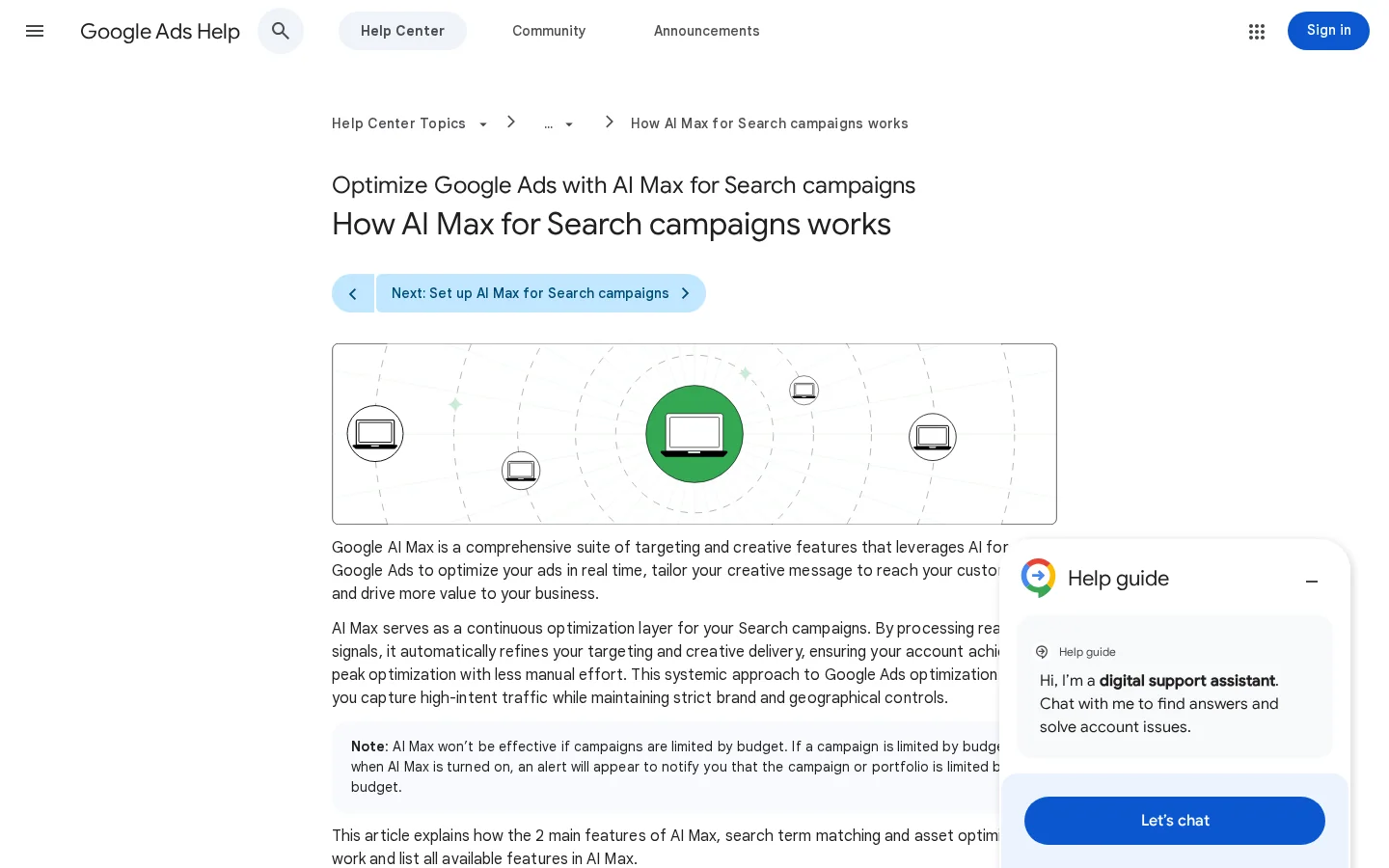
AI Max for Search is not a new campaign type. It is a layer you switch on inside an existing Search campaign, and it changes three things at once: which searches you match, what your ad says, and which page receives the click. Google's AI Max help page describes it as an "ongoing optimization layer" and notes that new Search campaigns have it on by default.
| Feature | What it does | Level | Your safety controls |
|---|---|---|---|
| Search term matching | Matches searches beyond your keywords, using broad match, your assets and your landing pages (keywordless matching) | Ad group, on by default | Negative keywords, brand inclusions and exclusions, locations of interest |
| Text customization | Writes new headlines and descriptions from your ads, assets and landing page copy (formerly automatically created assets) | Campaign | Turn off, remove assets in the asset report, AI Brief guidelines |
| Final URL expansion | Sends the click to the page of your site that best fits the search | Campaign, needs text customization | URL exclusions (campaign), URL inclusions (ad group) |
Two technical details trip up many accounts. First, search term matching does not work with manual CPC: you need a conversion-based Smart Bidding strategy. Second, pinned assets are ignored when Final URL expansion picks a different page. If legal text must always show, put it on the landing page as well, or keep Final URL expansion off for that campaign.
Google reports, in its April 2026 announcement, that AI Max campaigns using the full feature set see on average 7% more conversions or conversion value at a similar CPA or ROAS than those using search term matching alone (Google internal data, 2026, non-retail advertisers). Independent numbers are more nuanced. In a Search Engine Journal report of March 5, 2026, Brooke Osmundson summarised Smarter Ecommerce (SMEC) research by Mike Ryan on more than 250 Search campaigns using AI Max, mostly ecommerce.
Read it this way: AI Max mostly adds volume, and that extra volume costs more per conversion. It behaves like an expansion layer, not an efficiency tool. The same report found that about half of the advertisers ran AI Max, Dynamic Search Ads and Performance Max at the same time, which splits the data and makes bidding harder to read.
A Search campaign before and after AI Max
The search terms report now shows "AI Max" as a match type, with a source column that tells you whether the match came from broad match expansion or keywordless matching. The landing pages report has a "Selected by" column. Use both every week for the first month: they are the only way to see what the AI added on top of your keywords.
Performance Max is the most automated campaign type. One campaign, one budget, all Google inventory: Search, YouTube, Display, Discover, Gmail and Maps. You give it assets, conversion goals and optional audience signals; the AI decides where each euro goes. Shopping advertisers use it with a Merchant Center feed, which our guide to Shopping ads and product feeds covers in detail.
Demand Gen is the visual, upper-funnel version on YouTube, Discover and Gmail (it replaced Discovery ads, see our Demand Gen campaign guide). AI Max for Shopping, announced at Google Marketing Live 2026, brings AI Max features to existing Shopping campaigns with one switch, so product ads can answer longer, conversational searches.
There is no single right structure. There are four main approaches, and the choice depends on your conversion volume, your margins and how much control you need.
1. Controlled Search (exact and phrase, AI Max off). Principle: you choose every query family, Smart Bidding sets bids. Use it when you have few conversions, strict legal wording or a very narrow offer. Advantage: clean, readable data. Limit: you miss new searches and you are not eligible for the newest AI Search formats. Example: a law firm with 20 leads a month in one city.
2. Search with AI Max. Principle: your keywords stay, AI Max expands matching, text and URLs. Use it when you have a stable conversion flow and a site with many relevant pages. Advantage: finds long, conversational searches you never listed. Limit: higher CPA on the extra volume, and you must review search terms weekly. Example: a software company with dozens of feature pages.
3. Performance Max first. Principle: one campaign across all channels, the AI chooses. Use it for ecommerce with a clean feed and enough conversions. Advantage: reach across every channel with little setup. Limit: less visibility per channel and per query, even with channel reporting. Example: a fashion store with 500 products.
4. Hybrid. Principle: an exact-match brand Search campaign, an AI Max campaign for non-brand, Performance Max for the feed, with brand exclusions so they do not compete. Use it when you spend enough to feed several models. Advantage: control where it matters, scale elsewhere. Limit: more setup, and overlap if exclusions are missing. Example: a retailer with both strong brand demand and a large catalogue.
| Structure | Best for | Control | Reach | Main risk |
|---|---|---|---|---|
| Controlled Search | Low volume, regulated sectors | High | Low | Missing new demand |
| Search with AI Max | Lead generation and software with rich sites | Medium | High | Irrelevant queries, higher CPA |
| Performance Max first | Ecommerce with a clean feed | Low | Very high | Budget drifting to weak placements |
| Hybrid | Bigger budgets, strong brand | High where needed | Very high | Overlap between campaigns |
Single Performance Max vs hybrid account
Generative AI now writes and designs a large share of what people see in Google ads. It works in three places: text customization in Search, Asset studio for images and video, and AI Brief to steer both with your own rules.
Asset studio sits in the Tools menu of Google Ads. Google's help page lists prompt-based creation of images, text and video, product imagery built from one or two product photos, an image editor driven by text prompts, a video builder, video trimming for short formats and a voice-over tool. Every generated image carries a SynthID watermark, and generated projects are kept for 55 days, so download what you want to keep.
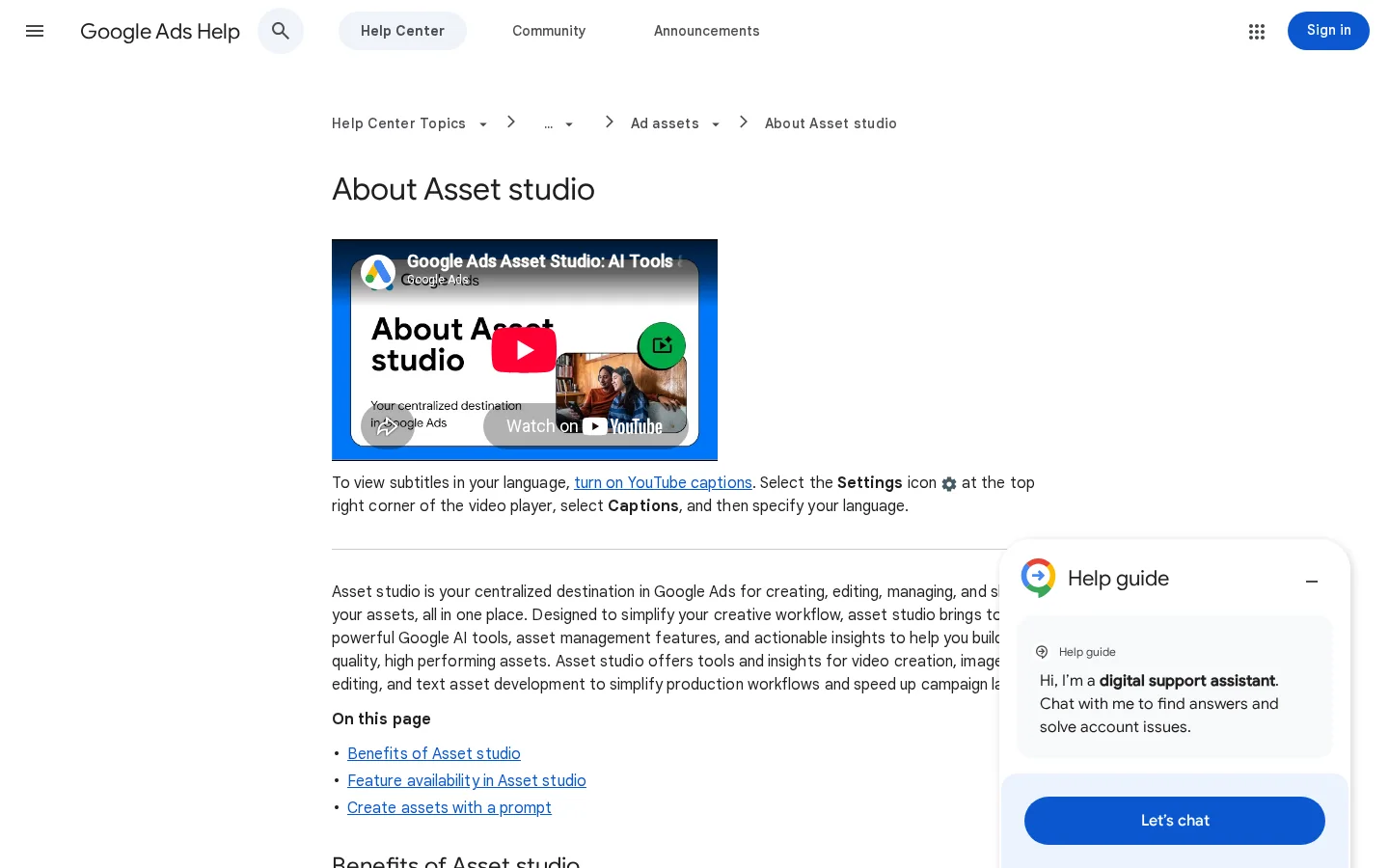
Announced at Google Marketing Live 2026, AI Brief lets you describe your brand, audiences and guardrails in plain language. Google then generates ad guidelines with previews. It started in English for AI Max for Search, with Performance Max and AI Max for Shopping to follow. Treat it like the brief you would give a new copywriter: short, concrete, with words to use and words to ban.
Brand: B2B accounting software for small firms in France and Belgium.
Tone: plain, factual, no hype.
Always say: "free 14-day trial", "French support team".
Never say: "cheapest", "guaranteed", "#1", any competitor name.
Never promise: tax savings amounts, legal advice.
Audiences: accountants, firm owners, office managers.
Checklist before you approve AI-written assets
The rules of good ad writing still apply to AI output. Our guide to writing ads that convert on each platform gives the checks to run on any headline, written by you or by Gemini.
Ask Advisor is a Gemini-based agent built into Google Ads. You open it from the icon in the top bar, or type a question in the Google Ads search bar. It brings together the former Ads Advisor and Analytics Advisor, and Google presented it at Google Marketing Live 2026 as one agent across Google Ads, Google Analytics, Merchant Center and Google Marketing Platform. It is in beta for English-language accounts and is not available in manager (MCC) accounts.
It can explain why a metric moved, troubleshoot a disapproved ad, suggest keywords and creatives, build reports and charts, and make changes such as pausing a campaign or changing a daily budget. Google's help page is clear on one point: it implements changes only with your approval.
| Goal | Question to ask | What to check in the answer |
|---|---|---|
| Explain a drop | Why did conversions fall in campaign X last week compared with the week before? | Does it name a cause you can verify (budget, auction, tracking)? |
| Find waste | Which search terms spent more than 50 euros in 30 days with no conversion? | Export the list and add negatives yourself |
| Audit AI Max | Show the AI Max search terms and landing pages with the highest cost per conversion. | Compare with your exact match results |
| Fix a policy issue | Why was this ad disapproved and what is the smallest fix? | Read the policy page before you accept |
Warning
An agent optimizes toward Google's view of your account. A suggestion to raise a budget or broaden matching can be right, but it is never neutral. Approve changes that you would have made yourself with the same data, and log each one with its date so you can link it to the results.
Google Search now answers many questions with an AI Overview at the top of the results, and longer conversations happen in AI Mode. Your ads can appear above, below or inside these answers. You do not need a new campaign: existing Search, Shopping and Performance Max campaigns are eligible.
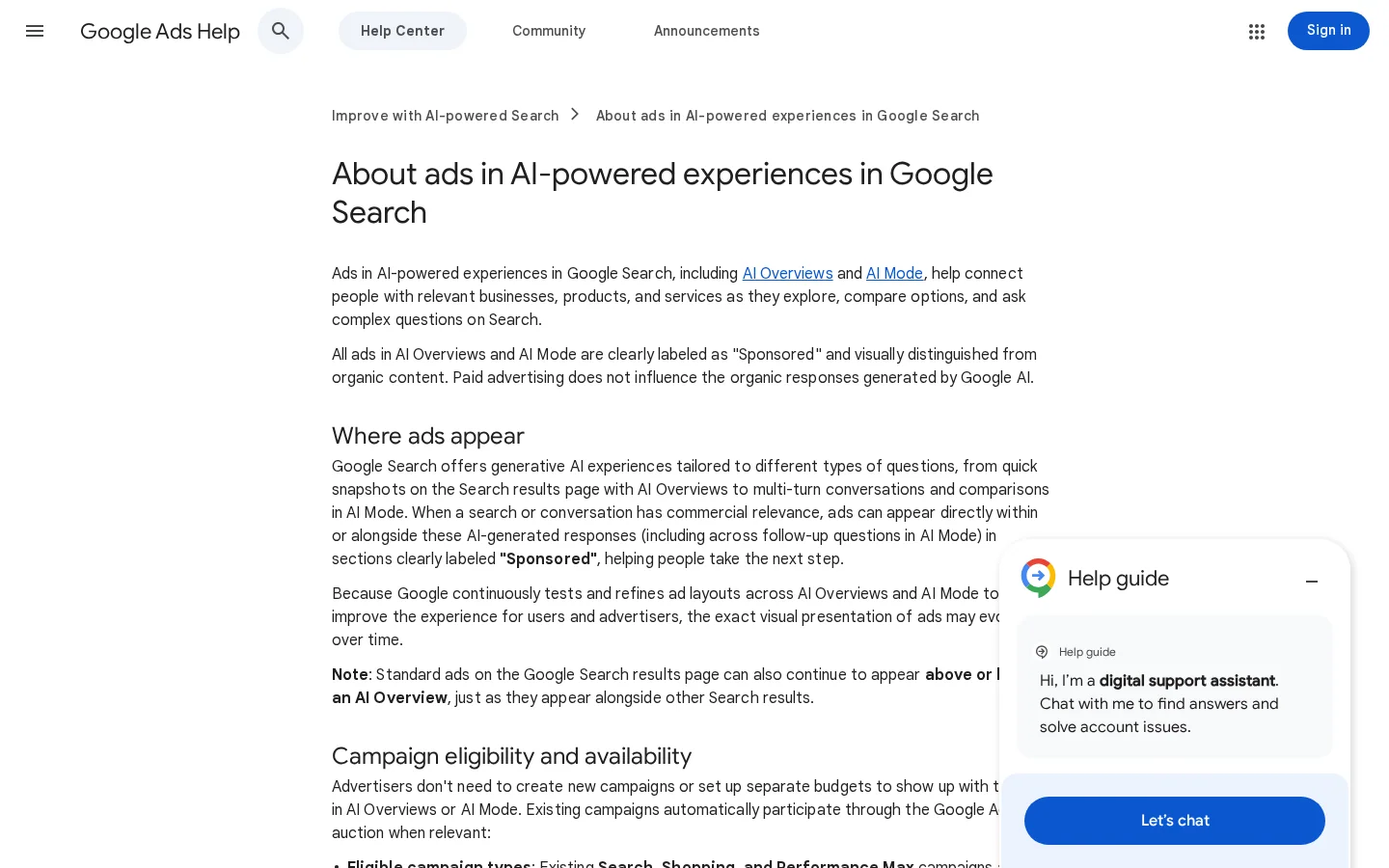
Google's help page on ads and AI Overviews (shown above) gives the rules that matter:
This is the paid side of AI search. The organic side is just as important: being the brand the AI answer cites, for free, on the same searches. Paid and organic do not compete here, they cover different spots of the same answer. Sorank's GEO optimization software works on that organic side, and its AI mention tracking shows when ChatGPT, Claude and Gemini name your brand.
Free tool
Before you pay to appear next to an AI Overview, check whether Google already cites you inside it with our free AI Overview checker.
The order matters more than the settings. AI learns from data, so you fix the data first, then you open the gates one at a time, and you measure each step against a baseline.
The 7-step setup for AI in Google Ads
Smart Bidding treats every primary conversion as a success. If "page view of the contact page" is primary next to "form submitted", the AI will chase cheap page views. Keep one primary action per business goal, give each a real value, and turn on enhanced conversions with first-party data to recover conversions lost to cookie limits. For lead generation, import qualified leads or signed deals from your CRM: the AI then learns what a good lead looks like, not just what a form fill looks like.
Build negative keyword lists at account level before you widen matching. A starting list for a business software company might look like this:
free
crack
torrent
jobs
salary
internship
course
pdf
template
"what is"
Adapt it: "free" is a waste for a paid tool but a must for a freemium one. Our guide to negative keywords and match types gives starter lists by sector.
Google's AI Max help page warns that dynamic landing pages can return 404 errors if your tracking template is not compatible. Always build the template around the {lpurl} tag, in one of the forms Google supports:
{lpurl}?utm_source=google&utm_medium=cpc&utm_campaign={campaignid}&utm_term={keyword}

# Also valid: {lpurl}&... when the URL already has parameters, {lpurl}#..., or {lpurl} alone
# Avoid: a static URL with no {lpurl} tagGoogle Ads has a dedicated AI Max experiment type. Use it rather than switching AI Max on and comparing this month with last month: seasonality, competitors and price changes will blur a before-and-after comparison. Keep budgets equal on both arms and do not change bids during the test.
Most AI failures in Google Ads are not AI failures. They are data, structure or patience problems that the AI makes bigger. Here are the ones we see most often, with how to spot them and how to fix them.
What it is: micro-conversions (page views, clicks on a phone number, newsletter sign-ups) set as primary next to sales or leads. How to spot it: conversions rise while revenue or qualified leads stay flat; the conversion action column shows a soft action in the lead. How to fix it: set soft actions to secondary, keep one primary per goal, and assign real values.
What it is: changing targets after a few days, or turning a strategy off during learning. How to spot it: the bid strategy status shows "Learning" again and again; the change history shows target edits every week. How to fix it: change targets by 15 to 20% at most at a time, and wait for at least 30 conversions (50 for Target ROAS) before you judge.
What it is: AI Max switched on with no negative keywords, no brand exclusions and no URL exclusions. How to spot it: in the search terms report, filter on the "AI Max" match type and sort by cost; look for job searches, competitor names or informational questions. How to fix it: add negatives and brand exclusions, exclude support, careers and blog URLs if they do not convert.
What it is: three AI systems bidding on the same searches from one account. How to spot it: the same search terms appear in several campaigns; brand searches show up in Performance Max insights. How to fix it: plan the move from Dynamic Search Ads to AI Max now, add brand exclusions in Performance Max, and give each campaign a clear role.
What it is: a Smart Bidding or AI Max campaign that runs out of budget every day. How to spot it: status "Limited by budget"; Google's own AI Max page says AI Max will not be effective in that case. How to fix it: raise the budget, or lower the reach (fewer locations, tighter targets) until the campaign spends below its cap.
What it is: text customization or Asset studio assets going live unchecked. How to spot it: in the asset report, filter on automatically generated assets and read every one. How to fix it: remove wrong claims, set an AI Brief with banned words, and turn text customization off in regulated campaigns.
What it is: the AI sends traffic to pages that do not sell (blog posts, terms of sale, old offers) or to pages that break with your tracking template. How to spot it: the landing pages report, "Selected by" column, shows such URLs with spend and no conversions. How to fix it: add URL exclusions, use the {lpurl} forms above, and remove outdated pages from your site.
Weekly AI review in 15 minutes
For a full account check beyond AI settings, our 12-point Google Ads audit checklist covers structure, tracking and costs, and our list of PPC metrics and their formulas helps you choose what to report.
AI in Google Ads optimizes inside the frame you give it. It does not fix a weak offer, a slow site, a price above the market or a landing page that does not answer the search. It also does not tell you whether paid search is the right channel for a given query in the first place.
That last question matters more each year. Every click in pay-per-click advertising costs money for as long as you pay, while a page that ranks, or a brand that AI answers cite, keeps bringing visits. The strongest accounts use paid search to test demand fast, then build organic pages on the searches that convert. Our guide on combining SEO and PPC on the same results page shows how to share keywords between both, and Sorank's automated keyword research finds the searches worth winning organically.
Free tool
See how much you would spend in Google Ads to buy the traffic your organic pages could bring with our SEO vs PPC savings calculator.
Your action for today: open your conversion actions, check that only real business goals are primary, then open the search terms report and add ten negatives. Those two steps make every AI layer in Google Ads work better tomorrow.
AI already sets bids, chooses matching searches, writes ad variants and picks landing pages, and Ask Advisor can make changes with your approval. It still needs you to define goals, send clean conversion data, set guardrails such as negative keywords and brand exclusions, and check its work every week.
AI Max mostly adds volume: independent data from Smarter Ecommerce on more than 250 campaigns showed a median 13% rise in conversion value but a 16% rise in cost per acquisition. Test it as a 50/50 experiment on one campaign for at least 6 weeks, with negative keywords and URL exclusions in place, before rolling it out.
No. Existing Search, Shopping and Performance Max campaigns are eligible, with no separate budget. Ads inside AI Overviews and AI Mode are limited to English and a list of markets, while ads above or below AI Overviews run wherever AI Overviews exist.
We analyse your competitors, your website and your AI visibility to create a tailored content plan for free.
 Duplicate Content Checker
 Mobile-Friendly Test
 Website Speed Test
 Subdomain Finder
 Domain Age Checker
 CMS Detector
 Googlebot Simulator
 Nofollow Link Checker
 Meta Tag Checker
 Keyword Cannibalization Checker
 Keyword Intent Checker
 Keyword Extractor
 Google Ads Cost Calculator
 CPC Calculator
 Local Citation Finder
 Reddit Threads Finder
 Disavow File Generator
 Redirect Generator
 Canonical Tag Generator
 Passive Voice Checker
 Google Location Changer
 Google Review Calculator
 Google Review Link Generator
 Keyword Combiner
 Podcast Show Notes Generator
 AI Content Rewriter
 AI Text Humanizer
 ChatGPT Prompt Generator
 Twitter Thread Generator
 Tweet Generator
 Landing Page Copy Generator
 Google Ads Copy Generator
 Pinterest Pin Description Generator
 Anchor Text Generator
 Social Media Post Generator
 LinkedIn Post Generator
 Free AI Writer
 Review Response Generator
 LSI Keyword Generator
 YouTube Video Ideas Generator
 YouTube Tag Generator
 YouTube Description Generator
 Product Description Generator
 CTA Generator
 Blog Introduction Generator
 Conclusion Generator
 Hook Generator
 AI Content Brief Generator
 FAQ Schema Generator
 AI Blog Post Ideas Generator
 Structured Data Validator (Schema Validator)
 Alt Text Checker
 Internal Link Analyzer
 Backlink Challenge
 AI Meta Description Generator
 AI Blog Title Generator
 Google Indexability Checker
 AI Blog Outline Generator
 UTM Link Builder
 Keyword Clustering Tool
 Canonical Tag Checker
 XML Sitemap Generator
 Broken Link Checker
 AI SEO Title Generator
 Headline Analyzer
 SERP Preview Tool
 Redirect Checker
 Hreflang Tag Generator
 Heading Structure Analyzer
 HTTP Headers Checker
 Favicon Extractor
 SERP CTR Calculator
 SEO vs Paid Search Savings Calculator
 SEO Share of Voice Calculator
 SEO ROI Calculator
 SEO Traffic and Revenue Forecast Calculator
 SEO Budget Calculator
 SEO Break-Even Calculator
 SaaS SEO ROI Calculator
 ROAS Calculator
 Reading Time Calculator
 Ranking Gain Simulator
 Organic Traffic Value Calculator
 Organic Traffic Estimator and Website Traffic Checker
 LTV to CAC Ratio Calculator
 Local SEO ROI Calculator
 Link Building Cost Calculator
 Keyword Value Calculator
 Keyword Opportunity Score Calculator
 Keyword Density Calculator
 GEO ROI Calculator
 GEO Content Investment Calculator
 Ecommerce SEO ROI Calculator
 Customer Lifetime Value Calculator
 Customer Acquisition Cost Calculator
 CTR Calculator
 Cost Per Article Calculator
 Conversion Rate Calculator
 Content Marketing ROI Calculator
 ChatGPT Referral Traffic Estimator
 Bounce Rate Calculator
 Backlink ROI Calculator
 AI Visibility Score Calculator
 AI Traffic Value Calculator
 AI Share of Voice Calculator
 Cost of AI Invisibility Calculator
 AI Citation Rate Calculator
 llms.txt Validator
 AI Overview Checker and AI Overviews Rank Checker
 Robots.txt Checker
 AI SEO Audit
 LLM Readability Checker
 SearchGPT Readiness Checker
 Structured Data LLM Audit
 Website Crawlability AI Audit
 Why ChatGPT Is Not Recommending My Website
 Gemini Ranking Tool
 Perplexity Ranking Checker
 LLM Citation Checker
 Answer Engine Optimization Audit
 GEO Audit
 AI Search Visibility Test
 ChatGPT Visibility Checker
 llms.txt Generator
 URL Extractor
 Webpage to Markdown
 Sitemap Checker
 SERP Volatility Sensor
 Page Size Checker
 Word Counter
 Slug Generator
 Schema Generator
 Robots Generator
 OG Preview
 Meta Tags Generator
 Image Compressor
 Favicon Generator
 On-Page SEO Audit: SEO Checker and SEO Analyzer
 Backlink Analysis Tool
 Keyword Research Tool
 Domain Authority Checker
 “I tested Sorank on a real client site and it's insane. It does everything an agency would bill you $1500 a month for. It's going into production on that client now.”

 Guillaume Guersanguersanguillaume.com“We are an Ads agency and we wanted to get our SEO back on track once and for all. Sorank gave us a clear view of our site, helped us prioritize optimizations, and properly structure our content. The tool is easy to use, well designed for a team, and very practical for centralizing tracking without having to juggle multiple platforms. A very solid foundation to start fresh with our SEO.”
 Gaspard MadouiAds Agency
 “I just let the Sorank software do its thing, and now my DR is 25 and my page is ranking higher.”
 Lucas Flandrefoundertrace.fr“I specialized in GEO thanks to Sorank. The GEO Leaderboard allows me to show my clients their position vs competitors on ChatGPT. It’s a real commercial differentiator.”
 MélanieSEO Freelance“Great service, works well for our website and helps us understand how to improve it to rank better on Google and elsewhere. Congrats, keep going, I recommend it.”
 Hugo T.E-commerce merchant