Preferences
Privacy is important to us, so you have the option of disabling certain types of storage that may not be necessary for the basic functioning of the website. Blocking categories may impact your experience on the website. More information
Privacy is important to us, so you have the option of disabling certain types of storage that may not be necessary for the basic functioning of the website. Blocking categories may impact your experience on the website. More information

Learn what makes content shareable: the emotions, formats, step-by-step build, technical preview setup and mistakes to fix before you publish.

In short
Shareable content is material a reader chooses to pass on, by sending a link, quoting a line or forwarding it to a colleague. It spreads when it gives the sharer something to show others: a useful fact, a clear opinion, a surprising result or a free tool. Build around one idea people can repeat, and make sharing one click.
Want to go further? Ask
Quick quiz
Which content should you focus on first?
Sorank matches your answers


Test it for 3 days on your own site and see where you stand on Google, ChatGPT and the other AIs.
Start 3-day free trial3 days free, then stop whenever you want. 90-day results guarantee, conditions apply.
Shareable content is content that a reader decides to send on. You cannot push it onto people, and no button can force a share. The reader stays in control, so the question to answer is what the reader gets from sending your page, and how they look to the person who receives it.
People use the word "share" for three actions, and each one gives you something different. A share is a person sending your page to a friend, a group chat or a colleague. A link is a website adding your page as a reference, which helps your rankings and is covered in linkable assets. A mention is someone naming your idea or your brand in their own words, with or without a link. Good shareable content produces all three, but track them separately, because the things that drive a share are not always the things that earn a link.
This guide focuses on the first step, the share itself. Links and mentions usually follow once a page has been passed around a few times, so design the share first.
Pushed content vs shareable content
Every share is a small trade. The reader spends a little of their reputation, a little of their attention and a message to someone they know. In return they get to look informed, funny, helpful or right. If your page gives them none of those, it will not travel, however good the writing is.
Before you write, answer one question: what will the reader say when they send it? Write that sentence the way the sharer would type it in a message. If you cannot write it, the piece is not shareable yet, and no design will fix that.
Example
Picture a marketing manager who forwards a page titled "What to ask an SEO agency before you sign" to her CEO, with the note "use these questions for Thursday's call". The page gave her something to hand to her boss. The brand name was not the reason she sent it.
People share to look useful, to help someone they know, to say who they are and to start a conversation. Of these motives, relevance to the sharer and their circle is the one a 2022 study measured most directly, so start there when you plan a piece.
A 2022 study published in the Journal of Experimental Psychology: General looked at this question with more than 3000 participants. Danielle Cosme, Emily Falk and their co-authors showed people messages on health, climate change, voting and COVID-19, both as news headlines and as social media posts. Participants were most likely to say they would share a message when they saw it as relevant to themselves or to the people they know. The authors call this "value-based virality": content spreads when people find it valuable to themselves or to society. Participants who wrote down why a message mattered to them or their contacts were even more willing to share it than those who only thought about the topic.
The practical lesson is simple. A page that is relevant to one specific group travels further inside that group than a page that is vaguely interesting to everyone. Two things matter: the audience the sharer belongs to, and the moment when they need what you wrote.
The 2022 sharing study at a glance
Source: Cosme, Falk et al., Journal of Experimental Psychology: General, 2022
Ask who the sharer is and who they will send the page to. A page on new cookie consent rules is relevant to a compliance officer, who can forward it to the legal team. The same page is much less likely to travel beyond that group. For each piece, name the sharer and the receiver. Then run a test: if the sharer had to explain why they sent it, the explanation should fit in one sentence, such as "this is the checklist we need before the launch".
A checklist, a template or a calculator gets sent because the sharer can use it again, often in a shared document or a meeting. A page you can save, paste into a file and tick off travels further than an opinion that is only interesting once. Put the useful part on the page itself, not behind a form, so the person who receives the link sees the value at once.
People also share to say something about themselves: that they follow a trend early, that they care about a cause, or that they have a sharp sense of humor. Content that takes a clear position helps the reader take a side in front of others. That is why a defensible opinion often travels further than a neutral summary of the same topic. The position has to be one you can back up, or the reader pays the price when the first critic replies.

Content spreads when it triggers a strong emotion that energizes the reader, and positive content spreads more widely than negative content. Content that makes people feel awe is shared more than content that makes them sad or angry. Anger and anxiety also raise sharing, but they carry a cost you need to weigh before you use them.
A widely cited analysis comes from Jonah Berger and Katherine Milkman, published in the Journal of Marketing Research in 2012. They studied nearly 7000 articles from the New York Times. As Scientific American reported, positive stories were shared more widely than negative ones. The variable that mattered most was arousal. Emotions that energize the reader, such as anger, anxiety, awe and amusement, raised sharing. Sadness, which deactivates the reader, lowered it.
Which emotions travel
Source: Berger and Milkman, as reported by Scientific American
Positive high-arousal emotions give you the most reach with the least risk. A chart that shows a result nobody expected can create awe. A photo from a real client project with a joke in the caption creates amusement. A case where a two-person team beat a large competitor can do both. Choose one emotion for each piece and build the opening around it. A piece that tries for three emotions usually lands on none. For real campaigns and what made them spread, read examples of viral marketing campaigns.
Negative high-arousal emotions also travel, which is why outrage works for news sites. For a company blog, the cost is high. A reader who shares an angry piece attaches their name to the anger, and the replies come back to them. Use a strong negative only when it points at a problem your reader can fix, such as a common mistake in their setup, and back the claim with evidence you can show. If the piece only makes people angry at a competitor or a group, skip it.
Sad content is not forbidden. A story about a customer's loss can be moving and worth publishing. But in a sharing context, sadness does less work than the other emotions, so pair it with a clear reason to act, or the reader moves on. For most business content, aim for a reaction the reader can act on or repeat.
Five formats earn most of the shares in a typical field: a free tool, original data, a template or checklist, a sharp opinion and a visual explainer. Pick the one that matches the reason your reader would send the page on. A tool is shared for its answer, data for its evidence, a template for its reuse, an opinion for its position and a diagram for its clarity.
Principle: the reader enters their own numbers or answers a few questions and gets a result for their case. When to use it: when your audience repeats the same check or calculation, such as a budget estimate or a score. Advantages: it is useful every time it is opened, and the result is personal, so it is worth sending to a colleague. Limits: it takes development time, it must stay accurate as the rules change, and a weak formula gets shared just as fast as a good one. Example: a calculator that turns a campaign budget into a return figure the reader can show their manager. Sorank's free SEO tools follow the same pattern.
Principle: you collect or analyze numbers nobody else has, then publish what they show. Sharers use it as evidence in a meeting or an argument. When to use it: when you hold data you can share without breaking anyone's privacy, such as anonymized results from your customers, a survey of your audience, or a public dataset you can clean and analyze. Advantages: other sites cite it, and a competitor cannot copy it quickly. Limits: it is slow and expensive, and a weak sample or a vague method destroys trust on the first careful reading. Example: imagine a software company that studies how its trial users set up their dashboards, then publishes the setups that most often lead to a paid plan. For the full process, read how to publish original research.
Principle: a file the reader can copy, fill in and use in their own work. When to use it: when your audience does the same task again and again, such as an audit, an onboarding or a brief. Advantages: it saves the sharer time, so they send it to the whole team, and it works in group chats and shared documents. Limits: a template copied from a generic source looks generic, so adapt it to a real process and keep it current. Example: a pre-launch checklist for a new website, in plain text, with one line per item and a clear owner for each line. When the task is planning rather than auditing, a content calendar template does the same job.
Principle: a clear claim that a reader can agree or disagree with, backed by reasons. When to use it: when your field has a common practice you think is wrong, or a question people argue about in public. Advantages: a debate spreads a piece, it costs little to produce, and a strong position is easy to repeat. Limits: it attracts critics, and any claim you cannot defend will be taken apart in the replies. Example: a post titled "Why word count is the wrong goal for most blog posts" that takes a position, gives the reasons and says where the position does not apply.
Principle: a diagram, a chart or a list of steps that explains a process at a glance. When to use it: when the process has steps, or when two options need a side-by-side comparison. Advantages: it is easy to embed and easy to send to someone who does not want to read the full page. Limits: it is hard to update, it dates quickly, and small text inside an image is unreadable on a phone. Example: a one-page diagram of how a reader moves from a search result to a share. For visuals that search engines can read and sites can cite, see infographics and SEO.
| Format | Why people pass it on | Effort | Main risk |
|---|---|---|---|
| Free tool | It gives a personal answer each time | High | It breaks when the rules it uses change |
| Original data | It is evidence others can cite | High | A weak method destroys trust |
| Template or checklist | It saves work for the sharer's team | Medium | It looks generic if copied |
| Sharp opinion | It lets the sharer take a side | Low | Critics find any claim you cannot defend |
| Visual explainer | It explains a process at a glance | Medium | Hard to update, and small text fails on phones |
Build shareable content in six steps: name the sharer, write the claim, pick the format, add lines that stand alone, make the page easy to send, then seed the first shares. Each step is simple on its own. The detail is in the choices you make at each one.
The six-step build
Start with a person, not a keyword. Fill in the blanks: "A [role] sends this to a [role] when [situation]." For example: "A head of operations sends this to the marketing lead when the agency invoice arrives." That sentence tells you what the page must answer and what the receiver needs to see on the first screen. If you cannot fill in the blanks, you do not yet know who will share the piece.
Your claim is the sentence the sharer will repeat. Make it short, specific and checkable. "Most blog posts fail because nobody knows who they are for" is a claim. "Quality is key" is not. Say the claim out loud to a colleague. If they cannot repeat it after one hearing, rewrite it. Then build the page around it, so that every H2 supports the same idea.
Use the section above. If the reason to share is the answer, build a tool. If it is evidence, collect data. If it is reuse, make a template. If it is a position, write an opinion. Choosing the format before you write saves a rewrite, because each format asks for a different structure. A tool needs inputs and outputs. A checklist needs one line per item. An opinion needs its strongest counter-argument.
Sharers copy one sentence, not a whole page. Write two or three lines that still make sense when pasted into a message with no context. Avoid pronouns that point back to earlier text, such as "this" or "it". Replace "It gives you a clear view" with "A shareable page gives the reader a reason to forward it". Put the lines in short paragraphs or in a bold sentence, so they are easy to find. Each section of this article starts with its answer for the same reason: the answer is what gets quoted.
Once the piece is ready, check the path from the reader to the send button. Set a clear title and description for link previews, use an image that carries the headline, and remove any pop-up that appears before the content. The technical details are in the next section.
Send the piece to a short list of people who would care: ten people who face the problem, two or three peers who publish on the topic, and anyone who asked you the question before. Ask for feedback, not for a share. Replies tell you which line people found worth repeating. Review the page after 30 days, then again after 90 days. Note which section sharers quoted, and make that section stronger in the next piece.
A headline earns a share when it tells the reader what they get, in the words the sharer would use with a colleague. Curiosity gaps and vague superlatives lose trust fast, because the reader feels tricked before they have read anything.
A headline built to be forwarded
Imagine the sharer writing the message that goes with the link. They type something like "this explains our onboarding problem" or "use this before the client call". Your headline should make that message easy to write. Name the audience and the outcome, and keep the wording short enough to show in full in search results and in link previews. Do not use a title that promises a result you cannot deliver.
A headline that promises more than the page delivers wins the first click and loses the share. Readers feel tricked, and nobody wants to be the person who forwarded a weak page. Good packaging is honest about the topic, sharp in its word choice and specific about who should read it. If the page does not deliver what the headline promises, fix the headline before you publish.
Many shares happen inside a message, and the message often copies the opening lines. Start with a complete answer, in plain sentences, with no warm-up. The short summary at the top of this page is written that way: it can be copied as it stands, and it still says something useful without the rest.
A shared link is only as good as its preview. Set the Open Graph title, description and image so that every platform shows your page the way you intended. Then keep the page fast enough that the preview loads at once and the reader does not leave before reading.
Most social platforms and messaging apps read Open Graph tags from the page head when someone pastes a link. Four tags do most of the work: the title, the description, the image and the canonical URL. Add a Twitter card tag as well, so that large image previews show on X. Here is the block to place in the head of the page, with your own values:
<meta property="og:title" content="Shareable Content: How to Create Content People Pass On">
<meta property="og:description" content="The emotions, formats and technical setup that make a page worth forwarding.">
<meta property="og:image" content="https://www.example.com/images/shareable-content-1200x630.jpg">
<meta property="og:url" content="https://www.example.com/blog/shareable-content">
<meta name="twitter:card" content="summary_large_image">Use an image of 1200 by 630 pixels, the size most link previews are built for. Put only a short headline on the image, because previews crop the edges and small text disappears on a phone. Write alt text that describes what the image shows, not the keyword. Screen readers and search engines both use it, and it costs nothing to write it well.
A pop-up, a newsletter wall or a cookie banner that covers the text before the reader sees anything kills the share. The reader arrives, finds nothing useful and closes the tab. Check the loading experience with the Core Web Vitals report in Search Console, and keep the first screen clean. A newsletter offer can sit at the end of the article, after the reader has already got the value.
Share buttons help when the reader is on a phone and wants one tap. A row of eight icons adds clutter, so keep the two or three that match where your readers actually talk. Give the page a clean URL with a readable slug. If you need tracking parameters, add them to the links your team sends, not to the address the reader copies.
Sharing setup before you publish
Shareable content rarely spreads by itself in the first weeks. You seed it with a small group who would care, then make it easy for them to pass it on. Distribution is not a trick. It is the work of putting the right page in front of the right sharers at the right time, which is the subject of content distribution.
Use the sharer you named in step one. Send the page to two or three people who match that description, and ask one question: "Would you forward this to anyone? Who?" Their answer tells you the next group. A personal note works better than a broadcast, because it gives the reader a reason to read and a reason to forward.
Communities, newsletters and forums are useful when the topic is already under discussion there. Find the thread where someone asks the question your page answers, and give a direct answer first. Link to the page only when it adds something the answer does not. Follow each community's rules on self-promotion, and do not post the same link in ten places in one day, which looks like spam to moderators and readers alike.
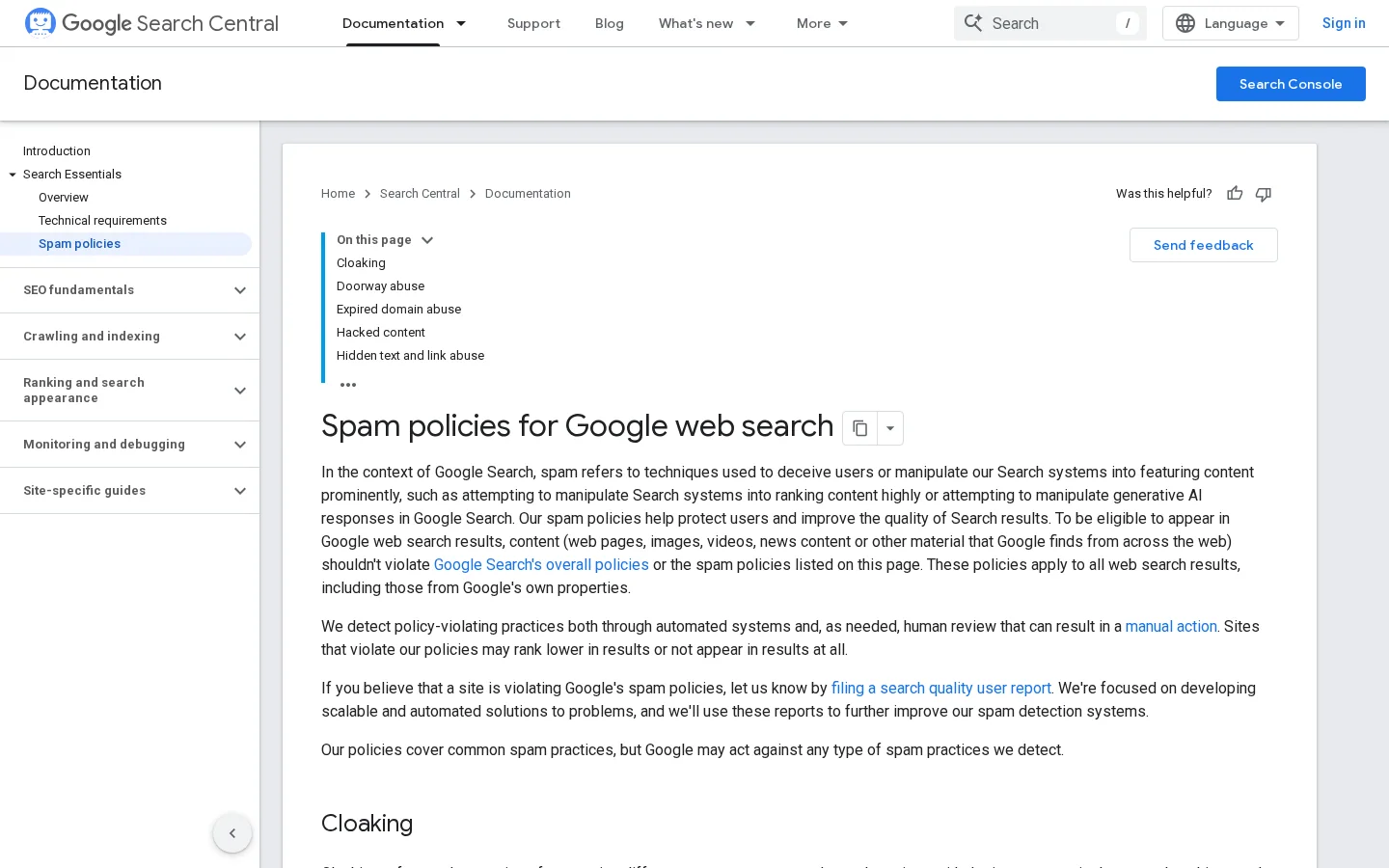
Many teams try to speed up sharing with paid placements, bought links or links swapped in bulk. This is where the risk sits. Google's spam policies define link spam as links created primarily to manipulate search rankings, and they list buying or selling links for ranking purposes among the practices concerned. The same page says sponsored links are acceptable when they are marked as sponsored or nofollow. For the full reasoning, see should you buy backlinks.
Warning
A sponsored article without a disclosure, or a bought link that passes ranking credit, can cost you more than the placement is worth. Mark paid links clearly, and let the content earn its own shares.
A share can lead to a link when a site owner finds your page useful enough to cite it. That is a different job from getting the share in the first place. For the types of assets that earn links from other sites, read which asset types earn links. This section stays on the share, because a page nobody sends on will not earn many links either.
Most content that fails to spread has one of six problems: no clear sharer, no claim worth repeating, a point buried under the intro, outrage without evidence, a useful asset locked behind a form, or fake engagement. Each one has a test you can run before you publish, and a fix you can apply in an afternoon.
What it is: a page written for "marketers" or "business owners" in general, with no one specific in mind. How to spot it: you cannot name the sharer, or the page would fit any site in the field without changes. How to fix it: pick one role and one situation, then rewrite the opening and the examples for that person. A narrower page usually gets more shares than a broad one, because the people it fits feel it was written for them.
What it is: a long page that informs but gives the reader no line to pass on. How to spot it: ask a colleague, after one reading, what the page says in one sentence. If they cannot answer, the claim is missing. How to fix it: write the claim, put it near the top, and add the two or three quotable lines described in the build section.
What it is: three paragraphs of background before the first useful sentence. How to spot it: the first screen has a setup but no answer, so readers scan and leave. How to fix it: start each section with its answer, then develop it. Move the background to the second paragraph, or cut it.
What it is: a strong negative claim about a group, a competitor or a practice, with no data behind it. How to spot it: if you remove the adjectives, the claim has no support left. How to fix it: keep the strong position, but attach the evidence: a source, a test you ran, or a case you can describe in detail. The reader can then defend the share, which is the reason they sent it.
What it is: the template, tool or data sits behind an email form, so the reader cannot see what they would be sending. How to spot it: the useful part is one click away from a form. Nobody forwards a locked page to a colleague. How to fix it: show a preview or a sample on the page, keep the full asset open, and ask for an email only for an extra service, such as updates.
What it is: paid likes, comments from a group, or shares from automated accounts. How to spot it: the numbers jump with no matching visits, and no comments mention the content itself. How to fix it: stop, remove what you bought where the platform allows it, and rebuild the piece around the sharer. Fake engagement gives you no signal, and it damages trust with the people you wanted to reach.
| Mistake | Sign | Fix |
|---|---|---|
| Writing for everyone | No sharer you can name | Pick one role and one situation |
| No sentence worth repeating | A colleague cannot summarize the page | Write one claim and put it near the top |
| Burying the point | No answer on the first screen | Start each section with its answer |
| Outrage without evidence | The claim falls apart without the adjectives | Attach the source or the test |
| Gating the asset | The useful part sits behind a form | Show a preview and keep the asset open |
| Buying engagement | Numbers rise with no visits or real comments | Stop, remove it, and rebuild around the sharer |
Track three kinds of signal: shares and mentions, links from other sites, and the visits or searches that follow. Each tells you something different. Read them together over 30 to 90 days, because a single week can mislead you in either direction.
Social dashboards show shares, but they miss private messages, group chats and many messaging apps. Search for the title and the claim in quotes once a week, to find mentions in forums, newsletters and posts. A mention without a link still matters: it is the reader repeating your idea in their own words, which is the behavior you wanted.
Count the number of different websites that link to the page, not the total number of links. One site that links five times is one vote. Search Console's Links report shows the linking sites for each page. For why the count of sites matters more than the total, see referring domains.
When a page works, readers return or search your brand name later. Those branded searches are a sign of recall, because the reader remembered who wrote the page. Track them in Search Console's performance report, filtered by your brand name, and compare the months after publication with the months before.
AI assistants increasingly name the sources they found useful. Check whether ChatGPT, Claude, Gemini or Perplexity cite your page or repeat your claim, either with AI Mention Tracking or with a manual check that uses a fixed list of questions. Record the answers and compare them over time, since AI answers change from one day to the next.
Tip
Put a number on the work before you commit to a format. Our free content marketing ROI calculator helps you compare what a piece costs with the value it brings.
| Signal | What it tells you | Where to look |
|---|---|---|
| Mentions and quotes | Readers repeat your idea | Manual search for the title and the claim |
| Referring domains | Other sites find the page worth citing | Search Console Links report |
| Branded searches | Readers remember who wrote the page | Search Console, filtered by brand |
| AI citations | AI assistants use the page as a source | Manual checks or a tracking tool |
Sorank can write, score and publish articles, but it cannot decide the one claim your readers will repeat. Use it for the production work, and keep the sharer, the claim and the proof in your hands. That split is what makes the output worth sharing.
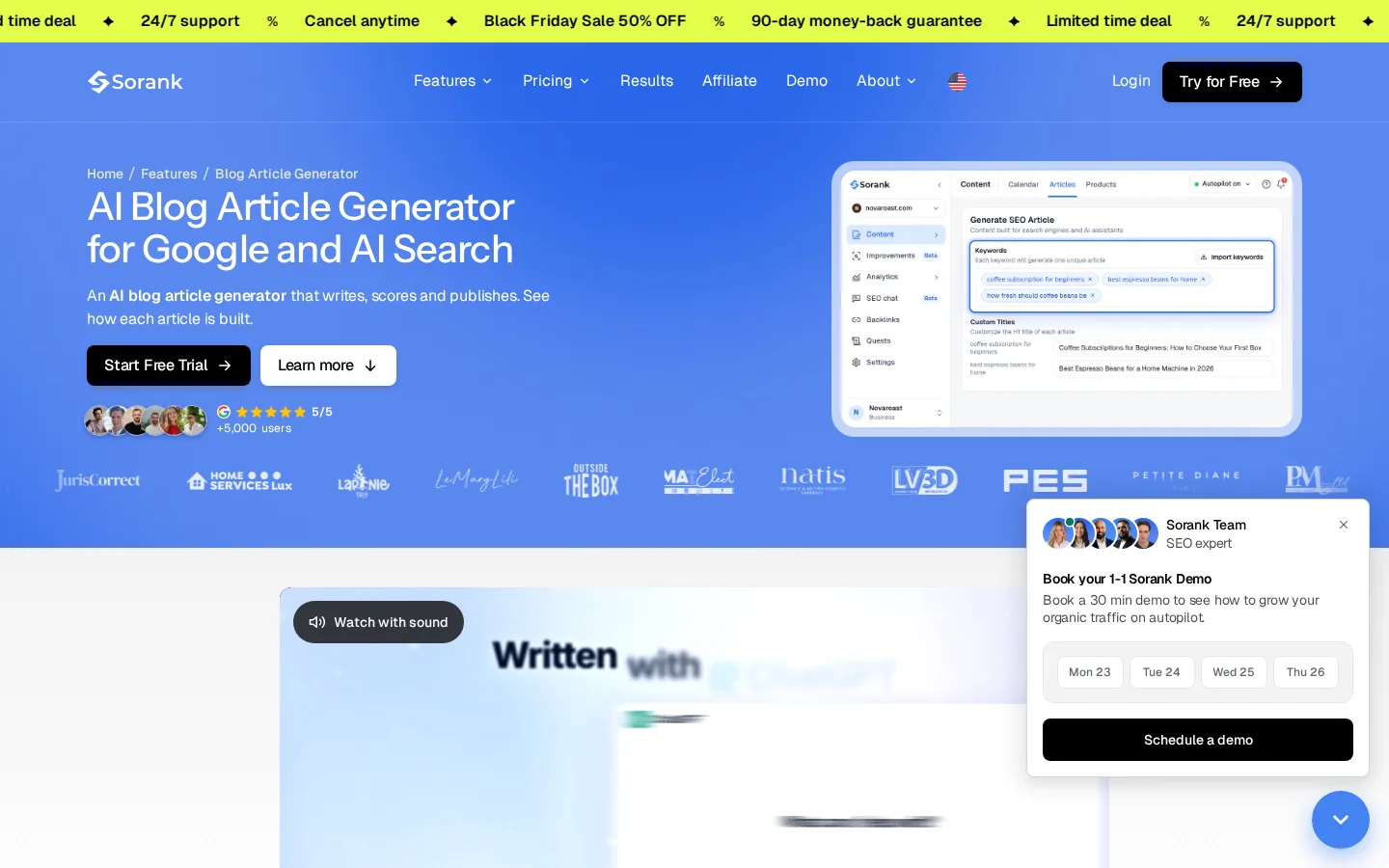
The AI blog article generator analyzes the competing articles on your keyword, then writes an article with a summary first, a clear H2 and H3 structure, cited sources, internal links to your pages and a score out of 100 before you publish. It publishes to WordPress, Shopify, Webflow or Wix, or sends the article to your CMS as a draft, so you can edit the claim and the quotable lines before the page goes live.
Sorank also offers natural backlink acquisition, which looks for contextual links in your niche. That helps the link side of the job, after the share has done its work. The rule stays the same: the page has to be worth passing on before any tool can help it travel.
Shareable content gives the reader something they want to show others, such as a useful fact, a clear opinion, a surprising result or a free tool. It also contains one idea that can be repeated in a sentence, and it makes sharing a single click. The reader's reason to send it matters more than the brand's reason to publish it.
No. Shareable content is about a reader passing a page on, which comes first. Linkable content is about other websites citing the page as a reference, which is a later result. A page can be shared a lot and earn no links, and a dry reference page can earn links without much sharing.
Indirectly. A share can bring visits, mentions and links from other sites, and those are the signals that matter for rankings. Earn them with content people want to send on, because buying links to manipulate rankings goes against Google's spam policies.
We analyse your competitors, your website and your AI visibility to create a tailored content plan for free.
 Duplicate Content Checker
 Mobile-Friendly Test
 Website Speed Test
 Subdomain Finder
 Domain Age Checker
 CMS Detector
 Googlebot Simulator
 Nofollow Link Checker
 Meta Tag Checker
 Keyword Cannibalization Checker
 Keyword Intent Checker
 Keyword Extractor
 Google Ads Cost Calculator
 CPC Calculator
 Local Citation Finder
 Reddit Threads Finder
 Disavow File Generator
 Redirect Generator
 Canonical Tag Generator
 Passive Voice Checker
 Google Location Changer
 Google Review Calculator
 Google Review Link Generator
 Keyword Combiner
 Podcast Show Notes Generator
 AI Content Rewriter
 AI Text Humanizer
 ChatGPT Prompt Generator
 Twitter Thread Generator
 Tweet Generator
 Landing Page Copy Generator
 Google Ads Copy Generator
 Pinterest Pin Description Generator
 Anchor Text Generator
 Social Media Post Generator
 LinkedIn Post Generator
 Free AI Writer
 Review Response Generator
 LSI Keyword Generator
 YouTube Video Ideas Generator
 YouTube Tag Generator
 YouTube Description Generator
 Product Description Generator
 CTA Generator
 Blog Introduction Generator
 Conclusion Generator
 Hook Generator
 AI Content Brief Generator
 FAQ Schema Generator
 AI Blog Post Ideas Generator
 Structured Data Validator (Schema Validator)
 Alt Text Checker
 Internal Link Analyzer
 Backlink Challenge
 AI Meta Description Generator
 AI Blog Title Generator
 Google Indexability Checker
 AI Blog Outline Generator
 UTM Link Builder
 Keyword Clustering Tool
 Canonical Tag Checker
 XML Sitemap Generator
 Broken Link Checker
 AI SEO Title Generator
 Headline Analyzer
 SERP Preview Tool
 Redirect Checker
 Hreflang Tag Generator
 Heading Structure Analyzer
 HTTP Headers Checker
 Favicon Extractor
 SERP CTR Calculator
 SEO vs Paid Search Savings Calculator
 SEO Share of Voice Calculator
 SEO ROI Calculator
 SEO Traffic and Revenue Forecast Calculator
 SEO Budget Calculator
 SEO Break-Even Calculator
 SaaS SEO ROI Calculator
 ROAS Calculator
 Reading Time Calculator
 Ranking Gain Simulator
 Organic Traffic Value Calculator
 Organic Traffic Estimator and Website Traffic Checker
 LTV to CAC Ratio Calculator
 Local SEO ROI Calculator
 Link Building Cost Calculator
 Keyword Value Calculator
 Keyword Opportunity Score Calculator
 Keyword Density Calculator
 GEO ROI Calculator
 GEO Content Investment Calculator
 Ecommerce SEO ROI Calculator
 Customer Lifetime Value Calculator
 Customer Acquisition Cost Calculator
 CTR Calculator
 Cost Per Article Calculator
 Conversion Rate Calculator
 Content Marketing ROI Calculator
 ChatGPT Referral Traffic Estimator
 Bounce Rate Calculator
 Backlink ROI Calculator
 AI Visibility Score Calculator
 AI Traffic Value Calculator
 AI Share of Voice Calculator
 Cost of AI Invisibility Calculator
 AI Citation Rate Calculator
 llms.txt Validator
 AI Overview Checker and AI Overviews Rank Checker
 Robots.txt Checker
 AI SEO Audit
 LLM Readability Checker
 SearchGPT Readiness Checker
 Structured Data LLM Audit
 Website Crawlability AI Audit
 Why ChatGPT Is Not Recommending My Website
 Gemini Ranking Tool
 Perplexity Ranking Checker
 LLM Citation Checker
 Answer Engine Optimization Audit
 GEO Audit
 AI Search Visibility Test
 ChatGPT Visibility Checker
 llms.txt Generator
 URL Extractor
 Webpage to Markdown
 Sitemap Checker
 SERP Volatility Sensor
 Page Size Checker
 Word Counter
 Slug Generator
 Schema Generator
 Robots Generator
 OG Preview
 Meta Tags Generator
 Image Compressor
 Favicon Generator
 On-Page SEO Audit: SEO Checker and SEO Analyzer
 Backlink Analysis Tool
 Keyword Research Tool
 Domain Authority Checker
 “I tested Sorank on a real client site and it's insane. It does everything an agency would bill you $1500 a month for. It's going into production on that client now.”

 Guillaume Guersanguersanguillaume.com“We are an Ads agency and we wanted to get our SEO back on track once and for all. Sorank gave us a clear view of our site, helped us prioritize optimizations, and properly structure our content. The tool is easy to use, well designed for a team, and very practical for centralizing tracking without having to juggle multiple platforms. A very solid foundation to start fresh with our SEO.”
 Gaspard MadouiAds Agency
 “I just let the Sorank software do its thing, and now my DR is 25 and my page is ranking higher.”
 Lucas Flandrefoundertrace.fr“I specialized in GEO thanks to Sorank. The GEO Leaderboard allows me to show my clients their position vs competitors on ChatGPT. It’s a real commercial differentiator.”
 MélanieSEO Freelance“Great service, works well for our website and helps us understand how to improve it to rank better on Google and elsewhere. Congrats, keep going, I recommend it.”
 Hugo T.E-commerce merchant