Preferences
Privacy is important to us, so you have the option of disabling certain types of storage that may not be necessary for the basic functioning of the website. Blocking categories may impact your experience on the website. More information
Privacy is important to us, so you have the option of disabling certain types of storage that may not be necessary for the basic functioning of the website. Blocking categories may impact your experience on the website. More information

Snackable content explained: what it is, 12 formats with examples, a 7-step method, the SEO and AI angle, metrics to track and the mistakes to avoid.
In short
Snackable content is short, self-contained content that a person can understand in a few seconds to a minute: a short video, a carousel, a quote card, a chart, a list, a poll. It works when it delivers one clear idea on its own, and when it leads people to your deeper content.
Want to go further? Ask
Quick quiz
Which content should you focus on first?
Sorank matches your answers


Test it for 3 days on your own site and see where you stand on Google, ChatGPT and the other AIs.
Start 3-day free trial3 days free, then stop whenever you want. 90-day results guarantee, conditions apply.
Snackable content is any piece of content built to be consumed in one quick sitting, usually in under a minute, without needing context. The "snack" image is simple: a small portion you take between two other things, while scrolling, waiting or switching tabs.
Three traits define it, whatever the format:
Snackable content is not the same as low-effort content. A good 30-second video often takes longer to plan than a 3-minute one, because you must cut everything except the one idea that matters. It is also not the same as content atomization, which is a production method (cutting one big piece into many small ones). Atomization is one way to make snacks, but you can also create them from scratch.
The idea grew in the mid-2000s with mobile browsing and social feeds. Wired magazine put "Snack Culture" on the cover of its March 2007 issue, describing media made in bite-sized portions. Marketers then adopted the word "snackable" for posts, clips and visuals made for feeds.
How snackable content became a format
Sources: Nielsen Norman Group, 1997; Gloria Mark via UC Newsroom, 2024; Wired, March 2007
Snackable content works because people scan before they commit, and they switch screens often. It does not work because humans have "the attention span of a goldfish". That claim is a myth worth dropping from your pitch decks.
The famous line says human attention fell from 12 to 8 seconds, below a goldfish's 9. It spread through a 2015 Microsoft Canada report. When the BBC World Service investigated it in 2017, the number traced back to a statistics website that could not show where it came from. No study measured it. Building a content strategy on it means building on nothing.
The real data is more useful. In a January 2024 interview with the University of California newsroom, Gloria Mark, professor of informatics at UC Irvine, explains that her first study found people stayed on one screen for about two and a half minutes on average. By 2020, studies by several research teams put that average at 47 seconds. She adds that half of these switches are self-interruptions: we leave on our own.
So attention is not shorter in absolute terms. People can still watch a 3-hour film or read a 5000-word guide. What changed is how often they switch. Your content must earn the next 5 seconds, then the next 30, then the click. Snackable content is how you earn the first few.
Attention on screens is fragmented, not gone
Source: Gloria Mark interviewed by UC Newsroom, January 2024
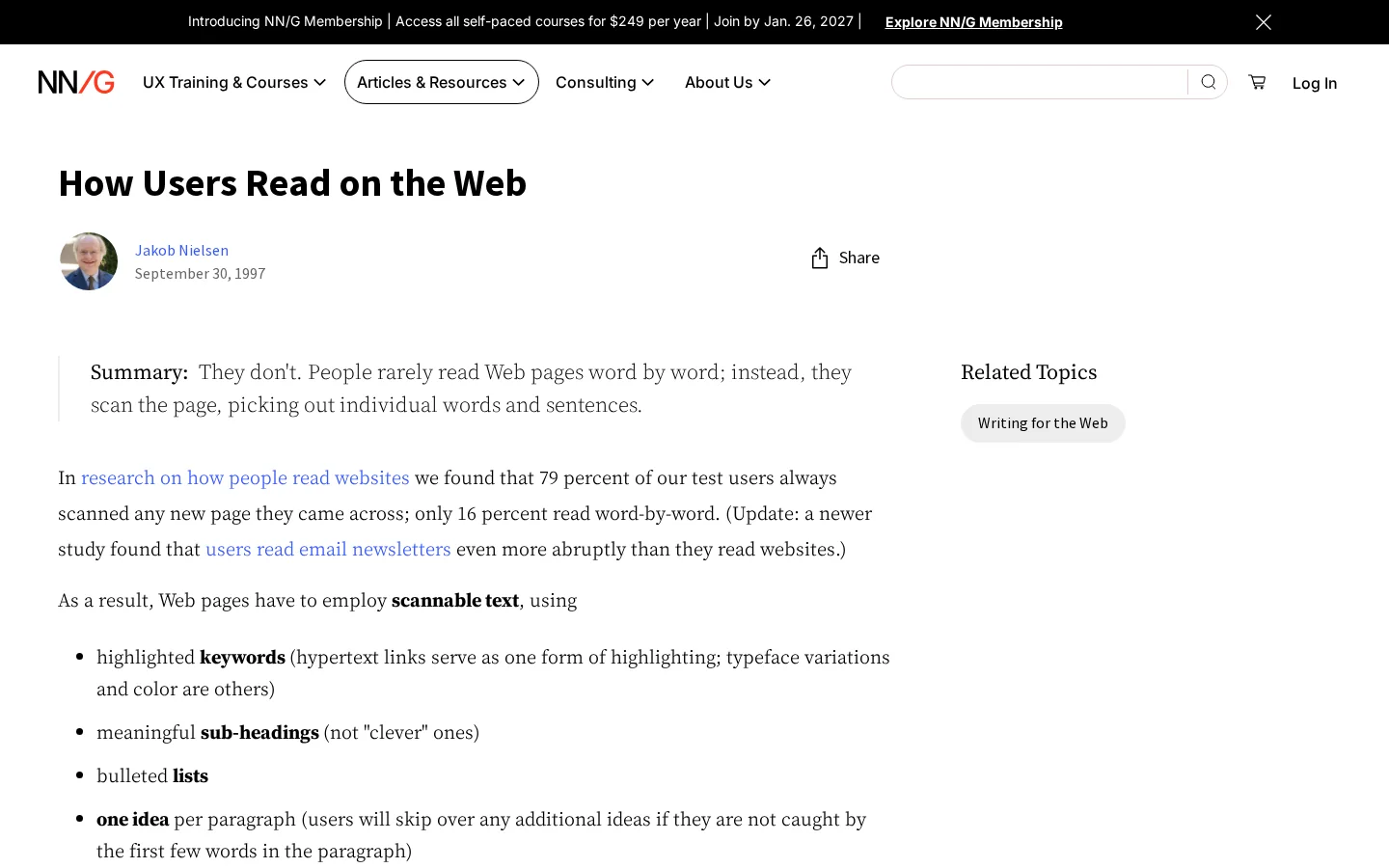
The second piece of evidence is older and still holds. In his September 1997 study How Users Read on the Web, Jakob Nielsen (Nielsen Norman Group) found that 79% of test users always scanned a new page and only 16% read word by word. Rewriting a page to be concise improved measured usability by 58%; making it scannable, by 47%; making it objective, by 27%. The version that combined all three scored 124% better.
How people read a web page
Source: Jakob Nielsen, Nielsen Norman Group, 1997
The lesson for you: snackable content is not about being short for its own sake. It is about being scannable, concise and self-contained, the three things readers reward on every screen.
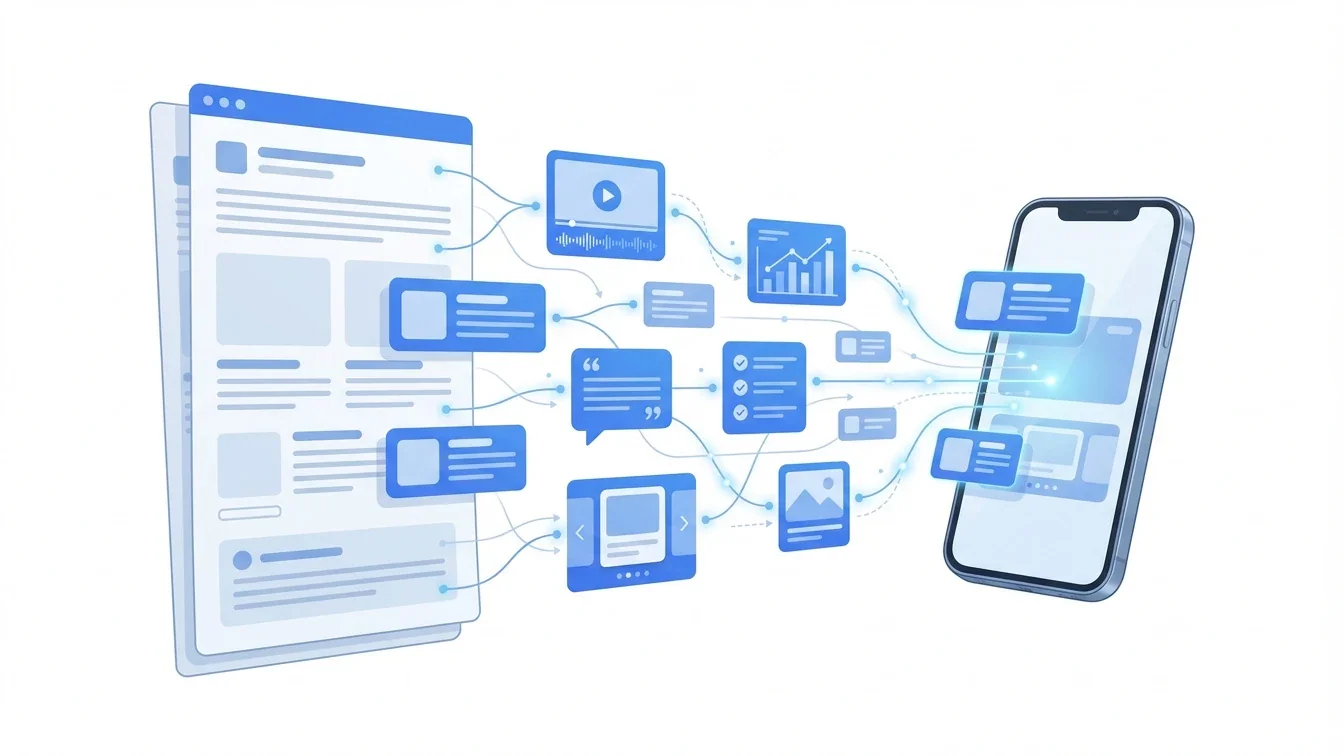
Snackable content and long-form content do different jobs, and the best content programs connect them. Snacks win attention in the feed. Long-form content builds trust, ranks on Google, gets cited by AI models and closes the sale.
A snack alone gets views that lead nowhere. A long guide alone often waits for traffic that never comes. Together, they form a path: the snack creates the first contact, the deep piece answers the real question, the offer converts.
Snackable content vs long-form content
Think of it as a funnel. Each level asks for a bit more time, and each one should point to the next.
From snack to customer
The best snackable content formats are short vertical videos, carousels, quote cards, single charts, short lists, memes, GIFs, polls and quizzes, short text posts, audio clips, Stories and answer blocks on your own pages. Pick the format that fits the idea, not the other way around.
| Format | Best channels | Typical length | Best for | Effort |
|---|---|---|---|---|
| Short vertical video | TikTok, Reels, YouTube Shorts | 15 to 60 seconds | Reach, demos, personality | Medium |
| Carousel | Instagram, LinkedIn | 5 to 10 slides | Saves, how-to, frameworks | Medium |
| Quote card | LinkedIn, Instagram, X, Pinterest | 1 sentence | Opinions, social proof | Low |
| Single chart | LinkedIn, X, blog posts | 1 data point | Authority, backlinks | Low once you have data |
| Mini infographic | Pinterest, blog, LinkedIn | 3 to 5 items | Processes, comparisons | Medium |
| Meme or GIF | Instagram, X, email | 1 image or loop | Relatability, shares | Low |
| Podcast or video clip | All social networks | 30 to 60 seconds | Promoting the full episode | Low if well tagged |
| Poll or quiz | LinkedIn, Stories, X | 1 question | Engagement, research | Very low |
| Short text post | LinkedIn, X, Threads | 50 to 150 words | Ideas, lessons, opinions | Low |
| Answer block | Your website | 40 to 60 words | Featured snippets, AI citations | Low |
Need ideas to fill these formats? Our list of 48 social media content ideas sorted by goal maps each idea to the format that fits it.
There are five ways to produce snackable content: create it natively, cut it from a pillar piece, run it as a series, react to the news, or build it into your own pages. Most teams should combine two or three of them.
Principle: you start from the channel. You think "a 30-second Reel" and write the idea for that shape. When to use it: when you are building an audience on one network and need to match its style. Advantages: the content feels made for the feed, which helps it perform. Limits: each piece costs its own research; it is hard to keep up. Example: a dentist films a 20-second "what your gums say about you" video, made only for Reels.
Principle: you write or record one deep piece (a guide, a webinar, a study), then cut it into 10 to 30 snacks. When to use it: when you already publish long-form content, or when you want each piece of research to pay several times. Advantages: one research effort, many assets, a consistent message, and every snack links to a page that can rank. Limits: snacks cut too literally feel like extracts, not content; you still need to rewrite each one for its channel. Example: a 4000-word guide becomes 6 carousels, 8 short videos, 10 quote cards and 3 charts. Our guide to turning one pillar article into videos and posts details the full workflow.
Principle: a recurring format with a fixed name and structure ("Myth Monday", "1 SEO error a day"). When to use it: when you need a steady rhythm and want people to come back. Advantages: faster production (the template is fixed), recognizable, easy to batch. Limits: fatigue after a few months if the series does not evolve. Example: a SaaS posts "one feature in 15 seconds" every Tuesday.
Principle: you comment on news, a trend or a viral post in your field within hours. When to use it: in fast-moving sectors (tech, finance, marketing, fashion). Advantages: high reach when you are early, shows you are on top of your field. Limits: short life, risk of a weak take written too fast, legal risk with trending audio or brand assets. Example: an agency posts a chart within a day of a Google update, showing what moved on its clients' sites.
Principle: you build snack-sized blocks inside your web pages: a direct answer under each heading, a short list, a small table, a key figure with its source. When to use it: always, on any page that should rank on Google or be cited by ChatGPT, Claude or Gemini. Advantages: these blocks can be quoted in featured snippets and AI answers, and they help the 79% who scan. Limits: they do not replace depth; a page made only of snacks reads thin. Example: this article starts each section with its answer in two or three sentences.
| Strategy | Cost per piece | Speed | Lifespan | Main risk | Best for |
|---|---|---|---|---|---|
| Native creation | High | Medium | Days | Burnout, inconsistent quality | Building an audience on one network |
| Atomization | Low | Fast once the pillar exists | Weeks to months | Extracts that feel recycled | Teams that publish long-form content |
| Serialized snacks | Low | Fast | Days, but builds habit | Fatigue | Steady rhythm, small teams |
| Reactive snacks | Medium | Very fast | Hours to days | Weak or risky takes | Fast-moving sectors |
| On-page snacks | Very low | Fast | Months to years | Thin pages if overused | SEO and AI citations |
Note
If you can only pick two, pick atomization and on-page snacks. They share the same research, they last the longest, and every snack points to a page that can rank and be cited.
To create snackable content, start from one useful idea, find its hook, pick the format that shows it best, cut everything else, adapt it to each channel and link it to a deeper page. Here is the method, then the details of each step.
The 7-step method for snackable content
Good snacks answer real questions. Look at the questions your sales team hears, the comments under your posts, the "People also ask" boxes on Google and the prompts people type into AI models. Write each idea as one sentence. If you cannot, the idea is too big for a snack: split it.
The hook is the first line of a text post, slide 1 of a carousel or the first 2 seconds of a video. It must state a benefit, a surprise or a tension. Test it with our free headline analyzer before you produce anything. Patterns that work:
[Number] [mistakes/signs/steps] that [cost you / get you] [result]
You don't need [common belief]. You need [your point].
We [did X] for [time]. Here is what changed.
[Common practice] is wrong. Here is why.
Stop [habit]. Do [alternative] instead.Match the shape of the idea to the format. A process with steps becomes a carousel or a mini infographic. A number becomes a chart. A demo becomes a video. An opinion becomes a text post or a quote card. A question to your audience becomes a poll.
Snackable writing is editing. Write the long version, then remove the intro, the context the viewer already has, the second example and the polite conclusion. One idea, one proof, one next step. For video, cut the first seconds where you say hello: start on the point.
The same idea needs a different shape on each network. Vertical 9:16 for TikTok, Reels and Shorts; square or 4:5 for feed images; PDF document posts for LinkedIn carousels. Burn in captions for videos. Change the tone: a meme that works on Instagram can look out of place on LinkedIn. Our guide to how each social media algorithm ranks posts explains what each network rewards.
Every snack should have a next step: a link in the comment or bio, a "full guide on our site" line, a pinned post. Use a UTM tag on each link so you can tell which snack sends visitors. The pattern we use:
https://www.example.com/guide/?utm_source=linkedin&utm_medium=social&utm_campaign=snack-series&utm_content=carousel-5-mistakesBatching saves the most time. Block half a day, write 10 hooks, record 5 videos in a row, design 5 carousels on the same template. Then schedule them in your content calendar. A brief template keeps each snack focused:
Idea (1 sentence):
Audience and the problem it solves:
Hook (first line / first 2 seconds):
Format and channel:
Proof (number, example or demo):
Next step (link, page, offer):
Metric that defines success:
Snackable content is not only for social media. Short, self-contained blocks inside your web pages are what Google quotes in featured snippets and what ChatGPT, Claude and Gemini pick up when they build an answer. Most guides on snackable content miss this part.
Search engines and AI models do not always use a page as a whole. Google can quote a short passage in a featured snippet, and AI answers usually cite a sentence or a list that answers one sub-question. A passage that makes sense on its own, without the paragraph before it, is easier to extract. That is the logic of content chunking: write each section so it can stand alone.
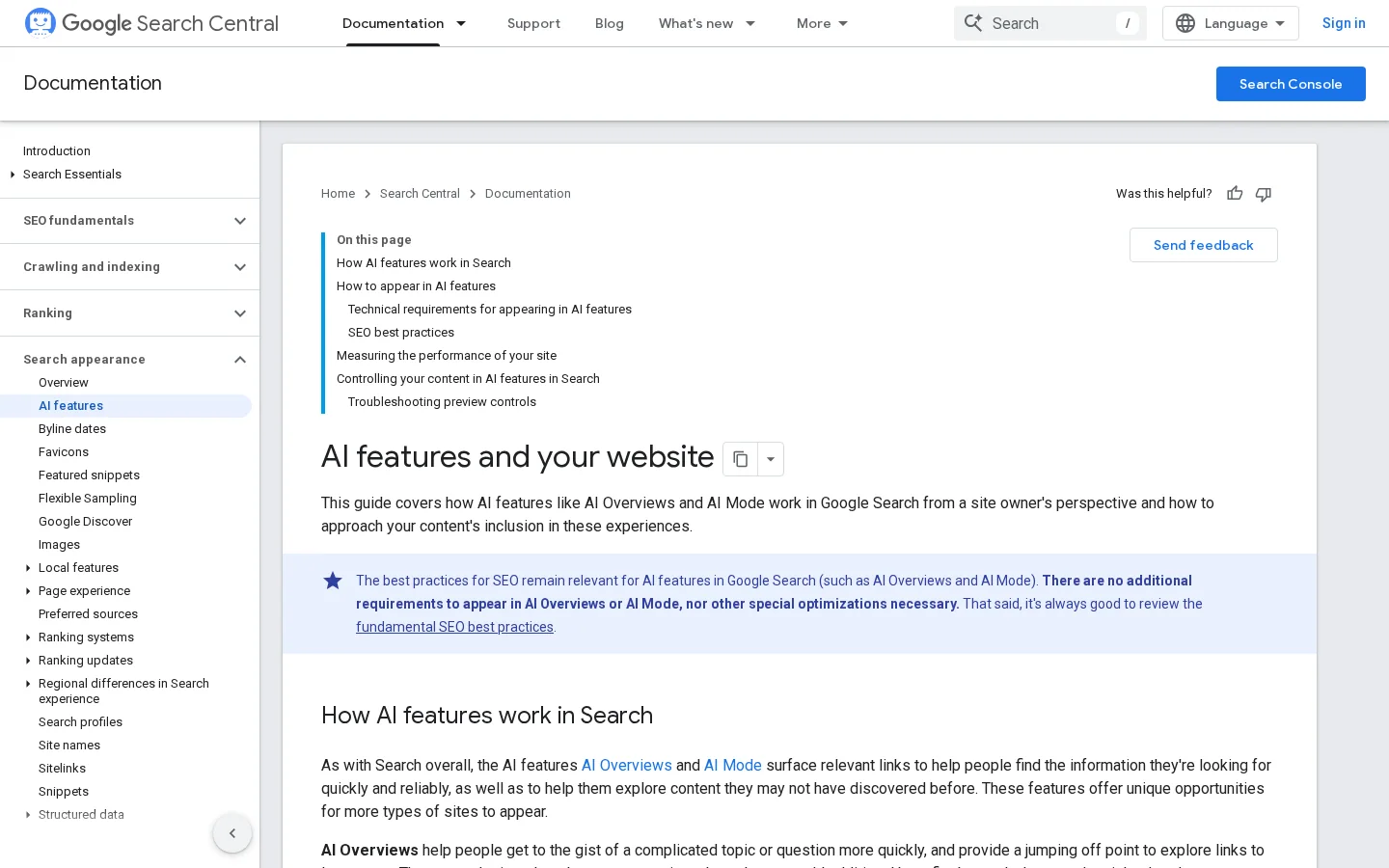
No special trick is needed. Google's own documentation on AI features and your website states that there are no additional requirements to appear in AI Overviews or AI Mode, and no special optimizations necessary. Its advice is the classic one: allow crawling, keep important content in text, support it with good images and videos, and make sure structured data matches the visible text.
Turning a paragraph into an on-page snack
Tip
Check whether your page is easy for AI models to extract with our free LLM readability checker. It scores the page and shows which passages are hard to quote.
Sometimes you want a block to stay out of snippets, for example a price that changes often or a legal notice. Google's featured snippets documentation lists three controls: nosnippet blocks all snippets for the page, the data-nosnippet attribute hides one part of the text, and max-snippet limits the length of text shown. Google notes that the shorter the max-snippet value, the less likely the page appears as a featured snippet.
<!-- Hide one block from snippets -->
<p>Our plans start at the price shown on the pricing page.</p>
<div data-nosnippet>Launch offer valid until the end of the month.</div>

<!-- Limit snippet length for the whole page -->
<meta name="robots" content="max-snippet:160">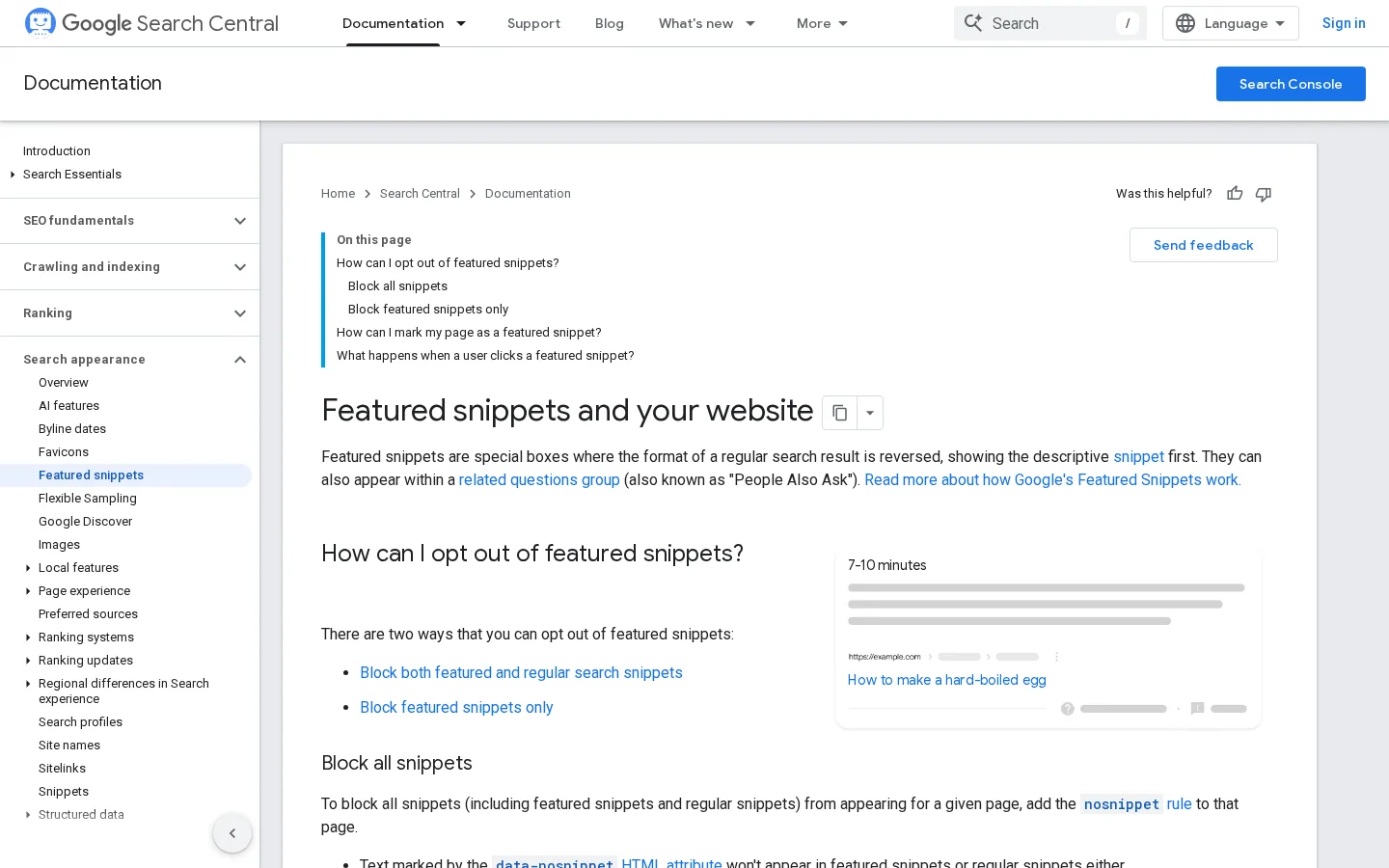
This is where an autopilot tool helps. Sorank's AI blog article generator for Google and AI search writes and publishes articles built this way, with an answer under each heading, and AI mention tracking shows you when ChatGPT and other AI models cite your brand.
The right snack depends on what your customers need to understand before they buy. A local business needs trust and proximity, a store needs product proof, a SaaS needs to show how it works, and a B2B firm needs expertise.
| Business | Snack idea | Format | Next step it links to |
|---|---|---|---|
| Online store | "3 ways to wear this jacket" | Short video or carousel | Product page |
| Online store | Customer photo with a one-line review | Quote card | Category page |
| Local business | Before and after of a job, 15 seconds | Short video | Booking page |
| Local business | "The question we hear most this week" | Text post or Story | FAQ page |
| SaaS | One feature solving one problem | 15-second screen recording | Feature page or trial |
| SaaS | "Before you buy any X tool, check these 5 things" | Carousel | Comparison guide |
| B2B services | One chart from your own client data | Single chart | Case study or study page |
| B2B services | Founder's opinion on an industry change | Text post | In-depth article |
| Agency | One mistake spotted in an audit, anonymized | Carousel or short video | Audit offer |
Notice the pattern: every snack is specific, shows proof and points to a page that goes further. A generic "5 tips for success" carousel has none of the three.
Measure snackable content by how well it holds attention and what it leads to, not by views alone. Views tell you the algorithm showed the snack; retention, saves, shares and clicks tell you it was worth showing.
| Goal | Main metrics | Where to find them |
|---|---|---|
| Attention | Hook rate, average watch time, retention curve, completion rate | Native analytics of each network |
| Value | Saves, shares, sends | Native analytics |
| Community | Comments, replies, profile visits, follows | Native analytics |
| Traffic | Link clicks, sessions by UTM, engaged sessions | Google Analytics 4 |
| Business | Sign-ups, trials, leads, sales attributed to the campaign | Google Analytics 4, CRM |
| Search and AI | Featured snippets won, AI citations of your pages | Search Console, AI mention tracking |
Networks define these metrics slightly differently, so compare a snack only with your own past snacks on the same network. The common formulas:
Engagement rate (by reach)  = (likes + comments + shares + saves) / reach x 100
Hook rate (video)           = views of 3 seconds or more / impressions x 100
Hold rate (video)           = views of 15 seconds or more / views of 3 seconds or more x 100
Save rate                   = saves / reach x 100
Click-through rate          = link clicks / impressions x 100
A high hook rate with a low hold rate means the opening promises something the rest does not deliver. A high save rate with few clicks means the snack is useful but gives no reason to go further: add a stronger next step. For a deeper list, see our definition of engagement metrics and which to track.
The most common snackable content mistakes are packing several ideas into one piece, cutting long content without rewriting it, leaving no next step, and chasing views over value. Each one is easy to spot in your analytics.
What it is: a carousel with three frameworks, a video that covers "everything about X". How to spot it: retention drops in the middle; comments ask "what was the second point?". How to fix it: one idea per piece. Split the rest into a series.
What it is: a 60-second cut from a webinar that starts mid-sentence, or a paragraph pasted from a blog post onto an image. How to spot it: low hook rate, viewers leave in the first 2 seconds. How to fix it: rewrite the opening for the channel, add a title on screen and captions, end with a clear point.
What it is: the snack performs, but nothing links it to your site or offer. How to spot it: good reach, near-zero link clicks and no sessions from that UTM. How to fix it: link each snack to one deeper page, pin the link, mention it in the last frame.
What it is: a TikTok with its watermark posted on Reels, a horizontal video on Shorts, an Instagram meme on LinkedIn. How to spot it: a format that works on one network flops on the others. How to fix it: export clean files, adapt the ratio, the length and the tone per channel.
What it is: clickbait hooks, trends unrelated to your field. How to spot it: views go up, follows from your target audience and leads do not. How to fix it: judge each snack on saves, shares and clicks. A post with 2000 views from buyers beats 50000 views from people who will never buy.
What it is: generic advice anyone could post. How to spot it: low saves and shares, comments like "nice". How to fix it: add a real number, a screenshot, a client example or your own opinion. Specific beats generic every time.
What it is: the "8-second attention span" and other figures copied from post to post. How to spot it: you cannot find the original study in two clicks. How to fix it: cite the source and its date, or drop the number. Experts in your audience notice, and AI models favor content they can verify.
What it is: a brand that posts every day but has nothing deep on its website. How to spot it: social reach grows while organic traffic and AI visibility stay flat. How to fix it: for every series of snacks, publish one in-depth page they all link to.
Mistakes to avoid
Start with one pillar piece and turn it into a week of snacks. This takes one afternoon and gives you a first test with real data.
Snackable content checklist
Snackable content is the first bite, not the whole meal. Make each snack useful on its own, link it to something deeper, and keep the deep pages on your site ready to be found by Google and quoted by AI models.
A 30-second video showing one tip, a 7-slide carousel explaining one process, a quote card or a single chart are all snackable content. Each one delivers one idea that people understand in under a minute, without clicking anywhere.
Social snacks do not rank on Google by themselves, but they bring people to the pages that do. On your own site, short self-contained blocks (a direct answer under a question heading, a list, a small table) are what Google quotes in featured snippets and what AI models like ChatGPT, Claude and Gemini cite.
Most snacks take a few seconds to a minute to consume: 15 to 60 seconds for a short video, 5 to 10 slides for a carousel, 50 to 150 words for a text post, 40 to 60 words for an answer block on a web page. The real rule is one idea per piece, then stop.
We analyse your competitors, your website and your AI visibility to create a tailored content plan for free.
 Duplicate Content Checker
 Mobile-Friendly Test
 Website Speed Test
 Subdomain Finder
 Domain Age Checker
 CMS Detector
 Googlebot Simulator
 Nofollow Link Checker
 Meta Tag Checker
 Keyword Cannibalization Checker
 Keyword Intent Checker
 Keyword Extractor
 Google Ads Cost Calculator
 CPC Calculator
 Local Citation Finder
 Reddit Threads Finder
 Disavow File Generator
 Redirect Generator
 Canonical Tag Generator
 Passive Voice Checker
 Google Location Changer
 Google Review Calculator
 Google Review Link Generator
 Keyword Combiner
 Podcast Show Notes Generator
 AI Content Rewriter
 AI Text Humanizer
 ChatGPT Prompt Generator
 Twitter Thread Generator
 Tweet Generator
 Landing Page Copy Generator
 Google Ads Copy Generator
 Pinterest Pin Description Generator
 Anchor Text Generator
 Social Media Post Generator
 LinkedIn Post Generator
 Free AI Writer
 Review Response Generator
 LSI Keyword Generator
 YouTube Video Ideas Generator
 YouTube Tag Generator
 YouTube Description Generator
 Product Description Generator
 CTA Generator
 Blog Introduction Generator
 Conclusion Generator
 Hook Generator
 AI Content Brief Generator
 FAQ Schema Generator
 AI Blog Post Ideas Generator
 Structured Data Validator (Schema Validator)
 Alt Text Checker
 Internal Link Analyzer
 Backlink Challenge
 AI Meta Description Generator
 AI Blog Title Generator
 Google Indexability Checker
 AI Blog Outline Generator
 UTM Link Builder
 Keyword Clustering Tool
 Canonical Tag Checker
 XML Sitemap Generator
 Broken Link Checker
 AI SEO Title Generator
 Headline Analyzer
 SERP Preview Tool
 Redirect Checker
 Hreflang Tag Generator
 Heading Structure Analyzer
 HTTP Headers Checker
 Favicon Extractor
 SERP CTR Calculator
 SEO vs Paid Search Savings Calculator
 SEO Share of Voice Calculator
 SEO ROI Calculator
 SEO Traffic and Revenue Forecast Calculator
 SEO Budget Calculator
 SEO Break-Even Calculator
 SaaS SEO ROI Calculator
 ROAS Calculator
 Reading Time Calculator
 Ranking Gain Simulator
 Organic Traffic Value Calculator
 Organic Traffic Estimator and Website Traffic Checker
 LTV to CAC Ratio Calculator
 Local SEO ROI Calculator
 Link Building Cost Calculator
 Keyword Value Calculator
 Keyword Opportunity Score Calculator
 Keyword Density Calculator
 GEO ROI Calculator
 GEO Content Investment Calculator
 Ecommerce SEO ROI Calculator
 Customer Lifetime Value Calculator
 Customer Acquisition Cost Calculator
 CTR Calculator
 Cost Per Article Calculator
 Conversion Rate Calculator
 Content Marketing ROI Calculator
 ChatGPT Referral Traffic Estimator
 Bounce Rate Calculator
 Backlink ROI Calculator
 AI Visibility Score Calculator
 AI Traffic Value Calculator
 AI Share of Voice Calculator
 Cost of AI Invisibility Calculator
 AI Citation Rate Calculator
 llms.txt Validator
 AI Overview Checker and AI Overviews Rank Checker
 Robots.txt Checker
 AI SEO Audit
 LLM Readability Checker
 SearchGPT Readiness Checker
 Structured Data LLM Audit
 Website Crawlability AI Audit
 Why ChatGPT Is Not Recommending My Website
 Gemini Ranking Tool
 Perplexity Ranking Checker
 LLM Citation Checker
 Answer Engine Optimization Audit
 GEO Audit
 AI Search Visibility Test
 ChatGPT Visibility Checker
 llms.txt Generator
 URL Extractor
 Webpage to Markdown
 Sitemap Checker
 SERP Volatility Sensor
 Page Size Checker
 Word Counter
 Slug Generator
 Schema Generator
 Robots Generator
 OG Preview
 Meta Tags Generator
 Image Compressor
 Favicon Generator
 On-Page SEO Audit: SEO Checker and SEO Analyzer
 Backlink Analysis Tool
 Keyword Research Tool
 Domain Authority Checker
 “I tested Sorank on a real client site and it's insane. It does everything an agency would bill you $1500 a month for. It's going into production on that client now.”

 Guillaume Guersanguersanguillaume.com“We are an Ads agency and we wanted to get our SEO back on track once and for all. Sorank gave us a clear view of our site, helped us prioritize optimizations, and properly structure our content. The tool is easy to use, well designed for a team, and very practical for centralizing tracking without having to juggle multiple platforms. A very solid foundation to start fresh with our SEO.”
 Gaspard MadouiAds Agency
 “I just let the Sorank software do its thing, and now my DR is 25 and my page is ranking higher.”
 Lucas Flandrefoundertrace.fr“I specialized in GEO thanks to Sorank. The GEO Leaderboard allows me to show my clients their position vs competitors on ChatGPT. It’s a real commercial differentiator.”
 MélanieSEO Freelance“Great service, works well for our website and helps us understand how to improve it to rank better on Google and elsewhere. Congrats, keep going, I recommend it.”
 Hugo T.E-commerce merchant