Preferences
Privacy is important to us, so you have the option of disabling certain types of storage that may not be necessary for the basic functioning of the website. Blocking categories may impact your experience on the website. More information
Privacy is important to us, so you have the option of disabling certain types of storage that may not be necessary for the basic functioning of the website. Blocking categories may impact your experience on the website. More information

Amazon advertising explained: how Sponsored Products works, how to set up automatic and manual campaigns, use negative keywords and read ACoS.
In short
Amazon advertising is paid placement in Amazon search results and on product pages. Most sellers start with Sponsored Products, which is billed per click. Run an automatic campaign for about two weeks, read the search term report, move the queries that sell into a manual campaign with exact match, and block the wasted queries with negative keywords. Judge the result against your margin, not against a generic target.
Want to go further? Ask
Quick quiz
Where should your online shop find its next customers?
Sorank matches your answers


Test it for 3 days on your own site and see where you stand on Google, ChatGPT and the other AIs.
Start 3-day free trial3 days free, then stop whenever you want. 90-day results guarantee, conditions apply.
When a shopper searches on Amazon, the results page mixes organic listings and paid ones. Paid placements are sold through an auction on each query. Amazon offers three main ad formats, and each one does a different job. Knowing which one fits your goal saves budget before you spend anything.
| Format | What it promotes | Where it appears | Use it for |
|---|---|---|---|
| Sponsored Products | One product listing | Search results and product pages | Selling a known product to shoppers already searching |
| Sponsored Brands | Your brand, with a headline and several products | Top of search results | Brand discovery and showing your range |
| Sponsored Display | Products, on and off Amazon | Amazon pages and partner sites | Reaching people who already viewed your product |
If you are starting, learn Sponsored Products first. It is the simplest format to measure, and most of the mechanics in this guide (bids, match types, search terms, negative keywords) apply to the other formats as well.
Amazon advertising is not the same thing as Amazon SEO. SEO improves the organic position of your listing through the title, the backend keywords and the reviews. Advertising buys a position for a specific query. A new product usually needs both, but they are measured differently. This guide covers the paid side only.
Paid search works the same way on Google, where the auction and the cost per click are close to what you see on Amazon. If you already know how paid search works, the vocabulary will feel familiar. The differences are in the data you get and in the fact that the shopper is already on a buying site.
Sponsored Products is a cost-per-click format. Amazon's product page for Sponsored Products says there are no monthly or upfront fees, and you pay when a shopper clicks your ad. You set a bid, which is the most you are willing to pay for one click on a keyword, and a daily budget for the campaign.
Two details matter more than they look. First, the bid is a ceiling, not a price. Your actual cost per click depends on the competition for the keyword and on how relevant Amazon judges your ad. A high bid does not guarantee a top position. Second, Amazon says daily budgets are not paced throughout the day. A campaign with a small budget can use it up early, so your ad is missing when your buyers are online in the evening.
The ad appears on Amazon at the top of, alongside or within shopping results, and on other Amazon-owned sites and third-party destinations. A click takes the shopper to the product detail page. That last point matters most: the ad is only as good as the listing behind it.
Two checks follow from this. First, look at the hour your budget stops in the campaign report. If it stops at noon, you are paying for the mornings and missing the evenings. Second, read your product page the way a buyer would. Every paid click lands there, so a weak page turns paid traffic into wasted money.
Keep a note of the budget and the bid you start with. You will need both numbers when you judge the campaign two weeks later.
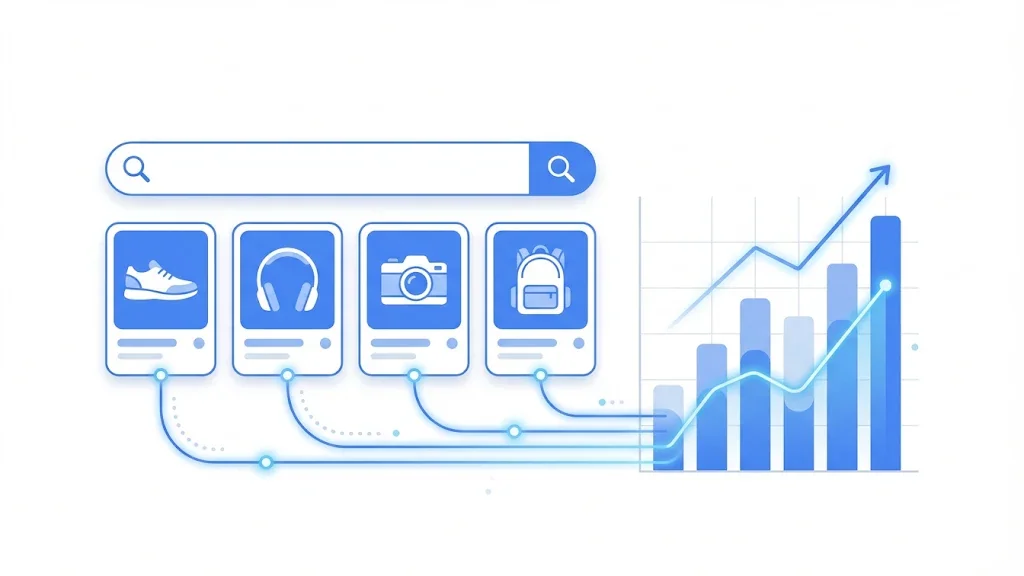
Every Sponsored Products campaign uses either automatic or manual targeting, and you pick the type when you create it. In automatic targeting, Amazon chooses the keywords and products. Amazon describes it as matching "keywords and products that are similar to the product you're advertising". In manual targeting, you choose the keywords or the products yourself.
Amazon's targeting guide for Sponsored Products gives a clear starting point: let an automatic campaign run before you build a manual one. These are the numbers in that guide:
Three numbers from Amazon's targeting guide
Source: Amazon Ads, Targeting with Sponsored Products guide
The four automatic groups do not work the same way. Close match and loose match cover search queries that are near your product. Substitutes and complements target other product pages, so your ad can show on a competitor's listing or on a product that is bought with yours. That is useful for discovery, but it is also where most unrelated clicks come from. Plan to read the report for those groups separately.
Automatic or manual, at a glance
There are three ways to combine them. Each one fits a different situation. Pick the one that matches your product and your time.
Principle: Amazon finds the queries, and you read the results. When to use it: a new product with no search data, or a product you do not have time to manage in detail. Advantages: a fast start, no research before launch, and a full search term report after a few weeks. Limits: you pay for weak queries until you add negative keywords, and you cannot set a bid per keyword. Example: a seller launches a kitchen scale with one automatic campaign and reads the search term report after two weeks, then adds the blocked terms.
Principle: you pick the keywords and set each bid yourself. When to use it: a product whose search terms you already know from previous sales, from your own site or from keyword research. Advantages: full control, clean data per keyword, and bids matched to margin. Limits: it depends on your research, it misses the queries you did not think of, and it is blind to new terms unless you check the reports. Example: a seller who knows that "digital kitchen scale" converts well sets exact match on that term alone and bids on it.
Principle: an automatic campaign discovers the terms, and a manual campaign concentrates budget on the winners. This is the structure Amazon's guide points to. When to use it: most products after the first weeks of launch. Advantages: discovery keeps running, while the proven terms get their own bids. Limits: you maintain two campaigns, and the automatic one still spends on new queries, so it needs negative keywords. Example: a term that sells in the automatic campaign moves to the manual campaign with exact match, and its bid is set from your break-even.
| Strategy | Best for | Control | Speed of data | Main risk |
|---|---|---|---|---|
| Automatic only | New product, no research | Low | Fast | Paying for weak queries |
| Manual only | Keywords you already know | High | Depends on your list | Missing queries you did not list |
| Automatic, then manual | Most products after launch | High on the winners | Fast | Two campaigns to maintain |
A match type controls how closely a shopper's query must match your keyword before your ad can show. Amazon's guide defines three. The choice changes which queries you pay for, so it is the first lever to use when a campaign spends money without sales.
Broad match gives your ad the widest exposure. A shopper's query can contain the words of your keyword in any order, and the keyword itself may not appear in the query at all. A search for "scale for cooking" can match a keyword like "kitchen scale". Use broad match for discovery, with a lower bid, and expect to block many queries.
Phrase match requires that "the search terms matched will contain all components of the targeted keyword in the same order", according to Amazon's guide. Plurals are included. Phrase is the middle ground: wider than exact, but you still control the word order. Use it when a keyword is clear but you want some variations.
Exact match matches the search terms "word for word", with the same words in the same order. Plurals are included. Amazon's guide says exact match generally has the highest conversion rates. Use it for terms that already sold, and give those terms their own bids.
| Match type | What the query must do | Reach | Control | Use it for |
|---|---|---|---|---|
| Broad | Contain the words, in any order | Wide | Low | Discovery and testing |
| Phrase | Contain the phrase, in the same order | Medium | Medium | Clear keywords with some variations |
| Exact | Match the words, in the same order | Narrow | High | Proven terms |
Set the bid of an exact keyword from your break-even ACoS, which you will calculate in the numbers section below. Keep broad bids lower while you test, and raise them only when the query brings orders at an acceptable cost. The point is to pay the most for the queries that have proven they buy.
Note
Match type changes which queries can trigger your ad. It does not change how you are billed. In both cases you pay per click, so a broad campaign can cost more in total simply because it gets more clicks.
Here is the sequence. Each step has one check you can run on your own account, and each one depends on the previous step.
The launch and optimisation sequence
Amazon's targeting guide is the reference for these settings, and it is worth reading before you change the structure. The page explains each targeting type and each match type, with the same terms this article uses.
Tip
Write down three numbers before you launch: your margin per unit, your target ACoS and your daily budget. Every decision in the next two weeks depends on them, and you will be tempted to change them without writing them down.
The search term report lists the real queries that triggered your ads, with clicks, orders and spend for each one. It is the most useful report in the account. Most sellers open it too rarely, which is how budgets leak into queries that never buy.
A negative keyword stops your ad from showing on a query. Amazon's guide recommends phrase or exact match for negatives. A negative phrase keeps ads from showing on queries that contain the complete phrase or close variations. A negative exact keeps ads from showing on the exact phrase or close variations. Use a negative phrase when the word is always a problem. Use a negative exact when only that exact query is a problem.
Group the blocked queries by the reason they waste money. Three reasons cover most cases. The first is the wrong product. If you sell a stainless steel kettle, the query "kettle repair" brings clicks from people who will never buy a new one, so block "repair" as a negative phrase. The second is the wrong intent, such as "free", "used" or "cheap" when you sell a premium product. The third is the wrong variant, such as "mini" when you sell the full size. Keep each reason in its own group, so you can see which kind of waste grows over time.
Blocking a query after one or two clicks with no sale is a common mistake. Clicks are expensive evidence, and a small sample says little. Wait until the query has spent enough money to be a clear loser against your break-even, then block it. A query that sold once at a good cost should stay active.
Warning
Do not add a query as a negative keyword in one campaign and as an active keyword in another without checking. You can end up with a campaign that blocks the term you are paying to win. Keep one owner for each query.
Weekly search term review
ACoS stands for Advertising Cost of Sales. It is the share of ad-attributed sales that went to advertising. The formula is:
ACoS = ad spend / ad sales x 100Take an example calculation, not a benchmark. If you spend 500 and the ads bring in 2500 in attributed sales, the ACoS is 20%. That means 20 cents of ad cost for every dollar of ad-attributed sales.
ACoS alone does not tell you whether a campaign makes money. The threshold you need is the break-even ACoS, which depends on the product's profit before advertising. The formula is:
Break-even ACoS = (price - product cost - Amazon fees) / price x 100If the profit left after product cost and Amazon fees is 30% of the price, an ACoS above 30% means each ad sale loses money. This is a simplification. It ignores repeat purchases and the organic sales a campaign can lift, so it is a floor for your decision, not the full picture.
Tip
ROAS is the inverse of ACoS: a 25% ACoS is a ROAS of 4. Use the ROAS calculator to check your break-even quickly, then compare it with the campaign report.
Deciding on a bid
TACoS, or total ACoS, divides total ad spend by total sales, including the organic ones. It shows whether your ads help the rest of the listing sell over time. If ACoS stays high but TACoS falls, ads are lifting organic sales. If both stay high, the campaign is buying sales it could not get otherwise.
Amazon credits a sale to an ad when the shopper buys within an attribution window after the click or view. The window depends on the ad type and on the settings of your report. Check it in your console before you compare two reports. Two reports with different windows will not match, and the difference will look like a performance change when it is only a counting rule.
For the full list of paid search indicators, including conversion rate, cost per click and the metrics that warn you early, read the PPC metrics guide.
Each mistake below has three parts: what it is, how to spot it in the account, and how to fix it. The table gives you the summary, and the sections give you the detail.
| Mistake | How to spot it | Fix |
|---|---|---|
| Manual campaign with no data | Bids set by guess, no orders after weeks | Run an automatic campaign first, then build manual from sold queries |
| Budget that runs out early | Spend stops before the evening | Check the stop hour, then raise the budget only if the campaign converts |
| Report never read | Unrelated queries spend for weeks | Review the search term report every week |
| Judged on a generic ACoS | A campaign is paused or kept without a margin check | Set the target from break-even ACoS |
| Weak listing | High clicks, low orders | Fix the title, images, price and reviews before raising bids |
| Same query in two campaigns | Your own bids compete with each other | Add the query as a negative exact in the automatic campaign |
What it is: you build a manual campaign on keywords you guessed. How to spot it: there is no search term history, the bids were set by feel, and the campaign has little or no orders after several weeks. How to fix it: run an automatic campaign for about two weeks, then build the manual campaign from the queries that sold, with exact match.
What it is: the daily budget is used up before your buyers are online, because Amazon does not pace daily budgets across the day. How to spot it: the report shows spend stopping early, and the late-day hours show no impressions. How to fix it: find the stop hour, then raise the budget only if the campaign converts. If it does not convert, the budget is not your problem, and the listing or the bids are.
What it is: the queries that trigger your ads are never reviewed. How to spot it: unrelated queries have spent money for several weeks. How to fix it: put the weekly review in your calendar and use the checklist in the negative keywords section.
What it is: a campaign is paused or kept because its ACoS looks good or bad compared with a number from an article. How to spot it: you cannot say what the break-even ACoS is for the product. How to fix it: calculate the break-even from the product's price, cost and fees, then judge every campaign against that number.
What it is: the ads drive clicks, but the product page does not convert them. How to spot it: the clicks are there, the orders are not, and the conversion is weak compared with the organic traffic. How to fix it: improve the title, images, price and reviews first. Raising bids on a weak page only buys more weak clicks. The listing side of this is covered in our Amazon SEO guide, and the copy side in the ad copywriting guide.
What it is: a query that moved to the manual campaign keeps running in the automatic one, and the two campaigns bid against each other. How to spot it: the same query appears twice in the report, with different bids. How to fix it: add the query as a negative exact keyword in the automatic campaign once it has moved. The negative keywords section explains the difference between phrase and exact.
Pick one product and do these, in order. You need no new tool, only the Amazon console and a spreadsheet.
Your first week
Note
Sorank does not run Amazon ad campaigns. It works on the search side of your own website: keyword research for Google and AI search, articles, and tracking how AI assistants cite your brand. If you are writing content around the terms you found, see our automated keyword research page.
Start small, read the report, and let the numbers decide what happens next.
It can be, if your margin covers the ad cost of each sale. Start with a small automatic campaign, read the search term report after about two weeks, and decide from your break-even ACoS, not from a feeling.
There is no universal good number. A good ACoS is one below the break-even ACoS of that product, which depends on its price, its cost and Amazon's fees. For example, a 30% ACoS is profitable at a 40% margin and a loss at a 25% margin.
A negative phrase blocks any query that contains the phrase in the same order, plus close variations. A negative exact blocks only the exact query and close variations. Use phrase for words that are always a problem, and exact for narrow cases.
We analyse your competitors, your website and your AI visibility to create a tailored content plan for free.
 Website Value Calculator
 Website Accessibility Checker
 Google Analytics Checker
 Duplicate Content Checker
 Mobile-Friendly Test
 Website Speed Test
 Subdomain Finder
 Domain Age Checker
 CMS Detector
 Googlebot Simulator
 Nofollow Link Checker
 Meta Tag Checker
 Keyword Cannibalization Checker
 Keyword Intent Checker
 Keyword Extractor
 Google Ads Cost Calculator
 CPC Calculator
 Local Citation Finder
 Reddit Threads Finder
 Disavow File Generator
 Redirect Generator
 Canonical Tag Generator
 Passive Voice Checker
 Google Location Changer
 Google Review Calculator
 Google Review Link Generator
 Keyword Combiner
 Podcast Show Notes Generator
 AI Content Rewriter
 AI Text Humanizer
 ChatGPT Prompt Generator
 Twitter Thread Generator
 Tweet Generator
 Landing Page Copy Generator
 Google Ads Copy Generator
 Pinterest Pin Description Generator
 Anchor Text Generator
 Social Media Post Generator
 LinkedIn Post Generator
 Free AI Writer
 Review Response Generator
 LSI Keyword Generator
 YouTube Video Ideas Generator
 YouTube Tag Generator
 YouTube Description Generator
 Product Description Generator
 CTA Generator
 Blog Introduction Generator
 Conclusion Generator
 Hook Generator
 AI Content Brief Generator
 FAQ Schema Generator
 AI Blog Post Ideas Generator
 Structured Data Validator (Schema Validator)
 Alt Text Checker
 Internal Link Analyzer
 Backlink Challenge
 AI Meta Description Generator
 AI Blog Title Generator
 Google Indexability Checker
 AI Blog Outline Generator
 UTM Link Builder
 Keyword Clustering Tool
 Canonical Tag Checker
 XML Sitemap Generator
 Broken Link Checker
 AI SEO Title Generator
 Headline Analyzer
 SERP Preview Tool
 Redirect Checker
 Hreflang Tag Generator
 Heading Structure Analyzer
 HTTP Headers Checker
 Favicon Extractor
 SERP CTR Calculator
 SEO vs Paid Search Savings Calculator
 SEO Share of Voice Calculator
 SEO ROI Calculator
 SEO Traffic and Revenue Forecast Calculator
 SEO Budget Calculator
 SEO Break-Even Calculator
 SaaS SEO ROI Calculator
 ROAS Calculator
 Reading Time Calculator
 Ranking Gain Simulator
 Organic Traffic Value Calculator
 Organic Traffic Estimator and Website Traffic Checker
 LTV to CAC Ratio Calculator
 Local SEO ROI Calculator
 Link Building Cost Calculator
 Keyword Value Calculator
 Keyword Opportunity Score Calculator
 Keyword Density Calculator
 GEO ROI Calculator
 GEO Content Investment Calculator
 Ecommerce SEO ROI Calculator
 Customer Lifetime Value Calculator
 Customer Acquisition Cost Calculator
 CTR Calculator
 Cost Per Article Calculator
 Conversion Rate Calculator
 Content Marketing ROI Calculator
 ChatGPT Referral Traffic Estimator
 Bounce Rate Calculator
 Backlink ROI Calculator
 AI Visibility Score Calculator
 AI Traffic Value Calculator
 AI Share of Voice Calculator
 Cost of AI Invisibility Calculator
 AI Citation Rate Calculator
 llms.txt Validator
 AI Overview Checker and AI Overviews Rank Checker
 Robots.txt Checker
 AI SEO Audit
 LLM Readability Checker
 SearchGPT Readiness Checker
 Structured Data LLM Audit
 Website Crawlability AI Audit
 Why ChatGPT Is Not Recommending My Website
 Gemini Ranking Tool
 Perplexity Ranking Checker
 LLM Citation Checker
 Answer Engine Optimization Audit
 GEO Audit
 AI Search Visibility Test
 ChatGPT Visibility Checker
 llms.txt Generator
 URL Extractor
 Webpage to Markdown
 Sitemap Checker
 SERP Volatility Sensor
 Page Size Checker
 Word Counter
 Slug Generator
 Schema Generator
 Robots Generator
 OG Preview
 Meta Tags Generator
 Image Compressor
 Favicon Generator
 On-Page SEO Audit: SEO Checker and SEO Analyzer
 Backlink Analysis Tool
 Keyword Research Tool
 Domain Authority Checker
 “I tested Sorank on a real client site and it's insane. It does everything an agency would bill you $1500 a month for. It's going into production on that client now.”

 Guillaume Guersanguersanguillaume.com“We are an Ads agency and we wanted to get our SEO back on track once and for all. Sorank gave us a clear view of our site, helped us prioritize optimizations, and properly structure our content. The tool is easy to use, well designed for a team, and very practical for centralizing tracking without having to juggle multiple platforms. A very solid foundation to start fresh with our SEO.”
 Gaspard MadouiAds Agency
 “I just let the Sorank software do its thing, and now my DR is 25 and my page is ranking higher.”
 Lucas Flandrefoundertrace.fr“I specialized in GEO thanks to Sorank. The GEO Leaderboard allows me to show my clients their position vs competitors on ChatGPT. It’s a real commercial differentiator.”
 MélanieSEO Freelance“Great service, works well for our website and helps us understand how to improve it to rank better on Google and elsewhere. Congrats, keep going, I recommend it.”
 Hugo T.E-commerce merchant