Preferences
Privacy is important to us, so you have the option of disabling certain types of storage that may not be necessary for the basic functioning of the website. Blocking categories may impact your experience on the website. More information
Privacy is important to us, so you have the option of disabling certain types of storage that may not be necessary for the basic functioning of the website. Blocking categories may impact your experience on the website. More information

AhrefsBot explained: user agent, how to verify it, how robots.txt blocks or slows it, Crawl-delay examples and what blocking costs you in  Ahrefs.
In short
AhrefsBot is the crawler that Ahrefs, the SEO software company, uses to read websites and feed its index of pages and links. It obeys your robots.txt file, so you control it with normal rules: block it with a Disallow line, slow it down with a Crawl-delay line, or allow it and protect only your private folders. Blocking it does not change how Google ranks your pages, but your blocked pages leave the Ahrefs index about six months later.
Want to go further? Ask
Quick quiz
Which way of finding customers online fits you best?
Sorank matches your answers


Test it for 3 days on your own site and see where you stand on Google, ChatGPT and the other AIs.
Start 3-day free trial3 days free, then stop whenever you want. 90-day results guarantee, conditions apply.
AhrefsBot visits your site, downloads your pages, follows the links it finds, and sends what it learns into the index behind Ahrefs' backlink and keyword data. It does not need your permission or an Ahrefs account to do this, which is why it appears in the logs of sites that have never used Ahrefs. Ahrefs also sells AI visibility tracking, which we review in our Ahrefs Brand Radar review. That product is separate from the crawler, so keep the two apart when you read your reports.
Ahrefs runs two different bots, and robots.txt treats them as separate crawlers. AhrefsBot is the public crawler. AhrefsSiteAudit only runs when someone creates a Site Audit project in Ahrefs, usually a person who has access to the domain. Each bot has its own token, so a rule written for one does not apply to the other.
| Bot | What triggers it | robots.txt token | Default behavior |
|---|---|---|---|
| AhrefsBot | Ahrefs' public crawl of the web | AhrefsBot | Obeys robots.txt, including Crawl-delay, and slows down when a site returns 4xx or 5xx codes |
| AhrefsSiteAudit | A Site Audit project set up in Ahrefs | AhrefsSiteAudit | Obeys robots.txt by default and is capped at 30 URLs per minute unless a verified owner changes it |
Googlebot is Google's crawler, and it feeds Google Search. Google does not read the Ahrefs index to decide where your pages rank, so a rule for AhrefsBot has no effect on how Google crawls or ranks your site. The real danger is a rule written so broadly that it catches Googlebot too. We cover that mistake in the section on common errors below.
Every request from AhrefsBot carries a user agent, the line of text that tells your server who is asking. The desktop string that Ahrefs publishes on its robot page is this:
Mozilla/5.0 (compatible; AhrefsBot/7.0; +http://ahrefs.com/robot/)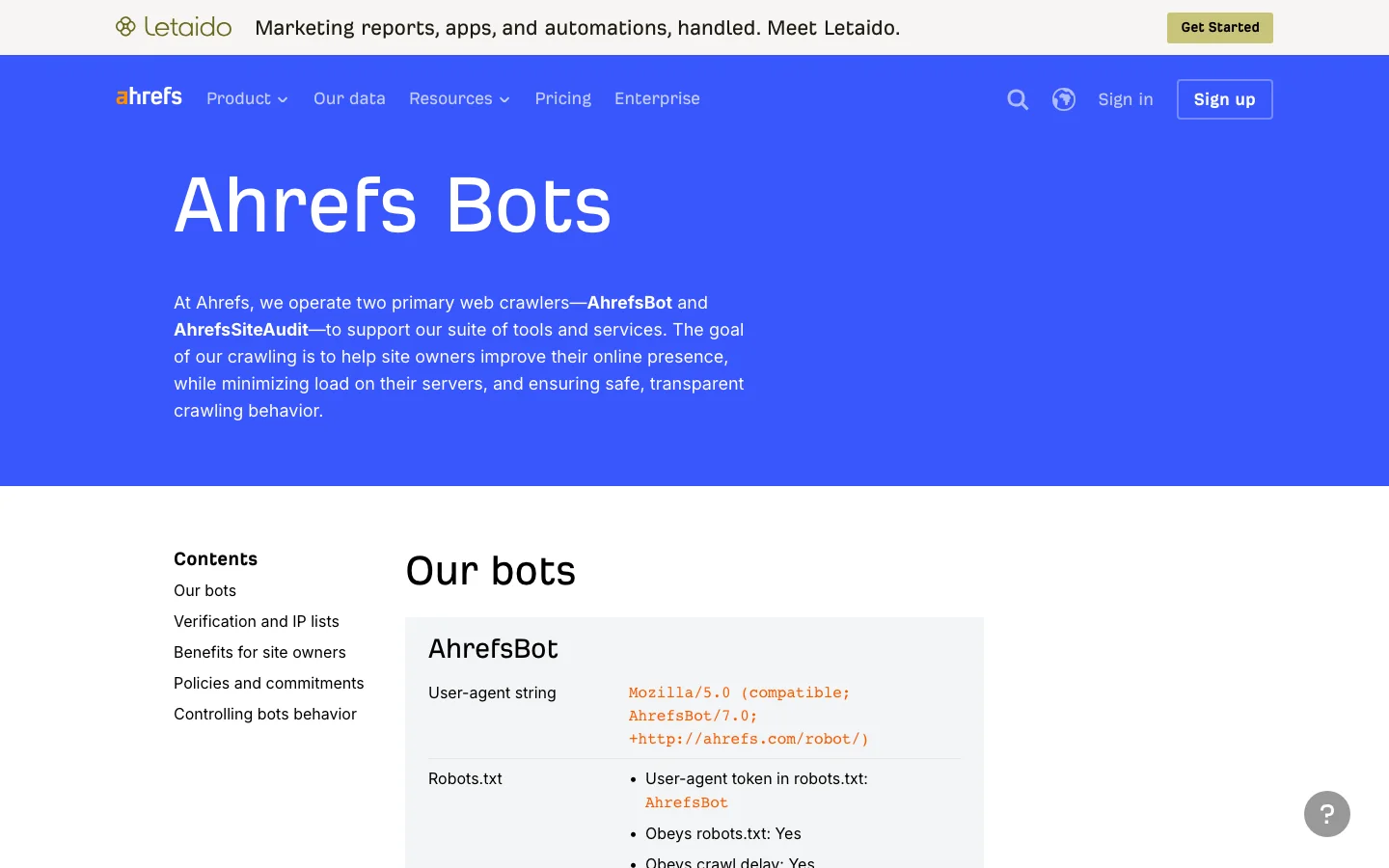
The Site Audit bot uses its own string, which ends in AhrefsSiteAudit/6.1. Its mobile version starts with a standard Android Chrome string, so it looks like an ordinary phone visitor until you read the end of the line. Write your robots.txt rules with the short tokens, AhrefsBot and AhrefsSiteAudit, as Ahrefs does, and not with the full string.
A user agent is only a claim. Anyone can send a request that says AhrefsBot, and fake crawlers often copy the name. To know whether a visit is real, check three things together. First, the user agent. Second, the IP address, against the ranges Ahrefs publishes through public API endpoints. Third, the reverse DNS, which is the hostname that belongs to the IP address. Ahrefs states that the reverse DNS suffix of every real AhrefsBot address is always ahrefs.com or ahrefs.net. Cloudflare also recognizes both bots as verified good bots, so a firewall on that platform can run the same check for you.
Before you trust a visit
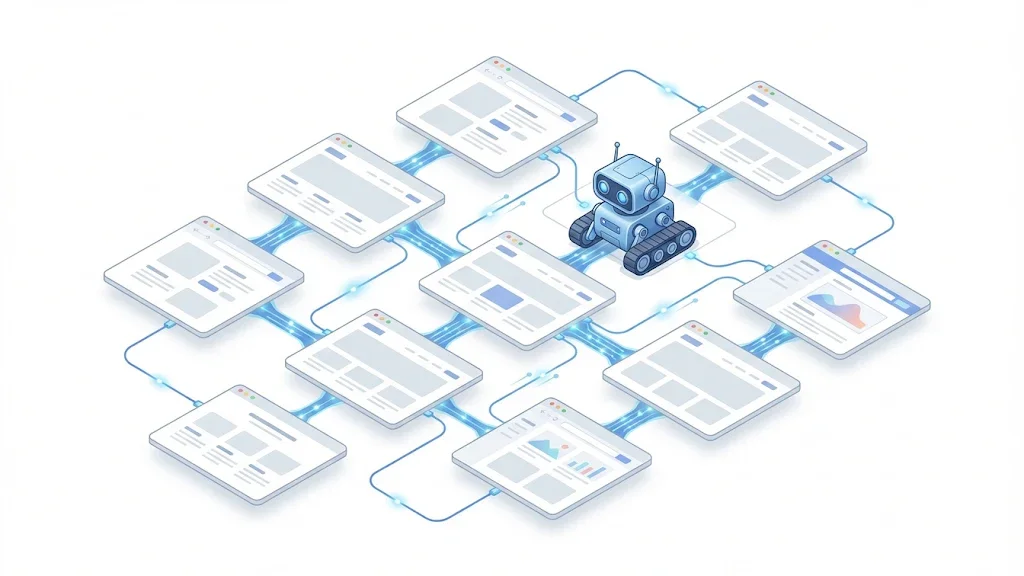
Both Ahrefs bots say they strictly respect robots.txt, including allow and disallow rules and crawl-delay directives. That gives you real control, with three limits you need to know before you rely on it.
Five directives cover almost every case. Each one applies only inside the group that names the bot.
| Directive | What it does for AhrefsBot | Watch out for |
|---|---|---|
| User-agent: AhrefsBot | Starts a group that applies only to this bot | Use the token, not the full user agent string |
| Disallow: / | Stops crawling of every URL in the group | A group with the wildcard user agent catches other bots too |
| Disallow: /private/ | Stops crawling of every path that starts with /private/ | Matching works on prefixes, so each folder needs its own line |
| Allow: / | Explicitly permits crawling inside a group | Useful only when a wildcard group blocks the site first |
| Crawl-delay: 10 | Asks the bot to wait 10 seconds between HTML requests | Value in seconds, HTML only, and ignored by Google |
Google's documentation adds two points about the file itself. Google enforces a limit of 500 KiB on a robots.txt file and ignores anything beyond it, and it does not support crawl-delay (see the Google robots.txt specification). So a line that slows AhrefsBot does nothing to Googlebot. Google also explains that a page blocked from crawling can still appear in search results if other sites link to it. A rule is a request to well-behaved crawlers, not a lock. If a page must stay private, protect it with a login.
Ahrefs publishes the IP addresses its crawlers use, so you can check whether a visit really comes from Ahrefs. The list is available from two public API endpoints. One returns IP ranges, and the other returns individual addresses. Use it together with the user agent and the reverse DNS check, never on its own.
| Endpoint | What it returns | Good for |
|---|---|---|
https://api.ahrefs.com/v3/public/crawler-ip-ranges | IP ranges | Firewall rules that accept network blocks |
https://api.ahrefs.com/v3/public/crawler-ips | Individual IP addresses | Checking one address from your logs |
Ahrefs does not say how often the list changes, so treat any copy as temporary. Download it on a schedule and record the date of each download next to the file. Inspect the response before you parse it. The command below saves the current ranges to a local file.
curl -s https://api.ahrefs.com/v3/public/crawler-ip-ranges -o ahrefs-ip-ranges.txtStart with the IP address from your log and confirm that it appears in the list. Then run a reverse DNS lookup on it. Ahrefs states that the reverse DNS suffix of every real AhrefsBot address is always ahrefs.com or ahrefs.net, so the name you get back must match. Finally, run a forward lookup on that name and confirm that it returns the same IP. A spoofer can set a reverse record for an address they control, but the forward lookup of that name points to Ahrefs' own addresses, not to the spoofer's.
# reverse lookup: the name must end in ahrefs.com or ahrefs.net
host 203.0.113.10
# forward lookup: the name must return 203.0.113.10
host <name from the reverse lookup>
Tip
Filter your log by the AhrefsBot token first, then compare only those addresses with the list. Keep the lookups in a script so you run the same checks on every visit.
If an address is missing from the list but passes the reverse DNS check, do not block it at once. The list may be out of date, so reload it and watch the logs for several days first. Block an address only when it fails the reverse DNS check as well. For a wider view of which crawlers request your pages, see our guide to AI crawler logs. The primary source for the endpoints and user agents is the Ahrefs robot page.
There are four practical methods. Each one trades protection against effort and risk, and you can combine them. The table at the end of this section compares them side by side.
A group that names AhrefsBot and disallows the root tells the bot to leave the whole site alone. Use it when you do not want your pages in the Ahrefs index at all, for example on a staging copy of a site or when your policy forbids third-party crawlers.
User-agent: AhrefsBot
Disallow: /
The advantage is simplicity: one group, one minute, and no ambiguity about what the rule covers. The limits are the ones described above. The change takes time, removal from the index takes about six months, and links from other domains keep appearing in Ahrefs. A full block also means Ahrefs stops seeing your updates, so its data on your pages goes stale.
This is the most common setup. AhrefsBot stays allowed, and you block the folders that have no place in a public index, such as admin areas, carts or internal search results.
User-agent: AhrefsBot
Disallow: /admin/
Disallow: /cart/
Disallow: /search/
It keeps your public pages visible in Ahrefs, which helps if you want your backlinks and rankings tracked there. The weakness is coverage. Every private path needs its own line, and a new folder that you forget will be crawled. Because matching works on prefixes, Disallow: /search/ also covers /search/results, which is what you want here.
Crawl-delay tells the bot how many seconds to wait between HTML requests. It suits a site on modest hosting that feels the load, and it keeps your pages in the index. Ahrefs documents the value in seconds, and its own example uses 10.
User-agent: AhrefsBot
Crawl-delay: 10
Do the arithmetic before you choose a value. With a delay of 10 seconds, the bot can request at most 360 HTML pages per hour. A site with 3000 pages would need at least 8 hours to pass through every page once. Remember the blind spot: a heavy JavaScript front end can still put load on your server through rendering, so a slow delay does not fix every performance problem.
A rule at the firewall, the CDN or the web server acts before the request reaches your application. It can block by user agent or by IP address, and it still works when a bot ignores robots.txt or pretends to be AhrefsBot. On an Nginx server, a block by user agent looks like this:
if ($http_user_agent ~* "AhrefsBot") {
    return 403;
}
Use this method when you have a real problem that robots.txt cannot solve, such as fake crawlers that copy the Ahrefs name. The risks are higher. A user agent match catches every request that contains the word, real ones included, so test the rule before you deploy it. An IP allowlist goes stale when the published ranges change, and old addresses can linger in copied lists. Review server rules every few months and keep the robots.txt group in place as the first line of defense.
| Method | Stops crawling | Keeps pages in Ahrefs | Effort | Main risk |
|---|---|---|---|---|
| Full Disallow | Yes, every page | No, removed in about six months | One minute | Removes the whole site from the index |
| Partial Disallow | Only the listed paths | Yes | Five minutes | A forgotten folder stays open |
| Crawl-delay | No, it only slows HTML requests | Yes | One minute | No effect on JavaScript rendering |
| Firewall or server rule | Yes, including bots that ignore robots.txt | Depends on how broad the match is | About 30 minutes | Blocks real traffic when the match is too broad |
Choose from the problem you have, not from habit. Ask three questions in order.
Block or slow down
Be realistic about what a block achieves. Blocking one bot leaves every other crawler untouched, so on a busy site it removes only a small part of the total load. For the separate question of how often Google crawls your site, our crawl budget entry explains the concept.
Follow the same five steps whichever option you choose. On a site you already know, they take about 20 minutes.
Set the rule in five steps
Confirm that AhrefsBot really visits you, which URLs it asks for and what it receives back. The command below counts requests per IP address in a standard access log, which is enough to spot the real visitors.
grep "AhrefsBot" access.log | awk '{print $1}' | sort | uniq -c | sort -rn | head -20Add the group to robots.txt at the root of the domain. Use the token, not the full user agent string. Keep the rules for Googlebot and other crawlers in their own groups, so nothing overlaps by accident. A group that names AhrefsBot applies only to that bot, and it does not change what the other groups say.
Open yourdomain.com/robots.txt in a browser. Confirm that the file loads with a normal status, that it is not cut off and that the AhrefsBot group contains only the lines you intended.
Tip
Our free Robots.txt Checker validates the syntax of your file and whether AI crawlers can reach your pages. It does not test AhrefsBot, so read that group yourself. For AI crawlers such as GPTBot and ClaudeBot, our guide to robots.txt for AI crawlers explains what to allow and what to block.
Because changes are not immediate, look at the logs after AhrefsBot's next visits. With a Crawl-delay, the gap between requests should match your value. With a full block, requests should stop, although a few may still arrive while the bot re-reads the file.
Six months from now, when you wonder why pages disappeared from Ahrefs, the date will tell you whether your rule caused it. Keep the change in your SEO notes next to the date you published it.
Blocking has a cost, and you should know its size before you act. In May 2025, Ahrefs published a study of blocking rates covering about 140 million websites. It found that AhrefsBot was blocked by 6.31% of all websites in their main robots.txt file. The same study shows that the other SEO crawlers are blocked at similar rates. Its scope is robots.txt directives only, so firewall and IP blocks are not counted.
The figures to keep in mind
Sources: Ahrefs blog, May 2025; Ahrefs robot page
The timing is the part most people miss. Ahrefs says it will drop blocked websites from its index about six months after the block. Links from other domains keep showing in Ahrefs, so your own pages leave the database while the links that point to them stay visible.
What happens after you add Disallow: /
Source: Ahrefs Help Center, article on removing a site from Ahrefs
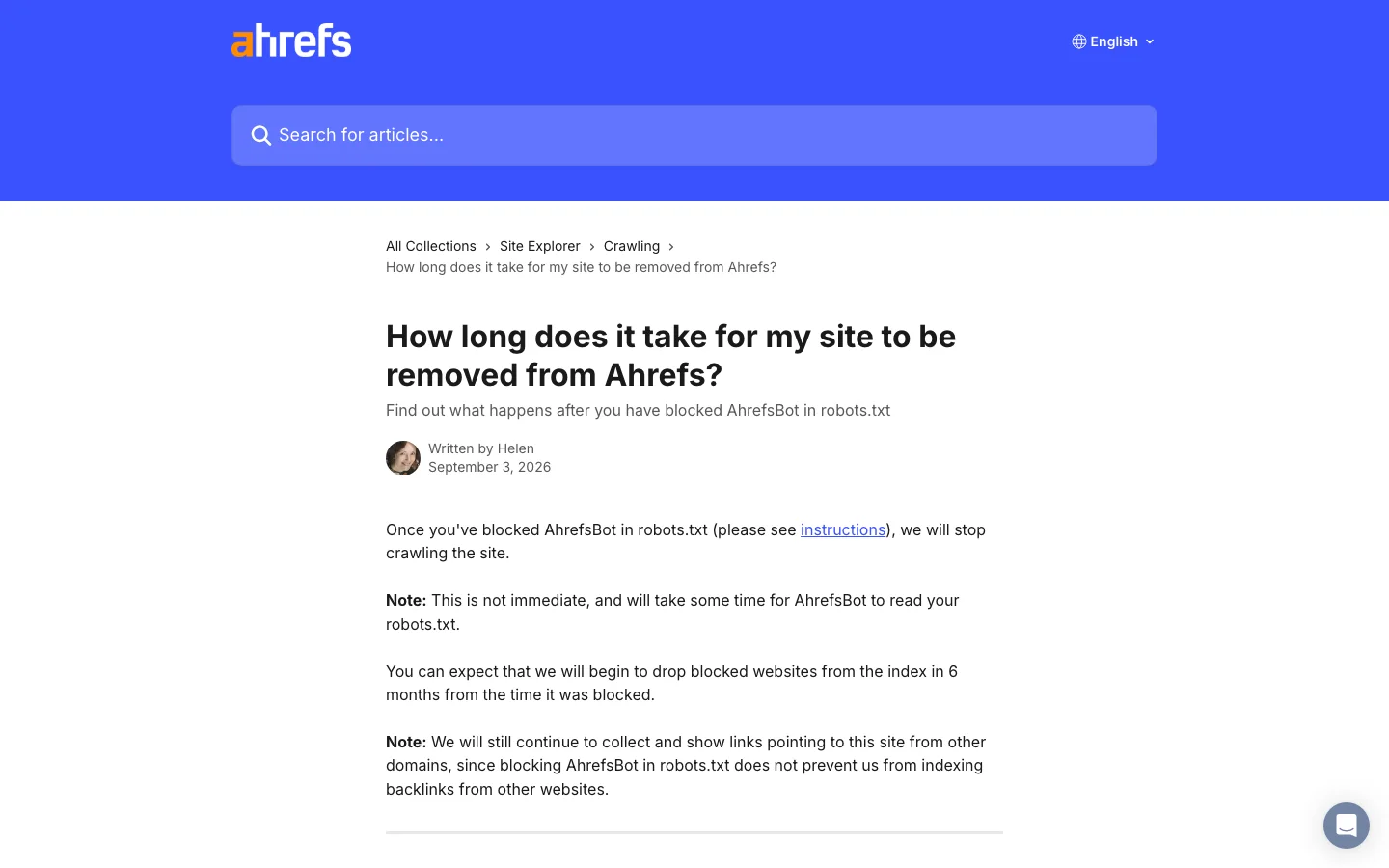
The full note is in the Ahrefs Help Center article on removal. It is worth reading before you block a site that has earned links, because blocking does not erase those links from the Ahrefs data. If you also wonder about Common Crawl, a separate crawler whose data many AI projects use, see our Common Crawl guide. The reasons to block it differ from the reasons to block AhrefsBot.
Most problems with AhrefsBot come from a handful of errors. The table gives the symptom and the fix for each one, and the sections after it explain how to spot and correct them.
| Mistake | Symptom | Fix |
|---|---|---|
| Wildcard block | Googlebot is blocked after a robots.txt change | Remove the wildcard block and give AhrefsBot its own group |
| Forgotten Site Audit | AhrefsSiteAudit keeps crawling after the block | Add a separate AhrefsSiteAudit group |
| Crawl-delay for the wrong crawler | Google traffic is unchanged by the delay | Use server-side controls for Google, not Crawl-delay |
| Trusting the user agent alone | Fake AhrefsBot requests in the logs | Check the IP and the reverse DNS |
| Stale IP allowlist | Real Ahrefs requests are refused by the firewall | Reload the published ranges on a schedule |
| Privacy through robots.txt | A private URL shows up in search | Protect the page with a login |
| Judging the rule too early | The rule seems to fail after one day | Check the logs over several visits |
A common pattern is a group with User-agent: * and Disallow: /, written to shut out one scraper. Every crawler that falls under the wildcard obeys it, Googlebot included, and Search Console then reports the affected pages as blocked. Our guide to the Blocked by robots.txt status explains how to read that report. The fix is to remove the wildcard block and give AhrefsBot its own group, so the rule covers only the bot you meant.
Blocking AhrefsBot does not stop Site Audit, because AhrefsSiteAudit has its own token. After you publish the rule, check the logs for the Site Audit user agent. If it appears, add a second group for AhrefsSiteAudit. Ahrefs also allows a verified site owner to let Site Audit ignore robots.txt, so check that setting in your own Ahrefs project as well.
Crawl-delay has two blind spots. It does not apply when the bot renders JavaScript, and Google ignores it completely. Adding Crawl-delay to a general group does not slow Googlebot, and it does not cap the load that rendered pages put on your server. If a rendering crawler overloads your server, handle the load at the server or the firewall instead.
Spoofed AhrefsBot traffic is common enough that a user agent cannot settle the question. To spot it, compare the IP with the published ranges and run a reverse DNS lookup. A real visit passes both checks. A fake one may carry the right name but come from an unrelated network. In your firewall, block requests that claim the name but fail the check. Cloudflare users can build that rule with the verified bot signal.
An IP allowlist is useful when a firewall blocks everything by default. It goes wrong when the list stops matching the bot. Published ranges change over time, so an allowlist copied once will eventually refuse real AhrefsBot requests. Load the ranges from Ahrefs' public endpoints on a schedule, rather than pasting them once into a firewall rule and forgetting them.
A Disallow line is a request to well-behaved crawlers, and the file itself is public. Anyone can open yourdomain.com/robots.txt and read the paths you listed. Writing /private-pricing/ in that file tells the world where the page is. As Google's documentation explains, a blocked URL can still appear in results when other sites link to it. Protect real private content with a login or server authentication.
Because changes are not immediate, a rule written today will not show its effect today. Judge it over several visits, not one. If requests still arrive after a week, check the group name for typos, and confirm that the file your server serves is the one you edited, since a cache or a second copy of the file can serve old content.
Logs are the most honest record of what a crawler does. Start with the request count per IP address, as in the command above, and then check three signals. The status codes should be mostly 200, the paths should be public pages, and the request rate should be steady. Each signal points to a different problem. Many 4xx and 5xx codes point to errors, requests for admin or .env paths point to probing, and sudden bursts point to a fake crawler or a misconfigured tool.
For a complete method, read our guide to log file analysis for SEO, which shows how to separate wasted crawls from useful visits. Filter by the bot token first, so the numbers you read belong to one crawler only.
A real AhrefsBot visit and a fake one
For traffic from Google and AI assistants, the GEO / SEO Dashboard in Sorank shows Google and AI visits in one view, including visits from ChatGPT, Claude, Gemini, Perplexity and Grok. It answers a different question from crawler access, so keep your server logs for bot checks.
In most cases, yes. AhrefsBot obeys robots.txt, identifies itself with a clear user agent, and publishes its IP ranges so you can verify it. If your server has limited capacity, add a Crawl-delay rather than blocking the bot outright. Block it only when you have a clear reason to keep your pages out of the Ahrefs index.
No. Google does not use the Ahrefs index to rank pages, and a rule for AhrefsBot does not touch Googlebot. The risk comes from a rule that is too broad, such as a wildcard Disallow: / that also blocks Google. Check the group names before you publish.
Check three things together: the user agent, the IP address against Ahrefs' published ranges, and the reverse DNS, which should end in ahrefs.com or ahrefs.net. If the user agent matches but the IP or the DNS does not, treat the visit as fake and block it at the firewall.
Before you publish a robots.txt change
Start with the logs. Decide what you want, slow or block or allow, and write a single group that does exactly that. Then test the file and check the next visits. That sequence takes an afternoon and prevents most of the damage that a careless rule can cause.
In most cases, yes. AhrefsBot obeys robots.txt, identifies itself with a clear user agent, and publishes its IP ranges so you can verify it. If your server has limited capacity, add a Crawl-delay rather than blocking the bot outright.
No. Google does not use the Ahrefs index to rank pages, and a rule for AhrefsBot does not touch Googlebot. The real risk is a rule that is too broad, such as a wildcard Disallow: / that also blocks Google.
Check the user agent, the IP address against Ahrefs' published ranges, and the reverse DNS, which should end in ahrefs.com or ahrefs.net. If the user agent matches but the IP or the DNS does not, treat the visit as fake.
We analyse your competitors, your website and your AI visibility to create a tailored content plan for free.
 Duplicate Content Checker
 Mobile-Friendly Test
 Website Speed Test
 Subdomain Finder
 Domain Age Checker
 CMS Detector
 Googlebot Simulator
 Nofollow Link Checker
 Meta Tag Checker
 Keyword Cannibalization Checker
 Keyword Intent Checker
 Keyword Extractor
 Google Ads Cost Calculator
 CPC Calculator
 Local Citation Finder
 Reddit Threads Finder
 Disavow File Generator
 Redirect Generator
 Canonical Tag Generator
 Passive Voice Checker
 Google Location Changer
 Google Review Calculator
 Google Review Link Generator
 Keyword Combiner
 Podcast Show Notes Generator
 AI Content Rewriter
 AI Text Humanizer
 ChatGPT Prompt Generator
 Twitter Thread Generator
 Tweet Generator
 Landing Page Copy Generator
 Google Ads Copy Generator
 Pinterest Pin Description Generator
 Anchor Text Generator
 Social Media Post Generator
 LinkedIn Post Generator
 Free AI Writer
 Review Response Generator
 LSI Keyword Generator
 YouTube Video Ideas Generator
 YouTube Tag Generator
 YouTube Description Generator
 Product Description Generator
 CTA Generator
 Blog Introduction Generator
 Conclusion Generator
 Hook Generator
 AI Content Brief Generator
 FAQ Schema Generator
 AI Blog Post Ideas Generator
 Structured Data Validator (Schema Validator)
 Alt Text Checker
 Internal Link Analyzer
 Backlink Challenge
 AI Meta Description Generator
 AI Blog Title Generator
 Google Indexability Checker
 AI Blog Outline Generator
 UTM Link Builder
 Keyword Clustering Tool
 Canonical Tag Checker
 XML Sitemap Generator
 Broken Link Checker
 AI SEO Title Generator
 Headline Analyzer
 SERP Preview Tool
 Redirect Checker
 Hreflang Tag Generator
 Heading Structure Analyzer
 HTTP Headers Checker
 Favicon Extractor
 SERP CTR Calculator
 SEO vs Paid Search Savings Calculator
 SEO Share of Voice Calculator
 SEO ROI Calculator
 SEO Traffic and Revenue Forecast Calculator
 SEO Budget Calculator
 SEO Break-Even Calculator
 SaaS SEO ROI Calculator
 ROAS Calculator
 Reading Time Calculator
 Ranking Gain Simulator
 Organic Traffic Value Calculator
 Organic Traffic Estimator and Website Traffic Checker
 LTV to CAC Ratio Calculator
 Local SEO ROI Calculator
 Link Building Cost Calculator
 Keyword Value Calculator
 Keyword Opportunity Score Calculator
 Keyword Density Calculator
 GEO ROI Calculator
 GEO Content Investment Calculator
 Ecommerce SEO ROI Calculator
 Customer Lifetime Value Calculator
 Customer Acquisition Cost Calculator
 CTR Calculator
 Cost Per Article Calculator
 Conversion Rate Calculator
 Content Marketing ROI Calculator
 ChatGPT Referral Traffic Estimator
 Bounce Rate Calculator
 Backlink ROI Calculator
 AI Visibility Score Calculator
 AI Traffic Value Calculator
 AI Share of Voice Calculator
 Cost of AI Invisibility Calculator
 AI Citation Rate Calculator
 llms.txt Validator
 AI Overview Checker and AI Overviews Rank Checker
 Robots.txt Checker
 AI SEO Audit
 LLM Readability Checker
 SearchGPT Readiness Checker
 Structured Data LLM Audit
 Website Crawlability AI Audit
 Why ChatGPT Is Not Recommending My Website
 Gemini Ranking Tool
 Perplexity Ranking Checker
 LLM Citation Checker
 Answer Engine Optimization Audit
 GEO Audit
 AI Search Visibility Test
 ChatGPT Visibility Checker
 llms.txt Generator
 URL Extractor
 Webpage to Markdown
 Sitemap Checker
 SERP Volatility Sensor
 Page Size Checker
 Word Counter
 Slug Generator
 Schema Generator
 Robots Generator
 OG Preview
 Meta Tags Generator
 Image Compressor
 Favicon Generator
 On-Page SEO Audit: SEO Checker and SEO Analyzer
 Backlink Analysis Tool
 Keyword Research Tool
 Domain Authority Checker
 “I tested Sorank on a real client site and it's insane. It does everything an agency would bill you $1500 a month for. It's going into production on that client now.”

 Guillaume Guersanguersanguillaume.com“We are an Ads agency and we wanted to get our SEO back on track once and for all. Sorank gave us a clear view of our site, helped us prioritize optimizations, and properly structure our content. The tool is easy to use, well designed for a team, and very practical for centralizing tracking without having to juggle multiple platforms. A very solid foundation to start fresh with our SEO.”
 Gaspard MadouiAds Agency
 “I just let the Sorank software do its thing, and now my DR is 25 and my page is ranking higher.”
 Lucas Flandrefoundertrace.fr“I specialized in GEO thanks to Sorank. The GEO Leaderboard allows me to show my clients their position vs competitors on ChatGPT. It’s a real commercial differentiator.”
 MélanieSEO Freelance“Great service, works well for our website and helps us understand how to improve it to rank better on Google and elsewhere. Congrats, keep going, I recommend it.”
 Hugo T.E-commerce merchant