Preferences
Privacy is important to us, so you have the option of disabling certain types of storage that may not be necessary for the basic functioning of the website. Blocking categories may impact your experience on the website. More information
Privacy is important to us, so you have the option of disabling certain types of storage that may not be necessary for the basic functioning of the website. Blocking categories may impact your experience on the website. More information

Compare NeuronWriter and Surfer SEO on their content scores, NLP terms and official prices, then run a fair test on your own pages before you pay.
In short
NeuronWriter and Surfer SEO are content optimization tools that compare your draft with the pages ranking for a keyword and list the terms to add. NeuronWriter's listed entry price is lower, and it builds its score from NLP terms. Surfer is the broader editor, with a 0 to 100 Content Score. Neither score guarantees a ranking, so test both on your own pages before you pay.
Want to go further? Ask
Quick quiz
Is SEO right for you, and how should you start?
Sorank matches your answers


Test it for 3 days on your own site and see where you stand on Google, ChatGPT and the other AIs.
Start 3-day free trial3 days free, then stop whenever you want. 90-day results guarantee, conditions apply.
Both tools answer the same question: what do the pages that already rank for this keyword have in common, and what is missing from yours? They pull the top results for a keyword, extract the terms, headings and structure those pages share, and show you where your draft falls short or goes too far.
The difference is in how they present the target. NeuronWriter turns the analysis into a list of NLP terms, each with a recommended range of use. Surfer turns it into guidelines and a score, and gives you an editor where the score updates as you write. Some features in both tools generate text, but the useful way to use them is as a checklist of gaps, not as a recipe for an article.
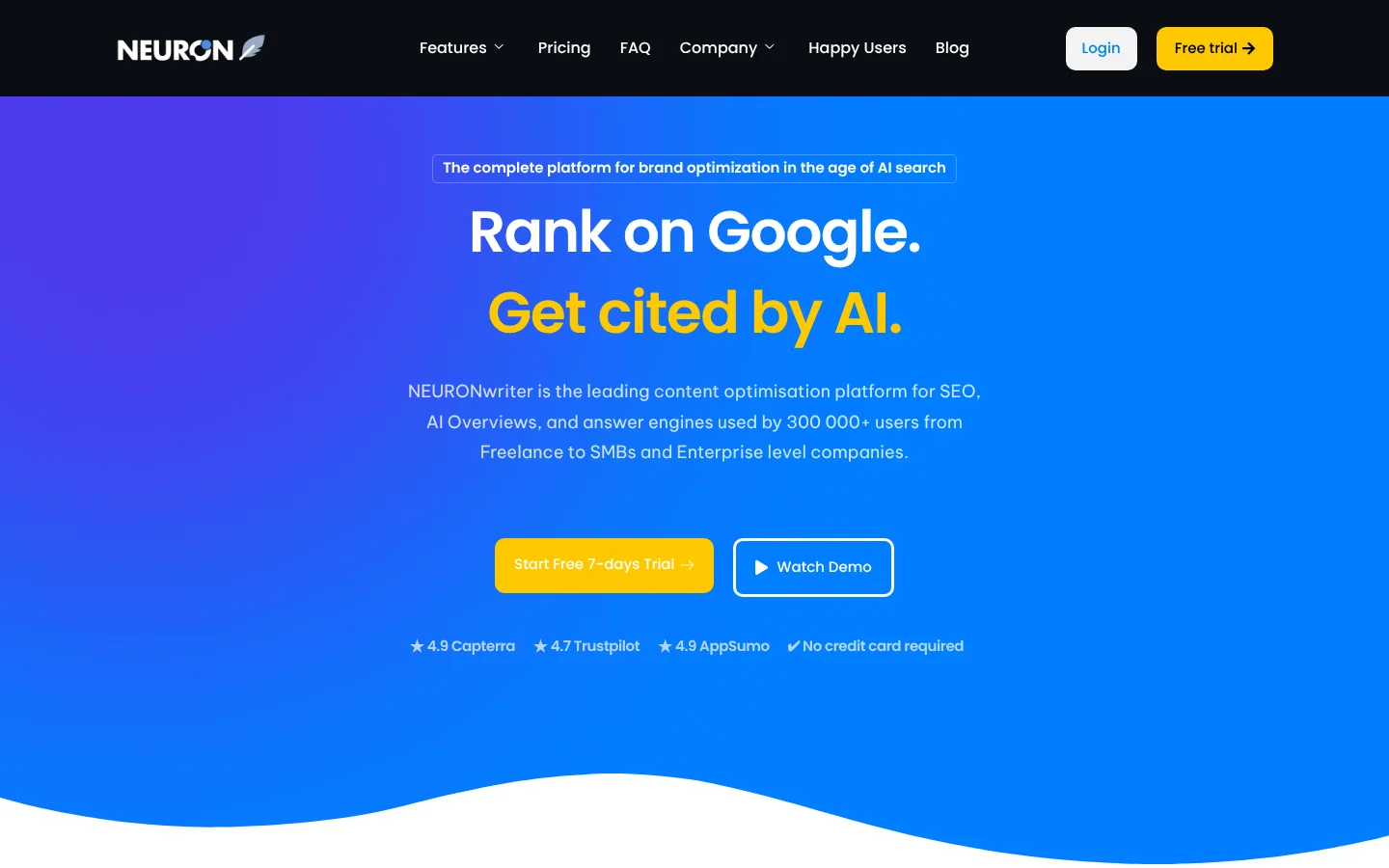
NeuronWriter's FAQ on NLP terms, checked on 22 November 2026, defines them as "keywords and phrases that appear frequently in top-ranking articles" and says the tool analyzes the top 30 competitor pages. Its color code is the fastest way to see what to change: green and yellow for terms already in use, red for overused terms, grey for terms not used yet.
Two editors, two ways to build the target
Put the two side by side and the design choice is clear. NeuronWriter gives you one list of terms to work through. Surfer gives you guidelines, a score and more places to look at it: the Content Editor, the Audit and the SERP Analyzer. That is more to learn and more to check, but it gives you more signal when you are choosing between several competing drafts.
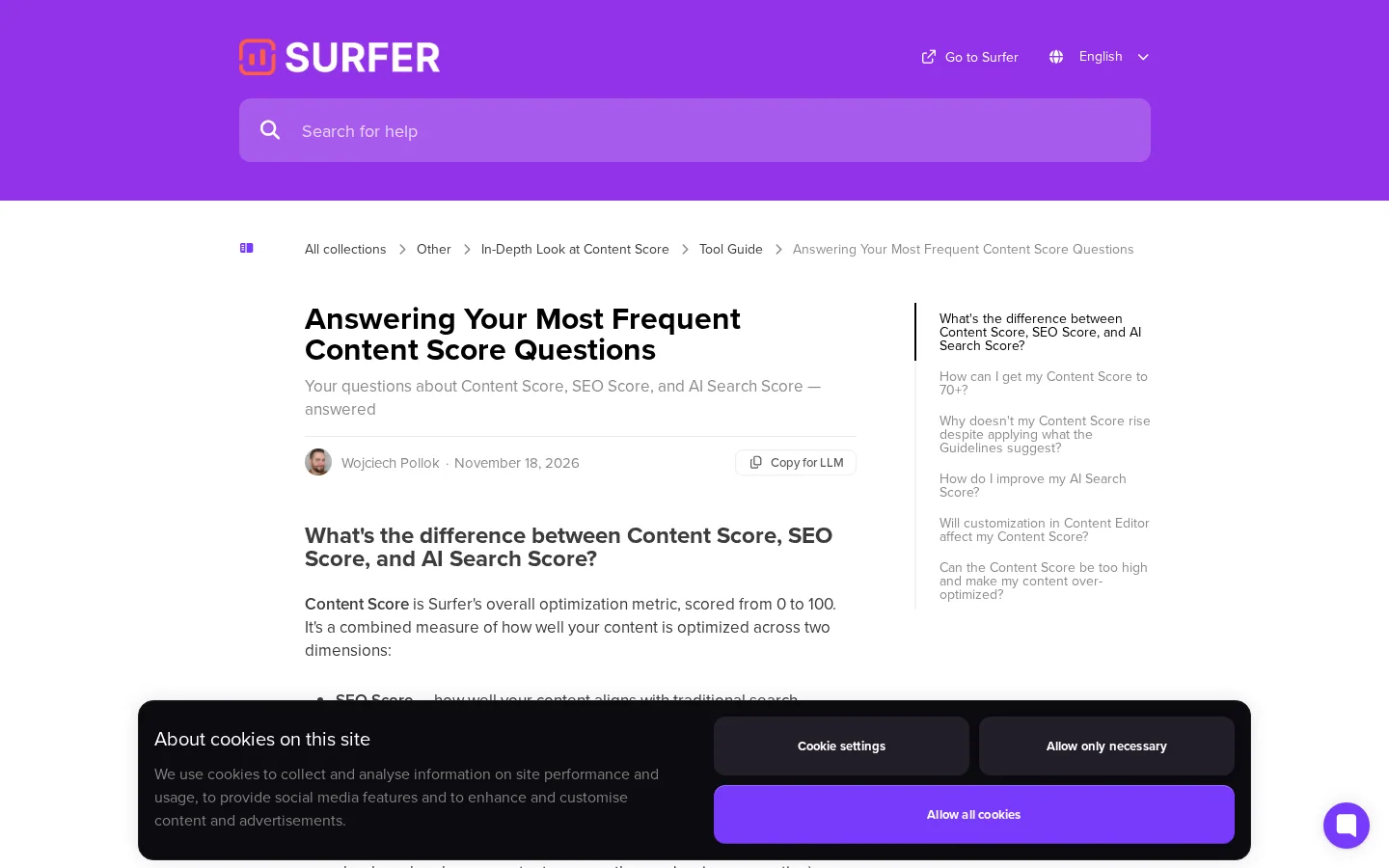
Surfer's Content Score runs from 0 to 100 and combines two sub-scores: an SEO Score and an AI Search Score. NeuronWriter's Content Score is a number based on the semantic recommendations in its sidebar, and it rises as you add more of them to your text and headings. Both are coverage gauges. They tell you how closely a draft matches the pages that rank, and they do not tell you whether the draft is accurate, original or useful to a reader.
Surfer's Content Score explained article, checked on 22 November 2026, calls the score "Surfer's overall optimization metric, scored from 0 to 100". The SEO Score measures how well the text lines up with traditional ranking signals: keyword usage, topical coverage, structure and alignment with the top pages. The AI Search Score measures two things. Facts Coverage checks how thoroughly the page covers facts that AI-generated answers tend to include. Upfront Intent Alignment checks how clearly and early the page answers the main question.
Only the Content Editor shows all three numbers. The Audit, the Content Audit and the SERP Analyzer show the SEO Score alone. That matters when you use the audit to decide what to rewrite, because it will not show you the AI Search Score of the page.
Surfer builds its guidelines and its maximum score from the original draft, before any customization. By default it picks the most optimized pages among the top 10 results for your keyword. If you swap a competitor or exclude a keyword, you change the maximum score you can reach. The score also weighs factors that are not visible in the guidelines panel, so ticking every box does not guarantee a higher number.
Surfer's own guidance is to aim for 70 or more as a realistic goal, and to aim 10 to 20 points above your main competitors rather than chasing 100. That is a sensible target to copy into your process. Chasing 100 usually means adding terms for their own sake, which is the first mistake covered later in this article.
NeuronWriter's Content Score FAQ, checked on 22 November 2026, describes the score as a numerical rating based on the semantic recommendations shown in the sidebar. The color scale runs from red at the bottom, through orange and yellow, to green, which means "approaching 100 points". The same FAQ says the score also rises when your query appears in the meta title, the meta description, the H1 and the H2 headings, when you adjust the text length, and when you avoid over-optimization.
Notice what that means. Both scores reward coverage of the terms and the structure that top pages share. Neither one measures whether a sentence is correct, whether a claim has a source, or whether a reader finishes the page. That is why a score is a checklist, not a verdict.
The numbers behind the two scores
Sources: NeuronWriter FAQ on NLP terms; Surfer Knowledge Base, Content Score explained (both checked 22 November 2026)

The two tools are not the only way to optimize a page, and they do not cover every method. Four approaches are in common use. The table at the end of this section shows where NeuronWriter and Surfer fit in each one. Read each approach before you decide which tool to buy.
The principle. Pull the words and phrases that top pages use often, then show the range each term should fall into in your draft. NeuronWriter does this across its top 30 pages. Surfer's guidelines do a similar job across the top results it selects by default.
When to use it. In the first draft, when you suspect your vocabulary is thinner than the competition. It is the fastest way to fix a draft that never mentions a term your readers expect. If the idea of an NLP term is new to you, the NLP SEO guide explains how search engines read text before you use a list like this.
Advantages. It is concrete. Each line tells you what to add or cut, and a writer can act on it without a briefing.
Limits. It rewards repetition. A writer who follows the list word for word produces a page that reads like an average of the top results, which is rarely the best one. A term list also says nothing about whether the page answers the question in the right order.
Example. Suppose the top pages for a keyword all define a term in the first paragraph, and your draft uses that term for the first time in section five. The term list flags the gap. The fix is to move the definition up, not to repeat the word three more times.
The principle. Compress the term list into one number, so you can decide when to stop editing. Surfer does this on a 0 to 100 scale with two sub-scores. NeuronWriter does it with its color-coded Content Score.
When to use it. When a team needs a shared target, for example a writer and an editor who agree that a page is ready before it goes to review.
Advantages. It is easy to explain and easy to track over time.
Limits. The evidence that a higher score means a higher ranking is weak. In a study by Si Quan Ong at Ahrefs, updated May 21, 2025, the author tested 20 random keywords across five content tools (Surfer, Frase, NeuronWriter, Clearscope and Ahrefs' AI Content Helper) and wrote: "We found weak correlations everywhere." NeuronWriter and AI Content Helper performed best, and the other three showed very weak correlations.
Example. A page moves from a low score to a high one after a rewrite, and its rankings stay flat for six weeks. The score did its job, because coverage improved, and the ranking did not follow yet. Judge the page by what it now answers, then read the rankings over a longer window.
The principle. Check that the page states its key facts clearly and early, so an AI assistant can lift a passage without guessing. Surfer's AI Search Score measures this through Facts Coverage and Upfront Intent Alignment. NeuronWriter's AI Optimization panel gives suggestions on topic coverage, structure and clarity, and on how AI models retrieve content.
When to use it. On pages that people ask questions about, such as comparisons, pricing and definitions, because those are the pages AI answers quote most often.
Advantages. It pushes the answer to the top of the page, which helps human readers as well.
Limits. Neither tool shows how often a page is cited by ChatGPT, Gemini or Perplexity. Each sub-score is a proxy the vendor designed, so check it against the answers you actually see. If the idea of covering meaning rather than exact words is new, read our semantic SEO definition first.
The principle. A person reads the draft against the search intent, checks each claim against a source, and adds what only the author knows: a test result, a screenshot, a figure from their own data.
When to use it. Always, before publishing. No tool replaces this step.
Advantages. It is the only approach that adds experience and evidence. Those are what make a page worth linking to.
Limits. It is slow and depends on the reviewer. It does not scale to hundreds of pages without a process behind it.
| Approach | What it checks | Where NeuronWriter sits | Where Surfer sits | Main limit |
|---|---|---|---|---|
| Term lists | Terms the top pages share | NLP terms with recommended ranges | Guidelines from the top 10 by default | Rewards repetition |
| Scores | Coverage as one number | Content Score built from recommended terms | Content Score from 0 to 100 | Weak link to rankings in the Ahrefs study |
| Topic and fact coverage | Facts stated early, answer first | AI Optimization suggestions | AI Search Score | A proxy, not measured citations |
| Manual review | Accuracy, intent and experience | Not covered by the tool | Not covered by the tool | Slow, depends on the reviewer |
NeuronWriter's homepage lists five paid plans, from Bronze at $23 a month to Diamond at $117 a month, with a yearly option marked "2 months free". Surfer's pricing page lists its plans in euros, from Discovery at €49 a month to Peace of Mind at €299 a month. The two price lists use different currencies and different limits, so the entry price alone does not tell you which one costs less for your work.
Third-party comparison sites quote other figures for both tools, some of them from older price lists. Check the official pricing page on the day you buy, and do the arithmetic yourself with the plan that matches your volume.
| Tool | Plan | Monthly price on the page | Limit or yearly note |
|---|---|---|---|
| NeuronWriter | Bronze | $23 | $230 a year |
| NeuronWriter | Silver | $45 | $450 a year |
| NeuronWriter | Gold | $69 | $690 a year |
| NeuronWriter | Platinum | $93 | $930 a year |
| NeuronWriter | Diamond | $117 | $1170 a year |
| Surfer | Discovery | €49 | 120 documents |
| Surfer | Standard | €99 | 360 documents |
| Surfer | Pro | €182 | 360 documents |
| Surfer | Peace of Mind | €299 | Unlimited documents, under a fair usage policy |
| Surfer | AI Search Analytics | €82 | No document limit listed |
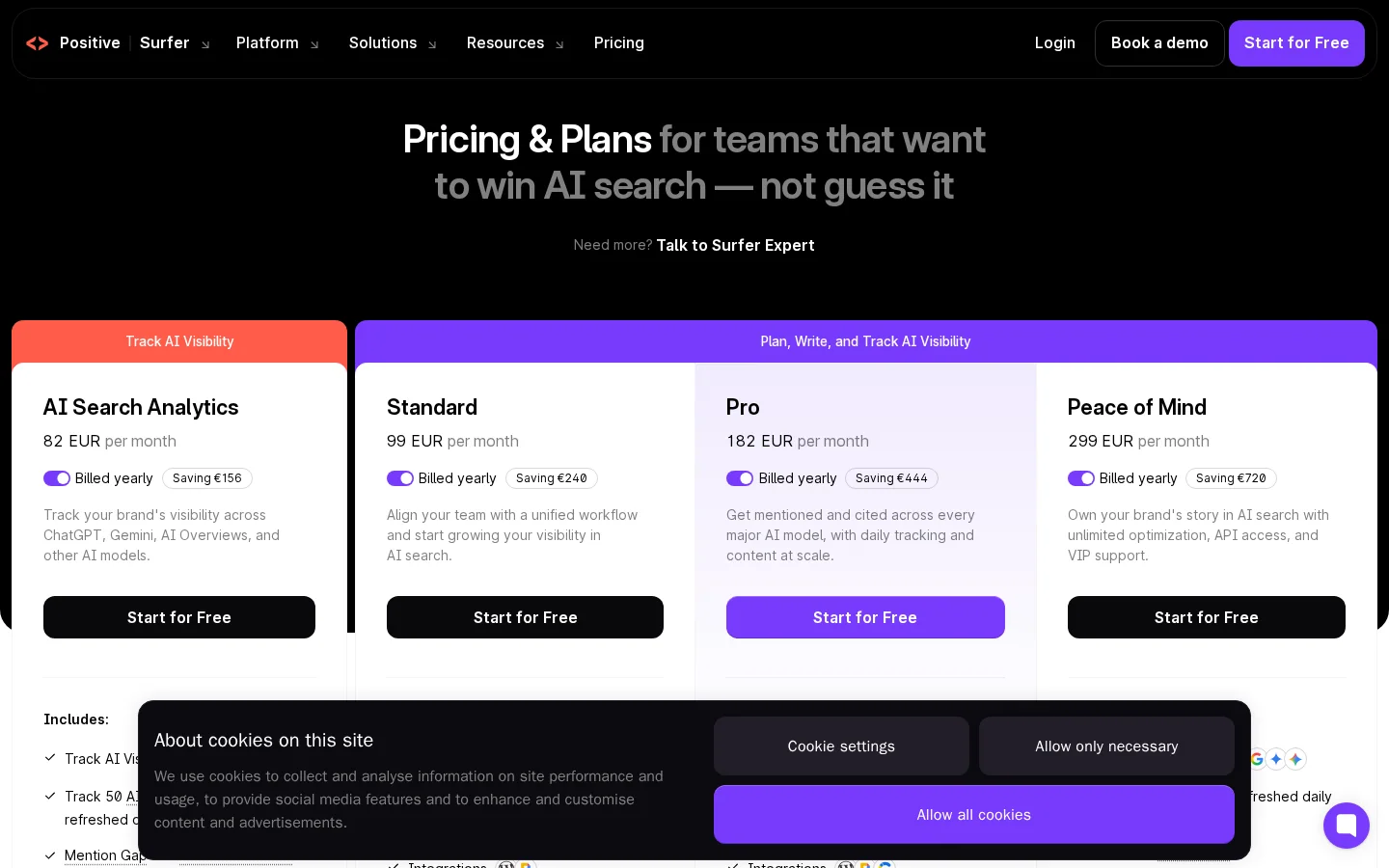
To compare the real cost, divide the monthly price by the number of pages you will analyze in a month. A cheaper plan with a low monthly limit can cost more per page than a dearer plan with a high one, so check the limit before you check the price.
The fair test uses your pages, your keywords and your rankings, not a demo account. Pick the same set of pages, change one tool at a time, and measure what happens once the changes are live. Plan for at least four weeks, because rankings move slowly and Google can take time to recrawl a changed page.
Five steps for a fair test
Keep the log in a spreadsheet with one row per page and tool. A plain CSV file is enough, and it is easy to import later:
keyword,page,tool,score_before,score_after,published,position_before,position_after_28d
content brief template,/your-page-a,NeuronWriter,,,2026-12-01,11,
content brief template,/your-page-b,Surfer SEO,,,2026-12-01,9,
Read the position and clicks for each page in Google Search Console, filtered to that page's address, over the same window before and after the change. Plan the outline of each page with a content brief first, so both tools start from the same plan.
Expect noise. Given the weak correlations in the Ahrefs study, a score gain that does not move a ranking is not proof that the tool failed. A ranking gain on one page is not proof that the score caused it either.
Most bad results from these tools come from the same few habits. Each mistake below has three parts: what it is, how to spot it and how to fix it.
What it is. You add terms because the sidebar asks for them, even where they break the sentence. The page scores well and reads like a list of keywords.
How to spot it. A paragraph repeats the same term two or three times, or a heading reads like a keyword string. The color code is red on a term you are overusing, and you keep adding it anyway.
How to fix it. Write the section first, then check the terms. If a term does not fit a sentence, drop it. Ask whether a reader would miss it. If not, it was there for the score.
What it is. You aim for the maximum score rather than a score that matches the top results.
How to spot it. The score climbs while the page gets harder to read, and every box in the guidelines is ticked.
How to fix it. Use Surfer's own target: 70 or more, and 10 to 20 points above your main competitors. For NeuronWriter, stop when the terms sit in their recommended ranges and the page reads well aloud.
What it is. You swap or exclude competitors in Surfer's customization, then compare the new score with an old one.
How to spot it. The score target moved between two sessions, and nobody wrote down why.
How to fix it. Note the competitor set and the exclusions in your log before you score. Compare only scores taken with the same set. Surfer says these changes alter the maximum score, so a number is only comparable with numbers taken under the same settings.
What it is. AI drafting produces confident sentences that are wrong, out of date or unsourced.
How to spot it. A figure with no source, a product feature you did not check, a date that has passed.
How to fix it. Check every claim against a primary source before publishing. Google's guidance on this is covered in the section below.
What it is. The page covers the right terms but answers a different question from the one people type.
How to spot it. A "vs" query lands on a page that explains one tool only, or the verdict sits at the bottom after a long history.
How to fix it. Put the answer in the first two sentences, then the detail. Surfer's Upfront Intent Alignment measures this exact problem, so use the sub-score as a check, not as the goal.
Before you trust a score
Choose NeuronWriter if you want a lower listed entry price and a term list to work through on each draft. Choose Surfer if you want more analysis in one place, a 0 to 100 score with an AI Search Score, and a team that will use the Audit and the SERP Analyzer every week. The right choice depends on who uses the tool, and how many pages they handle.
| Team | Likely pick | Why |
|---|---|---|
| Solo writer on a tight budget | NeuronWriter | Lower listed entry price, and the term list is quick to act on |
| Small content team with one editor | Test both first | The editor decides which score the team trusts |
| SEO team auditing many pages | Surfer SEO | The Audit, the Content Audit and the SERP Analyzer sit in one product |
| Agency with many clients | Test both on your own pages | Cost per analyzed page and document limits decide the answer |
If Clearscope is also on your list, compare it in Surfer SEO vs Clearscope. Frase was part of the Ahrefs study too, and our two comparisons cover it: Frase vs NeuronWriter and Frase vs Surfer SEO. This article stays on the two-tool question. For the whole category, see our list of the best content optimization tools.
If your goal is not a new article scored in an editor, but keeping the pages you already have working, Sorank's content optimization covers that job. It checks each page of your site, applies targeted fixes to the pages that already perform, and rewrites weak pages in full at the same address. You can review a full rewrite before it goes live. It does not give you a term-by-term editor like the two tools above, so keep those for drafting new pages.
Google's guidance does not forbid AI-assisted writing. It warns that generating many pages without adding value can break its spam policies, and it asks for a manual fact check before any AI-generated content is published. That is the check the tools cannot do for you.
In its Search Central guidance on generative AI content, checked on 22 November 2026, Google says that "using generative AI tools or other similar tools to generate many pages without adding value for users may violate" its spam policy on scaled content abuse. It adds: "It is critical to manually factcheck and review all AI-generated content for accuracy and trustworthiness before publishing." The page is undated, so check the current version before you rely on the exact wording.
The Ahrefs study measured rankings, not AI citations, so it does not settle whether a higher score helps a page get cited by an AI assistant. Treat that question as open, and test it on your own queries.
The same draft, before and after a fact check
Test NeuronWriter first if the listed entry price and a simple term list matter most. Test Surfer first if you need audits, a 0 to 100 score and the AI Search Score in one place. Either way, run the test on your own pages before you commit to a year. A tool that wins on a demo can lose on your site, and a tool that loses on a demo can win on yours.
Your next four weeks
Tip
Before you open either editor, build the outline and the list of questions the page must answer with the free AI Content Brief Generator. A brief first means the score has less to correct later.
Warning
A green score is not a fact check. Confirm every figure and feature claim at its source before you publish, including the ones these tools suggest.
On the official pages checked on 22 November 2026, NeuronWriter's lowest plan is $23 a month and Surfer's is €49 a month. The two are priced in different currencies with different limits, so compare the monthly price with the number of pages you will analyze.
Not reliably. Ahrefs tested 20 keywords across five content tools and found weak correlations between scores and rankings. Use the score as a checklist of missing terms, and judge the page by whether it answers the query.
AI drafting features can produce a first version quickly, but Google's guidance asks for a manual fact check of all AI-generated content before publishing. Use the tools for the outline and the gaps, then add your own facts and examples.
We analyse your competitors, your website and your AI visibility to create a tailored content plan for free.
 Duplicate Content Checker
 Mobile-Friendly Test
 Website Speed Test
 Subdomain Finder
 Domain Age Checker
 CMS Detector
 Googlebot Simulator
 Nofollow Link Checker
 Meta Tag Checker
 Keyword Cannibalization Checker
 Keyword Intent Checker
 Keyword Extractor
 Google Ads Cost Calculator
 CPC Calculator
 Local Citation Finder
 Reddit Threads Finder
 Disavow File Generator
 Redirect Generator
 Canonical Tag Generator
 Passive Voice Checker
 Google Location Changer
 Google Review Calculator
 Google Review Link Generator
 Keyword Combiner
 Podcast Show Notes Generator
 AI Content Rewriter
 AI Text Humanizer
 ChatGPT Prompt Generator
 Twitter Thread Generator
 Tweet Generator
 Landing Page Copy Generator
 Google Ads Copy Generator
 Pinterest Pin Description Generator
 Anchor Text Generator
 Social Media Post Generator
 LinkedIn Post Generator
 Free AI Writer
 Review Response Generator
 LSI Keyword Generator
 YouTube Video Ideas Generator
 YouTube Tag Generator
 YouTube Description Generator
 Product Description Generator
 CTA Generator
 Blog Introduction Generator
 Conclusion Generator
 Hook Generator
 AI Content Brief Generator
 FAQ Schema Generator
 AI Blog Post Ideas Generator
 Structured Data Validator (Schema Validator)
 Alt Text Checker
 Internal Link Analyzer
 Backlink Challenge
 AI Meta Description Generator
 AI Blog Title Generator
 Google Indexability Checker
 AI Blog Outline Generator
 UTM Link Builder
 Keyword Clustering Tool
 Canonical Tag Checker
 XML Sitemap Generator
 Broken Link Checker
 AI SEO Title Generator
 Headline Analyzer
 SERP Preview Tool
 Redirect Checker
 Hreflang Tag Generator
 Heading Structure Analyzer
 HTTP Headers Checker
 Favicon Extractor
 SERP CTR Calculator
 SEO vs Paid Search Savings Calculator
 SEO Share of Voice Calculator
 SEO ROI Calculator
 SEO Traffic and Revenue Forecast Calculator
 SEO Budget Calculator
 SEO Break-Even Calculator
 SaaS SEO ROI Calculator
 ROAS Calculator
 Reading Time Calculator
 Ranking Gain Simulator
 Organic Traffic Value Calculator
 Organic Traffic Estimator and Website Traffic Checker
 LTV to CAC Ratio Calculator
 Local SEO ROI Calculator
 Link Building Cost Calculator
 Keyword Value Calculator
 Keyword Opportunity Score Calculator
 Keyword Density Calculator
 GEO ROI Calculator
 GEO Content Investment Calculator
 Ecommerce SEO ROI Calculator
 Customer Lifetime Value Calculator
 Customer Acquisition Cost Calculator
 CTR Calculator
 Cost Per Article Calculator
 Conversion Rate Calculator
 Content Marketing ROI Calculator
 ChatGPT Referral Traffic Estimator
 Bounce Rate Calculator
 Backlink ROI Calculator
 AI Visibility Score Calculator
 AI Traffic Value Calculator
 AI Share of Voice Calculator
 Cost of AI Invisibility Calculator
 AI Citation Rate Calculator
 llms.txt Validator
 AI Overview Checker and AI Overviews Rank Checker
 Robots.txt Checker
 AI SEO Audit
 LLM Readability Checker
 SearchGPT Readiness Checker
 Structured Data LLM Audit
 Website Crawlability AI Audit
 Why ChatGPT Is Not Recommending My Website
 Gemini Ranking Tool
 Perplexity Ranking Checker
 LLM Citation Checker
 Answer Engine Optimization Audit
 GEO Audit
 AI Search Visibility Test
 ChatGPT Visibility Checker
 llms.txt Generator
 URL Extractor
 Webpage to Markdown
 Sitemap Checker
 SERP Volatility Sensor
 Page Size Checker
 Word Counter
 Slug Generator
 Schema Generator
 Robots Generator
 OG Preview
 Meta Tags Generator
 Image Compressor
 Favicon Generator
 On-Page SEO Audit: SEO Checker and SEO Analyzer
 Backlink Analysis Tool
 Keyword Research Tool
 Domain Authority Checker
 “I tested Sorank on a real client site and it's insane. It does everything an agency would bill you $1500 a month for. It's going into production on that client now.”

 Guillaume Guersanguersanguillaume.com“We are an Ads agency and we wanted to get our SEO back on track once and for all. Sorank gave us a clear view of our site, helped us prioritize optimizations, and properly structure our content. The tool is easy to use, well designed for a team, and very practical for centralizing tracking without having to juggle multiple platforms. A very solid foundation to start fresh with our SEO.”
 Gaspard MadouiAds Agency
 “I just let the Sorank software do its thing, and now my DR is 25 and my page is ranking higher.”
 Lucas Flandrefoundertrace.fr“I specialized in GEO thanks to Sorank. The GEO Leaderboard allows me to show my clients their position vs competitors on ChatGPT. It’s a real commercial differentiator.”
 MélanieSEO Freelance“Great service, works well for our website and helps us understand how to improve it to rank better on Google and elsewhere. Congrats, keep going, I recommend it.”
 Hugo T.E-commerce merchant