Preferences
Privacy is important to us, so you have the option of disabling certain types of storage that may not be necessary for the basic functioning of the website. Blocking categories may impact your experience on the website. More information
Privacy is important to us, so you have the option of disabling certain types of storage that may not be necessary for the basic functioning of the website. Blocking categories may impact your experience on the website. More information

Compare NeuronWriter and Scalenut on scoring, writing workflow and price checks. Learn how to test both on one article before you commit to a plan.
In short
NeuronWriter is a content optimization tool. It scores a draft you write against the terms used by pages already ranking for your keyword. Scalenut is a wider platform that also researches, outlines and drafts. For self-written articles that need a revision guide, NeuronWriter fits best. For a workflow that goes from keyword to first draft, check Scalenut. Test both on one article first.
Want to go further? Ask
Quick quiz
Which way of writing with AI is right for you?
Sorank matches your answers


Test it for 3 days on your own site and see where you stand on Google, ChatGPT and the other AIs.
Start 3-day free trial3 days free, then stop whenever you want. 90-day results guarantee, conditions apply.
NeuronWriter centers on one thing, the content score, while Scalenut sells a whole workflow from research to draft. That difference shows up in both products, and it matters more than any single feature when you choose.
Both tools aim at the same result: pages that cover a keyword the way the search results already do. Both sell subscriptions, and both change their feature lists often. So this comparison describes what each one documents today, and it shows you how to test them yourself rather than trusting a table that may be out of date by the time you read it.
We already cover Frase against NeuronWriter in our Frase vs NeuronWriter comparison. This article takes a different pair, and a different angle: how to run your own test with the same article in both tools, and how to read the results without being misled by the scores.
Scalenut's own comparison page, which we read for this article, argues that its tool is stronger at analyzing top ranking pages, extracting outlines and pulling NLP key terms. Treat that as vendor marketing. It does not explain how NeuronWriter works, and it does not show a single test result. Scalenut's public homepage now frames the product around three steps: track, understand and execute, aimed at AI search as well as Google.
The practical reading is simple. If your job is to write or edit pages and you want a score that tells you what to add, NeuronWriter's documentation describes exactly that. If your job is to go from a keyword to a usable draft in one tool, Scalenut's documented features are closer to that job. Neither answer replaces a test on your own pages.
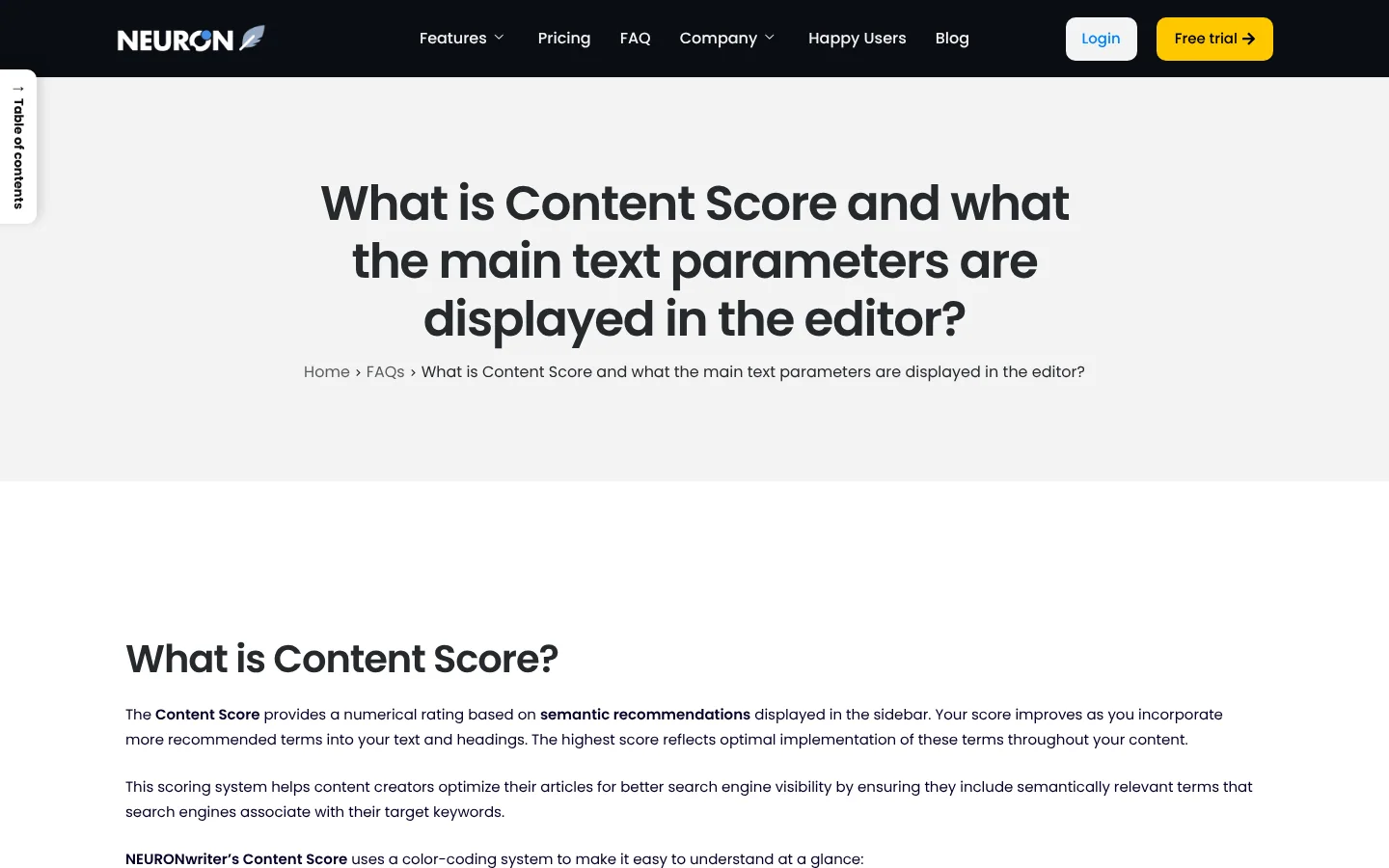
NeuronWriter's Content Score is a number that rises as you add the suggested terms to your title, meta description, headings and body text. It is a guide for revisions. It does not predict where a page will rank, and NeuronWriter's official help page on the Content Score describes it as a rating tied to the semantic recommendations shown in the sidebar.
The help page lists four areas. The first is query partial matches in the meta title, meta description, H1 and H2. The second is usage of the suggested terms. The third is the length of the text. The fourth is over-optimization, which flags a page that repeats terms too heavily. Those four checks are the core of the score, and they are the first thing to read before you trust a number.
What the Content Score checks, in order of effect on your revision
The suggested terms come from pages that already rank for your keyword. That is the reason the score is useful: it shows the vocabulary Google currently associates with the query. It also means the score is only as current as the search results. If the top pages change, your suggestions change with them.
The official help page does not say how many ranking pages it analyzes. Third-party guides give different counts, including 20, 30 and up to 50, and one review describes a feature that can go as high as 100. Those counts are unverified, so treat them as guesses until the vendor confirms them. Ask the question directly if the number matters for your decision.
The terms are not a list of keywords to stuff. They are words that real pages on the same topic use. That is closer to what NLP SEO describes: search engines read the words around a topic to understand what a page is about.
A term score measures vocabulary and length, not intent, accuracy or originality. A page can use every suggested term and still answer the wrong question. It can be correct and still say nothing new. Those gaps are where most of the ranking work happens, and they are where semantic SEO asks you to look: meaning and intent, not only the words on the page.
Note
A score is relative to the pages it is compared with. If your topic is new or the top results are weak, the suggestions may point you toward the wrong pages. Check the search results yourself before you act on the terms.

Scalenut is built as a sequence: research the topic, build an outline, draft, then optimize. Its own materials describe that sequence and attach a set of features to each step. The features below are vendor claims from its comparison page, so they are a list to test, not a result we measured.
Read that list as a map of the workflow, not as proof. The comparison page does not say which of these features NeuronWriter lacks, and it does not show the score logic behind the optimizer. If a feature matters to you, such as the outline generator or the topic clusters, test it on a real brief rather than trusting the label.
The difference between the tools shows up most in when you look at the score. A score used at the end of a draft gives you a list of fixes. A score used before you draft gives you a plan. Both work, but they produce different pages.
Two ways to use a content score
The speed claim, a first draft in under 5 minutes, is a vendor claim about the interface. It says nothing about the quality of the draft, which depends on your topic, your brief and the facts you check afterward. A fast draft that needs a full fact check is not faster than a slower one that you trust.
Use the same brief for both tools and read both drafts against the same questions: is each claim sourced, does each section answer a real question, and does the page say something the top results do not? That single read tells you more than any feature list.
The criteria that separate the two tools are the starting point, the scoring method, the drafting help, the competitor analysis, the price and the learning curve. The table lists what we could verify on each vendor's documentation and how to check the rest yourself.
| Criterion | NeuronWriter | Scalenut | How to check it yourself |
|---|---|---|---|
| Starting point | A draft you write, scored against ranking pages | A keyword, taken through outline, draft and optimization | Run the same keyword through both on the same day |
| Scoring | Content Score built from suggested terms, with four named checks in its help page | Real-time SEO score in the Advanced Optimizer (vendor claim) | Score the same text in each tool and compare the advice line by line |
| Drafting | Not described on the help page we read | Cruise Mode first draft (vendor claim) | Generate one draft per tool from the same brief |
| Competitor analysis | Term and length comparison with ranking pages, page count not published | Competition benchmarking and top-page analysis (vendor claim) | Ask each tool which pages it analyzed, and compare the list with the live results |
| Price | Changes often, and third-party sites disagree | Changes often, and third-party sites disagree | Read the vendor's pricing page on the day you buy |
| Learning curve | Mixed reviews | Mixed reviews | Read recent reviews from people with your role and team size |
We left prices out on purpose. Comparison sites we found gave different figures for the same plans in the same year, and the vendors' own pages change. If the price decides your choice, open each pricing page, check which plan includes the features you will use, and compare the annual and monthly rates.
The scoring row deserves the most attention, because it decides how much you will rely on the tool every week. A score built from a short, visible list of checks is easy to act on and easy to argue with. A score whose inputs you cannot see is harder to correct when it disagrees with your editor. Ask each vendor which pages it compares against and how the checks combine into one number, then judge whether you can live with the answer.
Choose NeuronWriter if you write your own articles and want a clear revision guide. Choose Scalenut if you want one tool to take you from keyword research to a first draft. Neither choice is wrong, and some teams need both kinds of help, which is why the test below matters more than any verdict.
Which tool fits which workflow
Start from the job, not the brand. Write down the last three articles you produced and where the time went: research, drafting, editing or checking. The tool that saves time on your slowest step is the right one, and that is easier to see with a real article than with a feature list.
If you compare more options than these two, our Surfer SEO vs Clearscope comparison and our roundup of content optimization tools cover other choices, with the same test logic.
Run both tools on one article you already know, with the same keyword, the same language and the same starting draft. Log the results for several weeks. A demo tells you about the interface, not about results, and rankings need time to move.
The five-step test
Keep a simple log so the decision rests on numbers you recorded, not on the impression of the last demo. A spreadsheet is enough. The columns below are the minimum you need to compare the two runs later.
date,tool,keyword,score_before,score_after,words,changes_applied,position_week_4,clicks_week_4Do not compare scores across tools as if they were on the same scale. Each tool has its own score, built from its own inputs. Compare what changed on the page, and then compare what happened in search after each change.
Give the live result enough time before you write the verdict. In the first weeks, a page often moves a few positions up or down while Google re-evaluates it, so a single good or bad week tells you little. Compare the same weeks across both runs, note any change in the search results for your keyword during the same period, and only then decide which tool helped the page. A test that ends after one week will almost always look like a coin toss.
Example
Say you run the test on a how-to article. One tool's score climbs after you add every suggested term, and the page looks finished. Read it aloud: if a paragraph now reads like a list of nouns, the score went up and the page got worse. The log should record that, because the score alone would hide it.
The most common mistakes are chasing a perfect score, copying the top results, trusting a single demo and publishing AI text you did not check. Each one has a fix you can apply during the test, and each one makes a test look better than it is.
What it is: adding terms until the score stops rising, even when the text gets worse for a reader.
How to spot it: the keyword shows up in several headings in a row, sentences start to read like a list of terms, and the over-optimization check starts to flag the page.
How to fix it: stop when every suggested term that fits the search intent is used, and remove the rest. A term count does not measure quality, which is the point of our keyword density entry, and the same logic applies to any score.
What it is: turning your page into a rewrite of the pages that already rank, heading by heading.
How to spot it: your outline matches the top three results section for section, and a reader could not tell which page they are on.
How to fix it: keep the vocabulary the score suggests, but add one section no competitor covers: your own data, a test you ran, or a case you handled. That section is the reason a reader stays on your page.
What it is: choosing a tool from one generated draft on one topic.
How to spot it: your whole test used one keyword, one brief and one afternoon.
How to fix it: run the test on three articles of different types, such as a guide, a comparison and a short definition. Use the same content brief for each run, so the drafts start from the same plan and the difference comes from the tool.
What it is: publishing a generated draft without checking its facts, numbers and sources.
How to spot it: claims with no source, dates you cannot trace, or figures that appear in the draft but not in any document you read.
How to fix it: check each fact and each number against its source before you publish. Google's guidance on this point is in the last section.
Before you trust a score
Warning
Before you paste a client draft or any confidential material into a content tool, read its data and training terms. Some drafts contain information you are not allowed to share.
Google's guidance does not forbid generative AI content. It asks that the content meet its quality standards and spam policies. In its guidance on generative AI content, Google's Search Central documentation says it is critical to manually fact check and review all AI-generated content, because outputs can contain inaccuracies.
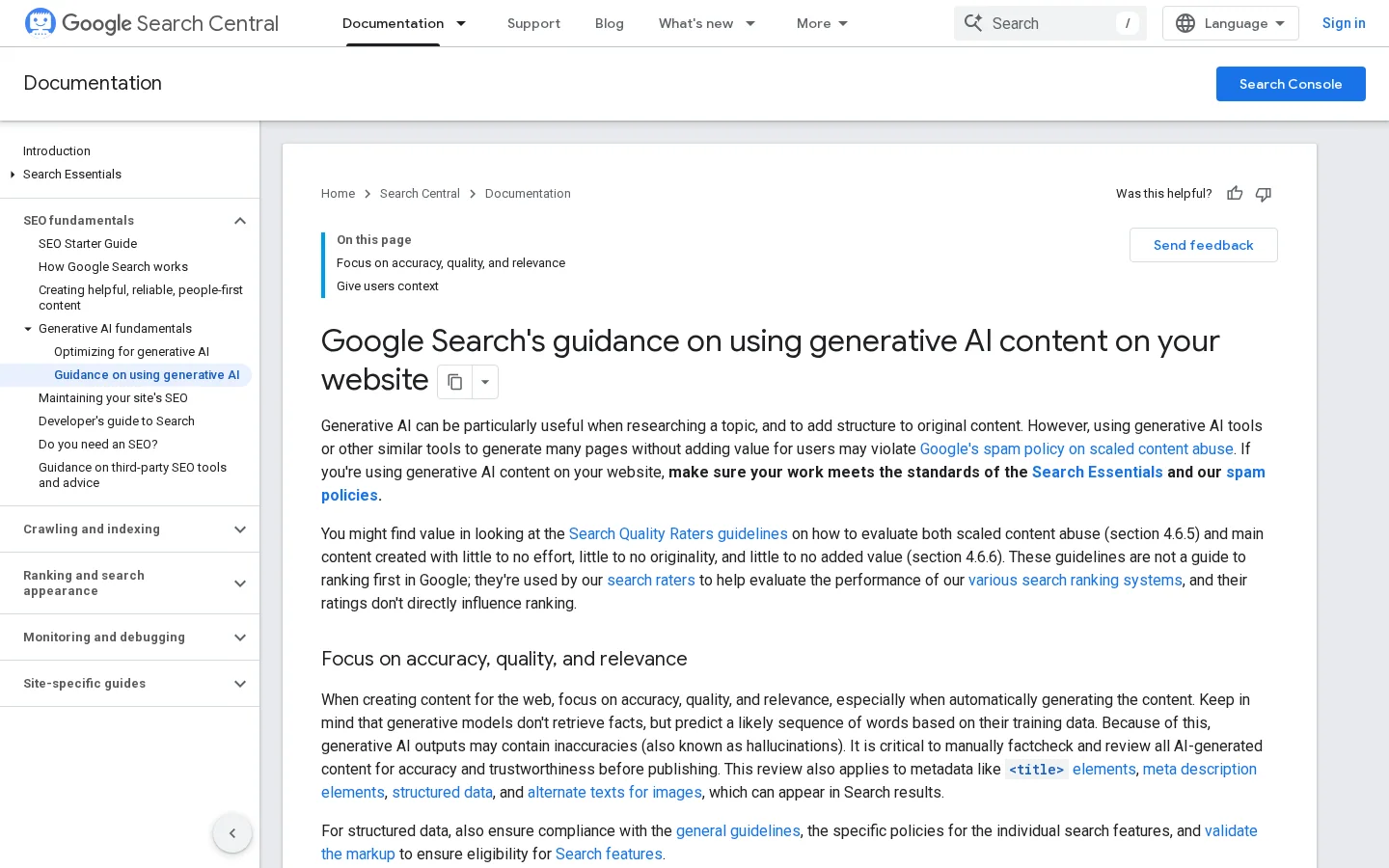
The spam policy is the stricter part. Google's spam policies page, also from Search Central, defines scaled content abuse as many pages generated for the primary purpose of manipulating rankings rather than helping users. Its example names using generative AI tools to generate many pages without adding value for users. The policy applies whatever tool you used to write the page.
For a comparison test, that means the useful question is not which tool writes the most text. It is whether each page adds something a reader cannot get from the top results. If the answer is no, the tool did not help, however high the score.
Tip
If you want optimization applied to pages you already have, not only a score for a draft, look at Sorank's content optimization. It scans your pages for title, meta description, heading and link errors, and you can review the new version before it goes live.
Start with one article this week. Pick a keyword, write the brief, run both tools, and log what happens. The decision will be clearer after one real page than after another round of feature lists.
It depends on your workflow. NeuronWriter centers on a content score for drafts you write yourself, while Scalenut covers research, outlines and drafting in one platform. Test both on the same article, since review sites give mixed verdicts.
Prices change often, and the comparison sites we found disagree, so do not rely on a third-party article for numbers. Check each vendor's pricing page on the day you buy, and compare the plan that includes the features you will actually use.
The score rises as you add suggested terms to your title, meta description, headings and body text. NeuronWriter's help page also lists text length and over-optimization as checks. A higher score does not guarantee rankings.
We analyse your competitors, your website and your AI visibility to create a tailored content plan for free.
 Duplicate Content Checker
 Mobile-Friendly Test
 Website Speed Test
 Subdomain Finder
 Domain Age Checker
 CMS Detector
 Googlebot Simulator
 Nofollow Link Checker
 Meta Tag Checker
 Keyword Cannibalization Checker
 Keyword Intent Checker
 Keyword Extractor
 Google Ads Cost Calculator
 CPC Calculator
 Local Citation Finder
 Reddit Threads Finder
 Disavow File Generator
 Redirect Generator
 Canonical Tag Generator
 Passive Voice Checker
 Google Location Changer
 Google Review Calculator
 Google Review Link Generator
 Keyword Combiner
 Podcast Show Notes Generator
 AI Content Rewriter
 AI Text Humanizer
 ChatGPT Prompt Generator
 Twitter Thread Generator
 Tweet Generator
 Landing Page Copy Generator
 Google Ads Copy Generator
 Pinterest Pin Description Generator
 Anchor Text Generator
 Social Media Post Generator
 LinkedIn Post Generator
 Free AI Writer
 Review Response Generator
 LSI Keyword Generator
 YouTube Video Ideas Generator
 YouTube Tag Generator
 YouTube Description Generator
 Product Description Generator
 CTA Generator
 Blog Introduction Generator
 Conclusion Generator
 Hook Generator
 AI Content Brief Generator
 FAQ Schema Generator
 AI Blog Post Ideas Generator
 Structured Data Validator (Schema Validator)
 Alt Text Checker
 Internal Link Analyzer
 Backlink Challenge
 AI Meta Description Generator
 AI Blog Title Generator
 Google Indexability Checker
 AI Blog Outline Generator
 UTM Link Builder
 Keyword Clustering Tool
 Canonical Tag Checker
 XML Sitemap Generator
 Broken Link Checker
 AI SEO Title Generator
 Headline Analyzer
 SERP Preview Tool
 Redirect Checker
 Hreflang Tag Generator
 Heading Structure Analyzer
 HTTP Headers Checker
 Favicon Extractor
 SERP CTR Calculator
 SEO vs Paid Search Savings Calculator
 SEO Share of Voice Calculator
 SEO ROI Calculator
 SEO Traffic and Revenue Forecast Calculator
 SEO Budget Calculator
 SEO Break-Even Calculator
 SaaS SEO ROI Calculator
 ROAS Calculator
 Reading Time Calculator
 Ranking Gain Simulator
 Organic Traffic Value Calculator
 Organic Traffic Estimator and Website Traffic Checker
 LTV to CAC Ratio Calculator
 Local SEO ROI Calculator
 Link Building Cost Calculator
 Keyword Value Calculator
 Keyword Opportunity Score Calculator
 Keyword Density Calculator
 GEO ROI Calculator
 GEO Content Investment Calculator
 Ecommerce SEO ROI Calculator
 Customer Lifetime Value Calculator
 Customer Acquisition Cost Calculator
 CTR Calculator
 Cost Per Article Calculator
 Conversion Rate Calculator
 Content Marketing ROI Calculator
 ChatGPT Referral Traffic Estimator
 Bounce Rate Calculator
 Backlink ROI Calculator
 AI Visibility Score Calculator
 AI Traffic Value Calculator
 AI Share of Voice Calculator
 Cost of AI Invisibility Calculator
 AI Citation Rate Calculator
 llms.txt Validator
 AI Overview Checker and AI Overviews Rank Checker
 Robots.txt Checker
 AI SEO Audit
 LLM Readability Checker
 SearchGPT Readiness Checker
 Structured Data LLM Audit
 Website Crawlability AI Audit
 Why ChatGPT Is Not Recommending My Website
 Gemini Ranking Tool
 Perplexity Ranking Checker
 LLM Citation Checker
 Answer Engine Optimization Audit
 GEO Audit
 AI Search Visibility Test
 ChatGPT Visibility Checker
 llms.txt Generator
 URL Extractor
 Webpage to Markdown
 Sitemap Checker
 SERP Volatility Sensor
 Page Size Checker
 Word Counter
 Slug Generator
 Schema Generator
 Robots Generator
 OG Preview
 Meta Tags Generator
 Image Compressor
 Favicon Generator
 On-Page SEO Audit: SEO Checker and SEO Analyzer
 Backlink Analysis Tool
 Keyword Research Tool
 Domain Authority Checker
 “I tested Sorank on a real client site and it's insane. It does everything an agency would bill you $1500 a month for. It's going into production on that client now.”

 Guillaume Guersanguersanguillaume.com“We are an Ads agency and we wanted to get our SEO back on track once and for all. Sorank gave us a clear view of our site, helped us prioritize optimizations, and properly structure our content. The tool is easy to use, well designed for a team, and very practical for centralizing tracking without having to juggle multiple platforms. A very solid foundation to start fresh with our SEO.”
 Gaspard MadouiAds Agency
 “I just let the Sorank software do its thing, and now my DR is 25 and my page is ranking higher.”
 Lucas Flandrefoundertrace.fr“I specialized in GEO thanks to Sorank. The GEO Leaderboard allows me to show my clients their position vs competitors on ChatGPT. It’s a real commercial differentiator.”
 MélanieSEO Freelance“Great service, works well for our website and helps us understand how to improve it to rank better on Google and elsewhere. Congrats, keep going, I recommend it.”
 Hugo T.E-commerce merchant