Preferences
Privacy is important to us, so you have the option of disabling certain types of storage that may not be necessary for the basic functioning of the website. Blocking categories may impact your experience on the website. More information
Privacy is important to us, so you have the option of disabling certain types of storage that may not be necessary for the basic functioning of the website. Blocking categories may impact your experience on the website. More information

Learn how to build AI prompt templates with fixed instructions, variables, examples and XML tags, then test them so every run gives consistent results.

In short
An AI prompt template is a reusable prompt with fixed instructions and marked blanks, such as {audience} or {product}, that you fill in each time you run it. It keeps the structure the same from one run to the next, so you can compare answers and stop rewriting the same request from scratch.
Want to go further? Ask
Quick quiz
How should you use AI in your marketing?
Sorank matches your answers


Test it for 3 days on your own site and see where you stand on Google, ChatGPT and the other AIs.
Start 3-day free trial3 days free, then stop whenever you want. 90-day results guarantee, conditions apply.
A template is the part of a prompt that never changes, with blanks for the parts that do. A working prompt for a blog outline might read: "Write an outline for an article about {topic} for {audience}, with 6 H2 sections and a direct answer at the top." You keep the instructions and swap the variables. The first run costs a few minutes of setup. Every run after that gives you output you can compare with the last one.
Templates work for the same reason any prompt engineering works: a language model answers the input it gets, and vague input produces vague output. When you retype a request each time, the wording drifts, and so does the result. A template fixes the wording and leaves only the variables to change, so a difference in output tells you something about the input, not about your mood that morning.
Same request, two ways of working
If you already use a library of ready prompts, the template idea is the next step. Our prompt library for SEO and GEO gives you thirty prompts to copy and paste. This guide explains the method behind them, so you can write a template for a task that no list covers, and so you can tell when a saved prompt has stopped working.
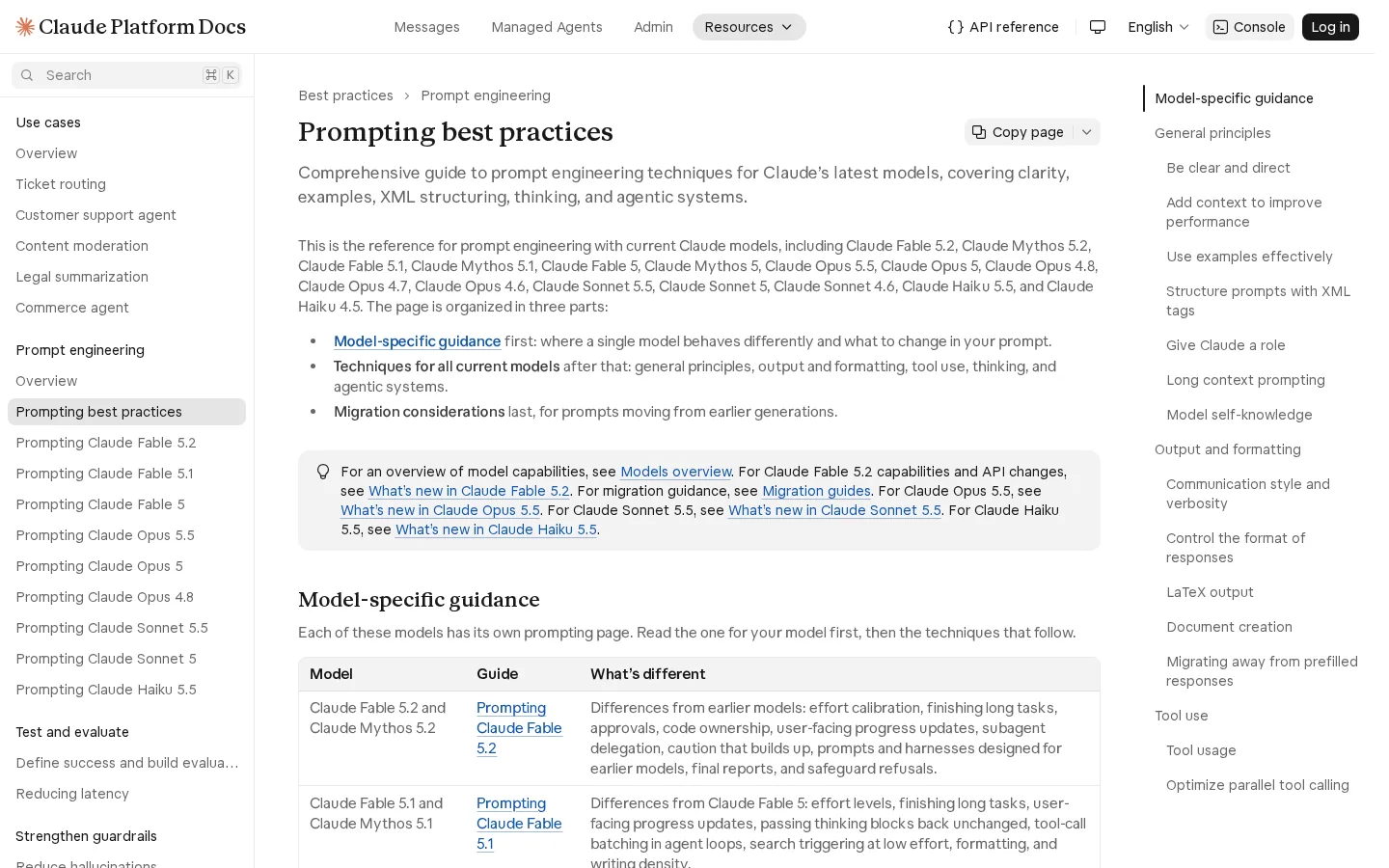
A strong template has five parts: a role, a task, the context, the output format and, when they help, examples. Each part removes one kind of guessing from the model. You do not need all five for every task, but when a result is off, the cause is usually a missing part. Check them in this order.
The role tells the model whose judgment to use. "You are an SEO editor who writes for B2B buyers who already know the basics" changes the vocabulary, the depth and the examples you get. Keep it to one sentence. A long persona with a backstory adds words but almost no information, and it makes the template harder for the next person to edit.
The task says what to do and what to hand back. "Review this page" leaves the model to choose the criteria, so you get a generic list. "Compare the two pages below and list the three differences that matter for search intent, with one fix for each" names the action, the scope and the shape of the answer. If you cannot name the deliverable in one sentence, the template is not ready yet.
Context is the text, data or notes the model should use. OpenAI's help article on prompt engineering best practices recommends putting the instructions at the beginning of the prompt and separating the instruction from the context with ### or triple quotes. That boundary matters in a template, because the pasted material changes every run and you want the rules to stay on top, where the model reads them first and cannot mistake the pasted text for rules.
Context also costs room. Every word you paste counts against the context window, the amount of text a model can read at once. Paste the section that matters, not the whole site, and say in the template which part to use.
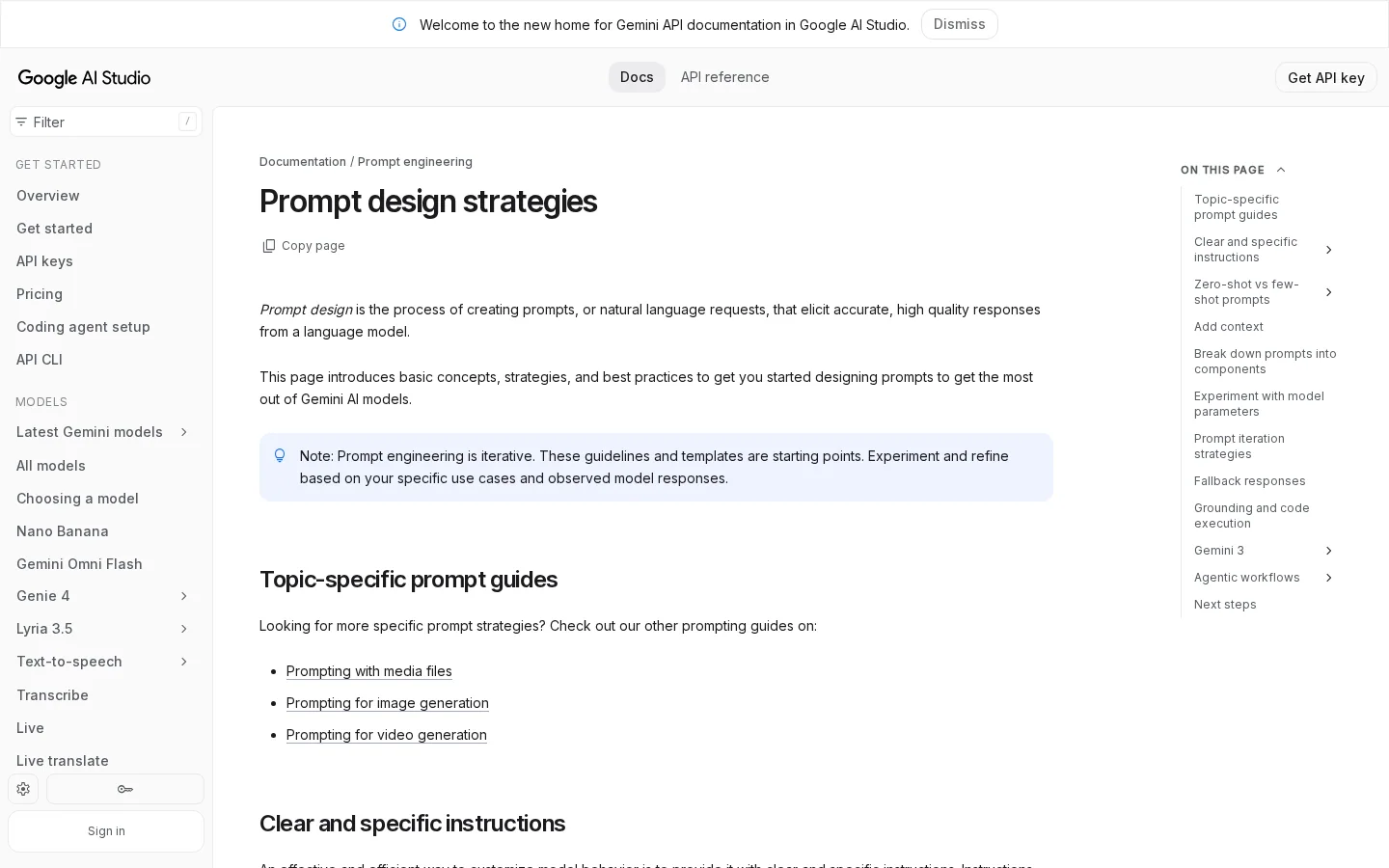
Format is the part most templates leave out, and it is the easiest to fix. Google's Gemini prompting strategies page states that you can give instructions that specify the format of the response, and that you can start the structure yourself and let the model complete the pattern. Write "Return a table with the columns Page, Problem, Fix" or "Return a JSON object with the keys title, meta and slug". A format you can parse is also the difference between a chat answer you read and a result your code can use.
Anthropic's prompting best practices make the same point about structure. The page recommends wrapping each kind of content in its own tag, such as instructions, context and input, because tags reduce misinterpretation when a prompt mixes several types of text. You will see the tag version later in this guide, when the template runs through code.

There are four practical ways to store a template, and they differ in where they live, who can use them and how much structure they hold. A text file with blanks suits one person with occasional tasks. Saved instructions in a chat tool suit one person with a repeated task in one tool. A form with fields suits a team that needs the same brief every time. An API template with variables and examples suits software that runs the prompt for you. Pick the simplest one that still gives you the consistency you need.
Principle: a plain document holds the template, and you copy it into a chat, replacing each blank. When to use it: for a writer or marketer who runs a task a few times a month. Advantages: no tools to learn, easy to edit, easy to version in a shared folder. Limits: nothing stops someone from deleting a rule by accident, and the blanks are easy to forget to fill. Example: a document named "outline-template-v2" with the placeholders {topic}, {audience} and {word_count} highlighted in yellow.
Principle: the tool stores your standing instructions, so you do not paste them in every session. When to use it: when the same person runs the same kind of task in one tool, such as a weekly summary of search data. Advantages: the rules are always on, and there is nothing to copy. Limits: the instructions apply to every conversation in that space, so a rule written for outlines can quietly change how the tool answers a different question. Example: standing instructions that say "Answer in English, use H2 sections, and never invent a statistic without a source".
Principle: the team fills in named fields such as audience, goal, tone and sources, and a small piece of software builds the final prompt from them. When to use it: when several writers need the same brief and the output must look the same. Advantages: beginners get the right structure without learning it, and the form forces the blanks to be filled. Limits: someone has to maintain the fields, and a field that nobody reads becomes noise. Example: a form with a required "search intent" field, which the prompt turns into a sentence about what the reader wants to do after reading.
Principle: code stores the template, fills the variables from a database or a spreadsheet, and sends the prompt to a model through its API. When to use it: when the same prompt runs on hundreds of pages or rows, and a person cannot check each one by hand. Advantages: full control of the structure, the examples and the output, plus automatic checks on the result. Limits: it needs code, testing and version control, and a bad change reaches every output at once. Example: a meta description generator that reads a page title and first paragraph, then returns JSON with one description between 140 and 160 characters.
| Template type | Best for | Main limit | Effort to set up |
|---|---|---|---|
| Text with blanks in a document | One person, occasional tasks | Easy to edit, easy to misuse | Low |
| Saved instructions in a chat tool | One person, repeated task in one tool | Rules apply to every conversation | Low |
| Form with fields for a team | Several writers, same brief each time | Fields need an owner | Medium |
| API template with variables | Software that runs many prompts | Needs code, tests and version control | High |
Start from an output you already like, work out the instructions that would produce it, replace the specific details with blanks, then test the template on two new inputs before you rely on it. For a first template, plan on about an hour if you already have a good output to start from. Most of that time goes to the testing, which is the step people skip.
Pick an output that you would keep after light editing. It might be an outline, a meta description or a summary of search data. Save it next to the prompt that produced it, or write down what you asked. If you cannot remember the prompt, reconstruct it from the output: list what the answer contains, how long it is and what it leaves out. That list becomes your instructions.
Turn the reconstruction into a list. Include the things you wish you had asked for, such as the audience, the forbidden phrases and the maximum length. A good template usually has between six and twelve rules. Fewer than that and the output drifts. More than that and the model starts to skip some of them, so move the least important rules to a later review step.
Choose the details that change between runs and name each one in braces. Keep the names consistent across the template, because a blank called {topic} in one place and {subject} in another will confuse the next person. Define the allowed values for any blank with a fixed set of options, such as tone or content type. Leave the rest hard-coded. A blank for a fact that never changes only invites someone to fill it in wrongly.
Write a {content_type} for {audience} about {topic}.
Tone: {tone}. Length: {word_count} words.
Open with a direct answer of 40 to 60 words, then develop it.
Use H2 sections only. Do not use bullet lists inside the answer.
Avoid these phrases: {banned_phrases}.
Return the text only, with no preface.Specify the shape of the answer and its size, as covered in the section on output format. "Return the text only, with no preface" is one of the most useful lines you can add, because it removes the "Here is your article" opening that every model adds by default. Put the length in words, and say which unit you mean, since a model cannot count characters reliably.
Run the template on a typical input, then on an unusual one: a short product page, a niche market or a topic with no obvious data. Compare the two outputs against the same checklist. If the second run breaks, the template depends on a detail you did not write down. Fix the rule, not the output. The full testing method is in the section on testing below.
Building a template in five steps
Tip
For an article outline, you can compare your template with the output of the free AI blog outline generator. If your template produces a plan with fewer H2 sections or weaker headings than the tool, the template is the part to fix.
The same steps work for a brief. If your template produces content briefs for writers, the content brief guide lists the fields worth keeping, so the blanks in your template match what a writer needs. For the single prompt that comes before any template, the AI prompts method explains how to write one clear request first.
Add one to three examples when the output is easier to show than to describe, and leave them out when plain instructions give the result you want. Google's Gemini prompting strategies page says: "We recommend to always include few-shot examples in your prompts." That is a strong default, but the examples cost room, and they can be copied too closely, so the rule is to use them on purpose. Few-shot prompting means giving the model a few input and output pairs before the real task, and it is the easiest way to show a tone or a format that is hard to write down.
Instructions only, or instructions with examples
Source: Google AI Studio documentation, prompting strategies
Two examples are usually enough. One shows the pattern, and a second shows that the pattern is not a fluke. Choose examples that cover different cases: a short input and a long one, an easy case and a hard one. If all your examples look alike, the model treats their common features as rules, and every output starts to look the same. The examples should also match the real inputs the template will receive, not an idealized version.
The most common failure is an output that repeats the example. Every answer opens with the same sentence, or uses the same three headings, or ends with the same question. The fix is to vary the examples in length, opening and structure, and to add the rule "Do not reuse phrases from the examples". If the copying continues, remove one example and test again. Often two good examples beat four mediocre ones.
Mark the examples as examples, so the model does not read them as rules or as material to process. Anthropic's prompting best practices recommend wrapping each example in an example tag, and wrapping several examples in an examples tag. The tags also make the template easier for a person to scan, because the examples sit in one visible block that can be replaced without touching the rules.
When code fills the template, separate instructions, context and input with tags, and ask for an output your code can check. Anthropic's documentation recommends XML tags for prompts that mix instructions, context, examples and variable input, because the tags stop the model from confusing one part with another. The example below shows the same meta description task as a template for code, with the tags escaped so they display as text.
<instructions>
Write a meta description of 140 to 160 characters for the page below.
Use the page's main keyword once, near the start.
Return only the description, with no preface.
</instructions>

<page>
{page_title}
{first_paragraph}
</page>
Plain text prompt or tagged prompt
If code uses the answer, ask for a fixed structure, such as a JSON object with named keys, and check it before you save anything. A check should confirm that the JSON parses, that each key exists, that the length is inside the limit and that no required field is empty. When a check fails, retry once with the error message in the prompt, then send the page to a person. A retry loop without a limit can burn money on a page that will never pass.
Store the template in a file in the same repository as the code that fills it. Give each change a short note, and keep the previous version so you can roll back. Variable names belong in the code and the template, and they should match. A rename in one place and not the other is the most common cause of an empty field in production.
Warning
Templates often receive customer data, such as emails, orders or private documents. Before you paste or send that data to a model, check the terms of the tool and your own data rules. Remove fields the task does not need, and never put a password, a key or a token in a template.
Test a template on at least three inputs, score each output against a short checklist, and change one thing at a time. A template that worked once on your favorite example can still fail on the next input, so the test set matters more than the first good result. The steps below take less time than the first draft did, and they stop most surprises before a colleague sees the output.
Choose one typical input, one unusual input and one input that should fail or be refused. The unusual one might be a page with very little text. The failing one might have an empty field. A template is only as good as its behavior on the cases you did not plan for. Keep the test set in the same folder as the template, so you can run it again after every change.
Use a pass or fail list rather than a general impression. Check the format, the length, the tone, the forbidden phrases and whether each fact comes from the input. The last check is the most important for any content that will be published. A model that invents a number, a name or a feature has failed, even if the text reads well. Score the outputs the same way every time, so the scores mean something.
Before you save a template
When an output is wrong, change one rule, then run the whole test set again. If you change three things and the result improves, you do not know which change helped, and the next failure will be harder to explain. Write each change next to the result it produced. After a few rounds, the notes become the best documentation the template will ever have.
Give the template a name and a version, such as outline-template v3, and record the date and the reason for each change. When a template starts to fail after a model update, the version history tells you what changed on your side and what did not. Models change without much notice, so a template that worked last quarter may need a small rule change now, and a version number makes that visible.
Most failing templates break in one of five ways: the task is too vague, there are too many blanks, the format is missing, examples are missing or copied, or the template was never tested. Each mistake has a visible sign in the output, so you can find it without rereading the whole template. The sections below describe what each mistake looks like and how to correct it.
What it is: an instruction such as "Improve this text" or "Make it better", which asks for a change without saying what good looks like. How to spot it: outputs differ a lot from one run to the next, and each one changes a different part of the text. How to fix it: name the deliverable, the reader and the change you want, for example "Shorten each paragraph to 60 words or fewer, keep the facts, and mark any claim that has no source".
What it is: a template with fifteen variables, most of which are left empty or filled with the same default. How to spot it: the filled template looks different from the original, or a blank is pasted in as text, such as "{tone}" appearing in the output. How to fix it: keep the three to five blanks that really change between runs, and hard-code everything else. A template with fewer blanks is easier to test and easier to hand over.
What it is: a long context, such as a full article, placed before the instructions, so the rules come at the end where the model may pay less attention to them. How to spot it: the output ignores a rule that is clearly written, usually the length or the format. How to fix it: move the instructions to the top, and separate them from the context with ### or triple quotes, as OpenAI's prompt engineering best practices recommend. Repeat the one rule that matters most just before the context if the output still drifts.
What it is: examples that are too similar, so the model treats their shared features as rules. How to spot it: every output opens with the same words, uses the same headings or stops at the same length. How to fix it: vary the examples, remove one, and add a rule that prevents reuse of their phrases. The fix in the section on examples above covers the details.
What it is: one template that asks for research, an outline, a full draft, a meta description and a list of links in one go. How to spot it: the answer is long and uneven, with the last part thin or missing. How to fix it: split the work into a chain of templates, each with one deliverable. The output of one step becomes the input of the next, and each step can be tested on its own.
Fixing a failing template
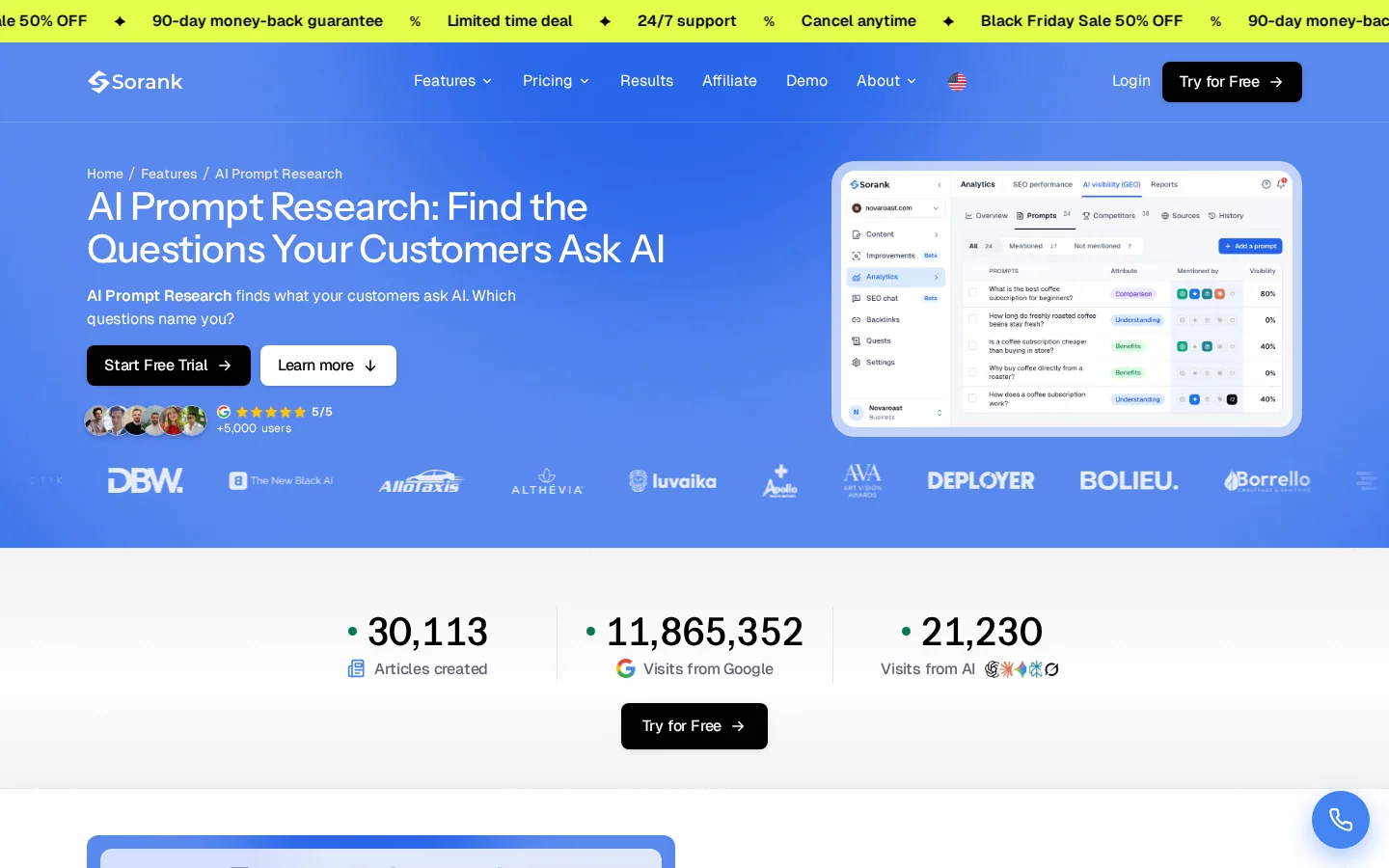
Sorank's AI Prompt Research builds a list of the questions buyers in your market ask AI assistants, from your site brief, and tracks those prompts each month. That gives your templates something real to target. Instead of guessing which questions a template should answer, you can start from the prompts people already type, then decide which of them deserve an article or a template of their own. The feature covers ChatGPT, Claude and Gemini, and it is one of the parts of Sorank's AI search visibility work.
Tip
Use the AI Prompt Research feature to collect the buyer questions, then write one template per question type. Test each template on the questions you collected, not only on the ones you thought of.
A template does not replace judgment. It makes the good parts of your judgment repeatable, so the next person starts from your best version, not from an empty box. Review the outputs before you publish them, check every fact, and keep a person responsible for the final text.
Pick one task you repeat every week, build the template from a result you already like, and test it on three inputs before you use it for real work. Keep the blanks few, the format explicit and the examples varied. Save the version and the change note, so the template improves instead of drifting.
When the first template works, copy the method for the next task rather than the template itself. The method, role, task, context, format and tests, travels across tools and models. The exact wording does not, and that is what the next model update will change first.
An AI prompt template is a reusable prompt with fixed instructions and blanks, such as {audience} or {product}, that you fill in before each run. It keeps the role, task, context and output format the same, so answers can be compared. You write it once and reuse it for every similar task.
Store the template in a shared document, a form or a versioned file, depending on how many people use it. Name each variable consistently, write a one-line change note for every edit, and keep a set of test inputs next to the template. The guide covers the four storage types and when each one fits.
Use one to three examples when the output is easier to show than to describe, and none when plain instructions are enough. Pick examples that differ in length and structure, so the model does not copy one pattern. If the outputs start to repeat the examples, remove one and test again.
We analyse your competitors, your website and your AI visibility to create a tailored content plan for free.
 Duplicate Content Checker
 Mobile-Friendly Test
 Website Speed Test
 Subdomain Finder
 Domain Age Checker
 CMS Detector
 Googlebot Simulator
 Nofollow Link Checker
 Meta Tag Checker
 Keyword Cannibalization Checker
 Keyword Intent Checker
 Keyword Extractor
 Google Ads Cost Calculator
 CPC Calculator
 Local Citation Finder
 Reddit Threads Finder
 Disavow File Generator
 Redirect Generator
 Canonical Tag Generator
 Passive Voice Checker
 Google Location Changer
 Google Review Calculator
 Google Review Link Generator
 Keyword Combiner
 Podcast Show Notes Generator
 AI Content Rewriter
 AI Text Humanizer
 ChatGPT Prompt Generator
 Twitter Thread Generator
 Tweet Generator
 Landing Page Copy Generator
 Google Ads Copy Generator
 Pinterest Pin Description Generator
 Anchor Text Generator
 Social Media Post Generator
 LinkedIn Post Generator
 Free AI Writer
 Review Response Generator
 LSI Keyword Generator
 YouTube Video Ideas Generator
 YouTube Tag Generator
 YouTube Description Generator
 Product Description Generator
 CTA Generator
 Blog Introduction Generator
 Conclusion Generator
 Hook Generator
 AI Content Brief Generator
 FAQ Schema Generator
 AI Blog Post Ideas Generator
 Structured Data Validator (Schema Validator)
 Alt Text Checker
 Internal Link Analyzer
 Backlink Challenge
 AI Meta Description Generator
 AI Blog Title Generator
 Google Indexability Checker
 AI Blog Outline Generator
 UTM Link Builder
 Keyword Clustering Tool
 Canonical Tag Checker
 XML Sitemap Generator
 Broken Link Checker
 AI SEO Title Generator
 Headline Analyzer
 SERP Preview Tool
 Redirect Checker
 Hreflang Tag Generator
 Heading Structure Analyzer
 HTTP Headers Checker
 Favicon Extractor
 SERP CTR Calculator
 SEO vs Paid Search Savings Calculator
 SEO Share of Voice Calculator
 SEO ROI Calculator
 SEO Traffic and Revenue Forecast Calculator
 SEO Budget Calculator
 SEO Break-Even Calculator
 SaaS SEO ROI Calculator
 ROAS Calculator
 Reading Time Calculator
 Ranking Gain Simulator
 Organic Traffic Value Calculator
 Organic Traffic Estimator and Website Traffic Checker
 LTV to CAC Ratio Calculator
 Local SEO ROI Calculator
 Link Building Cost Calculator
 Keyword Value Calculator
 Keyword Opportunity Score Calculator
 Keyword Density Calculator
 GEO ROI Calculator
 GEO Content Investment Calculator
 Ecommerce SEO ROI Calculator
 Customer Lifetime Value Calculator
 Customer Acquisition Cost Calculator
 CTR Calculator
 Cost Per Article Calculator
 Conversion Rate Calculator
 Content Marketing ROI Calculator
 ChatGPT Referral Traffic Estimator
 Bounce Rate Calculator
 Backlink ROI Calculator
 AI Visibility Score Calculator
 AI Traffic Value Calculator
 AI Share of Voice Calculator
 Cost of AI Invisibility Calculator
 AI Citation Rate Calculator
 llms.txt Validator
 AI Overview Checker and AI Overviews Rank Checker
 Robots.txt Checker
 AI SEO Audit
 LLM Readability Checker
 SearchGPT Readiness Checker
 Structured Data LLM Audit
 Website Crawlability AI Audit
 Why ChatGPT Is Not Recommending My Website
 Gemini Ranking Tool
 Perplexity Ranking Checker
 LLM Citation Checker
 Answer Engine Optimization Audit
 GEO Audit
 AI Search Visibility Test
 ChatGPT Visibility Checker
 llms.txt Generator
 URL Extractor
 Webpage to Markdown
 Sitemap Checker
 SERP Volatility Sensor
 Page Size Checker
 Word Counter
 Slug Generator
 Schema Generator
 Robots Generator
 OG Preview
 Meta Tags Generator
 Image Compressor
 Favicon Generator
 On-Page SEO Audit: SEO Checker and SEO Analyzer
 Backlink Analysis Tool
 Keyword Research Tool
 Domain Authority Checker
 “I tested Sorank on a real client site and it's insane. It does everything an agency would bill you $1500 a month for. It's going into production on that client now.”

 Guillaume Guersanguersanguillaume.com“We are an Ads agency and we wanted to get our SEO back on track once and for all. Sorank gave us a clear view of our site, helped us prioritize optimizations, and properly structure our content. The tool is easy to use, well designed for a team, and very practical for centralizing tracking without having to juggle multiple platforms. A very solid foundation to start fresh with our SEO.”
 Gaspard MadouiAds Agency
 “I just let the Sorank software do its thing, and now my DR is 25 and my page is ranking higher.”
 Lucas Flandrefoundertrace.fr“I specialized in GEO thanks to Sorank. The GEO Leaderboard allows me to show my clients their position vs competitors on ChatGPT. It’s a real commercial differentiator.”
 MélanieSEO Freelance“Great service, works well for our website and helps us understand how to improve it to rank better on Google and elsewhere. Congrats, keep going, I recommend it.”
 Hugo T.E-commerce merchant