Preferences
Privacy is important to us, so you have the option of disabling certain types of storage that may not be necessary for the basic functioning of the website. Blocking categories may impact your experience on the website. More information
Privacy is important to us, so you have the option of disabling certain types of storage that may not be necessary for the basic functioning of the website. Blocking categories may impact your experience on the website. More information

Promote a website in five steps: fix indexing, get quoted by AI, earn links within Google's rules, and measure the channels that bring visits.


In short
Promoting a website means making it findable, quotable and linked. Search engines must crawl and rank your pages, AI assistants must be able to quote them, and other sites must send you links and visitors. Work in that order: fix the technical base, publish content worth linking to, earn links within Google's rules, then choose channels you can measure.
Want to go further? Ask
Quick quiz
Who should fix the technical side of your site?
Our advice for you
Check it yourself with free Google tools
Search Console lists the pages Google cannot read, and PageSpeed Insights tests speed. Many small issues are fixed from your website builder settings.
Our advice for you
A web developer
Your problem is in the code or the server: a developer who knows SEO is the right person. Give them the list of errors from Search Console.
Our advice for you
A technical audit tool
Your site has many pages: a crawler reads them all like Google does and gives a full list of errors to fix, page by page.
Our advice for you
An automatic audit, then content
Your site works but brings few visitors: technical issues are rarely the cause. Sorank audits the site, then writes the pages that bring traffic.
Most promotion guides list tactics side by side: social media, directories, guest posts, ads, and so on. That makes it hard to know where to start. Some tactics make your pages findable by Google. Some make them quotable by ChatGPT, Gemini, Claude or Perplexity. Others bring the links and visitors that tell search engines and readers that your site matters.
The order matters because each step depends on the one before. A link pointing to a page Google cannot index is wasted. A visitor sent to a page with no clear answer leaves within seconds. So start with the base, then add the channels.
The promotion order, in five steps
A page that is not indexed cannot rank, cannot be cited in AI answers that rely on search results, and cannot pass value from the links that point to it. Before you spend a single hour on outreach, check the pages you already have.
Ranking also decides who gets the clicks, and the drop is steep. In the blended dataset below, the first organic result gets more than twice the clicks of the second, and position 3 gets less than a quarter of what position 1 gets.
The blended column mixes results with and without an AI answer, and the study recommends it for traffic forecasts. When an AI answer appears, the same study puts position 1 at a CTR of 3.6%, against 22.6% without one. That gap is why the next major section matters as much as this one.
Google Search Central's sitemap guide describes two ways to make a sitemap available: submit it in the Sitemaps report in Search Console, or add a line to your robots.txt file. Do both. The robots.txt line looks like this:
Sitemap: https://www.example.com/sitemap.xml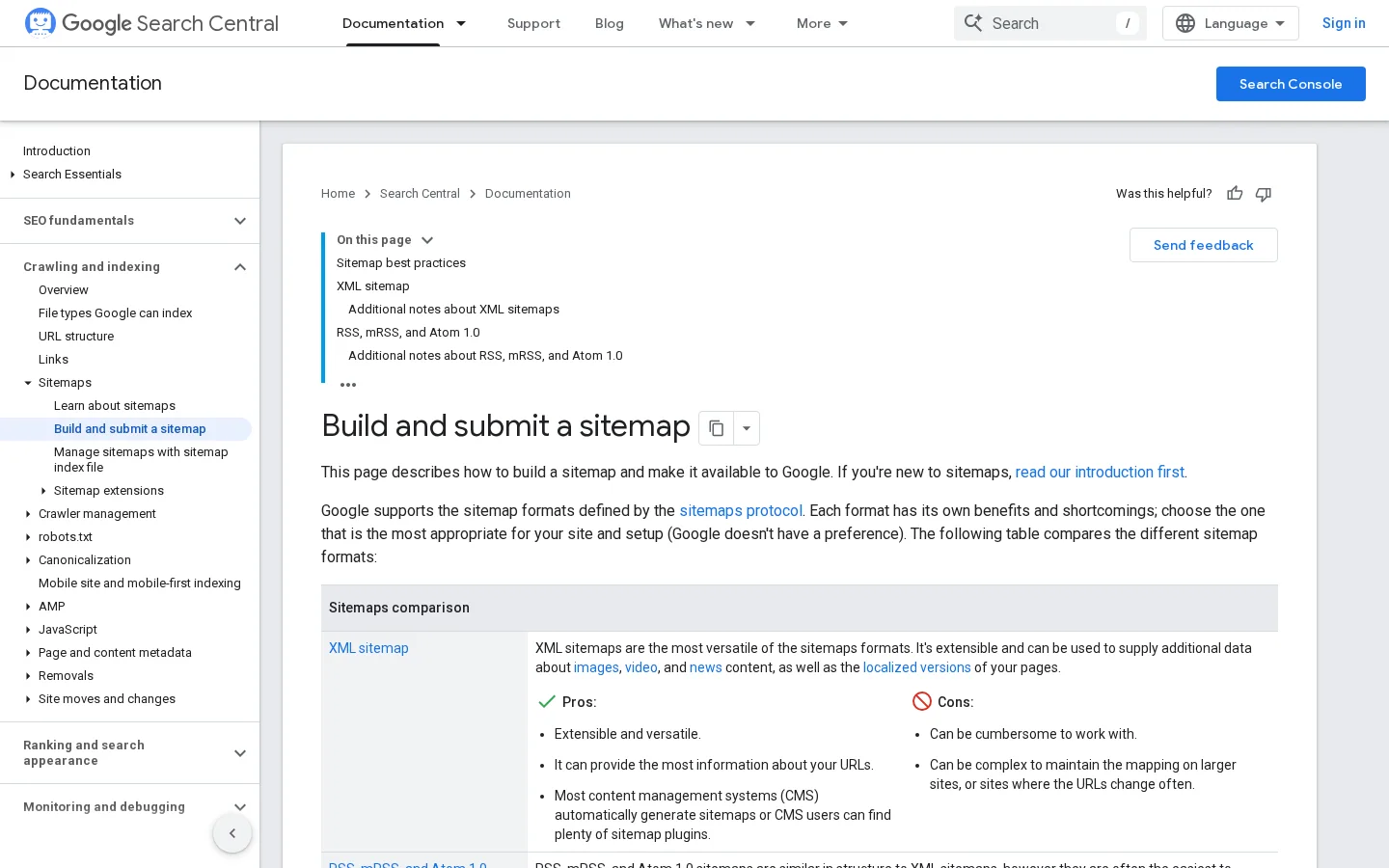
One sitemap file holds at most 50MB uncompressed or 50000 URLs. Beyond that, split the list into several files and reference them from a sitemap index. Google also says that submitting a sitemap is "merely a hint", so it does not force a crawl. It helps Google discover URLs, and the Sitemaps report shows you how Google processed the file.
Put only canonical, indexable URLs in the sitemap. Leave out redirected URLs, 404 pages, pages with a noindex tag and parameter variants. Then compare two numbers in Search Console: the URLs submitted and the URLs indexed. A large gap usually points to duplicate content, thin pages or an accidental noindex tag, not to the sitemap itself.
Three problems hide more pages than any others. The first is robots.txt rules that block a folder you want crawled. Read your rules line by line, because a single Disallow line can cover a whole section. The robots.txt block guide shows how to read the Search Console status. The second is a noindex tag left on a page after a launch or a staging test. The third is redirect chains, where URL A goes to B, which goes to C. Each hop slows crawling and can lose signals. Point every old URL straight to its final address. The 301 vs 302 guide explains which redirect to use.
Example
Imagine a 300-page store where 40 product pages still carry a noindex tag from a sale template. They are in the sitemap, yet never indexed. The page indexing report shows them as excluded by noindex. Removing the tag and resubmitting the sitemap is the whole fix.
Tip
Once pages are indexable, check how they link to each other. Our free Internal Link Analyzer lists the internal links on any page you give it. For the method behind those links, read the internal linking strategy guide.

An AI assistant quotes a page when one passage answers the question directly. A page that opens with context and reaches the answer in its fourth paragraph gives the assistant little to lift. This matters twice: the page gets cited, and the reader who clicks through already has the answer in mind.
| Element | Vague opening | Answer-first opening |
|---|---|---|
| First sentence | Backlinks are a topic many site owners think about. | A backlink is a link from another site to yours. |
| Second sentence | There are many ways to approach this. | Good backlinks come from pages that cover your topic and link to you for a reason. |
| Evidence | None in the opening | One sourced figure, with its date |
| What the reader does next | Scrolls to find the point | Knows the answer and reads the method |
Open each H2 with the answer to the question in its title, then expand. Keep the first sentence short and complete. "A sitemap is an XML file that lists the URLs you want search engines to crawl" works better than "Sitemaps are something many site owners have heard about." The rest of the section can go deep, with steps, limits and examples. The first lines are what assistants lift and what readers skim, so they must stand alone.
A number without a source is hard to quote. Put the source and its date in the same sentence: "FirstPage Sage's blended CTR study for March to August 2026 gives position 1 a 7.1% share." Assistants and editors can then check the claim. Keep a list of the figures you use, with their source URL and the date you read them, so you know which sentences to update when a study changes. Our AI marketing statistics page shows that format in practice.
Pick ten questions your buyers ask. Put each one to ChatGPT, Gemini, Claude and Perplexity once a week. Record whether your brand is named, whether your page is cited, and which competitors appear instead. AI answers change from one run to the next, so a single check tells you little. A trend over four to six weeks tells you whether a change is working. For the full method, see the AI visibility audit guide, and for the content side, GEO optimization.
A link goes to a page that offers something the linking site can use: a number it could not find elsewhere, a tool its readers can run, or a template it can copy. A page that repeats what ten other pages say rarely earns a link. Create one asset that is more useful than the pages around it, then pitch it.
Survey your customers, measure the results of your own tests, or analyse anonymised product data. A short study with a clear method beats a long opinion piece. State the sample size, the dates and the questions on the page itself. Editors check this before they link, and it is what makes the page trustworthy to readers and to AI assistants. Publish the raw numbers in a table so others can cite them exactly.
A calculator that answers one question people search for becomes a reference in its niche. Keep the tool narrow. A "backlink ROI calculator" is easier to link to than a generic "marketing toolkit." Give the tool its own URL, a short explanation above it and a note on what the result means. A tool also brings people back, which a single article does not.
People bookmark and share templates. A marketing plan template with an example filled in, or a site audit checklist with each check spelled out, gets linked from training pages and newsletters. The marketing plan guide uses this format: a template, then a worked example, then the steps.
Bought link vs earned link
A bought link can look identical in a link report, but it can break Google's rules and cost you the rankings it was meant to help. An earned link comes from an editor who picked your page for a reason, and that reason lasts as long as the page stays useful.
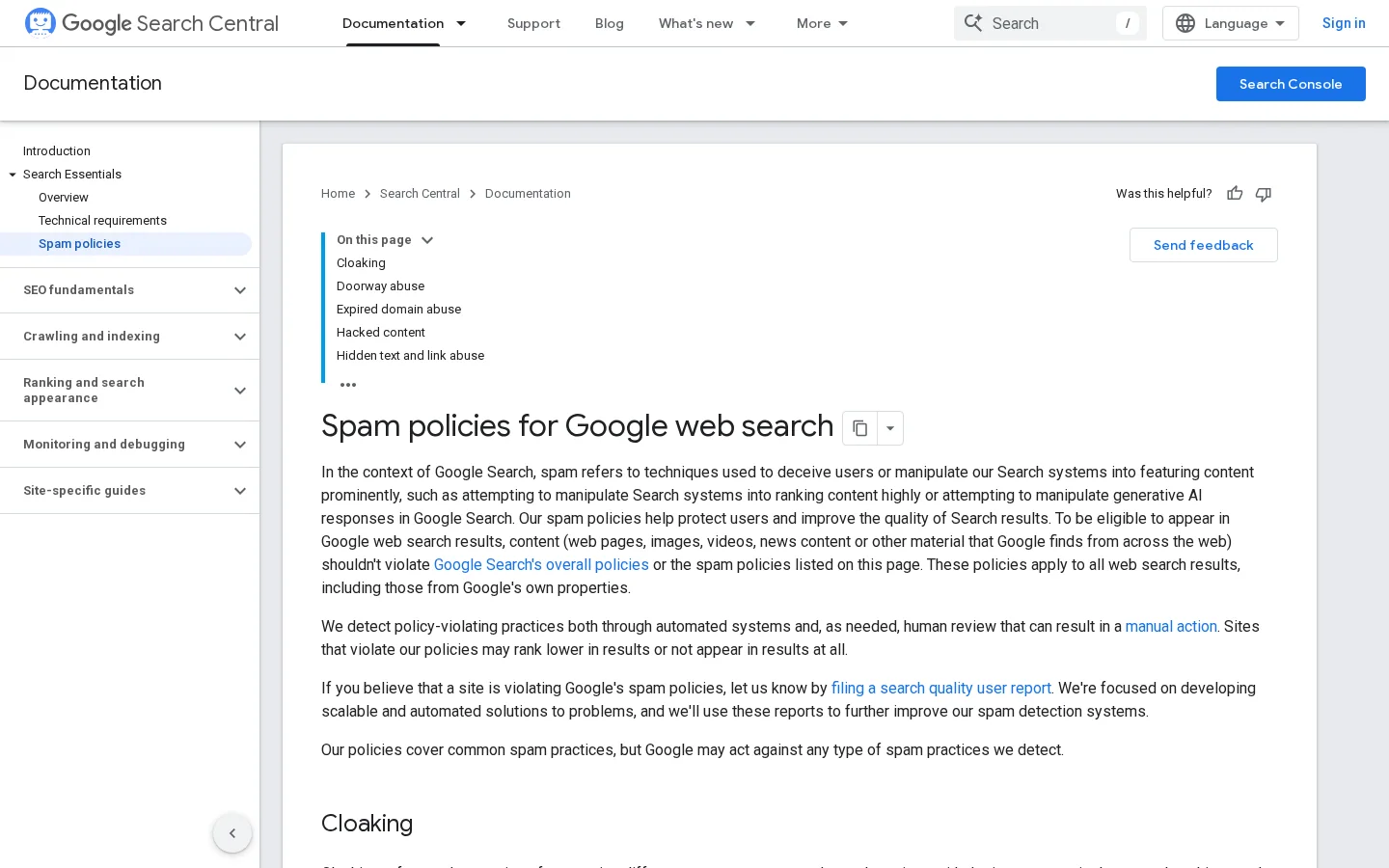
Google's spam policies define link spam as links created mainly to manipulate search rankings. Its examples include these:
The key word is "primarily". A link a reader would click for the content is what you want. The risk comes from links placed to move rankings. Read the policy itself before you pitch anyone, rather than relying on a summary, this one included.
Warning
A link with a "sponsored" attribute is handled differently from a paid link that passes ranking credit. Ask your partner which attribute the link will carry, and write it into the agreement before you pay.
Resource pages are lists of useful links on a topic. Find them with searches such as your topic plus "resources" or "useful links", then check that the page is maintained and relevant. Pitch one specific page of yours, with the reason it fits that list. Broken link building works the same way: find a page with dead links, then offer a working replacement that matches what the dead link promised. The resource page guide and the broken link building guide give the email steps.
A guest post reaches a new audience when it helps that audience. The usual failure is a post written to carry a link with a keyword as its anchor. The safer version has one link to a page the reader actually needs, with a descriptive anchor. Read the guest blogging entry before you pitch an editor, and ask for the anchor text in writing.
A link exchange is a reciprocal arrangement, and Google lists excessive exchanges as spam. One trade between two sites that both cover the topic is a different situation from a standing arrangement with a dozen partners. Read why Google calls it a link scheme and what to do instead before you accept any offer.
Earned links are one channel among several, and none of them is enough alone. Below, each channel gets the same five questions: what it is, when to use it, what it gives you, where it falls short, and an example. The table at the end compares them side by side. Use it to pick two or three channels, not all six.
What it is. Sharing your pages on social networks, and taking part in forums and groups where your buyers ask questions. When to use it. When your readers already gather in one place and you can answer their questions there. What it gives you. Direct visits, feedback on your ideas, and sometimes a citation from a member. Limits. Most social platforms mark outgoing links as nofollow, so the gain is traffic rather than ranking, and many communities punish self-promotion. Example. A founder answers three questions a week in a niche forum, links to a page only when it is the best answer, and says so when they wrote it.
What it is. A list of people who asked to hear from you, used to announce new pages, tools and updates. When to use it. When you publish regularly and have a product or service to return to. What it gives you. Visits you do not have to buy, and readers who share your pages. Limits. The list grows slowly, and an email that asks too much produces unsubscribes. Example. A weekly email with one new page, one tip and one question for readers, with the page link in the first line.
What it is. Business listings such as Google Business Profile, Bing Places, Apple Business Connect and niche directories. When to use it. When customers look for you by location or by category. What it gives you. A consistent presence in the places people check. Limits. Different names, addresses or phone numbers across listings confuse both users and search engines, and low-quality directories add little. Example. A local business uses the same name, address and phone number in every listing, then answers the reviews on its Google profile. The Google Maps setup guide covers the first steps.
What it is. Writing for another site, co-hosting a webinar or podcast, or running a joint study. When to use it. When the partner's audience overlaps with yours and the content helps both. What it gives you. A new audience and, when the partner is a good site, a link that comes with a reason. Limits. It takes the most time per link, and low-quality guest post offers are common. Example. A software company and a niche publisher run a survey together, each publishes the results on its own site, and both link to the methodology page.
What it is. Pay per click on search engines, social networks or video platforms. When to use it. When you need to test an offer quickly, or to cover a gap while organic traffic grows. What it gives you. Visits within days and fast feedback on which message converts. Limits. Traffic stops when the budget stops, and ads sent to a page with no clear answer waste money. Example. A small B2B company runs a search campaign on three keywords, sends each click to a page that answers the query first, and pauses the keywords that cost money without any signup.
What it is. Paying or gifting creators to talk about your product or page. When to use it. For launches, or when your buyers trust a few named people. What it gives you. Attention from an audience that already listens, and sometimes a link in the description. Limits. Audience sizes can be inflated, disclosure rules apply, and results depend on how well the creator fits your buyers. Example. Three creators in the niche each share a tracked link with a clear disclosure, and each link goes to a different page, so you can see which creator sent the visits.
| Channel | Effort | Cost | Time to first visits | Main risk | Best for |
|---|---|---|---|---|---|
| Social media and communities | Medium | Free | Weeks | Seen as spam | Niche audiences |
| Email newsletter | Medium | Low | Months, as the list grows | Unsubscribes | Repeat visits |
| Directories and profiles | Low | Free | Weeks | Inconsistent details | Local businesses |
| Partnerships and guest posts | High | Low to medium | Weeks to months | Thin or paid links | Authority links |
| Paid search and social ads | Low | Pay per click | Days | Spend without results | Testing offers |
| Influencers and creators | Medium | Varies | Weeks | Inflated audiences | Launches |
Theory is easy to agree with and hard to start. This four-week plan suits most sites under a few thousand pages. Adjust the volumes to your size. Each week ends with a check, so you know whether to keep going.
Week 1: audit the base. Export your pages from your CMS or a crawler, and note the status code, canonical and indexability of each one. Open the Sitemaps and page indexing reports in Search Console. List the 20 pages that bring the most clicks, and the 20 that should bring clicks but do not.
Week 2: fix and publish. Fix the redirects, noindex tags and thin content from week 1, starting with the pages that matter most. Write one linkable asset: a dataset, a calculator or a template. Make sure its first two sentences answer the page's main question.
Week 3: earn and reach out. Build a list of 20 sites that already cover your topic, with the specific page you want to pitch for each. Send personal emails with one clear reason per site. Share the asset in the two communities where you already take part, and say that you wrote it.
Week 4: measure and choose. Set up tracking for each channel: Search Console for organic clicks, GA4 for referral sources, and a monthly check of new and lost links. Keep the two channels that send the most visits you can attribute, and pause the rest for a month.
Before you start: the 30-day checklist
For each error below, the sections say what it is, how to spot it and how to fix it. Check your own site against this list before you add a new channel.
What it is. Paying for links where the anchor text is the keyword you want to rank for, often in bulk. How to spot it. Open the Links report in Search Console and sort by anchor text. If one exact keyword appears on many domains with no traffic and no real link to your topic, you have a pattern. How to fix it. Stop buying links. Ask the sites that sold them to remove the links, and keep a record of each request. Disavow only the domains you cannot clean, and only when you have a manual action or a clear pattern. The backlink audit guide walks through the review.
What it is. A sitemap generated automatically from every URL in your CMS, including redirected, noindexed and 404 pages. How to spot it. The Sitemaps report shows errors, or a large gap between submitted and indexed pages. A crawler run that compares the sitemap with status codes shows the same problem as a list. How to fix it. Regenerate the sitemap with only canonical pages that return 200, and check it after each publishing run.
What it is. Sending links, posts or ads to a page that is thin, slow or unclear. How to spot it. Visitors leave quickly, scroll little or click nothing, and your analytics show the page receiving traffic that goes no further. How to fix it. Fix the page first. Put the answer above the fold, cut the filler and link to the next step. The above the fold guide explains what belongs on the first screen. Only then send new traffic to it.
What it is. Posting the same link in many threads, or answering only to drop a link. How to spot it. Posts get removed, moderators send warnings, or members ask whether you work for the company. How to fix it. Answer first, without a link, and add one only when your page is the most useful answer. State that you wrote it. Write each answer in its own words rather than pasting one message across groups.
What it is. Judging the campaign by keyword positions alone. How to spot it. The position report rises while clicks and conversions stay flat. When an AI answer appears, the study above puts position 1 at 3.6% CTR, against 22.6% without one, so a better position can bring fewer clicks than it used to. How to fix it. Track clicks per page, referral visits per channel and conversions per landing page. The organic traffic entry explains which signals to watch.
Promotion before and after the fixes
Three sources cover most of what you need, and each answers a different question. Review clicks weekly and links monthly, so you do not chase day-to-day noise.
| Signal | Where to see it | What it tells you |
|---|---|---|
| Organic clicks by page and query | Search Console, Performance report | Which pages Google sends visitors to, and for which searches |
| Referral visits by source | GA4, Traffic acquisition report | Which sites and channels send visitors |
| New and lost links | A backlink checker, reviewed monthly | Whether your outreach works, and which links you lost |
| Visits from AI assistants | GA4 referrals, tracked as a separate group | Whether assistants send readers to your pages |
The referral view in GA4 is the easiest place to start, but it misses some traffic. Visits from AI assistants can arrive without a referrer and land in direct traffic. The AI referred traffic entry explains how to find them. For link tracking, the backlink monitoring guide lists what to track and what to do when a link disappears. The free backlink checker gives a quick view of your current links.
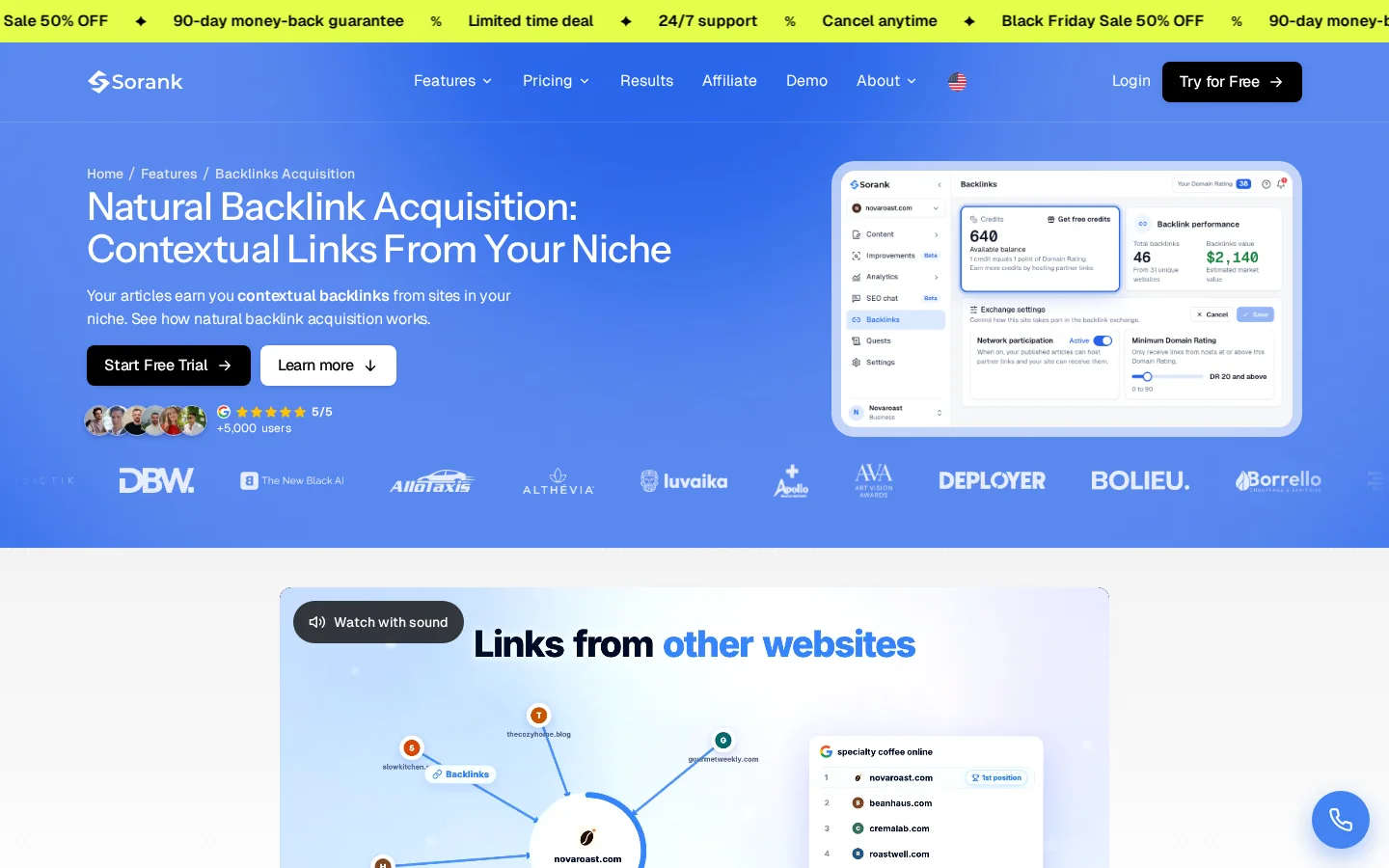
Sorank is an SEO and GEO software that runs parts of this plan on autopilot: it writes and publishes articles, tracks your mentions in AI answers, and acquires contextual backlinks from sites in your niche. The natural backlink acquisition page describes how those links are chosen. The checks in this article still apply, so review every link the software places and reject any that breaks the rules above.
If you already run a promotion plan, the GEO and SEO dashboard puts Google and AI traffic in one view, which fits the monthly review above. For the wider set of levers beyond links, our guide on how to increase website traffic lists fifteen of them. Use this article's order when you have to choose between them.
Start with the technical base: check that Google can crawl and index your pages, submit a sitemap in Search Console, and fix redirects and noindex tags. Visitors cannot reach pages that search engines cannot find, so this comes before any outreach. Then publish one asset worth linking to.
Yes. Links help search engines judge how trusted your pages are, and they bring referral visits. The links that last are earned, from pages that fit your topic and chose to cite you. Bought links with keyword anchors break Google's link spam rules and can cost you rankings.
No. Ads bring fast visits and feedback on offers, but the traffic stops when the budget stops. Most sites start with free channels such as a clean sitemap, earned links and communities, then test paid search once a landing page answers the query clearly.
We analyse your competitors, your website and your AI visibility to create a tailored content plan for free.
 AI Content Brief Generator
 FAQ Schema Generator
 AI Blog Post Ideas Generator
 Structured Data Validator (Schema Validator)
 Alt Text Checker
 Internal Link Analyzer
 Backlink Challenge
 AI Meta Description Generator
 AI Blog Title Generator
 Google Indexability Checker
 AI Blog Outline Generator
 UTM Link Builder
 Keyword Clustering Tool
 Canonical Tag Checker
 XML Sitemap Generator
 Broken Link Checker
 AI SEO Title Generator
 Headline Analyzer
 SERP Preview Tool
 Redirect Checker
 Hreflang Tag Generator
 Heading Structure Analyzer
 HTTP Headers Checker
 Favicon Extractor
 SERP CTR Calculator
 SEO vs Paid Search Savings Calculator
 SEO Share of Voice Calculator
 SEO ROI Calculator
 SEO Traffic and Revenue Forecast Calculator
 SEO Budget Calculator
 SEO Break-Even Calculator
 SaaS SEO ROI Calculator
 ROAS Calculator
 Reading Time Calculator
 Ranking Gain Simulator
 Organic Traffic Value Calculator
 Organic Traffic Estimator and Website Traffic Checker
 LTV to CAC Ratio Calculator
 Local SEO ROI Calculator
 Link Building Cost Calculator
 Keyword Value Calculator
 Keyword Opportunity Score Calculator
 Keyword Density Calculator
 GEO ROI Calculator
 GEO Content Investment Calculator
 Ecommerce SEO ROI Calculator
 Customer Lifetime Value Calculator
 Customer Acquisition Cost Calculator
 CTR Calculator
 Cost Per Article Calculator
 Conversion Rate Calculator
 Content Marketing ROI Calculator
 ChatGPT Referral Traffic Estimator
 Bounce Rate Calculator
 Backlink ROI Calculator
 AI Visibility Score Calculator
 AI Traffic Value Calculator
 AI Share of Voice Calculator
 Cost of AI Invisibility Calculator
 AI Citation Rate Calculator
 llms.txt Validator
 AI Overview Checker and AI Overviews Rank Checker
 Robots.txt Checker
 AI SEO Audit
 LLM Readability Checker
 SearchGPT Readiness Checker
 Structured Data LLM Audit
 Website Crawlability AI Audit
 Why ChatGPT Is Not Recommending My Website
 Gemini Ranking Tool
 Perplexity Ranking Checker
 LLM Citation Checker
 Answer Engine Optimization Audit
 GEO Audit
 AI Search Visibility Test
 ChatGPT Visibility Checker
 llms.txt Generator
 URL Extractor
 Webpage to Markdown
 Sitemap Checker
 SERP Volatility Sensor
 Page Size Checker
 Word Counter
 Slug Generator
 Schema Generator
 Robots Generator
 OG Preview
 Meta Tags Generator
 Image Compressor
 Favicon Generator
 On-Page SEO Audit: SEO Checker and SEO Analyzer
 Backlink Analysis Tool
 Keyword Research Tool
 Domain Authority Checker
 “I tested Sorank on a real client site and it's insane. It does everything an agency would bill you $1500 a month for. It's going into production on that client now.”

 Guillaume Guersanguersanguillaume.com“We are an Ads agency and we wanted to get our SEO back on track once and for all. Sorank gave us a clear view of our site, helped us prioritize optimizations, and properly structure our content. The tool is easy to use, well designed for a team, and very practical for centralizing tracking without having to juggle multiple platforms. A very solid foundation to start fresh with our SEO.”
 Gaspard MadouiAds Agency
 “I just let the Sorank software do its thing, and now my DR is 25 and my page is ranking higher.”
 Lucas Flandrefoundertrace.fr“I specialized in GEO thanks to Sorank. The GEO Leaderboard allows me to show my clients their position vs competitors on ChatGPT. It’s a real commercial differentiator.”
 MélanieSEO Freelance“Great service, works well for our website and helps us understand how to improve it to rank better on Google and elsewhere. Congrats, keep going, I recommend it.”
 Hugo T.E-commerce merchant