Preferences
Privacy is important to us, so you have the option of disabling certain types of storage that may not be necessary for the basic functioning of the website. Blocking categories may impact your experience on the website. More information
Privacy is important to us, so you have the option of disabling certain types of storage that may not be necessary for the basic functioning of the website. Blocking categories may impact your experience on the website. More information

Read a law firm SEO case study properly: the five steps behind real results, the profile and schema rules, link tactics compared and common mistakes.

In short
A law firm SEO case study is a before and after of one firm's search work, and it only helps you if you can repeat its steps. The results that hold up come from a sequence: one owner page per practice area and office, an accurate Google Business Profile for the firm and its lawyers, structured data that matches the page, expert content with named authors, and a few earned links.
Want to go further? Ask
Quick quiz
Is SEO right for you, and how should you start?
Sorank matches your answers


Test it for 3 days on your own site and see where you stand on Google, ChatGPT and the other AIs.
Start 3-day free trial3 days free, then stop whenever you want. 90-day results guarantee, conditions apply.
A law firm SEO case study proves that one firm's search visibility changed after a specific set of actions, over a specific period, from a specific starting point. It does not prove that the same actions will produce the same numbers for your firm, because your competitors, your city and your baseline are different. Most published case studies come from SEO agencies that sell this work, so read them as sales material with data attached, and check the data before you copy the plan.
Start with the numbers. Each metric answers a different question, and each one has a trap.
| Metric | What it tells you | What to check before you trust it |
|---|---|---|
| Organic traffic | Visits from unpaid search results | The starting number. A gain from a tiny baseline looks large. |
| Average position | The average rank of the topmost result from your site | Which queries it covers. A single average hides queries that moved in opposite directions. |
| Keywords in the top 3 or top 10 | How many tracked queries reach a high rank | How many queries were tracked, and whether they are the queries clients type. |
| Signed cases or leads | The business result the firm cares about | How each lead was tagged, and whether the tag was set before the campaign started. |
| Traffic value | An estimate of what the clicks would cost in ads | Which cost-per-click data was used, and for which region. |
The trap in the first row is the baseline. A firm that goes from 500 visits to 2500 visits has grown by 400 percent and gained 2000 visits. A firm that grows by 400 percent from 50000 visits is a much bigger business, even though the percentage is identical. Always ask for the starting number, the end number and the date range. If a case study gives only the percentage, you cannot compare it with anything.
Average position needs the same care. Many published write-ups show a single average for a whole set of phrases, with no list of the phrases. Ask for the list. A campaign that moves ten phrases from position 40 to position 5 and loses five phrases from position 2 to position 30 can still report a better average, and the firm may lose more business than it gains.
Lead counts need a source. A signed case is worth more than a form fill, but only if the intake team tags the first source of every call and every matter. Without that tagging, a case study can say "leads went up" while describing a phone campaign that started in the same month.
If you want a method for running and reading your own test, see how to run and read an AI SEO case study. The rest of this guide covers the steps that most firm case studies share, in the order you should do them.
Law firm SEO is harder because legal topics fall in the group Google's quality guidelines call YMYL, for "your money or your life." A bad answer about a lease, a custody order or a medical claim can damage someone's finances, freedom or health. Our guide to E-E-A-T explains the framework. For a law firm, the practical meaning is simple: every claim about results, credentials and practice needs a visible author and a reason to trust it.
Three other things make the work heavier than a plumber's or a dentist's:
Those three points set the order of this guide. Structure comes first, because a site with unclear practice pages cannot use links or reviews well. Then come the local profiles, the markup, the content and, last, the links.

Start with a full audit of the site, the profiles and the baseline, in that order. Skipping this step is the most common reason a campaign produces articles that nobody can find, because the site underneath them sends mixed signals about which page owns which topic.
Work through these six steps in order. Each one produces a file or a number you will need later.
The six-step foundation audit
The query export is where most firms learn something. A firm that expects to rank for "personal injury lawyer" often finds that its search traffic goes mostly to its own name, to an old office address, or to a practice it no longer handles. Search Console is free, and it shows this directly.
A crawler finds problems that a manual review misses. Run a full crawl and sort the results by status code. Redirect chains, where URL A goes to B and B goes to C, waste crawl time and dilute the signals that links pass. For a firm that has moved offices or merged two websites, you often find old practice pages that are still live and still indexed, competing with the new ones. Decide which page owns each topic, then redirect the others to it with a permanent 301 redirect. For the difference between the two redirect types, read 301 versus 302 redirects.
Before you change anything, decide which three numbers will count. For a law firm, a useful set is: signed cases per month from organic search, calls and form fills from organic search, and impressions for the five practice terms that matter most. Traffic alone is not a business result. Tie the traffic to the practice terms, so that a traffic gain on the wrong pages does not look like success.
Give each practice area and each office one owner page, link those pages in a clear hierarchy, and make sure no two pages compete for the same query. This structure does more for a law firm than any single article, and it is the change to make first.
The simplest structure has three levels. The home page links to practice hub pages, such as "personal injury" or "family law". Each hub links to its child pages: one per sub-service, such as "car accident lawyer" or "child custody", and one per office where that service is offered. The hub carries the broad topic, and the child pages carry the specific queries. Every child links back to its hub with a descriptive anchor, and the hub links to every child.
Keep the hierarchy shallow. A page four clicks away from the home page is hard for a crawler to reach and hard for a reader to find, so make sure every owner page sits within three clicks of the home page.
Anchor text tells Google what the target page is about. Use descriptive anchors such as "car accident lawyer in Dallas" rather than "click here" or "our services". Google's documentation on crawlable links says that Google can only crawl a link when it is an HTML anchor element with an href attribute, and that good anchor text is "descriptive, reasonably concise, and relevant to the page that it's on." Build your links that way from the start, and avoid links that only work through a script or a button. For the mechanics, read the entry on internal linking, and for a wider method, see automated internal linking methods.
Vary the wording across pages so that the anchors read naturally. A lawyer's bio that links to the "divorce mediation" page should say that, not repeat the same keyword in every paragraph.
Many firms build a page for every suburb they can drive to, each with the same text and only the city name swapped. That pattern creates near-duplicate pages that compete with each other and read as thin content to both Google and a client. Give each city page a real reason to exist: the local courts, the office, the lawyers who work there, and the cases handled from that office. If a city has no office and no local proof, cover it on the main practice page with a sentence that names the service area.
Sorank can help with this kind of planning. Its topic cluster generator groups keywords into topic clusters with checks against cannibalization, which is the same problem as the duplicate city pages above. A small firm can do the same grouping in a spreadsheet, as long as each topic ends up with one owner page.
A typical law firm site before and after the rebuild
Tip
Run the free internal link analyzer on your home page and on each practice hub. If a child page has no inbound link from its hub, add one before you write anything new.
Create one profile for each real office, and a separate profile for each public-facing lawyer where Google's rules allow it. The office profile covers the place, and the lawyer profile covers the person. Get the names and addresses exactly right, because these profiles are often the first thing a potential client sees, and they must agree with your site.
Google's guidelines for representing your business on Google say: "Do not create more than one page for each location of your business, either in a single account or multiple accounts." A second profile for the same office breaks that rule, even when it sits under a different account. Each real office with its own address and staff gets its own profile.
For the setup itself, see the Google Business Profile setup guide. If the office is not yet listed, how to add your business to Google Maps walks through the claim and verification steps.
The same guidelines list lawyers among "individual practitioners", next to doctors, dentists and financial planners. A lawyer who serves the public in a public-facing role can have a profile of their own, and support staff should not create one. When several public-facing lawyers work from the same office, the firm should create its own profile for that office, separate from the lawyers' profiles.
In practice, this means the office profile carries the firm's name and address, and each lawyer's profile carries that lawyer's real name, photo and bio. Do not use the office profile to stand in for a lawyer who has their own public role.
The guidelines say that "Including unnecessary information in your business name isn't permitted." This is the rule that firms break most often. A name like "Smith Law | Car Accident Lawyer | Free Consultation" invites a suspension, and the suspension costs more than the keyword ever brought in. Use the name as it appears on your sign and letterhead, and put the practice areas in the categories and the description, where they belong.
Your firm name, address and phone number must match across the site, the profile, the directory listings and the schema markup. The details are in the entry on name, address and phone consistency. A short audit of the listings usually finds the problems: an old suite number, a call tracking number on one page only, or a different spelling of the firm name in one directory.
Office profile or lawyer profile: which one fits
Source: Google, Guidelines for representing your business on Google
Mark up the firm's home page and office pages with the schema.org type LegalService, using the same name, address and phone number as the profile. Structured data helps Google and other systems understand who the page is for, but it does not replace clear content on the page itself.
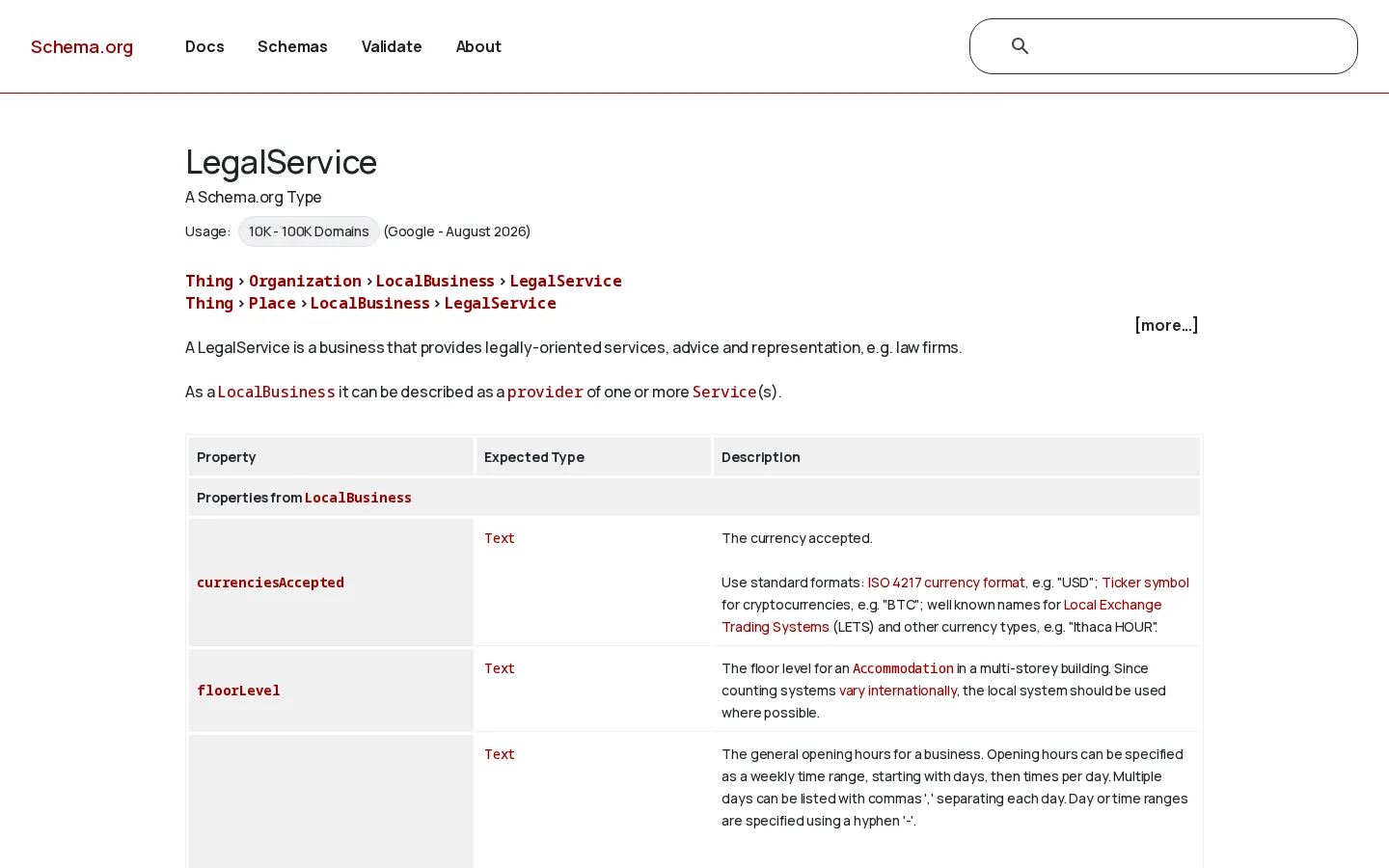
The schema.org definition of LegalService reads: "A LegalService is a business that provides legally-oriented services, advice and representation, e.g. law firms." It sits under LocalBusiness, so the properties of a local business apply to it. The page also lists Attorney and Notary as more specific types, which is the place to look if you mark up an individual lawyer's page.
Place the markup in a script element of type application/ld+json in the page. The example below uses placeholder details. Replace every value with the firm's real data, and keep the spelling identical to the profile.
{
  "@context": "https://schema.org",
  "@type": "LegalService",
  "name": "Example Law Firm",
  "url": "https://www.example.com/",
  "telephone": "+1-555-555-0100",
  "address": {
    "@type": "PostalAddress",
    "streetAddress": "100 Main Street",
    "addressLocality": "Springfield",
    "addressRegion": "IL",
    "postalCode": "62701",
    "addressCountry": "US"
  }
}The mistake to avoid is markup that describes things the page does not show. If the markup lists an office in Springfield and the visible page shows only a phone number, the two disagree, and a crawler sees the conflict. Check every value against the page and against the profile. Run the markup through the structured data validator before you publish, and read the entry on schema markup if the basics are new to you.
Warning
Do not add reviews, ratings or attorney credentials to the markup unless the same information is visible on the page and you can prove it. Lawyer advertising rules vary by state and can cover client testimonials, so the markup is held to the same standard as the page.
Each practice page should name the lawyers who handle the matters, state only the credentials you can prove, explain the process in plain steps, and answer the questions a client asks before calling. On a law site, expert content is about accountability as much as it is about keywords.
A bio should contain the year and state of admission, the lawyer's practice areas, a real photo, and the bar number only where your state publishes it and your bar rules allow it. Link each bio to the practice pages where that lawyer works, and link those practice pages back to the bio. This is the kind of visible author evidence that the E-E-A-T framework describes, and it is also what a careful client checks before they call.
A strong practice page opens with a short direct answer to the main question, then covers, in this order: what the claim covers, what the process looks like step by step, what the costs look like in general terms, what can go wrong, and what to do next. Keep the fee language accurate. Firms charge contingency fees, retainers or flat fees, and the rules differ by state and by case type. State which model applies to your firm, and link to the page that explains it.
For a topic with many questions, such as a mass tort or a long immigration process, build a hub page with a clear outline and separate article pages for each sub-question. The hub targets the broad query, and each article takes one specific question. This is the cluster logic from Step 2, applied to articles, and it stops the firm from publishing five articles that answer the same question in slightly different words.
Write each article for the person who has the problem, then add the legal detail that proves you know the area. A client who reads a clear explanation of a filing deadline is more likely to call than one who reads a page of generic keywords.
For a law firm, earned links from courts, bar associations, local news outlets, universities and community groups are worth far more than a large number of purchased links. Five tactics fit most firms. They differ in effort, cost and risk, and only some of them are safe for a firm that wants links that last.
The rules come first. Google's spam policies define link spam as "creating links to or from a site primarily for the purpose of manipulating search rankings." Buying or selling links for ranking purposes is a violation, and so is an excessive link exchange. Links with optimized anchor text in guest posts, or in press releases distributed on other sites, also count. Automated programs or services that create links to your site fall under the same rule. The policy says it is not a violation to have such links when they carry rel=nofollow or rel=sponsored.
Our guide to link building for lawyers looks at which sources a firm should pursue first. This section takes a different angle: it compares the five tactics by effort, cost and risk, so you can see which ones to start with.
Principle: write for the host site's readers and earn a link inside a useful paragraph. When to use it: when you have a real expertise angle, such as a lawyer explaining a change in a local rule to a business association. Advantages: a relevant audience and referral visits that come with the link. Limits: slow to produce, and many "guest post" offers are simply paid links with a template. Example: a family lawyer writes a short piece for a regional parenting site about a custody rule, with one plain link to the practice page. Risk: high if the anchors are optimized keywords or the post exists only for the link.
Principle: join or sponsor a local organization that already publishes a members or sponsors page. When to use it: when the firm has an office in the community. Advantages: links from real organizations that stay in place for years. Limits: few links per year, and the pool of organizations is small. Example: the firm sponsors a youth soccer league and is listed on the league's sponsor page with a link to the office page. Risk: low, but check that the page is a real organization and not a list of paid placements.
Principle: publish something other people want to cite, such as a yearly count of filings from public court records, or a plain-language timeline of a new statute. When to use it: when the firm has access to data or a clear position on a change in the law. Advantages: links that keep arriving for years, and quotes in the press. Limits: it takes real effort, and the figures must be accurate and sourced. Example: a firm publishes a dated timeline of a state's statute change and offers a named lawyer to reporters who cover it. Risk: low when the work is accurate, and high when it is not.
Principle: list the firm in the directories its clients already use, with exactly the same name, address and phone number as the profile. When to use it: after the profiles and the schema are right, so the listings repeat the correct data. Advantages: cheap, and useful for consistency. Limits: most directory links carry little weight, and many are paid. Example: a bar association directory entry with the lawyer's real name and the office address. Risk: low for real directories, and high for bulk submission services, which the spam policy treats as automated link building.
Principle: find mentions of the firm that do not link, ask the site owner for a link to the right page, and use the disavow tool only in narrow cases. When to use it: after a backlink audit has shown which links exist and which are spammy. Advantages: recovers links that were already earned. Limits: slow, and it depends on the site owner answering. Example: a firm finds a local news mention of its verdict without a link and asks for a link to the practice page. Risk: disavowing good links by mistake, which removes value you already have.
On the disavow tool, Google's disavow help page says that you should disavow backlinks only if you have a considerable number of spammy, artificial or low-quality links pointing to your site, and those links have caused or will likely cause a manual action. It also says that "most sites will not need to use this tool." Read the backlink audit step by step guide before you touch the file.
| Tactic | Effort | Cost | Risk | Best for |
|---|---|---|---|---|
| Guest posts | High | Time | Medium to high if anchors are optimized | Firms with a specific expertise angle |
| Sponsorships and associations | Medium | Money | Low | Firms with a local office |
| Original data and commentary | High | Time | Low when accurate | Firms with data or a clear view on new law |
| Directories and citations | Low | Low | Low for real directories | Consistency, not authority |
| Reclamation and disavow | Medium | Time | Low, unless good links are removed | Firms with existing mentions and a backlink audit |
Avoid backlink exchanges entirely. The "link to me and I'll link to you" pattern is the excessive link exchange that the spam policy names. If you want a steady way to find sources, Sorank's natural backlink acquisition feature looks for contextual links from your niche. Check each source against the rules above before you accept a link from it.
Expect a slow first quarter. Technical and profile fixes can show results within weeks, while content and links need months to build up. Report each stage against the baseline you saved in Step 1, and do not compare a month of data with a year of data.
A planning frame for the first year, not a promise
The timeline is a planning frame. A firm with a strong offline reputation may move faster on local results, and a firm in a crowded market may take longer. What matters is that each stage has a check you can run, and that you run the same check at the same interval.
When you read Search Console, compare the same queries, the same date range and the same device types. The average position in the report is the average of the topmost result from your site, so one figure can hide queries moving in opposite directions. Read the query list next to the average, and look at impressions as well as position.
Tag every new lead with its first source: organic search, Google Business Profile, direct, referral or paid. Without that tag, you cannot tell which investment produced a signed case, and the case study will be a story rather than a measurement.
Most failed campaigns repeat the same six mistakes: a keyword-stuffed profile name, duplicate city pages, purchased or automated links, a disavow file used too early, markup that does not match the page, and a judgment made after 30 days. Each one has a clear sign and a clear fix.
What it is: the business name on the profile includes the practice area, the city or a call to action, so the name no longer matches the sign on the office.
How to spot it: compare the profile name with the sign, the letterhead and the name in the schema markup. If they differ, the profile is at risk, and the guidelines say that unnecessary information in the name is not permitted.
How to fix it: rename the profile to the firm's real name, and move the practice areas into the categories and the description. Keep the change consistent everywhere the name appears.
What it is: the same practice text appears on a page for each city, with only the city name changed.
How to spot it: run a text comparison on the pages. In Search Console, several city pages may show impressions for the same queries and very few clicks, because Google often shows only one of near-identical pages for a query.
How to fix it: merge the pages into one practice page with a sentence that names the service area. Keep a separate city page only where the firm has an office, local lawyers and local proof, and write that page from scratch.
What it is: links bought from a link seller, created by a tool or placed in batches on unrelated sites, usually with the exact target keyword as the anchor.
How to spot it: in the backlink audit, look for exact-match anchors, sources with no topical link to law or the local area, and links that arrived in a burst on the same few days.
How to fix it: ask for removal where a contact exists, and stop the source. The spam policy lists buying links for ranking purposes, excessive link exchanges, and automated link building as violations, so the earlier the links are removed, the better.
What it is: the firm uploads a disavow file to fix a ranking drop it cannot explain, and the file lists sites that were never a problem.
How to spot it: the disavow list is longer than the list of spammy links, or it includes sites that link to the firm with no optimized anchor. There is no manual action in the Search Console messages.
How to fix it: remove the file. Use the tool only when there are many spammy links that caused, or will likely cause, a manual action. Remember that you can disavow a single URL or a domain with the domain: prefix, but you cannot disavow a subpath.
What it is: the schema lists an office, a lawyer or a rating that the visible page does not show.
How to spot it: compare each value in the markup with the page and the profile. Any value that is missing from the page is a conflict.
How to fix it: remove the value from the markup, or make it visible on the page with the same wording. Validate after each change.
What it is: the firm stops the work after the first month because the traffic report looks flat.
How to spot it: the reports compare a few weeks of data with the baseline from a different season, or they show only the total traffic and not the query list.
How to fix it: follow the timeline above, compare the same windows every time, and report the practice terms and the tagged leads next to the total traffic.
Start with the baseline and the profile names. Both take an afternoon, and both change what you can prove later. Then work down the list below in order, so that each step is measured against the step before it.
Checklist for a law firm, this week
When the baseline is saved and the profiles are right, the rest of the work becomes a sequence you can measure. That is the difference between a case study you can repeat and one you can only admire.
Plan for months, not weeks. Technical and profile fixes can show results within the first few weeks, while content and links usually need a full quarter or more to build up. Judge progress against a baseline saved before you start.
Sometimes, for a narrow local query with few competitors, but not in crowded practice areas. Site structure, profiles and expert content go a long way, and earned links from courts, associations and local organizations make the gains last. Avoid purchased links, which Google's spam policies treat as a violation.
Not necessarily. Google's guidelines list lawyers as individual practitioners, and a public-facing lawyer can have a profile of their own, while support staff should not create one. Each real office also needs its own profile, separate from the lawyers' profiles.
We analyse your competitors, your website and your AI visibility to create a tailored content plan for free.
 AI Content Brief Generator
 FAQ Schema Generator
 AI Blog Post Ideas Generator
 Structured Data Validator (Schema Validator)
 Alt Text Checker
 Internal Link Analyzer
 Backlink Challenge
 AI Meta Description Generator
 AI Blog Title Generator
 Google Indexability Checker
 AI Blog Outline Generator
 UTM Link Builder
 Keyword Clustering Tool
 Canonical Tag Checker
 XML Sitemap Generator
 Broken Link Checker
 AI SEO Title Generator
 Headline Analyzer
 SERP Preview Tool
 Redirect Checker
 Hreflang Tag Generator
 Heading Structure Analyzer
 HTTP Headers Checker
 Favicon Extractor
 SERP CTR Calculator
 SEO vs Paid Search Savings Calculator
 SEO Share of Voice Calculator
 SEO ROI Calculator
 SEO Traffic and Revenue Forecast Calculator
 SEO Budget Calculator
 SEO Break-Even Calculator
 SaaS SEO ROI Calculator
 ROAS Calculator
 Reading Time Calculator
 Ranking Gain Simulator
 Organic Traffic Value Calculator
 Organic Traffic Estimator and Website Traffic Checker
 LTV to CAC Ratio Calculator
 Local SEO ROI Calculator
 Link Building Cost Calculator
 Keyword Value Calculator
 Keyword Opportunity Score Calculator
 Keyword Density Calculator
 GEO ROI Calculator
 GEO Content Investment Calculator
 Ecommerce SEO ROI Calculator
 Customer Lifetime Value Calculator
 Customer Acquisition Cost Calculator
 CTR Calculator
 Cost Per Article Calculator
 Conversion Rate Calculator
 Content Marketing ROI Calculator
 ChatGPT Referral Traffic Estimator
 Bounce Rate Calculator
 Backlink ROI Calculator
 AI Visibility Score Calculator
 AI Traffic Value Calculator
 AI Share of Voice Calculator
 Cost of AI Invisibility Calculator
 AI Citation Rate Calculator
 llms.txt Validator
 AI Overview Checker and AI Overviews Rank Checker
 Robots.txt Checker
 AI SEO Audit
 LLM Readability Checker
 SearchGPT Readiness Checker
 Structured Data LLM Audit
 Website Crawlability AI Audit
 Why ChatGPT Is Not Recommending My Website
 Gemini Ranking Tool
 Perplexity Ranking Checker
 LLM Citation Checker
 Answer Engine Optimization Audit
 GEO Audit
 AI Search Visibility Test
 ChatGPT Visibility Checker
 llms.txt Generator
 URL Extractor
 Webpage to Markdown
 Sitemap Checker
 SERP Volatility Sensor
 Page Size Checker
 Word Counter
 Slug Generator
 Schema Generator
 Robots Generator
 OG Preview
 Meta Tags Generator
 Image Compressor
 Favicon Generator
 On-Page SEO Audit: SEO Checker and SEO Analyzer
 Backlink Analysis Tool
 Keyword Research Tool
 Domain Authority Checker
 “I tested Sorank on a real client site and it's insane. It does everything an agency would bill you $1500 a month for. It's going into production on that client now.”

 Guillaume Guersanguersanguillaume.com“We are an Ads agency and we wanted to get our SEO back on track once and for all. Sorank gave us a clear view of our site, helped us prioritize optimizations, and properly structure our content. The tool is easy to use, well designed for a team, and very practical for centralizing tracking without having to juggle multiple platforms. A very solid foundation to start fresh with our SEO.”
 Gaspard MadouiAds Agency
 “I just let the Sorank software do its thing, and now my DR is 25 and my page is ranking higher.”
 Lucas Flandrefoundertrace.fr“I specialized in GEO thanks to Sorank. The GEO Leaderboard allows me to show my clients their position vs competitors on ChatGPT. It’s a real commercial differentiator.”
 MélanieSEO Freelance“Great service, works well for our website and helps us understand how to improve it to rank better on Google and elsewhere. Congrats, keep going, I recommend it.”
 Hugo T.E-commerce merchant