Preferences
Privacy is important to us, so you have the option of disabling certain types of storage that may not be necessary for the basic functioning of the website. Blocking categories may impact your experience on the website. More information
Privacy is important to us, so you have the option of disabling certain types of storage that may not be necessary for the basic functioning of the website. Blocking categories may impact your experience on the website. More information

 Shopify SEO Checklist: the 20 Checks That Matter, in the Right Order
A Shopify SEO checklist in order of impact: indexing, duplicate URLs, collections, product pages, speed and schema, with the Liquid code to fix each one.

In short
a Shopify SEO checklist is the list of settings, theme fixes and content tasks that make a Shopify store crawlable, free of duplicate URLs and strong enough to rank. Shopify already handles the sitemap, the default robots.txt and self-referencing canonicals, so your work is elsewhere: connecting Search Console, cleaning the duplicate URLs created by collections, tags and variants, writing unique product and collection content, keeping apps from slowing the theme, and fixing the structured data. Do the items below in order: crawl and index first, content second, speed and schema third.
Want to go further? Ask
Quick quiz
Where should your online shop find its next customers?
Sorank matches your answers


Test it for 3 days on your own site and see where you stand on Google, ChatGPT and the other AIs.
Start 3-day free trial3 days free, then stop whenever you want. 90-day results guarantee, conditions apply.
Most generic SEO checklists waste your time on things Shopify already does. Before you touch anything, know where the platform stops. Shopify generates the sitemap, writes a default robots.txt, adds a canonical tag to every page and serves the store over HTTPS. It does not write your titles, does not prevent the duplicate URLs its own theme logic creates, and does not stop apps from piling up scripts.
The table below is the split. The left column is what you check once and leave alone. The right column is where your time goes.
| Area | What Shopify does automatically | What you must do |
|---|---|---|
| Sitemap | Generates /sitemap.xml with child sitemaps for products, collections, pages and blogs, updated on every change | Submit it in Search Console, once per domain |
| robots.txt | Default file that blocks cart, checkout, account, admin, sorted and filtered collection URLs | Add rules only through robots.txt.liquid, never as plain text |
| Canonical tags | Points product URLs inside collections back to /products/handle | Make your theme link to the canonical URL directly, handle tag pages and variants |
| HTTPS and domain | Free SSL certificate, redirect from the myshopify.com address | Set one primary domain and redirect the www or non-www version |
| Titles and descriptions | Falls back to the product name and the start of the description | Write a unique title and meta description per product, collection and page |
| Structured data | Basic Product markup in most recent themes | Check for duplicates from apps, add variants, reviews, Organization and breadcrumbs |
| Speed | Global CDN, automatic WebP or AVIF image delivery | Limit apps, size images in Liquid, keep the theme light |
| URL structure | Fixed prefixes: /products/, /collections/, /pages/, /blogs/ | Choose clean handles and redirect every handle you change |
The fixed prefixes are a hard limit: you cannot remove /products/ or /collections/ from a Shopify URL, and you should not try with apps that rewrite paths through a proxy. Google ranks /products/linen-shirt fine. What hurts is the same shirt being reachable at five other addresses.
Note
If you are still deciding on the platform, our comparison of the best ecommerce platforms for SEO explains where Shopify's fixed URL structure costs you and where it does not.
Order matters more than completeness. A perfect meta description on a product Google cannot index is worth nothing. The sequence below puts the blocking issues first, then the issues that dilute rankings, then the ones that improve them.
The 6 layers of a Shopify SEO checklist
The full list, which you can copy into your project tool, looks like this. Each item is detailed in the sections that follow.
Shopify SEO checklist: the 20 checks

This layer takes an hour and decides everything else. A surprising number of stores launch with the password page still active, or verify only the myshopify.com address in Search Console and never see their real data.
In the admin, go to Online Store, then Preferences, and check that password protection is disabled. While the password is on, crawlers cannot reach the sitemap or any page. Then go to Settings, then Domains, and set your primary domain. Shopify redirects the other connected domains and the myshopify.com address to it. Check that www.example.com and example.com both end on the same version with a single 301, not a chain.
Shopify's own help page on finding and submitting your sitemap describes the process: verify the domain in Google Search Console (a domain property through DNS is the most complete option, or the HTML meta tag added to theme.liquid), then open Indexing, Sitemaps, and submit sitemap.xml. If you sell in several countries with separate domains, each international domain has its own sitemap and must be submitted separately.
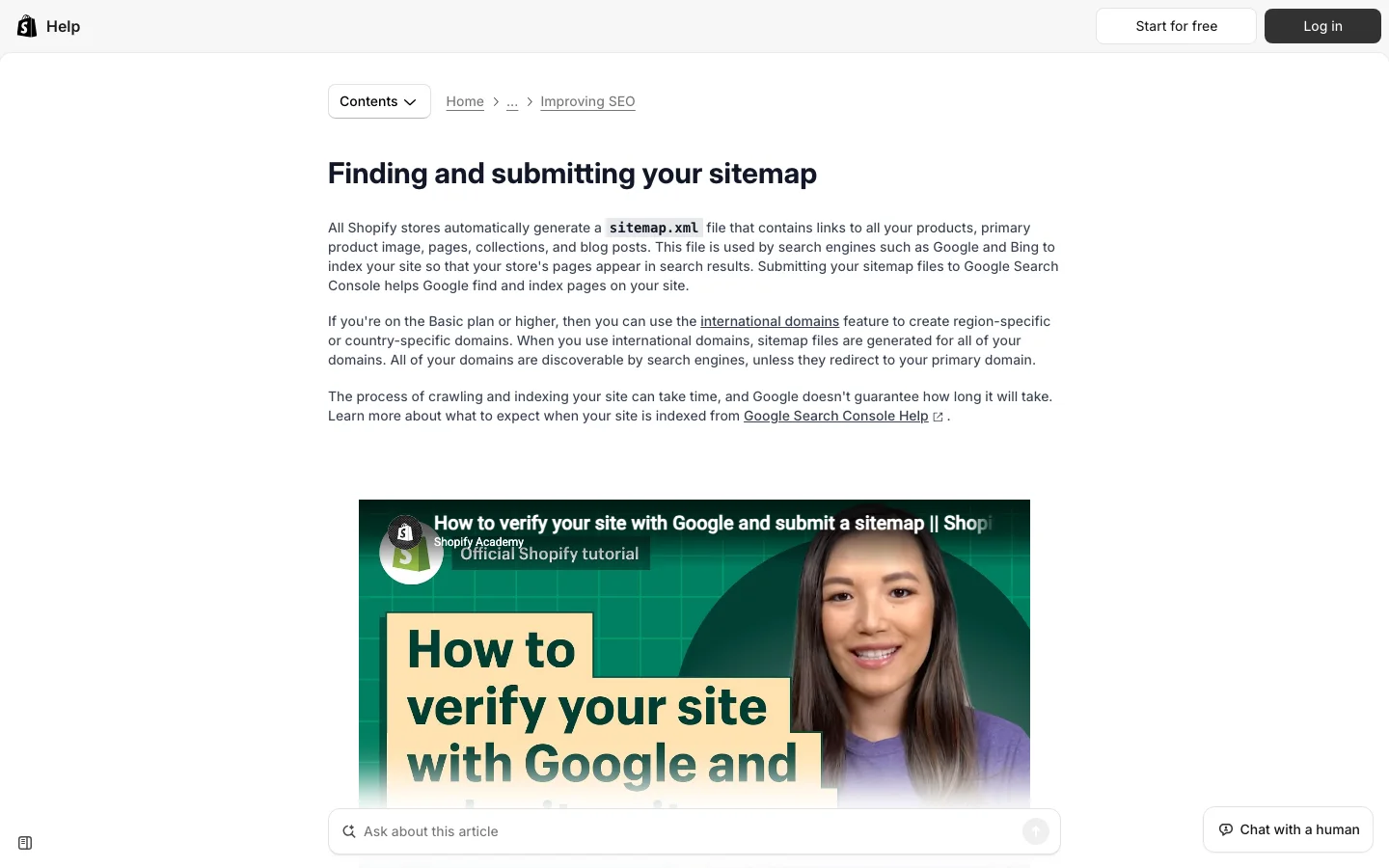
The sitemap is an index file. Open it and you will see child files such as sitemap_products_1.xml, sitemap_collections_1.xml, sitemap_pages_1.xml and sitemap_blogs_1.xml. Submitting the parent file is enough. To catch problems Shopify cannot see (products set to unavailable but still listed, pages returning errors), run it through our free XML sitemap checker.
Shopify's default robots.txt already blocks the cart, checkout, account pages, internal search and the sorted or filtered collection URLs. According to Shopify's documentation on editing robots.txt, you customize it only by adding a robots.txt.liquid template to the theme, and Shopify strongly discourages replacing the template with plain text, because the default rules then stop updating. The same page warns that a wrong edit can remove all of your organic traffic.
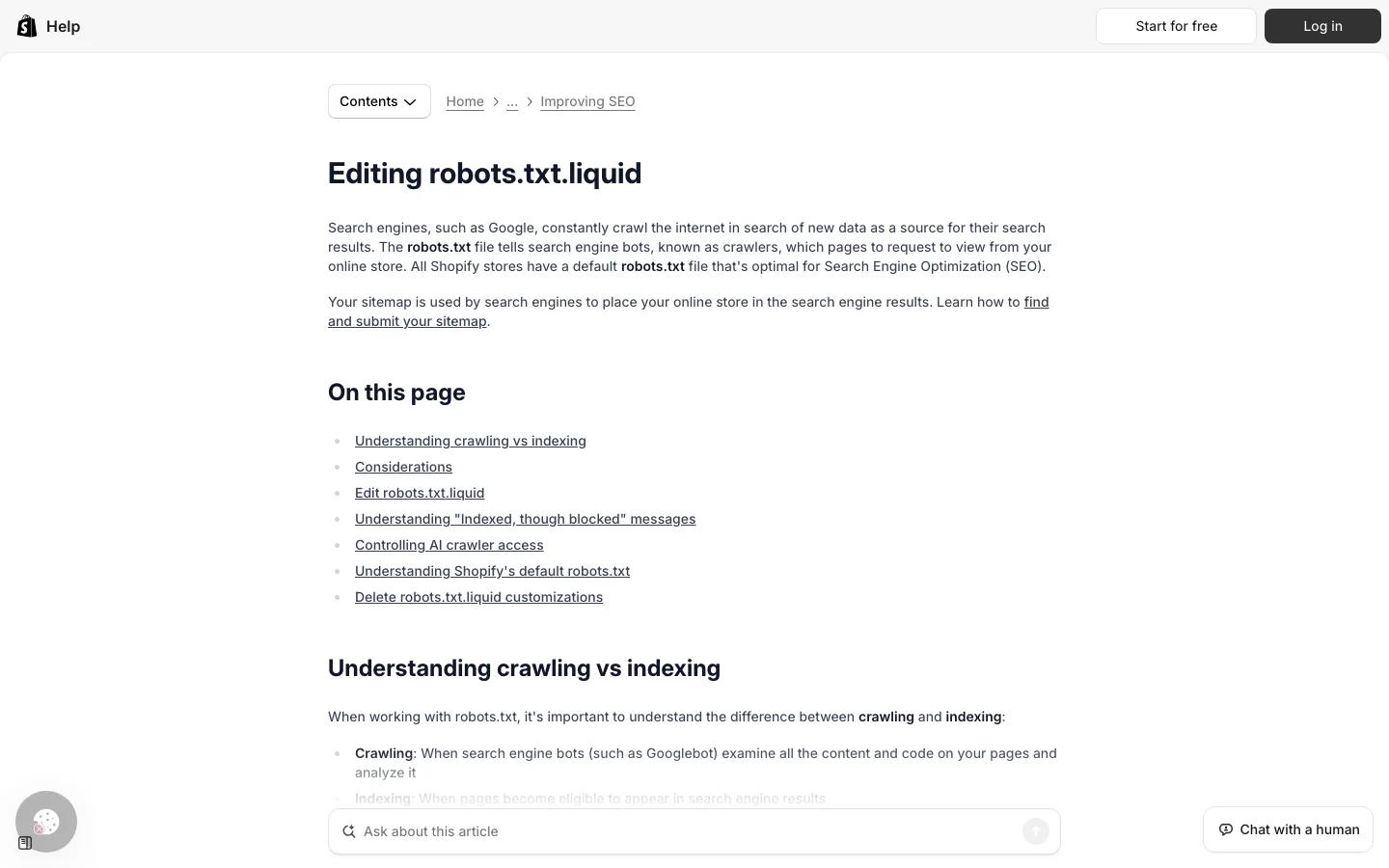
If you do need a rule, for example to block an app proxy path that generates thin pages, keep the default groups and append your line:
{% for group in robots.default_groups %}
  {{- group.user_agent }}
  {%- for rule in group.rules -%}
    {{ rule }}
  {%- endfor -%}
  {%- if group.user_agent.value == '*' -%}
    {{ 'Disallow: /apps/wishlist/' }}
  {%- endif -%}
  {%- if group.sitemap != blank -%}
    {{ group.sitemap }}
  {%- endif -%}
{% endfor %}
Then test the live file at example.com/robots.txt with our robots.txt checker, which also shows whether AI crawlers such as GPTBot or ClaudeBot can reach your products. If you want to decide which AI bots to allow, read our guide on robots.txt for AI crawlers.
Warning
Never block a URL in robots.txt that you also want deindexed with a noindex tag. If Google cannot crawl the page, it never sees the noindex, and the URL can stay in the index as "Indexed, though blocked by robots.txt".
This is the part of the checklist that is specific to Shopify, and the one most stores get wrong. The platform can serve the same product or collection at several addresses. Shopify adds a canonical tag to limit the damage, but a canonical is a hint, not an order. If your own internal links keep pointing at the duplicates, Google crawls them, splits signals and sometimes picks the wrong version.
A product in the "shirts" collection is reachable at /products/linen-shirt and at /collections/shirts/products/linen-shirt. If it belongs to six collections, it has seven URLs. Shopify's canonical on all of them points to /products/linen-shirt, which is correct. The problem is the theme: many older or customized themes build product links in the collection grid with the within filter, so every internal link points to a non-canonical version.
Open your theme code and search the snippets folder (often product-card.liquid, card-product.liquid or product-grid-item.liquid) for within. If you find this:
<a href="{{ product.url | within: collection }}">replace it with the canonical link:
<a href="{{ product.url }}">You lose nothing: breadcrumbs can still show the collection the visitor came from. You gain one URL per product in Google's eyes, and a crawl budget no longer spent on copies. Check the result with our canonical checker on a few product pages, and in Search Console's Pages report, look for the status explained in duplicate without user-selected canonical.
Collection-scoped links vs canonical links
When you filter a collection by tag, Shopify creates a URL such as /collections/shirts/linen. Its canonical is self-referencing, so Google treats it as a real page. With a few hundred tags, you get hundreds of thin, near-identical collection pages. Unless a tag page matches a real search query and gets its own content, add a noindex in theme.liquid, inside the head:
{%- if current_tags -%}
  <meta name="robots" content="noindex, follow">
{%- endif -%}
If one tag combination deserves to rank (for example "linen shirts for men"), turn it into a real collection with its own handle, title and copy instead. The full logic for filters is in our guide to faceted navigation SEO.
Variant URLs (?variant=123456) carry a canonical to the parent product: leave it that way, unless each variant is a distinct product people search for by name, which is rare. Paginated collections (?page=2) keep a self-referencing canonical, which is correct: do not canonicalize page 2 to page 1, or Google may stop discovering the products listed there. The /collections/all page duplicates your whole catalog and the /search page is already blocked; if /collections/all is linked from your menu, either remove the link or noindex it with the same pattern as above, using request.path contains '/collections/all'.
When you edit a product or collection handle, Shopify offers a checkbox to create a URL redirect. Keep it ticked. For deleted products, add the redirect yourself in Online Store, Navigation, URL redirects, pointing to the closest product or the parent collection, not to the home page. Export the redirect list once a quarter and check that no redirect points to another redirect.
Shopify has no folders and no parent-child collections. A collection is flat, and hierarchy exists only through menus, breadcrumbs and links. That leaves you four ways to organize a store for search. Most stores mix two of them, but you should know which one is the backbone.
Principle: one collection per query family with real search volume ("linen shirts", "oversized hoodies"), all at the same level, connected by the main menu. When to use it: catalogs under a few hundred products. Advantages: simple, every collection one click from the home page, no duplicate risk. Limits: the menu gets crowded beyond 20 to 30 collections. Example: a small apparel brand with 12 collections in a mega menu.
Principle: you simulate parent and child collections ("Men", then "Men's shirts", then "Men's linen shirts") through nested menu items and a breadcrumb snippet that reads the menu. When to use it: large catalogs, several departments. Advantages: clear topical structure for Google and for shoppers, long-tail collections at the bottom. Limits: the URLs stay flat (/collections/mens-linen-shirts), the breadcrumb must be coded or added by an app, and parent collections need real links to their children in the page body, not only in the menu.
Principle: buying guides on the blog ("how to choose a linen shirt", "linen vs cotton") each link to one target collection, and the collection links back to the guides. When to use it: competitive niches where collections alone cannot rank. Advantages: captures informational queries and AI questions, pushes authority to commercial pages. Limits: needs a steady publishing rhythm; posts that link nowhere are wasted. Our guide to the Shopify blog covers the setup.
Principle: indexable tag pages (/collections/shirts/linen) used as lightweight landing pages. When to use it: almost never as a default; only for a handful of tag combinations with demand, and only if the theme lets you add unique copy to them. Advantages: no new collection to manage. Limits: thin content, hundreds of accidental pages, weak control over titles. In most stores, a real collection does the job better.
| Method | Best for | Main advantage | Main limit | Duplicate risk |
|---|---|---|---|---|
| Flat collections | Small and mid catalogs | Simple, shallow | Menu overload at scale | Low |
| Nested menus and breadcrumbs | Large, multi-department stores | Clear topical structure | Requires breadcrumb code and in-body links | Low |
| Blog hub and cluster | Competitive niches | Captures guides and AI questions | Needs regular publishing | Low if each post targets a distinct question |
| Tag landing pages | A few high-demand combinations | No new collection | Thin pages, poor control | High |
Whatever the method, check two things: every product sits in at least one collection linked from the menu, and no important product is more than three or four clicks from the home page. Products only reachable through internal search are close to invisible. For the collection pages themselves, see our guide to ecommerce category page SEO.
Once Google reaches one clean URL per page, the content decides the ranking. On Shopify, every product and collection has a "Search engine listing" block at the bottom of its editor, where you set the page title, the meta description and the handle.
The title tag should carry the product type and its main distinguishing attribute, then the brand: "Linen shirt, relaxed fit, sand | Brand", around 50 to 60 characters. The handle should be short and readable (linen-shirt-relaxed-sand), with no SKU or import ID. The description is where most stores lose: text copied from the supplier appears on dozens of other sites, and Google has no reason to rank yours. Rewrite it with what a buyer asks before purchase: fabric and weight, fit compared to standard sizes, care, delivery and returns, and who it is for. Our guide to product description SEO gives a full template.
A Shopify product page before and after the checklist
Set the alt text from the media editor of each product (click the image, then "Add alt text"). Describe what is visible, with the product name: "sand linen shirt, relaxed fit, worn open over a white t-shirt". Avoid stuffing the same keyword on every image. In the theme, make sure the alt attribute is actually output: some custom themes ignore it.
Collections are often the pages with the most search demand ("men's linen shirts" is searched more than any single shirt), yet many stores leave them with a title and a grid. Add a short introduction above the grid (two or three sentences that say what the collection contains and for whom), and a longer section below it: how to choose, sizes, materials, links to two or three related collections and buying guides. Keep the products visible without scrolling on mobile. Give each collection its own title tag rather than the default collection name.
Tip
Writing 300 unique meta descriptions by hand is the task everyone skips. Our free meta description generator proposes three versions per page that you can adjust in seconds.
Customer reviews are the cheapest source of unique text on a product page, as long as they are rendered in the HTML and not loaded in an iframe after the page. Check with "view source": if the review text is not there, Google may not count it. Questions and answers work the same way.
Shopify's hosting is fast. Slow Shopify stores are almost always slowed by what was added on top: apps injecting scripts on every page, oversized hero images, sliders, and fonts loaded from several sources. Google's targets are public, and you can measure them per page.
Google's "good" Core Web Vitals thresholds
Source: Google Search Central, Understanding Core Web Vitals
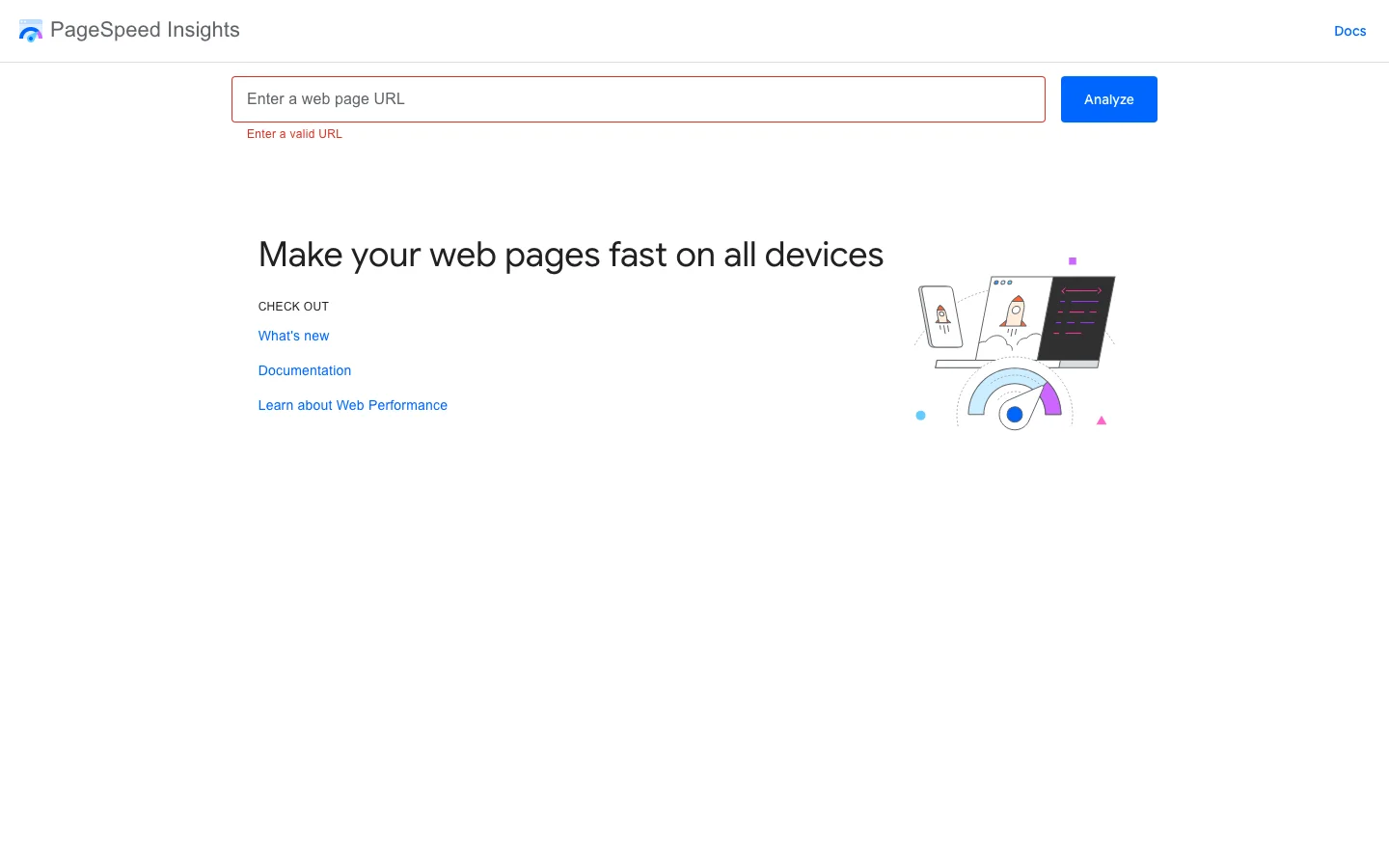
These thresholds come from Google Search Central's page on Core Web Vitals. Measure your home page, one collection and one product page in PageSpeed Insights, on mobile, and look first at the field data (real users) rather than the lab score. More background in our glossary entry on Core Web Vitals.
List every installed app and ask, for each one, whether it brings sales. Uninstall the others. Then check the theme: older apps added code directly into theme.liquid or snippets, and uninstalling does not always remove it. Search the theme code for the app's name and remove orphan script tags. Apps built on theme app extensions (app blocks and app embeds) are cleaner: you can switch them off in the theme editor without touching code.
Shopify's CDN serves modern formats, but it serves the size you ask for. Use the image_url filter with responsive widths, keep lazy loading for images below the fold, and load the main product image eagerly so it does not delay LCP:
{{ product.featured_image
  | image_url: width: 1200
  | image_tag:
    widths: '400, 600, 800, 1200',
    sizes: '(min-width: 990px) 50vw, 100vw',
    loading: 'eager',
    fetchpriority: 'high',
    alt: product.featured_image.alt }}
For grid images further down the page, use loading: 'lazy' and drop fetchpriority. Give every image width and height (image_tag does it for you), which prevents layout shift.
Prefer a recent Online Store 2.0 theme over a heavily customized old one. Remove carousels on the home page if their first slide is not your LCP element anyway, limit yourself to one or two font families, and avoid loading a pop-up script before the visitor has scrolled.
Product structured data is what gives you price, availability and review stars in Google, and it is one of the signals shopping features and AI assistants read to understand a product. On Shopify, the typical problem is not missing markup but duplicate markup: the theme outputs one Product block, a reviews app outputs a second, an SEO app a third, with different prices or ratings.
Run a product URL through Google's Rich Results Test and count the Product items. If you see two or more, decide which source is the reference (usually the theme or one SEO app) and switch off the others. Then check that the price, currency and availability in the markup match what the page shows, including after a sale price change.
For products with sizes or colors, Google's product variant structured data documentation recommends a ProductGroup that contains each variant as a Product, with variesBy listing the attributes and a productGroupID shared by the group. On a single-page Shopify product, the group URL is the base product URL, which is also the canonical. A simplified version:
<script type="application/ld+json">
{
  "@context": "https://schema.org",
  "@type": "ProductGroup",
  "name": "Linen shirt, relaxed fit",
  "url": "https://example.com/products/linen-shirt-relaxed",
  "productGroupID": "LS-RELAXED",
  "variesBy": ["https://schema.org/size", "https://schema.org/color"],
  "brand": { "@type": "Brand", "name": "Brand" },
  "hasVariant": [
    {
      "@type": "Product",
      "sku": "LS-RELAXED-SAND-M",
      "name": "Linen shirt, relaxed fit, sand, M",
      "size": "M",
      "color": "Sand",
      "image": "https://example.com/cdn/shop/files/linen-sand.jpg",
      "offers": {
        "@type": "Offer",
        "url": "https://example.com/products/linen-shirt-relaxed?variant=4210001",
        "price": "79.00",
        "priceCurrency": "EUR",
        "availability": "https://schema.org/InStock"
      }
    }
  ]
}
</script>
In the theme, this block is generated in a Liquid loop over product.variants, with variant.price divided by 100 and formatted, and availability derived from variant.available. Add Organization markup on the home page and BreadcrumbList on products and collections. If you prefer to start from a template, our schema markup generator outputs the JSON-LD, and our guide to review schema covers the rules for star ratings.
Warning
Do not mark up reviews or FAQ content that is not visible on the page. Google treats it as spammy structured data, and a manual action removes rich results from the whole site.
A store with clean technical foundations and good product pages still competes against marketplaces with far more authority. The pages that let a Shopify store win are the ones marketplaces do not write: buying guides, comparisons, sizing and care guides, answers to the questions people type before they know which product they want.
Start from the queries around each main collection: "how to choose", "X vs Y", "best X for Y", "how to wash X". Each post answers one question in the first paragraph, then goes into detail, and links to one collection and two or three products. The same questions are the ones people now ask ChatGPT, Gemini or Perplexity, which answer by citing a few sources. Direct answers, clear product names and consistent facts across your pages make your store easier to cite. Our guide to GEO for ecommerce goes deeper on getting products recommended by AI.
Search Console does not tell you whether an AI assistant recommends your store or a competitor's. Sorank tracks it: its GEO optimization feature checks the questions your buyers ask ChatGPT, Claude, Gemini and Perplexity and shows who gets cited, and its content calendar plans and publishes the buying guides on your Shopify blog on autopilot. The Shopify-specific setup is described on our Shopify SEO and GEO page.
If you use Shopify Markets with subfolders (/fr/, /de/) or separate domains, Shopify adds hreflang tags and language-specific sitemaps for you. Your job is to translate the handles, titles and meta descriptions, not only the body text, and to avoid automatic redirects based on IP that prevent Google from crawling the other versions.
If you start from an existing store, here is the order that gives results fastest without breaking anything. Each step builds on the previous one.
A 30-day Shopify SEO plan
Start with your best sellers. Search Console's Performance report, filtered on URLs containing /products/, shows which products already get impressions: those are the pages where a better title or description moves revenue first. For a deeper audit once these steps are done, follow our ecommerce SEO audit checklist, and for issues common to every site, our technical SEO checklist.
These are the errors that come back on store after store. Each one is quick to detect once you know where to look.
What it is: the store is live for customers who have the link, but crawlers see only the password page. How to spot it: open the store in a private window; Search Console shows almost no indexed pages. How to fix it: disable password protection in Online Store, Preferences, then request indexing of the home page and resubmit the sitemap.
What it is: the theme builds product links with within: collection. How to spot it: hover over a product in a collection grid; if the link contains /collections/ before /products/, you have it. Search Console lists many "Alternate page with proper canonical tag" URLs. How to fix it: replace product.url | within: collection with product.url in the product card snippet, as shown above.
What it is: every tag filter creates an indexable collection URL. How to spot it: search site:example.com/collections/ in Google, or look at the Pages report for URLs with three path segments under /collections/. How to fix it: add the noindex snippet for current_tags, and turn the few valuable combinations into real collections.
What it is: a product or collection handle is edited, or a product deleted, without a 301. How to spot it: the Pages report shows "Not found (404)" on URLs that used to get traffic; backlink tools show links pointing to dead URLs. How to fix it: add the redirects in Navigation, URL redirects, to the closest equivalent page, and keep the redirect checkbox ticked on every future edit.
What it is: product text imported from the manufacturer, identical on other stores. How to spot it: copy a sentence from your description and search it in quotes on Google. How to fix it: rewrite the top sellers first with fit, material, use cases and answers to buyer objections, then the rest of the catalog over time.
What it is: theme, reviews app and SEO app each output a Product block. How to spot it: Rich Results Test shows two or more Product items, sometimes with different prices; Search Console's Merchant listings report shows conflicting values. How to fix it: keep one source of truth, disable markup in the other apps, and check that price and availability match the page.
What it is: scripts from uninstalled apps still loading on every page. How to spot it: in Chrome DevTools, Network tab, look for requests to domains of apps you no longer use; PageSpeed Insights lists them under "Reduce unused JavaScript". How to fix it: search the theme code for the app name or domain, remove the orphan tags, and duplicate the theme before editing so you can roll back.
What it is: a robots.txt.liquid template filled with static rules copied from a forum. How to spot it: open the template; if it has no robots.default_groups loop, it no longer follows Shopify's default. How to fix it: delete the template to restore the default, then re-add only the rules you need with the Liquid pattern shown above.
What it is: collections with a title and a grid, no text, and the default title tag. How to spot it: your collections get impressions in Search Console but sit on page two for their main query. How to fix it: add an intro, a buying section below the grid, internal links to related collections and guides, and a written title tag and meta description.
Open Search Console, check that your primary domain is verified and the sitemap submitted, then open one collection page of your store and hover over a product link. If the link contains /collections/, you have found the most valuable fix of this checklist, and it takes ten minutes in the theme code. Then pick your ten best-selling products and rewrite their title tags and descriptions. If you want to compare the apps that can help along the way, read our selection of the best Shopify SEO apps, which also lists what Shopify does natively so you do not pay for it twice.
Yes. Shopify handles the sitemap, a safe default robots.txt, canonical tags and HTTPS for you. Its limits are the fixed URL prefixes and the duplicate URLs created by collections and tags, which you fix in the theme.
Shopify already sets the canonical to /products/handle, but many themes link to /collections/name/products/handle. Replace product.url | within: collection with product.url in your product card snippet so every internal link points to the canonical URL.
Not for the basics: titles, meta descriptions, redirects and the sitemap are native. Apps help with bulk editing, structured data or image compression at scale, but check that they do not add duplicate markup or slow the theme.
We analyse your competitors, your website and your AI visibility to create a tailored content plan for free.
 AI Content Brief Generator
 FAQ Schema Generator
 AI Blog Post Ideas Generator
 Structured Data Validator (Schema Validator)
 Alt Text Checker
 Internal Link Analyzer
 Backlink Challenge
 AI Meta Description Generator
 AI Blog Title Generator
 Google Indexability Checker
 AI Blog Outline Generator
 UTM Link Builder
 Keyword Clustering Tool
 Canonical Tag Checker
 XML Sitemap Generator
 Broken Link Checker
 AI SEO Title Generator
 Headline Analyzer
 SERP Preview Tool
 Redirect Checker
 Hreflang Tag Generator
 Heading Structure Analyzer
 HTTP Headers Checker
 Favicon Extractor
 SERP CTR Calculator
 SEO vs Paid Search Savings Calculator
 SEO Share of Voice Calculator
 SEO ROI Calculator
 SEO Traffic and Revenue Forecast Calculator
 SEO Budget Calculator
 SEO Break-Even Calculator
 SaaS SEO ROI Calculator
 ROAS Calculator
 Reading Time Calculator
 Ranking Gain Simulator
 Organic Traffic Value Calculator
 Organic Traffic Estimator and Website Traffic Checker
 LTV to CAC Ratio Calculator
 Local SEO ROI Calculator
 Link Building Cost Calculator
 Keyword Value Calculator
 Keyword Opportunity Score Calculator
 Keyword Density Calculator
 GEO ROI Calculator
 GEO Content Investment Calculator
 Ecommerce SEO ROI Calculator
 Customer Lifetime Value Calculator
 Customer Acquisition Cost Calculator
 CTR Calculator
 Cost Per Article Calculator
 Conversion Rate Calculator
 Content Marketing ROI Calculator
 ChatGPT Referral Traffic Estimator
 Bounce Rate Calculator
 Backlink ROI Calculator
 AI Visibility Score Calculator
 AI Traffic Value Calculator
 AI Share of Voice Calculator
 Cost of AI Invisibility Calculator
 AI Citation Rate Calculator
 llms.txt Validator
 AI Overview Checker and AI Overviews Rank Checker
 Robots.txt Checker
 AI SEO Audit
 LLM Readability Checker
 SearchGPT Readiness Checker
 Structured Data LLM Audit
 Website Crawlability AI Audit
 Why ChatGPT Is Not Recommending My Website
 Gemini Ranking Tool
 Perplexity Ranking Checker
 LLM Citation Checker
 Answer Engine Optimization Audit
 GEO Audit
 AI Search Visibility Test
 ChatGPT Visibility Checker
 llms.txt Generator
 URL Extractor
 Webpage to Markdown
 Sitemap Checker
 SERP Volatility Sensor
 Page Size Checker
 Word Counter
 Slug Generator
 Schema Generator
 Robots Generator
 OG Preview
 Meta Tags Generator
 Image Compressor
 Favicon Generator
 On-Page SEO Audit: SEO Checker and SEO Analyzer
 Backlink Analysis Tool
 Keyword Research Tool
 Domain Authority Checker
 “I tested Sorank on a real client site and it's insane. It does everything an agency would bill you $1500 a month for. It's going into production on that client now.”

 Guillaume Guersanguersanguillaume.com“We are an Ads agency and we wanted to get our SEO back on track once and for all. Sorank gave us a clear view of our site, helped us prioritize optimizations, and properly structure our content. The tool is easy to use, well designed for a team, and very practical for centralizing tracking without having to juggle multiple platforms. A very solid foundation to start fresh with our SEO.”
 Gaspard MadouiAds Agency
 “I just let the Sorank software do its thing, and now my DR is 25 and my page is ranking higher.”
 Lucas Flandrefoundertrace.fr“I specialized in GEO thanks to Sorank. The GEO Leaderboard allows me to show my clients their position vs competitors on ChatGPT. It’s a real commercial differentiator.”
 MélanieSEO Freelance“Great service, works well for our website and helps us understand how to improve it to rank better on Google and elsewhere. Congrats, keep going, I recommend it.”
 Hugo T.E-commerce merchant